
Raemond Android 16 Tablet
4.3Editor score
Affordable 10-inch Android tablet
Expandable 128GB internal storage
Case included for protection
A tablet for reading comics must balance vivid imagery, comfortable page turning, enough storage for a substantial library, and a screen that remains clear during long sessions. The best device also adapts to different formats, from color manga and graphic novels to scanned webcomics, while offering a viewing experience that feels more natural than a small phone.
This comparison evaluates the supplied tablets by display type and resolution, processing capability, memory, storage expansion, battery capacity, portability, connectivity, audio, and reading-focused features. It also includes dedicated e-readers and a page-turning remote because serious comic reading often depends on more than the screen itself.
Each entry identifies the most useful qualities and practical limitations for comic readers, from dedicated E Ink models to general-purpose Android tablets. Product availability and configurations can change, so confirm the current listing and included accessories before making a final purchasing decision.
4.3Editor score

4.6Editor score

4.0Editor score
As an Amazon Associate we earn from qualifying purchases.
The following comparison shows how the ten products differ across display technology, portability, storage, battery capacity, connectivity, and comic-specific functions. One entry is a reading accessory rather than a tablet, so it is best considered alongside a compatible e-reader or tablet.


The Lenovo Idea Tab Plus ranks first because it combines a sharp 12.1-inch 2.5K IPS display with a smooth 90Hz touch response, ample built-in storage, and accessories that support both reading and annotation. Its 4.6 rating reflects a strong overall balance for graphic novels, manga, webcomics, and other richly illustrated content.
We may earn a commission when you buy through this link, at no additional cost to you.
The large 2.5K panel is especially useful because comic art benefits from fine lines, captions, and color gradients. A listed brightness of up to 800 nits supports comfortable viewing in varied surroundings, while TÜV Rheinland Low Blue Light certification is relevant during extended reading. The included Lenovo Tab Pen also makes it practical to highlight dialogue, add notes, or sketch over a panel.
Its MediaTek Dimensity 6400 processor, 8GB of memory, and 128GB of storage provide a more substantial foundation than many compact entry-level tablets. Quad Dolby Atmos-tuned speakers add value for audiobooks, adaptations, or story-focused videos. Seamless drag-and-drop file sharing makes it easier to move comics between devices without relying on email or cables.
This is the strongest all-around recommendation for readers who want one large, bright screen for comics and ordinary tablet functions. The main compromise is portability: its 12.1-inch display is excellent for artwork but less convenient for crowded transit or prolonged one-handed use. Even so, the included pen, folio, strong specifications, and high-resolution panel make it the most versatile selection here.
The 2.5K resolution and up-to-800-nit brightness give comic pages a crisp, vivid appearance. This makes fine dialogue, subtle facial expressions, and layered color artwork easier to distinguish than on a smaller or lower-resolution display.
With the included Tab Pen, learning apps, quad speakers, and seamless file sharing, the Idea Tab Plus can serve as a comic reader, annotation device, audiobook player, and general-purpose tablet without relying on several separate products.
We may earn a commission when you buy through this link, at no additional cost to you.
This Android 16 tablet offers a generous 10.1-inch IPS screen, Google Mobile Services certification, and a large 8000mAh battery. Its 4.1 rating places it as a capable general-purpose option, particularly for readers who want access to apps alongside comic files and ebooks.
We may earn a commission when you buy through this link, at no additional cost to you.
The supplied package is unusually useful for reading and productivity. A Bluetooth keyboard, wireless mouse, stylus pen, and foldable protective case are included, allowing the tablet to function more like a small workstation. The 1280-by-800 display is suitable for standard webcomics, manga, and digitally rendered graphic novels, although it lacks the pixel density of the Lenovo model.
Storage is a major strength. The tablet has 128GB built-in storage and supports microSD expansion up to 1TB, making it possible to keep large comic collections, videos, and documents available. The listed 26GB of memory is described as 6GB physical RAM plus 20GB expansion, so buyers should understand that the expandable portion is virtual rather than equivalent to additional physical memory.
Choose this model if you want a large battery, Google Play access, and a broad accessory bundle at a modest level of investment. It is particularly useful for people who alternate among comics, ebooks, browsing, and keyboard-based tasks. The less refined screen and modest rating keep it behind the Lenovo, but its package is unusually complete.
The 8000mAh battery and low-power processor support long sessions for travel, commuting, and home use. Android's power management helps reduce interruptions when the display and wireless features are used for extended periods.
Google Play support opens the tablet to comic, ebook, productivity, and communication apps. The included keyboard, mouse, stylus, and case make it easier to shift between reading, browsing, and light work.
We may earn a commission when you buy through this link, at no additional cost to you.
The Ocean 7-inch E-Ink Reader is built around the idea that comic reading should feel calm, focused, and close to paper. It has a 4.5 rating, a glare-free E Ink touchscreen, fast page turns, and adjustable brightness and color temperature, making it a strong dedicated option for manga, books, and magazines.
We may earn a commission when you buy through this link, at no additional cost to you.
Its 7-inch size is more intimate than a large general-purpose tablet and easier to hold over a long session. The display description explicitly positions it for comics, while the Android operating system allows compatible third-party applications. Support for common image, book, font, audio, and office formats adds flexibility for libraries containing several media types.
Handwriting is supported through a separately sold Musnap stylus, which introduces a clear caveat for anyone hoping to annotate panels immediately. The tablet has 4GB of RAM and 64GB of storage, and its support for Bluetooth, Wi-Fi, and USB connections makes library transfer and accessory use convenient. E Ink also reduces the glare and visual harshness associated with illuminated LCD screens.
This is a compelling pick for readers who prioritize the paper-like viewing experience over full-color video and tablet versatility. Buy it if you mostly read monochrome manga, webcomics, or text-heavy graphic novels and want a dedicated device with handwritten annotation capability. Add the compatible stylus to the purchase if annotations are central to your routine.
The glare-free E Ink screen presents pages without the constant glow of a conventional LCD. Adjustable brightness and color temperature allow the display to be adapted to different rooms and times of day.
Support for image files, EPUB, PDF, MOBI, Kindle-associated formats, text, audio, and office documents helps the device handle mixed libraries. Bluetooth, Wi-Fi, and USB connections support several ways of moving content onto the device.
We may earn a commission when you buy through this link, at no additional cost to you.
The Raemond Android 16 Tablet combines a 10-inch 1280-by-800 display, 26GB of combined memory, 128GB of storage, and a 7000mAh battery. Its 4.3 rating and included case make it a practical option for readers who want a full-size screen without moving to a premium specification.
We may earn a commission when you buy through this link, at no additional cost to you.
The large display is useful for showing full comic pages and pairing artwork with captions. Android 16 is intended to improve resource management and application responsiveness, while the stated processor configuration supports everyday browsing, media, and reading. Storage expansion to 1TB via an SD card is especially helpful for readers with large downloaded libraries.
Its strengths are practical rather than luxurious. The 7000mAh battery is smaller than the Android 16 model's but should be useful for daily reading, and Wi-Fi 6 plus Bluetooth 5.4 provide current wireless connectivity. A USB-C port supports charging and data transfer, while the included case adds protection at the point of purchase.
This tablet is a sensible pick for budget-conscious readers who prioritize screen size, storage flexibility, and included protection over high pixel density. It does not claim a stylus package, so note-taking would require a separately supported pen. Overall, it offers the core features most readers need without a more advanced display.
The combination of 128GB internal storage and SD-card expansion allows comic readers to keep multiple series downloaded. This is valuable when reliable offline access matters more than frequent streaming.
Wi-Fi 6, Bluetooth 5.4, and USB-C cover the main connectivity needs for downloads, accessories, charging, and file transfer. The included case helps protect the tablet during commutes and travel.
We may earn a commission when you buy through this link, at no additional cost to you.
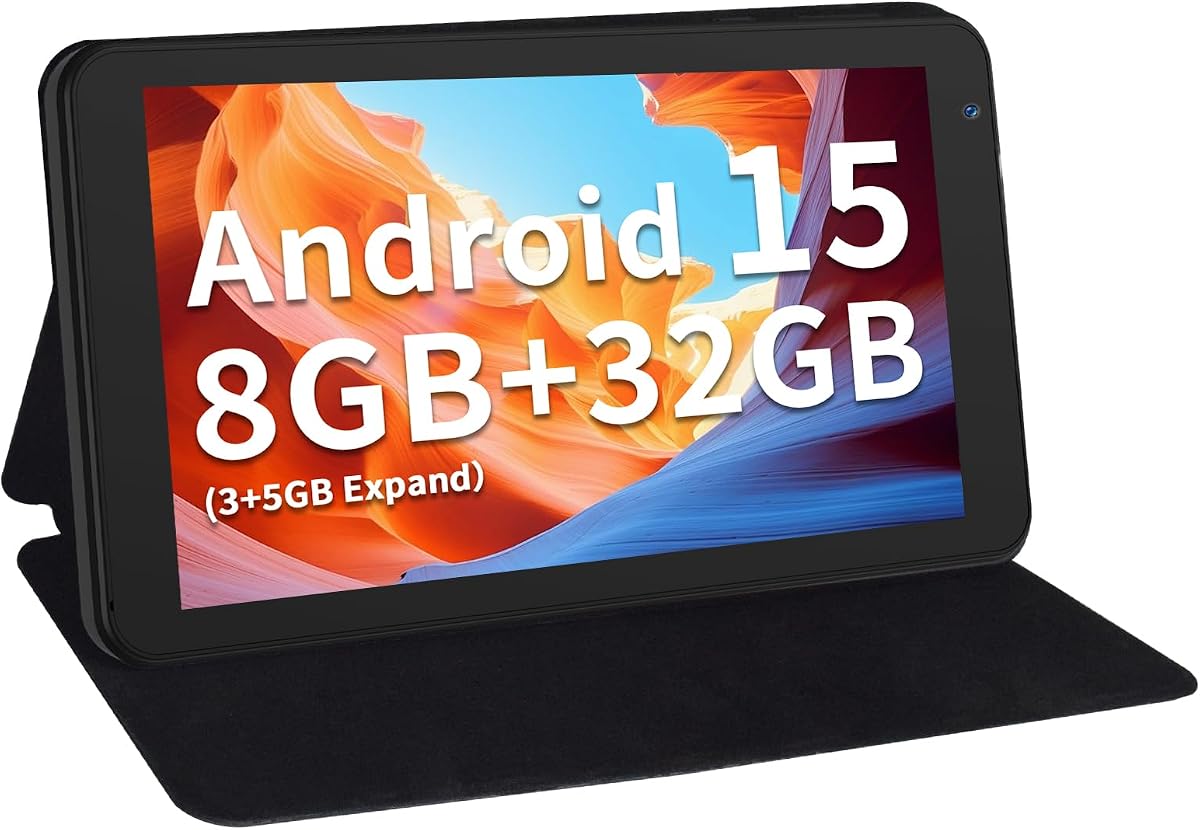
The VASOUN Android 15 Tablet prioritizes portability, with a 7-inch screen, a listed weight of 0.6 pounds, and a body designed to fit into small bags and purses. Its 3.9 rating reflects a simpler specification, but it remains a plausible choice for children, commuters, and travelers who read in shorter sessions.
We may earn a commission when you buy through this link, at no additional cost to you.
Dual-band Wi-Fi 6 helps maintain connections in busy networks, while the 1.8GHz five-core processor is designed for daily browsing, educational applications, and media. The listed 8GB of memory combines 3GB physical RAM with 5GB expansion, and 32GB of built-in storage holds a starter collection of comics and books.
Its 3500mAh battery is listed for up to seven hours of reading or five hours of music in ECO mode. That makes battery planning important: keeping the display brightness lower and using power-saving settings can help preserve the stated reading duration. The included case adds portability, while the compact size makes the device easier to hold than a 10-inch or 12-inch tablet.
Choose VASOUN for travel, children, or readers who value a light device more than a large screen. It is less appropriate for buyers with extensive local libraries because the storage is modest and the expanded memory does not create true physical RAM. Its strongest advantage is the ability to read comfortably without carrying a large tablet.
The lightweight 7-inch form is easy to carry in a purse or small bag. Its manageable dimensions also reduce wrist strain compared with larger tablets during shorter reading sessions.
The stated reading duration makes this model suitable for trips when power is limited. Using ECO mode, reducing brightness, and downloading comics before departure can help make the most of the available capacity.
We may earn a commission when you buy through this link, at no additional cost to you.
The pink Andriod 7-inch Tablet is a compact entry-level option with a 1024-by-600 IPS display, Google Mobile Services support, and 32GB of storage. Its 3.6 rating suggests that the device offers basic functionality rather than a premium reading experience.
We may earn a commission when you buy through this link, at no additional cost to you.
For comics, the IPS panel is a familiar alternative to E Ink and presents images clearly under indoor lighting. Google Play Store access allows installation of compatible comic and ebook applications, while microSD support can expand storage to 1TB. The 8GB combined memory includes 3GB physical RAM and 5GB expansion, so it is best suited to reading and a handful of light applications rather than demanding multitasking.
A protective case is included, which is useful because the compact device is likely to travel frequently. The 3000mAh battery is listed for up to six hours of use, and Type-C fast charging helps reduce downtime. Dual cameras, Bluetooth, and dual-band Wi-Fi round out the basic feature set for calls and everyday connectivity.
Pick this model for a lightweight reading device at the lower end of the list, especially if you prefer the pink finish or want Google Play access. The 1024-by-600 resolution is the clearest limitation because small captions and detailed artwork may appear less sharp. It is a straightforward compact option rather than a serious color-comic specialist.
GMS support and access to the Google Play Store make it straightforward to install reading, reference, and communication applications. The small body is convenient for casual readers and younger users.
Although built-in storage is 32GB, microSD expansion can accommodate a much larger collection. Offline downloads remain useful when reliable network access is unavailable.
We may earn a commission when you buy through this link, at no additional cost to you.
The black Andriod 7-inch Tablet shares the same core configuration as the pink version, including a 1024-by-600 IPS screen, 32GB of storage, and a 3.6 rating. It is a practical choice for readers who prefer a neutral, understated design or already have a suitable case and stylus setup.
We may earn a commission when you buy through this link, at no additional cost to you.
Its Google Play Store access broadens the range of compatible reading applications, while Bluetooth and dual-band Wi-Fi support everyday connections. The compact display is easier to hold for casual sessions and fits naturally into reading routines built around short chapters, webcomic updates, or children's illustrated stories.
Storage can be expanded through microSD, making it possible to retain many downloaded comics despite the modest base capacity. The included protective case reduces the need for a separate purchase. A 3000mAh battery and Type-C charging are also included, though the stated six-hour maximum means readers should recharge before long journeys.
Choose the black model for its appearance more than for a technical advantage over the pink version. It is suitable for straightforward digital reading, app-based comic access, and light media use. Readers seeking fine line work, sophisticated annotation, or extensive high-resolution libraries should consider a higher-resolution or E Ink alternative.
The black finish suits homes, offices, and travel bags where a colorful device might stand out. Its small size also makes it a less cumbersome option for casual reading.
Google Play compatibility provides access to reading tools, while microSD expansion handles locally stored comics. The result is basic but flexible for readers who primarily consume content through applications.
We may earn a commission when you buy through this link, at no additional cost to you.
The RF Remote Control Page Turner is not a tablet, but it can meaningfully improve the experience of reading comics and novels on an existing Kindle, Kobo, iPad, iPhone, Android tablet, or Surface. Its 4.4 rating reflects its usefulness for hands-free page turning, particularly in bed or during long reading sessions.
We may earn a commission when you buy through this link, at no additional cost to you.
The controller lets a reader turn pages without repeatedly touching the screen. This can be valuable for people with mobility issues, anyone keeping their hands under a blanket, and readers who simply prefer a remote-style interaction. A mute button allows the control to be used quietly, supporting the product's emphasis on restful nighttime reading.
USB-C charging removes the need for disposable batteries. The listed charging guidance indicates that a single full charge can last for weeks to months depending on usage, making the remote convenient for travel. Compatibility covers several common e-reader and tablet families, but the listing specifically notes incompatibility with Kindle 8th Generation and Amazon Fire HD 10 models of the 10th and 11th generations.
This accessory is worth considering when touch fatigue, accessibility needs, or comfortable reclined reading are priorities. It does not replace a tablet and cannot improve display quality, but it can make an existing device easier to use. Verify the device and app combination before purchase, especially if you rely on an Amazon Fire HD 10 or Kindle 8th Generation.
A remote reduces repeated taps and allows the reader to keep the device propped up. That posture can be more comfortable for long comic or novel sessions, particularly while reclining.
The remote can assist readers who have difficulty making precise screen touches. Its mute function also allows page changes without producing audible clicks in a quiet room or bedroom.
We may earn a commission when you buy through this link, at no additional cost to you.
The 7 Inch Tablet with Case is designed as a lightweight, approachable reading device with a 500-gram weight, a 7-inch HD IPS display, and a 3.6 rating. Its senior-friendly setup and pre-installed Google Play Store make it accessible to users who want a straightforward comic or ebook experience.
We may earn a commission when you buy through this link, at no additional cost to you.
A reading mode is included to reduce eye strain, which is a useful feature for longer sessions. The tablet supports dual-band Wi-Fi, Bluetooth, USB-C, and OTG, allowing connections to keyboards, flash drives, and other peripherals. Its 3500mAh battery is listed for up to four hours of video playback, so readers should monitor consumption during all-day use.
The custom-fit premium cover is a notable inclusion for a portable device. The stated 8GB of memory combines 3GB physical RAM with 5GB virtual expansion, while 32GB of internal storage can be supplemented through microSD up to 1TB. Dual speakers also make it possible to listen to audiobooks or adaptations when a comic is adapted into audio.
Choose this tablet for a lightweight, simple reading setup or as an approachable option for an older reader. It is less suitable for highly detailed artwork than a higher-resolution model, and its physical memory is modest. Within those limits, the case, reading mode, and portability create a convenient package.
The reading mode is designed to make extended ebook and comic sessions more comfortable. Combined with a 500-gram body, it supports use in bed, during travel, or around the home.
USB-C and OTG support make it possible to connect flash drives and other accessories. Dual speakers provide an option for audiobooks and comic-related audio when paired with supported files.
We may earn a commission when you buy through this link, at no additional cost to you.
The PocketBook InkPad Color 3 is the premium dedicated reader in this group, with a 7.8-inch color E-Paper display, 32GB of storage, SMARTlight, and an IPX8 water-resistant design. Its 4.0 rating reflects a specialized device built for long-form reading rather than general tablet tasks.
We may earn a commission when you buy through this link, at no additional cost to you.
The central advantage for comics is color E Ink. It offers a more paper-like appearance than a conventional LCD while retaining enough color for illustrated magazines, webcomics, and color-rich ebooks. The glare-free screen and adjustable frontlight are especially useful for reading in bright rooms, on a journey, or throughout the day without harsh direct illumination.
Storage is generous for a dedicated reader and can be supplemented through external memory. The product is designed to hold thousands of ebooks, audiobooks, and documents, while built-in apps expand its functions beyond local files. Text-to-speech, a built-in speaker, Bluetooth, and dual-band wireless also make it useful for listening to supported audio and managing content across devices.
This is the strongest premium choice for readers who want color comics without the glare and visual fatigue commonly associated with LCD tablets. The battery is listed to last up to one month on a single charge, and IPX8 protection improves confidence around water. Its limitations are equally clear: it is an E Ink reader, not a full Android tablet, and its color presentation is subtler than a conventional illuminated display.
The color E-Paper panel provides illustrated pages with a subdued, paper-like appearance. Its reflective viewing behavior can be especially comfortable for lengthy comic sessions and outdoor reading.
IPX8 protection helps guard against accidental water exposure, while the stated one-month battery life reduces charging frequency. These features make the reader well suited to vacations, commuting, and reading away from an outlet.
We may earn a commission when you buy through this link, at no additional cost to you.
The best tablet for reading comics depends on whether you prioritize vivid color, a paper-like surface, long battery life, app flexibility, or portability. Screen technology, library capacity, and reading comfort deserve more attention than processing power or included accessories.
LCD and IPS screens deliver bright, saturated color and handle video, animation, and general tablet applications exceptionally well. They are the logical choice for readers who consume digitally drawn webcomics, want smooth scrolling, or want a general-purpose device that also serves for browsing and entertainment. Their main drawback is prolonged screen glow, which some readers find harsher than a reflective paper-like display.
E Ink, including color E Ink, is designed to imitate printed pages more closely. It typically offers less glare, comfortable front-light adjustment, and long battery endurance, making it strong for manga, graphic novels, and extended reading. Color E Ink adds richer illustration but remains less vivid than a conventional LCD, so readers should consider whether their comics are primarily color or monochrome.
A 7-inch display is portable and comfortable for many manga panels, while 10-inch and 12-inch screens show more detail and reduce the need to zoom. Resolution matters because fine lettering, panel borders, and subtle color changes can become difficult to see on a low-resolution display. A 1280-by-800 panel is a practical baseline for standard webcomics, but higher-resolution IPS screens are better for dense graphic novels and high-resolution artwork.
Choose a size based on where you read. For travel and public transit, a smaller tablet is easier to hold one-handed. For desk-based reading, a larger panel can display a full page with fewer interruptions. Consider also that a bigger screen does not automatically mean better comfort; weight, case design, and hand position can matter as much as diagonal size.
Comic libraries can consume considerable space, especially when each volume is stored as a folder of high-resolution images. Look for at least 32GB of internal storage, microSD expansion, or a dedicated e-reader with generous internal memory. Also verify which image, PDF, EPUB, MOBI, and archive formats the device and its software support.
Expandable storage is helpful, but check whether the selected reading application can open files directly from a memory card. Some apps require files to be imported into internal storage first. For readers who download books, comics, audio, and documents together, balanced internal storage plus expansion offers the most flexibility.
Dedicated E Ink readers are likely to last longest between charges because they refresh the display rather than maintaining a continuously illuminated panel. General-purpose Android tablets offer more applications but may need more frequent charging. Battery capacity alone does not reveal real runtime because screen brightness, Wi-Fi use, video playback, and processor efficiency all influence the result.
Look for USB-C charging and consider the type of reading you will do. A commute reader may need only a few hours of capacity, while a traveler or audiobook listener will benefit from a longer-running device. A stated reading duration is generally more relevant to the task than a stated video runtime, provided the reading mode and brightness settings are comparable.
Comic reading is not demanding on even modest processors, but the tablet's operating system and application ecosystem determine which stores and viewing tools are available. Google Play support is valuable for readers who rely on subscription services or specific comic apps. Dedicated e-readers may support several local formats and third-party apps but do not replicate the complete flexibility of a general-purpose tablet.
Memory should be considered alongside app behavior. Expanded or virtual memory can help with background tasks, but it is not the same as additional physical RAM. For downloads, webcomics, light browsing, and one or two reading applications, the configurations in this guide are generally suitable. Heavy multitasking, complex annotation, and demanding games require more capable hardware.
A comic reader should be comfortable to hold, protected during travel, and easy to prop up. The supplied data includes models with folio cases, protective covers, styluses, keyboards, and mice. Stylus support is valuable for highlighting dialogue, annotating panels, or reading with children, but some devices require a separately purchased compatible pen.
Check the entire package rather than focusing only on the screen. A page-turning remote can improve comfort for readers with mobility issues or for use while reclining, but it is an accessory rather than a tablet and may not support every device or reading application. A good case, stable stand, and appropriate pen can therefore be more valuable than a modest processing upgrade.
Begin by installing the reading application that matches your library, then adjust the display brightness, color temperature, text size, page orientation, and page-turning behavior to suit the environment. Download the pages or chapters you need before traveling, and organize them into clearly named series folders so that an interruption does not lead to a difficult search later.
Use the device's case and screen protection consistently. Avoid placing a tablet face-down on rough surfaces, and keep liquids away from devices that do not have a stated water-resistance rating. Clean the screen with a soft, lint-free cloth, and avoid aggressive sprays or abrasive materials. For E Ink readers, let the device manage screen refreshes and avoid leaving the same static page displayed for unnecessarily long periods.
To preserve battery life during comic sessions, use airplane mode when downloaded material does not require a connection, lower the display brightness, and disable unused background applications. Recharge with a compatible USB-C cable and allow the device to cool if it becomes warm during heavy use. Keep firmware, reading applications, and storage organized, and back up purchased or downloaded files to another location when possible.
E Ink is often better for long reading sessions because it has a glare-free, paper-like appearance and usually lasts longer between charges. LCD and IPS screens provide brighter, more saturated color and are better for animation, video, and general tablet use. The ideal choice depends on whether color vibrancy or low-glare comfort matters more to you.
A 10-inch or 12.1-inch screen is convenient for viewing full comic pages and small dialogue, while a 7-inch screen is easier to carry. Larger displays can be tiring to hold one-handed, so a folio case, stand, or support may help. Consider where you will read as well as the size of the artwork.
It depends on the reading application and file format. Android tablets with Google Play access can install compatible readers, while dedicated e-readers often list supported formats more explicitly. DRM-protected books from one store may not be readable in another app, so verify compatibility before transferring a library.
Storage use varies with image resolution and whether comics are stored as individual pages, archives, or optimized files. A 32GB device can hold a useful collection, while 64GB, 128GB, or microSD expansion provides more room for graphic novels and high-resolution artwork. Reviewing image dimensions and file formats helps estimate library size.
A stylus is helpful for highlighting dialogue, drawing notes, and interacting with comic apps, but it is not required for ordinary page turning. The Lenovo Idea Tab Plus includes a Tab Pen, while the Ocean reader supports a separately sold Musnap stylus. Check compatibility and palm rejection before choosing a pen for extended annotation.
A page-turning remote can be worthwhile for accessibility, relaxed reading, and anyone who finds repeated screen taps tiring. It can also be convenient when the tablet is propped up. Compatibility varies, however, and the listing specifically excludes Kindle 8th Generation and Amazon Fire HD 10 models of the 10th and 11th generations.
Color E Ink is a strong option for reflective viewing, long battery life, and illustrated pages in a dedicated reader. Its colors are generally softer than those of an LCD or IPS screen, so readers who want highly saturated artwork or animated panels may prefer a conventional Android tablet instead.
Use a device with adjustable brightness or a frontlight, avoid staring at the screen in a dark room at maximum brightness, and take regular breaks. Increasing line spacing, zooming into small dialogue, and using a larger display can also reduce visual effort. E Ink and reading modes may help readers sensitive to conventional display glow.
The Lenovo Idea Tab Plus is the strongest all-around choice because its sharp 2.5K display, 90Hz touch response, included stylus, and generous specifications suit detailed comics and broader tablet use. The Raemond Android 16 Tablet provides a more practical large-screen option with expandable storage and a case, while the PocketBook InkPad Color 3 is the premium choice for readers who prioritize a paper-like color E Ink experience.
Prioritize the factors that directly affect your library: display type, screen size, resolution, storage, supported formats, and application compatibility. Compact 7-inch models are easier to carry, dedicated E Ink readers are calmer for long sessions, and larger IPS tablets are better when vivid color, smooth scrolling, and general-purpose functionality matter most.
Before purchasing, check the current product listing for exact specifications, included accessories, storage options, and compatibility details. Product configurations and availability can change, so confirming the latest listing helps ensure the selected tablet or accessory fits your comic-reading habits.
