
128GB Gaming microSDXC
4.5Editor score
Up to 100MB/s reads
A2 performance class
Full-size SD adapter
Discover the best Steam Deck Micro SD Card options for fast loading, ample storage, durable design, and smooth handheld gaming in this detailed 2026 guide.
A Steam Deck microSD card determines how much games and media you can carry, how quickly assets load, and how reliably the handheld performs during demanding sessions. The right card balances usable capacity, read speed, sustained performance, durability, and compatibility with the Steam Deck and other devices.
This guide compares ten microSD options based on the supplied capacity, speed, performance-class, durability, and compatibility information. It covers cards aimed at budget buyers, large game libraries, fast transfers, 4K recording, and newer handheld formats without suggesting that every headline speed will appear inside the Steam Deck.
Each review explains the strongest reasons to consider a card, along with its practical limitations. The list also highlights the 1TB SanDisk Extreme as an all-around choice, the 128GB Gaming card as a value option, and the 256GB microSD Express card as the premium speed-focused pick. Prices and availability can change.
The top three options serve distinct needs. The SANDISK 1TB Extreme combines generous capacity with strong transfer speeds and an A2 rating, making it a natural fit for owners of sizable game libraries. The 128GB Gaming microSDXC TF Memory Card with Adapter is the most budget-oriented selection, with a claimed read speed of 100MB/s, UHS-I, A2 support, broad handheld compatibility, and an included full-size SD adapter.
The 256GB microSD Express Card is the performance-focused premium choice, listing read speeds up to 880MB/s and write speeds up to 600MB/s. It is also described as backward compatible with standard UHS-I slots, although actual transfer results depend on the host device. The remaining cards offer alternatives from 128GB to 1TB, with different balances of speed, capacity, and product features.
4.5Editor score

4.8Editor score

4.4Editor score
The table below compares capacity, stated read speed, performance class, and headline capability across all ten cards. It highlights the range of options available for Steam Deck owners, from a budget-oriented 128GB card to 1TB models and a premium microSD Express card.




The SANDISK 1TB Extreme is the most versatile card in this guide for Steam Deck owners who want substantial storage without moving to an unfamiliar format. It carries a 4.8 rating and offers a generous one-terabyte capacity, along with claimed read speeds of up to 190MB/s and write speeds of up to 130MB/s. The included adapter also makes it convenient to move files between compatible full-size SD readers and the Deck's microSD slot.
We may earn a commission when you buy through this link, at no additional cost to you.
Its feature set extends beyond game storage. The card is rated U3 and V30, making it suitable for demanding 4K and 5K UHD workflows on compatible devices, while its A2 rating is designed to improve random operations and application performance. SanDisk's QuickFlow technology is intended to accelerate offloading from compatible hosts, and the card can be paired with the separately sold SanDisk Professional PRO-READER to pursue maximum transfer speeds.
The important caveat is that quoted peak speeds are not the same as the speeds the Steam Deck will necessarily deliver. The supplied information notes that results depend on the host interface, usage conditions, and other factors. A 1TB card can also become full quickly with modern games, so owners should still monitor remaining space and keep their library organized. Those are limitations of capacity and host performance rather than shortcomings in the advertised specification.
This card is a strong recommendation for users with a large collection, frequent card swapping, or a need to retain several demanding titles in addition to smaller games. It is also a familiar choice for owners who want a standard microSD card that can also serve compatible cameras, action cameras, tablets, and other devices. For most buyers seeking a single high-capacity, high-performance solution, it offers the strongest balance in the list.
One terabyte gives a Steam Deck owner room for a substantial mix of games, updates, and media. It also reduces the frequency with which installed content must be moved to another card, although filling the card completely can still slow down updates and library management.
The stated read speed of up to 190MB/s is useful for offloading files and moving games between devices. The Steam Deck's own card reader may not reach that figure, so buyers should focus on reliable performance and adequate capacity rather than expecting every listed speed to be reproduced.
We may earn a commission when you buy through this link, at no additional cost to you.
The SANDISK 256GB Ultra is a practical middle ground for Steam Deck users who want more room than a compact card provides but do not need a full terabyte. Its 4.7 rating reflects strong user reception, and the supplied specifications list read speeds up to 150MB/s, an A1 performance class, and a bundled full-size adapter.
We may earn a commission when you buy through this link, at no additional cost to you.
The card is presented as suitable for Android phones, tablets, Chromebooks, and Windows laptops in addition to gaming use. That cross-device flexibility makes it useful for people who already use microSD storage across a phone, laptop, and Deck. The SanDisk Memory Zone app is also listed for viewing, accessing, and backing up phone files, giving the product a broader role than game storage alone.
Compared with the Extreme cards in this guide, the Ultra uses the less advanced A1 class rather than A2. It also lacks the Extreme line's stated U3 and V30 support in the supplied information. Those distinctions matter for users who expect stronger random performance or advanced video recording, but they do not prevent the card from serving as a conventional Steam Deck expansion.
The best candidate for this card is a player with a moderate collection who values a recognizable, versatile microSD card and a 256GB capacity. It is also a sensible choice for sharing a card between the Deck and compatible everyday devices. Those wanting a larger library or a more advanced performance class should compare the 512GB or 1TB options instead.
At 256GB, the card offers room for a selection of games while remaining easy to swap and organize. It is a more balanced choice for users who rotate a few titles rather than installing dozens of larger releases.
Compatibility with phones, tablets, Chromebooks, and Windows laptops broadens the card's appeal. The adapter and Memory Zone support make file transfer and organization more convenient across those devices.
We may earn a commission when you buy through this link, at no additional cost to you.
The SanDisk 128GB Extreme delivers many of the performance features associated with larger Extreme cards in a more compact capacity. It has a 4.8 rating, up to 160MB/s read speed, up to 90MB/s write speed, and an A2 rating. The card also carries U3 and V30 classes, making it suitable for compatible 4K UHD and Full HD workflows.
We may earn a commission when you buy through this link, at no additional cost to you.
Durability is another major selling point. The supplied information lists the card as temperature, water, shock, and x-ray proof, making it suitable for mobile use and environments where the card may be carried frequently. The SanDisk Memory Zone app is also listed for file management through Google Play, while the included adapter allows use with compatible full-size slots.
Its clear limitation is capacity. A 128GB card offers less room for modern Steam Deck games than the 256GB, 512GB, and 1TB options, so users may need to swap cards or remove games more often. It is also worth noting that the full product title identifies the SDSQXA1-128G-GN6MA model, which shoppers may want to compare carefully with other Extreme listings.
This card makes the most sense for users who travel with a few games, keep a lightweight secondary library, or want a high-performance card for another compatible device. It combines strong specifications, a 4.8 rating, and broad durability at a practical capacity. It is a better fit for a selective collection than for someone intending to install an extensive library.
The card retains U3, V30, and A2 classes despite its smaller capacity. That makes it more versatile than an entry-level card when users also record high-resolution video or want stronger application performance.
Water, shock, temperature, and x-ray protection suit a card that travels between the Deck, cameras, phones, and other devices. Protection claims help describe the card's construction but do not eliminate the need for safe handling and proper storage.
We may earn a commission when you buy through this link, at no additional cost to you.
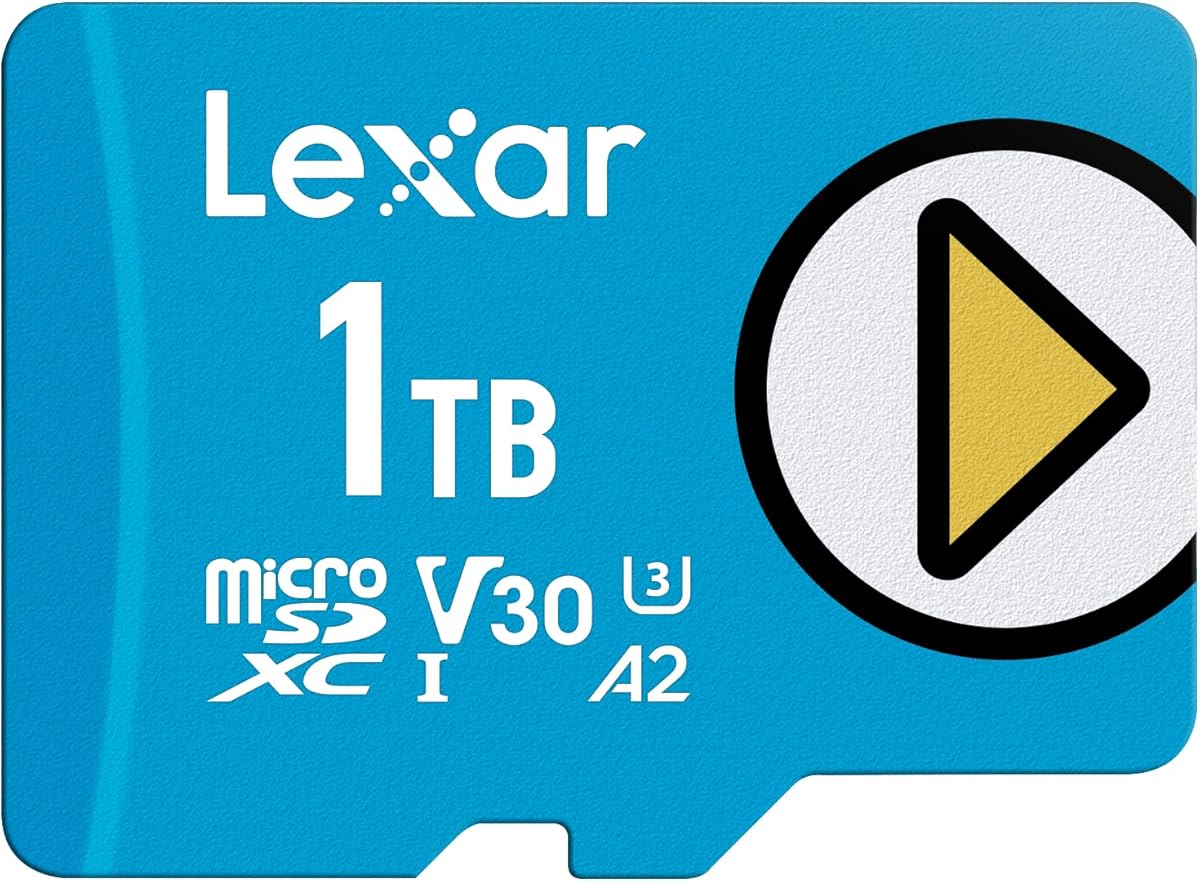
The Lexar 1TB Play Blue is built around two priorities: storing a large library and delivering up to 160MB/s read speed. Its 4.5 rating places it behind the SanDisk options in user feedback, but the combination of one-terabyte capacity, A2 performance, V30 support, and UHS-I makes it a credible alternative for Steam Deck owners.
We may earn a commission when you buy through this link, at no additional cost to you.
The product is listed as compatible with Nintendo Switch 1, smartphones, and tablets. Its stated read speed is presented as helping reduce game loading times, while the A2 rating targets responsiveness when accessing games and applications. It also supports 4K workflows, which broadens its appeal for users who move the same card between a handheld console and video-capable devices.
The card is described as resistant to temperature, water, and x-rays, with additional protection mentioned in the supplied information. Those traits suit frequent mobile use. However, no specific write-speed figure appears in the product data, so buyers should not assume parity with cards that publish separate read and write ratings. The lower 4.5 rating may also give cautious buyers pause when comparing it with highly rated alternatives.
The Play Blue is most appropriate for users who want 1TB of space, A2 performance, and a read speed of up to 160MB/s in a gaming-oriented card. It is a straightforward choice for large Steam Deck libraries, especially when compared with the 1TB Extreme and Play cards. Those prioritizing the highest listed user rating or a clearly stated write speed have stronger alternatives.
A 1TB capacity reduces the need to remove and replace games frequently. It also gives downloaded media and application files room to coexist with installed titles, although owners should still leave some free space for updates.
A2, V30, UHS-I, and 4K support give the card broader utility across compatible devices. This makes it convenient for users who alternate among handhelds, phones, tablets, and video equipment.
We may earn a commission when you buy through this link, at no additional cost to you.
The 128GB Gaming microSDXC TF Memory Card with Adapter is the budget-oriented pick in this guide. It has a 4.5 rating, a claimed read speed of up to 100MB/s, UHS-I connectivity, and A2 performance. Those are meaningful specifications for a compact Steam Deck expansion, particularly for users who do not want to spend heavily on a large card.
We may earn a commission when you buy through this link, at no additional cost to you.
Compatibility is a key strength. The supplied information explicitly lists Nintendo Switch, Steam Deck, ROG Ally, Android phones, tablets, and retro game emulators. It also includes a full-size SD adapter, making the card easier to use with laptops, handheld consoles, and compatible card readers. Stable 4K UHD and 1080p Full HD recording and playback are listed for users who also create gameplay footage.
The primary tradeoff is capacity. At 128GB, this card cannot hold as many modern games as the 256GB, 512GB, or 1TB choices. Its read-speed claim is also lower than the 160MB/s to 205MB/s figures associated with several alternatives, and the 100MB/s result is an up-to rating rather than a guaranteed result in every device.
This is a strong recommendation for a first Steam Deck card, a small rotation of games, or a buyer who prioritizes value and broad device support. It is less appropriate for an extensive library, but it delivers the core gaming and A2 features at a practical capacity. For users willing to manage storage more actively, it can be a sensible way to begin.
The card combines A2 performance with a 100MB/s read-speed claim and broad handheld compatibility. Those features cover the essentials while keeping the product positioned as a budget alternative.
A 128GB capacity is most appropriate for a short game rotation, lighter titles, and media that does not need to share the same card. Users with larger libraries should account for frequent card changes or deletion.
We may earn a commission when you buy through this link, at no additional cost to you.
The Lexar 1TB Play combines a large capacity with one of the highest standard UHS-I read-speed figures in the guide. It lists up to 205MB/s reads, up to 140MB/s writes, A2 performance, and a 1TB capacity. Its 4.3 rating is the lowest among the ten products, so the specifications and user feedback should be weighed together.
We may earn a commission when you buy through this link, at no additional cost to you.
The card is described for portable gaming devices, smartphones, tablets, and Nintendo Switch 1, with an explicit note that it is not compatible with Nintendo Switch 2. It supports Full HD and 4K capture and playback, which may appeal to users who produce video as well as games. A five-year limited warranty provides coverage beyond the typical budget-card positioning.
The main uncertainty is how consistently buyers experience the stated transfer speeds. Host-device interfaces, card readers, file sizes, and usage conditions all influence results, and the Steam Deck itself may deliver different figures. The lower rating also suggests that some buyers may have encountered satisfaction or durability concerns, although the supplied data does not identify specific issues.
This card is a strong match for buyers who prioritize both capacity and the highest stated read speed among the conventional UHS-I options here. It is especially interesting for users who move large game files or video regularly. Those who place more weight on user ratings, Switch 2 compatibility, or longer warranty coverage may prefer another model.
The stated 205MB/s read and 140MB/s write speeds make this card appealing for large transfers. Results still depend on the reader and host, so a compatible high-speed card reader is important when offloading files.
The one-terabyte capacity supports major game collections and media, while the five-year limited warranty adds a degree of confidence. Neither changes the need to monitor free space and back up important files.
We may earn a commission when you buy through this link, at no additional cost to you.
The 256GB microSD Express Card is the premium performance option in this guide. It advertises read speeds up to 880MB/s and write speeds up to 600MB/s, far exceeding the conventional UHS-I cards listed here. Its title specifically identifies Nintendo Switch 2, ROG Ally, Steam Deck, gaming, 4K and 8K video, and professional cameras as intended applications.
We may earn a commission when you buy through this link, at no additional cost to you.
The card's defining feature is microSD Express. According to the supplied information, it can exploit SSD-like transfer rates in Express-compatible devices while remaining backward compatible with standard microSD slots operating under UHS-I. The practical consequence is that compatibility should be broader than a new-format card might suggest, but the host's interface will determine the speed actually achieved.
The card also targets demanding recording workflows with 4K and 8K support and lists 600MB/s write performance. It includes advanced thermal management, along with waterproof, shockproof, and x-ray-proof construction. A two-year limited warranty is listed. Its 4.4 rating is respectable, though not among the highest in the comparison, and the underlying meaning of that rating should not be mistaken for evidence of the advertised peak speeds.
This is the pick for buyers who own Express-compatible hardware and want the highest possible transfer performance. It may also appeal to creators moving high-bitrate footage between compatible cameras and computers. In a standard Steam Deck slot, however, users should not expect 880MB/s. For ordinary Deck storage at a lower cost, a high-capacity UHS-I model is likely more rational.
microSD Express is the central reason to consider this card over conventional UHS-I choices. Its stated speeds target compatible hosts that can take advantage of the newer interface, offering a major step up in potential transfer performance.
Backward compatibility allows the card to work in standard microSD slots, including compatible handheld devices. Performance will be limited by those hosts, but the card can remain useful beyond the fastest equipment.
We may earn a commission when you buy through this link, at no additional cost to you.
The SANDISK 512GB Extreme occupies a useful middle ground between compact cards and the 1TB version. It has a 4.8 rating, up to 190MB/s read speed, up to 130MB/s write speed, and A2 performance. A 512GB capacity is substantial enough for many game libraries while remaining more space-efficient for buyers who do not need every additional byte.
We may earn a commission when you buy through this link, at no additional cost to you.
The card shares the Extreme family's strongest headline features. U3 and V30 classes support 4K and 5K UHD workflows on compatible devices, while QuickFlow technology is designed to accelerate offloading from capable hosts. Pairing it with the separately sold SanDisk Professional PRO-READER can help users take advantage of the card's transfer potential during file transfers.
Its main tradeoff is straightforward: buyers wanting maximum storage must move to 1TB, while those seeking a more modest capacity can consider 256GB or 128GB. As with every speed rating in the guide, the 190MB/s and 130MB/s figures are up-to values influenced by the device, reader, file type, and operating conditions. They are not guaranteed Steam Deck loading times.
This card is a compelling recommendation for a player who wants more space than 256GB but may not need a full terabyte. It suits users with a growing library, frequent installation and removal, and an interest in using the same card for compatible video equipment. The high rating, strong specifications, and generous capacity make it a particularly well-rounded choice.
At 512GB, the card holds a large library without reaching the maximum capacity of 1TB models. It is a practical option for users who want headroom for updates and new releases.
U3 and V30 support extend the card's appeal to compatible cameras and mobile video workflows. A2 performance also distinguishes it from older A1-oriented cards for application-heavy use.
We may earn a commission when you buy through this link, at no additional cost to you.
The TEAMGROUP A2 Pro Plus is a 1TB UHS-I card with clear read and write specifications: up to 160MB/s reading and up to 110MB/s writing. It also carries A2, U3, and V30 performance classes, giving it a feature set well suited to gaming, 4K shooting, and use across the Steam Deck, Nintendo Switch, tablets, and smartphones.
We may earn a commission when you buy through this link, at no additional cost to you.
One terabyte of capacity makes this card a natural fit for owners of extensive game collections. The included adapter adds convenience for compatible full-size SD devices, while the U3 and V30 ratings make it relevant beyond game storage. Its stated transfer rates are lower than the Lexar 1TB Play's claimed read figure but still align with the faster end of the conventional UHS-I options here.
The card carries a 4.3 rating, tying the lowest listed score in this comparison. The supplied product data offers fewer supporting details about durability, warranty, or file-management tools than some competing cards. That makes it harder to evaluate the card's construction and long-term support from the provided information alone, making careful product-page and warranty comparison especially important.
The A2 Pro Plus is recommended for buyers who want a high-capacity, broadly compatible card with explicit performance classes. It is a strong fit for a large Steam Deck library, while U3, V30, and 4K support provide added value for content creation. Those prioritizing a higher user rating or more detailed durability information should compare the leading SanDisk and Lexar alternatives.
Separate read and write ratings of up to 160MB/s and 110MB/s make the card easy to compare. The UHS-I interface remains broadly familiar across compatible cameras, handhelds, and mobile devices.
The 1TB capacity accommodates a broad selection of games, videos, and other files. Users should still maintain free space and periodically back up saves that are not synchronized elsewhere.
We may earn a commission when you buy through this link, at no additional cost to you.
The Samsung PRO Plus Sonic The Hedgehog 512GB combines a 4.8 rating with read speeds up to 180MB/s and write speeds up to 130MB/s. Its 512GB capacity is well suited to a substantial Steam Deck library, and the included full-size SD adapter simplifies transfers through compatible readers.
We may earn a commission when you buy through this link, at no additional cost to you.
The Sonic The Hedgehog theme gives the card a distinctive appearance for users who like the character. More substantively, the card is listed as compatible with the original Nintendo Switch, Steam Deck, action cams, and drones. Samsung Magician Software adds product authenticity verification and drive health monitoring, offering a management layer that is not explicitly described for every competing card.
The card also carries a 10-year limited warranty and the supplied information describes it as protected against six types of environmental hazards, including water and extreme temperatures. Although the product title does not list explicit U3 or V30 classes, its stated speeds are sufficient in principle for demanding file movement, and the 4K video mention supports broader creative use. As always, actual performance depends on the host and card reader.
This is an appealing recommendation for a Steam Deck owner who values a high-capacity, highly rated card with dedicated management software and a long limited warranty. Its 512GB capacity balances room for games with a more manageable footprint than 1TB. The themed design is optional rather than essential, so buyers should judge the underlying card features first.
Samsung Magician Software provides authenticity verification and drive health monitoring. These features can help owners check their card and maintain awareness of its condition, although users should still keep independent backups of irreplaceable data.
Compatibility with the Steam Deck, original Nintendo Switch, action cams, and drones extends the card's utility. The included adapter and stated 4K support also make it relevant for more than handheld gaming.
We may earn a commission when you buy through this link, at no additional cost to you.
Choosing a Steam Deck microSD card involves balancing capacity, transfer speed, performance class, durability, and device compatibility. The largest card is not automatically the most suitable, and the fastest printed specification is only useful when the host and card reader can support it.
Capacity is usually the most consequential everyday consideration because modern games can occupy a large share of a card. A 128GB model is appropriate for a small rotation or backup card, while 256GB provides more breathing room for a moderate library. The 512GB and 1TB choices shown here suit owners who expect to install many games, retain updates, or store other media without constantly moving files. Available space can also affect updates and game management, so leaving some free capacity is prudent rather than filling the card completely.
Read speed affects how quickly files can be transferred and may influence loading performance, but a card cannot exceed the capabilities of the device reading it. The cards in this guide range from a stated 100MB/s to 880MB/s, yet the Steam Deck's own reader and the files involved will determine real-world results. The microSD Express card's headline speed applies fully only in compatible Express hosts; in a standard UHS-I slot, it falls back to the interface the host supports. Buyers should consider both potential performance and realistic device performance.
Write speed matters during installation, copying games to a card, and saving large media files. Several products publish separate read and write figures: the SanDisk 1TB and 512GB Extreme cards list up to 130MB/s writes, the Lexar 1TB Play lists up to 140MB/s, and the TEAMGROUP A2 Pro Plus lists up to 110MB/s. These remain maximum stated figures rather than guaranteed card-reader results. For routine Steam Deck use, reliable sustained performance and sufficient free space matter more than an impressive peak that the host cannot reproduce.
A2 is designed to improve random read and write operations, which can help with application and game-asset access. Eight of the cards here explicitly carry A2 ratings, while the SANDISK 256GB Ultra carries A1. The distinction may be meaningful in demanding handheld workloads, but it should not be treated as a direct measure of every loading time. Software, file layout, device speed, and the type of content being accessed all influence the user-visible result.
U3 and V30 are relevant if the same card will record high-resolution video or operate in a demanding camera. The 1TB, 512GB, and 128GB SanDisk Extreme cards, the Lexar 1TB Play Blue, and the TEAMGROUP A2 Pro Plus list U3 and V30 support. These classes indicate minimum sustained performance levels for compatible recording use. The Steam Deck itself is primarily a gaming device, so video classes matter more for people who want a shared card for cameras, action cams, tablets, or content creation.
Most products in this guide use familiar microSD or microSDXC formats based on UHS-I. The 256GB microSD Express Card uses a newer format but is described as backward compatible with standard microSD slots. That makes it versatile, though older or lower-speed devices will not expose its full potential. Several cards are also explicitly limited in their stated console compatibility: the SanDisk Extreme, SANDISK Ultra, and Lexar 1TB Play entries note Nintendo Switch 1 rather than Switch 2, while the Samsung Sonic card is listed for the original Nintendo Switch.
Cards travel between devices and may be exposed to heat, moisture, impact, dust, and magnetic or radiation threats. The SanDisk 128GB Extreme is explicitly described as temperature, water, shock, and x-ray proof, while the Lexar Play Blue and microSD Express card list similar categories of resistance. Warranty terms vary considerably in the supplied information, from a two-year limited warranty on the Express card to five years for the Lexar 1TB Play and ten years for the SANDISK 256GB Ultra and Samsung Sonic card. Protection ratings and warranties are useful, but safe handling and backups remain essential.
An included full-size SD adapter can make initial setup and file transfer easier, though it does not improve the card's native speed by itself. Several SanDisk products reference the Memory Zone app, while Samsung Magician Software provides authenticity verification and health monitoring. These tools can simplify organization and provide useful visibility into a card. Their value is greatest for users who regularly move files between the Deck, phones, tablets, cameras, and computers.
Before inserting a new card, confirm that it is properly formatted and has enough free space for the games you intend to install. Use the Steam Deck's storage interface to add or manage the microSD card, and follow the operating system's prompts if it offers to format the device. Formatting creates a clean file structure and helps the Deck recognize the card reliably. Before formatting, copy anything important to another location because the process removes the card's existing contents.
Insert the card with the device powered off, align it with the slot, and avoid forcing it. The gold contacts should remain clean and free from oils or debris. When transferring games, prefer the Deck's built-in storage manager or another method that can complete cleanly rather than removing the card during an active copy. Keeping some space open helps with updates and reduces pressure on the card during sustained transfer activity.
For long-term care, store the card in a protective case and keep it away from extreme heat, moisture, and impact. Do not remove it while the Deck is accessing it, and avoid using the card as the only place for irreplaceable saves. Periodically check free space, review the card in any available management software, and back up important files. A card that produces repeated errors, disappears from the device, or suddenly changes behavior should be tested and replaced rather than trusted with the entire library.
The right capacity depends on how many games you install and how often you move them. A 128GB card is useful for a small rotation, while 256GB and 512GB suit moderate and larger libraries. A 1TB card offers the most room but should be managed carefully so that it does not remain completely full.
Potentially, because a higher read speed can move data more quickly when the host device supports it. The Steam Deck, its card reader, and the game files establish the real-world limit, so a headline speed cannot be guaranteed. Capacity, sustained performance, and reliable file handling may matter more in everyday use than a maximum transfer figure.
It can be useful if you also own Express-compatible hardware that can exploit its higher transfer speeds. The 256GB microSD Express option is described as backward compatible with standard microSD slots, so it remains usable in the Deck, but the Deck will not necessarily reach the card's advertised 880MB/s figure. Standard high-capacity UHS-I cards often provide a more economical balance for Deck-only use.
Capacity alone does not determine compatibility; the card's format, speed class, and host support matter. The 1TB cards in this guide use microSD or microSDXC formats, and the listed UHS-I models are intended for compatible devices such as the Steam Deck. Check the specific card's compatibility information and make sure the operating system recognizes it after formatting.
A2 is generally the more modern performance class and is designed to improve random application and file operations. Most of the cards highlighted in this guide carry A2, while the SANDISK 256GB Ultra carries A1. The visible difference in game loading can be limited by the Steam Deck and game itself, so A2 should be viewed as a useful specification rather than a guarantee of dramatically faster startup.
Formatting is usually recommended when setting up a new card because it establishes a clean file system and helps the Deck recognize the storage. Copy important files elsewhere first because formatting erases the card's contents. Follow the onscreen instructions in the Deck's storage settings and allow any transfer or formatting process to finish before removing the card.
Yes, when the card has the appropriate video speed classes and the recording device supports it. The 1TB and 512GB SanDisk Extreme cards, Lexar 1TB Play Blue, and TEAMGROUP A2 Pro Plus list U3 and V30 support. Cards without those classes may still work for lighter recording tasks, but they are not the best choice for demanding high-resolution workflows.
Use the card within its supported devices, protect it from heat, moisture, impact, and electrostatic discharge, and remove it only after transfers finish. Keep some free space available and avoid abruptly powering down the Deck during intensive copying. Most importantly, back up important saves and files because durability claims and warranties cannot protect against every accident or failure.
The SANDISK 1TB Extreme is the strongest all-around recommendation, combining a 4.8 rating, one-terabyte capacity, up to 190MB/s reads, A2 performance, and broad video support. The 128GB Gaming microSDXC is the value selection for smaller libraries, while the 256GB microSD Express card represents the premium choice for owners of compatible high-speed hardware.
For most Steam Deck users, capacity and dependable performance should take priority over the largest printed speed. Consider A2 for modern handheld workloads, U3 and V30 if the card will also record demanding video, and full backward compatibility if it will move among several devices. Leave room on the card for updates and keep important saves backed up somewhere else.
Finally, compare current listings carefully because prices, bundles, warranty terms, and availability can change. Confirm the exact capacity and product title, check that the card is formatted and recognized by the Deck, and buy from a seller that provides a clear return policy. The right card is the one that fits both your library and the devices you actually use.
