
ClearClick Video to USB
4.4Editor score
HDMI and analog inputs
1080P analog upscaling
Cross-platform software included
USB-C plug-and-play design
Our Standard USB RCA S Video Capture guide compares ten adapters for inputs, resolution, platform support, recording features, and ease of use.
A Standard USB RCA S Video Capture adapter turns legacy analog equipment into a practical source for computer-based recording, streaming, and archiving. A worthwhile model should accept the connectors your tapes and devices actually use, produce stable video, and work smoothly with the software already installed on your computer.
We compared ten capture devices based on supported inputs, recording resolutions, frame rates, operating-system support, included accessories, monitoring options, and ease of use. The list covers simple RCA-to-USB adapters, dual-input models with S-Video, and more flexible cards designed for VHS, VCR, camcorder, retro console, surveillance, and livestream workflows.
Each review explains the strongest reason to consider a product, along with its limitations and ideal buyer. Ratings and product details reflect the supplied information, while availability and pricing change over time. Use the comparison table to narrow the field, then check current listings and computer requirements before purchasing.
4.4Editor score

4.5Editor score
4.3Editor score
The comparison below highlights each adapter's principal inputs, maximum stated resolution, platform support, and standout recording feature, making it easier to identify the right model for tapes, legacy consoles, or analog surveillance sources.




The ClearClick Video to USB combines HDMI, RCA composite video, analog audio, and S-Video in one capture device, making it the most versatile option in this guide. Its 4.4 rating reflects a well-rounded feature set for people who may digitize tapes, record a game, or connect more than one kind of analog source over time.
We may earn a commission when you buy through this link, at no additional cost to you.
Analog material can be recorded or streamed at up to 1080P with automatic upscaling, while HDMI sources can be captured at up to 1080P from displays that support 4K at 30 FPS. A USB-C plug-and-play interface, a full-size USB-A adapter, and compatibility with Windows, Mac, and Linux reduce setup friction across different types of computers.
The principal limitation is the exclusion of copyrighted or content-protected HDMI sources. This restriction affects consoles, streaming devices, and displays that use HDCP. The software and instructions being included is helpful for newcomers, although experienced users may ultimately rely on OBS or another capture program for advanced controls.
Choose the ClearClick when one adapter needs to handle both modern HDMI and older analog equipment, particularly if cross-platform support matters. It is a strong all-purpose choice for family archiving, classroom demonstrations, gaming capture, and general livestreaming without tying the buyer to a single operating system.
The combination of HDMI and S-Video reduces the need to buy separate capture hardware for each era of equipment. That makes the ClearClick especially useful for households containing VHS tapes, DVD players, camcorders, game systems, and HDMI sources at the same time.
Bundled capture and streaming software helps users begin without immediately adding third-party tools. USB-C connectivity and stated support for Windows, macOS, and Linux also make the device appropriate for shared workstations and mixed computer environments.
We may earn a commission when you buy through this link, at no additional cost to you.
The StarTech SVID2USB232 is a conventional Windows-oriented capture cable that converts composite video, S-Video, and two-channel RCA audio into digital media. Its 4.1 rating and long-standing TWAIN compatibility make it a recognizable option for users who prefer established capture software rather than a modern multi-function device.
We may earn a commission when you buy through this link, at no additional cost to you.
The adapter records 720×480 interlaced NTSC at 30 FPS or 720×576 PAL/SECAM at 25 FPS and supports MPEG-1, MPEG-2, and MPEG-4 encoding. Included Windows software provides an accessible starting point, while TWAIN compatibility lets users work with compatible third-party applications such as OBS for capture and streaming.
Its Windows-only positioning is the biggest limitation. Owners of recent Mac systems or users who move between operating systems may find that the experience is less convenient. The device also reflects the source quality of standard-definition analog media rather than introducing a genuine high-definition signal.
This StarTech adapter is best for a Windows user archiving VCR, BETA, VHS, or camcorder footage who wants standard-definition capture and broad third-party application support. Choose it for a focused, straightforward workflow, but look elsewhere for macOS compatibility, HDMI, or integrated loop-out monitoring.
MPEG encoding support and TWAIN compatibility expand the choices available during the editing workflow. OBS and other third-party tools can handle recording or streaming, while the included application keeps basic archiving approachable.
USB bus power eliminates the need for a separate power supply, while the compact cable design is easy to move between a classroom, office, and home media setup. Its narrow platform focus should be considered before purchase.
We may earn a commission when you buy through this link, at no additional cost to you.
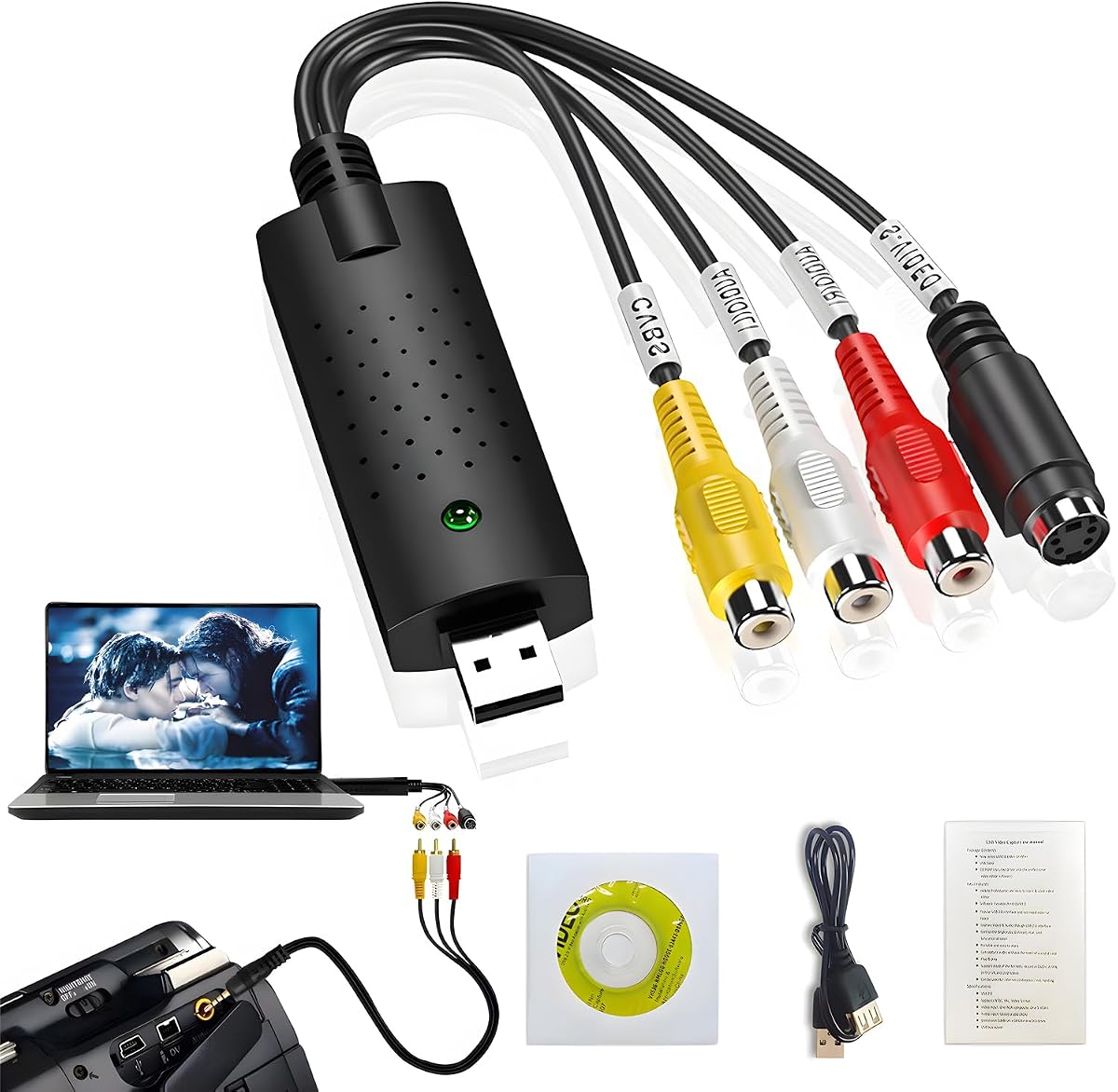
The 3.3 Feet VHS to Digital Converter is a practical package for users who want RCA and S-Video capture without assembling a set of adapters. It carries a 4.3 rating and offers a useful combination of USB 2.0, Type-C, a long attached cable, and accessories for connecting common analog sources.
We may earn a commission when you buy through this link, at no additional cost to you.
Its stated maximum output reaches 1920×1080 at 30Hz, but this figure represents digital output from analog sources rather than native high-definition imagery. It supports NTSC and PAL, works with Windows and MacOS, and is compatible with popular capture applications such as OBS and PotPlayer.
The included package contains the capture card, a USB-A-to-Type-C converter, a CD, a five-foot S-Video cable, an RCA converter, and a user manual. That assortment helps first-time users, although the CD-based software route may feel dated to buyers accustomed to downloading current applications.
Choose this converter for straightforward VHS, VCD, VCR, DVR, DVD, set-top-box, or camcorder archiving on a modern computer. It is particularly useful when USB-C connectivity and having the necessary cables in one package matter more than professional monitoring features.
The supplied S-Video cable, RCA converter, and USB-C adapter reduce the chance that a buyer will immediately need extra accessories. The attached three-foot cable also improves positioning flexibility behind a desktop or near a VCR.
Support for OBS and PotPlayer gives users recognizable routes for recording, previewing, and organizing footage. Compatibility with both Windows and MacOS broadens its usefulness, provided the chosen application supports the user's particular computer.
We may earn a commission when you buy through this link, at no additional cost to you.
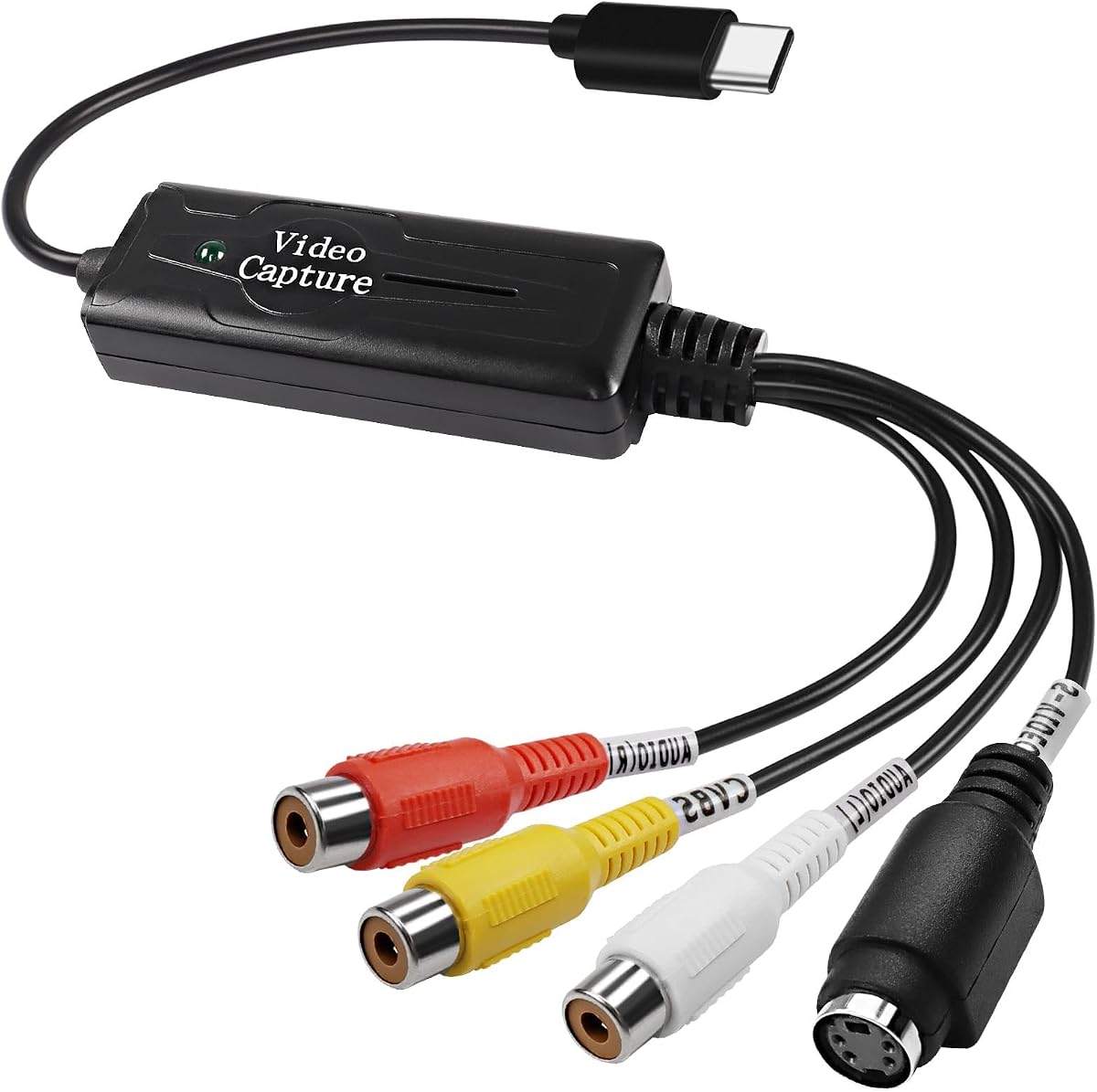
The USB 3.1 Type-C to RCA S-Video capture adapter offers an unusually broad set of stated connections in a compact package. Its 3.5 rating is the lowest in the group, so buyers should interpret the extensive compatibility claims carefully and verify their intended source and software before ordering.
We may earn a commission when you buy through this link, at no additional cost to you.
The device combines three RCA connectors with a four-pin S-Video input and supports up to 1080P output, NTSC at 30 FPS, and PAL or SECAM at 25 FPS. A snapshot button can save still images as BMP or JPEG files, and the preview window can be resized for full-screen monitoring.
Its USB-C design, claimed driverless operation, and lack of an external power requirement make it convenient for PCs, phones, tablets, and other compatible USB-C devices. However, some of the listed platform support, including Android, HarmonyOS, and Linux, may depend on the host device, application, and driver behavior.
This adapter suits a portable monitoring setup involving a VCR, VHS player, camcorder, game console, or security camera. It is most attractive to users who prioritize a tiny Type-C body and multiple analog inputs, but those wanting stronger documented brand support may prefer a UVC-based alternative.
The small enclosure is convenient for a laptop-based portable rig or a temporary surveillance monitor. Real-time preview and synchronous recording support make it possible to watch the source while capturing it.
Recording to DVD, VCD, or MP4 and saving still images expands the adapter beyond simple archival. OBS and PotPlayer support makes it possible to build the card into a more flexible capture or livestream workflow.
We may earn a commission when you buy through this link, at no additional cost to you.
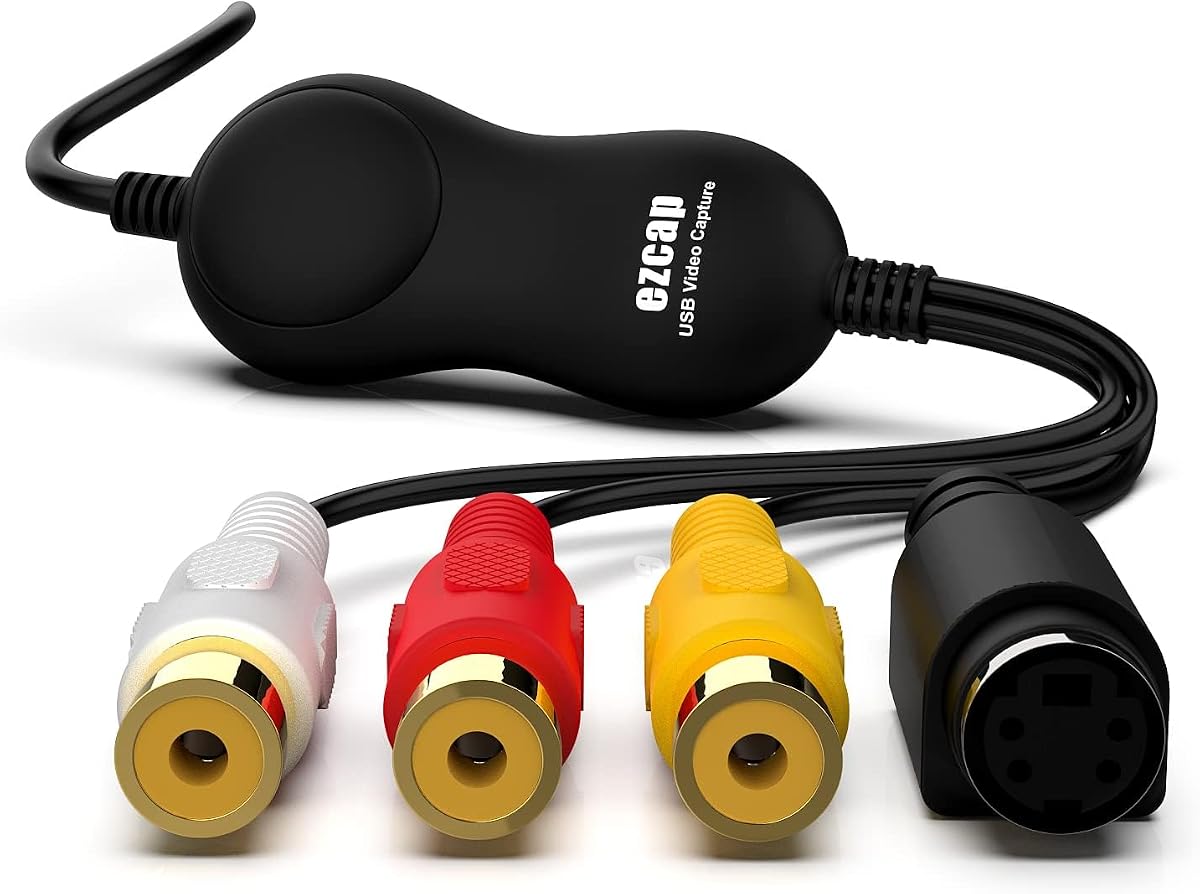
The USB HD Video Capture Card is a basic RCA-to-USB converter aimed at users who want to transfer analog home video to a computer. Its 4.3 rating indicates a generally satisfying product for its intended purpose, while the straightforward USB 2.0 design keeps the learning curve relatively manageable.
We may earn a commission when you buy through this link, at no additional cost to you.
The card captures video and audio without requiring a separate sound card, and it offers brightness, contrast, hue, and saturation adjustments. It supports NTSC and PAL and is listed for common DVD and video formats, making it suitable for preserving family movies recorded from VHS, VCR, or compatible analog equipment.
The supplied software comes on a disc, which is the clearest drawback. If the disc is missing, damaged, or incompatible with a modern system, the seller directs users toward downloading OBS. The listing also lacks an explicit S-Video input, so buyers with S-Video-only equipment should choose a different model.
Choose this card when the priority is an inexpensive, uncomplicated RCA-to-USB workflow for family videos. It is less suitable for users who need modern operating-system support, an S-Video connection, advanced monitoring, or a polished software bundle.
The card is designed around the common goal of transferring home movies from cassette to computer. USB 2.0 plug-and-play operation and the absence of external power make it convenient for a first conversion project.
Brightness, contrast, hue, and saturation adjustments can help users match the look of an analog recording. Disc-format support and software-based export also make the result easier to share or archive.
We may earn a commission when you buy through this link, at no additional cost to you.
The VHS to Digital Converter combines RCA composite, CVBS, and S-Video inputs with support for Windows, Mac, and Linux. Its 4.7 rating is the highest among the reviewed products, making this compact USB 2.0 card a particularly attractive option for cross-platform analog archiving.
We may earn a commission when you buy through this link, at no additional cost to you.
The card claims plug-and-play operation without manual driver installation and records at up to 1080p. Its applications include gaming, livestreaming, online teaching, video conferencing, and the digitization of VHS, VCR, Hi8, and camcorder material. H.264 output can simplify compatibility with modern editing and playback software.
The listing also mentions HDMI compatibility, but the product title and core description focus on analog inputs. Consumers expecting a full HDMI capture path should therefore verify port placement and documentation before buying. As with every analog converter, 1080p recording does not add detail that was absent from the original tape.
Choose this converter for users who want strong platform coverage, a high rating, and a simple capture process. It is especially relevant for teachers, streamers, and archivists who need a portable card for multiple USB computers and a variety of RCA or S-Video equipment.
The combination of stated Windows, Mac, and Linux support with driver-free installation makes the device easier to deploy in offices and schools. A computer with an available USB port is the main requirement for a straightforward setup.
The card supports game recording, livestreaming, teaching, and conferencing in addition to VHS transfer. H.264 capture provides a modern working format for editing, uploading, and sharing completed footage.
We may earn a commission when you buy through this link, at no additional cost to you.
The VHS Capture Card with HDMI Loop Out is built for users who want to watch analog footage on a large screen while recording it to a computer. Its 4.2 rating reflects a specialized feature set, and the loop-out function is particularly valuable for VHS, VCR, DVD, Hi8, PS2, Wii, and other legacy equipment.
We may earn a commission when you buy through this link, at no additional cost to you.
The card converts RCA and S-Video sources to digital files while providing real-time HDMI preview. It supports switchable 720p and 1080p output for televisions, projectors, and gaming monitors. The package includes an AV capture card, USB cable, 3.5mm audio-to-AV cable, AV female-to-female converter, HDMI cable, and USB-to-Type-C adapter.
Capture software must be downloaded before use. The stated guidance recommends OBS or PotPlayer on Windows and QuickTime Player on Mac, followed by an OBS restart after configuring audio. These steps are understandable for a user comfortable with recording software but add complexity for a first-time converter buyer.
Choose this card when monitoring matters as much as archiving. Its ability to display the source in real time while recording is especially useful for checking tape tracking, framing, and audio levels before committing an entire tape to the computer.
HDMI loop-through lets a user follow the capture on a larger display without waiting for the finished file. This makes it easier to catch tracking errors, incorrect connections, and framing issues as they occur.
The supplied AV and HDMI cables reduce extra shopping, while the adapter supports both RCA and S-Video sources. It is a well-rounded kit for connecting older home media equipment and retro consoles to contemporary displays.
We may earn a commission when you buy through this link, at no additional cost to you.
The XMSJSIY RCA AV to USB-C converter is a compact dual-input card intended for transferring video from VHS, VCR, DVD, and TV box sources to a Mac or PC. Its 3.8 rating places it behind several more highly rated models, but the device remains relevant for basic recording and monitoring needs.
We may earn a commission when you buy through this link, at no additional cost to you.
The card accepts S-Video and RCA composite video, synchronizes recorded audio and video, and saves video as DVD, VCD, or MP4. It supports NTSC and PAL, includes a snapshot function for BMP or JPEG images, and permits the preview window to be resized to full screen.
Its maximum stated NTSC resolution is 720×480, with PAL configurations including 720×576 and lower-resolution options. These limits are appropriate for standard-definition material, but buyers seeking modern high-resolution output or advanced source controls may prefer a more fully specified UVC device.
Choose the XMSJSIY for a compact, no-installation RCA or S-Video workflow that includes still-image capture and full-screen monitoring. It is most appropriate for straightforward archival and surveillance viewing where simple operation matters more than extensive platform or accessory support.
Users can select RCA composite or S-Video depending on the source equipment. This flexibility avoids requiring separate converters for older devices that expose different video connectors.
The resizable preview supports full-screen viewing, while synchronized audio and video makes the result suitable for recording presentations, security feeds, and transferred home movies.
We may earn a commission when you buy through this link, at no additional cost to you.
The DriverGenius EraCapture-II is a focused USB 2.0 archiving device with a 4.5 rating, driverless operation, and clear support for RCA and S-Video sources. Its UVC-compliant design and OBS Studio compatibility make it one of the most approachable choices for converting legacy media on Windows or macOS.
We may earn a commission when you buy through this link, at no additional cost to you.
The card captures standard-definition video at 720×480 for NTSC and 720×576 for PAL. It also includes left and right audio inputs, though the RCA composite and S-Video video paths cannot be used simultaneously. USB bus power eliminates the need for an external supply, and software upscaling can make the footage easier to view on modern screens.
SECAM is not supported, so users in regions or with recordings using that standard should choose a different device. As with the other analog capture cards, its digital output does not restore lost detail or convert an original standard-definition recording into genuine 1080p footage.
Choose the EraCapture-II for users who prioritize driver-free setup, modern UVC behavior, broad Mac and Windows compatibility, and dependable brand support. The two-year warranty adds confidence, making this our preferred pick for a clean, dedicated RCA and S-Video digitization workflow.
UVC compliance reduces the likelihood that users will need to locate and manually install a special driver. That makes the card convenient for new Windows computers and Mac systems where legacy driver installation can be troublesome.
The stated two-year warranty and 24/5 customer support distinguish this card from several minimalist alternatives. The design is aimed at dependable archiving, classroom work, gaming, and routine content production.
We may earn a commission when you buy through this link, at no additional cost to you.
The Diamond Multimedia VC500 is an established converter designed for moving VHS, Hi8, Video8, and camcorder recordings onto a computer. Its 3.8 rating is tied with the XMSJSIY adapter, but the VC500 differentiates itself with clearly stated Windows 11 and Mac support and backing from a recognized capture-device manufacturer.
We may earn a commission when you buy through this link, at no additional cost to you.
RCA and S-Video connections accommodate many conventional video sources, including compatible VCRs, DVD players, and camcorders. Users can record through compatible software such as OBS Studio, making the hardware adaptable to common editing, archiving, and streaming workflows without depending on a proprietary operating system.
The listing provides less detail about exact output resolution, frame rates, bundled cables, and capture software than several competing products. Prospective buyers may therefore need to inspect the package and confirm its contents, particularly if the goal includes out-of-the-box tape transfer.
Choose the VC500 when an established product with US-based support, a one-year warranty, and current Windows 11 and Mac compatibility is important. It is a solid option for basic legacy-media conversion, though buyers wanting detailed specifications, HDMI monitoring, or a broad accessory bundle should compare the alternatives.
The VC500 focuses on the core job of transferring analog recordings to a computer. OBS Studio support allows users to select familiar recording tools rather than rely on an unclear proprietary workflow.
Stated support for Windows 11 and Mac makes this converter more relevant to current systems than some older Windows-only devices. A simple USB connection keeps the physical setup uncomplicated.
We may earn a commission when you buy through this link, at no additional cost to you.
The right capture adapter depends on the source connectors, computer platform, intended recording software, and whether you need live monitoring. Use the following factors to narrow the field before making a purchase.
In short, verify that the adapter physically matches the connectors on your tapes and playback equipment.
In short, choose an input layout that carries both picture and sound without requiring unlisted extra hardware.
In short, prioritize accurate source conversion over an impressive but potentially misleading resolution label.
In short, match both the computer operating system and capture application before purchasing.
In short, verify the software route before ordering so the first recording session goes smoothly.
In short, add loop-out when real-time external viewing is important to your archiving or monitoring setup.
In short, inventory your cables first and choose the bundle that fills the actual gaps in your setup.
In short, consider dependable support and warranty coverage as protection against setup and hardware issues.
Begin by identifying the output connectors on the source device and the input connectors on the capture adapter. Connect RCA video, S-Video, or HDMI as appropriate, followed by the matching audio connection. Make sure the playback device is powered on and set to the correct output before connecting the capture card to the computer.
Install the manufacturer's current software or a compatible UVC application such as OBS Studio. Select the capture input, confirm the format, choose a resolution and frame rate compatible with the source, and test a short recording. Verify picture, audio synchronization, preview behavior, and storage location before capturing a full tape. Restart the application after changing audio settings when the product instructions recommend doing so.
For tape transfers, play each cassette in real time rather than attempting to fast-forward or capture at a faster speed. Clean the tape heads and use a known-good playback machine if the image is noisy. Store digital copies in more than one location, preserve the original tapes in a climate-controlled environment, and avoid repeatedly handling fragile media. Unplug the adapter when it is not in use and keep connectors free from dust.
Only if the selected model includes both analog and HDMI inputs. The ClearClick Video to USB is the clearest example in this guide because it combines HDMI with RCA and S-Video. Many less expensive adapters accept analog sources only. Also remember that HDMI capture does not include copyrighted or content-protected material, so some consoles and streaming devices cannot be captured.
No. VHS and most composite or S-Video sources contain standard-definition imagery, so a 1080p output setting usually scales the analog picture rather than adding native detail. The capture card can create a modern high-resolution digital file, but the source quality remains limited. Accurate source transfer and careful playback matter more than the advertised output size.
OBS Studio is a common choice for recording and streaming, while PotPlayer and QuickTime Player are also mentioned for particular workflows. Some products include dedicated software, but compatibility can vary by operating system and device. UVC-compatible cards are generally easier to recognize in software. Check the current manual and application requirements before completing a full recording.
Several options explicitly support driverless plug-and-play operation, including the ClearClick, DriverGenius EraCapture-II, XMSJSIY, and loop-out capture card. The StarTech product is designed for Windows and uses supplied or TWAIN-compatible software. Even with driverless hardware, the computer operating system, application, and USB port must all be compatible.
No. Loop-out is primarily useful for watching the analog source on a television or external monitor while the computer records it. It can help with framing, tracking, and audio checks, but software preview alone is sufficient for many transfers. The feature is most valuable for long archival sessions or users who want to supervise the process from across a room.
Use S-Video when the source provides that connector because it keeps video and audio separate and generally offers a cleaner image. Use RCA composite when the source only has yellow, red, and white connectors. Connect the red and white RCA plugs for stereo audio or use the appropriate 3.5mm adapter. Check the source manual if its connector layout is unclear.
They can capture consoles that output standard composite or S-Video video, including the RCA-connected legacy systems named in the listings. The image quality will reflect the console's original output. Connect the console to the capture device, route audio through the correct input, and use OBS or compatible software to record. Modern HDMI-only consoles may require a separate HDMI capture path.
Save each transfer in a broadly compatible format and keep more than one backup, such as an external drive and a separate computer or cloud copy. Preserve the original cassette in a cool, dry location away from direct sunlight. Run a short test before every tape, because tracking problems and missing audio are easier to correct before a complete recording.
The ClearClick Video to USB is the strongest all-purpose choice because it combines HDMI, RCA, S-Video, analog upscaling, included software, and broad platform support. The DriverGenius EraCapture-II is the leading dedicated analog archiver thanks to its UVC operation, OBS compatibility, cross-platform use, and two-year warranty. For a straightforward and economical RCA workflow, the USB HD Video Capture Card offers a compact solution.
Before ordering, prioritize the exact connector on your playback equipment, the operating system you use, and the software you intend to run. Include S-Video when your tape deck supports it, consider HDMI loop-out if you want an external preview, and inspect the accessory bundle so you are not left without the necessary lead or audio adapter.
Ratings, product configurations, software compatibility, and pricing can change over time. Review the current Amazon listing and manufacturer instructions before purchase, especially if you need a particular resolution, audio standard, operating system, or livestreaming feature.