
Samsung SSD 990 PRO 2TB
4.7Editor score
PCIe 4.0 M.2 interface
Up to 7,450 MB/s reads
High-performance bandwidth
Up to 50% better efficiency
An SSD for CCTV must balance dependable continuous writing, useful capacity, and compatibility with the recorder or camera system that stores your footage. Unlike a drive optimized only for loading games, a surveillance-oriented SSD should handle repeated writes while keeping recordings organized and readily accessible.
This guide compares ten supplied storage products using their stated interfaces, speeds, capacities, endurance details, physical formats, and resistance features. It also explains why some general-purpose drives can suit smaller systems, while capacity-focused surveillance hardware may suit long-running multi-camera installations.
The selections reveal three broad strategies: high-speed internal NVMe storage for compatible systems, simple SATA storage for upgrades, and portable or external designs for transferring footage. One final comparison includes a surveillance HDD as a capacity-focused reference; prices and configurations change frequently.
4.7Editor score

4.7Editor score
4.7Editor score
As an Amazon Associate we earn from qualifying purchases.
This side-by-side comparison covers internal, external, portable, and capacity-focused surveillance storage, with special attention to interface, capacity, stated speed, and the practical role each product can play in a CCTV workflow.


The Samsung SSD 9100 PRO 2TB combines PCIe 5.0 performance with a substantial capacity that can appeal to users building a modern, high-throughput recording or editing system. Its 4.7 rating reflects strong customer satisfaction, while its headline sequential figures reach 14,700 MB/s for reads and 13,400 MB/s for writes. Those numbers make it especially attractive when footage is copied, searched, edited, or exported quickly.
We may earn a commission when you buy through this link, at no additional cost to you.
The drive's random performance is another major strength. Stated random read and write speeds reach 1,850K and 2,600K IOPS, respectively, which can help with multitasking and accessing many media files. A 5nm controller is designed to improve power efficiency by as much as 49% over the 990 PRO, and advanced thermal control is intended to keep sustained performance smooth. Magician software adds firmware updates, encryption options, and drive-health monitoring.
There are practical limitations. The M.2 2280 form factor and PCIe 5.0×4 interface require compatible motherboards, adapters, or recording hardware, and a PCIe 4.0 system may not achieve the same throughput. Its exceptional speed is also more useful for post-recording workflows than for ordinary footage capture, where the recorder's write rate may be the limiting factor. Cooling requirements should always be checked against the system design.
This is the strongest recommendation for buyers who want a fast internal drive and can meet the hardware requirements. Choose it for a modern workstation, a compatible NVR, or a high-performance multi-camera editing setup. Users with a basic recorder and modest retention needs can often obtain a more practical result from a less exotic internal SSD.
The high sequential and random performance can accelerate footage imports, searches, previews, and exports. It is especially valuable when the same workstation records, edits, and archives footage from multiple cameras.
Samsung Magician provides firmware updates, encryption features, and continual health monitoring. These tools simplify routine care and make the drive easier to manage in a professional workflow.
We may earn a commission when you buy through this link, at no additional cost to you.
The Samsung SSD 990 PRO 2TB is a premium internal option that delivers exceptional speed without requiring the newest PCIe generation. It carries a 4.7 rating and is specified for sequential reads up to 7,450 MB/s and writes up to 6,900 MB/s. For a CCTV-related workstation, that level of performance supports rapid footage review, editing, cloning, and archiving.
We may earn a commission when you buy through this link, at no additional cost to you.
Samsung reports more than a 55% improvement in random performance compared with the 980 PRO, a meaningful distinction for workloads that access many files rather than moving one continuous stream. The drive also delivers up to 50% improved performance per watt over that earlier model. A 2TB configuration offers useful room for camera exports, project files, and locally retained recordings.
As an internal M.2 2280 device, it is not universally compatible with CCTV recorders. The installation bay, connector, protocol, and physical clearance all matter. Its headline speed also does not guarantee that a recorder can write at that level, and a modestly used single-camera system may place little value on such extreme throughput. Proper cooling and a compatible host remain important.
The 990 PRO is a compelling fit for users who want top-tier PCIe 4.0 performance and Samsung's established internal-drive feature set. It may serve as the better-balanced premium pick when PCIe 5.0 compatibility is uncertain or unnecessary. Confirm recorder support before buying, and use the drive primarily where fast internal media handling creates a tangible benefit.
Exceptional random performance benefits timelines, filters, and large media libraries. It can make a CCTV editing and review workstation feel considerably more responsive.
The stated improvement in performance per watt supports systems that value efficiency as well as speed. A cooler, more efficient drive can be valuable in enclosed workstation configurations.
We may earn a commission when you buy through this link, at no additional cost to you.
The 2TB SanDisk Extreme Portable SSD is a practical choice for moving recorded footage between a CCTV system, field location, and editing workstation. Its 4.6 rating and stated transfer speeds of up to 1,050 MB/s for reads and 1,000 MB/s for writes support quick offloading. The drive is not designed to sit inside a recorder, but its portability makes it a useful part of a broader footage-handling system.
We may earn a commission when you buy through this link, at no additional cost to you.
Physical protection is a standout feature. An IP65 rating provides stated resistance to water and dust, while updated drop protection extends to three meters. A carabiner loop helps secure the drive to a belt or backpack, and 256-bit AES hardware encryption with password protection can help secure private recordings during transport.
The most important limitation is workflow placement. A portable SSD normally connects through USB rather than the SATA or M.2 interface found inside many recorders. It is therefore better suited to copying footage out and archiving it than serving as the primary drive in an NVR. Actual transfer performance also depends on the host device, cable, and other factors noted in the product information.
Choose this model when field technicians, investigators, or editors need a durable external drive for transporting CCTV footage. Its capacity is especially useful for preserving multiple camera exports. Confirm that your recorder supports USB copying and that the host system is compatible with the USB-C connection before making it part of the workflow.
The IP65 construction and three-meter drop protection make the drive more suitable for mobile evidence handling. A carabiner loop adds a simple way to keep it attached during transport.
Included password protection uses 256-bit AES hardware encryption. Activating it adds a useful layer of protection for sensitive or confidential video files.
We may earn a commission when you buy through this link, at no additional cost to you.
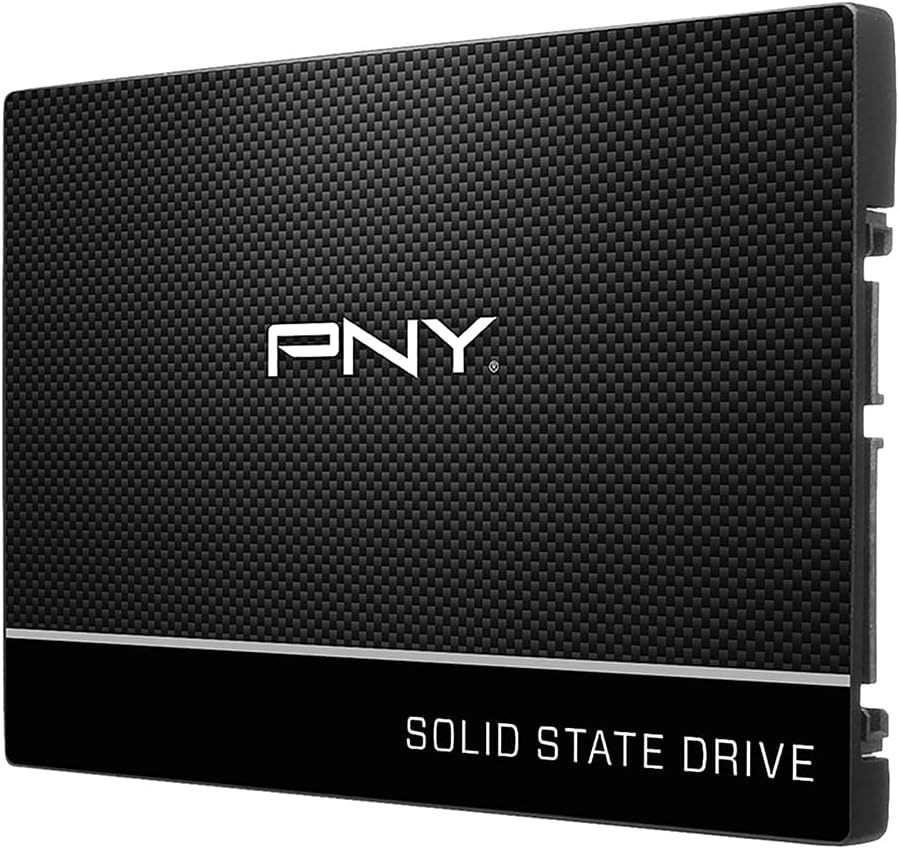
The PNY CS900 1TB is a straightforward SATA SSD that can make sense for an older laptop, desktop, or CCTV recorder that accepts a 2.5-inch drive. It holds a 4.7 rating and provides up to 535 MB/s sequential reads and 515 MB/s sequential writes. Those figures represent a substantial step up from a traditional hard drive in many everyday operations.
We may earn a commission when you buy through this link, at no additional cost to you.
Its main advantage is simplicity. The 2.5-inch SATA III format is widely understood and generally easier to fit into basic systems than an M.2 card. The drive also features ultra-low power consumption, making it suitable for systems where energy use matters. Backward compatibility with SATA II systems broadens the potential installation pool.
This product does not publish a specific endurance rating in the supplied information, so buyers focused on heavy, continuous recording should investigate the recorder manufacturer's own drive requirements. SATA III also caps interface throughput far below modern NVMe options. That limitation is rarely problematic for ordinary recording, but it can slow down intensive editing, cloning, and multi-stream operations involving a large library.
The CS900 is a sensible budget-oriented choice for a compatible recorder, a compact PC, or a straightforward system upgrade. It offers enough capacity for many modest surveillance setups without introducing the compatibility complexity of high-speed M.2 storage. Check the bay size, connector, and supported drive type before installation.
SATA remains a practical choice for recorders and computers designed around 2.5-inch drives. Backward compatibility makes the CS900 easier to deploy in established systems.
Ultra-low power consumption can help in systems that run continuously. The SSD also avoids the mechanical operation and associated vibration of a traditional hard drive.
We may earn a commission when you buy through this link, at no additional cost to you.
The Kingston NV3 1TB delivers up to 6,000 MB/s reads and 4,000 MB/s writes through a PCIe 4.0 Gen 4×4 interface. Its 4.7 rating indicates a favorable customer reception, and the specification makes it suitable for compatible workstations and recording systems that support NVMe storage. The M.2 2280 format keeps installation compact and avoids larger cable-based arrangements.
We may earn a commission when you buy through this link, at no additional cost to you.
Kingston positions the drive for high-speed, low-power storage. Its emphasis on efficiency makes it relevant to compact systems that need capable throughput without moving to the latest PCIe generation. Acronis cloning software is included, which can simplify a migration from an existing installation, while the five-year limited warranty provides a defined support period.
As with any M.2 drive, compatibility requires attention. A recorder may offer an M.2 bay designed for SATA rather than NVMe, or it may have protocol, firmware, and physical restrictions. The supplied information does not state a TBW endurance rating, so a buyer planning intensive continuous recording should check the recorder documentation for approved and non-approved drive guidance.
This Kingston is a strong general-purpose option when the host supports PCIe 4.0 NVMe but a Gen 5 flagship would be unnecessary. It is particularly attractive for users who also want cloning software and a long stated warranty. Verify the slot type and recorder support before ordering.
The NV3 offers ample speed for fast imports, playback, and local footage handling while remaining within the broadly adopted PCIe 4.0 standard.
Included Acronis cloning software can assist with moving an existing installation. Buyers should still confirm that cloned or migrated recordings are recognized correctly by the recorder.
We may earn a commission when you buy through this link, at no additional cost to you.
The 1TB Samsung SSD 9100 PRO delivers the same headline PCIe 5.0 performance as the larger 2TB selection, making it interesting for systems that need very fast access but have less storage space available. It carries a 4.7 rating, with sequential read and write speeds reaching 14,700 MB/s and 13,300 MB/s. Random performance figures reach 1,850K reads and 2,600K writes in IOPS.
We may earn a commission when you buy through this link, at no additional cost to you.
The drive also includes advanced thermal control and a 5nm controller designed to improve efficiency by up to 49% over the 990 PRO. Samsung Magician supports firmware updates, encryption, and ongoing drive-health monitoring. For a compatible workstation, these features make it suitable for editing, rapid exports, and simultaneous media operations.
One terabyte is the main capacity constraint. A multi-camera system can consume that space quickly depending on bit rate, motion settings, retention period, and whether recording is continuous. The PCIe 5.0 interface also demands a compatible host, and practical performance will be limited by the rest of the system. Cooling should be considered when the drive handles sustained workloads.
Choose the 1TB model when PCIe 5.0 performance is important but two terabytes is unnecessary or unavailable for the intended configuration. It is best suited to compatible modern systems with moderate retention needs. For long-duration archives or several busy cameras, the 2TB version offers more breathing room.
The drive can accelerate high-volume file transfers and multitasking when the host supports PCIe 5.0. It is well suited to post-recording work rather than only serving as passive storage.
Advanced thermal control supports sustained performance, while the stated controller efficiency helps manage power. Proper airflow remains essential in compact enclosures.
We may earn a commission when you buy through this link, at no additional cost to you.
The SanDisk Optimus 5100 500GB is designed with creator applications in mind, and its PCIe 4.0 interface can also serve fast CCTV editing and archive workflows. It has a 4.7 rating and uses the M.2 2280 form factor. The product family is positioned for quick application launches, 4K media, and high-resolution image work, all of which overlap with professional video review.
We may earn a commission when you buy through this link, at no additional cost to you.
SanDisk describes read speeds up to 7,100 MB/s for the 1TB and 2TB models, while the listed write capability reaches 6,700 MB/s for the 1TB through 4TB models. Those family-level figures should not be treated as guaranteed results for this 500GB selection. Its power-efficient design may benefit portable or compact systems where energy use and thermals are important.
The supplied endurance figure of up to 1,200 TBW belongs to the 4TB model, not the 500GB version. That distinction matters for surveillance use because the smaller capacity may have a different endurance profile. Its 500GB capacity also limits how long footage can be retained before archiving or overwriting becomes necessary.
This model works best as a compact working drive for compatible computers, with the wider family offering higher capacities for larger libraries. Buyers should verify the exact specifications of the selected capacity and confirm recorder support. The downloadable SanDisk Dashboard application can help monitor performance and check for updates.
The PCIe 4.0 platform is suited to fast application launches and media-heavy editing. These strengths can improve footage review and post-recording productivity.
SanDisk Dashboard provides a way to monitor the drive and check for updates. It helps users keep firmware current and stay informed about storage condition.
We may earn a commission when you buy through this link, at no additional cost to you.
The updated 1TB SanDisk Extreme Portable SSD offers transfer speeds up to 2,000 MB/s and a 4.5 rating, making it a compelling option for moving large batches of high-resolution footage. SanDisk states that 1,000 high-resolution photos can move in under 60 seconds under supported conditions, illustrating its potential for rapid field and studio transfers.
We may earn a commission when you buy through this link, at no additional cost to you.
Its physical design is tailored to mobile use. The pocket-sized enclosure resists spills and dust through an IP65 rating and provides protection against drops up to three meters. This makes it useful for transporting evidence or camera exports between locations rather than leaving it permanently connected to a desktop.
Password protection with 256-bit AES hardware encryption helps keep private files secure. As an external drive, however, it cannot normally be installed as an NVR's internal storage. It also requires a host device and connection capable of delivering high transfer rates. If the system exposes only a slower USB connection, the headline speed will not be reached.
Choose this drive when rapid external copying, portability, and physical protection are priorities. It is well suited to technicians and editors moving footage away from a recorder. Pair it with a compatible host and appropriate cable, and use encryption for sensitive material.
The 2,000 MB/s headline transfer rate can shorten the time spent copying large media batches. Real results depend on the source device, destination, cable, and file sizes.
The IP65 rating and three-meter drop protection support use in demanding field environments. The compact body adds little bulk to a technician's bag.
We may earn a commission when you buy through this link, at no additional cost to you.
The 500GB SanDisk Portable SSD is the most straightforward backup-oriented product in this comparison. It has the highest listed rating at 4.8 and promises read speeds up to 1,000 MB/s. Its USB-C design supports plug-and-play operation without driver installation, making it useful for quickly copying CCTV exports without a complicated setup.
We may earn a commission when you buy through this link, at no additional cost to you.
The drive's lack of moving parts and stated drop protection up to two meters help protect it during everyday transport. Its slim, lightweight enclosure fits into a pocket or small bag, and 500GB provides room for selected clips, photographs, or an emergency footage backup rather than a long-term archive.
Capacity is the main constraint. A busy multi-camera system may generate more footage than 500GB can retain, especially when clips are transferred from a recorder at their original quality. The supplied information also does not specify an endurance rating. Although portable SSDs are generally suited to occasional copying, buyers should not assume that every installation requires the same write behavior.
This is an excellent choice for individuals who need a simple, compact way to move or back up recordings. Its ease of use and strong customer rating make it particularly attractive for non-specialists. It is better suited to selective exports than continuous direct recording or long-term centralized storage.
The USB-C interface and no-driver setup reduce friction when moving files between devices. It is a practical choice for routine evidence or clip backups.
A two-meter drop rating and absence of moving parts help protect the drive during transport. The enclosure is designed to add little weight or bulk.
We may earn a commission when you buy through this link, at no additional cost to you.
The WD Purple Surveillance 6TB is included as a capacity-focused reference rather than an SSD recommendation. It is a 3.5-inch internal hard drive with SATA 6 Gb/s connectivity, 256 MB of cache, and a 4.5 rating. Its purpose-built surveillance design makes it relevant when comparing solid-state alternatives with conventional recording media.
We may earn a commission when you buy through this link, at no additional cost to you.
AllFrame technology is designed for write-intensive, low-bit-rate, high-stream-count workloads typical of mainstream surveillance. The stated workload rate can reach 180 TB per year, although actual results depend on hardware and software configurations. At this capacity, the drive can also support up to sixteen bays and uses tarnish-resistant components designed for harsher environments.
A hard drive has obvious differences from an SSD. It contains moving parts and therefore cannot provide the low-latency response or compact installation of NVMe storage. It may also be less suitable for systems emphasizing shock resistance, silent operation, or rapid access to recent clips. The product's inclusion here makes clear that more capacity does not automatically mean a better SSD choice.
Use this model as a reference when evaluating whether a recorder prioritizes inexpensive capacity over solid-state responsiveness. It can be a sensible dedicated recording option, but buyers explicitly seeking an SSD should prioritize an M.2 or SATA SSD compatible with their equipment. The recorder's supported media list should determine the final choice.
AllFrame technology targets the write-intensive and multi-stream patterns associated with mainstream surveillance. That specialization matters more than raw gaming-style speed figures.
Six terabytes can accommodate more footage than most of the listed SSDs. It provides a useful benchmark when retention is the dominant requirement.
We may earn a commission when you buy through this link, at no additional cost to you.
The right SSD for CCTV depends on recorder compatibility, sustained recording behavior, usable capacity, and how footage will be accessed. These factors are more useful than comparing headline transfer speeds alone.
Begin with the recorder's supported media list and installation manual. A compatible CCTV system may accept a specific SATA SSD size, a particular M.2 protocol, or only manufacturer-approved models. M.2 is a physical shape rather than a universal interface, so an M.2 bay may still require SATA rather than NVMe, and some recorders restrict firmware, capacity, or endurance class. Confirm the connector, bay dimensions, maximum supported capacity, operating-system requirements, and whether the drive needs specific security or management features.
Continuous CCTV writing creates a different workload from short bursts of file copying. Look for a stated endurance rating, workload rating, or clear surveillance positioning whenever possible. A total terabytes written figure describes how many host writes the drive is designed to tolerate over its rated life. If the selected capacity does not have a published endurance value, do not substitute the rating of a larger family member. Also examine the recorder's recording schedule, expected bit rate, number of cameras, and overwrite cycle.
Advertised capacity is not the same amount of footage that can remain available at all times. Recording systems reserve some space for system files, databases, and drive management, while bit rates vary with resolution, frame rate, codec, motion, and scene complexity. Estimate the space required per day, multiply it by the desired retention period, and allow headroom for export and system overhead. A larger-capacity drive can reduce how frequently footage is overwritten, but the right choice should still reflect realistic retention requirements.
Internal systems commonly use 2.5-inch SATA or M.2 NVMe storage, while external workflows rely on USB. SATA offers broad familiarity but much lower interface limits than modern NVMe. PCIe 4.0 and PCIe 5.0 M.2 drives demand compatible slots, appropriate cooling, and sometimes adapter hardware in desktop systems. External portable drives are convenient for transfers and archives but usually cannot replace the internal drive in an NVR. Match the physical device and connector before considering capacity or performance.
Sequential read and write speeds describe large, continuous transfers, while random performance influences access to many smaller files. CCTV recording itself may not need the highest available speed, but fast reads improve searching, exporting, and editing. Write performance matters when footage is copied onto a drive or a recorder handles several streams concurrently. Treat manufacturer headline figures as maximum conditions rather than guaranteed surveillance throughput. The recorder, processor, connection, file size, and host device all influence the result.
High-speed NVMe drives generate heat, particularly during sustained transfers, and a compact recorder may have limited airflow. Look for advanced thermal-control features and ensure the host has an appropriate heatsink or cooling solution. Power efficiency can also matter in always-on systems and laptops. Passive cooling should never be assumed to be sufficient merely because a drive fits into the bay. Monitor temperatures and stability during the heaviest expected recording and export workload rather than evaluating the drive only at startup.
An internal CCTV drive stays in a protected enclosure, but portable models may be carried between sites or exposed to rough handling. Look for drop ratings, water and dust resistance, and a secure attachment point when mobility matters. Password protection and AES hardware encryption can protect exported evidence if the device is lost. These features do not replace sensible handling, safe transport, and regular backups of irreplaceable footage.
Drive-management software can simplify firmware updates, health monitoring, encryption, and capacity checks. Samsung Magician and SanDisk Dashboard are examples of the supporting tools mentioned in the supplied product information. A longer warranty can provide added confidence, but it should complement rather than replace workload and compatibility checks. In a surveillance deployment, keep firmware current, review drive-health reports, and follow the recorder manufacturer's guidance about supported media and scheduled testing.
Before installation, back up important recordings, confirm the drive model is approved for the recorder, and read the recorder's manual. Check the bay size, connector, protocol, and capacity limit. If the system supports only SATA or SATA M.2 modules, do not install an NVMe card simply because both use the M.2 shape. Create a maintenance plan that includes regular health checks and a separate copy of any footage that must be retained for legal, safety, or investigative purposes.
Install the drive according to the device instructions, secure all cables and screws, and make sure an M.2 drive has appropriate airflow or a compatible heatsink. Format or initialize the storage through the recorder's supported process rather than assuming a general computer format will work. After installation, verify that the recorder recognizes the full usable capacity, starts recording normally, and can replay files from both current and earlier time periods. Restart the recorder when its documentation recommends it.
Monitor the drive's reported condition, available space, temperature, and recording behavior. Maintain free capacity where the recorder requires it, remove obsolete exports carefully, and avoid using an active recording drive for unrelated high-intensity workloads. Portable SSDs should be safely ejected, protected from moisture and impact, and stored in an anti-static pouch. Update firmware through the manufacturer's trusted software when recommended, but follow the recorder's instructions regarding drive initialization and maintenance.
No, not every SSD is compatible with every recorder. Check the approved-media list, connector type, SATA or NVMe protocol, physical dimensions, capacity limit, and any firmware restrictions. Using an unsupported drive may prevent installation, cause recording errors, or produce unexpected compatibility problems.
Not necessarily. NVMe provides much higher interface performance, but continuous camera recording often uses less bandwidth than the headline speed of either drive. Compatibility, endurance, capacity, and thermal behavior may matter more than maximum throughput. Use NVMe when the recorder supports it or when footage also needs rapid editing, searching, and exporting.
The answer depends on aggregate bit rate, codec, resolution, frame rate, motion, and recording schedule. Divide usable space by the system's total hourly bit rate to estimate recording time, then allow space for exports and system overhead. Test with the actual camera settings because bit rates can change under scene conditions.
It is strongly advisable for a system that records continuously. Surveillance-focused products are designed around sustained write patterns and multi-stream workloads. General-purpose SSDs can still work in suitable systems, but you should verify endurance information, compatibility, thermal behavior, and the recorder manufacturer's media policy.
Usually not as the primary internal drive. Portable drives are best for copying recordings out, transporting evidence, and creating backups. Some recorders may support USB export devices, but their compatibility list determines whether they can record directly to such a drive.
It is wise not to let a recording drive become completely full. Maintain enough free space for stable recording, system operation, and temporary exports. Follow the recorder's recommendations because some systems automatically manage circular recording while others require manual space management.
Use compatible media, keep firmware and drive-management software current, provide adequate cooling, and monitor health reports. Avoid unrelated heavy workloads on the same drive, and follow any maintenance schedule recommended by the recorder maker. Retention planning also reduces unnecessary repeated copying and deletion of active footage.
Neither is universally better. A surveillance HDD may offer greater capacity and cost efficiency, while an SSD provides fast access, silent operation, compact construction, and shock resistance without moving parts. The best choice depends on the recorder's support, retention needs, environmental conditions, and performance priorities.
The Samsung SSD 9100 PRO 2TB stands out as the top all-around recommendation for compatible modern hardware, combining exceptional PCIe 5.0 throughput with 2TB of capacity and strong management features. The Samsung SSD 990 PRO 2TB is a premium PCIe 4.0 alternative, while the PNY CS900 1TB is the straightforward SATA option for simpler compatible systems. Portable SanDisk drives complete the list for transfers, field use, and backups.
Prioritize compatibility and endurance before speed. Confirm the recorder's approved media, calculate realistic footage demand, and make sure the drive has adequate cooling and room for the required retention. If the SSD will also serve as an editing or archive drive, capacity, random performance, and management software become more important. A fast drive cannot compensate for unsupported hardware or an undersized storage plan.
Finally, compare current prices, warranty terms, retailer availability, and the exact capacity being sold before purchasing. Product configurations and market conditions can change, and compatibility information should be checked against the recorder's current documentation. A carefully matched SSD is more useful than a technically impressive model the system cannot support.