
Canon CanoScan LiDE 400 Slim
4.1Editor score
4800 x 4800 dpi resolution
Automatic scan detection
Editable searchable PDFs
A scanner for graphic design should reproduce artwork, photographs, layouts, and printed materials with accurate color, crisp edges, and enough resolution for detailed editing. The right model depends on whether you scan standard paper, oversize artwork, or stacks of reference documents, as well as the software and workflow your creative practice uses.
We compared all ten scanners by examining their stated optical resolution, color capabilities, maximum scan area, scanning speed, document handling, OCR features, software support, and platform compatibility. The list includes large-format flatbeds for CAD and oversized artwork, flatbed photo scanners for creative media, and portable feeders for documents that do not need to be photographed.
Each review explains the product's strongest qualities, practical limitations, and most suitable users. The three highlighted picks emphasize value, all-around creative versatility, and advanced document handling, while ratings and specifications reflect the supplied product information. Prices and availability change, so confirm the current listing before buying.
4.1Editor score

4.0Editor score

4.3Editor score
As an Amazon Associate we earn from qualifying purchases.
The comparison below covers flatbed, large-format, photo, and mobile document scanners, with particular attention to the trade-offs between physical scan area, resolution, speed, software, and creative-document support.
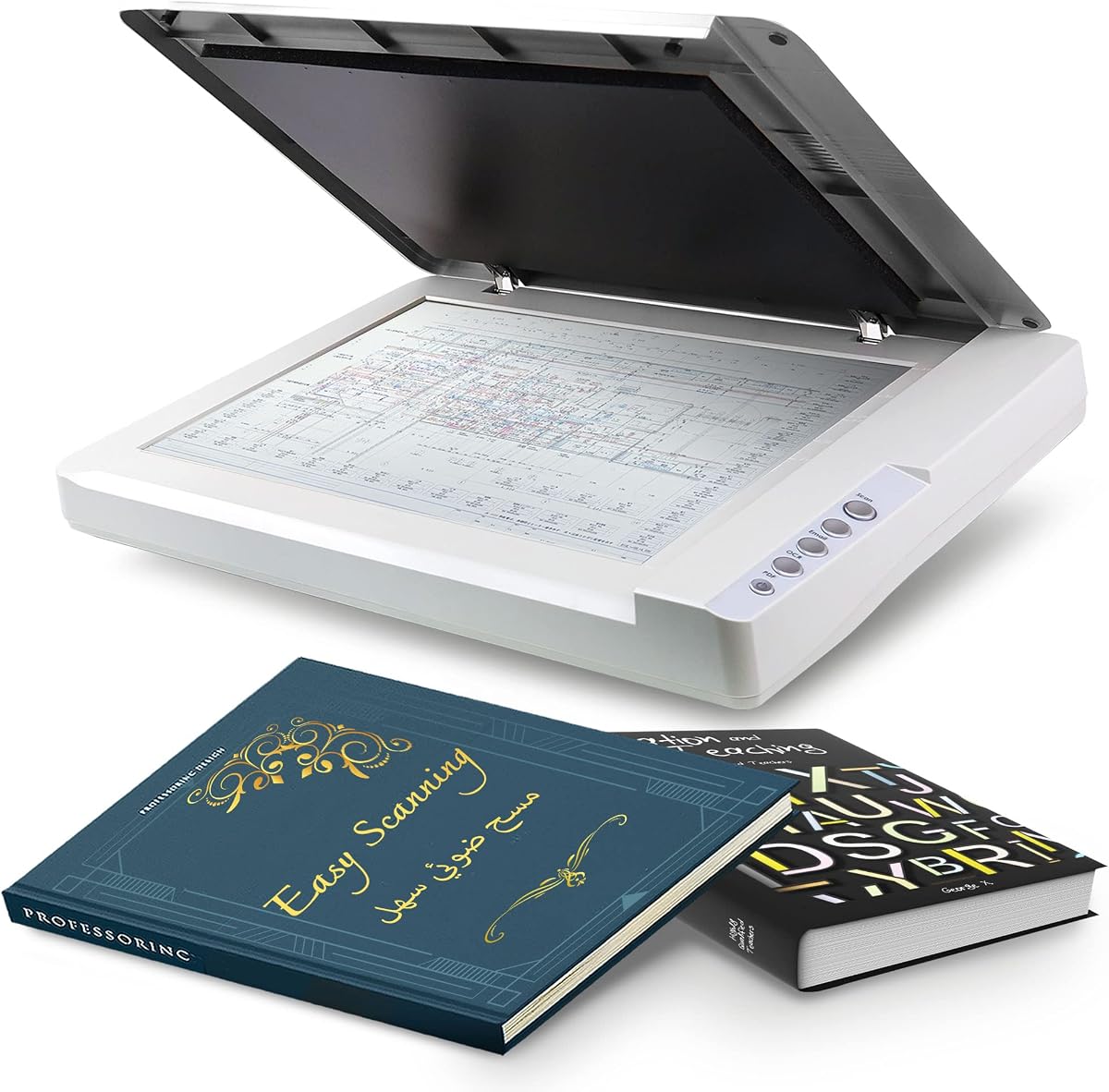

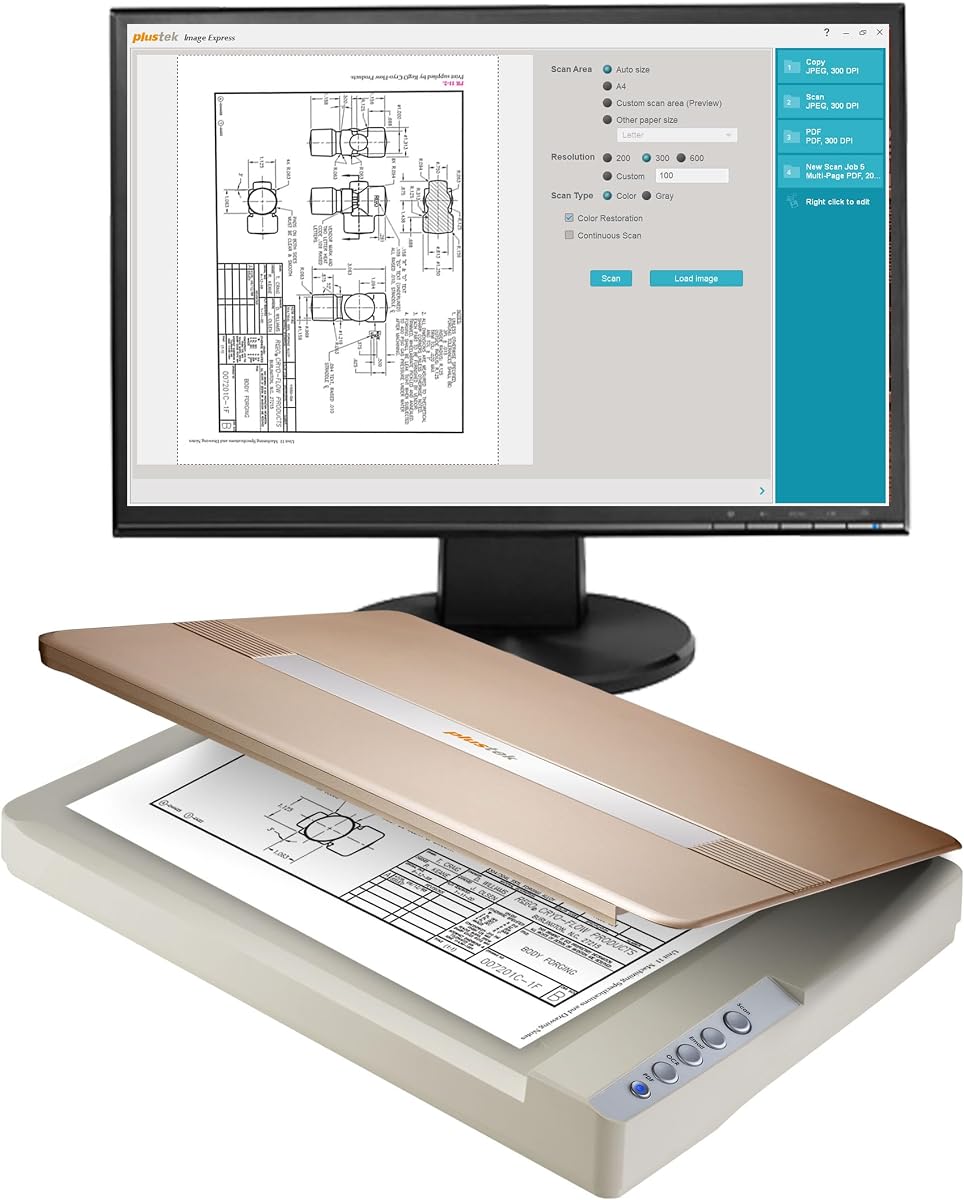


The Plustek OS1180 is a large-format flatbed scanner designed for graphics, documents, and A3 materials. Its 4.1 rating reflects a generally capable device with a generous 11.7-by-17-inch scan area, 48-bit color mode, and a quoted A3 scan time of approximately nine seconds. It is a practical choice for designers who regularly work with tabloid-size artwork, layouts, and print pieces.
We may earn a commission when you buy through this link, at no additional cost to you.
The principal advantage is physical scan area. Rather than stitching several standard-page scans together, users can place an A3 sheet, drawing, poster, or landscape design directly on the glass. The LED light source avoids warm-up delays, while the one-touch preset is intended to reduce the number of decisions required during repetitive work. ABBYY OCR and DocAction file-sharing software broaden its usefulness for both creative and administrative tasks.
The trade-offs are that this is a single-sheet flatbed rather than an automatic document scanner, and it does not offer the extreme optical resolution associated with the photo-focused Epson models. Its 16-bit grayscale and 48-bit color modes are useful for detailed art and documents, but a workflow requiring 4800 dpi would need to look elsewhere. As an A3 design scanner, however, it remains focused and practical.
Choose the OS1180 when a large bed, straightforward controls, and dependable creative-document handling matter more than automatic feeding or very high photographic resolution. It is well suited to studios, libraries, schools, and small offices that need to digitize posters, drawing boards, double-page layouts, and A3 reference material without assembling a multi-pass scan.
The 11.7-by-17-inch bed accepts oversized artwork in one placement, reducing the alignment work required when combining multiple letter-sized scans.
Color, grayscale, OCR, and preset file-sharing functions give designers a practical path from physical artwork to organized digital documents.
We may earn a commission when you buy through this link, at no additional cost to you.
The VIISAN 3120 A3 Flatbed is a 1200 dpi large-format scanner with a 3.8 rating. Its 48-bit color output and frameless A3 scanning area make it relevant to graphic designers who work with drawings, painting albums, CAD output, magazines, and large printed layouts. The stated eight-second A3 color scan at 200 dpi positions it as a quick general-purpose option.
We may earn a commission when you buy through this link, at no additional cost to you.
Automatic scanning begins when the lid is closed, which can make a multi-page session feel more streamlined. Four front-panel controls cover scan, email, print, and multipage PDF creation. TWAIN, WIA, and Mac ICA support provides access from multiple workflows, while the universal power adapter reduces the need for region-specific converters.
Important limitations come with the CIS sensor. It is designed for flat paper images and is not recommended for dimensional objects such as CDs, clothing, or acrylic sleeves. Windows WIA is restricted to 600 dpi, and 1200 dpi requires the supplied ViiScan software on Windows. These constraints deserve attention if you depend on specific drivers or need to capture thick, reflective media.
This scanner fits designers, schools, publishers, and small studios that want A3 capability and rapid document capture without moving to the VF3240's higher resolution. It is most attractive when flat artwork and printed materials dominate your needs and you will use compatible software to access the scanner's full 1200 dpi mode.
The narrow, frameless design makes it easier to position large sheets and pages without leaving a wide border around the active scanning area.
ViiScan is necessary for full 1200 dpi on Windows, while the Mac ICA route and Windows TWAIN workflow offer different levels of control.
We may earn a commission when you buy through this link, at no additional cost to you.
The VIISAN VF3240 A3 combines a 4.0 rating with 2400 dpi optical resolution, 48-bit color, and a frameless large-format bed. It stands out as the most resolution-focused large-format scanner in this guide and is particularly relevant to designers working with CAD drawings, blueprints, detailed illustrations, newspapers, and oversized artwork.
We may earn a commission when you buy through this link, at no additional cost to you.
Its advertised four-second A3 color scan is achieved at 200 dpi under specified conditions. Actual time changes with resolution, page size, and settings, but the claim still signals an emphasis on throughput. Auto-Scan starts the device when the lid closes, and the control panel provides direct access to scan, email, print, and PDF functions for streamlined production work.
The main caveat is platform-specific access to the highest resolution. Full-size A3 scanning at 2400 dpi is supported through the native Mac ICA driver, while Windows users reach 1200 dpi through ViiScan. WIA is limited to 600 dpi. The CIS sensor also remains intended for flat paper, so dimensional objects and reflective media may produce unclear results.
For a studio or design office that combines A3 artwork with detailed technical material, the VF3240 is the strongest balance in this list. It is especially compelling for users who need more resolution than a standard 1200 dpi flatbed but do not need a 4800 dpi photo-scanning surface. Buyers should simply align their operating system and preferred driver with the required output.
The 2400 dpi maximum and 48-bit color mode support detailed line art, color artwork, technical drawings, and reproduction of large printed compositions.
A quoted four-second A3 color scan at 200 dpi, combined with automatic lid-close operation, helps reduce pauses during batch work.
We may earn a commission when you buy through this link, at no additional cost to you.
The Canon CanoScan LiDE 400 Slim is an approachable flatbed for photographs, documents, and detailed creative work. Its 4.1 rating, 4800-by-4800-dpi optical resolution, and slim form make it a strong value-oriented option for designers who need crisp photographic scans but do not require a large-format bed.
We may earn a commission when you buy through this link, at no additional cost to you.
Automatic scan mode detects what is placed on the glass, reducing configuration effort. Built-in PDF buttons can create editable, searchable multipage files, while image enhancements such as color restore and dust removal help improve scanned photographs. A single USB Type-C cable handles both power and data, keeping the desk setup relatively uncomplicated.
Its main limitation is media size. The listed paper sizes are 8.27 by 11.69 inches and 8.50 by 11.69 inches, so oversized artwork must be scanned in sections and stitched later. It also lacks an automatic document feeder, making it more appropriate for deliberate, piece-by-piece creative capture than for rapidly processing large document stacks.
This Canon is best for students, independent designers, and home studios that need excellent image detail on standard sheets. Choose it when resolution, photo restoration, and straightforward operation matter most. For A3 or tabloid artwork, move up to one of the large-format flatbeds; for high-volume document intake, consider a sheet-fed model instead.
The 4800 dpi optical resolution is well suited to small illustrations, printed art, photographs, and designs that will be enlarged or retouched.
Automatic detection and one-touch PDF controls make the LiDE 400 approachable for users who want a straightforward creative scanning routine.
We may earn a commission when you buy through this link, at no additional cost to you.
The Plustek OpticSlim 1680 is a high-speed 11.7-by-17-inch flatbed with a 3.8 rating. It is built for studios and offices that need to scan tabloid-size drawings, artwork, maps, posters, and documents while keeping the operation focused and repeatable.
We may earn a commission when you buy through this link, at no additional cost to you.
Its defining feature is speed. The manufacturer states that a tabloid document can be scanned in three seconds at 300 dpi grayscale or five seconds in color mode. Four configurable buttons can store destinations, file types, names, and other settings, allowing common jobs to begin with one touch instead of repeating the same choices for every file.
The dual-view settings interface lets users check image adjustments before committing to output, which is useful when preserving fine tonal or color detail. TWAIN support covers Windows applications, while ICA provides Mac compatibility. The trade-off is that this is still a flatbed without an automatic feeder, and its lower rating suggests that some buyers may have encountered limitations that are not detailed in the supplied information.
The OpticSlim 1680 is most appropriate for designers who repeatedly scan large flat materials and value quick preset-driven operation. It is also a sensible alternative for users who find a separate sheet-fed scanner unnecessary. Confirm the desired output resolution and workflow before purchasing, especially if the work depends on capturing fine texture or unusual media.
Four configurable one-key buttons let users standardize destinations, file formats, and naming for a faster sequence of related creative jobs.
The dual-view advanced settings help designers check image changes quickly, which can reduce the need to repeat full scans for minor corrections.
We may earn a commission when you buy through this link, at no additional cost to you.
The ScanSnap iX2500 is a 4.3-rated automatic document scanner built for high-volume digital workflows. It combines a 45-pages-per-minute double-sided scanner, 100-sheet feeder, large touchscreen, Wi-Fi 6, and USB-C, making it especially useful for graphic designers who collect briefs, contracts, research, printed references, receipts, and business cards.
We may earn a commission when you buy through this link, at no additional cost to you.
Personalized profiles can be selected directly from the touchscreen, while Quick Menu supports a scan, drag, and drop workflow into favored computer applications. Files may be sent to a PC, Mac, mobile device, or supported cloud service, including from a wireless connection without a computer. Automatic optimization, naming, and sorting reduce the work required after capture.
Paper handling is another major strength. A brake roller system supports smooth feeding, a multi-feed sensor detects pages stuck together, and skew detection helps prevent damage or lost data. The important limitation is that this is a sheet-fed document scanner rather than a flatbed. It is not the right tool for capturing loose artwork, books, or dimensional creative objects, and it lacks the large glass found on the A3 models.
Choose the iX2500 when the main requirement is rapidly turning stacks of standard-size paper into organized digital files. It complements a studio's flatbed scanner well: use the flatbed for original art and the ScanSnap for incoming paperwork and reference material. Its touchscreen, wireless flexibility, and automation make it the premium choice for high-volume document-centered creative practices.
The 100-sheet feeder and 45 ppm double-sided throughput allow designers to capture large reference collections without manually replacing each page.
Touchscreen profiles, cloud destinations, and automatic naming make scanned files easier to route into the applications used for active projects.
We may earn a commission when you buy through this link, at no additional cost to you.
The Epson Workforce ES-50 is a compact mobile document scanner with a 4.3 rating. It is designed for designers who need to digitize sketches, receipts, ID cards, notes, and reference pages while traveling or working away from a permanent studio computer.
We may earn a commission when you buy through this link, at no additional cost to you.
Its lightweight, USB-powered design avoids batteries and external power supplies, making setup straightforward. A single page can be scanned in approximately 5.5 seconds, while the feed path accepts material up to 8.5 by 72 inches. That long-document capability is useful for continuous notes, strip artwork, or multi-section briefs, although width is more limited than a large-format scanner.
Epson ScanSmart supports scanning, reviewing, and saving, while Nuance OCR can produce searchable PDFs and editable Word and Excel files. Automatic feeding mode combines inserted pages into one file, and TWAIN compatibility gives the scanner access to a broad range of imaging applications. Cloud destinations add another convenient way to transfer work.
The ES-50 is a good fit for mobile design consultations, field research, and lightweight home offices. It handles documents rather than detailed artwork on a flat glass, so it should complement rather than replace a photo or large-format scanner. Buyers who value portability and quick single-page capture will find its limitations reasonable for the targeted use case.
Its compact USB-powered design lets designers scan notes, client paperwork, and research pages without carrying a full-size flatbed scanner.
Nuance OCR supports the creation of searchable PDFs and editable Word and Excel files for smoother incorporation into client workflows.
We may earn a commission when you buy through this link, at no additional cost to you.
The Epson Perfection V19 II is a 4800 dpi flatbed photo scanner with a 3.9 rating. It is aimed at graphic designers, photographers, and craft-focused users who want detailed scans of prints, artwork, illustrations, and documents without investing in a large-format model.
We may earn a commission when you buy through this link, at no additional cost to you.
Its high optical resolution is particularly valuable when source material must be enlarged, cropped, or retouched. Epson ScanSmart provides direct access to photos, artwork, illustrations, books, and documents, while Easy Photo Fix offers one-click color restoration for faded images. Searchable PDFs and editable Microsoft Office files are also possible through OCR.
The high-rise removable lid accommodates books and photo albums without forcing the user to remove the entire top assembly. A letter-sized document can be scanned in as fast as ten seconds, and USB power keeps the setup simple. At 3.1 pounds, the scanner is portable enough for a compact workspace, although its standard bed prevents single-pass capture of A3 artwork.
This model is well suited to designers working primarily with standard-size photographs and artwork, especially when image detail and restoration matter. It is less appropriate for large-format projects or stacks of paper. A creative studio can pair it with a document feeder or large-format flatbed, but as a standalone photo scanner it offers a capable and compact foundation.
The 4800 dpi optical resolution preserves fine detail in photographs and illustrations, supporting enlargement and detailed digital editing.
A high-rise removable lid creates more room for thick books and albums while keeping the unit's overall footprint relatively compact.
We may earn a commission when you buy through this link, at no additional cost to you.
The Brother DS-640 is a compact mobile document scanner with a 4.3 rating. Its strongest qualities are portability, fast sheet-fed capture, and broad software compatibility, making it useful for designers who regularly digitize printed project materials away from a fixed workstation.
We may earn a commission when you buy through this link, at no additional cost to you.
The scanner reaches up to 16 pages per minute in both color and black-and-white modes, so color does not reduce its stated scanning speed. Its body is less than one foot long and weighs approximately 1.5 pounds, allowing it to fit into a bag or other portable setup. USB power removes the need for a separate power supply.
Brother iPrint&Scan offers destinations for a computer, network, cloud services, email, and OCR. Windows, Mac, and Linux support is complemented by TWAIN and WIA on PC, ICA on Mac, and SANE drivers. Automatic color detection, rotation, bleed-through prevention, background removal, text enhancement, and color-drop tools help reduce manual corrections.
The DS-640 is ideal for a traveling designer, student, or small studio that mainly needs efficient document handling. It does not replace a flatbed for photographs, books, or dimensional artwork, and it cannot capture an oversized sheet in one pass. As a compact companion for briefs and references, however, it offers a convincing combination of speed, size, and driver flexibility.
At under one foot long and approximately 1.5 pounds, the DS-640 can accompany client meetings, research trips, and temporary workspaces.
The included application supports computer, network, cloud, email, and OCR destinations, giving users several ways to organize incoming material.
We may earn a commission when you buy through this link, at no additional cost to you.
The Epson Perfection V39 II is a 4800 dpi flatbed scanner with a 3.7 rating, the lowest among the ten products listed. It remains a versatile option for photographs, artwork, illustrations, books, and standard documents, particularly for designers who value high optical detail and automatic image recovery.
We may earn a commission when you buy through this link, at no additional cost to you.
Easy Photo Fix can restore color to faded photographs, while Epson ScanSmart supports photo, artwork, and document workflows. Its one-touch buttons simplify common tasks, and a letter-sized page can be scanned in approximately ten seconds. Cloud output support and a high-rise removable lid broaden its usefulness for both personal archives and project references.
Its most useful creative feature is the ability to stitch oversized images together. That makes it more adaptable than a standard flatbed when the source extends beyond the bed, although the result still requires extra care to align. The rating is lower than those of the other products in the guide, and the supplied information does not identify a specific defect, so buyers should consider both the feature set and available customer feedback.
The V39 II suits independent designers and home offices that primarily scan standard-size photographs and artwork. It is a sensible alternative to the similarly high-resolution Canon LiDE 400, particularly for users interested in oversized image stitching. For tabloid artwork, books requiring more clearance than a standard lid provides, or high-volume document stacks, a larger or more specialized scanner would be preferable.
Oversize image stitching lets designers capture material larger than the flatbed in sections and combine it into a single digital file.
Easy Photo Fix provides a convenient way to improve color in aged or faded photographs before they are incorporated into a creative project.
We may earn a commission when you buy through this link, at no additional cost to you.
The best scanner for graphic design depends on source size, image detail, color demands, workflow speed, and the software already used by your studio. Resolution alone does not determine suitability; physical media area and document-handling features are equally important.
Optical resolution determines how much original detail a scanner can capture rather than merely enlarging an image through software interpolation. The Epson Perfection V19 II and V39 II and Canon CanoScan LiDE 400 offer 4800 dpi, which is particularly useful for photographs, small illustrations, and source files that will be enlarged. The VIISAN VF3240 reaches 2400 dpi, while the VIISAN 3120 reaches 1200 dpi. For a large-format design workflow, 1200 to 2400 dpi can provide ample detail for drawings, layouts, and printed artwork without generating unnecessarily large files.
In short, choose higher optical resolution for detailed source material, but match the setting to the final output size and file-format constraints.
A standard letter-size bed handles photographs, sketches, and ordinary documents, but it may require stitching for A3 artwork. The Plustek OS1180, VIISAN 3120, and VIISAN VF3240 cover A3, while the Plustek OpticSlim 1680 offers an 11.7-by-17-inch area. These larger surfaces let you capture posters, presentation boards, technical drawings, double-page spreads, and tabloid layouts in one placement. A frameless design can also make it easier to align material near the edges of the glass.
Choose an A3 or tabloid scanner if your projects regularly exceed standard paper, and a conventional flatbed if most originals are small enough to fit comfortably.
Creative work often depends on reproducing gradients, subtle color relationships, and neutral tones accurately. The Plustek OS1180 and both VIISAN A3 models support 48-bit color, with the OS1180 also offering a 16-bit grayscale mode. Higher bit depth gives editing software more tonal information to work with, particularly when cleaning scans, correcting exposure, or preparing images for print. The presence of a high color bit depth does not replace careful color management, but it provides a better source file than an 8-bit capture.
Prioritize 48-bit color for photographic and color-critical work, while also checking that the included software can export the color and file formats your design application needs.
Flatbeds suit deliberate scanning of individual creative pieces, but they become tiring when a project includes a large stack of briefs, reference pages, receipts, or contracts. The ScanSnap iX2500 handles 45 double-sided pages per minute through a 100-sheet feeder, while the Brother DS-640 reaches 16 pages per minute. For portable single-sheet workflows, the Epson Workforce ES-50 can scan one page in approximately 5.5 seconds. Large flatbeds also offer quoted page times, such as four seconds for an A3 color scan at 200 dpi on the VF3240.
Choose a sheet feeder when volume and organization matter; choose a flatbed when original art, books, and dimensional materials require careful placement.
OCR can turn printed words into searchable text and editable Word, Excel, or PowerPoint files, which saves considerable time when gathering written project material. The Plustek OS1180 includes ABBYY OCR and DocAction, the ScanSnap iX2500 supports document organization and cloud services, and the Epson ES-50 includes Nuance OCR. The Epson Perfection V19 II and Brother DS-640 also provide OCR-related document tools. Recognition quality depends on the source, but the resulting files are much easier to search, quote, and reuse than image-only scans.
Look for editable output and searchable PDFs when your process involves briefs, interviews, historical references, notes, or client approvals rather than purely visual artwork.
A capable scanner is only as useful as the software it can reach. Windows TWAIN support provides broad desktop compatibility, while WIA offers a simpler built-in route; Mac users may need ICA or a vendor application. The VIISAN 3120 requires ViiScan for full 1200 dpi on Windows, and the VF3240 reaches full 2400 dpi A3 output through Mac ICA while Windows users are limited to 1200 dpi through ViiScan. WIA is also limited to 600 dpi on those VIISAN models. The ScanSnap iX2500 supports USB, Wi-Fi 6, computers, mobile devices, and cloud destinations.
Check your operating system, preferred design software, and required driver before buying, especially when maximum resolution depends on a particular application.
The VIISAN 3120 and VF3240 use CIS sensors optimized for flat paper images. This design supports fast, even large-format capture but is not recommended for clothing, CDs, acrylic sleeves, or other dimensional and reflective objects. A conventional flatbed is also more appropriate for books, mounted artwork, and items that need a lid. Scanners with color restoration and image enhancement features, such as the Canon's dust removal and the Epson models' Easy Photo Fix, can improve source photographs but cannot correct every issue created by glare, creases, or physical damage.
Use a flatbed for irregular, thick, fragile, or dimensional material, and reserve CIS scanners for clean, flat paper and efficient production work.
USB remains the most direct connection for tethered creative work, with USB-C simplifying setup on the Canon and ScanSnap and micro USB powering the Brother DS-640. The Epson ES-50 is designed as a lightweight mobile unit, while the ScanSnap iX2500 adds Wi-Fi 6 for sending scans to a computer, mobile device, or cloud service without a cable. Wireless access can be particularly convenient in shared studios, but it is less important for a permanent workstation where a large flatbed stays connected. Portability and throughput are usually competing priorities in sheet-fed scanners.
Choose wired operation for dependable high-volume transfers, wireless connectivity for flexible shared workspaces, and a compact powered design when travel is central to your process.
Begin by selecting the correct source mode and resolution for the material. Begin with moderate settings for mixed paper, then increase resolution for small text, line art, or photographs. Clean the glass before placing originals down, and make sure the document lies flat with its edges inside the usable area. For a flatbed, open the lid gently and avoid forcing thick books against the hinges.
Use the scanner software's preview function to confirm orientation, cropping, color, and contrast before a final scan. For reflective or fragile material, adjust exposure and use a non-damaging placement method rather than pressing the original against the glass. Large-format and CIS models should be used with flat, clean paper because their sensors are not intended for dimensional objects, sleeves, or reflective media.
For document feeders, clean the rollers when instructed, fan the pages, and keep the stack within the stated capacity. Review multi-feed and skew warnings instead of immediately retrying a jam. Periodically clean the glass and sensor path with an appropriate lint-free method, and consult the manual before using liquid near the mechanism. Save original scans in a lossless or high-quality format, then make working copies for intensive editing.
The right resolution depends on the smallest details you need to preserve and how large the finished design will appear. A 1200 dpi A3 scanner is useful for large drawings and layouts, while 2400 or 4800 dpi options are advantageous for small illustrations, photographs, and detailed source images. Always compare the required final output dimensions rather than selecting resolution in isolation.
An A3 scanner is worthwhile if you regularly handle posters, presentation boards, CAD drawings, double-page layouts, or tabloid artwork. It allows you to capture each item in one placement and avoids alignment problems associated with stitching separate scans. For standard letter-size photos, sketches, and documents, a smaller flatbed can be more convenient and sufficient.
Yes, but the scanner should have enough lid clearance and the pages should be handled gently. The Epson Perfection V19 II and V39 II feature high-rise removable lids for this reason. Place the book on the glass carefully, avoid forcing the binding flat, and use preview or exposure controls to reduce shadows and dark page edges.
Optical resolution describes the detail the scanner's lens and sensor can physically capture. Interpolated resolution is created in software by estimating additional pixels, which may make a file appear more detailed without recovering true source information. For print, retouching, or archival work, optical resolution is the more meaningful specification.
OCR is not essential for every visual design task, but it is valuable when you scan briefs, notes, research, contracts, or historical references. Searchable PDFs and editable Word or Excel files make text easier to find and reuse. The Plustek OS1180, Epson ES-50, Epson Perfection V19 II, and several other models in this guide include OCR-related functions.
Flatbeds are generally better for original artwork, photographs, books, and irregular items because the source remains visible and stationary. Sheet-fed scanners are better for large stacks of standard-size documents because they automate capture and organization. Many designers benefit from both: a flatbed for visual assets and a feeder for research, briefs, and client paperwork.
Resolution limits can come from the scanner, the selected driver, the operating system, or vendor software. The VIISAN 3120 reaches 1200 dpi through ViiScan on Windows, and the VF3240 uses Mac ICA for full A3 output at 2400 dpi while Windows users use ViiScan. WIA is limited to 600 dpi on both models, so confirm the application and driver before purchasing.
Keep the glass clean, use a soft lint-free cloth, and follow the manual's guidance for the sensor path and feeder rollers. Avoid contact between liquids and internal components, and do not scan dust, adhesive, or fragile residue directly onto the glass. Regular preview checks can reveal streaks or sensor marks that should be cleaned before the next important job.
The VIISAN VF3240 is the strongest all-around pick for designers who need a large A3 bed, high resolution, and fast large-format capture. The Canon CanoScan LiDE 400 stands out as a value-oriented creative flatbed with 4800 dpi, while the ScanSnap iX2500 is the premium option for automatically organizing high volumes of standard-size documents. Each serves a distinct workflow rather than competing in exactly the same category.
Prioritize physical media size first, then optical resolution, color depth, and software compatibility. Flatbed models are essential for original art, photographs, books, and dimensional media, while sheet feeders are valuable for briefs, research, and administrative material. Cross-platform users should verify their operating system and confirm whether maximum resolution depends on vendor software or a specific driver.
Ratings, product configurations, and prices can change, and current availability may vary by location. Review the latest listing and manufacturer documentation before making a purchase so that the scanner's size, resolution, software, and supported workflows align with the artwork and documents you expect to handle.