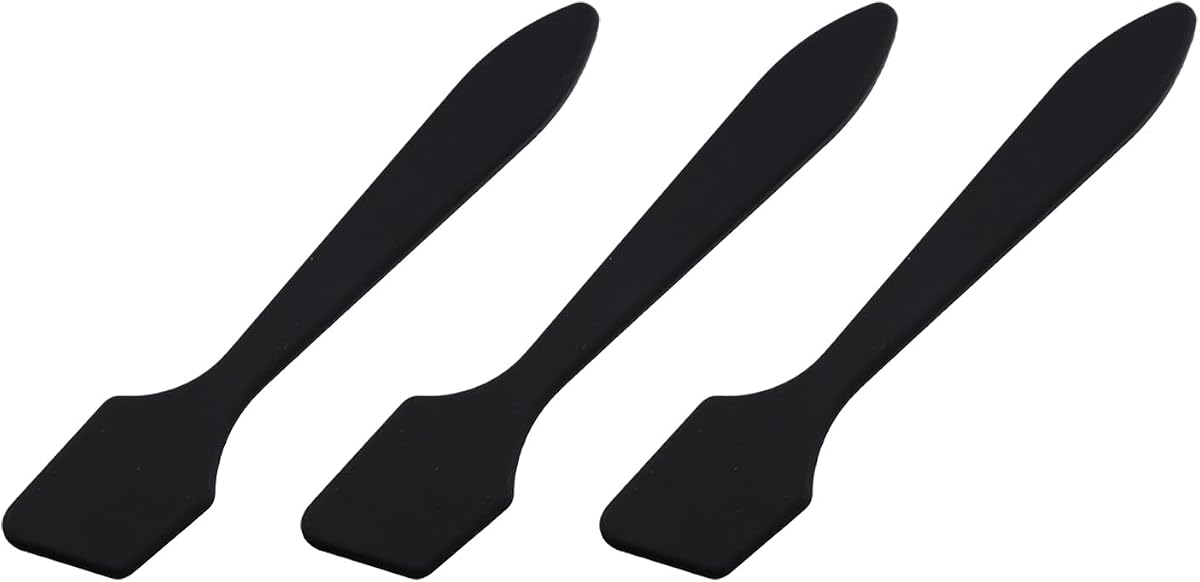
Thermal Grizzly TG Spatula
4.7Editor score
Three-piece application set
Supports major paste brands
Works across processors and consoles
PC Thermal Spreader and Application Tools guide compares ten options for CPU, GPU, console thermal paste application, cleanup, delidding, and maintenance.
PC thermal spreader and application tools help technicians put thermal compound where it belongs, remove residue without scratching components, and service cooling hardware more consistently. The right accessory can make a demanding maintenance task cleaner, safer, and easier to repeat across processors, graphics cards, laptops, and consoles.
This guide compares ten products selected for the roles described in their listings, including paste spatulas, roller applicators, cleaning scrapers, a delidding heater, and a phase-change thermal pad. The comparison considers application control, material compatibility, included accessories, ease of handling, and the specific maintenance task each product is designed to support.
Each review explains what distinguishes the product, where it fits best, and which trade-offs deserve consideration before purchase. Ratings and specifications reflect the supplied product information, while availability and prices can change over time, so readers should confirm current listing details before ordering.
4.7Editor score

5.0Editor score

5.0Editor score
The table below places all ten options side by side, highlighting the maintenance role, included equipment, compatibility, and most relevant feature of each product.


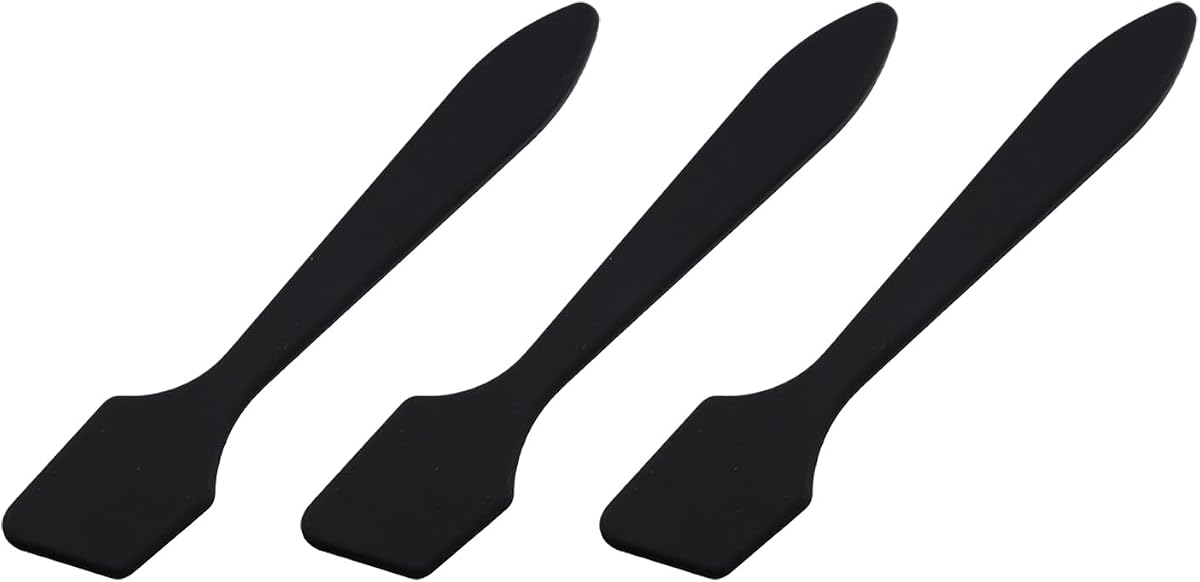


The Thermal Grizzly TG Spatula is a three-piece application set built around controlled distribution of thermal paste. Its supplied rating is 4.7, placing it among the strongest-reviewed products in this guide. Rather than trying to solve every phase of PC maintenance, it concentrates on the task of moving compound onto processor surfaces with more precision and less risk of contamination.
We may earn a commission when you buy through this link, at no additional cost to you.
The listing identifies compatibility with Thermal Grizzly Aeronaut, Hydronaut, Kryonaut, and Kryonaut Extreme pastes, as well as broad support for CPUs, GPUs, laptops, MacBook systems, and several PlayStation and Xbox consoles. That makes it a useful shared tool for technicians who service different platforms rather than repeatedly replacing a small piece of ordinary plastic.
Its main limitation is that even a well-designed spatula cannot make poor preparation or careless application entirely forgiving. Users still need to remove old material, keep fingers and tools away from the contact surface, and apply only enough compound for the specific processor. It is also not a scraper or delidding solution, so it belongs alongside rather than instead of dedicated residue-removal equipment.
This is the strongest budget-oriented choice for users who want a purpose-made three-piece applicator and broad thermal-paste compatibility. It is particularly suitable for routine CPU, GPU, and console repasting, especially for buyers who value controlled distribution and recognized Thermal Grizzly paste support over a larger all-in-one maintenance kit.
The set's benefit is not merely spreading paste evenly. Its design is intended to reduce contamination during distribution, which matters because stray material around a processor or graphics chip can complicate cleanup and may affect the fit of a heatsink or cooler.
Support for several named Thermal Grizzly compounds and a broad device list makes this a practical shared accessory. The same basic workflow can be used on computers, laptops, MacBook systems, and compatible consoles.
We may earn a commission when you buy through this link, at no additional cost to you.
Corsair TM30 Performance Thermal Paste is a compact maintenance package that combines three grams of compound with an application stencil and spreader. It carries a 4.7 rating and targets users who want a straightforward way to apply paste to a desktop CPU or GPU without separately sourcing basic application accessories.
We may earn a commission when you buy through this link, at no additional cost to you.
Its zinc oxide compound is described as having ultra-low thermal impedance, allowing it to fill microscopic abrasions and channels while transferring heat between the component and cooler. The listing also says the low-viscosity material is non-conductive, contains no volatile compounds, and maintains its consistency for years without drying, cracking, or changing.
The included stencil and spreader are the most relevant additions for this guide's theme. They reduce guesswork when laying out compound, while the spreader supports more uniform coverage. Even so, the package does not address every stage of thermal maintenance: it does not include the broad residue-removal and disassembly tools found in more extensive kits.
Choose TM30 when the goal is a ready-to-use CPU or GPU paste application rather than a dedicated spreader or scraper. It is a straightforward choice for first-time builders, routine refreshes, and users who value the supplied applicators alongside a stable, non-conductive compound.
The stencil and spreader make this more useful for first-time application than a plain tube of compound. They provide a basic method for controlling the initial placement and distributing the material across the contact area.
The product information emphasizes resistance to drying, cracking, and consistency changes. That makes it suitable for users who want a thermal compound intended to remain stable over an extended service life.
We may earn a commission when you buy through this link, at no additional cost to you.
The TG Spatula PRO is a three-piece precision applicator with a supplied rating of 4.3. Its core proposition is similar to the original TG Spatula: placing and distributing thermal paste in a controlled way to support heat transfer between a processor and its cooler.
We may earn a commission when you buy through this link, at no additional cost to you.
The listing names Aeronaut, Duronaut, Hydronaut, Kryonaut, and Kryonaut Extreme as compatible Thermal Grizzly pastes. This gives the PRO version broader stated brand coverage than the original set and makes it a sensible choice for a technician or enthusiast who keeps several types of compound on the shelf.
The trade-off is that its supplied rating is lower than those of the leading products in the guide. It also remains focused on application rather than cleanup or disassembly. Users who need residue scraping, cooler removal, or delidding support will still need separate tools for those jobs.
The TG Spatula PRO is best for users who value a dedicated spreading set and the widest named Thermal Grizzly paste compatibility in this three-piece category. Its straightforward design, console coverage, and contamination-conscious approach make it a focused tool for routine and enthusiast thermal maintenance.
Named support for five Thermal Grizzly compounds gives users more flexibility than a generic plastic scraper. The applicator can remain a consistent part of the process even when the selected paste changes.
The three-piece format is intentionally limited and easy to understand. It focuses on application control while avoiding the complication of a larger toolkit containing unrelated accessories.
We may earn a commission when you buy through this link, at no additional cost to you.
This Thermal Paste kit uses a curved roller applicator designed primarily for thick, dry, or sticky thermal compounds. Its 4.4 rating reflects a specialized approach that differs from ordinary dot-and-spread methods. The kit also includes two grams of paste and a broader group of application, disassembly, and cleaning tools.
We may earn a commission when you buy through this link, at no additional cost to you.
The product information says the rolling surface helps manage sliding, sticking, uneven thickness, bubbles, gaps, overflow, and waste. Those are meaningful problems with difficult compounds, which can pull or resist a conventional spatula. An ergonomic pinch grip and smooth bearing support repeated use, while the PP and POM surface is described as anti-stick.
The roller is reusable, but it is not entirely automatic. Correct pressure, direction, and number of passes still matter, and users should avoid forcing the applicator against delicate surfaces. The included tool bundle also increases the footprint of the product compared with a minimal three-piece spreader set.
This kit is a compelling option when the main challenge is spreading a viscous or tacky paste. It is also useful for beginners because the included tools support more of the maintenance workflow. Users who routinely handle ordinary compound and prefer a simple spatula may find a smaller applicator more convenient.
The curved rolling method gives thick paste a different application path from a flat spatula. It is intended to improve contact while reducing the pulling, gaps, and uneven buildup that can occur with demanding formulations.
Because the package includes paste plus application, disassembly, and cleaning tools, it covers several stages of a refresh. That makes it convenient for buyers who do not already maintain a well-equipped service kit.
We may earn a commission when you buy through this link, at no additional cost to you.
Noctua NT-H2 is a 3.5-gram thermal paste package with a supplied rating of 4.8. It stands apart in this guide because it prioritizes a simplified application method rather than elaborate spreading. The included three NA-CW1 cleaning wipes add a basic preparation and cleanup component.
We may earn a commission when you buy through this link, at no additional cost to you.
According to the listing, the compound can be applied without spreading before heatsink installation. This reduces the number of steps and can make it attractive to users who want a repeatable routine for an air cooler or liquid cooler. It is described as suitable for DIY and AiO coolers, AMD Ryzen and Intel Core processors, Radeon and GeForce graphics cards, consoles, and laptops.
The absence of a separate spreader is deliberate rather than a simple omission. Users who prefer a visible, manually distributed layer or need specialized paste-handling tools will require another accessory. NT-H2 is also not designed for removing adhesive, solder residue, or contamination from a delidded processor.
NT-H2 is an excellent choice for users who value simple application, a strong supplied rating, and broad platform support. The included wipes make preparation more convenient, while the long recommended usage period suits systems intended for extended service intervals.
Eliminating the spreading step can save time and reduce one common source of uneven application. The cooler can be installed after the prescribed amount is placed directly on the processor.
Three cleaning wipes provide a convenient start for removing old material. The broad platform list makes the package adaptable to air-cooled, liquid-cooled, desktop, laptop, GPU, and console maintenance.
We may earn a commission when you buy through this link, at no additional cost to you.
The Three-Piece Plastic Scraper Set is a basic set of black ABS applicators for thermal silicone and grease. Its supplied rating is 4.0, placing it behind the more highly rated options, but it remains a straightforward accessory for users who need a simple non-metal spreading tool.
We may earn a commission when you buy through this link, at no additional cost to you.
The product information focuses on even distribution of bar-shaped thermal pastes and names Thermal Grizzly Aeronaut, Hydronaut, Kryonaut, and Kryonaut Extreme. Its stated compatibility extends across PCs, laptops, MacBook systems, PS3, PS4, PS5, and several Xbox generations, giving the set a broad range of potential applications.
As an ABS plastic tool, it offers a less aggressive alternative to metal implements around delicate components. However, the listing provides less detail about ergonomics, long-term durability, and precision than the dedicated Thermal Grizzly products. Plastic can also retain compound residue, so cleaning and storage deserve attention between uses.
This set is most suitable for straightforward spreading jobs, especially for a user who wants a simple, inexpensive set and already has suitable paste and cleaning supplies. Buyers seeking more specialized control or a more comprehensive maintenance package should consider a higher-rated applicator kit.
The ABS construction provides a non-metal surface for moving thermal material around processors and other compatible contact areas. It is a simple alternative to using an improvised piece of plastic.
The set is intended to apply and spread familiar bar-shaped compounds. Users already following that application method can add the tools without changing the rest of their paste-handling process.
We may earn a commission when you buy through this link, at no additional cost to you.
This enhanced Thermal Paste Roller Applicator kit has a supplied rating of 5.0, the highest among the products presented. It centers on a curved roller intended to make thick, dry, and sticky thermal compounds easier to apply while bundling the paste and supporting tools into one maintenance package.
We may earn a commission when you buy through this link, at no additional cost to you.
Its anti-stick PTFE and POM surface is designed to reduce adhesion during rolling, while the pinch grip and smooth bearing support a controlled movement. The listing says the design handles sliding, sticking, uneven thickness, bubbles, gaps, overflow, and waste—common difficulties when working with high-viscosity or tacky formulations.
The package includes two grams of high-performance thermal compound along with application, disassembly, and cleaning tools. This broadens its appeal for routine CPU, GPU, PC, and console service, although the included accessories do not turn the product into a dedicated delidding station. Users should still verify that every included component fits their specific hardware.
This is the most complete choice in the guide for someone whose main challenge is sticky or thick paste. The top supplied rating, reusable applicator, included compound, and maintenance tools justify a top-three position, while the specialized rolling method makes it less essential for users who always work with easy-flowing compounds.
A moving roller can work through tacky material that would drag or resist a static spatula. The curved surface is specifically intended to distribute difficult compounds with fewer gaps and uneven areas.
The applicator is designed for repeated use, and its smooth bearing and ergonomic pinch grip help maintain a steady rolling action. Included cleaning and disassembly tools make the package more useful for a complete refresh.
We may earn a commission when you buy through this link, at no additional cost to you.
The Thermal Grizzly TG Scraper is a three-pack of acrylic precision tools intended for delidded processor cleanup. With a supplied rating of 4.8, it is one of the highest-rated products here, but its purpose is different from an applicator: it targets silicone adhesive, indium solder residue, and coarse contamination.
We may earn a commission when you buy through this link, at no additional cost to you.
The narrow tip is designed for working in confined areas around dies and package edges, while the ergonomic grip is intended to improve control. Acrylic construction offers a non-metal scraping surface and is described as reducing the risk of scratching when used carefully. The three-piece pack provides spare options for different working angles or tasks.
Precision does not eliminate risk. Force, direction, and tool angle all affect the outcome, and a delidded CPU is not forgiving of careless contact. This product is also not a thermal-paste spreader, so it complements rather than replaces an applicator in a complete enthusiast toolkit.
Buy the TG Scraper when residue removal after delidding is the immediate requirement. It is especially attractive for users who value a narrow, controlled tip and acrylic construction, and its high supplied rating supports a confident recommendation for careful precision work.
The narrow edge is intended to lift silicone adhesive and residue that broader tools may smear or push into the wrong area. That makes the set particularly relevant after heat-spreader removal.
Acrylic construction and an ergonomic grip support careful control around CPU dies and the surrounding package. The three-pack allows users to select a comfortable tool or keep backups available.
We may earn a commission when you buy through this link, at no additional cost to you.
The Delid-Die-Mate Heater V1 is a premium, purpose-built heat-spreader removal tool for Intel LGA 1851 processors. Its supplied rating is 5.0, and the key feature is controlled heating to 165°C using an included control unit with an OLED display for temperature monitoring.
We may earn a commission when you buy through this link, at no additional cost to you.
The listing explains that the heater is engineered for seamless integration with the Intel 1851 Delid-Die-Mate V1 tool. Its thermal approach is intended to facilitate efficient delidding while minimizing mechanical stress on the processor, reducing the amount of force required to separate the heat spreader.
Its specialization is also its main limitation. It is not a general paste applicator, and it is not presented as compatible with every processor family. A user attempting delidding still needs the associated removal tool and should follow the complete process rather than treating heat as a substitute for proper mechanical technique.
This is the premium recommendation for an enthusiast working specifically with an Intel LGA 1851 platform and the corresponding delidding setup. The temperature display, defined operating target, and specialized integration make it more purposeful than improvised heating methods.
The OLED display allows the user to monitor the heating process while targeting 165°C. That visibility supports a more repeatable workflow than an unregulated heating arrangement.
By heating the heat-spreader bond, the heater is intended to make separation more efficient. The aim is to reduce mechanical stress on the CPU, though careful handling and compatible tooling remain necessary.
We may earn a commission when you buy through this link, at no additional cost to you.
Thermal Grizzly PhaseSheet PTM is a 50-by-40-millimeter sheet of phase-change thermal material for CPUs, GPUs, and compatible consoles. Its supplied rating is 4.5, and it offers a different maintenance model from liquid paste because the material adapts during operation to support contact across the interface.
We may earn a commission when you buy through this link, at no additional cost to you.
The listing presents PhaseSheet PTM as a clean alternative to classic thermal paste. Its practical format can be cut to fit different contact areas, which is useful when a fixed shape does not suit the dimensions of a particular processor, graphics card, or console component.
The material does not remove the need for good preparation. Surfaces must be clean, and the sheet must be positioned and sized correctly for effective contact. It is also not a scraper or delidding tool, so it should be evaluated as a thermal interface option rather than a general service accessory.
PhaseSheet PTM is most interesting for users who prefer a reusable phase-change interface or want flexibility in shaping the material. Its non-conductive construction and broad application range make it a versatile option, especially for compatible contact surfaces and repeatable maintenance routines.
Phase-change behavior allows the sheet to adapt during operation. This offers a reusable alternative to traditional paste for users who prefer not to reapply a compound each time a cooler is removed.
The 50-by-40-millimeter format can be cut to match different compatible surfaces. That flexibility is particularly useful for unusual dimensions within the listed CPU, GPU, and console applications.
We may earn a commission when you buy through this link, at no additional cost to you.
The most useful accessory depends on the maintenance task, the type of thermal compound, and the hardware involved. A complete setup may need both an applicator and a residue tool, while specialized delidding equipment belongs only in compatible workflows.
Start by identifying the job the purchase must perform. A paste spatula or roller is intended to distribute compound, while a precision scraper is designed to remove adhesive, solder residue, and coarse contamination. A delidding heater supports heat-spreader removal, and a phase-change sheet serves as the thermal interface itself. Choosing by the broadest-sounding tool category can lead to an accessory that does not solve the actual maintenance problem.
Ordinary compound may spread readily with a simple spatula, but thick, dry, or sticky formulations can pull, resist, or leave an uneven layer. Roller applicators are specifically designed for these difficult textures. Products that support a no-spread workflow may be preferable when speed and simplicity matter more than manually controlling a uniform visible layer. The selected tool should match the consistency of the paste already used or likely to be purchased.
The material of the applicator matters around processors, dies, package edges, and graphics components. Acrylic is presented as a precision scraping material, while ABS plastic offers a non-metal option for basic spreading. These claims do not make careless work safe, so the tool should be used with light, controlled pressure and kept away from fragile exposed silicon. A soft or purpose-specific applicator is generally easier to control than an improvised hard edge.
Compatibility extends beyond the obvious CPU-versus-GPU distinction. A tool may be suitable for laptops and consoles, while specialized delidding hardware may support only one socket family. The Thermal Grizzly heater in this guide is specifically engineered for Intel LGA 1851 processors and integration with the corresponding Delid-Die-Mate tool. Always confirm the exact device, package, cooler, and compound involved before assuming a broad compatibility claim applies.
Some products are focused tools, while others combine an applicator with paste, wipes, disassembly implements, or cleaning accessories. A complete kit can be convenient for first-time builders and technicians who lack a service drawer. Focused products are often easier to store and may be more appropriate when the rest of the workflow is already covered. The useful question is which additional tools are genuinely needed rather than simply how many items appear in the box.
Reusable tools need to be cleaned and stored correctly. Plastic and acrylic applicators can collect residue, while a rolling mechanism should be kept free of hardened particles that could interfere with smooth movement. Cleaning wipes and application, disassembly, or cleaning tools add convenience, but a complete procedure should also include protecting the tool from heat and checking it for damage before reuse.
Delidding is not an interchangeable operation across processors. Specialized equipment must match the socket and corresponding tool system, and heat alone does not remove every process step. Users should understand the required procedure, have the compatible removal hardware available, and work carefully around the exposed die. A premium heater can improve control and consistency, but it does not make an incompatible setup suitable.
Thermal paste is generally consumed during maintenance, whereas a spatula, scraper, or roller can be reused. A phase-change thermal sheet may also be reused, provided it is handled and stored according to its intended use. Consider whether the purchase should be a one-time service tool, a consumable-focused package, or part of a repeatable kit. This prevents a useful accessory from being bought alongside supplies the user already owns.
Before applying or removing thermal material, power down the computer or console, disconnect its power source, and allow the processor and heatsink to cool. Remove the cooler carefully according to its mounting system, then clean old compound from the processor and cooler contact surfaces. Follow the cleaner or solvent instructions, avoid spilling liquid into the system, and allow the surfaces to dry completely before proceeding.
Choose the application method that matches the compound and tool. For ordinary paste, use a modest amount and spread it in the pattern recommended by the paste or cooler manufacturer. For a roller applicator, pinch and roll the tool steadily across the contact area rather than forcing it or repeatedly changing direction. If using a phase-change sheet, cut it to fit, position it cleanly, and avoid stretching or distorting the material.
After use, remove excess material with the appropriate cleaner and inspect the tool for residue, scratches, or a damaged edge. Clean reusable applicators and scrapers according to their material guidance, keep liquid away from the bearing or gripping surfaces, and store everything in a dry, protected place. Delidding equipment should be used only with compatible processors and its intended tool system, with temperature monitoring active throughout the procedure.
A dedicated applicator can make thermal paste easier to place evenly and reduce accidental contamination around the contact area. It is not always mandatory, because some compounds are designed to be installed without spreading, but it is useful for precise work, cleanup control, and repeatable maintenance. A simple spatula is suitable for many ordinary applications, while a roller is preferable for thick or sticky compounds.
That depends on the compound and the cooler design. Some pastes and many modern coolers are intended to be clamped directly without manual spreading, while others benefit from an even layer. Follow the instructions supplied with the paste and cooler rather than assuming every method is interchangeable. The NT-H2 option listed here is specifically described as not requiring spreading before heatsink installation.
A paste applicator distributes fresh thermal compound over a processor or graphics chip. A scraper removes old compound, adhesive, solder residue, or contamination from a contact surface. The TG Scraper in this guide is designed for precision cleanup around delidded CPUs, while the TG Spatula products focus on placing and spreading fresh paste.
They can be suitable because they avoid the hardness of metal and are intended to reduce scratching risk. Safety still depends on technique, so use light pressure, avoid contact with exposed dies, and inspect the tool for rough edges or embedded debris. Delidding is an advanced procedure and should not be attempted with improvised heat or tools.
Many paste applicators are not tied to a single processor family and can be used across different contact surfaces and devices. The Thermal Grizzly TG Spatula and TG Spatula PRO are specifically listed for broad CPU, GPU, laptop, MacBook, and console compatibility. Always confirm that the device is supported and that the cooler or shield will not contact excess compound.
A roller is especially useful for thick, dry, or sticky pastes that drag, clump, or resist a flat blade. Its curved surface is designed to spread the material while addressing uneven thickness, gaps, bubbles, and overflow. For thinner compounds or users who prefer direct control with a flat edge, a dedicated spatula remains simpler and less bulky.
Confirm that the heater is designed for the exact processor family and compatible removal tool. Temperature monitoring, an identifiable target temperature, and control over the heating process are important features for consistency and safety. The Delid-Die-Mate Heater V1 is specifically listed for Intel LGA 1851 processors and integration with the corresponding Intel 1851 tool.
No. Phase-change material can be an effective alternative on compatible contact surfaces, but fit, surface condition, mounting pressure, and manufacturer guidance still matter. The PhaseSheet PTM option is described for CPUs, GPUs, consoles, repasting, cooler swaps, and maintenance, and its sheet can be cut to fit different areas. Users should verify compatibility before treating it as a universal replacement.
The Thermal Grizzly TG Spatula is the most balanced budget choice for controlled paste distribution across processors, graphics cards, laptops, and consoles. The enhanced roller applicator earns the Editor's Choice position for difficult thick or sticky compounds and a complete supporting kit, while the Delid-Die-Mate Heater V1 is the premium option for its defined Intel LGA 1851 delidding role.
For most routine maintenance, begin with the type of compound you use. Choose a simple spatula for standard spreading, a roller for tacky or dense formulations, and a no-spread compound when speed and simplicity are priorities. Add a precision scraper if delidding residue is part of the job, and choose specialized heating equipment only when the processor and removal tool match.
Before ordering, confirm the current listing, included components, device compatibility, and current price. Tool specifications, bundle contents, ratings, and prices can change, and comparing the latest information helps ensure that the selected accessory fits both the component and the maintenance task.