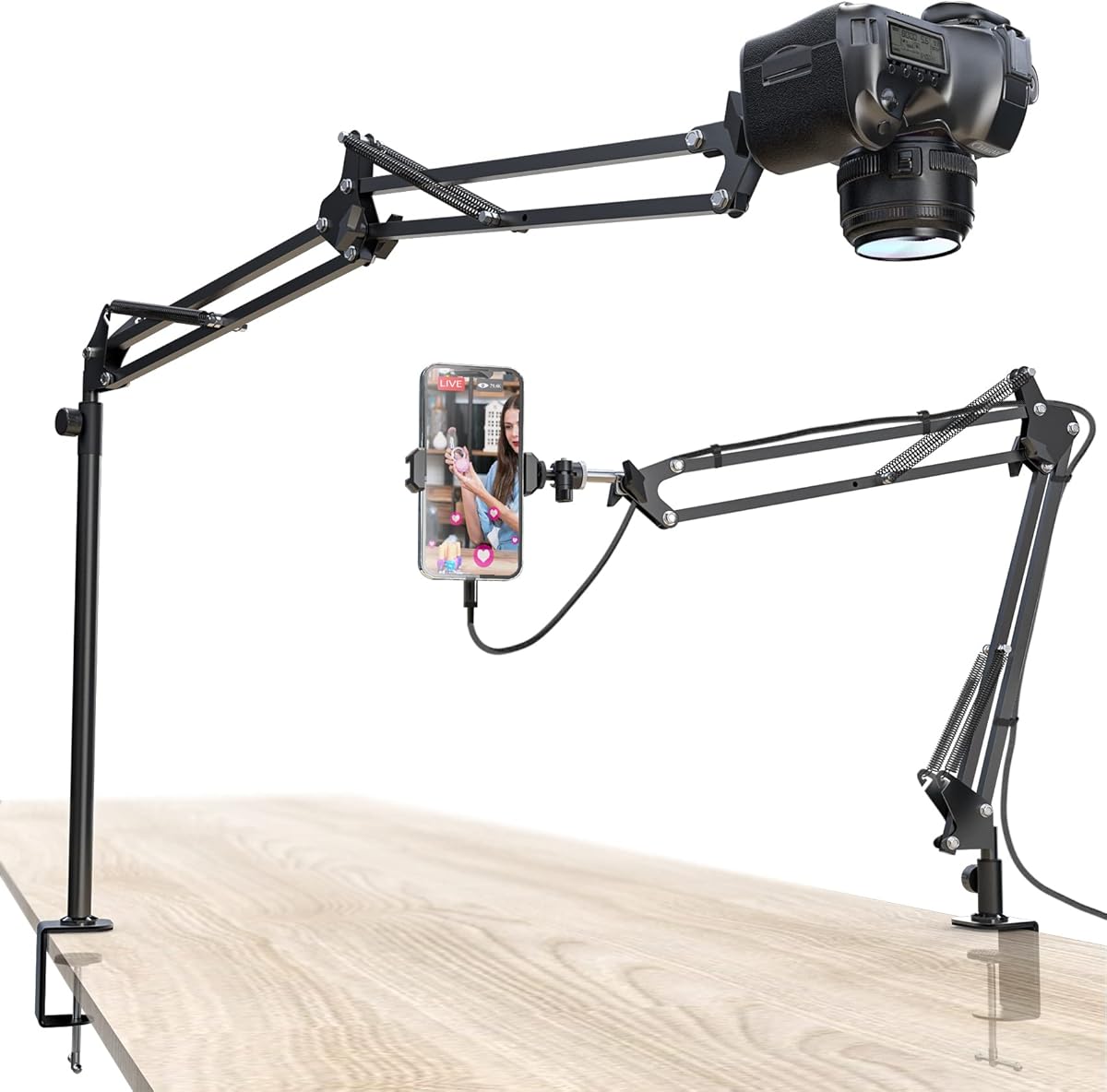
Overhead Camera Mount with Articulating Arm
4.6Editor score
Three-section adjustable arm
Five-pound load capacity
Scratch-resistant desk clamp
Includes phone holder
An overhead camera mount for a desk turns an ordinary tabletop into a flexible studio for top-down demonstrations, unboxings, crafts, cooking lessons, remote teaching, and livestreams. The strongest options combine a secure desk clamp, stable articulated arms, smooth angle adjustment, and a device connection that suits your equipment.
We compared all ten mounts by examining their stated load capacities, vertical reach, horizontal extension, clamp compatibility, locking mechanisms, included fasteners, and support for cameras, phones, webcams, lights, and microphones. The list covers compact three-section arms, heavier rigs, hydraulic systems, modular poles, and mounts designed for demanding production work.
Each review explains the stand's most useful strengths, relevant limitations, and best-fit creator, while the comparison table provides a quick reference. Product configurations and availability can change over time, so check the current listing, included accessories, and dimensions before purchasing.
4.6Editor score

4.4Editor score

4.4Editor score
As an Amazon Associate we earn from qualifying purchases.
The table below compares the ten mounts by their core physical design, stated capacity, reach, and practical advantages, making it easier to identify the right configuration for your desk, equipment, and recording style.
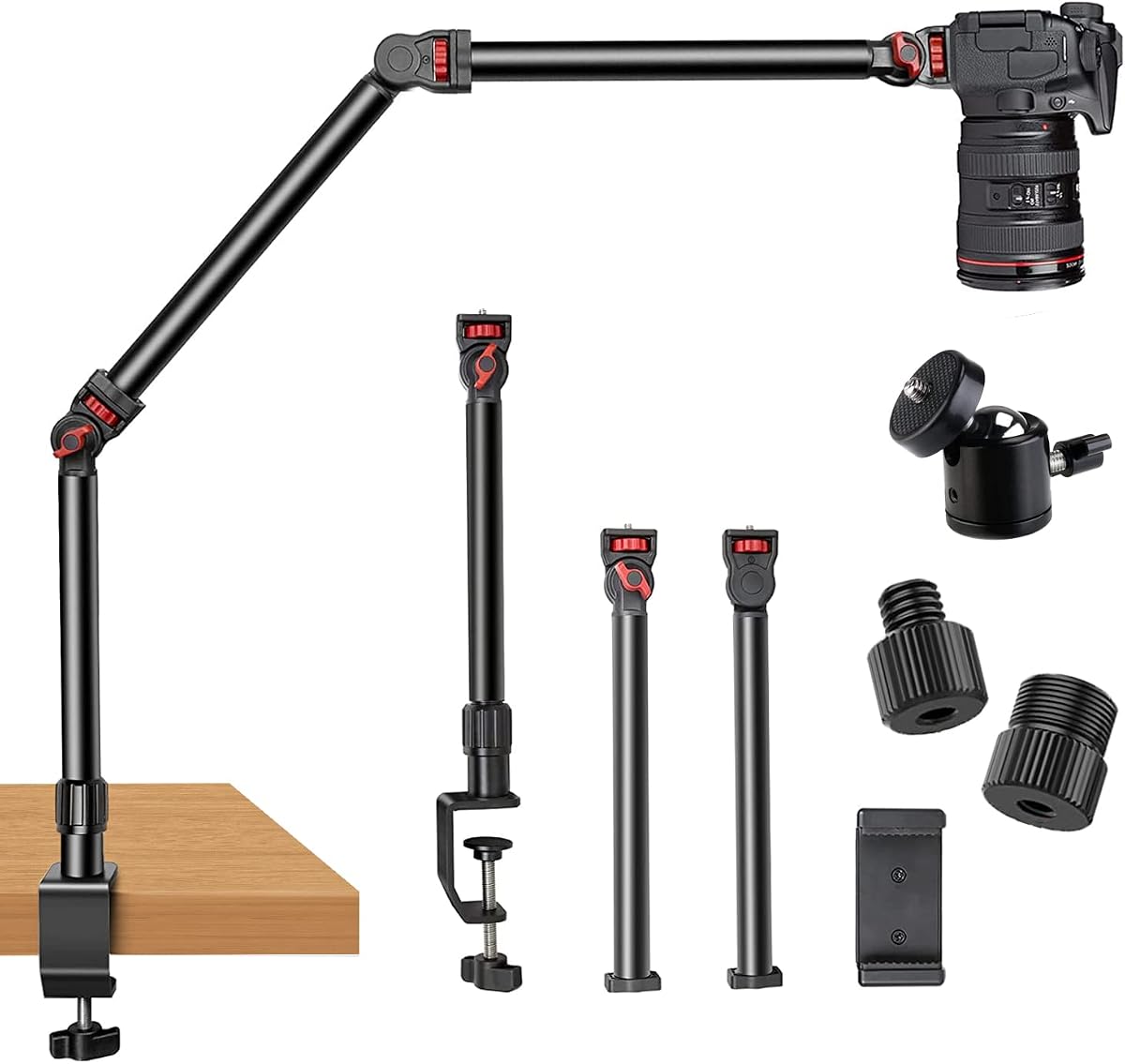
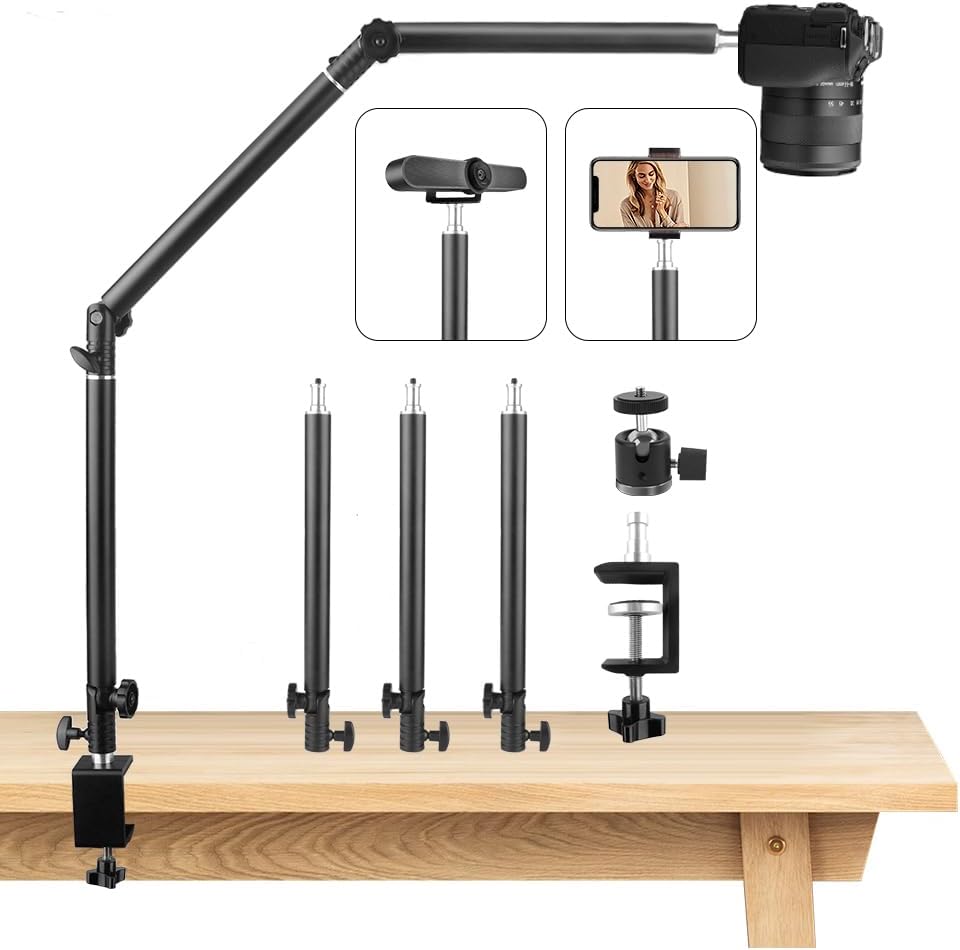


This mount combines a compact three-section arm, a 360-degree ball head, and a universal phone holder in a straightforward desktop package. Its stated 4.6 rating reflects a favorable balance of features, and the five-pound load capacity is sufficient for many webcams, smartphones, compact cameras, lights, and microphones. The included quarter-inch screw and phone holder also make it useful immediately after assembly.
We may earn a commission when you buy through this link, at no additional cost to you.
The arm adjusts from 15 to 25 inches, giving creators enough vertical range for a typical desk without requiring a large overhead frame. Its rubber-padded C-clamp fits surfaces measuring 0.5 to 2.1 inches thick, making it suitable for many conventional desks while avoiding drilling. Reinforced aluminum and multiple adjustment points provide more support than a basic flexible phone arm, while the detachable sections should make storage and repositioning straightforward.
The main limitation is capacity. A five-pound rating does not offer the margin of a heavy-duty stand, especially when a camera is extended horizontally with a long lens or additional accessories. The arm's relatively limited reach may also be less suitable for large work surfaces, and users who require independent locking at every joint should compare the more mechanically secured alternatives in this list.
This is the best choice for beginners, renters, and creators making recipe videos, demonstrations, product footage, or instructional content on a standard desk. It offers enough adjustment and included hardware to begin without requiring a separate purchase, while the padded clamp and compact construction keep the setup straightforward. For lighter equipment and everyday overhead work, it offers the most balanced package in the guide.
The three-section arm and 360-degree ball head let you move from vertical overhead views to angled product shots without replacing the entire stand. This flexibility is particularly useful when a creator switches between hands-on demonstrations, face-to-camera inserts, and top-down details.
A universal phone holder and quarter-inch screw are included, so the mount can support a phone immediately or accept a compatible camera without hunting for an adapter. The result is a more accessible package for new creators building a first overhead filming setup.
We may earn a commission when you buy through this link, at no additional cost to you.
This three-section detachable arm stands out for its unusually broad range of position changes. Each pole adjusts through 180 degrees, the base rotates 360 degrees, and the included ball head adds final camera positioning. The 4.4 rating is supported by a design that works with cameras, phones, webcams, projectors, microphones, and video lights, making it a general-purpose desktop production accessory.
We may earn a commission when you buy through this link, at no additional cost to you.
The aluminum alloy construction is CNC machined and anodized, while the listed capacity reaches 4.5 pounds in a horizontal position and 6 pounds when suspended. Because the arm can connect to desktop mounts and tripods through quarter-inch openings, creators can adapt the structure rather than treating it as a single-purpose stand. Its padded clamp fits surfaces up to 2.4 inches thick and uses a locking knob for repeatable positioning.
Several articulated joints and included adapters add complexity to setup. The detachable rods are helpful for transport, but users should check that every threaded connection is fully tightened before extending a camera over the work area. The unusual load figures also require attention to the stated mounting orientation, and suspended loads should always be compared with the actual configuration and equipment weight.
Choose this arm when you regularly alternate between top-down, side, and angled views and want more adjustment than a simple two-section stand. It is particularly suitable for online lessons, vlogging, baking demonstrations, and general livestream work. The detachable construction and broad device support make it a flexible choice, provided the user takes care to secure each joint and respect the stated orientation-specific limits.
Independent 180-degree movement at each pole, combined with the rotating base and ball head, lets a camera travel around a desk without repositioning the clamp. That range is valuable when the same workspace must support both overhead demonstrations and side-facing commentary.
Quarter-inch, three-eighth-inch, and five-eighth-inch screws are included, along with a phone holder and converter thread. These connection options reduce equipment incompatibility and make the arm useful for more than one type of creator gear.
We may earn a commission when you buy through this link, at no additional cost to you.
This heavy-duty mount offers one of the broadest reach ranges in the guide, expanding from 14.5 to 41 inches according to its product description. The three detachable sections adjust through 180 degrees for broad directional movement, while the 1/4-inch screw provides a familiar connection for cameras, lights, projectors, webcams, phones, and compatible accessories.
We may earn a commission when you buy through this link, at no additional cost to you.
Its aluminum alloy construction and stated load capacity of nearly 6.6 pounds give it more authority than lightweight flexible arms. The enlarged handle clamp opens to approximately 1.96 inches and can be fitted to desks, tables, or kitchen counters. Rubber padding protects the contact surface, and the longer handle offers finer control than a conventional small knob when gripping thicker furniture.
The extended arm creates a meaningful leverage trade-off. A heavier camera positioned far from the clamp can produce more movement than the same camera mounted close to the base. The mount also weighs more than the most compact options, so it may be less convenient for frequent transport or very limited storage. Careful tightening and balanced equipment placement remain important.
This stand suits creators who need broad vertical coverage over a large desk or counter. It is especially relevant for cooking demonstrations, streaming, vlogging, and mounted lights used alongside a camera. Choose it when reach and capacity are more important than minimum weight, and position heavier devices close to the clamp whenever possible.
The long telescoping range allows the camera to move from a low tabletop position to a high overhead view. That makes the mount useful for large work areas where a shorter arm would leave the lens too close to the subject.
The enlarged handle can be rotated to adjust the gap across a wider range of desktop and counter thicknesses. Its rubber pad adds grip while reducing the chance of scratching the furniture during installation.
We may earn a commission when you buy through this link, at no additional cost to you.
The TKA01-L distinguishes itself with three locking gear joints that provide 180-degree tilt and 360-degree rotation. Its 4.4 rating reflects a focused construction for creators who need the camera to remain fixed during long recording sessions. The design is particularly relevant to stop-motion, macro photography, unboxing, cooking demonstrations, and document scanning.
We may earn a commission when you buy through this link, at no additional cost to you.
Steel tubes with a stated diameter of 1.18 inches support up to 8.8 pounds vertically and 6.6 pounds when extended horizontally. That margin allows heavier cameras, zoom lenses, 19-inch ring lights, and projectors to remain more stable. The end carries a removable ball head with a 3/8-inch screw and a 1/4-inch adapter, providing flexibility for cameras, webcams, lights, and direct gear attachment.
The geared locks are a strength during shooting but require deliberate release and tightening during setup. Unlike friction joints that move continuously, toothed mechanisms are best treated as fixed positions. The dual-slot clamp and structural anchor base add complexity, although that complexity supports alignment and load control. Its heavy-duty construction may also be unnecessary for a phone or small webcam.
This is the top overall recommendation for creators who prioritize repeatable positioning and a stable platform. The 38-inch extension covers substantial workspaces, and the steel frame offers useful rigidity for heavier equipment. Buy it when long sessions and consistent angles matter more than minimum weight or maximum flexibility, particularly for professional-looking tabletop production.
The toothed joints lock into defined positions, helping prevent gradual sagging during lengthy recordings. This is a meaningful advantage for macro work, stop-motion sequences, and any setup that must remain perfectly still between takes.
Steel tubes and a dual-slot anchor base provide a sturdier structure than many lightweight arms. The result is better suited to DSLRs, longer lenses, projectors, and larger ring lights that can create noticeable leverage.
We may earn a commission when you buy through this link, at no additional cost to you.
The NEEWER UA057 uses a friction-style magic arm rather than rigid telescoping sections, creating a compact and fluidly adjustable option for lightweight equipment. Its stated 4.5 rating reflects a versatile design intended for DSLRs, action cameras, webcams, microphones, and phones across Zoom calls, overhead photography, gaming, streaming, recording, and podcast production.
We may earn a commission when you buy through this link, at no additional cost to you.
The arm extends to 22 inches and uses three sets of 360-degree dual ball heads. Padded rings inside those heads improve grip, while anti-twist pins at the mounting interfaces help prevent attached equipment from rotating unexpectedly. The low-profile super clamp can grip flat surfaces up to 2 inches thick or cylindrical objects up to 1.6 inches in diameter, and it can also connect to compatible rods and support systems.
The stated device limit of 500 grams is the decisive constraint. It is appropriate for many webcams, action cameras, compact cameras, phones, and light microphones, but it does not offer the same capacity as the steel or heavy-duty aluminum stands. Friction joints also require repeated tightening during setup, and a fully extended lightweight arm may still move more than a rigid telescoping design.
Choose the UA057 when portability, quick repositioning, and broad mounting compatibility are priorities. It is a good fit for creators who work with compact cameras, action cameras, webcams, or phones and need to grip something other than a standard rectangular desk edge. For heavier DSLRs or a permanently fixed production rig, select a higher-capacity model instead.
The magic-arm design lets a creator raise, lower, and angle a device without extending multiple locking sections. That makes repeated changes fast, which is useful during live demonstrations and iterative product shoots.
The super clamp can secure the arm to a flat surface, a cylindrical object, or a compatible support rod. This broader grip range makes it adaptable to round tables, stands, rigs, and other structures that a basic desk clamp cannot accommodate.
We may earn a commission when you buy through this link, at no additional cost to you.
The JINRAIKO mount centers on a hydraulic floating arm designed to move smoothly into position without the abrupt movements associated with some rigid hinges. It holds a 4.3 rating and is positioned for livestreaming, photography, studio content, unboxings, crafts, and 3D printing. Cameras and smartphones are both supported through the included phone holder and mounting hardware.
We may earn a commission when you buy through this link, at no additional cost to you.
The 360-degree adjustable arm gives creators broad freedom to change the angle over a desk, while the UKA-style quick-install system is intended to simplify setup. An extension pole and accessories are included, allowing the arm to gain reach or adapt to different production arrangements. The floating action can be especially helpful when a camera needs to be lowered into a shot without disturbing nearby objects.
The product information provides fewer measurable details than several competing listings. It does not state a precise load capacity, vertical reach range, or maximum desk thickness, so buyers should verify those specifications before committing to a demanding setup. A hydraulic system also requires sensible handling and routine checks to keep movement consistent and prevent leaks or gradual loss of tension over time.
This mount is best for creators who prioritize smooth, almost effortless angle changes and already know their required reach and load. It can suit a live studio, compact production corner, or hobby desk where quick camera movement is more important than a highly modular pole system. Confirm the current product specifications, included components, and desk-clamp fit before ordering.
The hydraulic floating mechanism allows a camera to glide into a new position with less abrupt repositioning. This can make live demonstrations feel more polished and help creators frame repeated shots without continually loosening rigid joints.
An included universal phone holder and broad camera support make the setup useful across two common content formats. The extension pole provides additional positioning flexibility without requiring the user to rebuild the entire structure.
We may earn a commission when you buy through this link, at no additional cost to you.
The ULANZI ZJ02 offers fine positional control through four adjustable sections and a quarter-inch ball head. Its 4.6 rating makes it one of the strongest-rated products in the comparison. The stand is designed for large desks, flat-lay photography, overhead video, and other tasks requiring repeatable changes in angle and camera height.
We may earn a commission when you buy through this link, at no additional cost to you.
The structure extends to 98 centimeters overall and reaches a vertical height of 65 centimeters, or 25.6 inches, for overhead shooting. Each toothed joint adjusts through 180 degrees, and the 2-kilogram capacity provides a useful margin for many cameras, phones, lights, and accessories. Its aluminum alloy body is paired with a sturdy C-clamp and silicone pad for grip and furniture protection.
The maximum height is lower than several long-reach models in the guide, making it more dependent on the actual desk and camera orientation. Toothed joints are convenient for settling on an angle but less accommodating than friction controls when a creator needs fine continuous movement. Its multi-section construction also creates more joints that must be checked for looseness before a long recording.
This stand is a strong option for crafters, product photographers, and educators who want a clear, repeatable overhead position. It works especially well when a creator frequently changes between flat-lay views and angled shots but does not need to suspend equipment far above the desk. Its combination of rating, capacity, and silicone-padded clamping makes it an attractive all-round compact rig.
Four separately adjustable sections allow the camera to be centered over a work area and then lowered or angled for alternate views. That granularity is useful when filming hands, small products, recipes, and artistic processes.
The sturdy C-clamp grips desks up to 48 millimeters thick, and its silicone pad helps prevent scratches. The two-kilogram rating is sufficient for many mid-sized creator setups without requiring a heavyweight stand.
We may earn a commission when you buy through this link, at no additional cost to you.
The Titanrig Lite Z is built for creators who need to support more than a lightweight phone or webcam. It carries a 4.4 rating and pairs an articulating arm with a substantial two-clamp base. The dual-thread attachments, included tablet clamp, and high stated load capacity make it suitable for serious tabletop studios, online lessons, streaming, meetings, and video production.
We may earn a commission when you buy through this link, at no additional cost to you.
The main body is made from rust-resistant aluminum alloy, and the stand is rated to carry up to 8 kilograms, or 17.6 pounds. A two-section main pole and an 18.9-inch articulating arm provide vertical and horizontal movement, while the ball head adds further rotation. Dual C-shaped clamps with anti-slip pads fit desktops from 1.5 to 7.5 centimeters thick and improve resistance to movement.
This is not a lightweight or minimalist solution. Its overall listed weight of 3.15 kilograms reflects the substantial construction, and the two-clamp base requires a suitable edge or surface configuration. The many adjustment and connection points make setup more involved than that of a basic two-section arm, but they also allow cameras, ring lights, tablets, microphones, and additional equipment to be organized around one structure.
Choose the Titanrig Lite Z for a permanent or semi-permanent production desk with heavier equipment. Its capacity, stable dual-clamp foundation, and broad device compatibility make it a premium option for serious creators. Those wanting maximum load strength will value it most, while users with only a phone should consider a lighter and less complex alternative.
The dual-clamp base and stated 17.6-pound capacity provide meaningful support for a camera, tablet, lighting combination, and other accessories. This makes the rig better suited to a dedicated studio than a temporary phone-filming arrangement.
Quarter-inch and three-eighth-inch threads, an adapter, and an included tablet clamp expand the range of supported equipment. Creators can organize cameras, microphones, lights, and a tablet around a single overhead structure.
We may earn a commission when you buy through this link, at no additional cost to you.
The JUSMO LS15 Pro is an expandable aluminum rig built for creators who may outgrow a basic desk arm. Its 4.4 rating reflects a combination of high stated capacity, segmented construction, and compatibility with optional poles and clamps. It is intended for desktop video, recipe filming, specimen and exhibit recording, stop-motion animation, crafts, painting demonstrations, streaming, and overhead shots.
We may earn a commission when you buy through this link, at no additional cost to you.
The stated maximum load is 10 kilograms, or 22.05 pounds, and the enlarged, thickened C-clamp has a width of up to 90 millimeters. Segmented poles allow length and height to change, while corrugated anti-slip surfaces, secondary anti-deflection screws, and a laser-engraved tick design help maintain alignment. Additional poles or a super clamp can expand the system with more cameras, lights, microphones, and equipment.
The expansive capability comes with a substantial physical footprint and a modular design that may require purchased accessories. Expansion is useful only if the desk and surrounding workspace can support the resulting arrangement. The high capacity does not eliminate the need to balance long arms, tighten secondary locks, and prevent the enlarged clamp from exceeding the edge of the furniture.
The LS15 Pro is a strong choice for a dedicated content workstation, educational demonstration desk, or studio where a multi-device overhead arrangement is likely. It rewards buyers who value expandability and rigidity over a lightweight, grab-and-go mount. For a phone-only workflow, it is likely more than necessary, but for a growing production setup it offers a capable foundation.
The segmented pole system can be extended with additional JUSMO poles and compatible clamps. This makes it easier to add a second camera, overhead light, microphone, or monitor without replacing the entire overhead rig.
Secondary anti-deflection locking screws and graduated markings help keep long sections aligned. Those details are particularly useful for stop-motion, macro, and instructional recordings where even small unwanted movement can affect continuity.
We may earn a commission when you buy through this link, at no additional cost to you.
The Ailight stand combines a three-section vertical post with a separate two-section horizontal arm, creating more positioning options than a simple single boom. It holds a 4.5 rating and is suitable for makeup demonstrations, video recording, livestreaming, Zoom meetings, online teaching, interviews, and general overhead production.
We may earn a commission when you buy through this link, at no additional cost to you.
The vertical structure adjusts from 15.75 to 33.45 inches, while the horizontal holding arm extends from 11.8 to 20 inches and mounts to the light stand with a fixed clamp. Quarter-inch screws appear on both vertical and horizontal ball heads, allowing compatible cameras, phone clips, LED lights, webcams, and ring lights to be connected. The desk clamp accommodates surfaces from 0.2 to 1.97 inches thick.
The horizontal arm is rated for only 1 kilogram, or 2.2 pounds, so it is not intended for the heaviest camera packages. Its two telescopic sections also need both twist locks secured before filming. Nevertheless, aviation aluminum construction and reinforced tube diameters make the overall stand more substantial than a small flexible phone arm.
This model works well for creators who want independent vertical and horizontal reach without purchasing a large modular system. It is a practical option for teaching, streaming, beauty content, and light production work using compatible mid-weight devices. Choose it when its stated horizontal capacity comfortably exceeds the weight of your camera and accessories.
A telescopic vertical post and horizontal boom provide different kinds of reach, helping a creator move between a higher overhead angle and a side extension without relying on one oversized arm. This flexibility is useful in confined workspaces.
Quarter-inch fittings on the vertical and horizontal ball heads make it straightforward to connect common creator accessories. The included structure can support compatible webcams, cameras, lights, and phone holders without a proprietary connection system.
We may earn a commission when you buy through this link, at no additional cost to you.
The right overhead mount depends on equipment weight, desk dimensions, shot style, and how often the setup must move. Evaluate the clamp, reach, adjustment method, capacity, and connection standards together rather than focusing on a single advertised specification.
Choose a capacity comfortably above the combined weight of the camera, lens, phone, microphone, light, mounting plate, and any other attached hardware. Heavy DSLRs with zoom lenses, projectors, and large ring lights create more stress than their bare device weights suggest, especially when an arm is extended horizontally. A mount with at least twice the expected load provides a useful safety margin, while lighter webcams and action cameras can work with more compact models.
In summary, calculate the full equipped weight and choose a mount with ample headroom rather than matching the limit exactly.
A useful overhead setup must place the lens over the subject without making the arm awkward or unstable. Review the maximum height, overall extension, and horizontal-arm length, then compare them with the dimensions of the desk and available clearance above the work area. Longer reaches improve framing flexibility but increase leverage and can make a stand feel less stable when fully extended.
In summary, select enough reach for comfortable framing while keeping extended equipment as close to the clamp as practical.
The clamp must fit both the thickness of the desk and the available edge. Check its stated opening range, jaw dimensions, and maximum width, then confirm that it can sit on a thick tabletop, narrow side rail, round support, or another permitted surface. A padded jaw is valuable for preventing scratches, while a wide clamp offers more support for heavy or rigid pole systems.
In summary, measure the desk before ordering and compare thickness, width, and edge clearance with the clamp specifications.
Friction arms, geared joints, telescopic locks, and ball heads provide different positioning experiences. Friction arms move smoothly but can drift and are best for lighter loads. Geared or toothed joints hold repeatable angles and suit long recordings, while telescopic sections offer fast length changes with straightforward twist locks. A ball head is valuable for fine camera orientation, and its own locking strength matters as much as the main arm.
In summary, prioritize repeatable locking for fixed shoots and smooth friction movement for frequent live repositioning.
Most creator equipment uses a quarter-inch thread, but some larger stands also provide three-eighth-inch mounting points. Phones usually require a separate holder, while tablets need a clamp capable of supporting their size and weight. Check whether the holder, adapter, camera plate, and ball head are included. Also confirm that any microphone or light attachment can coexist with the camera without blocking its controls or unbalanced side of the arm.
In summary, verify thread sizes, included adapters, and device-holder dimensions before assembling the rig.
A compact three-section arm may be sufficient for a phone, small webcam, or beauty demonstration, while a wide dual-clamp or modular rig is better for a permanent studio. Detachable poles make long mounts easier to store and transport, but they also add joints that must be aligned correctly. Consider ceiling clearance, chair movement, nearby lighting, and the space required to open and adjust the clamp.
In summary, favor a compact model for mobile work and a rigid, modular system for a fixed production desk.
The easiest mount is not necessarily the one with the most adjustment features. Some articulated systems require repeated tightening at several points, while telescopic stands use fewer locks but need careful extension. Inspect the included screws, threaded holes, clamp hardware, and user instructions before assembly. For hydraulic or friction mechanisms, check that movement remains smooth and that no joint loosens during a representative recording session.
In summary, favor a mechanism you can understand, lock reliably, and maintain between shoots without excessive tools.
Steel tubing and thick dual clamps resist flex but increase weight, while aluminum and friction arms are easier to move. The best choice depends on whether the rig stays assembled. A heavy DSLR and long lens benefit from more rigidity, whereas a phone, webcam, or action camera rarely justifies a large stationary structure. A portable mount should still lock firmly enough to avoid camera shake during continuous recording.
In summary, choose the lightest rigid design that safely supports the equipped camera and intended accessories.
Begin by checking the desk, clamp, and all threaded connections before adding equipment. Install the clamp on a clean, dry edge, tighten it gradually, and verify that the jaws are square. Assemble the pole sections from the base upward, align any anti-deflection screws, and secure the ball head with its locking knob. Position the device over the work area before making final camera-angle adjustments.
Attach the camera or device with the appropriate quarter-inch or three-eighth-inch adapter, then tighten every relevant locking point. Balance heavier components near the base and avoid leaving a camera at the end of a long horizontal extension. Run a short test recording to check for drift, vibration, and changing framing. For a tabletop demonstration, keep the subject centered and make sure the lens can reach the intended area without touching nearby objects.
After use, remove delicate equipment before loosening the structure. Wipe the clamp and metal surfaces with a dry or slightly damp cloth, avoid abrasive cleaners, and keep moisture away from pivot points and hydraulic components. Store detached poles in a protective sleeve or case, inspect screws periodically, and retighten any hardware that has loosened. Always unload the arm before changing its shape or moving the clamp.
An overhead camera mount suspends a camera above a desk or work surface for top-down filming. Creators commonly use it for cooking, craft demonstrations, unboxings, drawing, stop-motion, online lessons, interviews, and product photography. Its main benefit is a repeatable elevated viewpoint without requiring a separate wall, ceiling, or floor stand.
Capacity varies widely, from around 1 kilogram on the lighter horizontal arm of the Ailight model to more than 10 kilograms on the JUSMO LS15 Pro. Always check the stated limit for the exact arm orientation, since horizontal extension and suspended configurations may have different ratings. Include the camera, lens, adapters, light, microphone, and mounting hardware in the total weight.
It will fit only if the clamp opening, jaw width, and shape match your furniture. Most models accept common rectangular tabletops, but their maximum thickness and width vary considerably. Measure the desk edge before purchasing and verify that the clamp can open far enough without striking a leg, drawer, trim, or uneven underside.
Yes, provided the mount includes or supports a compatible phone holder. Several products in this guide include a universal phone holder, while others require an appropriate clamp or adapter. Confirm that the holder can grip your phone securely, and keep the device's weight below the relevant mount capacity.
Friction arms offer smooth, continuous movement and are convenient for live demonstrations, but they usually suit lighter devices and may need occasional tightening. Locking gear or toothed joints hold fixed positions more reliably, making them better for long recordings, macro work, stop-motion, and heavier equipment. The ideal choice depends on whether quick movement or repeatable angles matter more.
Use a mount with a stated capacity well above your total equipment weight, attach the device close to the clamp, and tighten every arm, ball-head, and secondary locking screw. Check the desk clamp for slippage and inspect the device for a loose plate or adapter. A short test recording can reveal oscillation that is not obvious from a static view.
They can, but the mount must have sufficient stated capacity for the camera and lens together. A DSLR with a long lens should be paired with a rigid, high-capacity stand, and the camera should be positioned near the base to reduce leverage. Lightweight phone arms and friction models are better suited to compact cameras, webcams, and action cameras.
Yes. Overhead mounts are useful for showing craft processes, demonstrations, gaming layouts, teaching materials, or unboxing details while live streaming. Choose a stand that locks securely without requiring frequent adjustment, check that cables can route without pulling the camera, and test the framing and stability before the stream begins.
The three leading choices serve different needs. The first-ranked articulating mount is the strongest budget-oriented all-rounder, offering useful reach, a phone holder, and a padded clamp in a compact package. The TARION TKA01-L is the top overall option for creators who value rigid steel construction and repeatable locking angles, while the TARION Titanrig Lite Z provides premium capacity and a stable dual-clamp foundation.
When choosing, prioritize the equipment you actually use, the available desk space, and the amount of movement your work requires. Lightweight phone and webcam creators can favor a compact or friction arm, while heavier camera setups benefit from steel construction, gear joints, secondary locks, and a higher stated capacity. Also consider included adapters, device holders, pole storage, and whether the mount must support lights or microphones in addition to the camera.
Product configurations, included accessories, and current prices can change, so review the latest listing before making a final purchase. Confirm the load rating, reach, clamp dimensions, and connection hardware against your equipment. With those details checked, an overhead camera mount can create a dependable and productive desktop filming setup for demonstrations, lessons, livestreams, and polished top-down content.