
0.96-Inch IPS TFT LCD
4.8Editor score
Full-color 80 by 160 screen
Adjustable display orientation
Low-voltage SPI operation
Optoelectronic displays turn electrical signals into visible information, making them essential components for sensor projects, control panels, status monitors, wearable prototypes, and connected devices. A suitable module must balance screen size, clarity, interface complexity, power requirements, touch responsiveness, and the capabilities of the controller driving it.
This guide compares ten displays using the supplied specifications and customer ratings, covering compact OLED and TFT screens, character modules, numerical indicators, and larger ESP32 human-machine interface panels. The comparison emphasizes resolution, viewing technology, connection method, supported platforms, expansion options, and practical features rather than assuming every project needs the largest display.
Each selection demonstrates a different way to approach an embedded-display project: simple I2C communication, SPI color graphics, capacitive touch input, a seven-segment numerical readout, or a fully integrated wireless panel. The standout options reflect the information provided by their listings, while availability and current product details can change, so readers should verify compatibility before purchasing.
4.8Editor score

4.5Editor score

5.0Editor score
As an Amazon Associate we earn from qualifying purchases.
The table below places all ten modules side by side, highlighting their display technology, resolution, communication method, and most important expansion or integration features.




This two-pack of 0.96-inch IPS TFT modules is a straightforward starting point for small color displays, and its 4.8 rating is the highest among the ten products in the supplied data. The ST7735-driven screen offers 80 by 160 resolution, 65K full color, and a physical size of 24 by 30 millimeters, making it suited to compact Arduino DIY projects that need more visual information than a character LCD can provide.
We may earn a commission when you buy through this link, at no additional cost to you.
The IPS panel is described as producing more vivid color than an ordinary TFT LCD, while the display direction can be adjusted for horizontal or vertical use. Its SPI connection uses the clock, data, reset, command-select, chip-select, and backlight lines, with the listing also noting a seven-pin designation. A 3.3-volt operating voltage suits modern microcontrollers, while the power input is described as accepting 3.3 to 5 volts.
The resolution is modest by modern touchscreen standards, so this is not the right module for dense dashboards or detailed documents. SPI wiring also uses more microcontroller connections than I2C, and the ST7735 requires suitable graphics code. Even so, the small dimensions, full-color capability, orientation adjustment, and strong listed rating make the module especially useful for wearable-scale indicators, compact menus, environmental readouts, and Arduino learning projects.
Choose this display when you want a small, vivid, general-purpose color screen without moving to a larger and more complex panel. It is a particularly sensible budget-oriented option for creators who value a high rating, compact construction, and flexible orientation. Before finalizing the build, confirm that the controller library supports the ST7735 and that the development board can provide the required power and SPI signals.
The 80 by 160 full-color panel gives small projects access to icons, status graphics, and simple menus without moving to a 4-inch display. Its IPS technology and adjustable orientation are useful when the screen may be mounted in portrait or landscape orientation.
The module supports 3.3-volt operation and lists a 3.3-to-5-volt power input, giving makers some flexibility across common development boards. The ST7735 driver is widely recognized, but the required library and pin arrangement should still be verified against the project.
We may earn a commission when you buy through this link, at no additional cost to you.
The Hosyond 1602 module is designed for uncomplicated text output, with two lines of 16 characters per line and a customer rating of 4.3. Instead of driving individual pixels, a compatible library can place letters, numbers, and symbols on the backlit character display, making it a practical option for simple status readouts and educational builds.
We may earn a commission when you buy through this link, at no additional cost to you.
Its I2C interface is the main convenience. The listing identifies a 5-volt supply requirement, an I2C address of 0x27, and the usual GND, VCC, SDA, and SCL connections. A built-in potentiometer adjusts the blue backlight, while compatibility is listed with Arduino, Raspberry Pi, Tinkerboard, Nano Pi, Banana Pi, and STM32 boards.
Its limitations are equally clear. A 16 by 2 character field cannot provide graphical gauges, photographs, icons, or a broad touch interface. The specified address could also matter if another I2C peripheral in the project already uses 0x27. The three-pack format is useful for coordinating several readouts, but projects needing only one display will not use the full bundle.
This module is most appropriate for clock displays, temperature panels, basic sensor messages, and school or maker projects where readability and quick setup matter more than graphical presentation. Choose it when your interface consists of a few changing values or short messages and your board has convenient I2C access. Confirm electrical levels and library support before wiring it into a mixed-voltage system.
A two-line character display is efficient for concise information such as time, temperature, operating states, and short prompts. It avoids the memory and drawing work associated with a full graphical interface, which can simplify many first projects.
The I2C adapter reduces the necessary connections to power, ground, data, and clock. This is easier to manage than a parallel character LCD and useful when the microcontroller has few available pins.
We may earn a commission when you buy through this link, at no additional cost to you.
This 4-inch module combines a 320 by 480 color display, capacitive touch, and an ST7796S driver in a format aimed at Arduino R3, Mega2560, and ESP32 development. Its 4.0 rating is the lowest in the supplied set, but the specification set addresses a common embedded need: a relatively large interactive interface without demanding a parallel display bus.
We may earn a commission when you buy through this link, at no additional cost to you.
The capacitive panel is highlighted as more convenient and accurate than a resistive alternative. A four-wire SPI bus reduces the number of required I/O pins, and an onboard level-conversion circuit supports both 5-volt and 3.3-volt microcontrollers. The module also provides a 2.54-pin interface, an FPC extension interface, and a micro TF card slot for storage expansion.
Trade-offs include the use of a TN panel, a stated brightness of 300 cd/m2, and the lower customer rating. The screen also needs appropriate graphics and touch code, so a technically simple project may be better served by a character module. Conversely, a dashboard, configuration panel, or graphical controller can benefit from the larger canvas and touch input.
This display is best for makers who want a functional touch interface on a 4-inch canvas and understand SPI display programming. The included example programs for several controller families can shorten the initial learning curve, while the TF slot and extension interface leave room for more elaborate builds. Check controller pin availability and select the correct ST7796S library before committing to the design.
Capacitive touch is well suited to menus, settings, and control panels where repeated interactions matter. The listing specifically distinguishes this upgraded panel from a resistive implementation and emphasizes greater convenience and touch accuracy.
Onboard level conversion broadens compatibility with 5-volt and 3.3-volt microcontrollers, while the four-wire SPI bus conserves I/O. A micro TF card slot and FPC interface add useful paths for storing assets or extending the build.
We may earn a commission when you buy through this link, at no additional cost to you.
The 7-inch ESP32 HMI is the most integrated option in the roundup, combining a large IPS capacitive touchscreen with its own processing, wireless connectivity, audio hardware, and expansion interfaces. Its 4.5 rating reflects a capable package for connected-control, IoT, and smart-interface projects that go beyond displaying data on an external microcontroller.
We may earn a commission when you buy through this link, at no additional cost to you.
At the center is an ESP32-S3 processor with a dual-core Xtensa 32-bit LX7 design operating up to 240 MHz. The listing specifies 512 KB of SRAM, 8 MB of PSRAM, and 16 MB of flash, along with 2.4 GHz Wi-Fi and Bluetooth 5.0 LE. The 800 by 480 IPS display offers a stated 178-degree viewing angle, while a built-in microphone and speaker enable voice-command interaction, recognition, and speech synthesis.
Development support includes Arduino IDE, Espressif IDF, PlatformIO, and LVGL. The enclosure also adds an SD card slot, USB, UART, I2C, battery connection, speaker port, and RTC. Wireless-module replacement can add Zigbee, Matter, Thread, LoRa, nRF2401, Wi-Fi HaLow, or Wi-Fi 6, depending on the hardware used. These capabilities add complexity, though, and a 7-inch interface is excessive for a tiny sensor gadget.
This is the right choice for ambitious dashboards, connected appliances, room controllers, prototype interfaces, and voice-assisted displays. It offers the most complete package without requiring a separate controller and display module. Buyers should still verify enclosure dimensions, power requirements, development environment, and module availability, but it is the standout all-in-one selection for projects that can exploit a large HMI.
Integrating the ESP32-S3, Wi-Fi, Bluetooth, storage, audio, and a large touch display into one unit simplifies high-level system planning. It also leaves less work for developers who want a finished interface platform rather than separate display and controller components.
The 7-inch IPS panel presents a generous 800 by 480 workspace with a stated wide viewing angle. Capacitive touch and built-in voice hardware create several possible interaction styles, from conventional menus to conversational commands.
We may earn a commission when you buy through this link, at no additional cost to you.
The 0.96-inch SSD1306 OLED offers crisp monochrome graphics in a compact format, with a 4.6 customer rating and 128 by 64 pixel resolution. It is well matched to projects that need small labels, icons, status indicators, and simple dashboards rather than photographic color or a large touch interface.
We may earn a commission when you buy through this link, at no additional cost to you.
Its self-emissive design requires no backlight and produces what the listing describes as ultra-high contrast with bright, clear pixels. The I2C interface needs only two I/O ports for communication, and the stated viewing angle exceeds 160 degrees. Operating voltage is listed as 3.3 to 5 volts, with normal power consumption stated at 0.04 watts and a fully lit value of 0.08 watts.
The limitation is color depth, since this is a monochrome OLED rather than an RGB display. Another practical consideration is that no fonts are embedded in the controller, so users need font-generation software for custom text. Although the bundle contains five modules, individual projects may require only one. The screen is also less suitable when users need to show dense paragraphs of text or touch controls.
This module is a strong choice for compact Arduino and Raspberry Pi instruments, wearable prototypes, environmental sensors, and status monitors. Its simple bus connection and strong contrast reduce the mechanical and electrical complexity of a small display. The included platform list covers Arduino Nano, R3, Mega, Raspberry Pi, 51 MCUs, and STM32 boards, making it a versatile option for common embedded ecosystems.
Self-luminous pixels make small text and icons look crisp without a conventional backlight. The stated wide viewing angle also helps maintain visibility across different mounting positions.
Using I2C leaves most microcontroller pins available for sensors, actuators, and other controls. This makes the module especially convenient for compact prototypes where pin count matters.
We may earn a commission when you buy through this link, at no additional cost to you.
The Teyleten Robot module adds visual character to embedded projects with a 1.28-inch round TFT display, 240 by 240 resolution, and a 4.7 customer rating. The square pixel canvas is capable enough for compact graphics, and the circular format is particularly suited to watches, gauges, indicators, and custom enclosures.
We may earn a commission when you buy through this link, at no additional cost to you.
The GC9A01 driver supports full RGB color through a four-wire SPI interface. Its IPS full-perspective design is listed alongside an operating temperature range of minus 20 to 70 degrees Celsius, while the 3-to-5-volt drive range gives makers flexibility with common controllers. The display area measures 32.4 by 32.4 millimeters, and the overall module dimensions are 38 by 45.5 by 3.2 millimeters.
A round screen imposes design constraints. Corners of rectangular layouts are lost, radial menus and centered graphics require deliberate artwork, and the relatively small active area limits text density. SPI also demands several signal lines and a compatible GC9A01 graphics library. The package includes three boards, which can be useful for coordinated multi-device builds but is unnecessary for a single prototype.
This display is ideal when visual design is a defining part of the project. A watch face, circular sensor gauge, robot status indicator, or dashboard pod can benefit from both the shape and RGB capability. It is less appropriate for conventional document-style interfaces. Buyers should check the module's physical dimensions carefully and design the graphics around a circular active area rather than simply cropping a rectangular layout.
The round panel provides more character than a standard rectangular screen. It works particularly well with radial gauges, icons, watch faces, and other graphics designed around symmetry and a central focal point.
At 240 by 240 pixels, the panel offers more detail than a tiny character display while remaining small enough for embedded objects. The IPS full-view specification supports useful flexibility in how the enclosure is mounted.
We may earn a commission when you buy through this link, at no additional cost to you.
This Hosyond module offers a 4-inch color touchscreen at 480 by 320 resolution, giving projects more horizontal and vertical detail than the 320 by 480 alternative. Its 4.2 rating and support for the ST7796S driver place it among the more conventional Arduino-compatible color display choices in the lineup.
We may earn a commission when you buy through this link, at no additional cost to you.
The display supports 65K colors, and its SPI serial bus uses only a small number of I/O connections. Expansion is handled through an onboard SD card slot, and the listing includes a touch pen. Compatibility is specified for Arduino R3, Nano, and Mega controller boards, while sample programs and underlying driver support are offered to assist development.
Compared with the larger ESP32 HMI displays, this is a modular option that depends on the maker's chosen controller. That can be an advantage because it permits the developer to select the microcontroller independently. It also means the project must handle display initialization, touch input, graphics rendering, and any required voltage or pin considerations separately.
The module is a good match for instrument clusters, appliance panels, environmental controllers, and training projects that need a conventional touchscreen rather than a full wireless computer. Its higher resolution can help with small labels and multi-field dashboards. Choose it when a separate MCU is acceptable, and confirm that the selected board's library support, memory, and available SPI pins are sufficient.
The 480 by 320 canvas offers additional room for compact controls, labels, and status fields. This extra detail can reduce the need to alternate between screens in a graphical interface.
Using a separate controller gives makers freedom to select the processing power and connectivity that the project needs. The SD card slot and supplied touch pen support richer media or more convenient interaction.
We may earn a commission when you buy through this link, at no additional cost to you.
The 5-inch ESP32 TFT HMI combines a detailed 800 by 480 touch interface with an integrated controller and a perfect 5.0 customer rating. It offers a middle ground between small maker modules and the larger 7-inch HMI, making it compelling for smart-home controls, industrial-style panels, and connected prototypes that benefit from a finished enclosure.
We may earn a commission when you buy through this link, at no additional cost to you.
The controller is an ESP32-S3-WROOM-1-N4R8 with a dual-core 32-bit LX6 processor rated up to 240 MHz, plus Wi-Fi and Bluetooth functionality. The display uses EK9716BD3 and EK73002ACGB driver ICs and provides responsive touch operation. Development is supported in Arduino IDE, Espressif IDF, PlatformIO, and MicroPython, with compatibility stated for the LVGL graphics library.
Expansion is comprehensive, with a TF card slot, several peripheral interfaces, USB, speaker connection, and battery connection. The acrylic case makes the module more suitable for a finished tabletop or control-panel prototype. This integration also introduces more design considerations than a bare display, including enclosure clearance, power planning, software structure, and the learning curve associated with LVGL or embedded graphics.
This is the most attractive premium option for users who want a polished 5-inch interface without separately sourcing a controller, display driver, and enclosure. It fits smart-home dashboards, medical-equipment concepts, automotive HMI prototypes, home automation, and IoT interfaces. Its complete feature set and top listed rating justify the premium positioning, provided the project genuinely benefits from a five-inch touch panel.
The 800 by 480 touch display provides enough canvas for detailed menus, instrumentation, and connected-control layouts. The dedicated display driver ICs support the panel as a more complete HMI module.
Arduino IDE, Espressif IDF, PlatformIO, MicroPython, and LVGL support accommodate different development preferences. Wireless capability and numerous interfaces allow the panel to become the central component of an embedded product prototype.
We may earn a commission when you buy through this link, at no additional cost to you.
The WWZMDiB four-digit board is a focused solution for projects that need a clear numerical readout. Its 4.6 rating, TM1637 controller, and seven-segment format make it a familiar choice for clocks, timers, temperature displays, counters, and basic measurement instruments.
We may earn a commission when you buy through this link, at no additional cost to you.
Only two signal lines are needed for the microcontroller to control four digits, while the module itself uses four connections for ground, power, data input and output, and clock. It supports both 3.3-volt and 5-volt DC operation, with stated working currents of 30 and 80 milliamperes. The red display is readable at a glance, and its eight-level brightness adjustment can help match different viewing environments.
The trade-off is the nature of a segmented display. It can show decimal values and letters, but it cannot reproduce arbitrary graphics, smooth text, curves, or touch controls. The multi-board pack makes sense when building a multi-panel system, although a single board is sufficient for many countertop instruments. The red illumination may also be unsuitable where a different visual treatment is central to the design.
This display is best for simple, glanceable values rather than sophisticated monitoring interfaces. It is particularly useful when robustness and readability matter more than a modern graphical dashboard. Because the TM1637 approach keeps wiring simple, it can be a good first embedded display or a dedicated numerical subsystem within a larger instrument.
Large segmented digits communicate a changing value quickly and without a complex interface. This makes the board suitable for kitchen timers, environmental readings, counters, and time displays.
The TM1637 arrangement requires only data and clock signals for display control. It leaves more microcontroller capacity available for sensing, logic, and other project functions.
We may earn a commission when you buy through this link, at no additional cost to you.
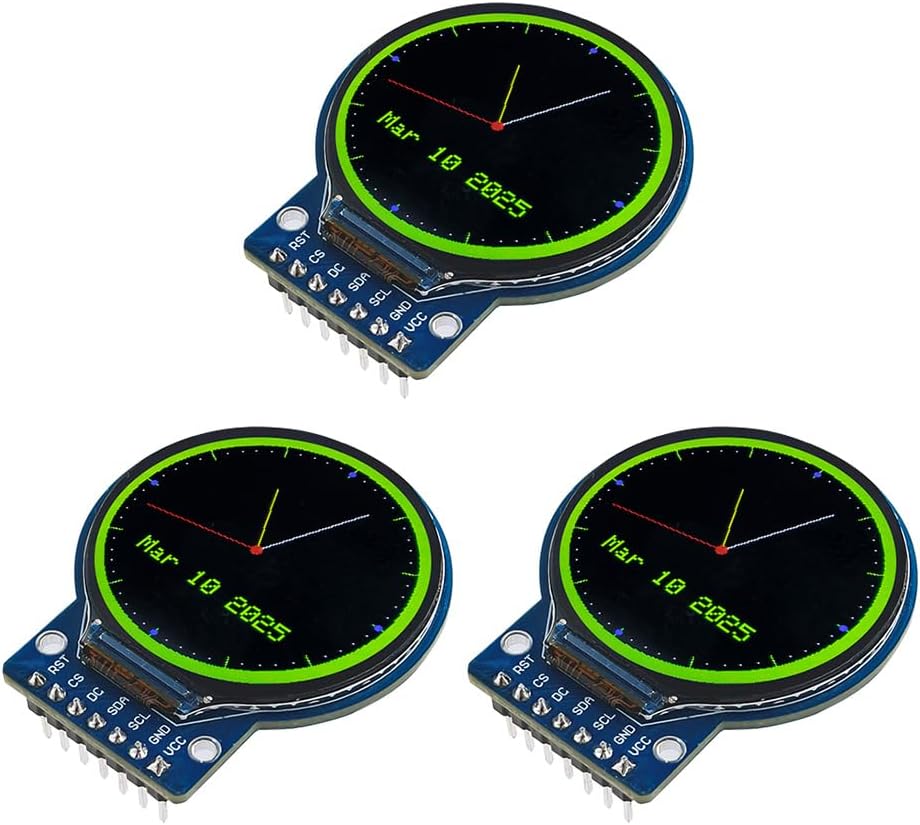
This three-module set of 1.28-inch round TFT displays offers a distinctive RGB option for projects using multiple small screens. Its 4.4 rating comes with 240 by 240 resolution, a GC9A01 driver, and a four-wire SPI interface, allowing designers to build coordinated watch faces, dashboard clusters, or distributed status indicators.
We may earn a commission when you buy through this link, at no additional cost to you.
The listing describes bright colors, high contrast, a clear display effect, and a full-viewing-angle TFT design. Two white LED backlights support readability in outdoor-oriented use cases, while 3-to-5-volt operation broadens compatibility. The module size is stated as 45.5 millimeters high, 48 millimeters wide, and 11.5 millimeters deep, which should be checked against the intended enclosure.
As with any round screen, the layout is the main creative constraint. A rectangular interface cannot be placed directly on the display without losing the corners, and the 240-pixel square still has limited room for dense text. SPI wiring adds more connections than an I2C character or OLED module, and three panels will need careful bus and power planning. The package contains three screens, so projects should have a reason to use multiple displays.
This set is a good option for makers creating watch-like devices, compact robotics, multi-gauge dashboards, or decorative-but-informative clusters. Its strongest advantage is the combination of RGB color, round geometry, bright backlighting, and multiple matching panels. For a single-screen design, a more compact module may be easier to integrate.
The RGB vertical-stripe arrangement and dual white backlights support vivid, legible graphics in compact housings. The round format can give a wearable or instrument prototype a more deliberate identity.
A set of three matched displays can support multi-gauge layouts, separate status channels, or synchronized indicators. It also gives developers spare modules for iterative enclosure and firmware work.
We may earn a commission when you buy through this link, at no additional cost to you.
The right optoelectronic display depends on the information being shown, the controller's available connections, the enclosure, viewing conditions, and the complexity of the interface. These factors help narrow a large catalog of LCD, OLED, LED, and integrated HMI options to a practical match.
LCD, OLED, and LED modules serve different visual and functional needs. A character LCD is efficient for two lines of text, a monochrome OLED is suited to sharp icons and compact readouts, and a color TFT provides a graphics canvas for icons, gauges, images, and touch controls. Seven-segment modules are purpose-built for numbers and simple alphanumeric characters. Selecting by technology first prevents a project from being burdened by a complex panel when a simpler display would communicate the same information more reliably.
Resolution determines how much information can be shown without making text or controls too small. The 80 by 160 IPS panel is appropriate for compact indicators, while 240 by 240 modules support centered graphics and watch-style layouts. The 320 by 480 and 480 by 320 panels offer more room for dashboards, and 800 by 480 screens suit detailed human-machine interfaces. A larger pixel count can improve detail, but it also increases memory and software demands, so the display should not be oversized for the content.
I2C is simple and economical because it needs only data and clock connections, making it ideal for small OLED and character modules. SPI supports faster data transfer and more elaborate color panels, but it requires additional control wiring and compatible drivers. Some modules include level conversion, while others expect a particular voltage. Buyers should compare the module's stated operating range, input requirements, logic levels, and the available pins on the selected microcontroller before beginning the project.
Touch changes the project from a passive readout into an interactive interface. The 4-inch and larger touch modules can support menus, settings, and direct control, while the smaller TFTs in the list focus on visual output. A capacitive panel offers more convenient and accurate interaction than a resistive alternative, but it also requires touch libraries, calibration or configuration, and careful handling of the touch controller. Projects with only a few physical buttons may gain little from paying the additional complexity for a touchscreen.
Bare modules generally require an external Arduino, ESP32, Raspberry Pi, or other development board, while the two ESP32 HMI products include a controller and enclosure. A separate controller offers more freedom in selecting processing power and connectivity, but the developer must handle graphics, touch, and driver code. An integrated HMI is more approachable for a finished panel and can include wireless functionality, storage, audio, and multiple interfaces. The available development environment also matters: the listings name Arduino IDE, Espressif IDF, PlatformIO, MicroPython, and LVGL support for different products.
The display should remain readable in its intended location. The 0.96-inch IPS module offers adjustable orientation and an IPS panel, the round TFTs emphasize full-viewing-angle designs, and the 4-inch touch module states a brightness of 300 cd/m2. OLED modules produce self-luminous, high-contrast monochrome output, while the red LED board prioritizes large, instantly recognizable digits. Outdoor use, enclosure reflections, viewing distance, and surrounding light all influence the best choice.
An interface often grows beyond its first revision. SD or TF card slots can hold fonts, images, sounds, and other assets, while FPC headers and external interfaces make it easier to add controls or peripherals. The ESP32 HMI products also provide USB, UART, I2C, battery, speaker, and RTC connections, along with options to replace wireless modules. Even when these features are not needed immediately, they can reduce the risk that a small prototype must be redesigned for asset storage, networking, or physical controls.
Screen size is only one part of the mechanical design. The round displays require custom circular graphics and suitable cutouts, the acrylic-cased ESP32 HMIs need enough clearance for their full enclosure, and compact boards demand careful wire routing. Touch screens also need a usable surface area, while LED digits may require a contrasting bezel. Buyers should compare physical dimensions, the active display area, mounting requirements, connector locations, and the available interior space rather than focusing only on diagonal screen size.
Begin by confirming electrical compatibility. Connect power and ground correctly, observe the stated operating voltage, and avoid exposing a 3.3-volt display to 5-volt signals unless the module explicitly includes level conversion. For I2C, verify the address and use the designated SDA and SCL pins. For SPI, connect the clock, data, and control lines exactly as required by the display driver. Installing the matching graphics or character library before wiring the screen can prevent many avoidable initialization problems.
Handle LCD and OLED panels by their edges and mounting areas rather than pressing on the glass. Keep the surface free of fingerprints, moisture, dust, and cleaning fluid, and do not power an unconnected flexible display cable. The TFT modules that include a micro TF card should be handled with attention to the card slot, while touch panels should use a light touch rather than sharp objects. LED displays and bright backlights can become warm in enclosed spaces, so provide ventilation and avoid covering heat-producing components.
After the first successful display, build the software around a predictable initialization sequence. Confirm that the driver identifies the correct controller, test basic shapes or characters, and then add touch, storage, network, or audio functions one at a time. Save a known-good firmware version before larger changes, and keep display assets organized if the module includes a card slot. For final installations, test readability at expected distances, verify that cables do not tug on the screen, and confirm that the enclosure does not block the touch area or backlight.
An OLED uses self-emissive pixels and does not require a separate backlight, often producing strong contrast with compact monochrome graphics. A color TFT LCD uses a backlit pixel panel and can display RGB content, making it better for colorful interfaces, images, and touch controls. The best choice depends on the required color, size, interface, and viewing environment.
I2C usually involves fewer connections and is convenient for simple text, numerical, or small monochrome displays. SPI provides a faster data path and is common on larger color TFT modules, but it needs more signal lines and appropriate driver code. The ideal interface is the one supported by the display, your available microcontroller pins, and the complexity of the graphics.
The ESP32 HMI products in this guide already integrate their own ESP32-S3 controller, so they do not require a separate Arduino merely to operate the screen. Another microcontroller would only be relevant if the project specifically needed to communicate with the ESP32 through one of its exposed interfaces. That arrangement can work, but the HMI's own processor is normally the more natural platform for its graphics and touch functions.
A character LCD is efficient for short lines of text, a four-digit TM1637 board is ideal when the value is numerical, and a small OLED offers crisp monochrome icons or custom layouts. A touch screen is unnecessary for a readout that users only view, and a large color TFT would add cost, power demand, and software complexity without providing a meaningful benefit.
The corners of a rectangular design cannot be used on a round panel, so some space is effectively unavailable unless the interface is created around the circular shape. That constraint can be an advantage for radial gauges, watch faces, and centered icons because the geometry becomes part of the visual design. Custom circular graphics are therefore essential rather than optional.
Check the operating voltage, logic-level requirements, interface pins, driver IC, display resolution, and library support for your controller. Also confirm that the development board has enough memory and free pins, particularly for SPI color screens. If the module has a card slot, touch panel, backlight, or level shifter, include those components in the wiring and enclosure plan.
Yes, because both ESP32 HMI products integrate Wi-Fi and Bluetooth functionality and provide multiple expansion interfaces. The 7-inch model additionally lists voice interaction and support for replacing wireless modules, while the 5-inch model emphasizes broad development-platform support and a range of peripheral connections. Their suitability still depends on power availability, enclosure design, and the intended network protocol.
The 320 by 480 module is taller in portrait orientation and includes a stated 300 cd/m2 brightness, onboard level conversion, an FPC interface, and a micro TF card slot. The 480 by 320 module provides more horizontal resolution and also includes touch, an SD card slot, a touch pen, and compatibility with Arduino R3, Nano, and Mega boards. Choose based on interface orientation, exact driver needs, and the accessories your enclosure requires.
The 7-inch ESP32 IPS AI HMI stands out as the most capable integrated option, combining a large touch interface, ESP32-S3 processing, wireless connectivity, audio features, and extensive expansion. The 0.96-inch IPS TFT is the strongest compact and budget-oriented color choice, while the 5-inch ESP32 TFT HMI offers a polished 800 by 480 display and the highest listed customer rating.
Prioritize the interface that the information actually requires. Use character, LED, or OLED modules for straightforward values and monochrome graphics; use round TFTs for visually distinctive compact interfaces; and use larger touch TFT or ESP32 HMI panels for dashboards and interactive controls. After choosing the category, confirm voltage, logic levels, communication pins, controller support, physical dimensions, and expansion needs before finalizing the project.
Specifications, availability, and other listing details can change over time, so check the current product page and documentation before purchasing. Confirm that the display driver, board, touch function, storage method, and development environment all fit the design. A final review of those compatibility details is more valuable than choosing solely by screen size or display rating.