
Westinghouse 32 Inch HD Non Smart TV
4.0Editor score
Simple 32-inch design
720p progressive scan
HDMI, USB, VGA inputs
Antenna and cable support
Built-in parental controls
A television should be comfortable to use, not complicated to understand. The best Non Smart TVs for Seniors offer familiar controls, clear pictures, useful connections, and dependable performance without requiring constant interaction with app menus, voice assistants, or complicated account settings.
We compared ten models using the supplied specifications, focusing on screen size, resolution, tuner support, ports, audio features, parental controls, and ease of operation. The list covers traditional non-smart televisions, commercial displays, DVD combinations, and several smart-TV alternatives that may suit seniors who prefer guided or voice-assisted navigation.
Each review identifies the product's strongest benefits and its important limitations, helping readers decide whether it suits a bedroom, office, living room, or RV. Product availability and pricing can change, so shoppers should verify the current listing, specifications, accessibility features, and connection needs before purchasing.
4.0Editor score

4.0Editor score

3.9Editor score
As an Amazon Associate we earn from qualifying purchases.
The table below compares all ten televisions by display, operating approach, tuner support, connectivity, and senior-friendly features. Because several entries are smart models, each review clearly identifies where guided voice control or a smart platform may be useful—and where a dedicated non-smart set offers a simpler alternative.




The Westinghouse 32 Inch HD Non Smart TV is a compact, traditional television designed for viewers who want uncomplicated operation. It carries a 4.0 rating and uses a 32-inch 720p panel with progressive scan. Its appeal lies less in advanced display technology and more in a practical combination of familiar tuning, flexible inputs, and a size that works well in a bedroom, office, kitchen, garage, or RV camper.
We may earn a commission when you buy through this link, at no additional cost to you.
Connection options are one of its strongest selling points. HDMI and USB inputs allow a Fire Stick, Roku, Apple TV, media player, computer, or gaming console to provide streaming content, while the television itself remains a non-smart set. VGA is also listed, making the television usable as a PC monitor. An antenna can deliver over-the-air broadcasts, and a cable box remains an option for viewers who need a broader channel lineup.
Built-in V-chip parental controls add a layer of practical household management, allowing parents or guardians to block content according to program ratings. The compact footprint also makes installation easier than with a larger television, although the 32-inch screen and 720p resolution may not satisfy buyers seeking a cinematic display or easy viewing from a greater distance.
This is the strongest general pick for seniors who primarily watch local broadcasts, use an external streaming device, or want a television that will not add unnecessary smart menus to their routine. It is particularly well suited to a secondary room or a close-viewing location. Those wanting a larger screen, richer color, built-in applications, or integrated speakers should examine the TuTu and other alternatives in the list.
The television keeps the viewing experience focused on broadcast reception and connected devices rather than embedded applications. A senior who is comfortable with a remote, channel guide, and a familiar streaming stick can use the set without learning a smart operating system.
HDMI, USB, and VGA provide useful options for streaming hardware, computers, consoles, and media players. The antenna and cable-box compatibility also gives households multiple ways to watch live programming.
We may earn a commission when you buy through this link, at no additional cost to you.
The TuTu 40 Inch FHD TV is the most balanced traditional option in the guide. It combines a relatively generous 40-inch screen with 1080p resolution, integrated Dolby Audio, and a deliberately simple approach to applications. Its 4.0 rating reflects a practical product for viewers who want a larger display than a compact bedroom set but still prefer to avoid built-in smart menus.
We may earn a commission when you buy through this link, at no additional cost to you.
Because the television has no built-in smart operating system, users can connect a familiar device such as Roku, Fire Stick, Apple TV, TiVo, or another supported streaming product. This approach gives viewers flexibility while keeping the television itself relatively simple. The ATSC digital tuner supports free over-the-air channels, including local news, sports, and emergency broadcasts, which can be especially valuable during service interruptions.
The display is advertised as Full HD, providing more visible detail than the 720p models in the guide. Integrated Dolby Audio is another useful feature for dialogue, general programming, and movies, although viewers who listen at higher levels may still consider a soundbar or external speakers. The lack of an integrated DVD player means disc users would need a separate player connected through the television's available inputs.
The TuTu is an excellent recommendation for a living room, larger bedroom, office, or kitchen where a 40-inch screen provides comfortable viewing without reaching smart-TV complexity. It is especially attractive for people who already own a streaming platform they know how to use. Buyers should confirm the final port selection and remote layout on the current listing before ordering.
This model offers a useful middle ground for viewers who find a 32-inch set too small but do not want an app-focused interface. The television can act as a straightforward display for whichever streaming device the household prefers.
The internal ATSC tuner supports over-the-air television without a recurring television-service requirement. Adding a streaming stick expands the selection of available programming while preserving the familiar tuner-based experience.
We may earn a commission when you buy through this link, at no additional cost to you.
The Samsung BE50T-H Pro TV is a 50-inch commercial display rather than a conventional household television. It carries a 4.1 rating and offers 4K output, built-in speakers, an RF tuner, and signage-oriented software. For a senior who works in a reception area, community room, office, or small business, its ability to operate around the clock may matter more than consumer app availability.
We may earn a commission when you buy through this link, at no additional cost to you.
Its 16/7 operating rating is the defining feature. A commercial-grade display designed to play content for extended periods can be useful in a lobby, clinic waiting area, office, community center, or information screen. The Samsung Pro TV app allows content to be created and managed from a phone or tablet, while the supplied guide focuses on simplifying setup and digital signage tasks.
The product is not a straightforward alternative for families expecting Netflix, Amazon Prime Video, or other consumer streaming applications. The supplied information specifically states that it supports YouTube and requires an external media player for other consumer apps. Its 250-nit brightness may also be less punchy than premium consumer televisions, and the professional feature set can be unnecessary for ordinary home viewing.
We recommend this display for buyers seeking a large, continuously operating screen rather than a senior-friendly entertainment television. It can be particularly suitable for a caregiver facility, waiting room, reception desk, or office where scheduled information matters. Home users who prioritize simple streaming should choose a traditional set with an external streaming device instead.
The 16/7 operating design supports long viewing cycles and scheduled display use. This makes the television more relevant to offices, clinics, lobbies, and community facilities than to a typical bedroom.
Phone and tablet management through the Samsung Pro TV app supports organized information display. Consumers who still want Netflix or Prime Video need to add an external media player.
We may earn a commission when you buy through this link, at no additional cost to you.
The Westinghouse 32 Inch TV-DVD Combo adds an integrated disc player to the straightforward non-smart design found in the brand's smaller television. It has a 3.9 rating, a 32-inch 720p progressive-scan display, and parental controls. Its clearest distinction is the built-in DVD player, which can reduce cable clutter and eliminate the need for a separate disc player in a bedroom or secondary room.
We may earn a commission when you buy through this link, at no additional cost to you.
For viewers who still enjoy DVDs, the combination is straightforward: insert a disc, use the television's own controls, and return to live television without switching input devices. At the same time, HDMI and USB connections allow the set to accept streaming hardware, computers, consoles, and media players. An antenna and cable-box option preserve conventional television viewing, while VGA expands its usefulness as a computer display.
There are trade-offs. A 32-inch screen is relatively small for a main living-room television, and 720p is below Full HD. The presence of a DVD mechanism also means the television will take up more depth than a similarly sized flat panel. Its rating is slightly lower than the leading models in the guide, so buyers should consider their own disc collection and viewing distance carefully.
This TV-DVD combo is best for seniors who value familiar physical media, want fewer connected boxes, and view television from a moderate distance. It is less compelling for people who exclusively stream in 4K or need a large picture for a living room. For those priorities, the 40-inch TuTu or one of the Full HD smart models offers a more modern viewing experience.
The integrated DVD player lets viewers watch disc-based movies and shows without a separate player or additional connection. That simplicity can be useful in a bedroom, office, or travel-oriented space.
V-chip controls allow guardians to block programs according to ratings. This adds practical value in homes where children, grandchildren, or other young viewers share the television.
We may earn a commission when you buy through this link, at no additional cost to you.
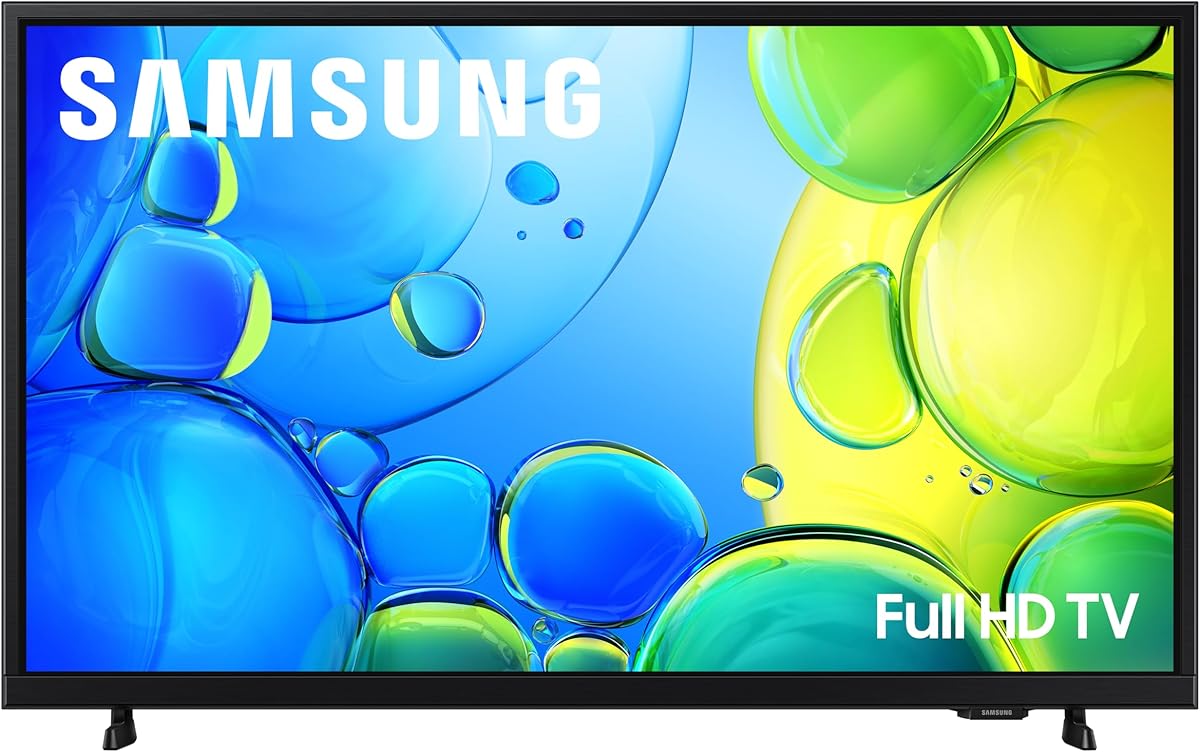
The Samsung 32-Inch Class HD H5000F is a smart television rather than a strictly non-smart model. It carries a 4.2 rating and includes HDR, Object Tracking Sound Lite, Samsung Knox Security, One UI Tizen, and a minimalist frame. It deserves consideration for seniors who find a guided smart interface easier to manage than adding and configuring separate streaming hardware.
We may earn a commission when you buy through this link, at no additional cost to you.
Its app-based platform provides access to Samsung TV Plus, free streaming applications, news, sports, movies, and additional channels. The absence of a required subscription for the advertised content is useful for viewers who want easy access without committing to a paid service. Knox Security adds safeguards against harmful applications, phishing sites, and the exposure of personal information such as passwords and PINs.
Object Tracking Sound Lite is designed to position sound more convincingly around on-screen action, while the slim bezeled design keeps visual distractions to a minimum. The television also receives seven years of automatic operating system updates. However, it is not a non-smart television, and its HD panel does not match the Full HD or 4K resolution offered by several alternatives.
This Samsung is best for a senior who wants apps, security protections, automatic updates, and a modern interface in a compact screen. It may also serve as a practical alternative for a caregiver who can assist with setup. Buyers committed to avoiding smart platforms should select the Westinghouse or TuTu models instead and attach a streaming device of their choice.
The integrated application platform and free channel selection reduce the need to search for external streaming hardware. This can be easier for viewers who benefit from a unified interface and voice-ready remote functions.
Knox Security provides multilayer protection for applications, browsing, account information, and connected devices. Automatic operating system updates also help maintain the platform over time.
We may earn a commission when you buy through this link, at no additional cost to you.
The Hisense 40-Inch Class QD4 Series Hi-QLED FHD Smart Fire TV stands out with a 4.4 rating, the highest among the ten listed products. Its 40-inch Full HD screen, full-array LED backlight, quantum-dot color treatment, and slim bezel design offer a modern combination of picture features and manageable dimensions.
We may earn a commission when you buy through this link, at no additional cost to you.
The Alexa Voice Remote may be especially attractive to seniors who prefer spoken commands over extended menu navigation. It can launch applications, change channels, and control compatible smart-home devices. This direct-access approach can make a large smart television feel less intimidating, particularly when finding a program would otherwise require searching through several screens.
DTS Virtual:X expands the sound presentation with clearer dialogue and simulated surround effects. Game Mode is listed with input delay reduced to 16 milliseconds, making this television more versatile than a basic tuner-only set. The trade-off is dependence on the Fire TV platform and internet connectivity for its main smart functions. It is therefore not the most literal answer to a non-smart television request.
This Hisense is recommended for a senior who wants a generous screen, stronger picture specifications, voice navigation, and built-in streaming without handling a separate streaming stick. It is also a strong all-around choice for a main living room. If avoiding accounts and smart menus is the priority, the TuTu 40 Inch FHD offers the same screen size with a traditional tuner-centered design.
Alexa can open applications, change channels, and manage compatible smart-home functions. Voice input gives viewers another way to operate the television when browsing with a remote feels inconvenient.
A 1080p full-array LED display supports crisp imagery and more vivid color, while DTS Virtual:X is designed to clarify dialogue and simulate surround sound without requiring a full speaker system.
We may earn a commission when you buy through this link, at no additional cost to you.
The Samsung 40-Inch Class Full HD F6000 combines a moderately large display with 1080p resolution and a polished smart platform. It carries a 4.1 rating and supports HDR, Object Tracking Sound Lite, Knox Security, One UI Tizen, PurColor, Mega Contrast, and mobile sound mirroring. It is a smart television, but its guided features can make it more approachable for viewers who prefer clear menus and organized content.
We may earn a commission when you buy through this link, at no additional cost to you.
The F6000 offers access to more than 2,700 free channels, including over 400 Samsung TV Plus channels and free streaming applications. This breadth can be useful for someone who wants news, sports, films, children's programming, and on-demand material in one place. The slim profile and three-side bezel design give the television a modern appearance without allowing the frame to dominate the picture.
Mega Contrast automatically adjusts brightness and contrast to improve differences between light and dark areas. Object Tracking Sound Lite adds a virtual upper channel intended to make dialogue and effects feel more grounded in the scene. Q Symphony can integrate the television with a compatible soundbar, but that enhancement requires separately purchased equipment, so it should not be treated as a standard feature of the television alone.
The Samsung 40-Inch F6000 is well suited to a living room or larger bedroom for a senior who wants Full HD imagery and an integrated content platform. It also offers a useful middle ground between compact models and the 4K Samsung Q8F. Viewers who prefer no connected features should choose a non-smart alternative, while those comfortable with smart television will find a well-rounded feature set.
The 40-inch screen provides a useful balance between room presence and manageable dimensions. Full HD resolution offers more detail than HD models while remaining less specialized than a premium 4K television.
Samsung TV Plus and free applications provide immediate content choices, Knox Security helps protect personal information, and mobile sound mirroring allows compatible phones to send audio and compatible apps to the television.
We may earn a commission when you buy through this link, at no additional cost to you.
The Samsung 32-Inch Class Full HD F6000 is the smaller counterpart to the 40-inch version, but it preserves the same core platform and major features. It carries a 4.1 rating and offers a 1080p display, HDR support, One UI Tizen, Knox Security, Object Tracking Sound Lite, and Samsung TV Plus. For a bedroom, office, or compact sitting area, it offers a smart experience with sharper resolution than many similarly sized budget sets.
We may earn a commission when you buy through this link, at no additional cost to you.
One UI Tizen organizes applications, channels, settings, and connected features in a single interface. The product supports more than 2,700 free channels, including more than 400 Samsung TV Plus options, while mobile sound mirroring allows compatible phones to send content and audio to the television. These functions can reduce the need for a separate streaming box, although the television remains firmly in the smart category.
The three-sided bezel design creates a clean appearance, and Mega Contrast is designed to improve separation between bright and dark scenes. Object Tracking Sound Lite adds spatial audio effects, while Q Symphony can work with a compatible soundbar. Again, the soundbar is sold separately, and buyers should not expect its stronger audio performance from the television alone.
This model is best for seniors who want Full HD clarity in a compact footprint and appreciate a polished smart interface. It can work well in a bedroom where the television is viewed relatively close or at an angle. For a non-smart approach, the 32-inch Westinghouse offers simpler tuner-centered operation, while the Westinghouse TV-DVD combo adds physical media.
The 32-inch Full HD panel gives this model more detail than an HD television of the same size. It is most appropriate where viewing distance is modest and the television occupies a bedroom, office, or kitchen nook.
Compatible phones can mirror supported content and audio to the television. The feature is convenient for selected videos and applications, although mobile-to-TV support varies by application.
We may earn a commission when you buy through this link, at no additional cost to you.
The Samsung 32-Inch Class QLED Q8F is the most advanced television in this guide, with a 4.3 rating and a feature set focused on premium picture processing. Its 4K UHD panel uses quantum-dot color technology and a Q4 AI processor. Although the screen is only 32 inches, it can be a compelling choice for a senior who values detail, vivid color, and advanced processing more than a very large physical screen.
We may earn a commission when you buy through this link, at no additional cost to you.
The processor uses AI to optimize color and sound according to the type of content, while the quantum-dot system is advertised to cover the full color spectrum even at higher brightness. Scene-aware HDR is designed to improve the relationship between highlights and shadows. These features make the Q8F particularly suitable for close viewing in a bedroom, study, or personal viewing area.
Motion support reaches up to 4K 144Hz for compatible gaming, which is far beyond what most traditional television buyers need. The AirSlim design also gives the television a low-profile appearance. Its built-in Alexa can provide another navigation route, but the television is a smart platform rather than a strict non-smart option. Buyers should consider whether advanced processing justifies the extra complexity.
The Q8F is our premium picture recommendation for a senior who enjoys movies, sports, and detailed visual content in a compact space. It is also a strong option when HDR, color volume, and future-oriented processing matter. Those seeking simplicity should favor a 32-inch Westinghouse or 40-inch TuTu, while anyone needing a larger screen should prioritize room size over this model's premium processing.
Quantum-dot technology is designed to deliver a wide color range, while AI processing adjusts picture and sound characteristics to the source. The result is most compelling for viewers who regularly watch high-quality films and sports.
The 32-inch format makes the Q8F manageable for a bedroom or study and allows viewers to appreciate 4K detail from a closer distance. Its advanced picture features provide a more sophisticated experience than the basic non-smart sets in the guide.
We may earn a commission when you buy through this link, at no additional cost to you.
The Hisense 32-Inch Class QD4 Series Hi-QLED HD Smart VIDAA TV is a compact 2026 model with a 4.0 rating. It combines Hi-QLED color, a voice assistant, free content access, Apple device integration, and several picture and sound enhancements. Although it is a smart television, its straightforward platform and useful voice features may appeal to seniors who do not want to manage a separate streaming device.
We may earn a commission when you buy through this link, at no additional cost to you.
VIDAA uses artificial intelligence to personalize the viewing experience, while the voice assistant supports navigation and content search across 28 languages. The platform brings channels and streaming services into one place, and the listing emphasizes that content can be accessed without a subscription. Apple AirPlay and Apple Home compatibility make it convenient for viewers who already use Apple devices.
DTS Virtual:X is designed to create a surround-style sound presentation, and HDR10 provides brighter highlights, deeper shadows, and greater contrast. Noise Reduction scans and filters frames, while AI Sports Mode is intended to clarify fast movement and enhance crowd and commentary sounds. Game Mode reduces input delay to 16 milliseconds. These features make the television surprisingly versatile despite its HD-class resolution.
This Hisense is a good value-oriented smart choice for a bedroom, office, or secondary living area. It is especially suitable for seniors who want modern picture tools and voice control at a modest screen size. However, shoppers should not expect 1080p or 4K detail, and they should favor a traditional television if internet-free operation and minimal interfaces are the primary requirements.
The built-in voice assistant supports fast content searches and navigation across 28 languages. This broad language support can make the television more approachable for multilingual households.
AI Sports Mode targets motion clarity and sound effects, while noise reduction can improve low-light and action footage. AirPlay and Apple Home support extend the experience to compatible Apple devices.
We may earn a commission when you buy through this link, at no additional cost to you.
The right television depends on viewing distance, hearing and vision needs, content habits, room size, and comfort with menus. Seniors should compare the operating system, display resolution, tuner, connections, audio, physical controls, and accessibility features rather than focusing only on picture size or headline specifications.
A true non-smart television is controlled primarily through live channels, an antenna, a cable box, or an external streaming device. This approach reduces account setup and app navigation, which can be helpful for viewers who prefer a stable, familiar remote. A smart television adds applications, voice assistants, recommendations, and connected features in exchange for easier access to streaming content. Seniors should consider which experience they will actually use and whether a family member can provide setup help.
A 32-inch model works well for bedrooms, offices, kitchens, RVs, and close or angled viewing, while a 40-inch set can suit a larger bedroom or modest living room. The 50-inch Samsung commercial display is most appropriate for offices and public areas where information must be visible to more than one person. Rather than selecting by size alone, buyers should consider where the television will be mounted, how far viewers sit, and whether subtitles need to remain legible.
The guide includes 720p HD, 1080p Full HD, 4K UHD, and QLED options. HD can be sufficient for smaller sets and close viewing, while Full HD provides more visible detail and is a sensible standard for many living rooms. 4K adds finer detail, and QLED or Hi-QLED models emphasize color volume and contrast. Features such as HDR, noise reduction, and AI picture optimization may improve the experience, but they do not replace an appropriate screen size.
Even a non-smart television can provide streaming through an attached Fire Stick, Roku, Apple TV, TiVo, or another media player. Buyers should verify that the set has a compatible HDMI input and enough bandwidth for the chosen device. Physical HDMI, USB, and VGA connections also allow computers, consoles, and media players to be used. A dedicated streaming device can be cleaner for senior users because it may provide a smaller menu and a separate, familiar remote.
An internal ATSC tuner allows a compatible television to receive free over-the-air channels without a recurring television-service charge. This is useful for local news, sports, and emergency information. Cable users will still need a set-top box, and the correct input must be selected after installation. Verify tuner availability, antenna support, and input labeling before purchase so that a senior does not have to navigate a confusing connection process.
Built-in speakers are often adequate for television, news, and casual viewing, but dialogue can become difficult to hear at low volume or across a large room. Dolby Audio, DTS Virtual:X, Object Tracking Sound Lite, and AI sound processing can improve spatial presentation or clarity. A soundbar may provide stronger dialogue, although it adds another device, remote, and setup task. Buyers should consider the listener's hearing needs and avoid assuming virtual surround effects equal dedicated multichannel speakers.
Voice control can reduce the need to browse dense menus, while parental controls help manage content in shared homes. Other useful features include large physical buttons, high-contrast interfaces, guided remotes, and consistent input labels, although these details are not supplied for every product. Seniors should confirm the remote layout and accessibility options on the current listing. Simplicity may also depend more on familiar routines than on a specific technical feature.
The Westinghouse models are explicitly suited to offices, bedrooms, kitchens, garages, and RV campers, where compact dimensions and multiple inputs are useful. The TuTu offers a larger traditional format for main rooms, while the Samsung commercial television targets offices and public spaces. Buyers should measure the furniture, check stand or wall-mount requirements, leave room for cables, and consider whether the television will be moved between rooms.
Begin by placing the television on a stable surface or mounting it securely at a comfortable height. Connect the antenna, cable box, or streaming device before turning it on, then use the television's input menu to select the correct source. Labeling each input with tape or writing on the remote can make future channel changes easier. For streaming devices, complete account setup while an internet connection and remote-control access are available.
For daily use, keep the remote in one consistent location and avoid purchasing additional peripherals unless they solve a specific need. Raise the volume enough for comfortable dialogue rather than turning it excessively low, and use parental controls when children or grandchildren share the set. Update smart televisions when prompted and keep the device connected to a secure network. For a non-smart set with a streaming stick, follow the stick's own update instructions.
Care for the screen by dusting with a soft, dry microfiber cloth and keeping liquids away from the panel. Do not use harsh cleaners, abrasive pads, or excessive pressure. Wipe the bezel gently, inspect cables for damage, and keep ventilation openings unobstructed. If the set is used in an RV, follow the manufacturer's power requirements and use an appropriate inverter when specified.
They are often simpler because they generally rely on channel changing, input selection, and an external streaming device rather than a large built-in app platform. However, ease of use also depends on remote design, menu clarity, and familiarity. Some seniors may find a smart television with voice navigation easier because it removes the need to manage a separate streaming stick.
A 32-inch model works well for a bedroom, office, kitchen, or other close-viewing space, while a 40-inch television offers a more comfortable option for a larger bedroom or modest living room. Viewing distance matters more than an arbitrary rule. Consider the type of content, subtitle readability, eyesight, and the room's furniture arrangement before deciding.
Yes. Most non-smart televisions include HDMI inputs that can accept a Fire Stick, Roku, Apple TV, TiVo, or another streaming device. The television then acts as a display, while the attached device handles apps and accounts. This arrangement can be preferable for seniors who already own a familiar streaming device and know how to operate it.
Not always. Full HD can provide a sharp image at normal living-room distances, and HD may be adequate for a compact set viewed closely. 4K is most beneficial on larger screens or when viewing detailed content at a closer distance. Screen size, room lighting, source quality, and the viewer's eyesight should influence the decision more than resolution alone.
A commercial television can work for information display, continuous operation, or use with an external media player. However, models such as the Samsung BE50T-H may not support popular consumer streaming applications directly. Their signage features, brightness specification, and operating design may also be unnecessary for ordinary home use.
Both are audio-processing technologies intended to create a more engaging presentation from television speakers. Dolby Audio emphasizes clear dialogue and a fuller sound field, while DTS Virtual:X is designed to add virtual height and surround effects. Neither creates the same experience as a full surround-speaker system, so listeners with specific hearing needs should also consider a compatible soundbar.
The Hisense 40-Inch Class QD4 Series Hi-QLED FHD Smart Fire TV, model 40QD4QF, has the highest listed rating at 4.4. It combines a 40-inch Full HD display with built-in Alexa, Hi-QLED color, and DTS Virtual:X audio. It is a smart model rather than a traditional non-smart set.
Start with the operating method: a traditional tuner-centered set requires less account setup, while a smart television consolidates apps, channels, and voice controls. Next compare screen size, resolution, audio, tuner support, and connection needs. The best choice is the one that matches the user's viewing habits and can be operated confidently without unnecessary technical complexity.
The Westinghouse 32 Inch HD Non Smart TV stands out as the most practical traditional pick because it combines a compact screen, antenna and cable support, parental controls, and several connection options without a built-in smart operating system. The TuTu 40 Inch FHD is the better all-around choice when a larger Full HD display and integrated Dolby Audio matter, while the Westinghouse TV-DVD combo is ideal for viewers who still want convenient physical media.
For buyers who actually prefer connected features, the Hisense 40QD4QF offers an especially accessible combination of Full HD picture quality and Alexa control. The Samsung and Hisense smart models add stronger processing, security, free content, and modern interfaces, but they also introduce the account setup and software navigation that some traditional sets avoid. Screen size, room placement, hearing needs, and confidence with the remote should guide the final choice.
Before purchasing, verify the current specifications, input selection, remote functions, dimensions, and availability on the product listing. Prices and promotions can change, so compare the complete feature set rather than focusing on a temporary offer. The most suitable television is ultimately the one that provides comfortable viewing with the least confusion for the person who will use it every day.
