
GIGABYTE TRX50 AERO D
4.0Editor score
Ryzen Threadripper PRO support
Dual USB4 Type-C ports
10GbE and 2.5GbE networking
PCIe 5.0 expansion support
Our Motherboard for Video Editing guide compares 10 AM4, AM5, and Threadripper models for speed, storage, cooling, and connectivity.
A motherboard for video editing should provide stable CPU support, fast storage connections, abundant memory, and dependable networking without limiting the rest of your creative workstation. The best choice depends on your processor, timeline resolution, project size, number of displays, and whether you favor a compact case or a feature-rich full-size system.
We compared all ten boards by examining processor support, memory configuration, PCIe and M.2 capabilities, power delivery, cooling provisions, display connections, networking, and practical workstation features. The list includes AM4 and AM5 options for mainstream Ryzen builds, a micro-ATX choice for smaller cases, and a Threadripper platform for demanding professional workloads.
Each review identifies the board's strongest traits, limitations, and ideal workstation role, while the comparison table makes the core differences easier to scan. Ratings and specifications reflect the supplied product information, and availability, component compatibility, and prices can change over time, so verify the latest listing before buying.
4.0Editor score

4.6Editor score
4.8Editor score
The following comparison highlights each motherboard's platform, form factor, storage support, and headline connectivity features to help you identify the most appropriate video-editing foundation.


The ASUS ROG Strix B550-F Gaming WiFi II earns the top position for its balanced mix of AM4 processor support, dual high-speed NVMe slots, strong networking, and practical ATX layout. Its 4.6 rating reflects a well-rounded board that can serve both a gaming PC and a capable video-editing workstation without asking users to sacrifice essential connectivity.
We may earn a commission when you buy through this link, at no additional cost to you.
Storage is a central strength for editors working with 4K footage, project files, caches, and preview media. The board includes dual M.2 slots and PCIe 4.0 readiness, while the supplied specifications also identify a USB 3.2 Gen 2 Type-C connection. For network-heavy workflows involving cloud storage, remote rendering, or collaboration, WiFi 6E and Intel 2.5Gb Ethernet provide useful options for high-speed transfers and low-latency connections.
The 12+2 teamed power stages, ProCool connector, alloy chokes, and durable capacitors form a credible foundation for Ryzen 5000 and 4000 G-series processors. Integrated display support through HDMI 2.1 and DisplayPort 1.2 can also be useful when troubleshooting without a dedicated graphics card. The trade-off is platform age: AM4 uses DDR4 rather than DDR5 and does not offer the newest PCIe 5.0 or USB4 interfaces.
This is the most balanced recommendation for editors who want an established socket, generous storage, fast networking, and a full-size board at a moderate tier. It is particularly suitable for 1080p or 4K editing systems using supported Ryzen processors. Check that your chosen CPU and memory are supported, and avoid assuming future socket upgrades will be possible.
Two M.2 positions let an editor separate the operating system and applications from an active media drive. Filling both slots with appropriately sized NVMe SSDs can reduce loading times, improve scratch-disk responsiveness, and keep project media separate from the system drive.
The combination of WiFi 6E and 2.5Gb Ethernet is valuable for studios that move footage between local and cloud storage. Wired 2.5Gb networking is generally preferable for sustained transfers, while the wireless connection adds flexibility when cabling is inconvenient.
We may earn a commission when you buy through this link, at no additional cost to you.
The GIGABYTE B850 AORUS Elite WIFI7 is a strong choice for a new editing workstation because it combines AM5 Ryzen support with DDR5, three M.2 slots, and PCIe 5.0 capability. Its 4.4 rating reflects a modern, versatile platform that should appeal to creators who want current expansion potential without moving into the extreme Threadripper tier.
We may earn a commission when you buy through this link, at no additional cost to you.
Three M.2 slots are especially relevant to professional media workflows. A user can dedicate drives to the operating system, active project files, and a separate scratch or archive volume. The board's 14+2+2 power design, VRM Thermal Armor, and M.2 Thermal Guard address two common concerns in compact performance builds: stable processor delivery and heat management around fast storage.
Its principal limitation is the absence of the Threadripper board's enterprise networking, including 10GbE and dual USB4 ports. For most single-editor systems, however, 2.5GbE and WiFi 7 are ample for backups, collaboration, and cloud services. Users must also accept that AM5 requires DDR5 memory and a compatible case, cooler, and operating system support.
Choose this board when starting a fresh Ryzen 7000, 8000, or 9000-series build and prioritizing current expansion features. It is a particularly logical foundation for 4K timelines, high-resolution stills, and mixed creative workloads that will benefit from multiple fast SSDs.
A multi-drive arrangement separates applications, media, and temporary files, reducing clutter and making backups easier to manage. It also gives creators room to add dedicated scratch storage as project sizes increase.
Supporting Ryzen 7000, 8000, and 9000-series processors gives buyers several CPU choices within one platform. DDR5 is required, so the total system budget should account for a compatible memory kit.
We may earn a commission when you buy through this link, at no additional cost to you.
The GIGABYTE B650 AORUS Elite AX provides a well-balanced AM5 foundation for creative workstations. It supports Ryzen 7000, 8000, and 9000-series processors, offers DDR5 memory, and includes a 14+2+1 power design. The result is a modern platform without requiring the specialized components found in the Threadripper and high-end X870E boards.
We may earn a commission when you buy through this link, at no additional cost to you.
The board's twin 14+2+1 phases, 70A power stages, and eight-layer, two-ounce copper PCB are designed for stable power delivery under sustained multi-core workloads. A 6mm heatpipe, covered MOSFET heatsinks, and M.2 Thermal Guard help keep critical components cool, while the EZ-Latch system reduces the physical effort of installing and securing an M.2 drive.
Connectivity is focused on the essentials: a PCIe 5.0 NVMe x4 M.2 slot, additional PCIe support, front and rear USB-C, WiFi 6E, and 2.5Gb Ethernet. It does not include USB4, and its storage configuration is less generous than the B850 AORUS Elite WIFI7. Those omissions matter most for users who routinely attach ultra-fast external arrays or numerous high-bandwidth peripherals.
This model suits new AM5 builds that need excellent core performance, modern memory, fast storage, and reliable networking in a conventional ATX format. It is also a sensible choice for a workstation that will serve both video editing and general productivity rather than serving a tightly specialized enterprise environment.
Video export, effects rendering, and timeline scrubbing can keep several CPU cores active at once. The board's substantial digital VRM and layered PCB provide a stronger foundation than entry-level alternatives for sustained workloads.
A PCIe 5.0 NVMe x4 slot provides a high-bandwidth path for active media and project files. EZ-Latch helps simplify drive installation, while the M.2 Thermal Guard adds a useful layer of heat management.
We may earn a commission when you buy through this link, at no additional cost to you.
The ASUS Prime B550M-A WiFi II is a practical micro-ATX option for editors who want a compact workstation with more capability than a basic office board. Its 4.5 rating, dual NVMe slots, ECC memory support, and integrated display outputs make it a versatile choice for smaller production spaces and dedicated editing systems.
We may earn a commission when you buy through this link, at no additional cost to you.
The AM4 platform supports 3rd-generation AMD Ryzen processors according to the supplied listing, while the full feature set includes PCIe 4.0, WiFi 6, and a 1Gb Ethernet connection. Two M.2 slots allow a faster primary system drive and a separate media or scratch drive, and the PCIe 4.0 x16 SafeSlot provides a suitable location for a dedicated graphics card.
Its most visible limitation is wired networking. Editors moving very large project libraries or operating busy shared-storage workflows may find 1Gb Ethernet less useful than 2.5Gb or 10Gb alternatives. There is also no upgrade to DDR5, so the platform should be viewed as a cost-conscious, established-socket build rather than a long-term memory-platform investment.
This motherboard is best for compact 1080p and 4K editing rigs, NLE workstations with dedicated media storage, or users who need a smaller case footprint. It works particularly well when the processor, graphics card, and memory are already owned, making the board a sensible way to assemble a capable editing PC.
The micro-ATX format can make it easier to create a transportable editing workstation or fit production hardware into a compact enclosure. Users must still confirm case clearance, including the space required for the CPU cooler and graphics card.
ECC memory support can be valuable where system stability and data integrity matter. The two M.2 slots also provide room to separate the boot drive from active media, reducing contention and simplifying project organization.
We may earn a commission when you buy through this link, at no additional cost to you.
The GIGABYTE B550M K is the straightforward entry point into this roundup. Its 4.4 rating reflects a dependable AM4 and DDR4 platform with two M.2 slots, PCIe 4.0 support, and a compact layout. It is most appropriate for editors who prioritize the processor, graphics card, and storage over premium networking and elaborate board features.
We may earn a commission when you buy through this link, at no additional cost to you.
Support for Ryzen 5000, 4000, and 3000-series processors gives the board a broad selection of compatible CPUs. Users can populate the four DIMM slots with DDR4 memory and configure supported profiles through Extreme Memory Profile. Two M.2 positions allow separate NVMe drives, while the primary PCIe 4.0 x16 slot is suitable for a modern graphics card.
The three-plus-three phase digital VRM, chipset heatsinks, and basic fan connectivity represent a more modest feature set than the larger ATX alternatives. Likewise, the board provides Gigabit Ethernet rather than faster wired networking and does not include WiFi. Those limitations are reasonable for a budget editing PC, but they make it less attractive for collaborative studios or high-resolution projects that depend on very fast network storage.
Choose this board for a focused entry-level workstation, an upgrade around existing AM4 components, or a compact machine intended for 1080p editing and moderate 4K work. Pairing it with a capable processor and discrete graphics card will matter more than additional onboard premium features.
The board concentrates on the essentials needed for a functional editing computer: processor support, expansion slots, memory, and two high-speed storage positions. Sophisticated networking and extensive rear-panel features are intentionally limited.
For creators who already own compatible DDR4 memory or an AM4 processor, the board can reduce the cost of assembling a dedicated editing machine. The platform is less attractive when buying every component at once.
We may earn a commission when you buy through this link, at no additional cost to you.
The GIGABYTE TRX50 AERO D is the premium choice for studios that need more CPU cores, memory capacity, high-speed networking, and professional expandability than a mainstream Ryzen board can offer. It supports AMD Ryzen Threadripper PRO 7000-series processors through the sTR5 socket, placing it in a class designed for demanding workstation workloads.
We may earn a commission when you buy through this link, at no additional cost to you.
The 16+8+4 phase digital VRM, VRM Thermal Armor, and M.2 Thermal Guard reflect the scale of the platform. Four DDR5 R-DIMM positions are particularly notable because registered memory can support specialized high-capacity workstation configurations. The board also offers dual USB4 Type-C connections, PCIe 5.0, and an unusually capable networking combination of 10GbE, 2.5GbE, and WiFi 7.
These capabilities come with clear compromises. The E-ATX board requires a compatible case and likely a more involved build. The processor platform is costly, the minimum rating of 4.0 is lower than the rest of the field, and many editing users will never need Threadripper's additional cores. A mainstream Ryzen board can be more appropriate for a single editor working on ordinary 4K timelines.
Select this motherboard for multi-client studios, shared editing servers, large-scale rendering, virtual production, or professional workflows that benefit from server-class connectivity and memory options. It is the strongest choice here when budget is secondary and the complete workstation must be built around maximum platform capability.
The Marvell 10GbE connection is a defining feature for studios moving large media libraries to shared storage. Editors can transfer footage faster, maintain responsive collaboration services, and connect the workstation to high-bandwidth network infrastructure.
Four DDR5 R-DIMM slots distinguish this board from conventional consumer platforms. Registered memory can support specialized high-capacity workstation configurations, making the board more relevant to large projects and professional virtualization.
Dual USB4 Type-C ports are useful for compatible high-speed docks, external storage, and displays. They reduce the need to rely on slower legacy connections for bandwidth-intensive peripherals.
We may earn a commission when you buy through this link, at no additional cost to you.
The ASUS ROG Strix X870E-E Gaming WiFi is an enthusiast AM5 board that combines an X870E chipset, DDR5 support, five M.2 slots, and extensive workstation-friendly connectivity. Its 4.4 rating and broad Ryzen 9000, 8000, and 7000-series support make it an appealing high-end foundation for a new editing system.
We may earn a commission when you buy through this link, at no additional cost to you.
Five onboard M.2 positions are a major practical advantage for editors. They allow a user to create a structured storage arrangement with separate volumes for the operating system, project files, media, scratch data, and backups. Three of the slots support PCIe 5.0, while the other two use PCIe 4.0, giving the board flexibility across different drive generations and budgets.
The 18+2+2 power solution, dual ProCool II connectors, large heatsinks, high-conductivity thermal pads, and linked heatpipe are built for sustained high-power operation. Networking includes WiFi 7 and Realtek 5Gb Ethernet, while dual USB4 Type-C ports support modern high-speed peripherals. Numerous Q-Release and Q-Latch mechanisms also reduce the physical complexity of installing drives and expansion cards.
This motherboard is best for power users who want many fast SSDs, current AM5 features, and room for a high-end processor. The tradeoff is complexity and a premium tier that may not create proportional editing gains for a single editor. The storage and connectivity benefits matter more than decorative RGB or gaming-oriented features.
Five onboard M.2 slots are unusual for a consumer ATX board and useful for organizing several types of media. This can reduce the need for add-in storage cards and keep the system's internal layout cleaner.
USB4, 20Gbps USB-C, 10Gbps USB, and 5Gb Ethernet create a capable peripheral environment. These features are particularly useful with fast external SSDs, calibrated displays, and docks used in mobile editing workflows.
We may earn a commission when you buy through this link, at no additional cost to you.
The ASUS TUF Gaming B550-PLUS WiFi II is a balanced ATX board for creators who value networking, storage, and practical connectivity over the newest platform technologies. Its 4.5 rating reflects a solid AM4 design with 2.5Gb Ethernet, WiFi 6, dual M.2 slots, and both HDMI 2.1 and DisplayPort output.
We may earn a commission when you buy through this link, at no additional cost to you.
The 8+2 DrMOS power stages, alloy chokes, durable capacitors, and dedicated VRM and chipset heatsinks provide a dependable base for supported high-core-count Ryzen processors. Fanless VRM cooling and multiple hybrid fan headers give the user options for managing temperatures in a workstation that may operate for long rendering sessions.
Storage and data-transfer options are well suited to a modern editing setup. One of the two M.2 slots uses PCIe 4.0 x4, the primary graphics slot is also PCIe 4.0, and the rear panel includes USB 3.2 Gen 2 Type-C and Type-A. A Thunderbolt 3 header adds another route for compatible accessories, while BIOS Flashback simplifies firmware recovery.
Choose this board for an AM4 editing workstation that needs fast wired networking and dual NVMe storage but does not require DDR5, PCIe 5.0, or USB4. It is especially attractive when building around an existing Ryzen 5000 or compatible 3rd-generation Ryzen processor and a DDR4 memory kit.
The 2.5Gb Ethernet connection is a meaningful advantage over standard Gigabit networking when working with shared storage. WiFi 6 adds a convenient backup path for web-based services and wireless peripherals.
Multiple fan headers and ASUS fan-management utilities let users balance quiet operation with cooling demand. That flexibility is useful for long exports, thermal stress tests, and workstation duties that extend beyond normal office use.
We may earn a commission when you buy through this link, at no additional cost to you.
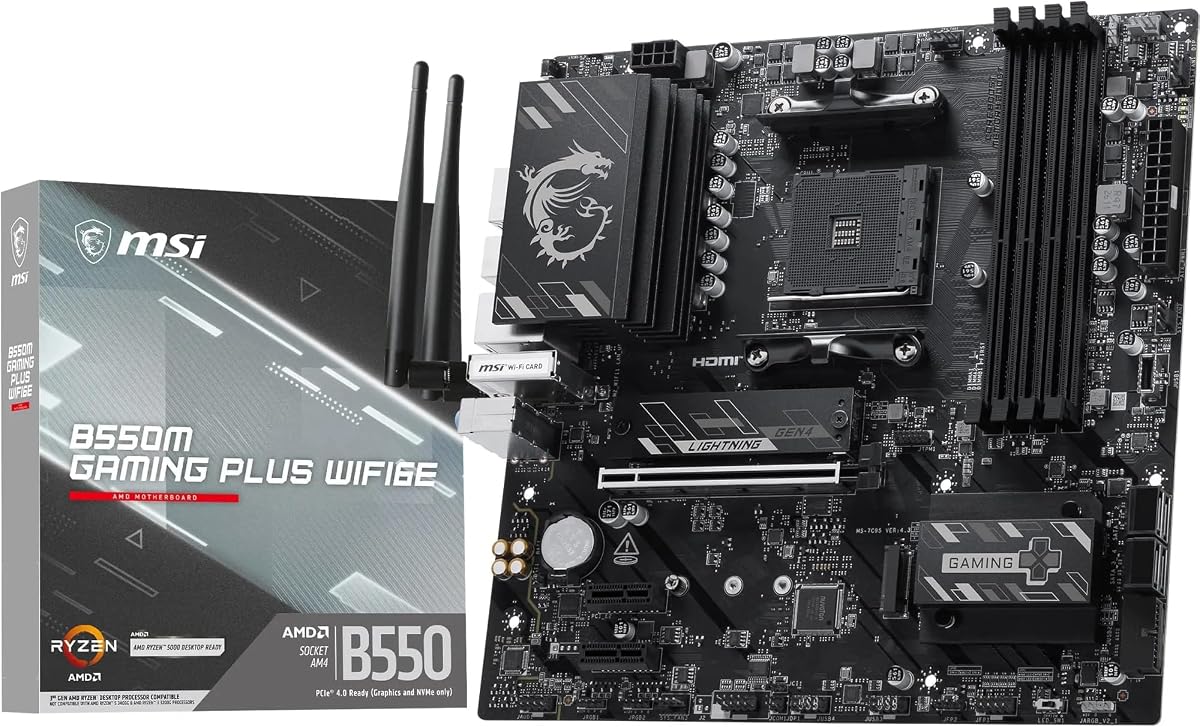
The MSI B550M Gaming Plus WIFI6E combines a 4.8 rating with a compact form factor, dual NVMe slots, and modern wireless connectivity, making it the best budget recommendation in this guide. It supports a broad range of AM4 Ryzen 5000, 4000 G-series, and 3000-series processors while retaining the more affordable DDR4 memory platform.
We may earn a commission when you buy through this link, at no additional cost to you.
MSI Core Boost VRM technology, thermal pads, an extended heatsink, and a chipset heatsink provide cooling support for sustained editing tasks. The primary M.2 connector uses PCIe 4.0 x4 and includes M.2 Shield Frozr, while a second PCIe 3.0 x4 slot offers additional storage flexibility. A reinforced PCIe 4.0 x16 slot supports a heavy, full-size graphics card.
The 4.8 rating is the highest among the listed products, although ratings should not be treated as a substitute for checking case fit, CPU support, and actual application behavior. The clearest limitations are the 1Gb Ethernet connection and the lack of PCIe 5.0 or USB4. A studio moving constant multi-terabyte transfers across a local network may want faster wired connectivity.
This is an excellent fit for a value-focused 1080p or 4K editing PC that uses a discrete graphics card and one or two NVMe drives. It also works well for compact editing systems where WiFi convenience and Bluetooth peripheral support are useful but studio-grade networking is unnecessary.
Dual M.2 connectors allow a fast system drive and a separate media or cache drive to coexist without adding expansion cards. The micro-ATX layout can also make the final system easier to place in a smaller production workspace.
WiFi 6E and Bluetooth 5.3 are convenient for keyboard, mouse, and control-device connections. The included wireless capability is particularly useful in compact or mobile editing setups where running network cables is inconvenient.
We may earn a commission when you buy through this link, at no additional cost to you.
The ASUS TUF Gaming B850-PLUS WiFi is a polished AM5 option for creators who want DDR5, PCIe 5.0, WiFi 7, and flexible storage without moving to an enthusiast X870E board. Its 4.4 rating reflects a capable general-purpose platform suitable for modern video-editing workstations.
We may earn a commission when you buy through this link, at no additional cost to you.
Its 14+2+1 80A DrMOS power stages, eight-layer PCB, 8+8-pin ProCool connectors, alloy chokes, and durable capacitors are designed to provide stable processor power. One PCIe 5.0 M.2 slot and two PCIe 4.0 M.2 slots support a useful mixture of high-speed and cost-effective storage, while the main graphics slot supports PCIe 5.0 x16.
Connectivity is one of the board's strongest areas. WiFi 7 and Realtek 2.5Gb Ethernet cover both wireless and fast wired workflows, while a rear USB 20Gbps Type-C port and front USB 10Gbps Type-C connector support modern peripherals. Thunderbolt or USB4 header support adds another potential route for high-speed external devices, provided the enclosure and selected accessories are compatible.
Choose this motherboard for a new AM5 editing system that needs a strong mix of current interfaces, fast networking, and multiple storage drives. The premium board tier may be difficult to justify for light 1080p work, but it fits 4K production, high-resolution graphics, and heavier multitasking better than entry-level alternatives.
USB 20Gbps and 10Gbps Type-C connections are useful for fast media readers, portable SSDs, docks, and displays. Together with 2.5Gb Ethernet, they support a modern, high-speed editing desk without requiring the full cost of the X870E platform.
Three M.2 slots let a creator divide operating-system, project, and archive duties across separate drives. The mix of one PCIe 5.0 position and two PCIe 4.0 positions also makes it easier to balance cost, thermals, and transfer speed.
We may earn a commission when you buy through this link, at no additional cost to you.
The right motherboard must complement the processor, graphics card, memory, and storage while leaving enough room for expansion. For video editing, platform longevity, thermal design, data-transfer options, and networking usually matter more than decorative features.
Choose a socket that matches both your present processor and realistic upgrade plans. AM5 offers a newer DDR5 and PCIe 5.0 path, while AM4 can be economical when compatible components are already owned. Threadripper is appropriate only when its additional cores, memory capacity, or professional platform features are genuinely needed.
Prioritize a board with four usable DIMM slots and confirm supported memory speeds and profiles. For serious 4K or higher-resolution editing, plan enough memory for the operating system, editing application, preview cache, and media applications. Do not assume every DDR4 or DDR5 module will reach advertised overclocking speeds.
Look for at least one PCIe 5.0 or PCIe 4.0 x4 M.2 slot for the primary project drive. Also consider heat, because high-performance SSDs can throttle without adequate cooling. The B850, B650, X870E, and B850-PLUS boards explicitly mention M.2 thermal protection, which is valuable in sustained editing sessions.
Match the motherboard to the processor rather than selecting solely by phase count. Verify socket dimensions, BIOS behavior, and case clearance, and use a quality CPU cooler or a compatible liquid cooler. A workstation that remains stable under a long render is more valuable than one with extra headers that are never used.
Editors working with calibrated or multiple displays should verify the graphics card's own output capabilities before relying on the motherboard. HDMI 2.1 and DisplayPort are present on several boards, including the ROG Strix B550-F, ASUS Prime B550M-A WiFi II, and TUF B550-PLUS WiFi II. External display needs are best met through the graphics card when possible.
Choose faster wired networking when media is regularly transferred to a local server or NAS. WiFi 6E or WiFi 7 adds convenience, but a stable wired connection is usually preferable for sustained transfers. USB-C, USB4, and Thunderbolt headers matter when using high-speed docks, external SSDs, or portable capture equipment.
Full-size ATX is the safer general choice when the case is already owned or future expansion is uncertain. Micro-ATX is attractive for dedicated edit bays and portable production systems, but fewer physical connectors may limit future upgrades. Confirm that the case supports the board size and every installed component before finalizing the build.
Prefer boards with a documented update process and a recovery mode that does not require a working operating system. A Q-Latch, EZ-Latch, or Q-Release mechanism can also reduce installation errors and make regular drive changes safer. Regardless of the feature set, keep a copy of the current BIOS and settings before making significant configuration changes.
Before assembly, compare the motherboard socket, memory type, case form factor, and CPU cooler mounting pattern with every planned component. Install the CPU and memory according to the board manual, connect the processor power and storage cables before routing them through the case, and avoid bending small front-panel or fan headers. Antistatic precautions and a clear work surface reduce the chance of accidental damage.
After the first boot, update the BIOS if needed, enable the intended M.2 and SATA storage devices, and confirm that the operating system recognizes all memory and drives. Set the graphics card as the primary display, install the editing application's required codecs and drivers, and use a known test project to evaluate playback and export performance. Record the BIOS settings so the system can be restored after maintenance.
For long editing sessions, keep intake and exhaust airflow unobstructed, monitor drive and processor temperatures, and verify that the chassis has enough cooling for both the CPU and high-speed SSDs. Save projects frequently, maintain separate backups, and avoid using the active NVMe drive as the only copy of important footage. Periodically update essential software and firmware, but schedule changes when no urgent project is open.
AM5 generally offers a newer platform path with DDR5 memory and PCIe 5.0 capabilities, while AM4 can remain a cost-effective option when compatible components are already available. Actual editing performance depends more heavily on the processor, graphics card, memory, and storage in many workflows. Choose AM4 for a value-focused build using existing parts, or AM5 for a new system that benefits from current expansion features.
For professional 4K, HDR, complex effects, and multi-display work, a dedicated graphics card is strongly recommended even when the processor includes integrated graphics. The GPU can provide faster playback, more video memory, specialized codec support, and multiple outputs. Integrated graphics can be useful for basic setup, light 1080p tasks, and troubleshooting a system without a separate graphics card.
Two M.2 slots provide a useful minimum because they allow the operating system and applications to be separated from active media or scratch storage.
Three or more slots give an editor more room to separate active projects, completed footage, and cached data.
The ASUS ROG Strix X870E-E stands out with five onboard positions, while the other boards offer two or three.
Drive capacity and sustained thermal performance are as important as the number of connectors.
Wireless connectivity is convenient, but 2.5Gb or 10Gb Ethernet is usually preferable for sustained large-file transfers and shared storage. WiFi 6E and WiFi 7 can handle cloud services and moderate transfers effectively, but connection consistency and throughput depend on the router and environment. Use wired networking for critical project movement when the workstation is in a fixed location.
Threadripper is worth considering for large projects, many CPU-heavy effects, virtualization, shared rendering, and other professional multi-core workloads. The GIGABYTE TRX50 AERO D also provides 10GbE, USB4, and workstation-oriented memory support. For a single editor handling ordinary 1080p or 4K timelines, a mainstream Ryzen board may deliver a more efficient overall build.
ATX offers more expansion connectors and is the safer choice when future upgrades are uncertain. Micro-ATX can be ideal for compact, dedicated editing systems and may reduce the total size of the finished computer. Check GPU length, CPU cooler clearance, drive-bay availability, and case support before choosing the smaller format.
DDR5 is the natural choice for a new AM5 or Threadripper system because those platforms require it and offer greater future bandwidth potential. DDR4 remains perfectly usable for many editing tasks and can make an AM4 build more economical, especially with existing memory. Capacity, stability, and the application's actual workload often have a greater effect than the generation alone.
Verify CPU support, memory type and capacity, GPU clearance, M.2 slot availability, power delivery, and case compatibility first. Then assess networking, display needs, cooling, USB-C or USB4 support, and the software features your editing workflow requires. Updating the BIOS after assembly and testing a representative project will help confirm that the complete system performs as expected.
The ASUS ROG Strix B550-F Gaming WiFi II is the strongest all-around recommendation because it combines dual PCIe 4.0 storage, 2.5Gb Ethernet, WiFi 6E, and integrated display outputs. The GIGABYTE B850 AORUS Elite WIFI7 stands out for a modern AM5 platform with three M.2 slots, while the GIGABYTE TRX50 AERO D is the premium professional choice for Threadripper, high-capacity memory, USB4, and 10GbE networking.
Prioritize the parts that affect your daily workflow: a supported processor, enough memory, a GPU suited to the project resolution, and storage with sufficient capacity and cooling. New builders should consider AM5 and DDR5 for their newer platform capabilities, but AM4 can deliver excellent value when compatible components are already available. Compact cases also make micro-ATX options such as the MSI B550M Gaming Plus WIFI6E especially convenient.
Before purchasing, confirm the exact processor, memory, graphics card, cooler, and case fit against the manufacturer's specifications. Ratings are useful indicators but cannot replace compatibility checks, and component availability and prices change frequently. Review the current listing, compare it with the alternatives in this guide, and select the board that best supports the projects you actually need to finish.