
Samsung Odyssey OLED G6
4.7Editor score
27-inch QD-OLED display
QHD 240Hz performance
Pantone color validation
A great display can make an open-world driving game feel more immediate, especially when crisp scenery, fast camera movement, and nighttime lighting occupy the screen. For Gta 6, the right monitor should balance resolution, refresh rate, response time, color depth, and practical connectivity rather than simply maximize one specification.
We compared ten monitors using the supplied resolution, refresh rate, response data, color capabilities, gaming features, connectivity, and physical design. The list covers premium OLED panels, fast QHD desktop displays, curved models, straightforward IPS screens, and portable options for gaming away from a permanent desk.
Each review explains who the monitor suits, which strengths matter for open-world action, and where compromises may appear. Rankings reflect the supplied ratings and feature information, while prices and promotions can change, so readers should verify current listings and PC requirements before purchasing.
4.7Editor score

4.6Editor score

4.4Editor score
As an Amazon Associate we earn from qualifying purchases.
The comparison below highlights resolution, refresh rate, motion response, and the most relevant display or connectivity features for each model.




The ASUS ROG XG27AQDMGR combines a 26.5-inch glossy WOLED panel, QHD resolution, a 240Hz refresh rate, and an exceptional 0.03ms gray-to-gray response time. Its supplied 4.6 rating reflects a strong overall result, while True Black contrast, HDR capability, and 99% DCI-P3 coverage make it especially compelling for the atmospheric visuals and varied environments expected in a major open-world game.
We may earn a commission when you buy through this link, at no additional cost to you.
Resolution and speed are especially well matched for action. At 2560 x 1440, the display offers substantially more working room than Full HD without demanding the graphics output associated with 4K. The 240Hz ceiling also allows it to present high frame rates smoothly, helping vehicles, pedestrians, camera movement, and rapid visual transitions appear more fluid when the connected PC and game can deliver them.
The main caution is the glossy finish. External light sources may create visible reflections, so controlling room lighting matters if the screen is positioned near a window or brightly lit wall. OLED users also need to understand the nature of the technology and make sensible use of the supplied protection tools. Nevertheless, ASUS OLED Care Pro and the Neo Proximity Sensor add meaningful safeguards for regular use.
This is our top overall recommendation for readers who want a high-end display without moving to 4K. Its combination of speed, resolution, contrast, color accuracy, and gaming-oriented features is more balanced for Gta 6 than simply selecting the highest refresh rate available. It is particularly suitable for a capable gaming PC, a clean desk setup, and a room where reflections can be controlled.
The 240Hz refresh rate and 0.03ms response time give the ROG XG27AQDMGR a strong foundation for fast driving and frequent camera changes. QHD resolution preserves enough detail for map information, environmental textures, and distant scenery while remaining a realistic target for a high-performance gaming PC.
TrueBlack WOLED technology, HDR support, 99% DCI-P3 coverage, and true 10-bit color can add depth to dark roads, illuminated city areas, and sunset scenes. The supplied Delta E below 2 figure also indicates a high level of color difference from reference targets, which is valuable beyond gaming.
OLED Care Pro works with the included Neo Proximity Sensor to switch the display to a black screen when the user leaves. This feature complements the supplied three-year warranty and burn-in coverage, making careful management easier for long-session owners.
We may earn a commission when you buy through this link, at no additional cost to you.
The BENFEI Portable Monitor is a 15.6-inch Full HD IPS display built for people who want a second screen for gaming in places where a conventional desktop panel is impractical. Its supplied 4.4 rating, HDR mode, wide viewing angles, integrated speakers, and simple USB-C connection make it a versatile option for travelers, students, and console users.
We may earn a commission when you buy through this link, at no additional cost to you.
Portability is the defining advantage. The slim enclosure can be packed into a suitcase or backpack, while the included smart cover protects the panel and doubles as a stand. A single full-feature USB-C cable can carry both display signal and power when the source device supports Thunderbolt 3 or USB 3.1 Type-C with DisplayPort Alternate Mode, reducing setup time at temporary gaming spaces.
The compromise is image specification. Full HD is less detailed than the QHD and OLED options in this list, and no high refresh rate is stated in the supplied data. A portable screen also cannot provide the same physical immersion, viewing size, or desk stability as a larger desktop display. Players should confirm that their device and game output support the intended resolution before relying on it.
Despite those limitations, the BENFEI is a sensible budget-oriented entry for casual Gta 6 sessions away from home. It works particularly well as a travel or secondary display rather than as the sole monitor for an enthusiast gaming system. Its portability, simple connectivity, protective cover, and broad device support make it more versatile than many small desktop alternatives.
The monitor's low-profile format makes it easy to create a temporary gaming station in a hotel room, dorm, or shared living space. Users can connect a compatible laptop or console with the supplied USB-C cable and use the cover as a stable viewing support.
Two full-function USB-C ports allow a single cable to handle power and display transmission on supported devices. Copy, extended, second-screen, and portrait modes also make the panel useful for a broader range of gaming and productivity arrangements.
The matte IPS panel, blue-light reduction, and flicker-free operation are useful for travel and extended play. Wide viewing angles help maintain a consistent image when the cover stand is adjusted or the screen is viewed from an angle.
We may earn a commission when you buy through this link, at no additional cost to you.
The Samsung Odyssey G55C pairs a large 32-inch QHD panel with a 1000R curve, 165Hz refresh rate, and a stated 1ms MPRT response time. Its supplied 4.4 rating makes it a strong all-around choice for players who value screen size and immersion, while AMD Radeon FreeSync support helps keep the display and graphics output synchronized.
We may earn a commission when you buy through this link, at no additional cost to you.
A 32-inch panel offers a more expansive view than the 27-inch models in the list. That can make map awareness, street details, and distant scenery feel more present, particularly in a driving-focused open world. The 1000R curvature also wraps the image more closely around the viewer, filling more of the peripheral field than a flat display of similar width.
It is important to distinguish the stated 1ms MPRT figure from a native pixel response time. The supplied information does not claim the same ultra-fast gray-to-gray response as the OLED models. Nevertheless, the combination of QHD detail, 165Hz refresh, FreeSync, and HDR10 should provide a convincing experience when paired with a suitable graphics card.
The Odyssey G55C is best for gamers who want more screen area and a pronounced curved experience without moving to an OLED price class. It is a particularly compelling candidate for a living-room gaming PC, a wide desk, or a seated viewing position where the curve can create a strong sense of enclosure. People sensitive to curved geometry may want to examine one in person first.
The large 32-inch format gives roads, buildings, and in-game interfaces more screen real estate. That additional space can make navigation, inventory management, and peripheral awareness easier without requiring an ultrawide display.
A 165Hz refresh rate and AMD Radeon FreeSync support make the Odyssey G55C well suited to fast movement. The synchronization feature is designed to reduce image tearing, helping the action remain fluid when the graphics card and display operate within their supported ranges.
The 1000R curve places the display around the viewer, while Eye Saver Mode and reduced screen flicker support longer sessions. HDR10 adds brighter highlights and deeper shadow detail for visually varied scenes.
We may earn a commission when you buy through this link, at no additional cost to you.
The Sceptre E225W-FW144 is a compact 22-inch gaming monitor offering Full HD resolution, refresh rates up to 144Hz, HDMI, DisplayPort, and built-in speakers. Its supplied 4.4 rating suggests solid user satisfaction, and the combination of size and speed may appeal to gamers with a modest desk or a need for a straightforward secondary display.
We may earn a commission when you buy through this link, at no additional cost to you.
The headline feature is the potential 144Hz refresh rate. Compared with standard 60Hz panels, that ceiling can make movement and camera transitions appear much smoother when the PC can generate matching frame rates. The two video inputs also provide useful flexibility for newer and older graphics hardware, while integrated speakers keep basic audio from requiring another device.
Screen size and resolution are the central compromises. A 22-inch Full HD display is less immersive and less detailed than the larger QHD options. The supplied data also does not state a pixel response time, so buyers cannot compare its motion performance directly with the 0.03ms OLED models or the 0.3ms minimum figure listed for the ASUS TUF.
This monitor is most practical for a smaller setup, a dorm room, a secondary gaming station, or a user who values high refresh capability and straightforward connectivity over maximum immersion. It is also among the simpler choices for Gta 6 because the focus is on delivering a fluid, uncomplicated image rather than advanced HDR color processing or a premium panel.
The 22-inch panel is easier to position on a compact desk than a large curved display. Its up-to-144Hz capability gives the connected PC room to present fluid motion when hardware and game settings allow it.
Integrated speakers provide a convenient option for system sounds and lighter gaming audio. This can simplify a temporary or space-conscious setup without requiring a full speaker arrangement immediately.
The slim bezel design supports a tidy multi-monitor arrangement. Its understated machine-black finish and minimal frame keep attention on the game rather than the surrounding desk.
We may earn a commission when you buy through this link, at no additional cost to you.
The AOC Portable Monitor combines a 15.6-inch Full HD IPS display with 125% sRGB color coverage, HDR support, dual speakers, and a remarkably thin 0.27-inch profile. Its supplied 4.6 rating places it among the strongest-rated products here, particularly for users who want portable gaming without giving up a comparatively rich color presentation.
We may earn a commission when you buy through this link, at no additional cost to you.
The monitor weighs 1.5 pounds and includes an aluminum profile, making it suitable for travel, remote work, and dorm-room setups. Its USB-C and Mini HDMI connectivity supports laptops, smartphones, PS5, Xbox, and Switch according to the supplied information. Portrait orientation adds another useful option for menus, videos, and compact workspaces.
Its 45W pass-through charging is a meaningful convenience. A compatible laptop, Steam Deck, or Nintendo Switch can receive power while the monitor is connected, reducing dependence on a second charging setup. Eye-care features, including flicker-free operation and low blue light technology, are also useful during extended sessions.
The AOC is best viewed as a high-quality travel companion rather than a replacement for a large gaming display. Full HD and an unspecified refresh rate mean it cannot match the QHD speed or OLED contrast of the premium choices. Its strongest case is a person who values portability, color, speakers, and one-cable operation in a 15.6-inch format.
The 125% sRGB gamut provides more color range than a standard 1080p screen, making this display useful for photo viewing, graphic work, and video as well as games. HDR support adds further flexibility for bright highlights and richer scenes.
Up to 45W of pass-through charging allows a supported device to remain powered while the display carries video. This single-cable approach can simplify travel and create a neat temporary workstation or gaming station.
The monitor requires no stated driver installation and supports USB-C, Mini HDMI, landscape, and portrait use. Built-in speakers and a 3.5mm audio output add flexibility for calls, entertainment, and private listening.
We may earn a commission when you buy through this link, at no additional cost to you.
The Samsung Odyssey OLED G6 is a 27-inch QD-OLED gaming monitor with QHD resolution, a 240Hz refresh rate, a 0.03ms response time, and the highest supplied rating in the list at 4.7. Its combination of rich contrast, wide color, fast motion, and an adjustable ergonomic stand makes it the strongest premium option for an enthusiast Gta 6 setup.
We may earn a commission when you buy through this link, at no additional cost to you.
QD-OLED is particularly useful for a game expected to contain bright skies, shaded streets, reflective surfaces, and nighttime environments. The panel can produce dark blacks while preserving bright highlights, and the supplied information lists HDR10 support for additional depth. Pantone validation across more than 2,100 colors and over 110 skin-tone shades supports accurate, natural-looking imagery.
Motion performance is equally strong. A 240Hz refresh rate and 0.03ms response time support smooth movement, while AMD FreeSync Premium is designed to reduce choppiness, lag-related visual effects, and image tearing. Glare Free technology also helps maintain clarity under external light, an important advantage for a glossy OLED viewing environment.
As with other OLED displays, users should understand burn-in mitigation and avoid leaving static content onscreen unnecessarily. Samsung OLED Safeguard uses thermal modulation to support panel longevity, but normal care remains sensible. For buyers seeking a reference-rich panel, high refresh rate, accurate color, and refined ergonomics, the G61SH is the premium selection in this guide.
The QD-OLED panel is designed to combine high brightness with a wide range of colors. HDR10, deep blacks, and Glare Free technology create a strong foundation for detailed cityscapes, dark rural environments, and reflective nighttime scenes.
The 240Hz refresh rate and 0.03ms response time make the G61SH well suited to fast camera movement. AMD FreeSync Premium helps synchronize the display with compatible graphics hardware to reduce choppiness and tearing.
Pantone validation covers more than 2,100 colors and 110-plus skin-tone shades, while the height-adjustable stand pivots, tilts, and swivels. Together, these features support both visual quality and a more comfortable viewing position.
We may earn a commission when you buy through this link, at no additional cost to you.
The Diiwell Portable Monitor uses a fully laminated 15.6-inch IPS panel, Full HD resolution, a matte finish, and 178-degree viewing angles. Its supplied 4.4 rating and broad device support make it a capable option for laptop gaming, console play, travel, and users who need a temporary second display.
We may earn a commission when you buy through this link, at no additional cost to you.
Lamination is the distinguishing technical feature. By bonding the panel layers with optical-grade adhesive instead of leaving an air gap, the design can reduce refraction and improve optical performance. The matte IPS surface is also less reflective than many glossy portable designs, which can help maintain visibility in varied environments.
The monitor includes two full-function USB-C ports, allowing one compatible USB-C cable to carry power and display signal. Copy, extended, second-screen, and portrait modes expand its usefulness beyond gaming. Its durable metal construction and built-in kickstand provide a more integrated alternative to a separate folding cover, and the stand can be adjusted to suit the viewing angle.
The unresolved specifications matter. No refresh rate or pixel response time is provided, and Full HD cannot offer the detail of the QHD models in the guide. This recommendation is therefore best for portable or secondary-screen use where simplicity, compactness, and broad compatibility matter more than maximum competitive performance.
Full lamination removes the traditional air gap between glass, touch layers, and the display. The supplied information associates this construction with reduced refraction and improved optical performance.
Two full-feature USB-C ports allow a single compatible cable to handle display transmission and power. The original USB-C-to-USB-C cable is recommended for optimal operation with laptops, phones, consoles, and other compatible sources.
Copy, extended, second-screen, and portrait modes let the display adapt to meetings, productivity, and gaming. HDR mode adds brighter highlights and deeper color for compatible content.
We may earn a commission when you buy through this link, at no additional cost to you.
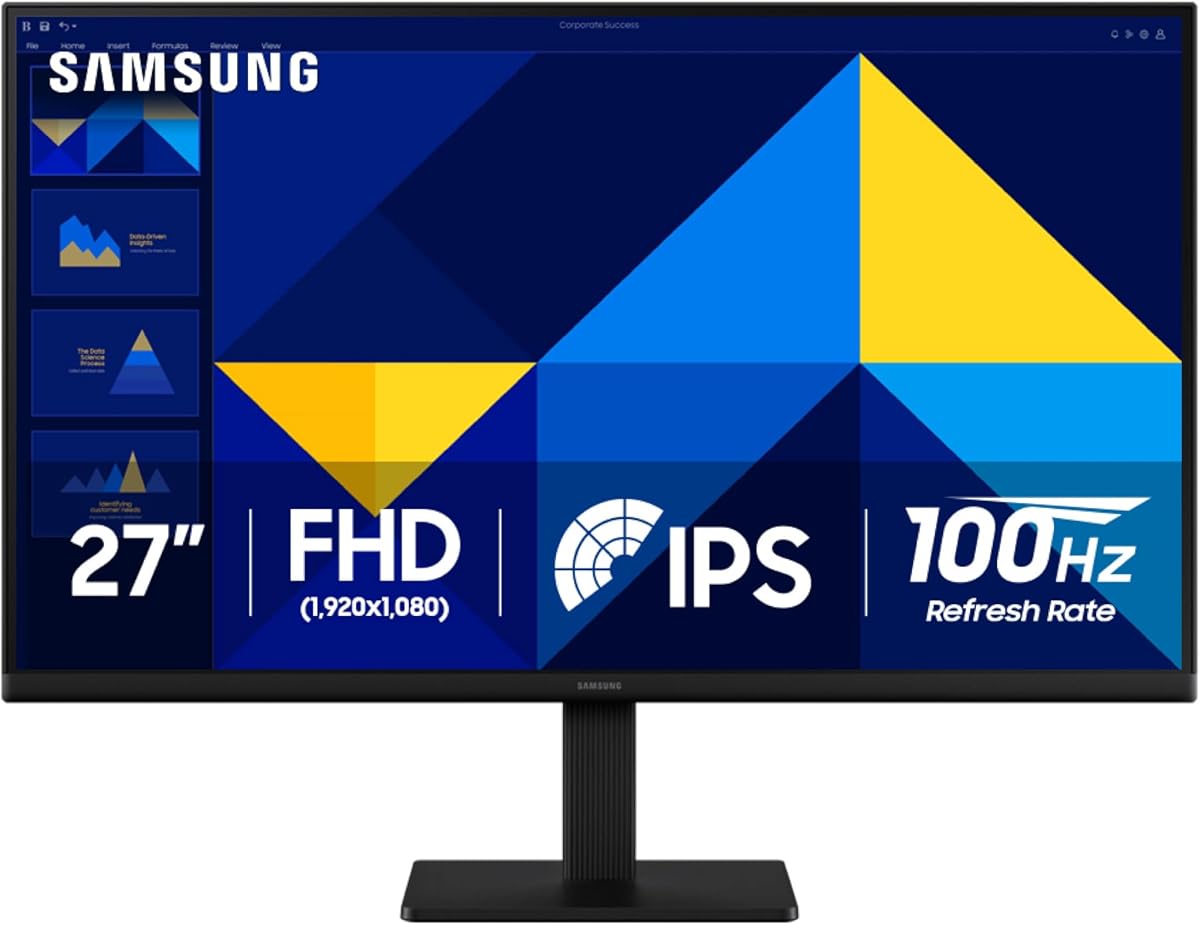
The Samsung Essential S30GD is a 27-inch IPS monitor built around a 100Hz refresh rate, slim bezels, and adjustable gaming settings. Its supplied 4.5 rating indicates a well-liked general-purpose display, while features such as Game Mode, contrast adjustment, reduced blue light, and flicker reduction make it suitable for everyday Gta 6 sessions.
We may earn a commission when you buy through this link, at no additional cost to you.
The IPS panel maintains bright, consistent colors across viewing angles, according to the supplied information. That makes it a practical choice when the monitor is not viewed perfectly head-on or when a user values accurate presentation over the extreme contrast of OLED. The 100Hz refresh rate also improves fluidity compared with a conventional 60Hz display.
The lack of a stated gaming sync technology, maximum refresh rate, or response time means this model cannot be compared directly with the premium 240Hz OLED options. It also resolves at Full HD, which may look less detailed at 27 inches than the QHD alternatives. Those limits should be considered if a new high-end graphics card is part of the planned setup.
The S30GD is a good general-purpose choice for a player who wants a modern 27-inch screen, smooth-enough motion, and useful image controls without specialized features. It can also serve as a secondary display for a system with a more advanced primary monitor. Its broad appeal comes from simplicity rather than enthusiast specifications.
The IPS panel is designed to preserve color brightness and consistency as viewing angles change. That makes the S30GD suitable for shared spaces or desk arrangements where the screen is not always directly in front of the viewer.
Optimizable color and contrast settings can help reveal details in shaded areas, while Game Mode is designed to fill the screen with visible game content. These controls are useful when a game mixes bright daylight with dark environments.
Ultra-thin bezels give the display a clean appearance and help it blend into a modern workspace. Reduced blue light and screen flicker support more comfortable viewing during long play or work sessions.
We may earn a commission when you buy through this link, at no additional cost to you.
The Samsung Essential S3 combines a 27-inch 1800R curved panel with Full HD resolution, a 100Hz refresh rate, and gaming-oriented image controls. Its supplied 4.5 rating and TÜV-certified eye-comfort technology make it a comfortable option for extended sessions, particularly in a dedicated entertainment setup.
We may earn a commission when you buy through this link, at no additional cost to you.
The 1800R curve wraps the panel more closely around the viewer than the Samsung Odyssey G55C's 1000R design. This can create a stronger sense of immersion while remaining a relatively manageable 27-inch format. The 100Hz refresh rate reduces lag and motion blur compared with a standard 60Hz screen, helping vehicles and camera movements appear more natural.
Game Mode, contrast adjustment, and color controls can make dark details easier to identify. TÜV-certified eye comfort technology reduces blue light and irritating flicker, which is valuable during long drives through a game world or extended general computer use. These are meaningful practical benefits, although they do not replace a higher refresh rate or faster response time.
The Essential S3 is a sensible option for gamers who prioritize comfort and a curved viewing experience at a 27-inch size. It is less suitable for buyers seeking maximum fine detail because the panel is Full HD, and it does not claim a high-end refresh rate. It works best as a dedicated gaming and entertainment display where an immersive shape and relaxed viewing matter more than competitive specifications.
The 1800R design places the screen around the viewer and can reduce peripheral distraction. At 27 inches, it offers a noticeable curved effect without occupying the space of a 32-inch model.
Adjustable color and contrast settings can help players identify details in shadows. Game Mode is intended to optimize the display for the content filling the screen, adding practical control without requiring a specialist panel.
TÜV-certified eye comfort technology minimizes blue light and screen flicker. Those features make the S3 more comfortable for long gaming, work, and streaming sessions.
We may earn a commission when you buy through this link, at no additional cost to you.
The ASUS TUF VG27AQM5A is built for maximum speed, combining a 27-inch Fast IPS panel, 2560 x 1440 resolution, a 300Hz refresh rate, and a stated minimum 0.3ms gray-to-gray response time. Its supplied 4.4 rating makes it a compelling performance option for players who want the highest refresh ceiling in the guide.
We may earn a commission when you buy through this link, at no additional cost to you.
The 300Hz rating can make fast camera pans and vehicle movement exceptionally fluid when a powerful PC can deliver the necessary frame rate. ASUS Extreme Low Motion Blur Sync enables ELMB and variable-refresh-rate technologies to work simultaneously, targeting ghosting and tearing. G-SYNC support further positions the display for synchronization with compatible NVIDIA graphics hardware.
Visual flexibility comes from 95% DCI-P3 color coverage and Shadow Boost, which brightens dark areas without overexposing bright regions. DisplayWidget Center allows settings to be managed with a mouse, and integrated speakers provide convenient output. These features make the monitor useful for gaming, content creation, and everyday use.
The trade-off is panel type and real-world demand. Fast IPS does not deliver the deep blacks or pixel-level contrast of the OLED alternatives, and a 300Hz refresh rate is useful only if the game, graphics card, and connected system can approach it. For competitive, simulation, or high-fidelity PC enthusiasts, however, the combination of QHD detail, speed, and synchronization support is excellent.
The 300Hz refresh rate is the highest listed in the guide and can provide very smooth motion in games with the necessary frame-rate headroom. This favors users with high-end graphics hardware and an interest in competitive or fast-paced play.
ELMB Sync works with variable-refresh-rate technology to reduce ghosting and tearing, while G-SYNC support is included for compatible NVIDIA setups. These features target clarity when the PC and display are operating within supported limits.
A 95% DCI-P3 gamut supports vibrant color, while Shadow Boost improves visibility in darker game scenes without pushing highlights as far. DisplayWidget Center makes monitor adjustments more accessible.
We may earn a commission when you buy through this link, at no additional cost to you.
The best monitor for Gta 6 depends on the PC, screen size, desk space, and the balance between resolution, motion speed, image quality, and portability.
Resolution determines how much environmental detail appears onscreen and how much space menus, maps, and other interfaces receive. The QHD models in this guide use 2560 x 1440, offering a useful middle ground between Full HD and 4K. Full HD portable and compact monitors are easier to drive and can be more affordable, but the larger 27-inch models may show their limits more readily. A 4K display was not included, so buyers should weigh QHD's balance of detail and graphical demands carefully against their hardware.
Prioritize enough resolution to show the game comfortably, not simply the highest number available. Match the panel to the graphics output and consider whether the screen will be viewed at a normal desk distance.
Refresh rate determines how many times the display updates each second, while response time affects how quickly pixels change. The list ranges from 100Hz on the Samsung Essential models to 300Hz on the ASUS TUF, with the OLED models reaching 240Hz. Higher rates can make movement look smoother, but only when the game and graphics hardware generate enough frames. Variable-refresh features on selected models can also help reduce tearing.
Choose a refresh rate the computer can realistically feed. A higher ceiling offers flexibility across different games, but it is not a substitute for a capable graphics card.
Fast response can reduce visible blur during rapid movement, especially in driving sequences or competitive play. The two QD-OLED and WOLED options list 0.03ms response times, while the ASUS TUF lists 0.3ms minimum for Fast IPS. The Samsung Odyssey G55C states a 1ms MPRT figure, which is a different measurement and should not be treated as identical to a native gray-to-gray specification.
For comparative shopping, look at measurement type as well as the number. Fast refresh capability and good synchronization can still make an IPS display feel responsive.
The glossy WOLED ASUS and QD-OLED Samsung deliver the deepest blacks and richest contrast in this group, which can be especially effective for night scenes, shadows, and bright city environments. IPS panels offer consistent colors and wide viewing angles but lack the same contrast. HDR support appears across several models, while only the premium OLED options emphasize extensive color-gamut figures and panel-level validation.
Decide whether high contrast and cinematic presentation justify an OLED panel and its associated care requirements. IPS is a more conventional choice for mixed work and gaming.
Screen size changes both immersion and desk impact. The 32-inch Samsung Odyssey G55C offers the largest panel here and uses 1000R curvature for a strong wraparound effect. The 27-inch Samsung Essential S3 uses a more pronounced 1800R curve, while the ASUS OLED offers a flat 27-inch format. Smaller 22- and 15.6-inch options are better suited to compact desks, travel, and secondary-screen use.
Consider desk depth, viewing distance, and sensitivity to curved geometry. A larger screen can make the world feel more expansive, but it should not create neck strain or require constant leaning.
Desktop gamers should confirm the graphics card has a matching video output and select the appropriate cable. The ASUS TUF and Sceptre include DisplayPort options, while the portable monitors rely heavily on USB-C with DisplayPort Alternate Mode or HDMI. For USB-C single-cable operation, the source device must support Thunderbolt 3 or USB 3.1 Type-C with the required alternate mode, as the product descriptions specifically note.
Verify the resolution and refresh combinations supported by both the monitor and computer. Adapters can add complexity, and using the recommended cable is particularly important for portable models.
Accurate color benefits not only games but also desktop work, media, and photo viewing. The ASUS ROG lists 99% DCI-P3 coverage, true 10-bit color, and Delta E below 2, while the Samsung Odyssey OLED G6 carries Pantone validation. The AOC portable monitor reaches 125% sRGB, and the ASUS TUF lists 95% DCI-P3. For players who also edit media, these specifications can make a dual-purpose setup more rewarding.
Look for both gamut coverage and calibration-related figures when color matters. A wide gamut alone does not guarantee accuracy across every source or viewing mode.
A portable monitor should be judged by weight, thickness, stand design, cable needs, and screen protection. The BENFEI includes a smart cover that doubles as a stand, the AOC has an aluminum profile and 45W reverse charging, and the Diiwell includes a laminated display with an integrated kickstand. Desktop buyers should instead examine stand adjustment and desk footprint. OLED owners should review burn-in safeguards and warranty coverage.
Choose the form factor that will be used most often. A premium stationary monitor is rarely the best travel companion, and a highly portable panel may not be ideal as a permanent gaming display.
Begin by connecting the display with a cable supported by both the monitor and graphics output. For USB-C portable models, use the supplied cable and confirm that the source device supports the required DisplayPort Alternate Mode, Thunderbolt 3, or USB 3.1 Type-C functionality. Set the operating system resolution to the monitor's native resolution, then select the highest refresh rate that both the computer and display support.
For a new desktop display, use the monitor's on-screen controls or supplied software to set brightness, contrast, and the appropriate operating-system color profile. Gaming modes can be useful for visibility, but users should avoid unnecessary post-processing if accurate color is a priority. Portable displays benefit from their included cover or kickstand being positioned to keep the panel stable and the viewing angle comfortable.
OLED models require more deliberate care than conventional IPS screens. Use the supplied OLED protection features, avoid leaving static images onscreen for extended periods, and keep the glossy surface away from direct glare where possible. For every panel, clean with a soft microfiber cloth, avoid harsh liquids, use surge protection and proper cables, and check manufacturer guidance before changing firmware, power settings, or protective behavior.
The ASUS ROG XG27AQDMGR is a strong all-around choice because it combines QHD detail, a 240Hz refresh rate, 0.03ms response time, and rich OLED contrast. The Samsung Odyssey OLED G6 is another premium alternative with Pantone validation and an adjustable stand. The ASUS TUF VG27AQM5A reaches 300Hz, but that ceiling is only worthwhile when the PC and game can deliver sufficiently high frame rates.
A 4K panel can provide more visible detail, but it is not automatically the most practical choice. QHD offers a balanced amount of resolution for a gaming PC and can make high refresh rates easier to sustain. The best decision depends on graphics hardware, screen size, viewing distance, and personal preference rather than resolution alone.
A curved panel can make the image wrap more closely around the viewer and reduce the sense of unused space at the sides. The 32-inch Samsung Odyssey G55C uses 1000R curvature, while the 27-inch Samsung Essential S3 uses 1800R. Personal comfort varies, so it is worth viewing curved and flat screens in person if possible.
A portable monitor can serve as a secondary or travel display when the PC or console outputs a compatible signal through USB-C or HDMI. The BENFEI, AOC, and Diiwell models support multiple device categories, but the source must satisfy the required USB-C standards. Full HD resolution and the absence of stated high refresh rates make them better suited to convenience than competitive performance.
A 144Hz monitor can provide noticeably smoother movement than a 60Hz panel, particularly during fast driving and camera turns. The Sceptre E225W-FW144 offers up to 144Hz, although it is limited to Full HD resolution. Higher-end QHD and OLED options provide additional detail, faster response specifications, and more advanced visual features.
OLED is the stronger choice for deep blacks, high contrast, fast pixel response, and cinematic imagery. The ASUS ROG and Samsung Odyssey OLED models are especially suited to that preference. IPS screens are often easier to use for mixed work and gaming, maintain consistent colors from wide angles, and avoid the burn-in precautions associated with OLED panels.
Yes, to experience the full benefit of those refresh rates. The game must support the selected frame rate, and the graphics card must have enough performance to generate it consistently. Variable-refresh technology can help maintain smoothness when frame rates fluctuate, but a fast display cannot create frames that the PC is unable to render.
Check the monitor's supported inputs, native resolution, and the required source-device standards. For the included USB-C workflows, the computer must support the relevant DisplayPort Alternate Mode, Thunderbolt 3, or USB 3.1 Type-C connection. Using the supplied cable is recommended, and console compatibility should be confirmed with the specific model and output configuration.
The ASUS ROG XG27AQDMGR stands out as the most balanced premium pick, combining QHD resolution, a 240Hz refresh rate, 0.03ms response, and deep OLED contrast. The Samsung Odyssey OLED G6 is an equally strong premium alternative with the highest supplied rating, Pantone validation, and flexible stand adjustment, while the BENFEI wins for readers who need a portable, straightforward gaming display.
Other buyers may find a better match in the Samsung Odyssey G55C for large-screen immersion, the ASUS TUF VG27AQM5A for maximum refresh speed, or the Samsung Essential models for simpler everyday setups. The AOC and Diiwell portable monitors serve travel and secondary-screen needs particularly well. In every case, match the monitor's resolution and refresh rate to the PC rather than choosing solely from headline specifications.
Current prices, promotions, and availability can change, so compare the latest listing before buying. Also verify the PC's outputs, supported resolution and refresh combinations, desk space, and any requirements for USB-C travel displays. Those checks will help ensure the selected monitor works smoothly with the system and offers the visual experience you value most.


