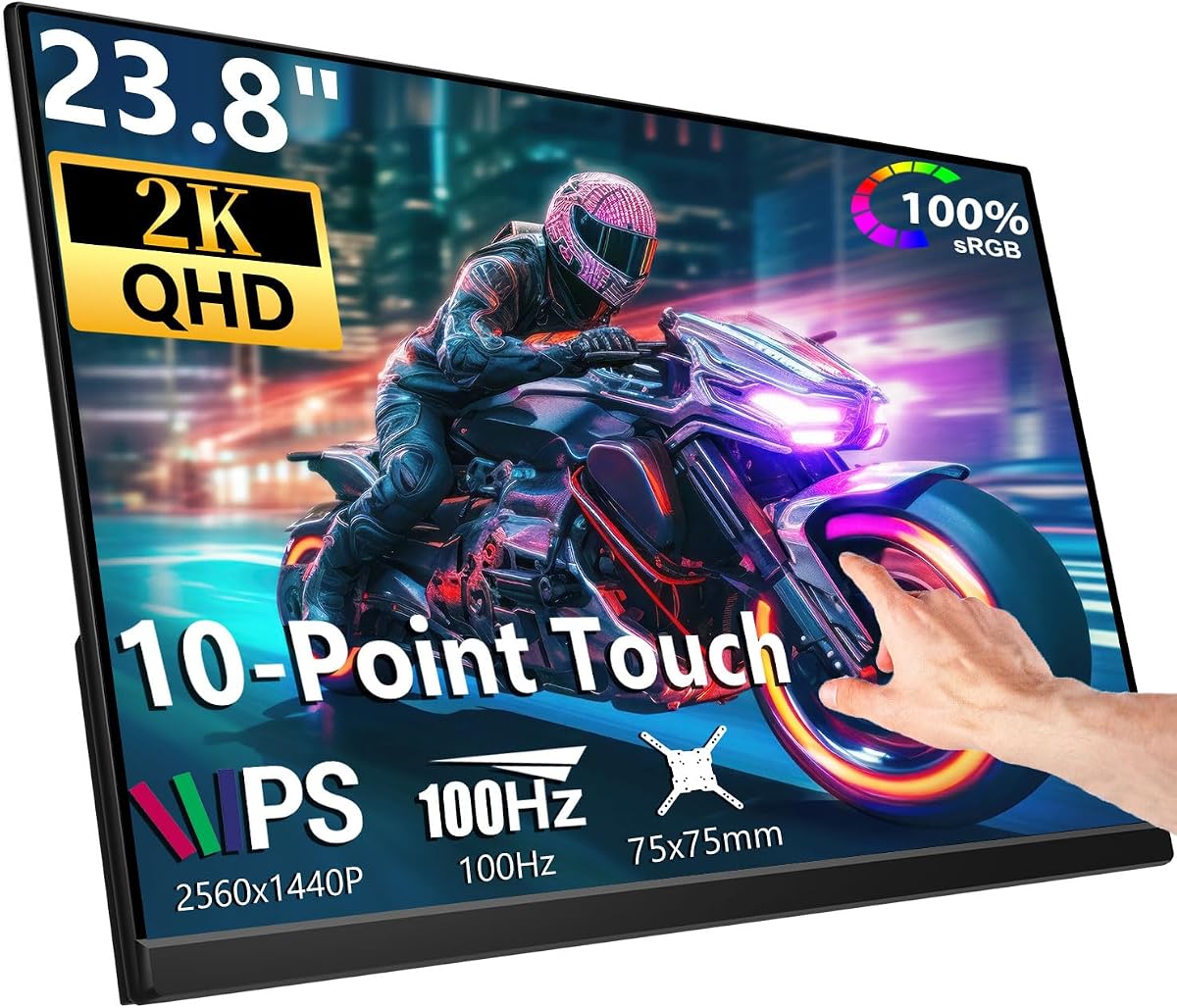
Prechen 23.8-Inch 2K Touchscreen
4.1Editor score
23.8-inch 2K QHD display
Ten-point capacitive touchscreen
100% sRGB color coverage
A monitor for AutoCAD should make lines, dimensions, terrain, textures, and model details easy to inspect without straining the eyes. The most useful display combines enough resolution for precise work, accurate color, comfortable viewing, smooth navigation, and a panel large enough to show toolbars without overwhelming the drawing area.
The products in this guide were compared using their stated specifications, including panel type, resolution, color coverage, refresh rate, touch support, ports, stand adjustment, and portability. The list covers desktop, gaming, and portable options for drafting, 2D drafting, 3D modeling, BIM review, presentations, and mobile workstations.
Each review explains which workflows the monitor suits best and where compromises may arise, helping you match the display to your laptop, desktop hardware, workspace, and mobile working habits. Product specifications and availability can change, so confirm current details and pricing before making a final purchase.
4.1Editor score

4.6Editor score

4.2Editor score
As an Amazon Associate we earn from qualifying purchases.
The following side-by-side comparison highlights the major differences in resolution, color capability, motion performance, portability, and touch functionality. These characteristics help reveal which monitors are best suited to drafting, 3D modeling, mobile work, or color-sensitive technical workflows.


The Prechen 23.8-Inch 2K Touchscreen combines a generous QHD workspace with a ten-point capacitive touch interface and a 100Hz refresh rate. Its 4.1 rating places it below several higher-rated alternatives, but the feature set makes it a compelling option for AutoCAD users who want a portable secondary display with touch input. The 23.8-inch IPS panel provides 2560 x 1440 resolution and 100% sRGB coverage.
We may earn a commission when you buy through this link, at no additional cost to you.
Its main advantage is the combination of a large portable format and flexible input. Full-featured USB-C can carry video, touch, and power when the connected device supports DisplayPort Alt Mode. An HDMI plus USB-A-to-USB-C arrangement provides broader compatibility. That makes it possible to keep a laptop-based drafting workflow compact while retaining access to toolbars, palettes, and reference drawings on a second screen. The 90-degree adjustable stand also allows the display to shift between landscape and portrait positions.
There are important limitations to consider. Touch is not supported on macOS, iOS, gaming consoles, or connections made through ports that lack full capabilities. The monitor is also designed around portability rather than a fully adjustable desktop ergonomic stand, and its rating suggests that some buyers may encounter a less refined overall experience than the Samsung and ASUS options. AutoCAD remains usable through mouse and keyboard input even when touch is unavailable, but the premium feature should be considered within those compatibility boundaries.
This is a strong choice for Windows-based AutoCAD users who want an affordable way to add a QHD display, especially when a drawing tablet or touch-oriented review process is part of the workflow. It also works for presentations, PDF markup, and general productivity. For users who need the highest color accuracy, extensive stand adjustment, or a guaranteed touch experience on every operating system, one of the higher-rated desktop alternatives may be more appropriate.
The ten-point touch interface supports tapping, swiping, pinching, and zooming. In AutoCAD, that can help with on-screen navigation, reference review, and palette interaction, although precise drawing remains best performed with a dedicated input device.
At 23.8 inches, the display offers more room than a typical laptop screen while remaining portable. The foldable stand, slim bezels, USB-C power delivery, and VESA support make it adaptable to desks, temporary workstations, and shared technical setups.
We may earn a commission when you buy through this link, at no additional cost to you.
The ASUS ROG XG27AQDMGR is a 26.5-inch QHD OLED monitor built around fast motion, rich contrast, and accurate color. It carries a 4.6 rating and combines a 240Hz refresh rate with a stated 0.03ms gray-to-gray response time. Although its design is clearly gaming-oriented, those characteristics also benefit AutoCAD users who orbit 3D models, scrub through assemblies, switch views quickly, and work in visually complex scenes.
We may earn a commission when you buy through this link, at no additional cost to you.
Image quality is the central strength. The TrueBlack Glossy WOLED panel delivers 2560 x 1440 resolution, VESA DisplayHDR 400 True Black compliance, 99% DCI-P3 coverage, true 10-bit color, and a stated Delta E below two. These specifications are particularly relevant when comparing rendering outputs, reviewing shaded views, inspecting texture maps, or working with layered visual information. The fast response also keeps movement and viewpoint changes crisp.
The glossy finish calls for some care. Reflections from bright windows, overhead lights, or nearby screens can become visible in dark AutoCAD workspaces, particularly when a model contains large black surfaces. ASUS addresses OLED longevity through OLED Care Pro and a Neo Proximity Sensor that can switch the screen to black when the user leaves, reducing the risk of burn-in. The three-year warranty with burn-in coverage adds reassurance, although a non-glossy option may be preferable in glare-heavy rooms.
Choose this display if you build and inspect 3D models frequently, want fluid navigation, or appreciate high-contrast color. It is less compelling for someone whose priority is touch input or a highly adjustable office-oriented stand, but for motion clarity and visual depth it ranks among the strongest choices in this guide.
The 240Hz refresh rate and 0.03ms response time make orbiting, zooming, and changing model views feel exceptionally immediate. This is valuable in dense assemblies where even slight visual lag can make it harder to judge alignment and depth.
True 10-bit color and broad DCI-P3 coverage provide a strong foundation for detailed visual review. The stated color difference target also supports workflows where accurate differentiation between rendered materials and tonal regions matters.
We may earn a commission when you buy through this link, at no additional cost to you.
The InnoView Dual Portable Monitor is unusual because it combines two 23.8-inch folding screens in one package. Each panel has 3840 x 2160 resolution and 100% sRGB color coverage, creating a substantial technical workspace for AutoCAD. Its 4.2 rating may not lead the list, but the dual-screen design makes this one of the most distinctive options for users who need to compare drawings, specifications, and 3D views simultaneously.
We may earn a commission when you buy through this link, at no additional cost to you.
The monitor supports Extend, Duplicate, and Combine modes without requiring driver installation. The 180-degree folding capability allows each display to be repositioned, while 315-degree flip modes can orient a screen toward a colleague for collaboration. For AutoCAD, that flexibility could support a main drawing canvas paired with a reference sheet, a client-facing presentation, or a split between plan and elevation views. Built-in speakers further reduce the need for separate accessories when reviewing presentations.
Its largest drawback is physical scale. The product description explicitly notes that its size and weight make it unsuitable for carrying while in use, despite its portable design language. It is better understood as a foldable desktop system for a stationary workspace. Also, the host device must support 4K output to achieve the stated picture quality. The two large panels and elaborate hinges may require more desk space than a conventional single monitor.
This model makes the most sense for a dedicated drafting desk, mobile workstation, or temporary office where two 4K screens materially improve productivity. If you need to carry a single compact display between locations, the EVICIV, SUPERFECT, or smaller InnoView options are more practical. If a permanent large dual-screen setup is available, this InnoView model provides exceptional resolution and flexibility in a foldable design.
Two 23.8-inch 4K panels create enough room to keep the AutoCAD model space, property panels, schedules, and reference documents visible at once. This can reduce constant window switching and make side-by-side checking much more efficient.
The ability to rotate a display toward another person is especially useful during design reviews. Combined with duplicate mode, it creates a simple way to walk a colleague through a drawing without handing over the primary keyboard and mouse.
We may earn a commission when you buy through this link, at no additional cost to you.
The Samsung Odyssey G55C is a 32-inch QHD curved monitor designed around smooth motion, immersion, and a large desktop footprint. It has a 4.4 rating and a 165Hz refresh rate, making it a practical option for AutoCAD users who want a sizable model space without moving to 4K. The 1000R curve wraps around the viewer and can help keep peripheral parts of a wide drawing visible.
We may earn a commission when you buy through this link, at no additional cost to you.
For technical work, QHD provides enough pixel density for detailed 2D drafting while leaving room for toolbars and palettes. The 165Hz refresh rate and stated 1ms MPRT response time produce fluid movement, which is useful when navigating large plans, switching model views, or working in applications that remain interactive during background processing. AMD Radeon FreeSync helps synchronize the display with compatible graphics hardware, while HDR10 adds deeper blacks and brighter highlights.
The main limitation is that 32 inches at 2560 x 1440 provides less fine detail than a 27-inch 4K display. That can be noticeable when inspecting tiny annotations, dimensions, or CAD geometry. The curved screen also requires a period of adjustment and may not suit users who prefer perfectly flat geometry for pixel alignment or image comparison. Eye Saver Mode and reduced flicker are positive additions for long drafting sessions.
This monitor is best for users who value screen size, smooth interaction, and a more immersive desktop experience. It is a sensible alternative for BIM coordination, video-assisted visualization, and general office productivity. For extremely fine 2D details, the Samsung ViewFinity S7 4K or a high-resolution portable display may be easier to inspect.
The 32-inch panel provides generous room for AutoCAD tool ribbons, property palettes, and model space. QHD keeps the system easier to drive than many 4K configurations while still delivering more usable space than a standard 24-inch display.
A 165Hz refresh rate and 1ms MPRT response keep viewpoint changes fluid. This helps when rotating a complex assembly or moving quickly through floors, levels, and model extents.
We may earn a commission when you buy through this link, at no additional cost to you.
The EVICIV 15.6-Inch 4K Touchscreen brings unusually high pixel density to a highly portable form. It has a 4.4 rating, a 3840 x 2160 panel, 125% sRGB color coverage, and ten-point capacitive touch. For AutoCAD professionals working from a laptop, this combination creates a detailed secondary canvas without the bulk of a conventional desktop monitor.
We may earn a commission when you buy through this link, at no additional cost to you.
The 4K resolution is the defining feature. A drawing viewed on this display can show fine linework, annotation, and dimensional text in a compact area, while the touchscreen provides an additional way to pan, zoom, and interact with the application. The display supports plug-and-play operation through USB-C or Mini HDMI, and 75 x 75mm VESA compatibility broadens mounting options. Dual use as a travel companion and mounted display makes it flexible for different stages of a project.
The trade-off is screen size. Fifteen-point-six inches is enough for focused work, but detailed AutoCAD tasks often benefit from room for both the drawing and tool panels. At 0.27 inches thick and 1.8 pounds, it is highly portable, yet that portability comes with a smaller canvas. The stated peak brightness of 450 nits is useful in controlled environments, but very bright rooms may still reduce perceived contrast and color vibrancy.
This is a strong choice for engineers, students, and site teams who need a detailed mobile reference screen. It works especially well when a laptop is the main workstation and a compact second display is needed for drawings, markup, or review. Those who need more physical workspace should consider the larger Prechen or one of the desktop 4K models.
The 4K panel gives a 15.6-inch display considerably more pixel density than most portable alternatives. That density is useful for reading small dimensions, inspecting CAD line weights, and opening reference drawings without frequent magnification.
Ten-point capacitive touch provides a responsive way to pan, zoom, and navigate. It is most valuable for markup, review, and presentation tasks, while a precision mouse or stylus remains preferable for detailed drafting.
We may earn a commission when you buy through this link, at no additional cost to you.
The InnoView 15.6-Inch 2K is a conventional portable monitor that prioritizes simplicity, balanced proportions, and everyday productivity. Its 4.4 rating, 2560 x 1440 resolution, and 100% sRGB color coverage make it a credible second screen for AutoCAD users who regularly travel or work from a laptop. The supplied smart cover protects the display and converts into a stand.
We may earn a commission when you buy through this link, at no additional cost to you.
Two full-feature USB-C ports and a standard HDMI port provide several ways to connect a computer. The description notes that some setups require two cables, but no driver installation is needed. Duplicate, extend, and second-screen modes support different working patterns. For example, a drafter can extend the desktop to keep a drawing visible beside specification documents, while a presenter can duplicate an AutoCAD viewport for an audience.
Unlike several other portable choices, this model does not include touch. That is not a problem for conventional AutoCAD use, since a mouse, keyboard, graphics tablet, or 3D controller remains the most precise input method. The absence of touch may disappoint users shopping specifically for a stylus-driven review setup, but it also keeps the display straightforward and potentially more comfortable for prolonged mouse-driven work. Built-in stereo speakers add useful audio for demonstrations.
The best audience is a mobile professional who wants a sharp, lightweight extender without carrying a large dual-screen system. It works well for 2D drafting, plan review, document cross-reference, and remote work. Users who prioritize 4K detail, touch input, or HDR color should compare the EVICIV, SUPERFECT, and Samsung ViewFinity alternatives.
QHD resolution is a useful middle ground for AutoCAD because it offers a noticeable step up in workspace without the scaling complexity often associated with a compact 4K screen. It is a practical fit for property palettes, command windows, and reference drawings.
The included PU leather cover helps guard against scratches and impacts while the display is packed. Its stand function means one accessory serves both transport and desktop use, reducing the number of items needed for a mobile drafting setup.
We may earn a commission when you buy through this link, at no additional cost to you.
The SUPERFECT 15.6-Inch 4K Touch combines a 4K UHD panel, ten-point touch, and a stated 2000:1 contrast ratio in a slim portable format. Its 4.4 rating makes it one of the stronger secondary displays in the guide. It is particularly compelling for AutoCAD users who want a detailed and touch-capable screen for reviewing drawings, navigating models, and sharing work away from a permanent office.
We may earn a commission when you buy through this link, at no additional cost to you.
Resolution is a major advantage for a compact panel. The 3840 x 2160 canvas provides enough density for fine linework, annotation, and small text, while 125% sRGB coverage supports more vivid creative work. The frameless design helps preserve the impression of screen space despite the 15.6-inch diagonal. Touch responds to tap, swipe, and zoom gestures, giving quick access to command areas and view controls.
As with most compact portable monitors, the physical workspace remains the limiting factor. Detailed drafting still demands a larger canvas, and a stylus or precision mouse remains important for accurate line placement. The product also states that Mini HDMI use requires a power supply and a USB-A-to-USB-C connection for touch. USB-C is the simpler route when the host device supports the required video, power, and touch functions.
This monitor is a strong fit for mobile engineers, consultants, and students who need a detailed review screen. It can complement a laptop while remaining easy to pack into a carry-on. For a permanent desk, the Samsung ViewFinity S7 offers more physical space, while the InnoView Dual Portable Monitor offers the highest multi-screen resolution in this roundup.
The 4K panel preserves more line and annotation detail than the 15.6-inch QHD alternative. That makes it useful when consulting a drawing or checking dimensions without returning to a full desktop workstation.
A stated 2000:1 contrast ratio can help dark CAD lines read clearly against light drawing backgrounds. The effect is particularly useful for technical documents and detailed rendered previews.
We may earn a commission when you buy through this link, at no additional cost to you.
The Samsung ViewFinity S7 is a 27-inch 4K UHD IPS monitor aimed at professional users who prioritize clarity, accurate color, and practical connectivity. Its 4.6 rating makes it one of the highest-rated products in the guide. For AutoCAD, the 3840 x 2160 resolution offers a strong balance of fine detail, useful physical size, and a more conventional desktop form.
We may earn a commission when you buy through this link, at no additional cost to you.
High pixel density allows small dimensions, dense linework, tool icons, and model-space objects to appear more clearly. That makes the monitor particularly appropriate for 2D drafting, architectural details, engineering drawings, and BIM documentation where visual precision matters. HDR10 support provides brighter highlights and more nuanced shadows, while the IPS panel is described as delivering accurate color representation across a range of professional tasks.
This is a productivity-focused display rather than a gaming or touch device. There is no integrated touchscreen, and the product description does not highlight a high refresh rate or rapid gaming response. Those omissions do not prevent excellent AutoCAD work, but they mean it is less attractive for touch-based review or motion-intensive interactive 3D sessions. Users may also need to adjust operating-system scaling to make the 4K canvas comfortable.
The ViewFinity S7 is a strong all-round choice for a permanent AutoCAD workstation. It is especially appealing when you need sharp 2D details more than touch input, ultra-fast motion, or extreme color coverage. HDMI and DisplayPort inputs provide straightforward connection options, while Eye Saver Mode and flicker reduction support longer working sessions.
Four times the pixel count of Full HD makes small linework and annotation easier to inspect on a 27-inch panel. The result is a more precise drafting surface without requiring an ultrawide display.
The IPS panel is designed around consistent color and accurate representation, while HDR10 broadens the tonal range. These features help when comparing shaded models, materials, presentation images, and detailed technical content.
We may earn a commission when you buy through this link, at no additional cost to you.
The Samsung Odyssey OLED G6 has the highest rating in this guide at 4.7, reflecting a strong combination of visual quality, motion performance, color capability, and ergonomic design. The 27-inch QD-OLED panel uses 2560 x 1440 resolution and combines it with a 240Hz refresh rate and 0.03ms response time, making it well suited to fluid AutoCAD navigation and detailed 3D inspection.
We may earn a commission when you buy through this link, at no additional cost to you.
The display is designed to produce high brightness and a wide range of colors. Pantone Validated calibration is associated with more than 2,100 colors and over 110 skin-tone shades, giving reviewers a broad visual reference. HDR10 adds brighter highlights and nuanced shadows. For AutoCAD, these qualities are most evident when judging rendered materials, lighting, shadows, and color-coded layers rather than plain black-and-white drafting.
The principal compromise is resolution. At 27 inches, QHD provides less pixel density than the ViewFinity S7's 4K panel, so very small dimensions and annotations may require more zoom. QD-OLED also warrants sensible screen management, although OLED Safeguard uses thermal modulation to help reduce burn-in risk. Glare Free Technology is a positive feature in offices where reflections would otherwise interfere with dark model-space backgrounds.
This model is an excellent choice for users who build 3D models, inspect rendering, or want a responsive interface around AutoCAD. Its height-adjustable, pivoting, tilting, and swiveling stand is also more office-friendly than the stands on many portable monitors. If tiny 2D details are the priority, choose the ViewFinity S7 instead.
The 240Hz refresh rate and 0.03ms response time keep model rotations, zooms, and perspective changes immediate. This makes a large assembly easier to understand because motion stays smooth while details move around the viewport.
Pantone Validated color and broad tonal coverage assist with judging rendered palettes, layer colors, and lighting effects. The display is especially appropriate for workflows where visual appearance carries practical meaning.
We may earn a commission when you buy through this link, at no additional cost to you.
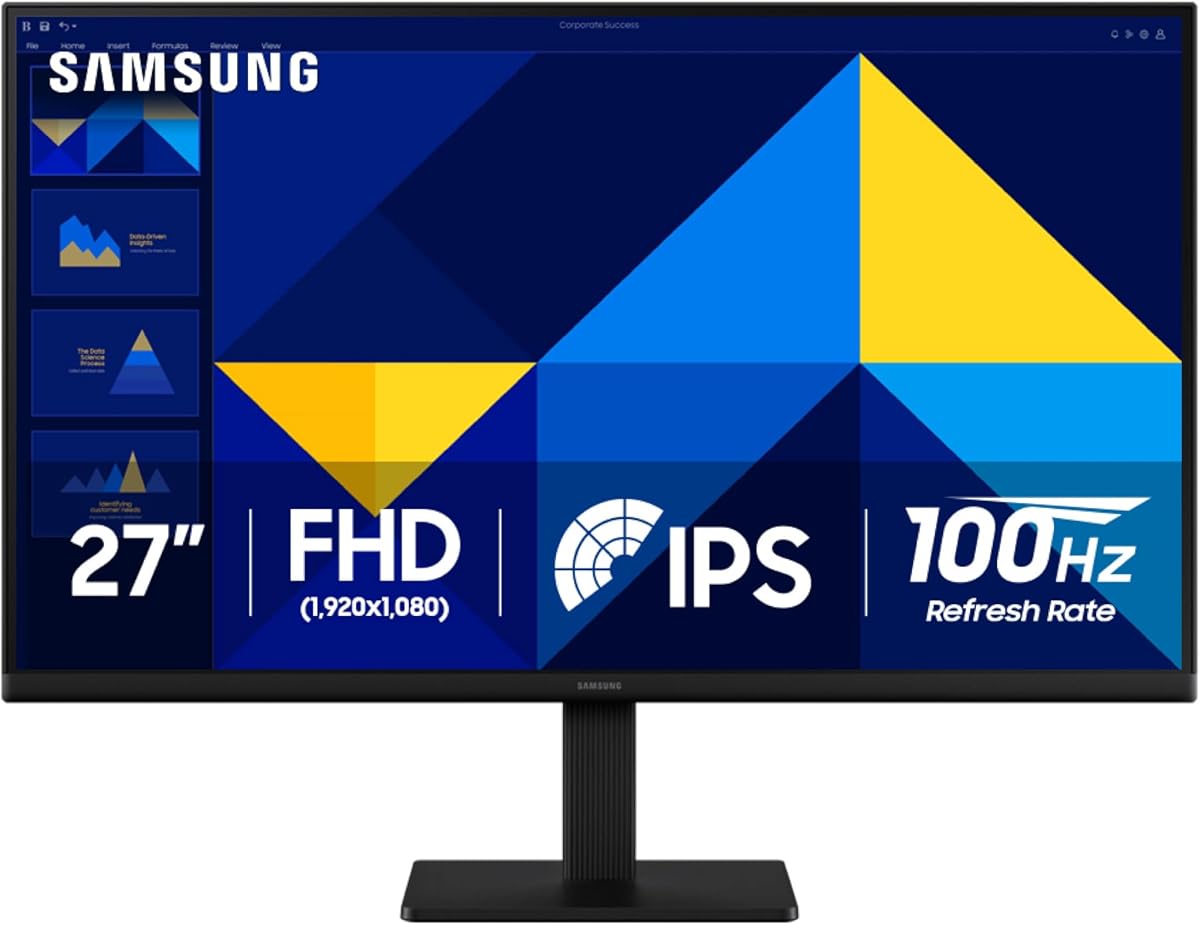
The Samsung Essential S30GD is a straightforward 27-inch IPS monitor that covers the core needs of an AutoCAD workstation without emphasizing touch, 4K detail, or high-end motion specifications. Its 4.5 rating is strong for a general-purpose display, and the 100Hz refresh rate provides a fluid enough experience for everyday drafting and model navigation.
We may earn a commission when you buy through this link, at no additional cost to you.
The IPS panel is described as maintaining bright, clear colors across viewing angles, reducing color washing as the user shifts position. This consistency is helpful in technical work because layer colors, selection highlights, and rendered shading should remain easy to distinguish. A 100Hz refresh rate reduces perceived lag and motion blur, while Game Mode and adjustable contrast settings can help clarify particular scenes.
The main limitation is resolution, which the product description does not identify. At a 27-inch size, a Full HD-class canvas offers less room and fewer drawing pixels than QHD or 4K alternatives. That can limit simultaneous visibility of tool ribbons, property panels, schedules, and fine details. It also has no touchscreen, so touch-based review workflows are not part of the feature set.
Choose the S30GD for a straightforward, tidy setup where the essentials matter more than specialized features. It should suit students, occasional drafters, and general office users who want a clear 27-inch IPS screen in a modern design. Users working daily with intricate 2D drawings or large BIM models will likely benefit from the extra resolution of the QHD and 4K choices in this guide.
Twenty-seven inches remains a versatile drafting size, offering more room than a compact portable display without the footprint of a large curved monitor. It fits comfortably into many professional desk layouts.
Reduced blue light and screen flicker are valuable when long modeling or drafting sessions are common. The 100Hz refresh rate also keeps ordinary interactions noticeably smoother than a basic 60Hz display.
We may earn a commission when you buy through this link, at no additional cost to you.
The right AutoCAD monitor depends on whether you prioritize drawing precision, 3D interaction, touch review, mobility, or a large multi-screen workspace. Resolution, panel quality, ergonomics, and connection requirements should be evaluated together before choosing a model.
Resolution determines how much information the screen can present and how finely AutoCAD can draw small geometry, dimensions, and annotations. QHD at 2560 x 1440 offers a practical balance for many drafting workflows, while 4K UHD at 3840 x 2160 provides substantially greater pixel density and is preferable for complex 2D plans or detailed model inspection. A 4K panel on a compact 15.6-inch screen can also be useful for mobile reference work, although the physical workspace remains limited.
IPS panels are a common choice for professional productivity because they are designed to maintain consistent color and viewing angles. OLED and QD-OLED panels can provide deeper contrast, richer color, and fast response, making them attractive for rendered 3D review and interactive modeling. Color-gamut claims are most useful when accompanied by calibration or validation information, such as DCI-P3 coverage, true 10-bit color, or a stated Delta E target.
A touchscreen can make AutoCAD more convenient for panning, zooming, reviewing, and presenting, especially on Windows and compatible Android systems. Ten-point capacitive touch supports multitouch gestures, but it does not automatically mean stylus support or pressure-sensitive drafting. Touch compatibility can depend on the operating system and connection method, and macOS touch support is explicitly absent from some products in this guide.
Fast refresh rates and short response times create smoother orbiting, zooming, and view changes in 3D models. A 100Hz or 165Hz monitor is sufficient for many technical tasks, while 240Hz OLED models provide exceptionally fluid interaction. Response time is less critical for static drafting, yet it becomes noticeable when the model contains many objects, external references, or complex visualization settings.
Screen size determines how comfortably the drawing, command line, tool ribbons, and property panels can coexist. A 27-inch display is a common professional standard, while 32 inches provides more room and curved models can improve peripheral visibility. Portable 15.6-inch screens excel at mobility but function best as secondary displays, while dual-screen systems can eliminate many window-switching interruptions.
Long AutoCAD sessions place substantial demands on the neck, shoulders, and eyes. A height-adjustable stand with tilt, swivel, and pivot lets you position the screen more precisely, while an adjustable portable stand can prevent neck strain. Consider viewing distance, the height of the primary display, and whether you use a laptop stand. A monitor placed too low or too far away can negate the benefit of good resolution and color accuracy.
USB-C is the most convenient option for many modern laptops when it supports DisplayPort Alt Mode, video, touch, and power delivery. HDMI remains useful for compatibility, while DisplayPort is common on professional desktop monitors. Some portable touch monitors require both HDMI and an additional USB connection for touch, and some devices only mirror rather than extend the desktop. Confirm the output capabilities of the host computer before purchasing.
Portable monitors are valuable for engineers who draft away from a permanent office. Weight, thickness, stand stability, and VESA compatibility determine how easily a display can move between a bag, a hot desk, and a client site. A larger dual-screen system may fold for storage but remain too heavy to carry while in use. Protective covers and foldable stands are useful additions for frequently transported equipment.
Begin by connecting the monitor according to the device instructions. For a full-featured USB-C setup, connect the power adapter first and then use a USB-C cable when the computer supports DisplayPort Alt Mode. If using HDMI, connect the display for video and use the specified USB connection for touch functionality. Allow Windows or macOS to detect the display, then select Extend rather than Duplicate when you want additional AutoCAD workspace.
Configure AutoCAD and the operating system to use the native resolution. At 4K, verify that text, command prompts, tool icons, and AutoCAD palettes remain comfortably sized; changing display scaling can improve readability, although very small scaling may make model-space controls harder to identify. Use duplicate mode for presentations and meetings, and extended mode for a dedicated drawing canvas beside specifications, schedules, or reference images.
For long sessions, adjust the stand so the display sits near eye level and use the monitor's eye-comfort or low-blue-light modes when helpful. Keep vents clear, clean the panel with a soft microfiber cloth, and avoid placing pressure against the screen. Portable touch displays should be disconnected before packing, protected by their covers, and stored flat to reduce stress on the hinges or enclosure.
QHD at 2560 x 1440 is a practical choice for most AutoCAD users because it provides more workspace than Full HD without requiring a 4K display. For highly detailed 2D plans, small annotations, or complex BIM models, 4K UHD offers greater pixel density and makes fine geometry easier to inspect. The ideal resolution also depends on screen size, viewing distance, and operating-system scaling.
No. Most professional AutoCAD work is more precise with a mouse, trackpad, graphics tablet, or 3D mouse. Touch can be valuable for panning, zooming, reviewing, and presenting, especially on portable displays. Check operating-system support carefully, because some monitors do not provide touch through macOS, console connections, or every USB-C and HDMI arrangement.
An OLED is not required, but it can improve the experience through high contrast, fast response, broad color coverage, and smooth 240Hz performance. IPS displays remain appropriate for 2D drafting and general professional use. OLED users should understand the technology's burn-in considerations and use features such as burn-in protection and screen-saving habits when available.
A portable monitor can be highly effective as a secondary screen for reference drawings, markup, specifications, and client presentations. Models with 4K panels offer especially strong detail, while 15.6-inch screens remain compact. For extensive drafting, however, a larger desktop monitor generally offers a more comfortable combination of canvas size, ergonomic positioning, and precise input.
A single 27-inch or 32-inch display is usually simpler and leaves more desk space for input devices. A dual-screen setup allows you to keep drawings, properties, schedules, and references visible at the same time, reducing window switching. The InnoView dual portable monitor offers two 4K panels, but its larger size makes it better suited to a fixed workspace than frequent travel.
Full-featured USB-C is convenient when it carries video, power, and potentially touch through DisplayPort Alt Mode. HDMI offers broad compatibility, and DisplayPort is useful with many desktop workstations. Portable touch screens may require an additional USB cable, so verify both the connector and the exact functions supported by each port.
A curved monitor can make a large workspace feel more immersive and keep peripheral areas within a comfortable viewing angle. Some users, however, prefer the flat geometry of a standard professional display for alignment, image comparison, or multi-monitor arrangement. The 32-inch Samsung Odyssey G55C is a useful option when immersion and a large canvas matter more than a flat surface.
A 100Hz refresh rate is a comfortable baseline for most drafting and 3D navigation. Faster rates make orbiting, zooming, and switching views smoother, which can help with large or complex models. The difference becomes most noticeable in detailed 3D assemblies, real-time rendering previews, and workflows where the software and graphics hardware can drive the display at its full capability.
The Prechen 23.8-Inch 2K Touchscreen stands out as the best budget option because it combines a useful QHD canvas, 100% sRGB color, a 100Hz refresh rate, and flexible touch input. The ASUS ROG XG27AQDMGR earns the Editor's Choice recommendation for fast 3D interaction, excellent response time, and high-end OLED color, while the InnoView Dual Portable Monitor is the premium choice for users who want two detailed 4K workspaces in a foldable system.
Your priority should determine the category you choose. Opt for the Samsung ViewFinity S7 when 4K clarity and a conventional professional display matter most. Choose the Samsung Odyssey OLED G6 for rich color and fluid 3D inspection, and consider the Samsung Odyssey G55C when a large, curved workspace is preferred. For mobile work, the EVICIV and SUPERFECT provide detailed 4K touch screens, whereas the InnoView 15.6-Inch 2K offers a simpler, lighter extender.
Before purchasing, confirm the monitor's full resolution support, connection requirements, touch compatibility, stand adjustment, and fit within your workspace. Product specifications, availability, and pricing can change over time, so review the current listing and compare the final cost against the features that will improve your AutoCAD work most.