
GameSir G8 Plus
4.2Editor score
Hall effect sticks and triggers
Six-axis gyroscope
Dual vibration motors
Magnetic customizable components
Discover the best mobile gaming controller for Android, with 10 options compared for compatibility, controls, battery life, comfort, and features today.
A mobile gaming controller for Android can transform touch-screen controls into a more familiar, precise, and comfortable gaming experience. The right model offers reliable input, a secure phone grip, responsive buttons, useful customization, and compatibility with the games and devices you use most.
This guide compares ten controllers using the information supplied for each product, focusing on connection methods, Hall effect controls, phone accommodation, battery life, vibration, turbo functions, app support, and device compatibility. It covers wired and wireless options for Android phones, tablets, and cloud gaming.
Each review explains who the controller suits and where its design compromises may matter. Ratings reflect the listed customer feedback, while availability, software updates, and pricing can change, so readers should confirm current product details and compare current costs before purchasing.
4.2Editor score

4.4Editor score
4.3Editor score
The comparison below highlights the most important differences among ten mobile gaming controllers for Android, including their connection style, stick technology, extra features, and supported device range.


The Mocagen MC1 combines a wireless Android controller, a thoughtfully shaped grip, and several features that are usually reserved for more specialized gaming hardware. Its listed rating is 4.4, placing it among the stronger-rated products in this guide. Hall effect joysticks, a five-million-cycle lifespan, and zero-drift operation form the core of its appeal, while the included lighting and customization options help it stand out from simpler phone grips.
We may earn a commission when you buy through this link, at no additional cost to you.
Bluetooth pairing is straightforward: enable Bluetooth on the phone, hold the Home button until the appropriate indicator flashes, and select the controller from the Bluetooth list. Once paired, pressing Home reconnects the device. It is listed for all iPhone models and Android devices, making it a practical choice for mixed-device households. The controller supports games that accept controller input, including cloud gaming services, Xbox Remote Play, emulators, and native mobile titles, although it does not support PS Remote Play.
The adjustable grip accommodates cases up to 0.47 inches, or 12 millimeters, thick, and its recessed camera area helps prevent lens scratches. This makes the MC1 more practical for users who prefer not to remove a protective case. The principal trade-off is the lack of pass-through charging. Because it operates over Bluetooth and uses its own 600mAh battery, users planning very long sessions may need to recharge the controller separately or limit the phone's charging while playing.
Turbo can be assigned at 5, 12, or 20 shots per second, while dual vibration motors add impact to supported action games. The KeyLinker app allows further personalization, and a seven-color light ring provides visible status or customization. This is a strong recommendation for Android players who want wireless freedom, case compatibility, refined sticks, and useful extras without moving to a full console-style controller.
The expandable grip, anti-slip laser-engraved texture, and case allowance make the MC1 more suitable for daily use than a controller designed only for bare phones. Its wireless design also avoids connector wear and allows the phone to remain at a comfortable viewing angle.
Three turbo rates, adjustable vibration, remappable functions, and RGB lighting provide more control than a basic plug-and-play gamepad. These features are particularly useful in competitive shooters, emulators, and games with repetitive inputs.
We may earn a commission when you buy through this link, at no additional cost to you.
The 8Bitdo Ultimate is an officially licensed Xbox wireless controller designed for Apple devices, Android phones, and Xbox Cloud Gaming. Its 4.3 rating and restrained black styling position it as a polished general-purpose option. The controller's stretchable body supports devices measuring 100 to 170 millimeters in length, while Hall effect joysticks emphasize precision and long-term durability.
We may earn a commission when you buy through this link, at no additional cost to you.
Its input layout is more versatile than a minimal mobile pad. Tactile bumpers, a D-pad, two professional rear buttons, an Xbox button, and wear-resistant metal joystick rings cover the controls expected by console-oriented players. Hall effect sticks provide smooth movement, and 8Bitdo Ultimate Software V2 adds mobile customization. The result feels particularly suitable for Android gamers who also use Xbox cloud services and want a familiar console-style layout.
The main limitation is that the supplied product information does not mention vibration, pass-through charging, or an audio connection. That does not make the controller incomplete for every player, but competitive action fans who depend heavily on haptic feedback or want to charge and play at the same time may need to consider another model. Compatibility is also dependent on the size and operating system of the user's device.
Overall, the 8Bitdo Ultimate is a strong choice for players who value a clean wireless design, reputable platform support, rear paddles, and software customization. It is especially appealing to Android users who split their time between native controller-compatible games and Xbox Cloud Gaming and want their mobile controller to resemble a familiar console gamepad.
The full button arrangement, tactile bumpers, D-pad, and rear paddles give Android games a more console-like control scheme. The two extra buttons can be useful in action titles where quick access to secondary actions matters.
Official Xbox cloud gaming support and Apple support make this a versatile choice for mixed ecosystems. Mobile software support also allows users to adjust the controller to their preferred setup.
We may earn a commission when you buy through this link, at no additional cost to you.
This renewed GameSir X5 Lite provides a lightweight, direct USB-C alternative for Android phones, recent iPhone models, and compatible tablets. It weighs only 135.4 grams and uses Hall effect sensing for its joystick, helping maintain precise, smooth control without adding unnecessary bulk. The listed 4.2 rating reflects a positive but slightly more measured customer history than the leading models.
We may earn a commission when you buy through this link, at no additional cost to you.
The stretchable design extends to 213 millimeters, allowing it to accommodate supported Android tablets, iPad Mini 6 and 7 models, and phones. Because the controller uses a wired Type-C interface, players avoid Bluetooth pairing and benefit from the potential responsiveness of a direct connection. It supports controller-compatible games across Xbox Game Pass, Zenless Zone Zero, cloud gaming, Steam or Moonlight streaming, and remote-play services.
Pass-through charging is a standout feature for long sessions, while the laser-engraved grips and cushioned membrane triggers aim to improve comfort and reduce noise. The turbo function can be assigned to several face, shoulder, and trigger buttons, and the GameSir app supports deeper customization. Some settings can also be changed through on-the-fly button combinations, reducing the need to leave a game for configuration.
The renewed status is the main consideration. A renewed product may show signs of previous use and can vary in cosmetic condition, although the listing still identifies the core controls, connection, charging, and compatibility features. For buyers who accept renewed condition and want a light, expandable, wired Android controller, it offers a practical feature set.
At 135.4 grams, the X5 Lite is designed to reduce fatigue while its expanding cradle extends to larger devices. That combination makes it useful for players who alternate between a phone and a small tablet.
The direct Type-C connection removes wireless pairing from the setup process, while pass-through charging helps preserve play time. Users should confirm that their device has a compatible USB-C port and that the game supports the required input method.
We may earn a commission when you buy through this link, at no additional cost to you.
The Wasabi edition of the GameSir X5 Lite is a straightforward USB-C gamepad built for Android, iPhone 15 and 16 series devices, and compatible iPad Mini models. Its 4.3 rating places it among the better-reviewed choices here, while the core specification—Hall effect sticks, a 135.4-gram body, turbo, and pass-through charging—covers the most important needs of a mobile gamer.
We may earn a commission when you buy through this link, at no additional cost to you.
Its cradle stretches to accommodate devices from 105 to 213 millimeters, with no stated width restriction. That expands its usefulness beyond conventional phones, although the actual fit depends on the dimensions of the user's device and case. The wired Type-C interface makes initial use simple: connect the phone and begin playing a supported game. No Bluetooth pairing is required, which can also prevent common connection problems.
Turbo assignments are available for A, B, X, Y, LB, RB, LT, and RT, making it easier to automate repeated actions in suitable shooters and other action games. Cushioned membrane triggers and buttons are designed for quiet operation and comfortable feedback. The GameSir app adds customization, but the listing specifically notes that the app is available on Android only; some functions can still be accessed through button combinations.
This model is a compelling recommendation for Android players who value essential features over wireless convenience. Its pass-through charging is especially helpful for long sessions, and the expandable, lightweight construction is more versatile than a basic phone gamepad. The main compromises are the permanent cable and the limited availability of app-based customization outside Android.
Hall effect sticks, customizable turbo, and a complete set of action buttons cover the fundamentals demanded by mobile shooters and other controller-supported games. The design keeps the learning curve low while still allowing useful personalization.
The 135.4-gram body and laser-engraved grips favor portability and secure handling. Its expanding design accommodates larger screens without turning the controller into a full-size gamepad.
We may earn a commission when you buy through this link, at no additional cost to you.
This dual-mode mobile controller stands out by supporting both a fold-out USB-C connection and Bluetooth 5.3 wireless play. It is designed for Android, all iPhone series, iPads, tablets, Switch systems, and PCs, giving it broader stated device coverage than many competing mobile pads. Its 4.1 rating reflects a versatile package with some setup complexity.
We may earn a commission when you buy through this link, at no additional cost to you.
The wired mode provides a direct connection through the controller's foldable Type-C interface. For wireless use, users must charge the controller, choose the appropriate mode, hold the power button for five seconds, and complete Bluetooth pairing. Once established, Bluetooth 5.3 is listed as offering low-latency communication over a range of 32.8 feet. The mode switch on the left side must also be set correctly for the connected device.
Hall effect sticks, quick-response triggers, turbo assignments, and adjustable vibration create a capable control set. The vibration level can be changed with the T button and right analog stick, while turbo can be assigned to the main action and shoulder buttons. This makes the controller suitable for action games, racing titles, emulators, and games with repetitive input demands.
Compatibility is broad, but the listed service support should be understood carefully. It includes Xbox Game Pass, GeForce Now, Luna, Stadia, Rainway, Apple Arcade, MFi games, emulators, and several popular mobile games, along with remote-play applications for supported consoles and PC. The controller is best for technically confident buyers who value switching between wired and wireless use more than minimalist setup.
The wired mode is convenient for immediate play, while Bluetooth removes the cable for greater freedom. Having both options lets users choose according to battery level, game, and device rather than committing to a single connection style.
Adjustable vibration and configurable turbo make the controller more flexible for shooters and other action-heavy titles. On-the-fly controls reduce the need to reopen settings during a session.
We may earn a commission when you buy through this link, at no additional cost to you.
The Wireless Hall Controller emphasizes endurance, familiar Android compatibility, and flexible competitive controls. It carries a 4.3 rating and includes Hall effect joysticks, adjustable turbo, dual vibration motors, and a 600mAh rechargeable battery. The controller presents itself as an Xbox Wireless Controller after pairing, which helps mobile games recognize standard gamepad input.
We may earn a commission when you buy through this link, at no additional cost to you.
Its battery is rated for more than eight hours of play and can be fully charged in two to three hours. That makes it well suited to travel, long commutes, and sessions away from a charger. A USB-C charging cable and user manual are included. The expanding grip accepts phones from 10 to 17.5 centimeters, and the listed case support makes it practical for users who keep a protective case installed.
The turbo control offers 5, 12, and 20 shots per second, while the dual motors add varying physical feedback. The controller supports Xbox Game Pass, Steam Link, GeForce Now, Apple Arcade, and many controller-compatible Android games, including Call of Duty and Roblox. This combination of wireless freedom, haptic feedback, and selectable turbo makes it appealing for competitive mobile play.
Its Xbox input protocol creates a specific limitation: it is not compatible with services requiring Sony's PlayStation protocol, such as PS Remote Play. It also includes a physical reset hole for resolving pairing, charging, or joystick-offset issues. For Android users who prioritize wireless play, battery runtime, case support, and competitive input features, these are reasonable considerations.
The stated battery runtime exceeds eight hours, reducing the likelihood of an interruption during a long trip or gaming night. The option to install a phone case also adds everyday convenience.
Hall effect sticks, adjustable turbo, and dual vibration motors cover several important competitive needs. The turbo rates can be changed to suit different action games or personal preferences.
We may earn a commission when you buy through this link, at no additional cost to you.
The GameSir G8 Galileo is a more elaborate mobile controller with Hall effect sticks, Hall effect analog triggers, a movable USB-C connector, pass-through charging, a 3.5mm audio jack, and magnetic faceplates. Its 4.2 rating and premium feature set make it an appealing choice for Android players who want more than a basic phone cradle and prefer a direct wired connection.
We may earn a commission when you buy through this link, at no additional cost to you.
The movable Type-C port is a practical solution for devices with different connector positions, while the direct connection supports responsive play. Users can continue charging through the controller and connect wired headphones through the 3.5mm jack. Two additional buttons permit programmable actions without opening the companion app, and the listed mapping options include face buttons, shoulder buttons, triggers, stick clicks, View, Menu, Capture, and the D-pad.
The magnetic detachable faceplates allow the controller's appearance to change, while the large control layout resembles a traditional console gamepad. The product supports mobile games including Minecraft, Fortnite, Genshin Impact, and Diablo Immortal, along with Steam Link, NVIDIA GeForce Now, and Amazon Luna. Its broader platform support means it can also serve PC and compatible console streaming workflows.
Fit is the main caveat. The listed compatible phone range is 110 to 185 millimeters long and no more than 13 millimeters deep without a case, while the recommended case thickness is 1 millimeter or less. The GameSir app is also Android-only, with a specified firmware version required. For compatible Android devices, however, the G8 Galileo offers one of the most complete control and connection packages here.
Pass-through charging and a native 3.5mm headphone jack address two common distractions during long sessions. The wired audio option is particularly useful for players who prefer their own headset.
Hall effect sticks and triggers provide a high-end control foundation, while magnetic faceplates add customization without changing the core layout. Programmable extra buttons speed up access to secondary actions.
We may earn a commission when you buy through this link, at no additional cost to you.
The Tablet Bluetooth Controller is designed as a broad mobile and tablet gamepad, with support for Android, iOS, Windows, Nintendo Switch systems, PlayStation systems, streaming, and cloud gaming. Its 4.0 rating makes it one of the lower-rated selections in this roundup, but the extensive platform list and tablet-friendly expanding design provide clear value for players whose devices exceed normal phone dimensions.
We may earn a commission when you buy through this link, at no additional cost to you.
The controller can support many tablets up to 11 inches, including several iPad Pro, iPad Air, iPad, and iPad mini variants, as well as Samsung, Lenovo, Amazon, and Huawei tablets. The 12.9-inch iPad Pro and 13-inch iPad Air are explicitly excluded. Its Hall effect joystick is designed for precision, stability, rapid response, and a long service life, while the linear trigger offers fast, fluid input.
Rear programmable buttons introduce macro functionality, allowing sequences to be configured for games that benefit from repeated actions. A separate turbo function can be adjusted according to the user's needs, and the ergonomic body, textured grips, rotating sticks, and trigger layout are intended to remain comfortable during extended play. These are meaningful advantages for action, role-playing, and emulator games.
Connection instructions vary by game mode and phone model, so users should consult the manual or product details before pairing. The controller also excludes Apple TV, iPod, Fire TV, and TV box devices. Its strengths are strongest for Android tablet owners who want physical controls, macro support, and broad platform flexibility rather than a minimalist phone-only accessory.
An expanding body supports phones and many tablets up to 11 inches, bringing console-style input to larger mobile displays. Buyers should still check the exact device dimensions and exclusion list before ordering.
Programmable rear buttons allow repeatable sequences to be assigned where a game permits them. This can reduce repetitive tapping and support a more efficient control style in suitable titles.
We may earn a commission when you buy through this link, at no additional cost to you.
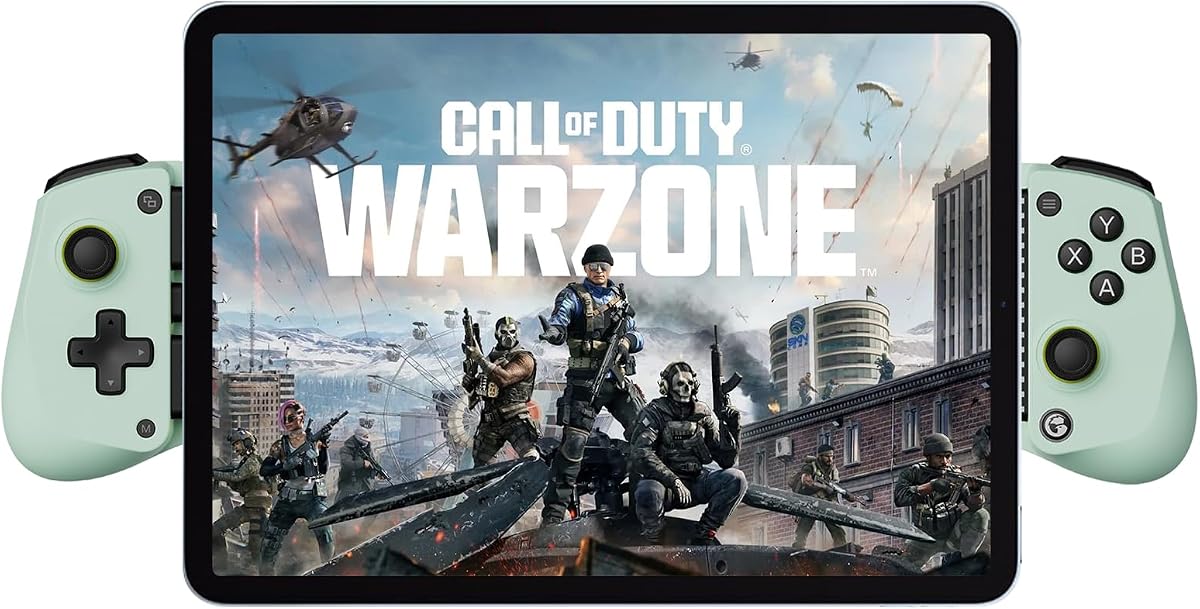
The GameSir G8 Plus takes a console-style approach to mobile gaming, combining large sticks, physical buttons, Hall effect sticks and triggers, six-axis motion sensing, and dual vibration motors. Its 4.2 rating reflects a well-equipped controller intended to appeal to Android, Switch, and tablet users who want a familiar gamepad experience with broad software support.
We may earn a commission when you buy through this link, at no additional cost to you.
Bluetooth handles mobile and tablet connections, while a wired connection is listed for PC. Each side contains a 500mAh battery, allowing the controller's functions to be supported while it is connected to a phone. The extendable design fits a range of phones, tablets, and Switch hardware, making it more versatile than a controller dedicated to a single screen size.
The six-axis gyroscope is particularly relevant to Switch-compatible motion games, while dual motors provide strong and subtle vibration settings. Magnetic interchangeable components allow the user to personalize the controller's appearance and functionality. The large, console-sized stick and button arrangement should feel familiar to players accustomed to traditional gamepads.
One nuance is that the Bluetooth connection applies to mobile devices, whereas PC use is wired. Users will also need to keep the two 500mAh battery sections charged. Despite those considerations, the G8 Plus is a strong recommendation for Android gamers who want a larger gamepad, physical controls, motion support where relevant, and a more console-like feel than a compact travel controller.
Console-sized sticks and buttons preserve familiar spacing and tactile interaction. The extendable frame broadens the range of phones and tablets that can be used without sacrificing the full-size layout.
The six-axis gyroscope and dual vibration motors add capabilities that minimal mobile pads often omit. Their usefulness varies by title, but they are valuable for supported action, platform, and Switch-oriented games.
We may earn a commission when you buy through this link, at no additional cost to you.
The second-generation Backbone One is a premium USB-C mobile controller built for Android phones and recent iPhone models. Its 4.1 rating is modest relative to some alternatives, but the product differentiates itself with a polished console-style chassis, ultra-wide analog triggers, high-precision thumbsticks, a responsive D-pad, case adapters, and integration with a broader gaming platform.
We may earn a commission when you buy through this link, at no additional cost to you.
It can be used with controller-compatible Android and iPhone games, including Call of Duty, Fortnite, and Roblox. Remote Play support is listed for PlayStation, Xbox, and PC, while Xbox Game Pass and GeForce NOW provide cloud gaming access. This makes it a flexible choice for users who want one accessory to cover mobile games, remote play, and streamed console libraries.
The Backbone app adds an important distinction for iOS 18.4 and later: users can import their own ROMs and play offline through the in-app emulator. A Backbone+ subscription is required for that emulator functionality, although a trial is included and basic game play does not require the subscription. Optional subscription features include game recording, a friends list, and a universal launcher.
Compatibility requires a USB-C-equipped device, and older iPhone 14 and earlier models need a Lightning version instead. The case adapters improve support for phones with protective cases. While the product occupies a premium tier and some enhanced software functions are subscription-based, it is a compelling recommendation for buyers who value refined ergonomics, broad platform support, and integrated gaming services.
The wide analog triggers, precise thumbsticks, and traditional D-pad provide a console-style control surface. Its structural design is intended to make extended mobile sessions more comfortable than touch-screen input.
Remote Play, cloud gaming, case adapters, and the optional in-app emulator create a broader platform experience. Buyers should distinguish the core controller function from subscription-based enhanced features.
We may earn a commission when you buy through this link, at no additional cost to you.
The most useful Android controller depends on device size, preferred connection method, game library, and desired customization. These factors help separate basic grips from feature-rich gaming accessories.
Wired USB-C controllers are straightforward to pair and can minimize wireless variability, while Bluetooth controllers offer freedom from the cable. Some dual-mode products support both, allowing players to switch according to battery level, game, or personal preference. Android users should also verify that their game supports the controller protocol required by the selected product.
Hall effect joysticks detect magnetic fields rather than relying on physical contact, and the controllers in this guide advertise them for improved precision, stability, and durability. Hall effect analog triggers offer finer control than basic digital buttons in supported games. Buyers who play shooters, racing games, or action titles should place more value on these specifications than casual users.
A controller must securely hold the phone without obstructing the screen, camera, or charging port. Many models stretch to accommodate larger devices, but maximum length, depth, and case thickness vary considerably. Compare the listed size limits with the exact phone and case in use rather than relying on broad statements such as universal or all phones.
Wireless controllers need enough battery capacity for travel and extended play. The listed wireless models range from 600mAh batteries with multi-hour runtimes to dual 500mAh sections in the G8 Plus. Pass-through charging is a separate and valuable feature because it allows the phone to charge while a wired controller remains attached.
Turbo functions, programmable rear buttons, and remappable face or shoulder inputs can improve efficiency in suitable games. App-based customization offers deeper control but may be limited to Android or require a particular firmware version. On-the-fly mapping is helpful for players who want to adjust settings without leaving a game.
A controller cannot make an unsupported game playable. Native Android games, emulators, cloud services, and remote-play applications may use different input protocols. Products using an Xbox controller protocol are widely recognized on Android, but some services requiring Sony's PlayStation protocol will not work with them.
Dual vibration motors can make shooting and action games more immersive, while textured grips and sculpted shapes help prevent fatigue. Weight also matters: lighter controllers are convenient for travel, whereas larger models often feel more like traditional console gamepads. The ideal choice balances portability with the size of the user's hands.
Headphone jacks, motion sensors, magnetic faceplates, macro buttons, and emulation software can distinguish one controller from another, but extras are only useful when they match the user's games. A simple wired pad with reliable sticks may be more appropriate than a feature-heavy model for a limited library.
Begin by checking the controller's device and game compatibility. For a wired model, connect the appropriate USB-C cable or built-in plug and confirm that the phone or tablet is seated securely. For Bluetooth, charge the controller fully, enable Bluetooth on the Android device, select the correct connection mode, and follow the pairing instructions for that model.
Open a controller-supported game and verify each input before beginning a long session. Test the sticks, triggers, D-pad, face buttons, turbo assignments, and vibration. If controls appear misaligned, reconnect the device or use the included reset procedure where applicable. Users can then install the relevant customization app and update the controller firmware if prompted.
Remove the phone before cleaning the controller, and use a dry or lightly dampened soft cloth rather than abrasive materials. Keep USB-C ports and headphone sockets free of debris, avoid exposing the device to liquids, and recharge wireless models before long trips. Storing the controller in a case and avoiding sharp impacts helps protect the sticks, triggers, hinges, and magnetic components.
No. A controller can have a reliable physical connection and still be unusable with a particular game if that game does not accept external controller input. Check the game's settings and documentation, and confirm that its recommended control scheme is compatible with the controller's protocol. Cloud games and remote-play services may have their own additional requirements.
A wired model is usually simpler because it avoids pairing and offers a direct connection, while a wireless controller provides freedom from the cable. The best choice depends on gaming habits, battery management, and the games being played. Dual-mode controllers are convenient when users want both approaches, but they add setup and mode-switching considerations.
Hall effect joysticks use magnetic sensing to detect movement and are advertised as improving precision and reducing the long-term drift associated with some contact-based analog sticks. They are particularly appealing for competitive shooters and action games. Controller performance still depends on overall build quality, firmware, app support, and proper calibration.
That depends on the controller. Models with USB-C pass-through charging can route power to the phone while the controller remains connected. Wireless controllers do not need the phone's charging port for the controller itself, although the phone still requires its own battery or charger. Confirm connector placement and case thickness before relying on pass-through charging.
It may, but the fit depends on the model's length, depth, camera clearance, and case allowance. Some controllers accommodate cases up to 12 millimeters, while others recommend a case no thicker than 1 millimeter or no case at all. Compare the phone and case measurements with the controller's specifications before purchasing.
Some models do, but support varies by service and input protocol. This guide includes controllers listed for Xbox Game Pass, GeForce Now, Steam Link, Luna, and other streaming services, as well as certain console remote-play applications. Products that use an Xbox controller protocol will not work with services requiring Sony's PlayStation protocol.
No. Turbo can automate repeated actions in games that allow it, while macro buttons can execute assigned sequences in supported titles. Some games restrict programmable inputs or behave differently when they detect an external controller. Players should test these options in less critical sessions and use the customization app to assign them correctly.
Choose a phone-oriented model for portability and one-hand use, or a wider expandable controller if you regularly play on an 11-inch tablet. Large-screen controllers may offer fuller button spacing, but they take up more space and may not fit every tablet. Check the exact device dimensions and the manufacturer's exclusions before choosing.
The Mocagen MC1 stands out for wireless convenience, case-friendly construction, Hall effect joysticks, a long battery specification, RGB lighting, and configurable turbo. The 8Bitdo Ultimate is a refined wireless alternative with official Xbox cloud support, rear paddles, and mobile customization, while the GameSir X5 Lite Wasabi offers a lighter wired design with pass-through charging and an expandable grip.
Players seeking a premium, console-style experience should consider the GameSir G8 Galileo or G8 Plus for Hall effect controls, larger layouts, customization, vibration, or motion features. Backbone One suits buyers who prioritize refined hardware, broad platform support, and integrated services. Above all, match the connection method, device dimensions, case clearance, and input protocol to the games you actually play.
Product ratings, software support, firmware, availability, and pricing can change over time. Review the current listing and manufacturer instructions before ordering, especially when a title has specific controller requirements. Comparing current cost with the desired features will help identify the most suitable Android mobile gaming controller for your setup.