ID-COOLING AM-120-SLIM
4.8Editor score
15 mm slim profile
500–2500 RPM PWM range
59.6 CFM maximum airflow
2.7 mmH₂O static pressure
Standard four-pin control
Discover the best low profile case fans, comparing slim dimensions, PWM control, airflow, static pressure, noise levels, and compatibility for PC builds.
Low profile case fans are designed for compact computers where standard 25 mm-thick fans cannot fit. Their reduced depth makes them especially useful in small form factor cases, HTPCs, Mini-ITX systems, low-profile CPU coolers, and tightly packed radiators. A good choice balances physical clearance with airflow, pressure capability, controllable speed, and acoustic comfort.
This guide compares ten slim PC case fans by frame dimensions, PWM support, speed range, airflow, static pressure, noise specifications, mounting options, and intended applications. It covers 120 mm and 92 mm models, traditional case fans, multipack options, and fans designed specifically for restrictive installations where moving air through a dense heatsink is the priority.
The selections show how the category differs across important use cases: some emphasize near-silent operation, others prioritize high airflow, and some focus on balancing pressure-optimized cooling with compact dimensions. Ratings reflect the supplied customer feedback, while technical specifications come from the listed product information. Product listings and market conditions can change, so confirm the current details before purchasing.
4.8Editor score

4.8Editor score

4.8Editor score
The comparison below highlights each fan's dimensions, control method, cooling output, pressure capability, and primary application. These details make it easier to identify the right model for a specific chassis, cooler, radiator, or noise-sensitive compact system.



The ARCTIC P12 Slim PWM PST combines a 15 mm installation depth with pressure-optimized design, making it a strong overall choice for compact systems that need several replacement fans. It carries a 4.6 rating and is supplied as a three-pack, a useful format for builders filling multiple 120 mm positions. Its motor can be controlled across a broad 200–2100 RPM range through PWM PST.
We may earn a commission when you buy through this link, at no additional cost to you.
The standout feature is the fan's ability to maintain airflow through restrictive components. ARCTIC specifies 34.51 CFM of airflow and 1.33 mmH₂O of static pressure, making it suitable for heatsinks and radiators where a loose case fan might struggle. The seven-blade design and revised fan construction are intended to improve cooling performance, while the pressure-oriented frame helps reduce the gap between the intake and exhaust sides of the enclosure.
There are some practical trade-offs. The listed maximum airflow is lower than the figures published for several competitors in this guide, and the PST connection is not interchangeable with a conventional four-pin PWM header without considering an appropriate adapter or hub. Even so, the combination of a 15 mm profile, pressure capability, and three included fans gives the P12 Slim broad usefulness across a compact build.
This is the recommendation for builders who want a coordinated set of slim pressure-oriented fans rather than a single replacement unit. It is especially suitable for compact radiators, low-profile CPU coolers, and small form factor cases where every millimeter of clearance matters. For users who prioritize raw airflow over multipack convenience, the AM-120-SLIM is worth comparing.
The 1.33 mmH₂O static-pressure specification makes this model more convincing for dense heatsinks and radiators than a typical unrestricted-airflow case fan. Sustained cooling through a restricted component generally requires more pressure than simply pushing air across an open panel.
A speed range of 200–2100 RPM allows the fan to operate quietly during mild conditions and increase output when heat rises. The listed 0.3 Sone noise specification supports the appeal of using lower speeds whenever full cooling capacity is unnecessary.
We may earn a commission when you buy through this link, at no additional cost to you.
The ARCTIC P14 Slim PWM PST offers a larger alternative for builders whose case provides a 140 mm mounting area but lacks room for a standard-thickness fan. Its 16 mm depth, 4.6 rating, pressure-optimized construction, and 1800 RPM ceiling make it a compelling choice for spacious compact cases and restricted radiators that can accept the wider frame.
We may earn a commission when you buy through this link, at no additional cost to you.
The listed airflow of 47 CFM exceeds that of the 120 mm P12 Slim while retaining comparable static pressure of 1.33 versus 1.31 mmH₂O. That combination gives the P14 an advantage in larger enclosures because it can move more air through the same general area. Its optimized frame is specifically suited to radiators, and its motor is designed to support low-noise operation at reduced RPM.
The important limitation is compatibility. A 140 mm fan cannot be treated as a universal substitute for a 120 mm model, even though both are slim. The case, radiator, or cooler must have suitable mounting positions and enough clearance for the full width and 16 mm depth. Users with only 120 mm openings should look to the P12 Slim or another 120 mm option instead.
Choose the P14 Slim when a 140 mm position is available and you want more airflow than a conventional compact 120 mm fan can deliver. It is a strong fit for radiators and larger small form factor cases where width is not the limiting dimension. Confirm the radiator or chassis measurements before ordering.
At a maximum of 47 CFM, the P14 Slim is designed to move more air than the 120 mm P12 Slim. That makes it useful when a compatible opening can accommodate the extra width and when the installation is not completely blocked by the surrounding chassis.
The 120–1800 RPM range gives installers room to tune the fan according to workload. ARCTIC describes the motor as quiet and lists a 0.3 Sone noise specification, making controlled RPM adjustment important for preserving the acoustic benefits.
We may earn a commission when you buy through this link, at no additional cost to you.
The Noctua NF-A12x15 PWM is the quiet-focused standout in this collection, combining a 4.9 rating with a 15 mm frame, 4-pin PWM control, and a maximum noise specification of 23.9 dB(A). It is designed for low-profile CPU coolers, HTPCs, ITX systems, and other space-restricted applications where both airflow and acoustic quality matter.
We may earn a commission when you buy through this link, at no additional cost to you.
Noctua's Flow Acceleration Channels are intended to improve how air is guided through the fan, while the Advanced Acoustic Optimisation frame supports quieter operation. The fan can spin to 1850 RPM and stop completely at zero PWM for semi-passive systems. A supplied Low-Noise Adaptor limits operation to 1400 RPM when a quieter ceiling is preferred, making the control options unusually flexible.
Accessories also strengthen its case for compact builders. The package includes anti-vibration mounts, fan screws, an extension cable, and a y-cable for operating two PWM fans from one header. The stated MTTF exceeds 150,000 hours. The main compromise is visual rather than functional: the standard brown finish may be less suitable for an all-black system than the chromax.black.swap version.
For a quiet compact workstation, media center, or carefully finished ITX build, the NF-A12x15 PWM is an excellent primary recommendation. Its combination of high customer feedback, controllable speed, semi-passive capability, and proven slim format makes it one of the most versatile options here. Buyers focused on a coordinated dark appearance can select the black edition instead.
A maximum listed noise level of 23.9 dB(A), together with the Low-Noise Adaptor, gives users multiple ways to tune the fan. Quiet operation becomes practical because RPM can be reduced when workloads are light rather than forcing constant maximum-speed cooling.
Stopping at zero PWM lets the fan cease rotation when the system does not require cooling. That behavior is particularly useful for compact systems designed to remain unobtrusive on a desk, in a living room, or during light office tasks.
We may earn a commission when you buy through this link, at no additional cost to you.
The Noctua NF-A12x15 PWM chromax.black.swap combines the same 15 mm slim platform and quiet 1850 RPM motor with an all-black finish. Its 4.8 rating reflects strong customer approval, while the broad 450–1850 RPM range and stop behavior at zero PWM make it especially appropriate for compact builds that value both appearance and responsive fan control.
We may earn a commission when you buy through this link, at no additional cost to you.
The black enclosure is designed to blend into dark cases and neatly coordinated components. Noctua also supplies self-adhesive anti-vibration pads in red, black, white, blue, yellow, and green, allowing the fan's accent color to match a particular build. There are eight pads of each color, offering enough material for multiple installations or replacements.
Performance specifications remain centered on quiet cooling rather than maximum raw airflow. The fan reaches up to 1850 RPM, has a stated maximum noise level of 23.9 dB(A), and is rated for more than 150,000 hours of MTTF. Flow Acceleration Channels and the Advanced Acoustic Optimisation frame continue to support airflow consistency and lower acoustic impact.
This model is best for builders who want the established NF-A12x15 platform in a discreet finish. It is particularly compelling in compact gaming PCs, discreet HTPCs, and workstation cases with dark components. The colored pads can create a deliberate accent, although users seeking a completely uniform monochrome result can simply use the black set.
The all-black frame and blades suit cases where standard brown or beige fan colors would stand out. It is a straightforward visual upgrade for builders who want the slim format without interrupting a restrained black-and-dark-metal theme.
The listed 450–1850 RPM range provides more defined control than a basic fixed-speed unit. Combined with the ability to stop at zero PWM, it supports quiet cooling curves and semi-passive operation in compact systems.
We may earn a commission when you buy through this link, at no additional cost to you.
The be quiet! Pure Wings 3 is a 120 mm PWM case fan built around a balance of airflow and low-noise operation. It has a 4.7 rating and uses seven airflow-optimized blades, an outlet frame designed for radiator performance, and a rifle bearing with an operating lifetime of 80,000 hours. That makes it a sensible general-purpose option for compact systems that need quiet operation without an extremely specialized acoustic specification.
We may earn a commission when you buy through this link, at no additional cost to you.
Its frame outlet is shaped for peak performance on radiators, where consistent flow through a restrictive fin stack is valuable. The seven blades are intended to reduce noise while maintaining performance in demanding configurations. Perhaps most importantly for a quiet build, Pure Wings 3 can operate at very low minimum RPM, allowing motherboard control to keep the fan subdued during cooler workloads.
The supplied information does not list an exact frame thickness, maximum RPM, maximum airflow, static-pressure value, or maximum noise figure. As a result, it is harder to compare quantitatively with the 15 mm and 14 mm models in this roundup. It also lacks the explicit ultra-slim measurements that define most products selected for the low profile case fan category.
Pure Wings 3 is most appropriate for builders who want established quiet cooling and radiator compatibility without committing to one of the explicitly slimest designs. It works particularly well when a standard 120 mm position can accept the fan's depth. Those requiring a guaranteed 15 mm or 16 mm fit should choose a model with those dimensions published.
The ability to run at very low minimum RPM allows a fan curve to reduce noise during mild conditions. This is one of the most effective ways to create a quiet compact PC without disconnecting the fan or sacrificing automatic thermal control.
The outlet frame is designed for radiator use, helping direct air through restrictive cooling components. That geometry makes the fan useful beyond an open case position, provided the installation has sufficient physical clearance.
We may earn a commission when you buy through this link, at no additional cost to you.
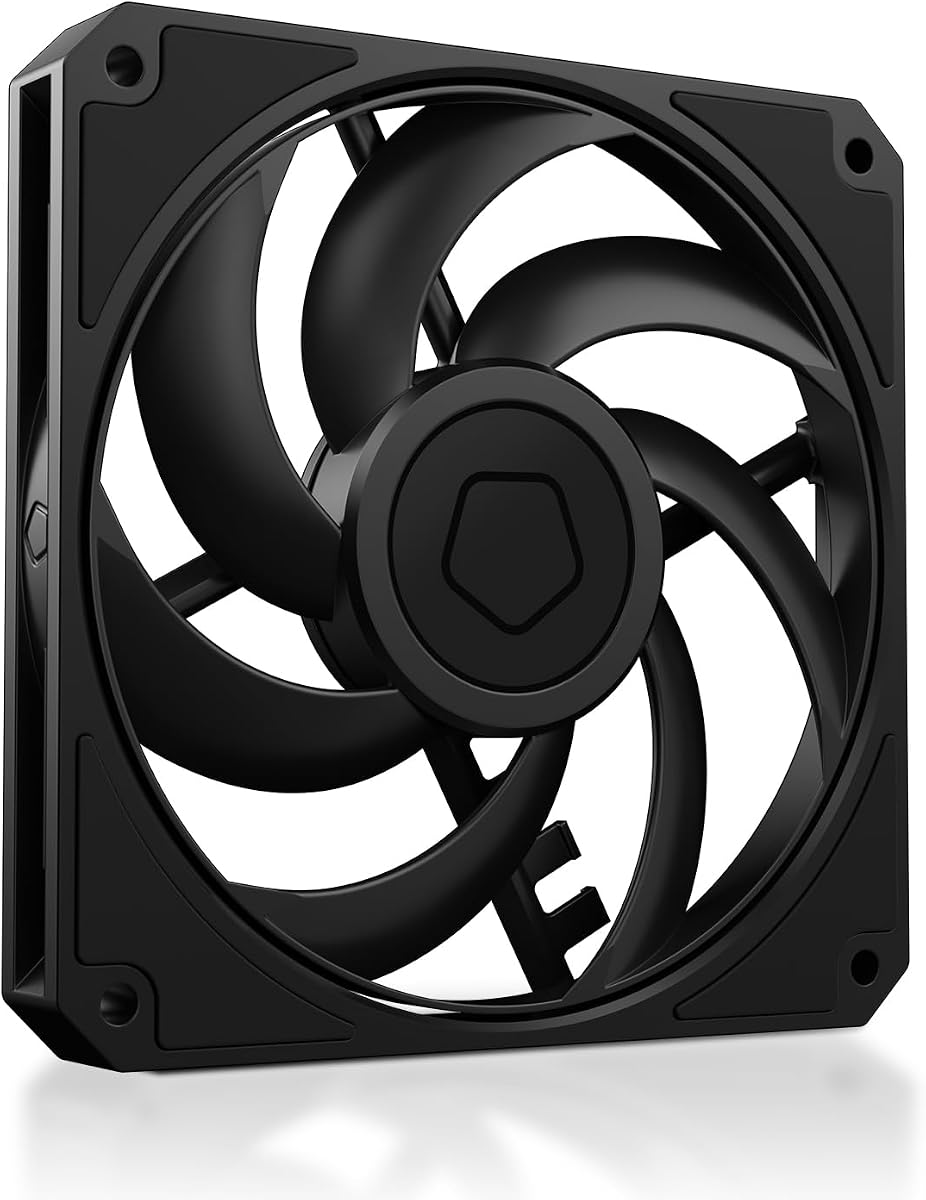
The ID-COOLING AM-120-SLIM stands out for its combination of compact dimensions and aggressive output specifications. It has a 4.8 rating, measures 15 mm thick, delivers up to 59.6 CFM, and is rated at 2.7 mmH₂O static pressure. These figures make it an attractive option for performance-oriented compact builds where available volume is limited but cooling demand is not.
We may earn a commission when you buy through this link, at no additional cost to you.
Its 500–2500 RPM four-pin PWM control provides a broad operating range and lets the motherboard respond to changing temperatures. The stated 31 dB(A) maximum noise is higher than the maximum figures published for several Noctua alternatives in this guide, so buyers seeking the quietest possible installation should consider the acoustic trade-off carefully. A hydraulic bearing is included to reduce friction and vibration.
Compatibility is a major strength. The standard 120 mm mounting pattern and four-pin connector suit Mini-ITX systems, HTPCs, small form factor cases, low-profile CPU coolers, AIO radiators, NAS systems, and compact gaming builds. The combination of standard dimensions and high static pressure also allows it to serve either as an open case fan or as a component-mounted cooler fan.
The AM-120-SLIM is a strong choice for a compact gaming PC or a thermally demanding workstation where maximum airflow is more important than having the lowest possible maximum noise figure. It can also be paired with a motherboard fan curve to keep it quiet during lighter operation. Its single-fan format means multiple positions require multiple purchases.
Delivering 59.6 CFM from a 15 mm frame is the model's defining characteristic. It gives builders more airflow potential than most competing slim fans while retaining compatibility with standard 120 mm mounting locations.
The 2.7 mmH₂O static-pressure specification is especially relevant for radiators, dense heatsinks, and other restricted paths. It indicates that the fan is intended to maintain useful air movement beyond an unobstructed case opening.
We may earn a commission when you buy through this link, at no additional cost to you.
The Thermalright TL-C12015 blends a 15 mm profile with substantial airflow and a moderate speed ceiling. It holds a 4.7 rating and is listed at 1500 RPM, 52 CFM maximum airflow, 24.1 dBA noise, and 1.24 mmH₂O static pressure. It is a practical middle ground for small form factor cases that can use a 120 mm slim fan but do not require the highest possible RPM.
We may earn a commission when you buy through this link, at no additional cost to you.
Four-pin PWM support allows automatic speed adjustment through a compatible motherboard header. Four vibration-absorbing pads sit at the fan corners to reduce the transmission of vibration and friction-related noise. The S-FDB bearing is designed to maintain low noise while supporting extended service life, making the fan suitable for both case and CPU-cooler installations.
The main trade-off is its 1500 RPM maximum, which is lower than the 1850–2500 RPM ceilings listed for several alternatives. A lower ceiling may limit performance under severe heat loads, although the 52 CFM airflow figure indicates that the fan is not inherently restricted to quiet background operation. The 24.1 dBA maximum noise level is competitive with the quietest models here.
Choose the TL-C12015 when airflow and noise balance matter more than maximum speed. It is well suited to a compact daily-use system, low-profile CPU cooler, or small chassis where the 15 mm depth solves a physical clearance problem. Builders creating a thermally stressed compact gaming system may prefer a higher-speed option.
A 1500 RPM ceiling, 52 CFM airflow, and 24.1 dBA maximum noise form a balanced performance profile. The fan offers more airflow potential than a conservative quiet model without reaching the highest speed and noise levels of more aggressive alternatives.
Corner pads help reduce vibration transmitted from the frame and mounting points. In a small chassis, where fans and hard surfaces are often close together, controlling vibration can contribute to a more refined acoustic result.
We may earn a commission when you buy through this link, at no additional cost to you.
The Noctua NF-A9x14 HS-PWM is the smallest-footprint option in this guide, combining a 92 mm frame with a remarkably thin 14 mm depth. Its 4.8 rating, 2500 RPM maximum, and 23.6 dB(A) maximum noise show that the compact dimensions do not come at the expense of speed or a quiet operating specification.
We may earn a commission when you buy through this link, at no additional cost to you.
Its main application is ultra-compact equipment, including 9 cm low-profile CPU coolers, HTPCs, and ITX systems. The wider 500–2500 RPM range gives the fan considerable flexibility for high-load operation, while its ability to stop at zero PWM supports semi-passive systems. Noctua's Flow Acceleration Channels and AAO frame system are designed to preserve useful airflow and acoustic performance.
The all-black chromax.black.swap appearance fits discreet systems, and the included anti-vibration pads come in several colors. MTTF is stated at more than 150,000 hours. Compared with a 120 mm fan, however, the smaller frame moves less total air, so it is most appropriate when a 92 mm mounting position is the actual constraint rather than a preference.
This is the right fan for a known 92 mm compact cooler or chassis position. It is particularly useful for low-profile CPU coolers where even a 15 mm fan can be too deep. Choose it when clearance around a 9 cm mounting area is the primary concern, and pair it with multiple units if the enclosure needs additional circulation.
The 92 mm width and 14 mm depth create one of the smallest usable formats in the guide. That makes the model relevant to 9 cm low-profile CPU coolers and extremely compact systems where a standard 120 mm fan cannot be installed.
A 2500 RPM maximum and 23.6 dB(A) maximum noise specification demonstrate that high speed does not automatically mean the fan must be unusably loud. PWM control allows users to select a quieter operating point when the workload permits.
We may earn a commission when you buy through this link, at no additional cost to you.
The Noctua NF-A12x15 FLX offers the familiar 120×15 mm slim format for systems that use fixed speed levels instead of PWM control. It has a 4.8 rating, a maximum noise specification of 23.9 dB(A), and three selectable operating speeds at 1850, 1400, and 950 RPM.
We may earn a commission when you buy through this link, at no additional cost to you.
Those speed levels are selected using the supplied Low-Noise Adaptors, giving users a straightforward way to match cooling output to workload. The 950 RPM setting is intended for near-silent operation, while 1850 RPM provides the highest listed output. This is useful for older systems or custom configurations where a conventional three-pin Molex connection is more convenient than four-pin PWM.
The main limitation is obvious: this is not a PWM-controlled fan. It cannot automatically respond to a motherboard temperature curve in the same way as the NF-A12x15 PWM models. A 3-to-4-pin adaptor is included for powering the fan directly from the power supply, but it does not add automatic PWM speed control.
For a builder who values a known 15 mm quiet fan and prefers deliberate manual speed selection, the FLX remains relevant. It works well in controlled installations where the operating level can be chosen once and left unchanged. Users who want responsive cooling or semi-passive shutdown should choose the PWM version instead.
The three available RPM levels offer simple, predictable cooling behavior. This can suit a fixed-purpose system where the workload is known, although it lacks the automatic response of a PWM fan curve.
At 950 RPM, the fan provides a dedicated near-silent setting. Users can select that level with the included adapter and move to a higher level when increased cooling is required.
We may earn a commission when you buy through this link, at no additional cost to you.
The Noctua NF-A12x15 PWM is a highly versatile 15 mm fan that combines a 4.8 rating with four-pin control, a maximum speed of 1850 RPM, and a maximum noise figure of 23.9 dB(A). It suits low-profile CPU coolers, HTPCs, ITX builds, and other applications where a standard 25 mm fan would not fit.
We may earn a commission when you buy through this link, at no additional cost to you.
Automatic speed control through a four-pin PWM header lets the fan respond to the system workload. The supplied Low-Noise Adaptor can limit operation to 1400 RPM when a lower acoustic profile is preferred. Noctua also includes an extension cable and a y-cable for running two PWM fans from one header, which simplifies some multi-fan installations.
The fan's Flow Acceleration Channels and Advanced Acoustic Optimisation frame support consistent airflow and quiet operation. Its stated MTTF exceeds 150,000 hours, and anti-vibration mounts help reduce transferred vibration. These details make it a complete package rather than a bare fan with only basic mounting screws.
This is a strong all-purpose recommendation for a quiet compact build where 120 mm mounting and a 15 mm depth are both important. It is particularly useful when one header must serve two fans or when a motherboard fan curve provides better control than a fixed-speed adapter. The brown finish remains the main distinction from the all-black variant.
PWM control allows the motherboard to regulate RPM according to temperature and the configured fan curve. This provides a better balance between cooling and noise than operating the fan continuously at maximum speed.
The included y-cable allows two compatible PWM fans to share a header. An extension cable adds installation flexibility, while anti-vibration mounts help keep the slim fan mechanically isolated.
We may earn a commission when you buy through this link, at no additional cost to you.
A useful low profile case fan must fit the available space while providing enough pressure and airflow for the component it cools. The most important choices are physical depth, frame width, connector type, acoustic behavior, and whether the installation is open or restricted.
Begin by measuring the entire clearance behind the mounting position, including screws, cable bends, radiator thickness, and any grille or filter. The product descriptions in this guide identify slim models at 14, 15, and 16 mm, but even a thin fan can be too deep if the surrounding chassis narrows around the mounting area. A model may fit the advertised opening yet conflict with the motherboard, drive cage, heat pipe, or tubing in a compact layout.
Measure the component itself as well as the case. A 15 mm fan is commonly appropriate for low-profile CPU coolers, but the cooler manufacturer may specify a different depth or require a particular mounting pattern. For radiators, combine the radiator thickness with the fan thickness rather than comparing the fan to the radiator alone.
Most low profile case fans use the familiar 120 mm format, but smaller 92 mm and wider 140 mm options exist for specific chassis and cooler layouts. A larger fan does not automatically fit where a smaller model can, and it may not improve cooling if the opening is heavily restricted. Frame size also determines whether standard 120 mm mounting holes are available.
The 120 mm options dominate this roundup because they offer the broadest installation potential. The 92 mm Noctua is valuable for known 9 cm low-profile cooler positions, while the 140 mm ARCTIC requires compatible mounting locations. Confirm both the frame width and the depth before considering other features.
Four-pin PWM fans are the most convenient choice for modern systems because they can be controlled through motherboard headers. A three-pin fan typically runs at a fixed speed and may require a separate adapter or a more complex control arrangement. PWM PST products may use a proprietary three-pin form of speed control that should not be mistaken for standard four-pin PWM without confirming compatibility.
Consider how many fans need to be powered and how many headers the motherboard provides. A y-cable can run two PWM fans from one header, but both fans then share the same control signal and current path. That arrangement is convenient for small cases, although each fan and cable must remain within supported electrical limits.
Airflow describes how much air a fan can move in relatively open conditions, while static pressure indicates how well it can push air through restrictions such as a dense heatsink or radiator. An open intake position may perform well with a high-airflow fan, whereas a radiator mounting position benefits more from a pressure-capable design. Checking only one figure can lead to a disappointing match.
The AM-120-SLIM lists the highest airflow and static-pressure figures in this group, at 59.6 CFM and 2.7 mmH₂O. ARCTIC's slim models emphasize pressure optimization, while Noctua focuses on a quieter and more controlled performance profile. Match the strength to the installation rather than automatically choosing the largest number.
Noise is influenced by RPM, blade design, motor quality, bearing construction, and system resonance. The listed maximum figures are useful for comparison, but they do not represent the sound of every installation. Small metal cases and radiators can amplify vibration, so anti-vibration pads and a well-supported frame are worth considering.
The Noctua options lead the published maximum-noise figures in this guide, with figures of 23.6 and 23.9 dB(A). The Thermalright TL-C12015 lists 24.1 dBA, while the ID-COOLING AM-120-SLIM lists 31 dB(A). Higher figures do not automatically make a fan unsuitable, especially when its control range lets it run slowly during lighter workloads.
A fan mounted against an open mesh panel has room to draw and discharge air, whereas a fan attached to a fin stack or tight radiator must force air through a restricted path. Pressure-oriented frames help in the second situation by reducing recirculation and improving the useful direction of airflow. Very thin cases can also create sharp intake edges that disrupt incoming air.
Products described as pressure-optimized, such as the ARCTIC P12 Slim and P14 Slim, are natural choices for heatsinks and radiators. The AM-120-SLIM also publishes substantial pressure capability. For an open position, an ordinary 120 mm PWM fan may be sufficient if adequate clearance and a suitable fan curve are available.
A wide RPM range gives a fan more useful operating points. Lower minimum speeds support quiet idle and light workloads, while a higher maximum provides additional capacity during intense processing or gaming. PWM models can also support semi-passive behavior by stopping when the control signal calls for zero speed.
The AM-120-SLIM reaches 2500 RPM from a 500 RPM starting point, giving it the broadest listed ceiling. The Noctua NF-A9x14 HS-PWM also reaches 2500 RPM and can stop at zero PWM. By contrast, the Thermalright TL-C12015 tops out at 1500 RPM, which may be sufficient for balanced builds but offers less headroom under severe loads.
Included accessories can materially simplify an installation. Anti-vibration mounts, extension cables, y-cables, Low-Noise Adaptors, and 3-to-4-pin power adapters address different practical needs. A bare fan can work perfectly well, but it may require extra parts if the chassis cannot reach its header or if the mounting holes need additional vibration isolation.
The Noctua PWM models include a particularly useful accessory set. Some products also provide anti-vibration pads in multiple colors, allowing a small visual accent without changing the entire build theme. Before ordering, check whether your case already includes the required screws, clips, or connector adapters.
Install the fan with the airflow direction matching the rest of the enclosure. An intake fan generally draws cooler air into the case, while an exhaust fan removes warm air. Many frames show an arrow indicating the intended direction, but the exact orientation can also be inferred by looking toward the fan's blades. Maintaining a balanced intake-to-exhaust ratio helps avoid negative pressure and unnecessary recirculation.
Connect the fan to the appropriate three-pin or four-pin header, then configure its RPM through the motherboard software or the supplied adapter. Start with a conservative fan curve, especially for a quiet system, and increase the speed only when temperatures justify it. If a fan stutters at very low PWM settings, give it a slightly higher minimum value or use the supplied Low-Noise Adaptor where appropriate.
Keep the frame and blades free of dust, and do not allow cable bundles or filters to press against the rotor. A stalled or obstructed fan can disrupt airflow and may increase vibration. Inspect the mounting screws periodically, confirm that anti-vibration pads remain correctly positioned, and check the connector for looseness. If a fan becomes noisy, slows unexpectedly, or stops rotating, disconnect power and investigate the cause before reinstalling it.
The main benefit is physical clearance. A low profile fan has a reduced frame depth, allowing it to fit in compact cases, beneath some low-profile CPU coolers, and alongside tight radiators where a standard 25 mm fan cannot be installed. This lets builders improve cooling without enlarging the chassis or changing major components.
Not necessarily. The slim format creates less space for blade area and motor performance, and the result varies considerably by model. The AM-120-SLIM in this guide lists 59.6 CFM, while the ARCTIC P12 Slim lists 34.51 CFM. Compare published airflow and static pressure rather than judging every slim fan by its thickness.
PWM control is usually the most convenient option for a modern PC because it allows the motherboard to change RPM according to temperature. It supports quiet operation during light workloads and stronger cooling under load. Fixed-speed or three-pin alternatives may still work, but they offer less automatic flexibility.
You can use one if the radiator has a compatible 120 mm mounting pattern and enough total clearance for the radiator and fan. Static pressure is the more important performance consideration in this situation because the fan must push air through restrictive fins. The ARCTIC slim fans and AM-120-SLIM are especially relevant for radiator use.
They can be, but thinness alone does not determine noise. RPM, blade design, motor construction, bearing type, and mounting vibration all contribute. Several Noctua models in this guide list maximum noise around 23.6 to 23.9 dB(A), while the AM-120-SLIM lists 31 dB(A). A controlled RPM range can make any of them quieter in light conditions.
The difference is one millimeter of frame depth. That small distinction can determine whether a fan fits beside a heat pipe, radiator, mounting bracket, or chassis panel. It does not necessarily indicate a meaningful performance difference; airflow, static pressure, noise, speed control, and component quality should carry more weight.
The same model can often be used in both positions. Matching models makes their performance and noise more consistent, and many PWM motherboard headers can provide separate curves for different headers. A radiator exhaust position may benefit from a pressure-capable fan, while an unrestricted intake position may favor a high-airflow model.
Some can. The Noctua NF-A12x15 PWM chromax.black.swap and NF-A9x14 HS-PWM explicitly support stopping at zero PWM for semi-passive operation. This feature depends on four-pin PWM control and a compatible motherboard or controller configuration. Other models in the guide require different control methods or provide fixed operating speeds.
The ARCTIC P12 Slim PWM PST is the leading multipack option, combining a 15 mm profile with pressure-oriented construction and three fans. The Noctua NF-A12x15 PWM is an excellent all-around quiet choice for systems that require automatic control, while the AM-120-SLIM stands out for high airflow and strong static-pressure capability in a 15 mm frame.
Prioritize exact physical clearance first, then choose the control method and performance profile that suit the installation. Use a pressure-capable model for a radiator or dense heatsink, a high-airflow model for unrestricted positions, and a quiet PWM model when low sound is a primary goal. Also consider whether the system needs one fan, a matched group, semi-passive shutdown, or specialized mounting accessories.
Before purchasing, verify the case dimensions, cooler requirements, connector type, fan-header count, and current product listing. Ratings, specifications, and market conditions can change, and accessories may vary between current versions of a product. Checking those details before ordering helps prevent a compatibility problem and leads to a more reliable compact-build installation.