
TP-Link Archer BE230
4.2Editor score
Dual-band WiFi 7 design
2.5G WAN and LAN
Up to 60-device capacity
Our low latency WiFi routers guide compares speed, coverage, gaming features, wired ports, VPN support, and device capacity.
Low latency WiFi routers can make online gaming, video calls, and everyday browsing feel noticeably more responsive. The strongest choices combine fast wireless standards, efficient processing, reduced network congestion, and flexible wired connections, while also providing enough range and capacity for busy homes.
We compared these ten routers using the supplied specifications, focusing on WiFi generation, theoretical wireless throughput, latency-oriented features, port speed, coverage claims, device capacity, VPN functions, and ease of setup. The list includes affordable dual-band models, tri-band systems, and high-end gaming routers.
Each review explains the most useful capabilities and practical trade-offs of its featured router. Your internet plan, home layout, connected devices, and local competition all affect real results, so check current product information and update the firmware before evaluating performance.
4.2Editor score

4.6Editor score

4.3Editor score
The comparison below places each router’s wireless generation, throughput class, wired connectivity, and principal network feature side by side, making it easier to match a router to your devices, home size, and gaming priorities.

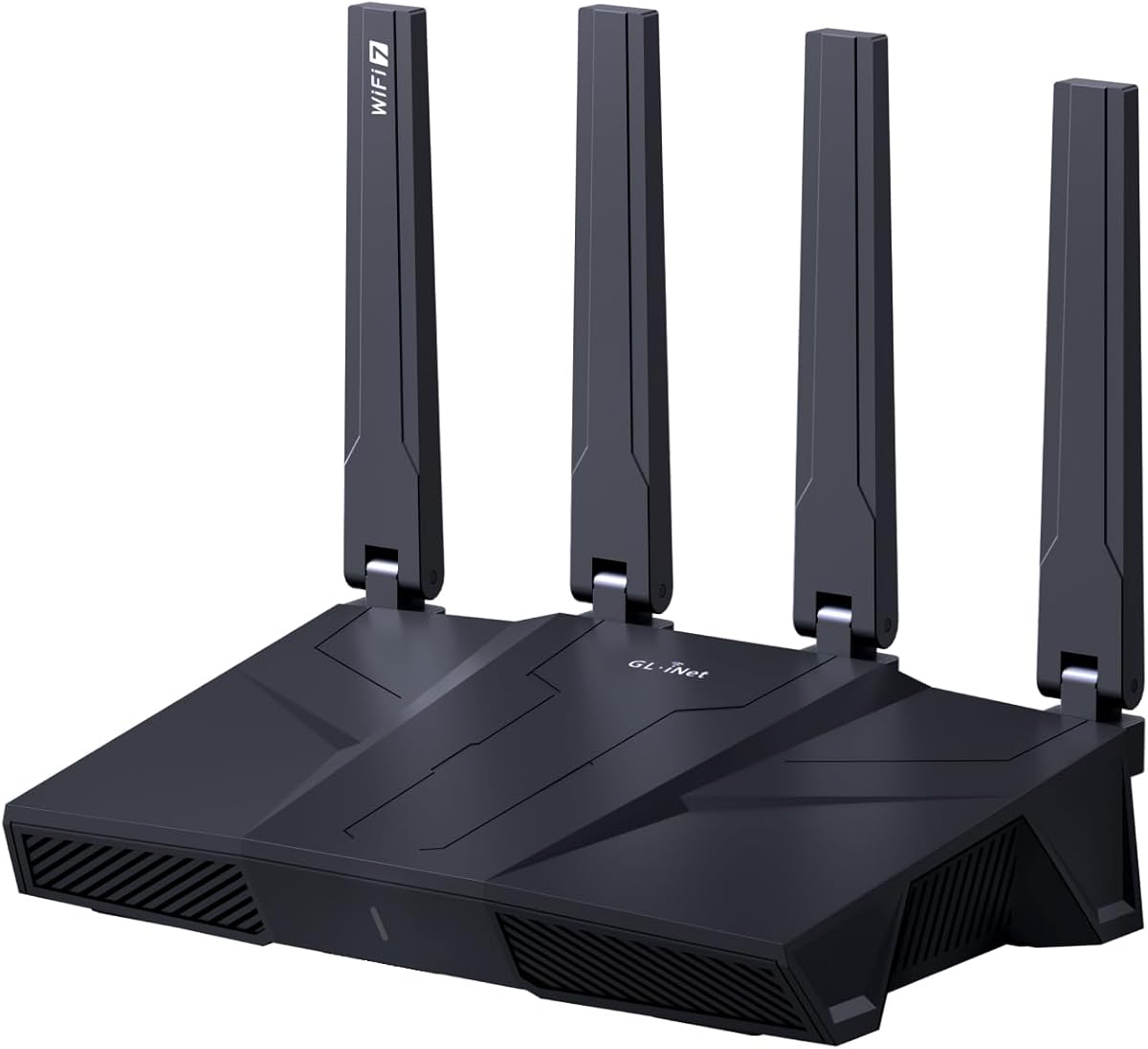


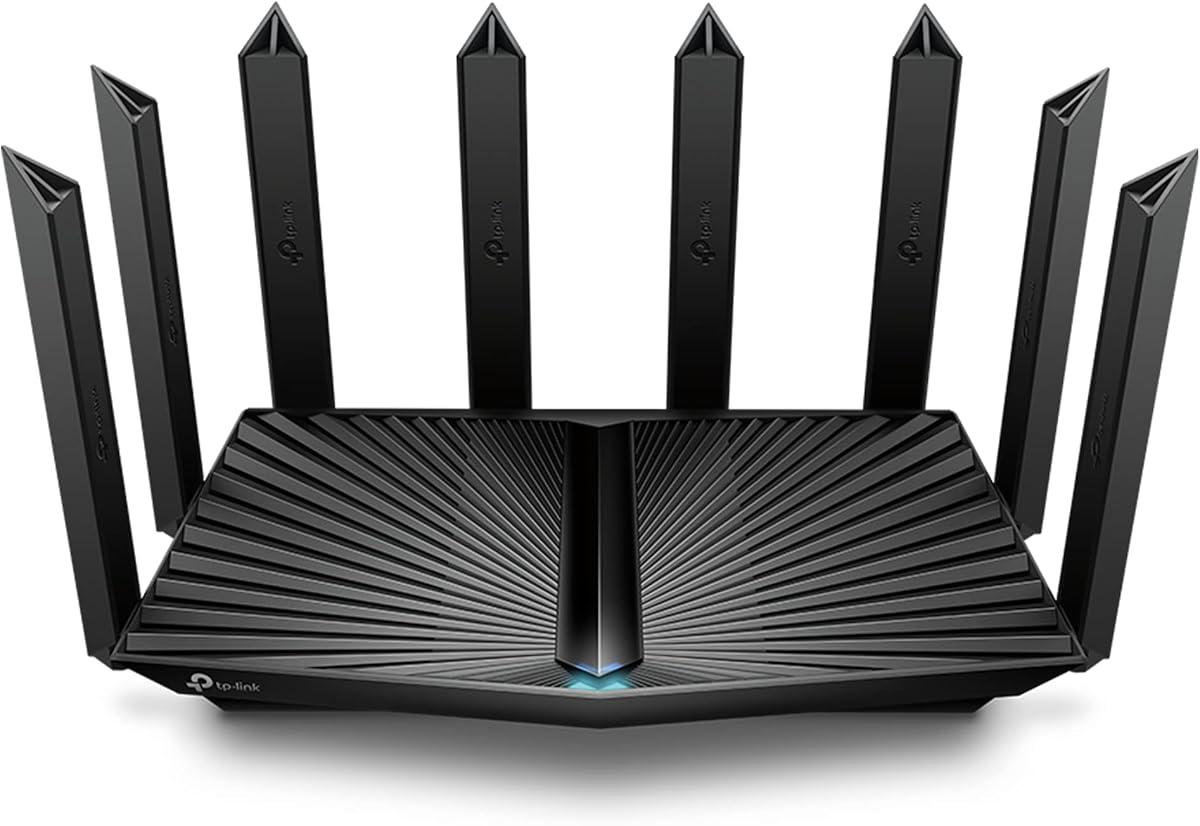

The GL.iNet GL-MT6000 Flint 2 is a gaming-focused WiFi 6 router with a 4.6 rating, the highest among the products in this guide. Its appeal comes from a balance of high theoretical throughput, two 2.5G Ethernet ports, 8-stream wireless performance, and a generous 1GB of DDR4 memory. That combination makes it a compelling all-around choice for latency-conscious households.
We may earn a commission when you buy through this link, at no additional cost to you.
The router supports WiFi 6 speeds up to 6 Gbps and is designed to keep multiplayer activity stable during demanding network use. Its 2.5G connections offer a practical path to reducing wireless dependence for gaming PCs, consoles, and other devices that can benefit from a wired link. It also accommodates more than one hundred connected devices and includes space for additional plugins, giving it unusual flexibility for a home router.
VPN support is another important strength. Supplied specifications list WireGuard performance up to 900 Mbps and OpenVPN performance up to 880 Mbps, although actual results depend on the internet connection, server location, provider, and network environment. AdGuard Home support adds DNS-level ad and tracking filtering, while the web admin interface gives connected users more control over their online experience.
The main limitation is that the Flint 2 uses WiFi 6 rather than newer WiFi 7 hardware. Its clients also need appropriate support to exploit the full benefits of high-speed WiFi and multi-gig Ethernet. Even so, it is a strong recommendation for gamers, remote workers, and technical users who value responsive performance, useful customization, and high-speed networking without moving to a premium quad-band system.
The combination of an eight-stream WiFi 6 radio and dual 2.5G ports gives users more than one route to lower network delay. Connecting a gaming desktop or console by cable can reduce wireless contention, while the second high-speed port supports a fast local network, NAS, or another demanding endpoint.
The advertised WireGuard and OpenVPN throughput makes this more than a basic gaming router. Remote workers can use the VPN functions without relying on a separate network appliance, provided their provider, destination server, and internet service support the expected result.
We may earn a commission when you buy through this link, at no additional cost to you.
The TP-Link Archer AXE75 is a tri-band WiFi 6E router with a 4.3 rating and up to 5,400 Mbps of combined throughput. It splits traffic among 2.4 GHz, 5 GHz, and 6 GHz bands, allowing compatible modern devices to use the wider 6 GHz spectrum. That separation can be useful for reducing competition on the crowded lower bands.
We may earn a commission when you buy through this link, at no additional cost to you.
Its 1 GHz dual-core CPU, 512 MB of memory, and purpose-designed housing provide a sound foundation for a busy home. OFDMA and true tri-band operation are designed to improve simultaneous transmission capacity, while EasyMesh compatibility allows additional compatible routers, extenders, or wireless powerline adapters to be added when larger spaces need more seamless coverage.
This model does not focus exclusively on gaming, but its dedicated high-speed band, efficient multi-device handling, and support for both VPN server and VPN client roles can suit a wide range of users. TP-Link HomeShield adds network protection, basic parental controls, quality of service, IoT device identification, and scheduled reports. A modem is required for most internet providers.
It is a strong choice for people who want current wireless technology, flexible expansion, and a clear multi-band structure without moving to the highest-end class. The important limitation is device compatibility: the benefits of the 6 GHz band are only accessible to compatible clients, and gamers seeking dedicated acceleration controls may prefer one of the explicitly gaming-focused alternatives.
The 6 GHz band offers wider channels and additional capacity, which can help compatible phones, computers, and consoles experience a cleaner path than they would on shared lower-frequency bands. The advantage is greatest in dense areas where 2.4 GHz and 5 GHz are crowded.
EasyMesh compatibility gives households a practical path to cover dead zones or larger homes. Adding supported hardware can create a more unified roaming experience, although the quality of the final result still depends on placement, interference, and the selected mesh equipment.
We may earn a commission when you buy through this link, at no additional cost to you.
The GL.iNet GL-BE9300 Flint 3 combines tri-band WiFi 7, up to 9 Gbps of wireless throughput, and five 2.5G Ethernet ports. Its 4.3 rating and advanced feature set make it particularly interesting for gamers and power users who want current wireless technology without moving to a four-band flagship.
We may earn a commission when you buy through this link, at no additional cost to you.
Multi-Link Operation allows compatible devices to use multiple links, which can improve responsiveness and reliability in crowded environments. The router also supports enhanced OFDMA, 4K-QAM, and preamble puncturing. Together with 1GB of DDR4 memory and 8GB of eMMC storage, it is designed to handle more than one hundred connected devices and additional plugins.
GL.iNet's VPN implementation is a major selling point, with supplied specifications listing both WireGuard and OpenVPN speeds up to 680 Mbps. Real performance depends on the internet service, VPN server, provider, and local conditions. AdGuard Home support and integrated Bark parental controls add useful network management, while the stated coverage reaches up to 2,000 square feet.
Users should update the firmware during initial setup, as the manufacturer specifically notes that this can enhance performance and the overall experience. The router is an excellent recommendation for a modern home with WiFi 7 clients, multiple high-speed wired endpoints, and a need for VPN flexibility. It is less compelling for households whose devices still use older WiFi generations.
MLO can let compatible devices combine links across bands, reducing the chance that one crowded connection determines their entire experience. Its practical value is greatest for modern devices in dense areas where traffic spikes and radio interference are common.
Five 2.5G ports offer unusual flexibility for a router in this class. Users can connect a modem or gateway, a gaming system, a high-speed computer, and storage hardware without forcing every endpoint onto basic Gigabit Ethernet.
We may earn a commission when you buy through this link, at no additional cost to you.
The NETGEAR Nighthawk WiFi 7 Router is a tri-band model rated 4.3, with aggregate throughput up to 9.3 Gbps across 2.4 GHz, 5 GHz, and 6 GHz. It is designed for busy homes where streaming, gaming, calls, and smart devices compete for network capacity and the fastest clients can benefit from a separate lane.
We may earn a commission when you buy through this link, at no additional cost to you.
NETGEAR states coverage of up to 2,500 square feet and support for as many as 100 devices, with the familiar caveat that walls, floors, and interference reduce actual range. Multi-gig connectivity includes one 2.5G WAN port, two 2.5G LAN ports, and two 1G LAN ports. That is a useful mix for a fast internet connection, a gaming rig, a NAS, and smart televisions.
The Nighthawk app provides guided setup, WiFi management, speed tests, device pausing, and guest-network controls from iOS or Android. Security features are enabled out of the box, automatic firmware updates are included, and Advanced Router Protection is described as exclusive. NETGEAR Armor is available through a trial, although continued use requires a separate subscription.
This is a good recommendation for families wanting broad capacity, modern WiFi 7, and manageable multi-gig ports without selecting a specialist gaming chassis. The main trade-off is that the optional Armor service adds a subscription consideration, while very large or multi-story homes may still benefit from an Orbi mesh system. It works with most cable, fiber, DSL, and satellite services through Ethernet.
A stated capacity of up to 100 devices makes this router relevant to homes where phones, televisions, appliances, work equipment, and entertainment devices are active together. MU-MIMO and OFDMA features help the router service multiple clients simultaneously.
The 2.5G WAN port can take full advantage of a compatible multi-gig internet service, while the two 2.5G LAN ports provide high-bandwidth connections for latency-sensitive devices. The two additional Gigabit LAN ports cover standard equipment.
We may earn a commission when you buy through this link, at no additional cost to you.
The NETGEAR Nighthawk RS90 offers a simpler route into WiFi 7, with a 4.3 rating, dual-band operation, and up to 3.6 Gbps of combined throughput. It uses 2.4 GHz and 5 GHz radios, making it relevant to people who do not need a 6 GHz band but still want the efficiency features of the latest wireless generation.
We may earn a commission when you buy through this link, at no additional cost to you.
Its 2.5G WAN port can support compatible multi-gig internet services, while four 1G LAN ports accommodate computers, consoles, televisions, and storage devices. MU-MIMO and OFDMA improve the efficiency of serving multiple devices at once, an important consideration for responsive performance in a connected household with many simultaneous users.
NETGEAR lists coverage of up to 2,000 square feet and support for up to 50 devices, placing it below larger tri-band systems in maximum capacity. The Nighthawk app handles setup, WiFi configuration, speed testing, device pausing, and guest networks. Built-in security controls, Advanced Router Protection, automatic firmware updates, and a NETGEAR Armor trial provide a security-focused setup.
The RS90 is a sensible pick for apartments, medium-sized homes, and users who want modern WiFi without a complex tri-band system. It works with most providers by connecting to a modem or gateway through Ethernet, although some gateway combinations may require bridge mode. Those needing greater range in large homes should consider mesh equipment instead.
The dual-band layout keeps the design approachable while retaining WiFi 7 technologies such as Multi-RUs, 4K-QAM, and improved multi-device handling. It is a practical middle ground between a basic router and a more elaborate tri-band system.
Support for up to 50 devices and a stated 2,000-square-foot range suits many apartments and conventional homes. The actual result still depends on walls, floors, device placement, and nearby wireless congestion.
We may earn a commission when you buy through this link, at no additional cost to you.
The TP-Link Archer BE230 is a dual-band WiFi 7 router with a 4.2 rating, and it stands out as a budget-minded option with current wireless technology and multi-gig wired connections. It supports Multi-Link Operation, Multi-RUs, and 4K-QAM, offering useful improvements for compatible devices without requiring a tri-band or quad-band flagship.
We may earn a commission when you buy through this link, at no additional cost to you.
The stated class speeds reach 2,882 Mbps on 5 GHz and 688 Mbps on 2.4 GHz, combining for up to 3,570 Mbps. Because this is a dual-band model, it does not offer 6 GHz. A next-generation 2 GHz quad-core processor handles traffic, while one 2.5G WAN/LAN port, one 2.5G LAN port, and three 1G LAN ports provide flexible wired connections.
Coverage is stated at up to 2,000 square feet for as many as 60 devices, and four internal antennas with beamforming focus signals toward clients. EasyMesh support allows compatible routers and extenders to be added for larger homes. Tether app management covers setup, configuration, and firmware updates, while TP-Link's home security, parental controls, and IoT protection add practical oversight.
This is our best budget recommendation for users who want WiFi 7 and 2.5G wired access without a more expensive tri-band system. Its limitations are the lack of a 6 GHz radio and a lower device ceiling than the larger models. It is especially suitable for gamers with modern devices, provided they can connect one critical console or computer by Ethernet.
Multi-Link Operation, Multi-RUs, and 4K-QAM make this more than a basic dual-band router. Compatible devices can benefit from improved responsiveness and efficiency, while the processing specification provides a capable platform for a busy household.
Two 2.5G ports allow the internet connection and one local device to operate at multi-gig speeds. The remaining Gigabit LAN ports provide enough capacity for typical computers, consoles, and smart-home equipment.
We may earn a commission when you buy through this link, at no additional cost to you.
The GL.iNet GL-BE6500 Flint 3e is a WiFi 7 router built around speed and flexibility, with a 4.2 rating and wireless throughput up to 6.5 Gbps. Its most prominent feature is VPN performance: supplied specifications list both WireGuard and OpenVPN speeds up to 1,100 Mbps, placing it at the top of this group for encrypted remote access.
We may earn a commission when you buy through this link, at no additional cost to you.
The router supports Multi-Link Operation, enhanced OFDMA, 4K-QAM, preamble puncturing, and Multi-RUs. Those features are intended to reduce latency and improve behavior in crowded, high-density environments. Coverage is stated at up to 2,500 square feet, while the higher internal storage is intended to accommodate more than one hundred connected devices and additional plugins.
For family and household management, AdGuard Home provides DNS-based filtering for tracking and selected advertisements. Integrated Bark support offers website filtering, safe search, and usage limits. The setup process uses an initial tutorial or an Ethernet connection to reach the web admin panel, and the manufacturer recommends updating firmware immediately after setup.
The dual-band arrangement means there is no 6 GHz radio, and the very high wireless and VPN figures depend on compatible hardware and favorable external conditions. Even so, the Flint 3e is an excellent recommendation for remote workers, privacy-conscious users, and gamers who want fast VPN functions combined with a modern low-latency wireless platform.
The stated 1,100 Mbps WireGuard and OpenVPN rates are particularly useful for users who connect to remote servers for work or travel. A fast VPN can also add overhead, so the actual result depends on the service, location, provider, and underlying connection.
MLO, Multi-RUs, enhanced OFDMA, and 4K-QAM work together to improve link selection, capacity, and signal efficiency. Their benefit is most visible when several modern clients share the same high-density environment.
We may earn a commission when you buy through this link, at no additional cost to you.
The ASUS ROG Rapture GT-BE98 Pro is a quad-band WiFi 7 gaming router with a 4.3 rating and aggregate throughput up to 30 Gbps. It is the most advanced model in this guide, combining 320 MHz channels in the 6 GHz band, 4096-QAM, and Multi-Link Operation to create a high-capacity network for demanding homes and gaming environments.
We may earn a commission when you buy through this link, at no additional cost to you.
Its most gaming-focused feature is Triple-Level Game Acceleration, which manages gaming traffic from the device and gaming port through the network toward the game server. This is a clear product-specific reason to consider the GT-BE98 Pro when competitive online play is the primary objective and the budget supports flagship equipment.
Wired connectivity is exceptional for a wireless router, with dual 10G ports and quad 2.5G ports. That allows a multi-gig internet connection, high-end gaming hardware, NAS equipment, and other local systems to be connected without a separate switch. External dual-feeding antennas are designed to increase signal efficiency and coverage, while mesh support offers an avenue for expanding a larger installation.
The trade-off is the premium hardware commitment, and the enormous aggregate throughput figure should not be confused with guaranteed application speed. Real performance depends on the internet plan, client hardware, interference, and the local environment. For a serious gaming setup with WiFi 7 devices, however, this is the most purpose-built and feature-rich recommendation.
Triple-Level Game Acceleration targets the entire connection path rather than treating the router as an isolated endpoint. That focus makes the GT-BE98 Pro especially relevant to players who want dedicated gaming features and can connect key hardware through its high-speed ports.
Dual 10G and quad 2.5G ports create a high-performance wired backbone. This is useful for a gaming PC, console, network storage, and a multi-gig internet service, all while leaving suitable connections for other household devices.
We may earn a commission when you buy through this link, at no additional cost to you.
The TP-Link Archer AX80 is a dual-band WiFi 6 router with a 4.4 rating, offering up to 5,952 Mbps of combined throughput. Although it is not the newest wireless generation in the list, its strong rating, eight high-gain antennas, and multi-gig connectivity make it a credible choice for users seeking proven responsiveness with compatible equipment.
We may earn a commission when you buy through this link, at no additional cost to you.
The 5 GHz band is listed at up to 4,804 Mbps and the 2.4 GHz band at up to 1,148 Mbps. MU-MIMO and OFDMA improve throughput and efficiency when multiple devices communicate at once, while beamforming directs the external antennas toward connected clients. A 2.5G port enables a high-speed wired link and helps prevent the router from limiting a compatible multi-gig service.
TP-Link HomeShield includes basic network security, IoT device identification, parental controls, quality of service, and weekly or monthly reports. The router can also operate as a VPN client, allowing household devices to reach remote VPN servers without each requiring separate VPN software. OneMesh compatibility supports a unified whole-home network when a compatible range extender is added.
Its main disadvantage is generational: it does not offer WiFi 7 or a dedicated 6 GHz band, and only one port reaches 2.5G. Even so, the Archer AX80 is a well-rounded recommendation for a household with WiFi 6 devices, regular gaming and streaming, and a desire to add whole-home coverage without changing networks later.
Eight external antennas work with beamforming to focus wireless transmission toward connected clients. This can improve usable signal in rooms where an internal antenna design is less directional or where the router needs to serve several areas.
MU-MIMO and OFDMA let the router handle simultaneous clients and divide transmission opportunities more efficiently. These features are particularly relevant when gaming traffic competes with streaming, calls, updates, and smart-home devices.
We may earn a commission when you buy through this link, at no additional cost to you.
The ASUS ROG Rapture GT-AXE11000 is a tri-band WiFi 6E gaming router with a 4.1 rating and aggregate throughput up to 11,000 Mbps. Although newer WiFi 7 alternatives offer more advanced features, this model combines broad bandwidth, eight external antennas, a quad-core processor, and dedicated game acceleration in a recognizable high-end design.
We may earn a commission when you buy through this link, at no additional cost to you.
The inclusion of the 6 GHz spectrum provides wider channels and added capacity, which can benefit compatible devices by reducing competition and interference. Its 2.5G LAN/WAN port receives top priority for traffic passing through it, allowing a compatible multi-gig connection or local device to benefit from the higher wired bandwidth while the router handles the wireless side.
Triple-Level Game Acceleration is designed to improve game traffic from the endpoint to the game server. The quad-core processor, cooling system, and optimized antenna design provide the processing and thermal foundation for that approach. USB connectivity is also included, although the supplied product information does not describe its supported peripherals or applications.
This is a fitting choice for a gaming household that values a dedicated 6 GHz band and extensive physical antennas but does not need the newest standard. Its 4.1 rating is the lowest among the ten products, which may matter for buyers who prioritize the strongest overall customer feedback. Ensure that your primary devices support WiFi 6E to gain the most from its tri-band design.
The 2.5G LAN/WAN port receives top traffic priority, making it a logical connection for a compatible gaming computer, console, or high-speed internet service. This wired path can also reduce reliance on the wireless link for latency-sensitive activity.
The 6 GHz band adds wider channels and greater capacity for compatible clients. It can be particularly useful for modern devices in crowded locations, although the advantage diminishes if the household mostly uses older WiFi generations.
We may earn a commission when you buy through this link, at no additional cost to you.
Choosing a low latency router means balancing wireless generation, processing capacity, coverage, port speed, and the number of clients that will use the network. The most useful specification is not always the largest headline throughput number; device compatibility, placement, and congestion are equally important.
Choose the standard that your priority devices can actively use rather than choosing solely by headline speed.
Prioritize traffic-management features, but place the router well and control unnecessary uploads for consistently better responsiveness.
Connect the most latency-sensitive device by Ethernet whenever possible, and match router ports to your internet and local-device needs.
Test the important rooms, account for walls and floors, and use mesh equipment when one access point cannot cover the home reliably.
Match stated capacity to the number of active clients, then keep firmware current and remove old devices that remain associated with the network.
Check VPN and security needs before purchasing, and treat optional subscriptions as separate from the router's core performance.
Prioritize adequate processing and memory for your number of clients and advanced features, without paying for capacity your household will never use.
Confirm provider compatibility, choose an interface you understand, and plan expansion before the router is mounted in a difficult-to-reach location.
Begin by connecting the router to the modem or gateway through the appropriate WAN port, then use the supplied setup guidance to create the administrative account, wireless network, and security settings. Connect one device by Ethernet during setup when possible, and update the firmware immediately. GL.iNet specifically recommends updating the firmware at initial setup, and current firmware is advisable for every model in the guide.
Place the router in a central, open position rather than inside a cabinet, behind a television, or at the edge of the home. Raise it above nearby furniture and keep it away from objects that block radio signals. Use separate SSIDs or band-specific networks if your router interface allows it, experiment with channels that experience less local interference, and connect the primary gaming device by Ethernet when the hardware supports it.
Review connected clients regularly, remove unknown or unused devices, enable automatic security updates, and change the administrator password if the default remains in place. For a busy home, use quality-of-service or traffic-prioritization features carefully, monitor for unusual bandwidth use, and reboot when firmware guidance recommends it. When adding mesh hardware, follow the manufacturer’s placement and roaming instructions to avoid overlapping or poorly coordinated access points.
A faster router can reduce local network delay and improve capacity, but it cannot eliminate lag caused by a distant game server, a congested internet path, or a slow internet service. Wired gaming devices, careful placement, and traffic prioritization can help. Check latency and packet behavior before and after upgrading to identify where the delay originates.
WiFi 7 can offer better responsiveness, efficiency, and link flexibility when both the router and gaming device support it. Older WiFi 6 clients will not receive those benefits, although a strong WiFi 6 router can still provide excellent performance. Consider a WiFi 6E or WiFi 7 model when your main device refresh cycle is approaching and several household clients can benefit.
No. Advertised throughput combines capabilities across bands and represents theoretical maximums under favorable conditions. Real results depend on the client's wireless generation, distance, walls, interference, internet service, nearby networks, and traffic patterns. The supplied specifications also note that real-world speeds depend on devices, plans, and environmental conditions.
Ethernet is generally the most consistent choice for competitive gaming because it removes wireless contention and keeps the signal path short. A router with 2.5G Ethernet can also prevent a high-speed local connection from becoming a bottleneck. WiFi 7 remains convenient and capable, particularly for handheld gaming and newer compatible devices, but it is more exposed to distance and interference.
It depends on the router, the activity of each device, available spectrum, and the number of simultaneous streams. The products here list capacities ranging from about 50 devices to more than 100, but those figures are not guarantees. A household with many active 4K streams, calls, downloads, and games benefits from tri-band or quad-band hardware, efficient MU-MIMO and OFDMA, and adequate processing memory.
A mesh system may be more effective than one router when signals must cross multiple floors, many walls, or a very large floor plan. It can also help eliminate dead zones and provide more uniform roaming. A powerful single router may be sufficient for a smaller home, provided it is placed centrally and tested in every frequently used room.
It depends on whether you use a VPN for gaming, remote work, privacy, or accessing region-specific services. The GL.iNet Flint 2 and Flint 3e list especially strong WireGuard and OpenVPN performance, making them relevant to VPN-heavy users. If you never operate a VPN, a dedicated VPN feature may matter less than multi-gig ports, coverage, and efficient multi-device handling.
Install the latest firmware during initial setup, then enable automatic updates or check for important updates regularly. Firmware updates can improve stability, performance, compatibility, and security. For a router with advanced features, follow the manufacturer's release notes and avoid interrupting the update process once it has started.
The GL.iNet GL-MT6000 Flint 2 is the strongest all-around recommendation because it combines a 4.6 rating, gaming-focused WiFi 6 performance, dual 2.5G ports, generous memory, strong VPN throughput, and broad device capacity. The TP-Link Archer BE230 is the best budget option, bringing WiFi 7, Multi-Link Operation, 2.5G connectivity, and a capable processor to a more modest configuration. For premium gaming, the ASUS ROG GT-BE98 Pro offers unmatched bandwidth, extensive multi-gig ports, and dedicated game acceleration.
Prioritize the hardware your clients can use rather than the largest headline number. Match WiFi generation to your gaming PC, console, television, and phone; choose 2.5G ports if a fast internet service or local network needs them; and make sure the stated coverage is realistic for your home. A central installation, current firmware, and a wired connection for the most latency-sensitive device can improve the result more than a minor specification difference.
Finally, verify current specifications, compatibility, warranty terms, and pricing before purchasing, since product details and market conditions can change. A router cannot exceed the limits of its internet plan, and advertised wireless speed is only one part of the end-to-end experience. For a complete setup, allow time to update the firmware, place the router thoughtfully, and test latency from the devices you use most.
