
AboveTEK Locking Tablet Wall Mount
4.3Editor score
Tamper-resistant locking enclosure
Heavy-duty aluminum and steel
VESA 100×100 mounting pattern
A Lenovo tablet wall mount can turn a frequently used device into a convenient display, control panel, kitchen helper, or point-of-sale terminal. The right mount should support the tablet securely, preserve access to ports, allow useful viewing angles, and suit the wall, cabinet, or commercial environment where it will be installed.
We compared these ten mounts across Lenovo compatibility, supported tablet sizes, case accommodation, articulation, anti-theft features, construction, installation method, and included hardware. The list includes a purpose-built frame, universal adjustable brackets, locking commercial enclosures, adhesive docks, and articulating arms for different budgets and use cases.
Each review explains the standout features, practical limitations, and ideal installation environment for its product. Ratings reflect the supplied customer feedback, while specifications and compatibility details come from the product information. Current prices and availability can change, so confirm the final fit before purchasing.
4.3Editor score

4.7Editor score
4.4Editor score
As an Amazon Associate we earn from qualifying purchases.
This side-by-side comparison highlights each mount's design, compatibility, adjustment, security, and installation approach so Lenovo tablet owners can quickly identify the most appropriate option for their space.


The Acrylic Wall Mount Floating Frameless Display is the most directly matched product in this guide, with explicit support for the Lenovo TAB M11, K11, and Idea TAB 11. It carries a 4.7 rating and stands apart from generic universal holders because it is designed around specific Lenovo tablet dimensions. The result is a more cohesive installation for users who know exactly which supported model they own.
We may earn a commission when you buy through this link, at no additional cost to you.
Its visual design is the defining feature. The 8mm acrylic frame uses metal standoffs to create a floating, frameless appearance that can work well in offices, retail spaces, kitchens, and exhibition environments. The listed dimensions are 316mm by 202.4mm by 30mm, and the mount weighs 0.8 pounds without the tablet. Chrome-finished hardware, screws, and a 90-degree USB-C adapter are included to support a cleaner installation.
The main limitation is model specificity. Buyers should verify the exact Lenovo TAB, M11, K11, or Idea TAB 11 version before ordering because the supplied information does not indicate compatibility with every Lenovo tablet. It also lacks a locking enclosure, so it is better suited to controlled environments than unattended locations where theft is a major concern. Its fixed presentation is also less flexible than a fully articulating arm.
This is the strongest recommendation for a buyer who owns one of the explicitly supported Lenovo tablets and wants a purpose-built display rather than a generic bracket. The included power adapter, clean floating profile, and strong customer rating make it particularly suitable for dashboards, information panels, time clocks, and point-of-sale applications. For other Lenovo models, consider one of the universal options later in the guide.
The mount's Lenovo-specific design reduces the guesswork involved with a universal clamp. Buyers still need to confirm their exact model, but they do not have to estimate whether a generic opening will clear the tablet's corners, controls, or case.
The floating acrylic construction, chrome hardware, and included 90-degree USB-C adapter support a neat presentation. It is particularly useful where the tablet functions as a permanent information display, time clock, point-of-sale screen, or trade-show panel.
We may earn a commission when you buy through this link, at no additional cost to you.
The Aluminium 360-Degree Tablet Mount offers broad device support and unusually flexible positioning. It holds compatible 4.7- to 13-inch phones and tablets, and its metal swivel ballhead allows rotation between portrait and landscape orientations. A 4.5 rating makes it a practical middle ground between a basic fixed bracket and a heavier commercial enclosure.
We may earn a commission when you buy through this link, at no additional cost to you.
The base and arm use high-strength aluminum alloy, while the bracket clamp is made from ABS. The supplied instructions emphasize using the included hexagonal screws to lock the three shafts, which improves stability. The wall bracket can be adjusted through 180 degrees from side to side or top to bottom, and the ball joint offers 360-degree movement. Two packs of screws, expansion screws, and a small wrench support installation.
Its universal nature is both strength and compromise. The product information lists many tablet and phone families rather than confirming a specific Lenovo Tab One model, so buyers should compare the tablet's dimensions and case thickness with the holder's opening. It also has no integrated lock, which makes it less appropriate for exposed public installations than the Mount-It! or AboveTEK products.
Choose this mount when frequent repositioning, a broad range of supported devices, or a relatively slim articulated profile matters most. It is well suited to a home office, kitchen, classroom, or workplace where the display may need to alternate between landscape viewing and portrait interaction. Among the more adaptable universal options, it combines a useful range of motion with straightforward wall installation.
The 360-degree swivel and multi-axis bracket make this holder convenient for video calls, menus, dashboards, and information displays. A tablet can move between landscape and portrait without being removed from the mount.
The aluminum base and arm provide a more substantial feel than lightweight plastic-only brackets. Locking the three shafts with the included hexagonal hardware is important for reducing play and maintaining a consistent viewing position.
We may earn a commission when you buy through this link, at no additional cost to you.
The Universal Tablet Wall Mount for 7- to 13-Inch Tablets earned a 5.0 rating in the supplied data, making it the most favorably reviewed option in the list. It explicitly includes Lenovo Tab among the compatible families and combines a slim steel frame with adjustable-length support. It is a practical choice for users who want a conventional wall bracket without removing a compatible tablet case.
We may earn a commission when you buy through this link, at no additional cost to you.
The mount adjusts from 177mm to 317mm and supports devices up to 2.1cm thick, allowing it to accommodate a wider variety of tablet sizes. Its case-friendly design is particularly useful because it removes the repeated process of uninstalling a protective case. The metal construction is intended to resist bending and minimize wobble, while the narrow profile helps conserve space in offices, kitchens, gyms, and bedrooms.
Installation appears straightforward for a basic DIY project. All mounting screws and a step-by-step manual are included, and the instructions call for basic tools rather than specialist equipment. The main constraint is the 2.1cm thickness limit, including the case. Another limitation is that this is a basic support rather than a lockable enclosure, so public or high-traffic installations need additional security planning.
This product is best for a Lenovo tablet owner who prioritizes a low-profile, case-friendly setup and wants strong customer feedback. It works particularly well in a home office, kitchen, meeting room, or workstation where the screen needs a reliable fixed position. Buyers should still verify the exact Lenovo model and total case thickness before ordering.
Supporting a total device thickness of up to 2.1cm makes this one of the more convenient mounts for daily use. Compatible protective cases can remain attached, reducing handling and helping guard the tablet against scratches and everyday wear.
The narrow steel bracket avoids the visual bulk associated with a full enclosure or long articulating arm. It is a sensible choice when the mount needs to blend into an office, kitchen, bedroom, or compact workstation.
We may earn a commission when you buy through this link, at no additional cost to you.
The Mount-It Anti-Theft Tablet Wall Mount is designed for shared or public-facing environments where an ordinary open bracket would be vulnerable to removal. Its lockable, tamper-resistant enclosure supports tablets from 7.9 to 11 inches, and the 4.3 rating reflects a practical balance of security, movement, and durable construction.
We may earn a commission when you buy through this link, at no additional cost to you.
Adjustment is a major strength. The full-motion swing arm provides a tilt range of plus or minus 15 degrees, a swivel range of plus or minus 90 degrees, 180-degree rotation, and an extension of 3.5 to 16.1 inches. These controls make it easier to obtain a comfortable viewing angle in a lobby, retail store, hotel, office, or trade-show space. The rotating enclosure also supports both portrait and landscape layouts.
The mount is constructed from cold-rolled steel and uses a VESA 75×75 pattern. Installation is intended for a single wood stud or a solid concrete or brick wall, with hardware, tools, and a guide included. That structural requirement is important: the product may not be appropriate for drywall without appropriate support. Its 11-inch maximum also leaves out larger tablets.
This is a compelling selection for a compatible Lenovo tablet being used for digital signage, a front-desk display, or another semi-public application. The lock adds meaningful protection, while the arm provides far more positioning freedom than a fixed shelf. Confirm the tablet dimensions, required wall construction, and charging arrangement before installation.
The lockable enclosure discourages casual removal in a public area. It is a more security-conscious solution for retail counters, hotel lobbies, offices, and trade shows where the tablet contains sensitive information or represents a meaningful investment.
Tilt, swivel, rotation, and extension work together to make the display easier to use from different positions. The range is particularly useful for customer-facing kiosks that need to alternate between landscape content and portrait interaction.
We may earn a commission when you buy through this link, at no additional cost to you.
The AboveTEK Universal Tablet Wall Mount is the most substantial commercial-style enclosure in the group, combining an aluminum faceplate with a reinforced steel base. It supports screens from 9.7 to 13 inches and devices up to 12mm thick. Its 4.3 rating fits a product designed around secure, continuous operation in retail, hospitality, education, and event environments.
We may earn a commission when you buy through this link, at no additional cost to you.
Security comes from a tamper-resistant screw system rather than a conventional key, and a wrench is included. The articulation includes 360-degree rotation, plus or minus 30 degrees of tilt, and swivel movement. This allows a Lenovo tablet to serve both portrait and landscape content while helping users find a viewing angle that reduces glare. A 100x100mm VESA base provides a standardized connection to the wall.
The enclosure is intentionally more protective than a basic clamp. It is best suited to a compatible tablet that is regularly used in public-facing work, including a point-of-sale terminal, lobby kiosk, school display, or showroom. The 9.7-inch minimum excludes smaller devices, while the 12mm thickness allowance requires checking whether a protective case can remain installed.
Among the available choices, this is the premium option for buyers who prioritize theft resistance and rugged construction. The locking system, reinforced base, protective pads, and broad articulation justify the larger enclosure in a busy commercial setting. It is less appropriate for a lightweight home display where a simple bracket would be more discreet and easier to reposition.
The tamper-resistant screw design makes casual removal more difficult and removes the need to manage a small key. That makes the enclosure well suited to a valuable tablet used continuously in an exposed location.
Reinforced steel supports the enclosure while the aluminum faceplate provides a finished appearance. Full rotation and broad tilt control help adapt the display to customer traffic, staff workflows, and changing content formats.
We may earn a commission when you buy through this link, at no additional cost to you.
The 360-Degree Swivel Tablet Bracket combines a 4.7 rating with a straightforward design for home, office, classroom, kitchen, and gym use. It supports devices ranging from 4.7 to 12.9 inches and includes both swivel and tilt, making it more flexible than a fixed wall shelf while remaining less substantial than a commercial locking enclosure.
We may earn a commission when you buy through this link, at no additional cost to you.
Its main adjustment mechanism is a 360-degree swiveling bracket with 30 degrees of horizontal and vertical tilt. That range is useful for recipe pages, video calls, menus, information screens, and other content where the viewer position changes. The product information describes a premium-material construction intended to provide stability and a firm hold.
The absence of a lock makes this unsuitable as a theft deterrent, and its listed compatibility examples emphasize Apple and Samsung devices rather than a specific Lenovo model. A Lenovo tablet owner should measure the device and any case, then compare those dimensions with the holder's clamping range. The mounting surface must also be suitable for the included installation method.
This bracket is a sensible general-purpose option for a user who wants adjustable positioning without a large articulated arm or full security enclosure. It is especially attractive for routine tasks in a kitchen, office, or classroom where the Lenovo tablet benefits from being kept off the work surface. It offers the core functions most buyers need in a relatively simple package.
Swivel and tilt allow the screen to be moved toward different users or away from direct light. This is helpful for shared spaces where one fixed angle would not suit every task.
The broad supported size range makes the mount useful for more than one tablet or phone over time. Its relatively simple construction is useful in home and workplace environments where full commercial security is unnecessary.
We may earn a commission when you buy through this link, at no additional cost to you.
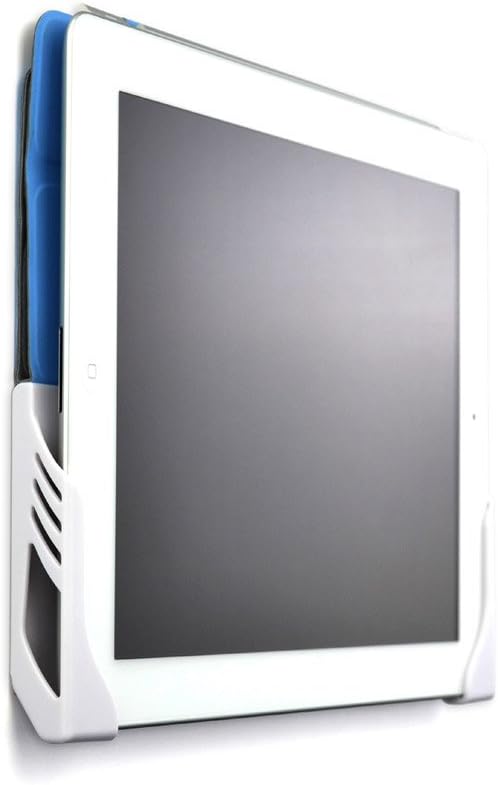
The Dockem White Koala Tablet Wall Dock is the easiest installation option in the guide because it uses included 3M Command adhesive strips rather than screws or drilled holes. It can be installed in less than two minutes on a smooth, flat surface. Its 4.4 rating makes it a practical choice for renters, temporary displays, and users who do not want to alter a wall.
We may earn a commission when you buy through this link, at no additional cost to you.
The mounting system uses two separate brackets that can be positioned at different distances, allowing the dock to accommodate a wide selection of devices. It fits equipment 11mm thick or less, and a protective case can remain attached if total thickness stays within that limit. Docking and undocking are simple, and the design works in portrait or landscape orientation. Built-in cord clips help keep charging cables organized.
Compatibility requires more attention than the broad product category may initially suggest. The supports can obstruct ports or buttons on the sides between 1.5 and 3.75 inches above the bottom, particularly with smaller 7- to 8-inch tablets in landscape orientation. Regular Command strips also perform poorly in high heat, moisture, textured surfaces, and some wallpaper. They are intended for smooth surfaces and are not reusable after removal.
Choose the Koala when a clean, damage-free setup is more important than tamper resistance or long articulated movement. It is well suited to a smooth indoor wall, cabinet, or display panel where a Lenovo tablet will act as a recipe viewer, control panel, or temporary information display. Run the manufacturer's strength test and check every port before committing to the adhesive installation.
Adhesive strips allow the dock to be installed without creating holes. That makes the product useful in rental properties, exhibition areas, offices, and homes where a permanent bracket is undesirable.
The total device and case thickness must not exceed 11mm. Buyers should also verify that the bracket supports do not cover frequently used side buttons, charging ports, speakers, or card slots.
We may earn a commission when you buy through this link, at no additional cost to you.
The GSRUAN Tablet Wall Mount is a durable universal bracket for 7- to 13-inch tablets, with a 4.4 rating. Its aluminum alloy bracket and iron base prioritize rigidity, while the three-axis rotation system provides more adjustment than a simple fixed wall plate. It is designed to hold a tablet securely and free the user's hands.
We may earn a commission when you buy through this link, at no additional cost to you.
The flat stand rotates through 360 degrees, allowing portrait and landscape positioning on supported sizes. The clamping end adjusts to different tablet widths, and two sponge pads cushion the device while maintaining a firm grip. The product dimensions are listed as 11.8 inches long by 2.55 inches wide. Heat dissipation is another listed benefit for a mounted device that remains in use.
There is an important model-specific restriction: 7- to 10-inch tablets can be fixed in either horizontal or vertical orientation, while 10- to 13-inch tablets can be fixed only vertically according to the supplied information. The stated compatibility includes Galaxy Tab, Lenovo-related tablet categories, Fire HD 10, and other 7- to 13-inch devices, but buyers should confirm exact dimensions and clearance around ports.
This is a good selection for a home, office, or vehicle-adjacent installation where a sturdy fixed support is needed without a long swing arm. The included package contains the stand, adjustment wrench, caps, screws, washers, and sponge pads. It is especially useful where heat management and a firm three-axis hold are priorities, provided the chosen tablet falls within the orientation limits.
The aluminum alloy and iron structure is designed to resist shaking in a daily installation. Sponge pads soften contact points, helping protect the tablet while maintaining enough grip to prevent accidental movement.
The rotating flat stand can be moved through several directions instead of remaining fixed in one plane. This flexibility is useful for changing the tablet between work and viewing positions without removing it completely.
We may earn a commission when you buy through this link, at no additional cost to you.
The Aluminum Tablet Wall Mount stands out for its broad stated compatibility, covering devices from 4.7 to 17.3 inches. That range easily encompasses most Lenovo tablets and gives the mount a longer useful life as the user changes devices. Its 4.6 rating and combination of an aluminum base, ABS clip, and 360-degree rotation ball make it an adaptable everyday mount.
We may earn a commission when you buy through this link, at no additional cost to you.
The four-hole base attaches with screws to walls, cabinets, glass, or another flat vertical surface. Included hardware supports installation, although a drill is not included. Anti-slip rubber pads protect the tablet from scratches and sliding, while the swivel ball lets the device be adjusted to the desired angle. The product is suitable for kitchens, offices, gyms, and conference rooms.
The wide compatibility range is based on overall device size, so buyers should still confirm the clamp can grip the thickness and shape of their Lenovo tablet. The mount does not provide a tamper-resistant enclosure, making it more appropriate for controlled spaces than busy public counters. The included two sets of screws may also require selection according to the surface type.
This is a versatile choice for a household or workplace that wants one bracket to serve tablets, phones, e-readers, or other compatible devices. The aluminum base and anti-slip contact points are reassuring for daily use, while the swivel ball makes angle changes simple. It is less suited to a locked commercial kiosk, but strong for a flexible general-purpose installation.
The unusually broad 4.7- to 17.3-inch range can accommodate a Lenovo tablet as well as many smaller screens. This makes the mount adaptable for changing work, entertainment, and smart-home roles.
Anti-slip rubber pads reduce the chance of the tablet moving or being scratched against the clip. They also help keep the device stable while preserving the screen's finish.
We may earn a commission when you buy through this link, at no additional cost to you.
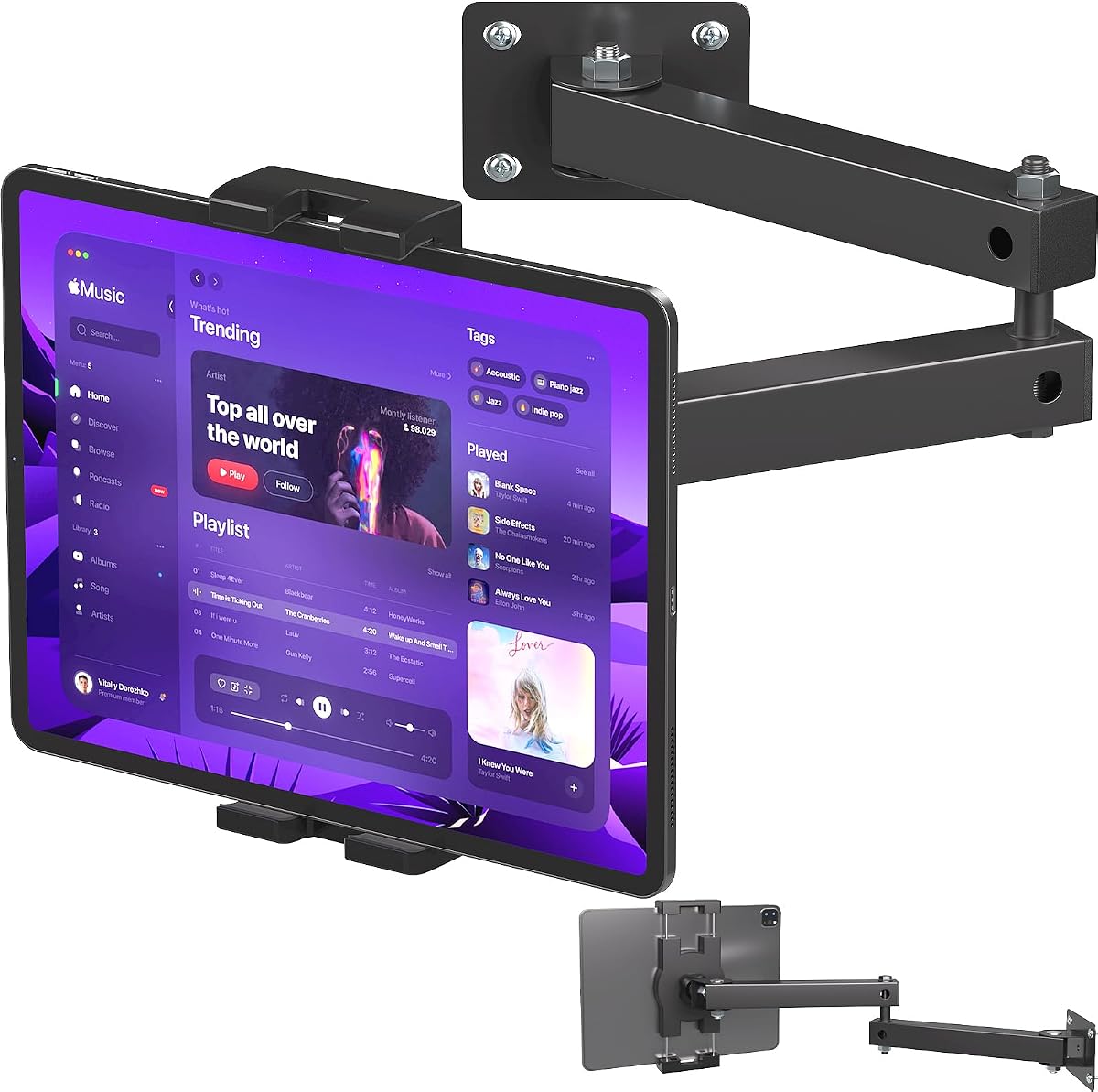
The Mippko Foldable Wall Mount combines a 4.7 rating with a two-stage articulating design that can extend toward the user and fold away when it is not needed. It supports devices from 4.7 to 12.9 inches, making it suitable for most Lenovo tablets. The articulating format is especially useful when a fixed wall position would make interaction inconvenient.
We may earn a commission when you buy through this link, at no additional cost to you.
Both arms fold in either direction, reducing the amount of space occupied when the tablet is not being actively viewed. The first arm offers 180-degree horizontal rotation, the second rotates 360 degrees horizontally, and the clamp's ball head adds another 360-degree axis. The aluminum alloy arm and ball head are described as anti-rust and anti-corrosion, with a load capacity of 1.5 kilograms.
The installation uses a 3.54-inch by 2.36-inch base with four screw holes. Screws, screw tubes, and a screwdriver are included, and each arm is 7.87 inches long. The mount can support a wide variety of tablets, phones, e-readers, and handheld devices, but the case must be less than 15mm thick. A full-extension arm also creates more leverage than a small fixed bracket.
Choose the Mippko when users need to reach the tablet, pull it closer for typing, or reclaim space between uses. It is well suited to classrooms, conference rooms, offices, healthcare settings, kitchens, restaurants, studios, and other locations where flexible positioning has practical value. For a permanently visible display, a simpler fixed model may take up less room.
The two-stage arm can reach toward the user for close interaction and fold back near the wall when the tablet is functioning as a display. That versatility is the mount's defining advantage.
Aluminum alloy components resist bending and corrosion, while multiple rotational joints provide a wide range of viewing positions. The 1.5kg load limit helps define which devices and cases are appropriate for the mount.
We may earn a commission when you buy through this link, at no additional cost to you.
The most suitable mount depends on the exact tablet, the installation surface, expected movement, and the need for security. Measure first, then prioritize fit, viewing flexibility, and the level of protection required for the location.
A product may list Lenovo tablets as compatible while still supporting only a particular size range or physical frame. Check the exact model name, screen size, dimensions, thickness, and weight of the tablet or its case. The purpose-built acrylic option lists Lenovo TAB M11, K11, and Idea TAB 11 compatibility, while many competing products provide broader physical size ranges instead.
A mount that fits a bare tablet may not accommodate the same device with its case installed. Several products provide explicit case limits, including 11mm for the Dockem Koala, 12mm for the AboveTEK enclosure, 15mm for the Mippko arm, and 2.1cm for the universal adjustable-length bracket. Measure the combined thickness at the widest point.
Fixed shelves are simple and discreet, but rotating ball mounts offer easier portrait-to-landscape changes. Full swing arms provide reach and flexible angles, while folding arms reclaim space when the tablet is not being used. The Dockem Koala is designed primarily for quick docking and undocking, while the Mount-It and Mippko products provide the greatest physical repositioning.
An open bracket makes removal quick, which is convenient in a private home but risky in a public area. The Mount-It! product uses a lockable enclosure, and the AboveTEK mount uses a tamper-resistant screw system. For exposed retail, hotel, school, or lobby displays, a locking enclosure is worth the additional bulk compared with a simple clip.
Screw-in mounts need a suitable anchor and appropriate hardware. The Mount-It product is specified for a single wood stud or solid concrete or brick wall, while other products may accept broader flat surfaces. The Dockem Koala uses adhesive strips on smooth, flat surfaces but is not intended for heat, moisture, textured walls, or some wallpaper. Select the method that matches the surface and removal needs.
A secure grip can still interfere with charging, speakers, card slots, or side buttons. The Koala's support arms may block access on some smaller tablets, especially in landscape orientation. Check the side nearest the charging cable and any controls used during operation. If a case has a removable cover, confirm whether the mount can be installed without removing it.
Consider whether the tablet will be viewed at eye level, from below, or by people standing nearby. Tilt helps reduce glare and makes downward viewing more comfortable, while swivel and rotation support both portrait and landscape content. The Mount-It! offers a 15-degree tilt range, and the AboveTEK enclosure supports 30 degrees in either direction.
A full locking enclosure offers security and durability but occupies more visual space. A slim fixed bracket blends into a room but provides less protection and fewer adjustments. The floating acrylic display creates a polished, frameless look, while an articulating arm prioritizes function. Decide whether appearance, security, flexibility, or compactness matters most in the intended setting.
Begin by identifying the wall material, checking for wiring or plumbing, and comparing the mount's fixing points with the desired tablet position. Assemble the base using the specified hardware, then add the arm or clamp before inserting the Lenovo tablet. For adhesive systems, clean the surface, allow the strips to bond for the full recommended period, and perform the manufacturer's strength test before placing the device.
Dock the tablet gently, align the clamp, and tighten the locking hardware only until the grip is firm. Confirm that the screen, charging port, speakers, buttons, and case remain accessible. Route the power cable away from hinges, rotating joints, and pinch points. If the mount includes a USB-C adapter or cord clips, use them to reduce strain on the charging connection and keep the installation tidy.
Inspect the mount periodically for looseness, unusual movement, damaged adhesive, or a sagging arm. Tighten loose screws and wipe the clamp and tablet with a soft, dry cloth. Avoid exposing adhesive models to excessive heat, moisture, or textured surfaces that can weaken the bond. For articulated mounts, check the rotation limits before moving the tablet and never force a joint beyond its designed range.
The acrylic floating frame is specifically listed as compatible with the Lenovo TAB M11, so it is the clearest purpose-built match. Universal mounts may also work if the tablet and its case fall within the stated size and thickness limits. Always compare the exact model, dimensions, and included-case thickness before choosing a universal option.
Several mounts allow a case to remain installed, but each has a different thickness limit. The Dockem Koala supports devices up to 11mm, the Mippko arm supports cases under 15mm, the AboveTEK enclosure accepts up to 12mm, and the adjustable-length steel bracket supports up to 2.1cm. Measure the complete tablet-and-case thickness at its widest point.
Most of the adjustable products do, including the aluminium swivel mount, Dockem Koala, Mount-It! enclosure, AboveTEK enclosure, and Mippko arm. The GSRUAN product has a model-dependent restriction, with 10- to 13-inch tablets limited to portrait orientation. Check the specifications for the tablet size you intend to mount.
The Dockem Koala is the clearest no-drill option because it uses included 3M Command adhesive strips on smooth, flat surfaces. Its setup can be completed quickly and removed without leaving drilled holes. Regular strips may not perform well in heat, moisture, on textured surfaces, or on some wallpaper, and the manufacturer's strength test should be completed before use.
A locking enclosure is the safer choice for an exposed display. The Mount-It! option offers a lockable anti-theft design and full-motion arm, while the AboveTEK product combines a tamper-resistant screw system with a heavy-duty aluminum and steel build. Both require careful installation into a suitable wall structure.
No universal mount can guarantee compatibility with every Lenovo tablet. Buyers should check the supported size range, maximum device or case thickness, port clearance, and whether the mount can be oriented in the required direction. A model-specific mount reduces this uncertainty when the Lenovo tablet model is explicitly listed.
Keep the cable clear of hinges, rotating joints, and areas where it could be pinched. Use the supplied cord clips or adapter where available, and avoid leaving excess cable bearing on the tablet's connector. Periodic inspection helps catch a loose or strained connection before it causes intermittent charging or falls.
Choose a fixed or compact mount when the tablet mainly functions as a static display and a clean appearance matters. Choose an articulating arm when users need to reach the screen, change its angle, or switch frequently between portrait and landscape. A folding arm is useful when the device should also be able to move away from the wall when not in use.
The acrylic floating display is the most compelling match for owners of a supported Lenovo TAB M11, K11, or Idea TAB 11 because it provides a purpose-built fit, polished framing, and a USB-C adapter. The Mount-It! and AboveTEK products are stronger choices for secure public displays, while the Dockem Koala stands out for quick, damage-free adhesive installation in controlled indoor spaces.
For most other users, prioritize physical fit before features. Measure the tablet and case, verify port access, and then choose the amount of movement required. A slim adjustable bracket works well for a fixed household or office display, whereas a swivel or articulated arm is more useful when the viewing angle or accessibility changes regularly.
Prices, ratings, and availability may change over time, so review the current listing and manufacturer information before buying. Confirm the exact Lenovo model, installation surface, required case clearance, and charging arrangement to increase the likelihood of a secure and convenient final installation.