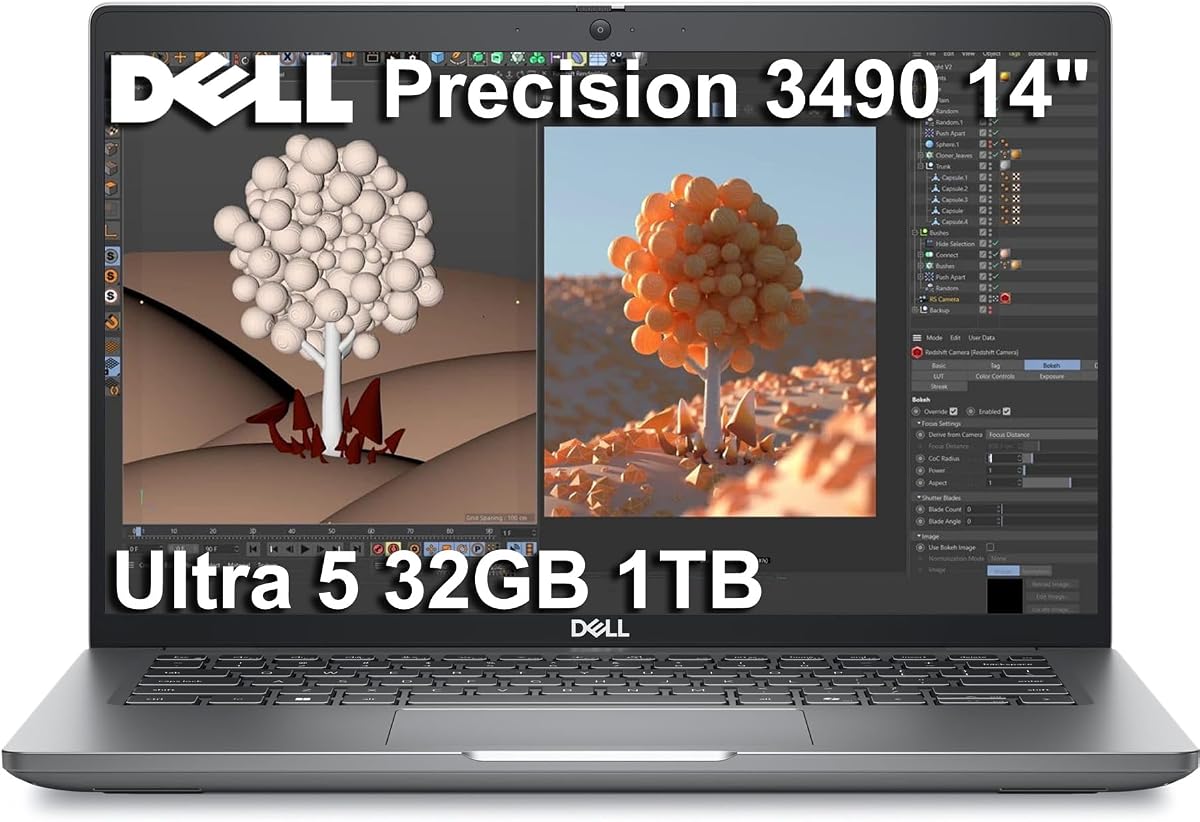
Dell Precision 3490
5.0Editor score
Portable 3.09-pound workstation
32GB DDR5 and 1TB SSD
Three 4K external displays
A laptop for CAD work must balance processor performance, dedicated graphics, memory, storage, display quality, and practical portability. Architectural drawings, BIM models, engineering simulations, and 3D visualization can place very different demands on a system, so the best choice depends on project complexity, software, and whether the computer must travel.
This guide compares ten workstation-class laptops using the supplied specifications, customer ratings, connectivity, displays, graphics capabilities, and professional certifications. It covers Dell Precision, HP ZBook, and Lenovo ThinkPad P16s models, highlighting the differences among processor tiers, NVIDIA GPU memory, RAM, storage, screen size, and field-friendly design.
Each numbered review identifies the configuration's strongest use case and explains its limitations. The top selections represent a balanced everyday workstation, a powerful high-end configuration, and a premium graphics platform, while the remaining choices show how smaller displays, lower-tier GPUs, or different memory capacities can affect CAD workflows. Prices and configurations can change.
5.0Editor score

4.4Editor score

5.0Editor score
As an Amazon Associate we earn from qualifying purchases.
The comparison below places all ten models side by side, emphasizing processor class, graphics memory, working memory, storage, display size, and the most important workflow considerations for CAD professionals.


The Dell Precision 7680 shown here combines a 13th-generation Intel Core i9-13950HX vPro processor with 32GB of DDR5 CAMM memory and a 1TB PCIe NVMe M.2 SSD. It carries a 4.4 customer rating, and its central strength is the balance between a high-power CPU, workstation construction, expansive connectivity, and a practical 16-inch display. That makes it a strong overall recommendation for architects, engineers, and technical users who need more capability than a conventional business notebook.
We may earn a commission when you buy through this link, at no additional cost to you.
The processor reaches up to 5.5GHz and provides 24 cores according to the supplied family information, making it well suited to demanding CAD, BIM, rendering, simulation, and software-development tasks. CAMM memory reduces the height and routing demands associated with conventional SODIMM modules, while the NVMe drive supports fast application loading and file access. The system's two Thunderbolt 4 ports, USB-C connectivity, two USB-A ports, HDMI, Ethernet, and audio jack offer a strong peripheral foundation.
The main compromise is that this particular configuration lists Intel UHD integrated graphics rather than a dedicated NVIDIA GPU. Integrated graphics can handle planar drafting, documentation, and less complex 3D work, but it is not the ideal foundation for large assemblies, advanced rendering, or GPU-accelerated simulation. The display is also FHD+ rather than a higher-resolution professional panel, although its anti-glare finish, 1080p privacy-shutter webcam, and support for up to three 4K external monitors make it effective in a multi-screen office.
This is the most broadly persuasive configuration for professionals who need a fast CPU, professional operating system, enterprise manageability, and dependable expandability without moving to the largest flagship chassis. Those prioritizing GPU-intensive visualization should look toward the RTX-equipped Precision models in this guide. For most serious CAD work, however, the combination of the i9 processor, 32GB of memory, fast storage, and extensive connectivity makes this an excellent all-round workstation.
The i9-13950HX provides substantial multithreaded headroom for large assemblies, detailed calculations, rendering, and simultaneous professional applications. That headroom is particularly useful when CAD software runs alongside browser-based collaboration tools, visualization software, and file synchronization.
Support for three external 4K displays makes it possible to keep plans, model references, specifications, and communication tools visible at once. The included anti-glare panel is comfortable for extended use, while the numeric keypad supports architectural and engineering data entry.
We may earn a commission when you buy through this link, at no additional cost to you.
This Dell Precision 7680 configuration pairs an Intel Core i5-13600HX vPro processor with an NVIDIA RTX 1000 Ada GPU carrying 6GB of dedicated memory. Its 4.3 customer rating, 32GB of DDR5 CAMM RAM, and 1TB NVMe drive create a practical configuration for CAD users who need dedicated graphics but do not require the absolute highest processor tier. It stands out as a value-focused route into a serious mobile workstation.
We may earn a commission when you buy through this link, at no additional cost to you.
The dedicated RTX 1000 Ada GPU is the decisive feature. It offers a more appropriate foundation than integrated graphics for 3D modeling, ray-traced visualization, GPU-assisted rendering, and software with demanding viewport performance. The supplied information also identifies ISV certifications that support dependable operation with professional applications, making the laptop relevant to architecture, engineering, photography, and design workflows.
The i5-13600HX reaches up to 4.8GHz and may not deliver the same multicore throughput as the i9 configurations elsewhere in this roundup. The included 1TB SSD is enough for active projects, but large BIM libraries, rendered image sequences, and project archives may require external storage or additional capacity. These are meaningful limitations for sustained heavy workloads, although they do not undermine the value of the dedicated GPU.
The best candidate for this model is a professional who routinely opens substantial 3D assemblies or creates visualizations and values graphics memory over having the flagship i9 chip. Its four-external-monitor support, Thunderbolt 4 ports, Ethernet, and workstation operating system make it particularly suitable for a fixed or hybrid office setup. It is a compelling balanced choice for professional CAD use.
The RTX 1000 Ada GPU and its 6GB of dedicated memory are better suited to CAD viewports, rendering, and 3D models than an integrated solution. The additional graphics headroom can also benefit GPU-accelerated features in professional design software.
Two Thunderbolt 4 ports, USB-C, two USB-A connections, HDMI, and Ethernet make the system easy to integrate with a multi-monitor office. Windows 11 Pro, ISV certifications, and MIL-STD-810H testing support professional reliability.
We may earn a commission when you buy through this link, at no additional cost to you.
The Dell Precision 7780 offered here combines the Intel Core i9-13950HX vPro processor, NVIDIA RTX 4000 Ada GPU with 12GB of dedicated memory, 32GB of DDR5 CAMM RAM, and a 2TB PCIe NVMe M.2 SSD. It has a 5.0 customer rating and represents the premium selection in this guide. The configuration is aimed at demanding architectural, engineering, visualization, simulation, and rendering work that benefits from both CPU and GPU power.
We may earn a commission when you buy through this link, at no additional cost to you.
Its RTX 4000 Ada graphics card is the major attraction. Twelve gigabytes of VRAM gives it substantially more room for complex 3D scenes, textures, rendering tasks, and data sets than the smaller GPU options in the roundup. Paired with the i9 processor reaching up to 5.5GHz, it offers a high-end mobile platform without requiring a desktop workstation, making it useful for traveling engineers and designers who still need strong visualization performance.
The 17.3-inch IPS display is also a differentiator. Its 1920-by-1080 resolution, 99% DCI-P3 color gamut, 500-nit brightness, and anti-glare treatment make it particularly suitable for visual design and detailed professional work. The system supports up to four external 4K displays, allowing the built-in panel to serve as a reference view while larger screens carry plans and model workspaces.
The trade-off is portability. A 17.3-inch workstation with a flagship processor and professional graphics will be less convenient to carry than the 14-inch Precision 3490 or the 16-inch alternatives. Nevertheless, for users who spend most of their time in a studio or office and need the best combination of graphics memory, processing power, screen quality, and storage in this list, the Precision 7780 is the premium choice.
The RTX 4000 Ada GPU's 12GB allocation provides useful headroom for dense models, textures, and visualization workflows. It is the strongest dedicated graphics specification among the configurations reviewed here.
A 99% DCI-P3 display at 500 nits is valuable when judging color, materials, and rendered output. The large anti-glare screen also gives architects and designers a generous in-laptop workspace.
We may earn a commission when you buy through this link, at no additional cost to you.
The HP ZBook 8 G1i pairs an Intel Core Ultra 7 255H processor with NVIDIA RTX 500 Ada graphics, 64GB of DDR5 memory, and a 2TB PCIe NVMe SSD. Its 4.1 customer rating, 16-inch touchscreen, and generous memory make it an interesting option for CAD professionals who juggle large files, demanding applications, and collaboration tools. The supplied information also highlights ISV certifications for SolidWorks, AutoCAD, ANSYS, Revit, and MATLAB.
We may earn a commission when you buy through this link, at no additional cost to you.
The processor provides 16 cores and 16 threads with up to 5.1GHz performance and 24MB of L3 cache. Combined with 64GB of RAM, it creates a capable environment for large assemblies, engineering calculations, background rendering, and multitasking. The 2TB drive also provides more internal room for drawings, model archives, and project files than most competing configurations in the list.
Graphics performance is more restrained. The RTX 500 Ada includes 4GB of GDDR6 memory, so it offers dedicated GPU acceleration but less VRAM headroom than the RTX 1000 Ada 6GB, RTX 2000 Ada 8GB, and RTX 4000 Ada 12GB alternatives. That can matter in unusually large 3D scenes or demanding rendering jobs. The 1920-by-1200 touchscreen is responsive and convenient for direct interaction, although its resolution leaves room for a higher-resolution professional panel.
This ZBook is best for engineers and designers who value memory, storage, wireless connectivity, and a large touchscreen while remaining within a mobile workstation format. It is especially compelling for AutoCAD, Revit, ANSYS, MATLAB, and other certified applications, provided the user's models do not require more graphics memory than 4GB. For heavier visualization, a model with an 8GB or 12GB GPU would be a stronger match.
The 64GB RAM and 2TB SSD combination is unusually generous for a mobile workstation. It provides room for large assemblies, multiple professional applications, local asset libraries, and virtualized development environments without constant storage management.
Explicit certifications for major CAD, engineering, and mathematics applications are a strong buying signal. The Windows 11 Pro installation, fingerprint reader, Wi-Fi 7, and three-year warranty further support an enterprise workflow.
We may earn a commission when you buy through this link, at no additional cost to you.
The renewed Dell Precision 3581 is a 15.6-inch workstation built around a 13th-generation Intel Core i7-13800H processor, 32GB of DDR5 memory, a 1TB PCIe NVMe SSD, and an NVIDIA GeForce RTX A500 with 4GB of dedicated graphics memory. No published customer rating is supplied for this configuration. Its strongest appeal is the combination of a professional GPU, capable CPU, compact screen, and a renewed-system purchasing format.
We may earn a commission when you buy through this link, at no additional cost to you.
The processor has 14 cores and can reach 5.2GHz, providing enough parallel performance for CAD drafting, BIM navigation, engineering design, and moderate rendering. Its 32GB of DDR5 memory supports multitasking among design software, spreadsheets, communications, and browser tools, while the NVMe storage enables quick startup and file transfers. The dedicated RTX A500 is a meaningful upgrade over integrated graphics for viewport performance and GPU-assisted work.
Several limitations deserve attention. It is a renewed computer, so buyers should carefully review the seller's condition description, warranty terms, return policy, and any signs of previous use. It includes Windows 11 Home rather than Windows 11 Pro, and the supplied description mentions an easy upgrade path to Pro. Its 1920-by-1080 non-touch display is functional but offers neither touchscreen convenience nor the color-gamut specification highlighted by premium alternatives.
The Precision 3581 is most suitable for a cost-conscious professional who needs dedicated graphics and a full-size workstation form factor. It may serve students, small-studio architects, and engineers handling moderate to demanding 2D and 3D projects. Buyers seeking greater peace of mind, newer platform features, or a more advanced display may benefit from comparing it with the other Precision 7000-series configurations.
The RTX A500 brings dedicated graphics performance into a 15.6-inch Precision notebook. While its 4GB of VRAM is modest against larger GPUs here, it remains a stronger foundation for 3D CAD than an integrated solution.
Renewed status can make a capable workstation more accessible, but condition and support should be examined closely. The supplied listing includes a two-year on-site next-business-day warranty, which helps address one of the main concerns associated with refurbished equipment.
We may earn a commission when you buy through this link, at no additional cost to you.
The Dell Precision 3490 is the most compact configuration in this guide, weighing just 3.09 pounds and pairing an Intel Core Ultra 5 135H processor with 32GB of DDR5 RAM and a 1TB SSD. Its 5.0 customer rating and portable chassis make it the best pick for CAD professionals who regularly travel between a home office, client site, studio, or construction environment. It provides workstation features without the weight of a full-size 17-inch model.
We may earn a commission when you buy through this link, at no additional cost to you.
The processor contains 14 cores and reaches up to 4.6GHz, while AI-assisted productivity features support everyday professional tasks. Thirty-two gigabytes of memory is a useful amount for CAD, BIM, documentation, and collaboration applications. Its 14-inch FHD display includes a privacy-shutter webcam, and the system can drive up to three external 4K monitors through HDMI and Thunderbolt without a docking station.
The main limitation is that the supplied configuration lists Intel graphics rather than a discrete NVIDIA GPU. That is perfectly suitable for 2D drafting, document review, moderate 3D modeling, and many mainstream CAD tasks, but heavy rendering or very large assemblies may require more graphics capability. The built-in 1920-by-1080 screen is also smaller than the alternatives, although the light weight and narrow form factor can be more valuable to a mobile user.
The Precision 3490 is recommended for architects and engineers who do substantial CAD work away from a permanent desk, especially where external displays are available. Its MIL-STD-810H testing, enterprise manageability, Windows 11 Pro, strong port selection, and favorable rating make it a credible portable workstation. Users who perform primarily intensive 3D rendering should instead prioritize one of the dedicated-GPU models.
At 3.09 pounds, this model is designed to be carried more readily than larger performance laptops. It retains 32GB of memory, enterprise security, professional certifications, and durable construction for mobile work.
The ability to connect three 4K monitors makes the 14-inch panel only a temporary control surface. Designers can use the laptop for a model view while placing drawings, schedules, references, and calls on separate displays.
We may earn a commission when you buy through this link, at no additional cost to you.
This Dell Precision 7680 combines an Intel Core i7-13850HX vPro processor, NVIDIA RTX 2000 Ada graphics with 8GB of dedicated memory, 32GB of DDR5 CAMM memory, and a 2TB PCIe NVMe SSD. The 3.9 customer rating is the lowest among the rated configurations in this roundup, but the underlying specifications are well suited to professional CAD, architecture, engineering, rendering, and video work.
We may earn a commission when you buy through this link, at no additional cost to you.
Eight gigabytes of VRAM provides a useful middle ground. It exceeds the memory available from the RTX 500 Ada and RTX A500 configurations while remaining below the 12GB offered by the RTX 4000 Ada. That makes it suitable for more advanced 3D models and visualization than entry-level workstation graphics while avoiding the bulk and expense associated with the largest flagship configuration.
The i7-13850HX offers strong performance for demanding professional applications, and the 2TB drive provides generous local storage. Windows 11 Pro, ISV certifications, and MIL-STD-810H testing all strengthen its workstation proposition. Connectivity is also excellent, with two Thunderbolt 4 ports, USB-C, two USB-A connections, HDMI, and Ethernet. The system supports four external 4K monitors.
The most obvious weakness is the 16-inch anti-glare display with 45% NTSC coverage. While adequate for technical work, it is less compelling for users who assess color, material, or rendered output. The modest 3.9 rating also warrants attention, although it does not override the strong hardware configuration. This is a compelling pick for users who need more GPU memory than an entry-level workstation but do not require the top-tier 12GB graphics option.
The RTX 2000 Ada allocation offers enough dedicated memory for advanced 3D CAD, rendering, and visualization tasks. It is a practical bridge between 4GB and 6GB configurations and the 12GB flagship graphics option.
A 2TB NVMe drive leaves ample room for local project libraries and large CAD files. Thunderbolt 4 connectivity also provides a useful path to external high-speed storage, displays, and accessories.
We may earn a commission when you buy through this link, at no additional cost to you.
This Dell Precision 7780 is the memory-maximizing configuration in the roundup, combining 128GB of DDR5 CAMM memory with an Intel Core i9-13950HX processor and NVIDIA RTX 4000 Ada graphics with 12GB of GDDR6. It holds a 5.0 customer rating. The combination makes it especially relevant to engineers, data analysts, developers, and simulation users whose projects exceed the practical memory demands of ordinary laptops.
We may earn a commission when you buy through this link, at no additional cost to you.
The 24-core processor can reach 5.5GHz and includes 36MB of cache according to the supplied description. With 128GB of RAM, the system can hold substantial assemblies, large simulations, browser tabs, development environments, and background applications simultaneously. The RTX 4000 Ada GPU adds capable visualization and rendering performance, while the Windows 11 Pro operating system provides a professional foundation for business-managed environments.
The 17.3-inch non-touch display offers 1920-by-1080 resolution, a 60Hz refresh rate, 500 nits of brightness, 99% DCI-P3 color coverage, and ComfortView Plus low-blue-light technology. The high brightness and broad color gamut are valuable for visual work, although some CAD users may prefer a higher native resolution for dense drafting. The webcam, ExpressSign-In support, and privacy features are suitable for collaboration.
The notable weakness is the 512GB PCIe NVMe drive, which is modest beside the system's other capacities. Large users should plan for external storage or additional internal storage. The 17.3-inch chassis is also less portable than smaller Precision models. Even so, this laptop is the clear choice for anyone who needs maximum working memory and premium graphics in a single mobile workstation.
The 128GB allocation can prevent swapping and slowdowns when large models, simulation meshes, and multiple applications exceed ordinary memory limits. It is especially useful for data-heavy engineering and development workflows.
The RTX 4000 Ada GPU provides 12GB of dedicated graphics memory, while the 500-nit 99% DCI-P3 display supports detailed visual evaluation. Together they form a strong platform for rendering, visualization, and image-intensive CAD.
We may earn a commission when you buy through this link, at no additional cost to you.
The Dell Precision 7680 64GB configuration is a particularly balanced workstation, combining the Intel Core i7-13850HX vPro processor, NVIDIA RTX 2000 Ada graphics with 8GB of dedicated memory, 64GB of DDR5 CAMM RAM, and a 2TB PCIe NVMe SSD. Its 5.0 rating reflects an attractive combination of processing, graphics, memory, and storage capacity for professional design and engineering work.
We may earn a commission when you buy through this link, at no additional cost to you.
The 64GB memory allowance is more than enough for large BIM projects, detailed CAD assemblies, rendering, and extensive multitasking. It also provides comfortable headroom for users running engineering simulation, development tools, and collaboration software at the same time. The RTX 2000 Ada GPU handles 3D viewports and visualization more effectively than integrated graphics, while the i7 processor supplies strong complementary CPU performance.
A 2TB NVMe drive helps keep substantial project sets local and reduces dependence on external storage for routine work. The laptop supports four external 4K monitors, includes two Thunderbolt 4 ports, and includes Ethernet and multiple USB connections. These details support a desk-based production environment with several displays and peripherals. The data-science emphasis in the supplied description also suggests suitability for professional workloads that combine design and computation.
Its main limitation is the 16-inch anti-glare 45% NTSC panel, which is less refined than the 500-nit, 99% DCI-P3 display on the premium 7780. Buyers whose work depends on accurate color evaluation should consider that alternative. For general CAD production, this configuration is nevertheless a powerful and internally balanced choice, especially for users who need 64GB of memory without moving to the largest chassis.
Sixty-four gigabytes allows large applications to remain open without forcing users to close reference files or communication tools. The configuration feels particularly suitable for mixed design, simulation, documentation, and collaboration workloads.
Support for four 4K external monitors turns the laptop into the central controller for a detailed CAD workspace. Users can separate model views, plans, specifications, call windows, and task lists across dedicated displays.
We may earn a commission when you buy through this link, at no additional cost to you.
The Lenovo ThinkPad P16s Gen 4 combines a 16-inch WUXGA display with an Intel Core Ultra 7 255H processor, 32GB of DDR5 memory, and a 1TB PCIe SSD. It has a 4.0 customer rating and targets users who need professional CAD capability in a more conventional, portable business-workstation format. Its support for three external 4K monitors and strong enterprise features make it especially interesting for hybrid workers.
We may earn a commission when you buy through this link, at no additional cost to you.
The processor has eight cores, reaches up to 5.1GHz, and provides capable performance for architectural drafting, BIM workflows, engineering design, and general professional computing. Thirty-two gigabytes of RAM is a sensible amount for most CAD applications, and the NVMe drive supports fast startup and file access. The 16-inch, 1920-by-1200 anti-glare display offers 400 nits of brightness and narrow bezels, giving users a practical built-in workspace.
The configuration lists Intel graphics, so it is less suitable than the NVIDIA-equipped alternatives for advanced rendering or very large GPU-accelerated 3D scenes. Its native FHD+ resolution is also less expansive than a higher-resolution CAD panel, though the three-display support largely resolves that limitation for desk-based users. Windows 11 Pro, BitLocker, Remote Desktop, Hyper-V virtualization, Group Policy management, a fingerprint reader, and Wi-Fi 7 make it particularly business-ready.
The ThinkPad P16s Gen 4 is best for a professional whose work includes CAD, documentation, data analysis, and business applications in roughly equal measure. It offers a balanced 16-inch workspace without moving to a 17.3-inch flagship chassis. For heavier 3D visualization, choose one of the models with a discrete NVIDIA GPU and more dedicated graphics memory.
The display is large enough for detailed navigation and interface work without the footprint of a 17.3-inch workstation. Four hundred nits and anti-glare treatment help it remain readable in offices, studios, and field environments.
Windows 11 Pro provides BitLocker, Remote Desktop, Hyper-V, and Group Policy support, making the laptop suitable for managed corporate environments. A fingerprint reader and backlit keyboard improve daily workflow convenience.
We may earn a commission when you buy through this link, at no additional cost to you.
The most suitable CAD laptop depends on software, model complexity, rendering demands, and working location. Review processor, graphics, memory, storage, display, portability, and support requirements together rather than optimizing only one component.
A modern mobile Core i7, Core i9, or Core Ultra processor provides a better foundation for CAD than a low-power consumer chip. Architectural models, BIM coordination, simulations, rendering, and data processing can all benefit from additional cores and higher sustained clock speeds. The Dell i9 configurations reach up to 5.5GHz, while the HP and Lenovo systems use the Intel Core Ultra 7 255H, which offers a strong balance of performance and efficiency.
Dedicated graphics matter for 3D modeling, realistic rendering, large assemblies, and GPU-accelerated visualization. The NVIDIA options here range from 4GB on the RTX A500 and RTX 500 Ada to 8GB on the RTX 2000 Ada and 12GB on the RTX 4000 Ada. More VRAM can help when scenes contain detailed geometry or textures, while integrated graphics are better suited to drafting, documentation, and lighter 3D work.
CAD applications become less responsive when they must repeatedly swap a large model into limited memory. Thirty-two gigabytes is suitable for many professional workloads, while 64GB gives engineers and designers more room for simulations, large assemblies, and multitasking. The 128GB Precision configuration is intended for users with unusually large datasets or demanding development and engineering environments.
PCIe NVMe storage improves application launch, autosave responsiveness, and transfer times, but the available capacity still matters. A 1TB drive is a reasonable starting point for active projects, while 2TB gives local project archives, rendering files, and asset libraries more room. Users should also consider a high-speed external drive or additional internal storage because active BIM and rendering projects can grow quickly.
A larger anti-glare panel provides room for toolbars, model space, schedules, and reference images. The premium Precision 7780 stands out with 500 nits and 99% DCI-P3 coverage, while the HP and Lenovo systems offer 300 and 400 nits respectively. FHD and FHD+ resolutions are common in this group, so professionals who need finer text should consider whether the 14-inch Precision 3490 and external-display support fit their workflow.
A mobile workstation is only useful away from a desk if it is comfortable to carry and offers dependable connections. The 3.09-pound Precision 3490 is the clearest field-oriented choice, while 16-inch models provide a larger permanent workspace. The 17.3-inch Precision 7780 configurations are better suited to users who mostly work in a studio but occasionally need to travel.
Professional CAD workflows often benefit from separate displays for model space, plans, specifications, browser references, and communications. The listed systems support up to three external 4K monitors, while the RTX-equipped Precision 7680 and 7780 configurations support up to four. This makes desktop-style productivity possible even when the built-in screen is modest.
Workstation purchasing is not only about internal components. ISV certifications can indicate testing with applications such as SolidWorks, AutoCAD, ANSYS, Revit, and MATLAB. Windows 11 Pro, remote-management features, warranty coverage, on-site service, and MIL-STD-810H testing are also relevant to organizations that deploy laptops to employees and technical field teams.
Before beginning a major project, install the exact CAD release and all certified drivers for the configuration. Create separate system and project folders, save working files locally on NVMe storage, and maintain a disciplined backup routine. For collaboration, use version control or a shared file system with clear permissions, naming conventions, and check-in procedures to prevent conflicting model revisions.
Manage heat and power carefully during long renders or simulations. Keep intake and exhaust vents clear, use a hard surface rather than a soft bed or lap, and avoid leaving the computer in a hot vehicle. Running demanding tasks on external displays can increase total power draw, so connect the system to a suitable power source when possible. Periodic cleaning, updated software, and routine storage checks preserve consistent performance.
For mobile use, enable the appropriate screen lock, Windows security features, and device encryption, especially when drawings or client data are sensitive. Carry the laptop in a padded case and use the display's privacy shutter when appropriate. Before transporting it, save active work, close cooling-intensive tasks, and let the system cool down to reduce stress on the internal components.
Thirty-two gigabytes is a practical minimum for modern CAD, BIM, and general multitasking. Sixty-four gigabytes is preferable for very large assemblies, simulation, rendering, or several demanding applications running together. Models with unusual scale, engineering datasets, or local development environments may justify even more memory, such as the 128GB option in this guide.
Dedicated graphics are not always essential for standard 2D drafting, but they become increasingly important for realistic 3D views, rendering, large assemblies, and GPU-accelerated features. NVIDIA RTX and RTX A-series options provide more graphics memory and performance than integrated graphics. The best choice depends on whether the workload is primarily documentation, modeling, or visualization.
A 14-inch screen can work well for professional CAD when the laptop is used with external displays. The Dell Precision 3490 supports up to three 4K monitors, allowing the built-in screen to serve as a control or reference display. Users who mostly work at a desk may still prefer a larger 16- or 17.3-inch panel for less frequent screen switching.
The main distinction in these configurations is the amount of dedicated graphics memory: 6GB for RTX 1000 Ada, 8GB for RTX 2000 Ada, and 12GB for RTX 4000 Ada. Higher-tier options generally provide additional headroom for complex 3D scenes, materials, and rendering. The laptop CPU, display, memory, and portability also differ among the reviewed Dell configurations.
A renewed workstation can be suitable when the hardware configuration, warranty, condition description, and return policy are clear. The reviewed Dell Precision 3581 includes a two-year on-site next-business-day warranty according to the supplied listing. Buyers should also verify the operating-system edition, storage health, display condition, battery expectations, and availability of replacement parts.
One terabyte is a reasonable starting point for active drawings, models, applications, and temporary render files, but it can fill quickly with large BIM environments and archives. A 2TB drive is more comfortable for keeping local project libraries and rendered assets. Important work should still be backed up because fast NVMe storage does not replace a separate backup strategy.
Yes. The listed configurations support multiple external displays through HDMI, USB-C, and Thunderbolt connections, with several models supporting three or four 4K monitors without a docking station. The exact arrangement depends on the laptop's ports and the display's resolution and refresh requirements. For a permanent office, a compatible dock may simplify cable management.
The Dell Precision 3490 is the most portable selection because it weighs 3.09 pounds and has a compact 14-inch display. It also includes 32GB of memory and can drive three external 4K monitors. It uses integrated graphics, so users with intensive 3D rendering needs may prefer a larger system with a dedicated NVIDIA GPU.
The Dell Precision 7680 with the i9-13950HX is the strongest all-around recommendation, combining a high-power processor, 32GB of CAMM memory, fast storage, extensive connectivity, and a professional operating system. The RTX 1000 Ada version of the same chassis is an attractive value-focused option for users who prioritize dedicated graphics, while the Precision 7780 with RTX 4000 Ada graphics is the premium selection for advanced 3D and visualization work.
Before purchasing, prioritize the component that constrains your actual workflow. Choose dedicated graphics and sufficient VRAM for rendering or complex 3D scenes, 64GB or more for unusually large models and heavy multitasking, a color-capable display for visual decisions, and a lighter chassis for frequent travel. Also verify application certification, display support, warranty terms, and the operating-system edition.
Product availability and pricing can change, so readers should verify the current configuration and listing before buying. Comparing the processor, GPU memory, RAM, storage, display, and portability together will produce a more durable workstation choice than focusing on a single specification or headline.