
TOTOY Portable Steel Fireproof Safe
4.3Editor score
Fits laptops up to 14 inches
Resettable three-digit combination
Full-surround foam interior
Portable metal carry handle
A laptop lock box can provide a secure home for a computer, tablet, documents, and other valuables, but the best option depends heavily on where and how it will be used. Consider device capacity, locking method, mounting options, charging capability, ventilation, portability, and the level of theft deterrence you require.
This guide compares ten laptop lock box products across three broad formats: multi-device charging cabinets, compact personal safes, and portable locking cases. The comparison evaluates lock type, interior capacity, construction, device compatibility, access features, placement flexibility, and practical details such as batteries, keys, cable management, and included mounting hardware.
Each review explains the product's strongest benefits, practical limitations, and most suitable buyer. Ratings reflect the supplied customer feedback and do not represent hands-on testing by the author. Product availability, features, and prices can change, so readers should confirm the current listing and compare the latest specifications before purchasing.
4.3Editor score

4.7Editor score
4.7Editor score
As an Amazon Associate we earn from qualifying purchases.
The table below compares all ten products by their core format, device capacity, security system, and primary use. Multi-device charging cabinets lead for classrooms and offices, compact safes suit personal storage, and portable cases prioritize mobility over installation and powered access features.




The Meteteel 8 Tablet Charging Station Lock Box is a wallable, metal charging cabinet designed to hold up to eight Chromebooks, iPads, notebooks, laptops, and other electronic devices. Its 4.2 rating reflects a generally positive customer reception, while its combination of locked access, multi-device charging, and flexible placement makes it relevant to schools, offices, and healthcare environments.
We may earn a commission when you buy through this link, at no additional cost to you.
The cabinet's eight divider slots are each listed as 1.5 inches thick, and the unit supports devices with screens up to 14 inches. A horizontal 120V/15A eight-outlet power strip stores above the enclosure, allowing multiple devices to charge in one location. Ventilated sides support continuous airflow, while the included drywall-mounting hardware and fully assembled construction simplify installation in a classroom or office.
Security is provided through a combination lock and two included keys, offering both code-based and keyed access. That is useful when an administrator wants a shared code for routine use while retaining a physical key for oversight. The stated 40-pound maximum load is adequate for a set of portable devices, but users should still follow the device and weight guidance supplied by the manufacturer.
This is a strong recommendation for organizations that need a shared, organized charging station rather than a private safe. It may be less suitable for a single laptop, a home user who wants a portable lock box, or anyone needing a unit that accepts larger laptops. For those buyers, the smaller personal safes and portable briefcase later in the guide offer more suitable formats.
The combination of eight individual slots and a built-in power strip makes this cabinet more than a security enclosure. It is designed to give multiple users a defined charging location while keeping chargers and screens separated from ordinary clutter.
Because the cabinet arrives assembled and can sit on a flat surface or mount to a wall, it can be deployed without a complicated installation process. Its 10.5-inch width by 15-inch depth and 13.75-inch height should be measured against the intended location before ordering.
We may earn a commission when you buy through this link, at no additional cost to you.
The Vaultz Locking Storage Chest is a keyless personal lock box for dorm rooms, homes, and travel. It has a 4.3 rating and is designed around dual combination locks, a laptop cable grommet, and a loop tether. Rather than functioning as a shared charging cabinet, it offers a discreet storage chest for one laptop, a tablet, and smaller valuables.
We may earn a commission when you buy through this link, at no additional cost to you.
The listed interior measures 17.52 by 12.4 by 4.25 inches, giving it room for most laptops and tablets along with a wallet, phone, and small essentials. Mesh netting helps separate contents and reduce scratching, while two exterior handles make the chest easier to move. The grommet and tether provide a way to secure a laptop cable to the box, adding protection beyond the combination mechanisms.
The chief advantage is convenience. Because there are no physical keys, users do not need to worry about losing a key or having copies made. The dual locks also create two separate barriers. The tradeoff is that the chest offers no integrated outlets or charging system, and its relatively shallow profile is better suited to flat electronics than bulky accessories.
Choose this option for a student, traveler, or renter who wants to keep a laptop and a few essentials concealed under a bed, on a shelf, or in a vehicle. It is less appropriate for a classroom managing many devices, because it is designed as a personal storage chest rather than a multi-device organizational system.
Dual resettable combination locks remove the inconvenience of a physical key, while the grommet and loop tether give a laptop an extra connection point. That combination is particularly useful when the device and lock box will be moved together.
Mesh netting helps keep the laptop, tablet, phone, wallet, and small accessories separated within the chest. The low rectangular shape also makes it practical for sliding beneath many dorm beds, although buyers should verify the dimensions of their own furniture.
We may earn a commission when you buy through this link, at no additional cost to you.
The POCHAR 8-Unit Charging Cabinet is one of the strongest all-around choices in this guide, combining multi-device charging, two-stage locking, flexible placement, and a 4.7 rating. It is designed for Chromebooks, iPads, tablets, laptops, notebooks, and mobile devices, making it particularly useful in classrooms, libraries, offices, and healthcare facilities.
We may earn a commission when you buy through this link, at no additional cost to you.
The cabinet stores and charges up to eight devices at once, with a stated compatibility limit of 14-inch screens and one-inch thickness. A combination-lock front door controls normal access, while a key-lock top door adds a separate layer for administrators. The metal frame, ventilated design, integrated dividers, and a neatly stored 120V/15A eight-outlet horizontal power strip support both device protection and orderly charging.
Placement is flexible because the unit can sit on a desktop or be wall-mounted through its pre-drilled holes. Side handles assist with moving it between rooms. It arrives fully assembled, so there is no complicated setup beyond unpacking, positioning it, and connecting the power supply. The main limitation is capacity: larger offices or classrooms may need a 12-device cabinet instead.
Overall, this cabinet balances security, charging convenience, and straightforward deployment particularly well. It is the recommendation for a school or business that needs a centralized device station and can keep all units within the 14-inch and one-inch thickness limits. Buyers wanting greater capacity should examine the 12-device Meteteel model.
The combination front door supports routine shared access, while the key-lock top door allows greater oversight. This arrangement is more adaptable than a single lock when one person must manage the keys and another needs to retrieve devices during the day.
Internal dividers keep devices upright, and top cable slots help organize chargers and cords. The included horizontal power strip supplies eight outlets and stores above the cabinet, reducing the need to arrange a separate power strip on the floor or desk.
We may earn a commission when you buy through this link, at no additional cost to you.
The Meteteel 12 Device Tablet Charging Station Lock Box carries a 5.0 rating and offers the highest device capacity among the charging cabinets reviewed. It stores and charges as many as twelve devices, making it a better fit for larger classrooms, training rooms, offices, or shared technology programs than an eight-slot model.
We may earn a commission when you buy through this link, at no additional cost to you.
Its stated device compatibility extends to 15-inch screens and one-inch thickness, covering common iPads, Chromebooks, Surface devices, Samsung Galaxy Tab tablets, and laptops from brands such as Lenovo, Acer, and HP. Ventilation holes on all four sides assist heat dissipation, while a 12-outlet power strip with overload protection and cable-management slots supports organized charging.
The durable metal construction resists deformation, and the front door uses a lock with two keys included. A larger cabinet naturally demands more space: listed dimensions are 19.8 by 15 by 14 inches. Portable handles are provided, and built-in pre-drilled holes plus included hardware allow wall mounting, though the larger size and weight should be considered before selecting a mounting location.
This model is the top recommendation for buyers who need more than eight-device capacity and can accommodate its larger footprint. It is less suitable when portability is the primary goal or when a keyless combination lock is essential. The 5.0 rating is promising, though prospective buyers should still read recent customer feedback and verify the cabinet's fit.
Twelve slots and compatibility with screens up to 15 inches distinguish this model from most eight-device cabinets. That makes it a practical central charging point for organizations whose device fleet includes a mix of larger laptops and tablets.
Heat is a legitimate concern when many portable devices charge in an enclosed cabinet. Ventilation on all four sides works together with the 12-outlet strip and overload protection, while dedicated cable slots help keep the interior orderly.
We may earn a commission when you buy through this link, at no additional cost to you.
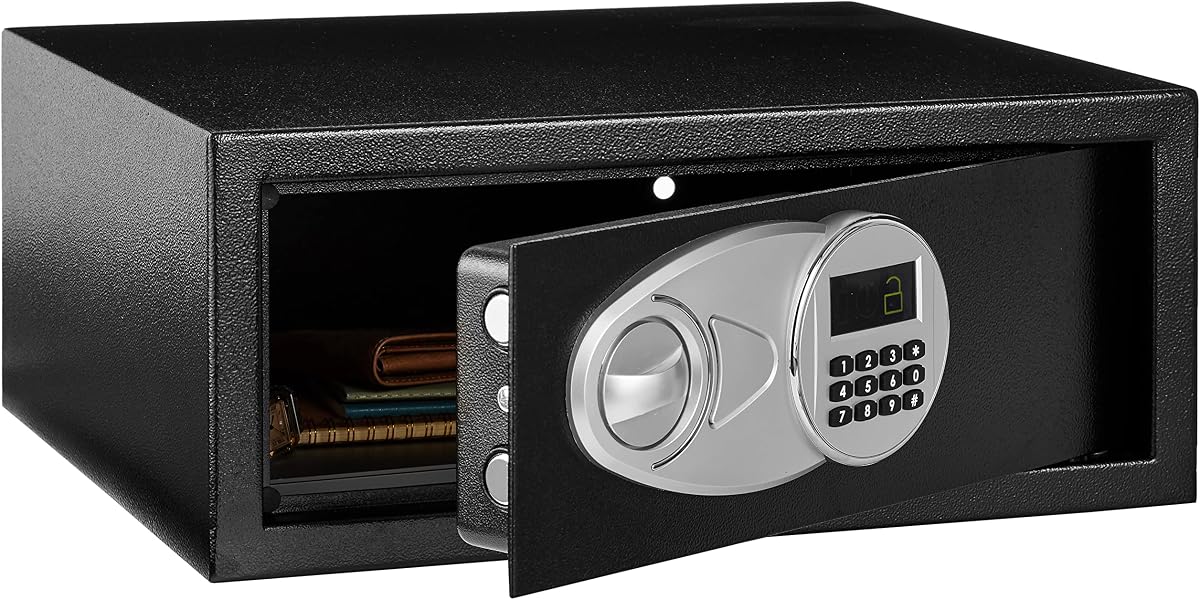
Amazon Basics Steel Security Safe and Lock Box is a straightforward digital safe for securing cash, jewelry, documents, and compatible laptop-sized valuables. Its 4.6 rating combines well with a familiar feature set: a programmable keypad, steel construction, concealed hinges, two live-door bolts, and two emergency override keys.
We may earn a commission when you buy through this link, at no additional cost to you.
The safe has a stated capacity of 0.7 cubic feet and an internal size of 16.77 by 11.93 by 6.93 inches. A carpeted floor helps prevent scratches. It uses four AA batteries for the electronic lock, although those batteries are not included, and four mounting bolts allow the safe to be secured to a wall, floor, or shelf.
Compared with the larger digital safes later in the list, it is a compact option with a more modest internal volume. It does not include a charging system, audit trail, USB emergency-power connection, or shelf, so it is a personal security enclosure rather than a shared device-management system. Its 19.8-pound listed weight also means that the included anchors are worth using if theft resistance is a priority.
This is a good fit for someone wanting a simple programmable safe with a key backup and minimal learning curve. It may not suit a household that expects to store a collection of electronics or a school needing multiple charging bays. Check the interior dimensions carefully and confirm which batteries the current listing requires before use.
The reprogrammable keypad provides a familiar way to manage access, while the two emergency keys offer a fallback if the code is forgotten or the batteries are depleted. Four AA batteries are required, so owners should establish a replacement routine from the beginning.
A free-standing safe can be easier to carry away than an anchored one. The included wall, floor, and shelf bolts make it possible to secure the unit where the intended level of protection requires more than a closed door.
We may earn a commission when you buy through this link, at no additional cost to you.
The 8-Device Tablet & Laptop Charging Cabinet is a fully assembled, lockable charging station for up to eight laptops, Chromebooks, tablets, iPads, and notebooks. Its 4.7 rating places it among the better-reviewed products in the guide, and the straightforward steel cabinet format suits schools, offices, libraries, reception areas, and healthcare facilities.
We may earn a commission when you buy through this link, at no additional cost to you.
Divider slots separate the devices and support screens up to 14 inches. Ventilated side panels help improve airflow during charging, while an integrated UL-listed eight-outlet power strip handles multi-device power. The lockable steel door includes two keys, and the unit ships with mounting hardware for optional desktop or wall installation.
The main advantage is convenience. There is no assembly process, and the included power strip removes the need to position a separate horizontal strip. The tradeoff is that this model has a single documented locking system with keys rather than the combination-and-key dual access offered by the POCHAR cabinet. It also does not claim to support screens larger than 14 inches.
This is a strong option for an organization seeking a secure, ventilated charging station with minimal setup. It is best for buyers who are comfortable managing physical keys and have devices within the stated size range. For a larger fleet, a 12-device model may offer a better fit, while a home user may prefer a smaller personal safe.
The fully assembled design is valuable when a school or office needs to implement a shared-device program quickly. After confirming placement, users can position or mount the cabinet, connect it to power, and begin assigning the eight individual device spaces.
Ventilated side panels help reduce heat buildup, and the built-in eight-outlet strip simplifies simultaneous charging. Divider slots also keep screens and devices separated, which helps maintain a consistent arrangement when the cabinet is opened repeatedly.
We may earn a commission when you buy through this link, at no additional cost to you.
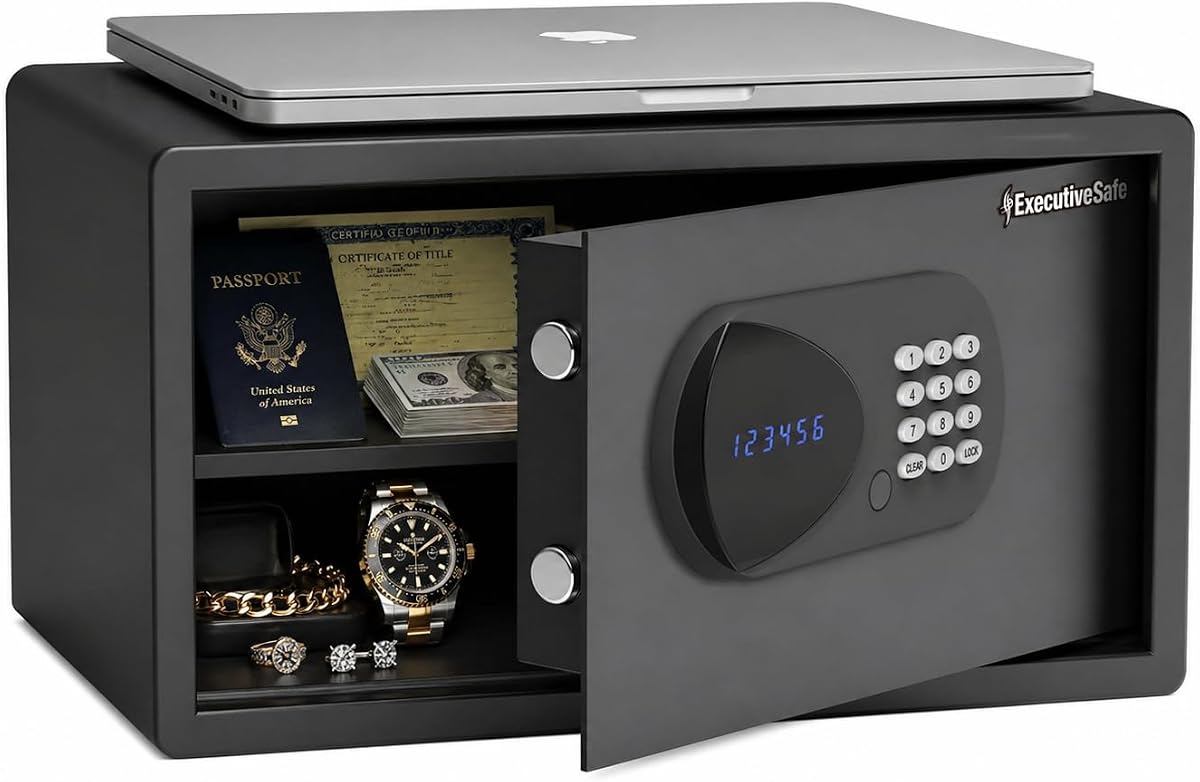
The TOTOY Portable Steel Fireproof Safe is a compact, keyless lock box for dorm rooms, home offices, vehicles, travel, and other places where a laptop needs to travel or remain out of sight. Its 4.3 rating and combination of a resettable three-digit code, steel body, foam-lined interior, and carry handle make it a distinctive portable option.
We may earn a commission when you buy through this link, at no additional cost to you.
The interior is designed to accommodate A4 documents and 13- or 14-inch laptops, as well as cash, passports, certificates, watches, and jewelry. Thick 2.5D contoured foam lines the inner walls to cushion items against bumps, drops, vibration, and scratches. A rotatable metal handle and listed weight of 8.4 pounds make the unit easier to carry than the larger safes.
The product information describes a thick steel construction with heat resistance and explains that it can be paired with a standard A4 fireproof document bag for an additional layer of protection. That distinction matters: a steel lock box and a fireproof document bag address different aspects of protection, and a buyer seeking comprehensive document protection should consider both rather than assuming the safe alone provides certified fire resistance.
This is the best value-oriented choice for a buyer who prioritizes portability, soft interior protection, and keyless access over powered electronics, audit logs, or complex motorized bolts. It is less suitable for very high-security environments or anyone wanting a more complex code. It also lacks a charging system, so it stores devices rather than charging them.
The 8.4-pound listed weight and folding metal handle make the safe less cumbersome than a conventional home safe. Its footprint can fit in a drawer, closet, or vehicle trunk, allowing users to move the same protected storage location as their needs change.
Full-surround contoured foam separates the contents from the steel walls and cushions laptops, tablets, documents, and accessories. It is a useful feature when the safe will be transported or handled frequently rather than permanently anchored.
We may earn a commission when you buy through this link, at no additional cost to you.
The ACS-6 Large Laptop Safe is a feature-rich digital safe for homes, offices, hotels, dorm rooms, and rental properties. It has a 4.7 rating and combines a 1.25-cubic-foot interior with an electronic keypad, motorized bolts, emergency access options, and a 100-entry audit trail.
We may earn a commission when you buy through this link, at no additional cost to you.
The safe is sized to fit laptops up to 17 inches, along with A4 documents, passports, cash, jewelry, medicine, and other valuables. Its exterior dimensions are 16.9 inches wide by 13.8 inches deep by 10.6 inches high, excluding an additional 0.65 inches for the keypad. A removable shelf and carpeted floor aid organization and scratch protection.
Security features include a solid steel body, concealed hinges, two 0.8-inch motorized locking bolts, and automatic lockout after four incorrect code attempts. Users can program four-to-six-digit user and management codes. The illuminated keypad, low-battery warning, battery check, two emergency keys, four included AA batteries, and external USB emergency-power port provide several layers of access support.
This is the premium recommendation for users who want more than a simple combination safe, particularly hotel or rental-property managers who can benefit from programmable codes and an access history. The size and fixed installation make it less convenient for frequent transport. Buyers should also evaluate the available shelf space and ensure that the final placement leaves the door fully operational.
The built-in audit trail stores the last 100 opening and closing events with date and time. Combined with programmable guest and management codes, this feature is especially useful in short-term rentals and shared accommodations where several people may need controlled access.
Two override keys, included AA batteries, a low-battery warning, and an external USB emergency-power port make the electronic lock more forgiving. Automatic lockout after several incorrect entries discourages repeated guessing while preserving the authorized access paths.
We may earn a commission when you buy through this link, at no additional cost to you.
The LOCKCURX Aluminum Laptop Briefcase is a portable locking case rather than a stationary safe. It has a 4.2 rating and combines a rigid aluminum exterior with two combination locks, an ergonomic handle, and three adjustable interior straps. It is aimed at professionals who want to carry a 14-inch laptop, documents, and office accessories between meetings or destinations.
We may earn a commission when you buy through this link, at no additional cost to you.
The interior measures 14.8 by 11 by 4.2 inches and is intended to fit a 14-inch laptop along with folders, notebooks, chargers, and business accessories. Adjustable Velcro straps help keep these items from sliding during commuting or travel. The hard shell is described as resistant to ordinary bumps, scratches, and daily wear while maintaining a professional appearance.
Security here comes from two built-in combination locks, making it more resistant to casual access than a standard open briefcase. However, a portable aluminum case should not be confused with a heavy steel safe designed to resist sustained prying or theft. Its primary advantage is the ability to secure contents while moving, not the ability to remain permanently anchored in one location.
This is a good choice for commuting professionals, lawyers, consultants, and travelers who regularly move a laptop and confidential paperwork. It is not appropriate for shared charging, wall installation, or high-risk unattended storage where a larger safe would be more suitable. Buyers should confirm the dimensions of their laptop and consider adding a small padded sleeve if extra scratch protection is desired.
Two combination locks remove the need to carry keys and help protect the case while it is being transported or temporarily set down. The handle and rigid shell make it practical for moving between offices, meetings, and travel destinations.
Three adjustable straps create dedicated positions for the laptop, files, and accessories. This reduces shifting and helps maintain a more orderly setup than a conventional case with one undivided compartment.
We may earn a commission when you buy through this link, at no additional cost to you.
The AXS-5 Large Digital Laptop Safe is a secure, programmable safe with a 5.0 rating. It is designed for laptops up to 17 inches and provides 1.05 cubic feet of interior capacity, making it a strong choice for dorm rooms, bedrooms, offices, hotels, and other locations that need a digital lock without the larger footprint of a high-capacity home safe.
We may earn a commission when you buy through this link, at no additional cost to you.
Solid steel construction, a seamless pry-resistant body and door, concealed hinges, and two 0.8-inch motorized locking bolts form the core security design. A four-to-six-digit keypad controls access, and the safe locks out after four incorrect attempts. It includes a programmable management code, an illuminated keypad, LED status display, low-battery warning, and battery-life check.
The audit trail stores the last 100 opening and closing events with their date and time. Two emergency override keys, four included AA batteries, and an external USB emergency-power port provide backup access methods. A carpeted interior floor helps protect delicate contents. Unlike the ACS-6, this model does not list a removable shelf or motorized automatic door opening.
This safe is a compelling pick for a dorm, rental, or home office where programmable access and an audit trail matter but internal volume needs to remain controlled. Its listed weight is 21.8 pounds, and pre-drilled holes with fixing hardware support wall, floor, or shelf mounting. It is less suitable for someone who needs to carry the safe regularly or store a large assortment of accessories.
Four-to-six-digit user and management codes make the safe adaptable to a household, dorm room, or rental property. The code system is more flexible than a basic three-digit mechanical lock and easier to change than one physically duplicated key set.
The 100-event audit trail provides a record of recent openings and closings. Included batteries, override keys, a low-battery warning, and a USB emergency-power input add several safeguards against inconvenient electronic lockouts.
We may earn a commission when you buy through this link, at no additional cost to you.
The right laptop lock box depends on whether you need personal storage, portable security, or centralized charging for several devices. Use the factors below to match capacity, lock type, placement, and features to the way your laptop and other valuables will actually be used.
Choose the format that matches the primary scenario, not merely the number of features. Shared charging needs require outlets and ventilation; portable use requires a manageable weight and handle; fixed installation benefits from anchors and concealed hardware.
Measure both the laptop and the intended storage space. Leave room for chargers, sleeves, documents, and the door to open fully, and do not assume a device marketed for a larger screen will fit without checking its thickness.
Match the lock to the users. Choose keyed access where physical control matters, a code for personal keyless convenience, or programmable access where several people need changing credentials and an audit trail has value.
For fixed storage, favor solid steel, concealed hinges, robust bolts, and mounting hardware. For mobile use, prioritize a rigid shell, reliable combination locks, and secure retention of the laptop rather than expecting safe-grade resistance.
Match outlet count to device count and confirm the voltage and amperage information for the strip. Good ventilation is essential in a closed charging enclosure, particularly in a classroom where devices may remain inside for extended periods.
Choose free-standing placement for flexibility or anchoring for stronger security. For wall-mounted charging cabinets, follow the supplied installation guidance and confirm that the surface is appropriate before drilling.
Prioritize backup access for high-value equipment, and store override keys securely. For travel or dorm use, simple code access and a portable handle can outweigh advanced auditing features.
Look for a soft, fitted interior when appearance and transport protection matter. For stationary charging cabinets, stable dividers and organized cable paths are usually more useful than thick padding.
Before placing anything inside, measure the device and confirm that the laptop or tablet can be inserted without forcing it. Keep protective sleeves on, arrange chargers around the edges, and use dividers or straps as intended. For a charging cabinet, connect the unit to an appropriate outlet only after checking the stated power specifications and making sure the power strip is fully seated.
Change digital or mechanical combination codes to a code you can remember, and keep emergency keys or override methods in a separate secure location. If the product supports programmable access, maintain a current record of who has the code. Do not leave the door open for extended periods, particularly in a shared charging cabinet, because ventilation and access control are less effective when the enclosure is open.
Inspect locks, hinges, cables, vents, and mounting hardware periodically. Dust the exterior with a soft dry cloth, avoid harsh cleaners that could damage coatings, and keep ventilation openings unobstructed. Replace digital-safe batteries before the low-battery warning appears, and never force a jammed key, keypad, or door. If a lock or latch stops functioning smoothly, contact the manufacturer or seller rather than trying to defeat it.
The best type depends on whether the laptop is moved frequently or left in one place. A portable chest or compact steel safe is useful for moving between a bed, desk, and travel case, while a fixed digital safe offers stronger anchoring and programmable access. Students should also consider cable retention, a comfortable handle, and whether the box can be stored beneath the bed without being exposed to impact.
Some models are specifically designed as multi-device charging cabinets and include built-in power strips. The reviewed eight-device cabinets include eight-outlet strips, while the 12-device model includes a 12-outlet strip with overload protection. Personal safes and portable briefcases generally store devices without charging them, so buyers should verify the product listing before leaving electronics connected inside.
Choose a box whose stated interior dimensions comfortably fit the laptop's width, depth, and thickness, not just its screen size. Larger devices such as 17-inch laptops may fit the ACS-6 and AXS-5, while the 14-inch-oriented models should be checked carefully. Allow extra room for sleeves, chargers, document folders, and any accessories that will be stored with the computer.
Neither is universally safer. A key lock can provide strong physical access control without needing batteries, but the key must be stored responsibly. A combination lock eliminates key loss and allows shared codes, although a short code is easier to guess. Digital combination systems add convenience and access records but require batteries and reliable backup methods.
Mounting is recommended when theft resistance is important and the unit is intended to remain in one location. Charging cabinets and digital safes often include predrilled holes and mounting hardware. Make sure the surface can support the weight and follow the supplied installation instructions, especially for drywall or other fragile wall materials.
Portable aluminum cases are best for protecting a laptop and documents while in transit or under casual observation. Their combination locks and rigid shell can deter opportunistic access, but they do not equal a steel safe with concealed hinges, motorized bolts, and anchoring hardware. For high-value unattended storage, choose a stationary safe instead.
A combination lock supports convenient daily access, while a separate keyed door can provide administrator control. Access logs, programmable user codes, and automatic lockout features add accountability when several people use the same storage. For a shared charging cabinet, sturdy construction, an anchored placement, ventilated sides, and organized cable management are also important.
Use a charging cabinet specifically designed for the number and size of devices stored inside, and keep every vent unobstructed. Confirm that the power strip matches the cabinet's stated electrical specifications and avoid using damaged extension cords or overloading outlets. Do not tightly pack the interior beyond its stated capacity, and check the product listing for ventilation and heat-management guidance.
The POCHAR 8-Unit Charging Cabinet is the strongest overall choice for shared environments, combining a 4.7 rating, eight-device charging, dual locking, cable organization, and flexible placement. The TOTOY Portable Steel Fireproof Safe is the best budget-oriented pick for personal and mobile use, while the ACS-6 Large Laptop Safe is the premium option for buyers who want 17-inch laptop capacity, programmable codes, access records, and emergency power support.
Prioritize the format that matches the actual task. Choose a charging cabinet when devices need shared organization and continuous power, a personal safe for fixed high-value storage, and a locking briefcase for transport. Within that format, check interior dimensions, ventilation, anchoring options, access backups, and the number of users before making a final decision.
Prices, availability, battery requirements, and product details can change after this guide was prepared, and customer ratings may also evolve. Review the current listing, verify the manufacturer's specifications, and confirm that the device and intended storage space are compatible before purchasing.