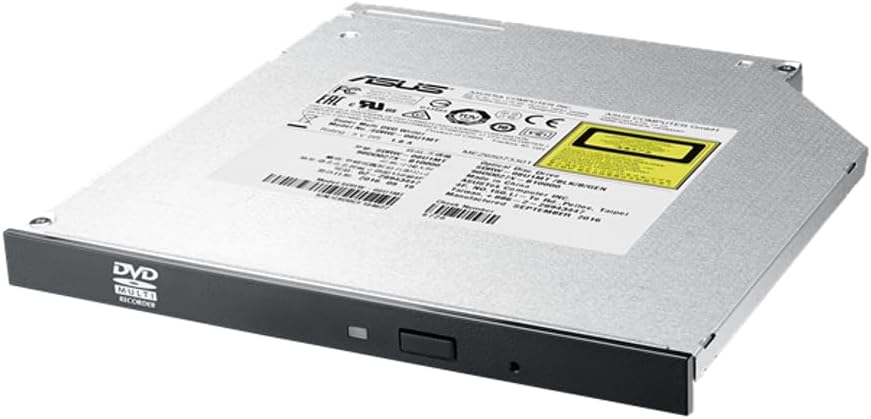
ASUS SDRW-08U1MT 9.5mm
4.4Editor score
Ultra-slim 9.5mm design
M-DISC archival support
Eight-speed DVD writing
Explore the best internal DVD drive for laptop options, comparing slim sizes, SATA interfaces, writing speeds, disc support, and compatibility for replacement.
An internal DVD drive for laptop can restore physical-media functions to a notebook that no longer includes an optical bay. The right unit must match the machine’s thickness, connector, loading style, and supported operating system. Important choices include 7 mm and 9.5 mm slim models, conventional 12.7 mm drives, SATA data connections, and dedicated power requirements.
This guide compares ten internal optical drives using their published specifications, physical formats, disc functions, ratings, and installation considerations. It covers general-purpose slim drives, tray-loading laptop replacements, slot-in units, M-DISC-capable writers, and one thicker OEM-style option. The comparison highlights practical differences rather than assuming every laptop accepts the same drive.
The selections show that the most important feature is compatibility, followed by dependable writing functions and the option to use archival discs. Thinness alone does not guarantee a suitable installation, and drive ratings are not substitutes for checking a notebook’s service manual. Product availability and pricing can change, so confirm current listing details and bay requirements before purchasing.
4.4Editor score

5.0Editor score

4.4Editor score
The table below compares all ten drives by physical format, interface, core optical functions, and useful compatibility details. Because laptop optical bays are not standardized, the dimensions and connector information should be checked before selection.

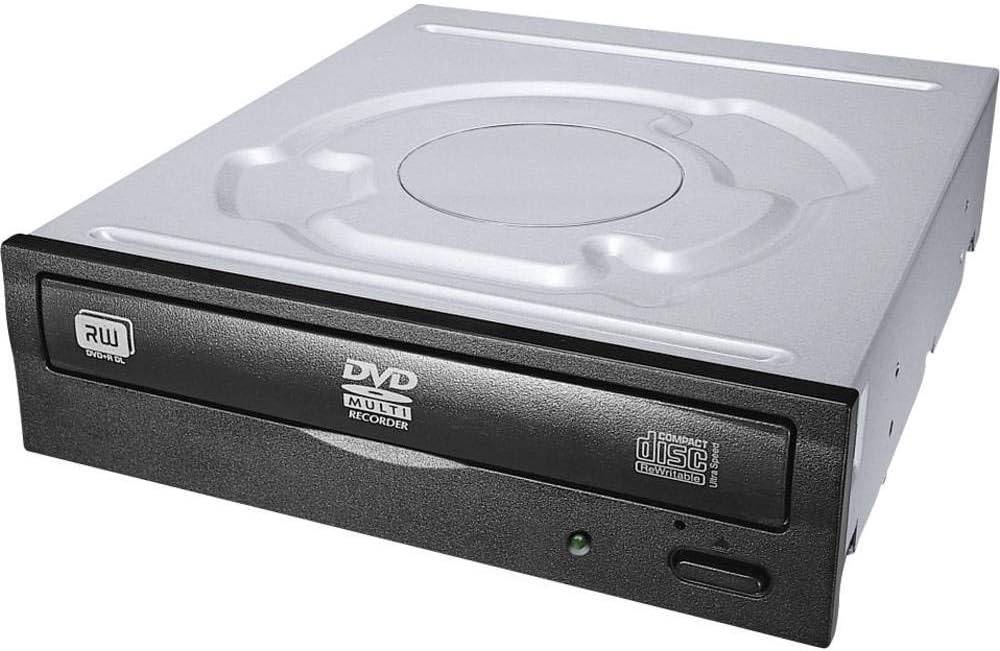



The Hitachi-LG GTC2N combines broad disc compatibility with a 12.7 mm slimline profile. Its published rating is 4.4, and its standout feature set extends beyond ordinary DVD reading to extensive writing, rewriting, DVD-RAM, dual-layer media, and M-DISC support. That makes it a capable option for users who want more than a simple replacement disc reader.
We may earn a commission when you buy through this link, at no additional cost to you.
Writing performance reaches 8x for DVD-R and DVD+R single-layer media, while dual-layer formats support speeds up to 6x. The drive can read standard DVD-ROM, recordable, rewritable, DVD-RAM, and DVD-video discs. It also handles CD-R, CD-RW, CD-ROM, and audio CDs, with maximum CD writing speeds listed as high as 24x. These figures make it suitable for creating discs, installing software from physical media, and maintaining older disc libraries.
The M-DISC capability is particularly useful for long-term storage because it writes to a rock-like recording layer rather than conventional organic dye. Silent Play adjusts playback behavior to reduce audible disc-spin noise, while a Windows 10 compatibility statement provides a useful baseline for buyers with older or business-oriented notebooks. The trade-off is its 12.7 mm height, which is larger than the 9.5 mm and 7 mm alternatives in this guide.
This drive is best for a laptop with a 12.7 mm optical bay or for a user who prioritizes format flexibility and archival writing over minimum thickness. Verify the connector arrangement, bezel requirements, mounting points, and power availability before ordering. If those specifications align, it is one of the most functionally complete choices in the list.
This unit supports a wide range of recordable, rewritable, dual-layer, and RAM disc formats. That flexibility helps it serve both everyday disc-burning tasks and specialized archival workflows.
M-DISC support adds a durable option for important files, while Silent Play helps reduce noise during movie playback. Together, these features make the drive useful for media use as well as storage.
We may earn a commission when you buy through this link, at no additional cost to you.
The ASUS SDRW-08U1MT is a 9.5 mm ultra-slim DVD writer with a 4.4 rating. It is especially appealing for compact laptops that have lost their original optical drive but retain a compatible bay. Its central combination is straightforward: a thin internal format, 8x DVD writing, M-DISC support, and power-management features designed for mobile use.
We may earn a commission when you buy through this link, at no additional cost to you.
M-DISC is the clearest premium feature. The manufacturer describes it as archival-quality storage intended to protect photos, video, and data for 1,000 years or more under suitable storage conditions. The drive also supports eight-speed DVD writing, giving it enough performance for routine disc creation and physical-media backups. E-Green technology automatically closes the drive application when it is not being used, producing the stated power savings.
E-Media is intended to create a quieter operating environment, which is useful in a notebook where drive noise can be noticeable. The main limitation is mechanical rather than functional: at 9.5 mm, the drive still will not fit every laptop optical bay, and connector orientation or faceplate requirements can differ even among similarly sized machines. The manufacturer name does not guarantee that the listing is a direct replacement for every ASUS notebook.
Buyers should favor this option when their laptop accepts a 9.5 mm internal optical drive and they want archival disc support in a relatively compact package. It is also a strong match for users creating music discs, installing software, or maintaining a physical backup routine. Check the service manual and the removed original drive before purchasing.
The 9.5 mm profile makes this option meaningfully more compact than a conventional 12.7 mm optical drive. It remains important to measure the available bay and compare mounting arrangements with the original drive.
M-DISC support is the distinguishing feature for users who want physical media designed for long-term retention. Archival media should still be stored properly and periodically checked for readability.
We may earn a commission when you buy through this link, at no additional cost to you.
The HP 16X DVD-ROM Drive is a straightforward internal Serial ATA optical drive for users who primarily need to read physical discs. It carries a 5.0 rating, the highest listed score among these products, but ratings alone do not establish physical compatibility. Its appeal lies in a focused design without the broader writer features found in several alternatives.
We may earn a commission when you buy through this link, at no additional cost to you.
The drive is specified as an optical disc drive with a Serial ATA interface. That makes it relevant to laptops that use SATA optical bays and need a basic DVD-ROM reader. It may be a sensible choice for software installation, educational discs, archived movies, or other read-only media where creating and rewriting discs is unnecessary.
The supplied product information does not document DVD or CD writing speeds, M-DISC support, noise controls, or a slim height. Its item package dimensions are listed as 25.146 cm by 27.94 cm by 14.732 cm, and its package weight is 2.4 pounds. Package dimensions should not be treated as the precise dimensions of the drive itself, so the service manual or physical measurements are more useful for fit confirmation.
Choose this drive when a straightforward reader is enough and the laptop has a matching SATA optical bay. It is less appropriate for buyers seeking archival writing, broad format support, or a particularly thin 7 mm or 9.5 mm replacement. Confirm bay depth, faceplate shape, connector position, and mounting hardware before ordering.
A DVD-ROM drive keeps the installation simple for users who only need to access existing discs. It is well suited to legacy software installers and personal media collections.
Because the listing emphasizes package dimensions rather than precise drive measurements, compare the original optical drive directly. Connector orientation and bezel geometry can prevent an otherwise compatible installation.
We may earn a commission when you buy through this link, at no additional cost to you.
The HP DVD±RW Dual Layer SATA Optical Drive is identified as part number 615646-001, alternate number 575781-501, and model SH-216. Its 4.7 rating places it among the stronger-reviewed products here, while the title emphasizes two important capabilities: DVD rewriting and dual-layer media support.
We may earn a commission when you buy through this link, at no additional cost to you.
DVD±RW compatibility means the drive can work with both plus and minus recordable formats rather than restricting users to one family. Dual-layer support expands the available media capacity and makes the unit more versatile for larger software collections, backups, and multimedia discs. Its SATA interface also aligns with the connection standard used by many internal laptop optical drives.
The supplied information is concise and does not detail the drive’s height, loading mechanism, supported CD functions, writing speeds, M-DISC capability, or operating-system requirements. Because this is an OEM-style part identified by several numbers, matching the correct component is essential. Buyers should compare the model identifiers with the replacement drive in their notebook rather than relying only on a broad product description.
This drive is a compelling choice for a compatible laptop that needs full DVD rewriting rather than read-only access. It works especially well when the original machine used a similar SH-216 or related OEM assembly. Verify the physical profile, rear connectors, tray or slot mechanism, and available mounting space before ordering.
Supporting DVD plus and minus rewritable formats reduces media compatibility guesswork. This is useful when existing discs use a mixture of formats.
Dual-layer support allows the drive to use larger-capacity optical media. It broadens the range of suitable software, video, and backup discs.
We may earn a commission when you buy through this link, at no additional cost to you.
The Lite-On IHAS124-14 is an internal SATA DVD±RW drive with a 4.5 rating. Its 24X designation suggests a speed-focused optical platform, while the model number gives buyers a specific part to compare against compatible notebooks and desktop optical bays. It is aimed at users who want a general-purpose writer rather than a narrowly specialized media device.
We may earn a commission when you buy through this link, at no additional cost to you.
The DVD±RW label indicates compatibility with both plus and minus rewritable formats, giving users flexibility when selecting blank media. Its internal SATA interface is standard for modern optical drives and can be easier for a technician to identify than an older proprietary connector arrangement. The drive also appears in a product category that includes CD rewriting, which makes it practical for mixed disc workflows.
The supplied details identify the manufacturer as Lite-On, the model as IHAS124-14, and the country of origin as China. Package dimensions are 26.0 cm high, 6.5 cm long, and 16.7 cm wide. Those figures describe the package rather than the bare drive, so they do not establish whether the unit will fit a specific laptop bay.
This is a sensible consideration for a compatible laptop or compact desktop seeking a recognizable SATA writer with multi-speed capability. It is less suited to buyers who require documented M-DISC support, a precisely specified 7 mm profile, or a plug-and-play data cable in the package. Confirm the drive height, connector layout, tray mechanism, and power requirements before installing it.
The IHAS124-14 model designation gives service technicians and experienced installers a concrete reference. It can help distinguish the drive from visually similar optical units.
A DVD±RW writer serves disc creation, software installation, and media-management tasks. The exact supported formats should be checked against the manufacturer documentation or device specifications.
We may earn a commission when you buy through this link, at no additional cost to you.
The LG DVD Rewriter Internal Slim pairs a 5.0 rating with several practical laptop-oriented features. Its tray-based design uses manual loading and electrical release, while Silent Play reduces noise from disc rotation during movie playback. Maximum DVD±R writing speed is listed at 8x, making it suitable for routine disc creation and physical backups.
We may earn a commission when you buy through this link, at no additional cost to you.
M-DISC read and write support adds an archival option alongside standard CD-R, CD-RW, DVD-R, DVD-RW, DVD+R, DVD+RW, and dual-layer DVD±R media. The drive also includes buffer under-run prevention, which helps reduce the chance of recording errors when the system cannot maintain the required data flow during a burn.
Power-saving and sleep modes are useful in a notebook that may run on battery. These features complement the slim internal format and make the drive appealing where acoustics matter. However, the supplied listing does not provide exact physical dimensions, so a buyer should not assume it matches every internal optical bay.
This LG unit is a strong recommendation for users who want quiet playback, archival writing, and standard media support in an internal slim package. It is particularly attractive for watching movies or creating discs in a relatively quiet environment. Before buying, compare its connector arrangement, mounting tabs, faceplate, and depth with the original laptop drive.
Silent Play recognizes different media and adjusts playback behavior to reduce disc-spin noise. That makes the drive more comfortable for film viewing or shared workspaces.
Eight-speed DVD writing provides a practical balance for common backup and installation tasks. Buffer under-run prevention adds protection when write conditions briefly fluctuate.
We may earn a commission when you buy through this link, at no additional cost to you.
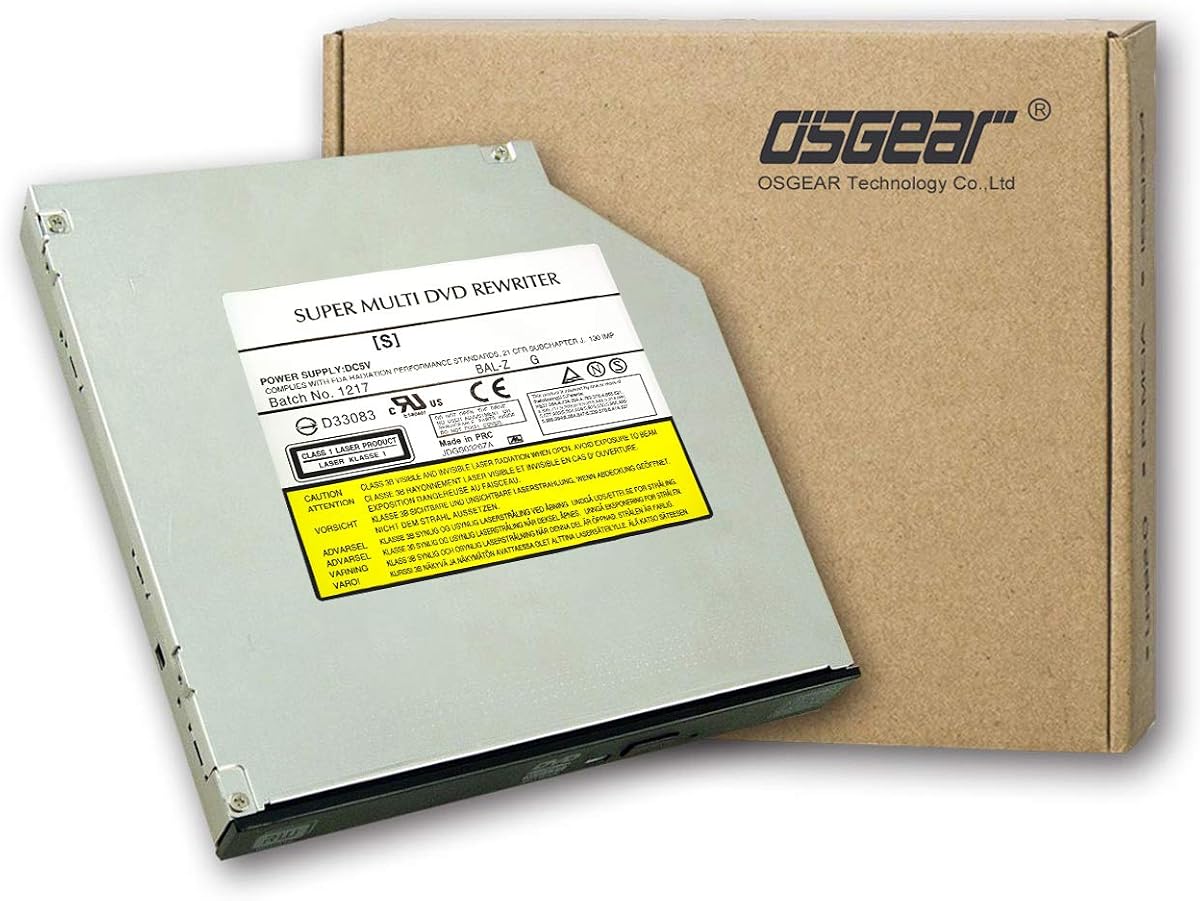
The OSGEAR 9.5mm slim SATA DVD±RW is a tray-loading optical drive with a clearly stated thickness of 9.5 mm. Its dimensions are listed as 127 by 125 by 9.5 mm, giving buyers more useful fit information than listings that provide only package measurements. It carries a 4.1 rating and is designed primarily as a laptop replacement.
We may earn a commission when you buy through this link, at no additional cost to you.
The drive supports 24x CD and 8x DVD reading, along with matching write speeds for supported media. Its SATA interface is appropriate for laptops that use a standard internal optical connector. The listing also identifies compatibility with Windows 98, XP, 2000, Vista, Windows 7, Windows 8, and Windows 10, as well as Mac OS and Linux.
The seller names ASUS, Acer, HP, Dell, Sony, Lenovo, ThinkPad, Toshiba, and Samsung laptops among possible users. That breadth is useful as a general guide, but the most important caution is the need for a 9.5 mm bay and SATA connection. The listing explicitly advises verifying thickness before purchase and using a professional engineer for installation if needed.
This is a practical choice for a compatible laptop owner who needs a slim DVD writer and wants broad operating-system support. Installation support and software references add value for less experienced buyers. The trade-offs are a lower rating than several alternatives and the ever-present risk that brand name alone will not overcome a mismatched bay, connector, or faceplate.
Published dimensions of 127 by 125 by 9.5 mm make preliminary comparison easier. Buyers should still allow room for the connector, cable bend, and mounting tabs.
The listed support spans several generations of Windows plus Mac OS and Linux. Actual behavior can depend on the laptop, firmware, and whether the operating system includes optical-drive utilities.
We may earn a commission when you buy through this link, at no additional cost to you.
The UJ8C2 UJ8E2 UJ8G2 combines a 5.0 rating with a 9.5 mm super-slim design and an included USB 3.0 SATA data cable. Its slot-in loading mechanism differs from the tray designs common on many laptops, so buyers should pay particular attention to the original drive’s appearance and operating behavior.
We may earn a commission when you buy through this link, at no additional cost to you.
The listing states that no driver programs are required for plug-and-play use. It supports reading and writing CD-R, CD-ROM, CD±RW, DVD-ROM, DVD-R, DVD±RW, and DVD-R DL media, as well as VCD. These functions support common tasks such as watching movies, listening to music, installing software, creating backups, and burning music discs.
Operating-system support is listed for numerous Windows versions, Windows Server releases, and Mac OS 8.6 or later. The drive is presented as a replacement for 9.5 mm SATA optical units used in laptops from brands such as ASUS, Acer, HP, Dell, Sony, Lenovo, ThinkPad, Toshiba, and Samsung. The included data cable simplifies connection, although it does not eliminate the need for the laptop’s dedicated optical-drive power connector.
This drive is appealing for a compatible laptop with a 9.5 mm slot-in bay and for buyers who want the supplied cable as part of the installation kit. Its rating is among the highest in the group, although no personal performance testing was supplied. Confirm the physical loading style, connector position, mounting hardware, and power requirements before ordering.
The included USB 3.0 SATA data cable removes the need to source a separate data lead. The optical drive still requires an appropriate SATA power connection from the laptop.
Slot-in drives have a different face and ejection behavior from tray models. Compare the drive opening and internal connector with the removed unit before installation.
We may earn a commission when you buy through this link, at no additional cost to you.
The TechMagnet internal DVD drive stands out for its 7 mm height, making it the thinnest option listed in this guide. It is a renewed product with a 3.8 rating, the lowest score among the ten selections. Its slim SATA design targets modern notebooks and compact desktops that can accommodate a 7 mm optical drive.
We may earn a commission when you buy through this link, at no additional cost to you.
The drive supports 8X DVD±R writing and reads or writes CD-R, CD-RW, DVD±R, DVD±RW, DVD-ROM, and M-DISC formats. Its tray-loading design is intended to provide smooth, quiet operation, while plug-and-play operation means no additional drivers are needed for most operating systems. M-DISC support gives the unit a useful archival distinction despite its renewed status.
Compatibility is listed for Dell, Lenovo, HP, Asus, and Acer systems, along with other PCs or Macs that accept a 7 mm slim SATA optical drive. The word “accepts” is important: a compatible brand is not sufficient by itself, since bay depth, connector position, mounting tabs, faceplate design, and power supply all influence whether the drive can be installed.
This is the option to investigate when a notebook’s bay is too shallow for a 9.5 mm unit. It is less attractive for buyers who prioritize condition assurance or extensive published detail, since it is renewed and carries a lower rating. Inspect the listing photographs carefully, request any available condition details, and confirm that the laptop supports a 7 mm optical bay before buying.
At 7 mm, this drive addresses optical-bay constraints that rule out many 9.5 mm and 12.7 mm models. Depth and connector clearance still need verification.
Renewed status can provide access to a compact optical solution, but appearance and wear may differ. Review the condition description, return terms, and included accessories carefully.
We may earn a commission when you buy through this link, at no additional cost to you.
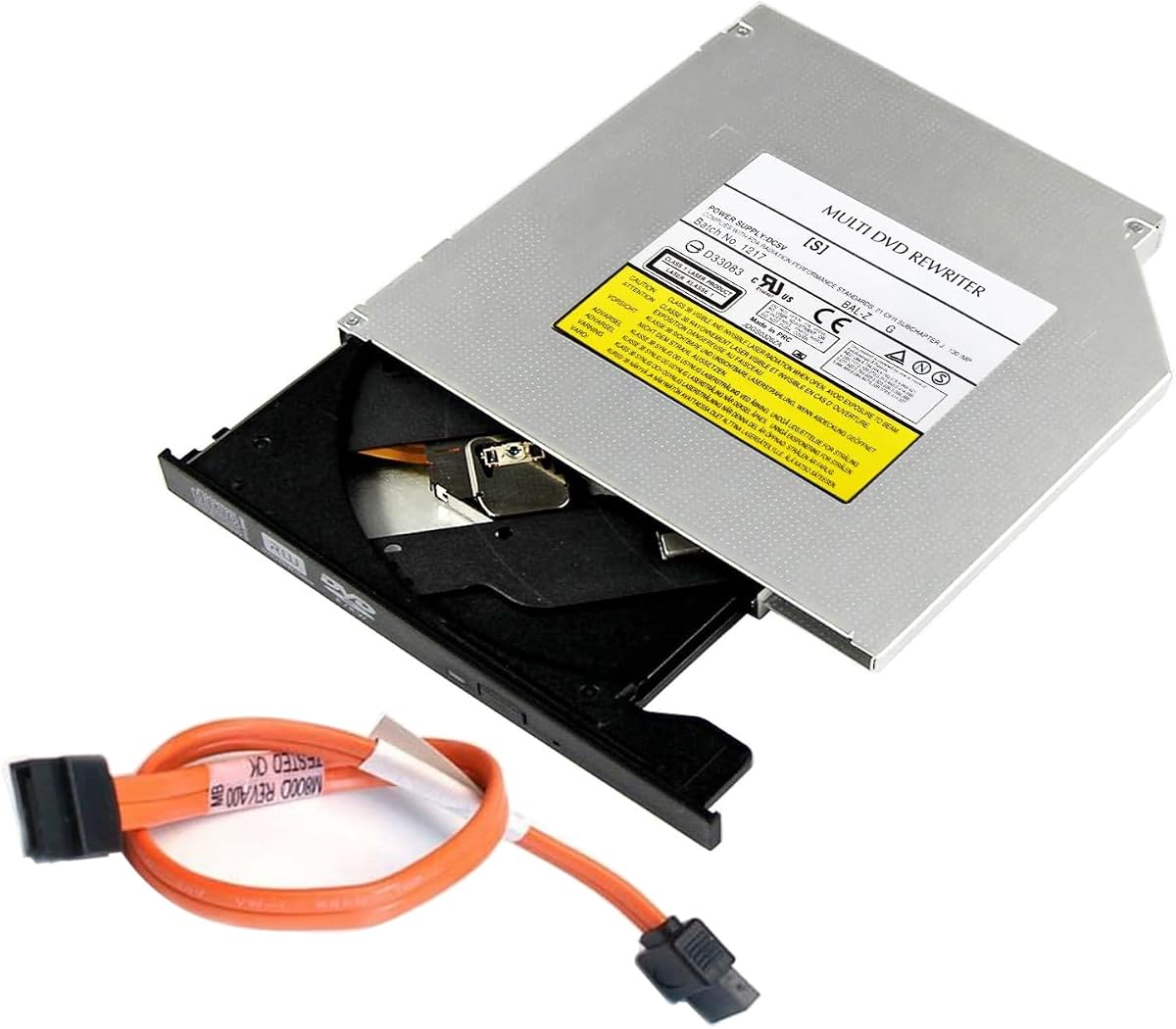
The GUD1N 9.5mm SATA DVD RW is a slim internal optical drive with a 4.2 rating. Its external dimensions are specified as approximately 128 by 127 by 9.5 mm, and the package includes one slim SATA DVD RW drive plus one data cable. These details make it a practical candidate for a laptop or slim desktop with a matching bay.
We may earn a commission when you buy through this link, at no additional cost to you.
The drive supports DVD+R, DVD-R, DVD+RW, DVD-RW, DVD+R DL, DVD-R DL, DVD-RAM, DVD-ROM, CD-R, CD-RW, and CD-ROM formats. It handles up to 8X DVD±R reading and writing and up to 24X CD reading and writing. M-DISC support adds an archival-oriented option for photos, videos, and important files.
Its tray-loading design and slim height align with many modern optical replacements, but the listing appropriately warns that it is not intended for 12.7 mm drives, external USB enclosures, or non-SATA connectors. It can serve software installation, disc playback, music creation, and physical backup tasks when the host computer provides the required SATA data and power connections.
This GUD1N unit is best for buyers who want a broad-format 9.5 mm writer and value the included cable. Its most important qualification is physical fit: compare dimensions, bay depth, connector orientation, and mounting points with the original drive. Once those requirements are confirmed, it offers a capable general-purpose optical solution.
Support for single-layer, dual-layer, rewritable, RAM, DVD-ROM, and CD media makes this a versatile writer. Media availability varies by market, so stock should also be considered.
The included data cable removes one potential installation obstacle. A compatible SATA power lead and adequate internal clearance are still required.
We may earn a commission when you buy through this link, at no additional cost to you.
Choosing an internal laptop optical drive begins with physical fit and ends with the media functions you actually need. The most important information is not a speed number, but whether the drive’s height, depth, loading style, connectors, power requirements, and mounting system match the computer.
Internal laptop optical drives commonly appear in 12.7 mm, 9.5 mm, and 7 mm height classes, but the complete dimensions matter more than the headline thickness. A drive can have the correct nominal height while still being too deep, too wide, or positioned differently around its connector. Compare the candidate with the original drive or consult the notebook service manual for the approved replacement part number. Pay particular attention to the front bezel, cable bend radius, and space around the connector.
SATA is the connection used by the products in this guide, but connector position still varies. Some laptop optical drives place the SATA data and power sockets on the opposite side from one another, and a visually similar cable may not fit. Older notebook platforms may use different interfaces entirely. Check the original drive’s rear connectors and the service documentation before ordering, and make sure the replacement cable can bend without being forced upward against the drive housing.
Tray-loading drives open a small front drawer, while slot-in drives accept discs through a narrow opening. The two styles require different bezels and interact differently with the laptop’s eject mechanism. A tray model may protrude slightly, while a slot-in model may include a spring-loaded mechanism. Replacing a tray drive with a slot-in unit or vice versa can result in gaps, incorrect openings, and eject-button problems. Match the loading mechanism as closely as possible.
A DVD-ROM reader is sufficient for installing software from existing discs, but a DVD±RW writer adds the ability to create, erase, and reuse media. CD writing support can be useful for music compilation or compatibility with legacy discs. M-DISC is worth considering when durable physical archiving matters, while users who only watch movies may place more emphasis on quiet playback. Avoid paying attention to functions the laptop or intended media collection will never require.
A model described as 24X may refer to CD performance, while a 16X model can indicate DVD-ROM capability rather than writing speed. DVD writers in this guide are commonly listed at 8X for standard recordable media. Faster speeds can shorten large disc-burning jobs, but real completion time depends on the file source, disc quality, media format, and system performance. Compatibility and reliability should come first when comparing an internal replacement.
Optical drives can add noticeable vibration and motor noise, especially during movie playback. Silent Play or E-Media features are intended to reduce sound, while sleep mode and automatic application closing can reduce energy use in portable systems. These features improve daily usability but do not replace a mechanical fit check. A slim drive that moves or resonates inside a laptop may create more noise than its advertised playback controls suggest.
Most modern operating systems can use standard SATA optical drives, but older or specialized notebooks may need additional drivers or restricted support. Some listed drives mention broad Windows, Mac OS, and Linux compatibility, while others provide limited documentation. A plug-and-play claim generally means the standard optical-drive functions should operate without proprietary software, but firmware, disk-recording utilities, and slot mechanisms can behave differently. Check the manufacturer’s supported operating systems and your laptop’s recovery or backup requirements.
New and renewed units can serve very different needs. A renewed drive may provide a rare 7 mm format at a lower cost, but its cosmetic condition, testing history, warranty, and included parts may vary. New listings may include a data cable or installation guidance. Confirm whether the package contains the drive only, a SATA data cable, mounting hardware, or a full cable set, since the laptop’s separate optical-drive power connector is never replaced by a data cable alone.
Before installation, power the laptop down completely, disconnect its charger and battery where the manufacturer permits, and consult the service guide. Compare the replacement drive with the original unit, verify its height and connector positions, and confirm that the SATA data cable can reach without excessive bending. If the bay contains a metal shield or bracket, transfer any required brackets, screws, or mounting tabs only when the parts are designed for that arrangement.
Once installed, reconnect the battery and power supply, boot the laptop, and let the operating system detect the optical drive. Insert a clean, commercially produced disc and test reading before attempting a recording. When writing, use reputable recording software, choose a disc format supported by the drive, close other demanding applications, and avoid forcing an eject or pulling the laptop cable while a disc is being accessed.
Handle discs by the edges and store them in protective cases away from heat, moisture, bending, and direct sunlight. Keep the drive’s tray or slot free from dust and foreign objects, and do not force a disc that will not load. For archival media, follow the media manufacturer’s storage guidance and inspect important discs periodically. Periodic backup copies remain sensible even when using a durable disc format.
Most compatible replacements are available in 12.7 mm, 9.5 mm, and 7 mm height classes. Check the original drive or the notebook service manual because nominal thickness alone does not reveal connector placement or bay depth. If the original drive is missing, measure the empty bay carefully and allow space for the cable and front bezel.
A thinner drive may physically fit into a larger bay, but connector position, mounting tabs, faceplate alignment, and eject behavior may still prevent a proper installation. Some users use adapters, but adapter quality and connector alignment vary. Matching the original drive’s model and physical arrangement is the safest approach.
An external USB drive offers a simpler connection and avoids internal fit concerns, but it occupies a port and cannot function if the computer lacks the required USB hardware or driver. An internal drive is neater and integrates with the notebook’s original optical-drive position. Choose external if portability and convenience matter more than an integrated installation.
A DVD-ROM drive primarily reads existing optical media. A DVD±RW drive can also write and erase compatible recordable and rewritable discs. Additional support for CD-R or CD-RW makes a writer more useful for music and legacy media, while M-DISC support provides a separate long-term archival option.
No. The laptop must have suitable optical-bay space, the correct connector arrangement, adequate power, and a compatible operating system. Brand compatibility is only a general guide because model variations can use different bays and mounting systems. Verify the exact replacement requirements before purchasing.
No. Some modern notebooks use even thinner custom bays, while others removed the optical drive entirely. A 7mm drive is among the thinnest conventional options in this guide, but connector placement, depth, and mounting geometry still matter. Confirm that the computer was designed for a 7mm SATA optical drive and that the original model matches.
M-DISC uses a different recording layer intended to resist long-term material degradation better than conventional dye-based DVD media. It can therefore be a strong choice for archival discs. No physical medium should be treated as completely maintenance-free, so retain redundant copies and inspect stored media periodically.
You will normally need the correct SATA data cable, the laptop’s optical-drive power connector, and any required mounting bracket or screw. Some listings include a data cable, but power wiring is usually separate. Check the original drive and service manual before ordering so that missing connectors are not discovered only after the new drive arrives.
The ASUS SDRW-08U1MT stands out for its 9.5 mm profile, eight-speed writing, quiet operation, and M-DISC support, making it an especially complete slim-laptop choice. The HP 16X DVD-ROM Drive offers a focused SATA reading solution, while the Hitachi-LG GTC2N delivers extensive DVD, CD, DVD-RAM, and archival format support in a 12.7 mm package.
The right choice for most buyers begins with the original drive. Confirm thickness, loading style, connector position, mounting points, power, and operating-system requirements before considering speed or special media. Users needing an exceptionally thin bay can investigate the 7 mm TechMagnet, although its renewed condition and lower rating deserve careful review. More conventional 9.5 mm replacements offer several strong alternatives.
Product listings and availability can change, so review the current specifications, included components, warranty, and seller information before purchasing. Do not rely on a nominal model or laptop brand alone to establish fit. Taking a few minutes to compare the replacement with the removed optical drive can prevent connector, mounting, and clearance problems after delivery.