
4 Pack HDMI Dummy Plug 4K HDR
4.8Editor score
Four adapters per multipack
4K at 60Hz
1080p at 120Hz
This HDMI Dummy Plug guide compares ten options for resolution, HDR, compatibility, pack size, and dependable headless display performance.
An HDMI dummy plug is a compact EDID emulator that makes a computer believe a display is connected, allowing graphics processors and remote workflows to remain active without a physical monitor. The right adapter should match your resolution, refresh rate, operating system, graphics hardware, and intended application.
We compared the ten listed products by examining their supported resolutions, HDMI generations, platform compatibility, multi-pack configurations, construction, status indicators, and suitability for remote access, virtual displays, rendering, simulation, streaming, and other headless tasks. The guide covers budget multipacks through HDMI 2.1 models designed for demanding setups.
Each review explains the strongest feature, practical advantages, limitations, and ideal buyer for one product. The top selections represent a budget-friendly four-pack, a well-rounded four-pack, and a higher-resolution HDMI 2.1 option. Product availability and prices change, so compare current listings before purchasing.
4.8Editor score
4.6Editor score

This side-by-side comparison highlights each adapter's advertised resolution, refresh-rate support, pack quantity, physical features, and primary headless use case. Because HDMI bandwidth, operating systems, and graphics cards impose their own limits, choose an adapter whose advertised mode is realistically supported by the complete system.


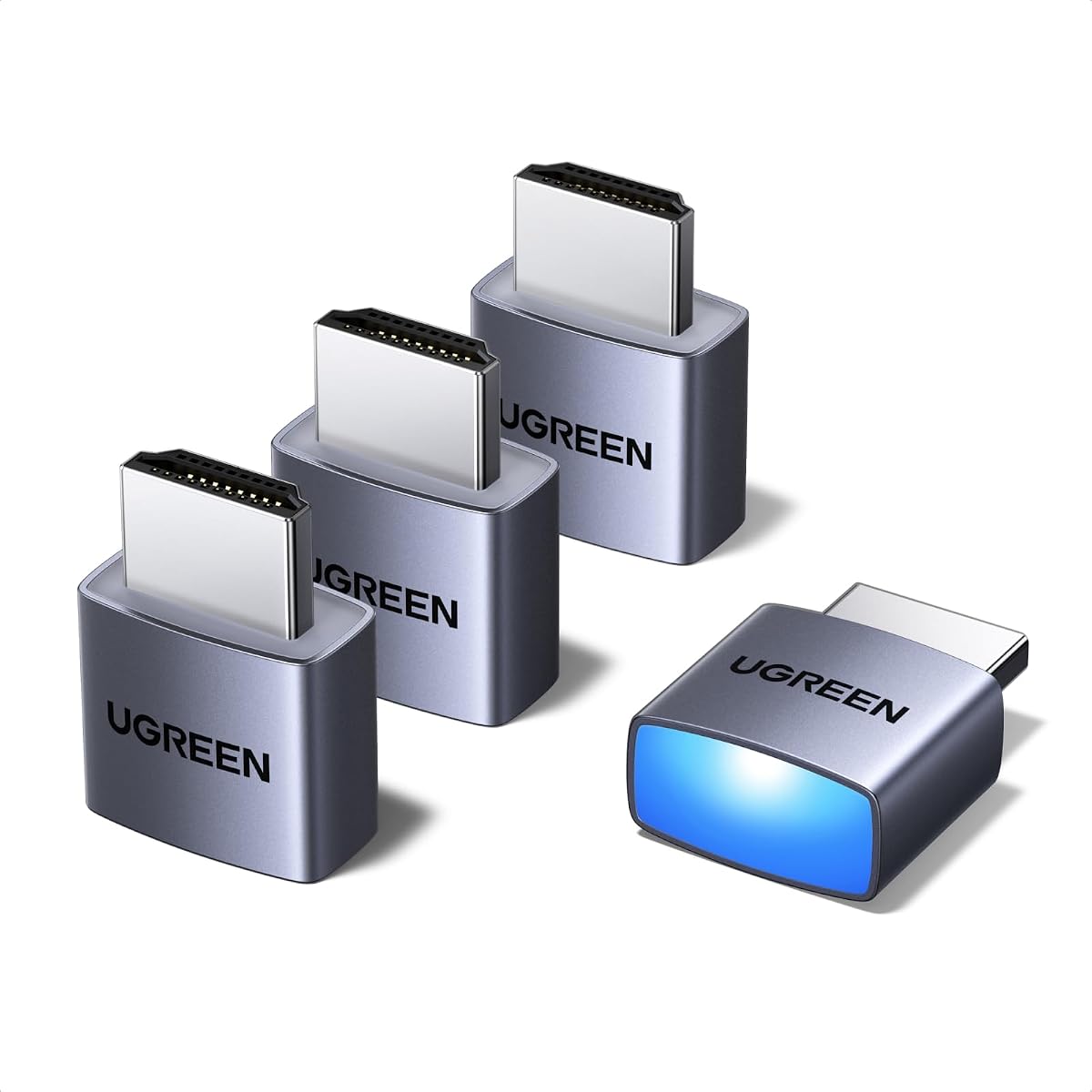
The UGREEN 4 Pack HDMI Dummy Plug is a versatile EDID emulator for building a virtual display, keeping a GPU active, and managing a computer remotely. It carries a 4.6 rating and stands out for its four-pack format, aluminum construction, and integrated connection LED. Its advertised 4K at 60Hz and 1080p at 120Hz modes cover the needs of many office, development, and server systems.
We may earn a commission when you buy through this link, at no additional cost to you.
The primary benefit is straightforward headless operation. Plugging the adapter into an HDMI output can cause Windows, macOS, or Linux to recognize an active display without attaching a monitor. The product details specifically identify remote desktop, video editing, game development, cryptocurrency mining, stock trading, simulation, streaming, VR, and screen-sharing applications as potential uses, making the pack suitable for a mixed collection of computers.
Its physical design is another strength. UGREEN describes a sturdy aluminum shell that helps dissipate heat, while the LED provides a quick indication of connection status. The pack also includes several adapters, which is useful for multiple machines or for keeping a spare available. The main limitation is that advertised 4K output uses 4:2:0, a chroma format that may not provide the same perceived sharpness as 4:4:4 for text-heavy or color-critical work.
This is the strongest general-purpose choice for buyers who want more than one adapter and a polished housing without moving to an HDMI 2.1 design. It suits remote-managed desktops, compact servers, game-development systems, and anyone who routinely works without a local display. Choose it for balanced features and broad utility, while checking that your graphics hardware supports the intended resolution.
The adapter does not create additional physical monitors or increase the number of GPU outputs. It simulates one connected display so software can recognize a usable screen. Users who need 4K at 120Hz, 8K output, or a guaranteed 1440p high-refresh virtual display should examine the newer HDMI 2.1 alternatives instead.
The emulator can maintain a virtual display for remote-management software such as RustDesk, TeamViewer, Sunshine, Moonlight, Parsec, and VNC. This makes it useful when a workstation is stored in another room, mounted in a rack, or operated without a monitor permanently occupying a desk.
Four adapters make it possible to deploy the same solution across several PCs, laptops, or mini servers. The aluminum bodies and status LEDs also make the pack convenient for administrators who want simple, repeatable connections.
We may earn a commission when you buy through this link, at no additional cost to you.
This four-pack HDMI EDID emulator combines a 4.8 rating with a useful set of standard display modes. It advertises 4K at 60Hz, 2K at 60Hz, and 1080p at 120Hz, making it a flexible budget choice for remote desktops, game development, trading systems, rendering, and other tasks that benefit from an active GPU connection.
We may earn a commission when you buy through this link, at no additional cost to you.
The plug-and-play approach is its strongest practical feature. It requires no drivers, external power, or configuration, so setup generally consists of connecting it to an HDMI port and allowing the computer to recognize the emulated display. The listed compatibility spans NVIDIA, AMD, and Intel graphics hardware alongside Windows, macOS, and Linux, giving it broad appeal for mixed environments.
Construction details include a heat-dissipating aluminum enclosure and a built-in LED for connection verification. A four-pack is especially appealing for home labs, multiple remote workstations, or organizations replacing physical monitors at several locations. The product description also identifies RustDesk, TeamViewer, Parsec, and Moonlight as compatible remote and streaming workflows.
Buyers should note the same important limits seen in many 4K60 EDID emulators: 4K at 60Hz is delivered in 4:2:0, and high-refresh 4K is not advertised. The emulator also cannot overcome an HDMI port, graphics card, or driver limitation. Those constraints make it a sensible selection for standard remote and productivity workflows rather than advanced 4K gaming or color-critical professional monitoring.
Overall, this is the best budget choice for users seeking multiple adapters, high refresh at 1080p, and dependable cross-platform headless support. It is particularly attractive when the system will operate remotely or in a server rack. For premium 4K120 or 8K behavior, a newer HDMI 2.1 model is the more logical fit.
By presenting an active display to the graphics system, the emulator supports remote-control and screen-sharing workflows without leaving a monitor powered on. This is especially valuable for unattended homes, small offices, and test benches.
The advertised 1080p, 2K, and 4K modes let administrators choose a virtual resolution appropriate to the task. Actual availability still depends on the source computer and remote software.
We may earn a commission when you buy through this link, at no additional cost to you.
The DTech HDMI Dummy Plug is a compact three-pack designed to make a PC run headlessly while exposing a virtual display to its graphics card. Its 4.6 rating and advertised support for resolutions as high as 4096 by 2166 make it appealing to users who need a straightforward EDID solution rather than an elaborate display-management setup.
We may earn a commission when you buy through this link, at no additional cost to you.
The adapter targets GPU-accelerated workloads including remote desktop, rendering, simulations, and cryptocurrency mining. Because it emulates a high-resolution display, it can help the operating system and relevant software recognize a screen where no physical monitor is attached. The product description also highlights game streaming, VR, Mac Mini servers, colocation facilities, and remote-deployed home servers.
Installation is described as plug-and-play across Windows, macOS, and Linux, with no driver or external power required. Gold-plated HDMI contacts are intended to support stable digital signal transmission, while the small housing should be easy to leave connected to a workstation or carry between systems. Three units are enough for a small fleet without creating an unnecessarily large bundle.
The trade-off is that the description provides less detail about high-refresh modes and does not mention a status LED. Buyers seeking a clearly documented 1080p high-refresh option, 4K HDR behavior, or HDMI 2.1 bandwidth should compare one of the newer multipacks. DTech is better for users who prioritize established headless operation, a three-unit bundle, and broad system support.
This is a convincing recommendation for remote servers, rendering systems, and administrators who need several dependable adapters. Its gold-plated interface and no-power design reduce the number of variables involved in a headless deployment. Confirm the desired resolution through your operating system and remote application after connection.
The emulated screen allows software that expects a graphics output to operate remotely. This is useful when rendering, simulation, or GPU computation benefits from the same graphics path as a physical display.
The low-profile three-pack can be distributed among several PCs or retained as a spare. No external power connection is required, simplifying both fixed installations and portable test setups.
We may earn a commission when you buy through this link, at no additional cost to you.
The HDMI Dummy Plug Headless Ghost is a compact single adapter centered on a familiar 1920 by 1080 at 60Hz mode. It has a 4.6 rating and is designed for users who want the computer to recognize an active display without installing software or connecting a bulky physical monitor.
We may earn a commission when you buy through this link, at no additional cost to you.
The product's central advantage is its straightforwardness. It works with any graphics card that has HDMI output, according to the description, and supports Windows, macOS, Linux, and other common environments. There are no drivers, configuration steps, or power cables to manage. Once connected, it acts in a similar manner to a basic LCD for the purpose of keeping an active display path.
Typical applications include GPU-accelerated remote desktops, cryptocurrency mining, streaming, and Virtual Desktop workflows. The adapter is especially relevant for a single headless workstation that normally uses a remote-control application. Its ultra-compact, low-profile design also makes it suitable for a mini PC, compact home server, or workstation with limited desk space.
The main limitation is resolution focus. The advertised 1080p60 target is sensible for general administration and remote work, but it will not satisfy someone seeking 4K120, 8K, or detailed high-refresh output. The package also contains only one unit, so buyers deploying several systems should choose a multipack instead.
This product is best for a straightforward single-machine headless setup rather than a broad deployment. Its uncomplicated installation and broad system support make it approachable for first-time users. For more demanding creative work, advanced gaming, or multiple systems, select an adapter with higher-resolution specifications and a larger pack.
The device removes the complexity of configuring virtual-display software or maintaining a permanent monitor. Connect the adapter, allow the computer to detect it, and then use the operating system's normal display controls.
Its low-profile housing is useful behind desks, inside small-form-factor cases, and near rack-mounted equipment. It also avoids adding another power adapter to the installation.
We may earn a commission when you buy through this link, at no additional cost to you.
This three-pack HDMI dummy plug is designed to help PCs create virtual displays for remote control and GPU-dependent tasks. It carries a 4.5 rating and advertises 4K at 60Hz with HDR alongside 1080p at 60Hz and 120Hz support, making it relevant to rendering, mining, mirroring, streaming, and VR workflows.
We may earn a commission when you buy through this link, at no additional cost to you.
Its plug-and-play format reduces setup friction. No drivers, software, or external power are required, and the description explicitly notes hot-swappable operation. The adapter can make a computer appear to have an active display, helping it run headlessly while remote software handles access. Compatibility is listed for discrete graphics cards and laptops with HDMI output across Windows, macOS, Linux, and other operating systems.
The gold-plated HDMI interface is intended to preserve signal quality and reliable transmission. Three units offer a balanced bundle for users who need several devices without the size of a five- or eight-pack. The product is particularly relevant to Mac Mini servers, game-streaming systems, simulation mirrors, and remote-deployed home servers.
Compared with higher-end choices, the specification sheet is less detailed about refresh-rate combinations and physical indicators. The advertised maximum of 4K60 also means it is not a solution for 4K120 streaming. These are acceptable limitations for standard remote work and general GPU activation, but they deserve consideration for high-end gaming, VR refresh targets, or color-sensitive production workflows.
This pack is a balanced selection for owners of several ordinary headless computers. Its three adapters, hot-swap support, and standard 4K60 capability offer more flexibility than a single adapter without the complexity of HDMI 2.1. It is also a straightforward option for users who already know the virtual display mode they need.
Hot-swappable operation allows an administrator to connect or remove the adapter as equipment changes. This is useful for testing, temporary headless operation, and rotating between multiple machines.
The product description specifically calls out rendering, mining, streaming, VR, and simulation mirroring. These tasks can benefit from the presence of a recognized virtual display rather than operating with no active graphics output.
We may earn a commission when you buy through this link, at no additional cost to you.
This five-pack HDMI EDID emulator is aimed at administrators who need several adapters and broad high-refresh choices. Its advertised modes include 4K at 60Hz, 1440p at 120Hz or 144Hz, and 1080p at 120Hz, 144Hz, or 240Hz. It defaults to 1080p, which can make initial setup easier on systems that struggle with the highest advertised resolution.
We may earn a commission when you buy through this link, at no additional cost to you.
The product supports desktop PCs, laptops, small-form-factor computers, and development boards running Windows, macOS, Linux, Raspberry Pi, Mac Mini, or Jetson Nano environments. It requires no drivers or software, consumes little power, and is described as hot-swappable. Remote control, screen sharing, VR displays, and multi-monitor simulation are among the suggested applications.
Construction features include a gold-plated connector, full-board copper pouring, a thickened aluminum shell, and newly applied solder. The description says these choices improve conductivity, reduce electromagnetic interference, and support long-term durability. HDR support and a simulated peak brightness of 1,015 nits are also advertised for preview and mirroring use cases.
A key point of caution is that an adapter's advertised mode does not guarantee that every computer will produce it. The graphics card, HDMI port, operating system, remote application, and driver all influence the final result. No published customer rating is supplied for this model, so buyer feedback is more limited than it is for established picks.
This five-pack is best for a sizable home lab, office deployment, or collection of gaming and development systems. Its many supported modes provide flexibility, while the five-unit format reduces the need to buy separate adapters. Choose it when breadth and deployment scale matter more than the very highest HDMI generation.
Supporting 1080p high refresh, 1440p elevated refresh, and 4K60 gives administrators multiple choices for remote sessions and virtual displays. The default 1080p mode provides a conservative starting point when compatibility needs to be prioritized.
Five adapters suit rack rooms, home labs, and offices managing multiple PCs. A unified pack also simplifies inventory and provides spares for quick replacement.
We may earn a commission when you buy through this link, at no additional cost to you.
The 4K 120Hz HDMI 2.1 Dummy Plug is the premium-oriented selection for users who need higher virtual-display bandwidth than a conventional 4K60 adapter. It advertises 4K at 60Hz or 120Hz, 1440p at 60Hz or 120Hz, and 1080p at 60Hz or 120Hz, with an explicit requirement that the graphics card's HDMI interface support HDMI 2.1 for 4K120.
We may earn a commission when you buy through this link, at no additional cost to you.
It is particularly relevant to high-end remote gaming, VR, Moonlight streaming, Steam Link, and workstation workflows where the virtual display should support a demanding resolution and refresh combination. The description mentions use with Steam Deck, ROG Ally, Govee gaming lights, and Wacom Cintiq setups, while also identifying Windows, macOS, and Linux compatibility.
Installation remains simple: the adapter uses plug-and-play operation without drivers, software, external power, or configuration. It is designed to emit negligible heat and consume extremely little power, making it suitable for a permanently connected headless machine. The product also clarifies that it is an EDID emulator, not an HDMI transmitter or receiver.
Compatibility is the decisive limitation. A premium EDID plug cannot create 4K120 if the source GPU, motherboard, HDMI port, cable, driver, or remote client cannot support it. The supplied description also notes a Windows 11 limitation to 4K60 HDR under its tested conditions, while Windows 10 may reach 4K120 HDR. No customer rating is provided, so the evaluation should rely on matching specifications carefully.
This is the strongest choice here for a high-end system deliberately equipped for HDMI 2.1. It is less compelling for ordinary office PCs, where the hardware and remote-software requirements add unnecessary complexity. Confirm the complete signal chain before ordering, and validate the chosen mode with your operating system and streaming application.
A 4K120 virtual target can suit demanding Moonlight or Steam Link sessions when the full hardware path supports it. The benefit comes from presenting a capable display to the GPU rather than adding a physical monitor.
The adapter needs no external power and is described as producing negligible heat. It can therefore remain connected inside a compact workstation or home server without adding another cable.
We may earn a commission when you buy through this link, at no additional cost to you.
This eight-pack HDMI dummy plug is the largest bundled option in the guide. It is intended for offices, racks, home labs, and development environments where multiple headless computers need an active display simulation. The default profile is 1440p, while supported modes include 4K at 60Hz, 1440p at 120Hz or 144Hz, and 1080p at 120Hz, 144Hz, or 240Hz.
We may earn a commission when you buy through this link, at no additional cost to you.
The broad device list includes Windows, macOS, Linux, Raspberry Pi, Mac Mini, and Jetson Nano, as well as desktop PCs, laptops, small-form-factor systems, and development boards. It supports remote control, screen sharing, VR display setups, and multi-monitor simulation. Plug-and-play operation means no drivers or software are necessary, and the unit needs no external power.
Physical construction is a major selling point. The product details describe a gold-plated connector for conductivity and corrosion resistance, full-board copper pouring for signal stability and electromagnetic interference reduction, new solder for joint durability, and a thickened aluminum shell. A built-in status LED and support for hot-swappable use further suit administrative deployments.
The choice is only rational when the quantity is useful. A home user with one computer may find eight adapters unnecessary, and a larger pack requires adequate storage and responsible cable management. No published customer rating is supplied. As with every high-refresh emulator, actual mode availability depends on the connected hardware and software.
For an organization standardizing its headless deployments, this is a convenient one-purchase solution. The 1440p default offers a useful middle ground between 1080p and 4K, while the advertised high-refresh modes accommodate more demanding systems. Smaller installations should favor a three-, four-, or five-pack.
Eight adapters eliminate the need to source separate units for each machine. The bundle is especially useful for administrators maintaining several remote workstations, development boards, or mini servers.
Starting at 1440p gives many systems a useful balance of clarity and compatibility. Users can then test higher advertised modes where the hardware and application stack support them.
We may earn a commission when you buy through this link, at no additional cost to you.
This five-pack HDMI dummy plug differs from the other 1440p-default option by starting in a 2160p profile. It advertises support for 3840 by 2160 at 60Hz, 2560 by 1440 at 120Hz or 144Hz, and 1920 by 1080 at 120Hz, 144Hz, or 240Hz, making it suitable for users who want high resolution as the starting configuration.
We may earn a commission when you buy through this link, at no additional cost to you.
Its applications include remote desktops, cryptocurrency mining, rendering, streaming, VR, screen sharing, and multi-monitor simulation. The listed platforms cover Windows, macOS, Linux, Raspberry Pi, Mac Mini, and Jetson Nano, along with desktop PCs, laptops, small-form-factor computers, and development boards. It is plug-and-play, hot-swappable, and does not require drivers or external power.
The same construction language appears here as on the related multipacks: a gold-plated connector, full-board copper pouring, new solder, and a thickened aluminum shell. HDR is advertised with simulated peak brightness up to 1,015 nits. Those features are intended to support stable signal transmission, durability, and more realistic display simulation.
A 4K default is convenient for high-resolution remote access, but it can be unnecessarily demanding on older graphics hardware or remote clients. The product has no supplied published rating, and its advertised modes are opportunities rather than guarantees. Check whether the target system and remote application negotiate the intended resolution without instability.
This five-pack is a logical option for a medium-sized deployment that primarily needs 4K virtual displays and retains some flexibility for lower high-refresh resolutions. It is more focused than the 1440p-default model and less expansive than an eight-pack. For consistent 4K remote work, it deserves close consideration.
Beginning with a 2160p profile can reduce the need to adjust virtual-display settings immediately after installation. It is particularly appropriate for modern workstations designed for detailed remote access.
Five units suit growing offices and labs that want enough adapters for several machines plus spares. The aluminum housings also help the products remain durable in permanently connected installations.
We may earn a commission when you buy through this link, at no additional cost to you.
The 4K 120Hz 8K HDMI Dummy Plug offers the broadest advertised mode range in this roundup, including 8K at 30Hz. It also supports 4K at 60Hz or 120Hz, 1440p at 60Hz, 120Hz, or 144Hz, and 1080p at 60Hz, 120Hz, or 144Hz. This makes it a specialist option for users with suitably modern HDMI 2.1 hardware.
We may earn a commission when you buy through this link, at no additional cost to you.
The product targets the same headless scenarios as the smaller adapters: remote desktops, cryptocurrency mining, video rendering, simulation mirroring, game streaming, and VR. It is described as compatible with Windows, macOS, Linux, discrete graphics cards, laptops, Mac Mini systems, and development platforms. Applications mentioned include Moonlight, Steam Link, TeamViewer, AnyDesk, VNC, Govee gaming lights, and Wacom Cintiq setups.
It operates without drivers, software, external power, or configuration. A gold-plated HDMI interface is intended to preserve a stable digital signal, while low power use and negligible heat make permanent connection practical. As with the other premium-mode products, the emulator itself is not an HDMI transmitter or receiver.
The major caveat is the complete system requirement. Reaching 4K120 requires a graphics card and HDMI interface that support HDMI 2.1. Likewise, 8K30 may be limited by the GPU, motherboard, remote application, driver, and other parts of the chain. The product also lacks a published customer rating in the supplied data, and 8K at only 30Hz is better suited to specialized compatibility than high-motion gaming.
This adapter is best for an enthusiast or professional who deliberately needs access to 8K30 and 4K120 virtual modes. It may be unnecessary for standard remote administration, but it provides more mode flexibility than conventional 4K60 plugs. Confirm hardware support first, then validate each target mode through the intended remote application.
The advertised 7680 by 4320 at 30Hz mode is useful for testing compatibility with 8K-class workflows. Its 30Hz ceiling makes it more of a specialist option than a general high-refresh gaming solution.
The combination of high advertised modes and platform support targets users connecting to modern remote-streaming tools. Actual image quality and frame delivery remain controlled by the GPU, network, encoder, and receiving device.
We may earn a commission when you buy through this link, at no additional cost to you.
The best HDMI dummy plug is not simply the one with the longest specification list. Match its emulated resolution, refresh rate, physical design, and compatibility to the graphics hardware, operating system, and workflow that will actually use it.
Begin with the virtual resolution your remote client and workload need. Most headless office and development systems are well served by 1080p or 1440p, while video preview and more demanding remote workflows may benefit from 4K. High-refresh targets such as 1080p at 120Hz, 144Hz, or 240Hz are more appropriate for fast motion or high-frame-rate streaming. Check the graphics card, motherboard, driver, and remote application because the dummy plug only advertises modes; it cannot make unsupported hardware achieve them.
HDMI 2.0 adapters are generally associated with 4K60 and lower high-refresh modes, while HDMI 2.1 hardware opens the possibility of 4K120. Some premium emulators also advertise 8K30. Higher resolution and refresh combinations require corresponding support in the graphics card, physical HDMI port, display driver, and remote-encoding software. A modern operating system may also impose its own limitations even when the adapter and GPU support the target mode.
Most modern adapters advertise support for Windows, macOS, and Linux, but that broad statement does not guarantee identical behavior. macOS systems, in particular, may require a display utility to expose or change available resolutions, and some remote applications can override the virtual display's selected mode. Linux users should confirm that their desktop environment and graphics driver recognize the emulated EDID. Testing the intended operating system with the intended remote-control tool is the safest approach.
A single adapter is enough for one headless computer and is often the sensible choice for an individual owner. Three- and four-packs serve a few workstations or provide useful spares, while five- and eight-packs are intended for larger offices, home labs, racks, and development fleets. Matching the pack count to real deployment needs can simplify inventory and ensure enough replacements are available. Avoid buying a large bundle solely for a lower per-unit cost if only one machine requires the function.
A headless display adapter may remain connected continuously, so construction quality matters. Aluminum housings can improve heat dissipation, while gold-plated contacts are intended to support reliable signal transmission. Some products add copper circuit-board pours, new solder, and electromagnetic shielding. These features do not guarantee a particular lifespan, but they can make the adapter better suited to extended operation. Inspect the connector and housing for clean fit and avoid forcing the plug into a recessed port.
A status LED provides a fast way to determine whether the adapter has power and is presenting a connection. That convenience is especially helpful in racks, behind furniture, or on systems that are difficult to inspect physically. Several leading four-pack options include the feature, while many other products do not. It is not essential for operation, but it can reduce troubleshooting time when multiple headless systems are managed in different locations.
The adapter creates a virtual display, but the remote application determines how that display is captured, encoded, and delivered. Compatibility with RustDesk, TeamViewer, Parsec, Moonlight, Sunshine, Steam Link, VNC, or AnyDesk is desirable for the relevant workflow, though the same application may behave differently across operating systems. If the task depends on a precise frame rate or resolution, verify that the remote tool exposes and preserves the mode selected through the operating system.
Default profiles can simplify first setup, but they may not suit every machine. Models that begin at 1080p are conservative and broadly compatible, while a 1440p or 2160p default prioritizes display detail. A 4K default may provide excellent remote-work clarity but place more demand on older hardware or constrained encoders. Reviewing and changing the virtual-display resolution after connection gives the best control, regardless of the factory default.
First, confirm that the computer has a functioning HDMI output and that the graphics card, motherboard, and operating system support the intended display mode. Connect the dummy plug directly to that output, then power on or restart the computer if the operating system does not detect the virtual display immediately. The adapter generally requires no driver, software, or external power.
After connection, open the operating system's display settings and confirm that the emulated screen appears. Select the required resolution and refresh rate, then launch the remote-control or screen-sharing application. If the intended mode is missing, return to the graphics driver or operating-system display controls, check for updates, and use any appropriate display utility for the platform. Do not assume an advertised 4K or high-refresh mode is active simply because the adapter is connected.
For care, keep the connector clean and dry, insert it without force, and avoid sharply bending the cable at the plug. Leave adequate clearance around the housing, particularly in a crowded workstation or rack. Do not open the device, expose it to liquids or extreme heat, or attach an external power source unless the manufacturer specifically requires one. Periodically check the connection and status indication, especially after moving a headless computer.
An HDMI dummy plug presents an EDID identity to a computer so the graphics system believes an active display is connected. This can create a virtual display, allow remote desktop software to capture the screen, and keep certain GPU tasks from being disabled. It does not produce a visible image and does not add extra monitor outputs.
The products reviewed advertise plug-and-play operation without drivers, dedicated software, or external power. In practice, you still need the normal graphics drivers and remote-control application used by your computer. After connection, the operating system's display settings are used to select the virtual resolution and refresh rate.
No. The adapter advertises a display identity, but the source hardware must support the desired bandwidth. Reaching 4K120 generally requires an HDMI 2.1-capable graphics card and port, suitable drivers and cables, and compatible remote or encoding software. Otherwise, the system will negotiate a lower supported mode.
Most of the listed products advertise compatibility with macOS and Linux, in addition to Windows. Behavior can differ by graphics driver and remote application, and macOS users may need a display utility to modify available modes. Confirm the adapter in the exact operating system you plan to operate.
A physical monitor provides a visible image and can be preferred for color-critical work, direct interaction, or troubleshooting. A dummy plug is more useful for permanently remote or headless systems because it saves space and avoids powering a display. Some users keep a monitor connected temporarily when configuring a new machine.
Each adapter normally emulates one HDMI display connection. Creating several virtual screens may require multiple adapters or operating-system software capable of adding virtual displays. Multi-monitor simulation is mentioned by some multipack products, so check their individual documentation and your system configuration.
The available mode may be limited by the graphics card, HDMI port, motherboard, driver, remote software, or monitor-setting policy. Start by checking the operating system's display controls, then update the graphics driver and verify the remote application supports the target mode. An advertised capability is not a guarantee that every device combination will offer it.
The reviewed models describe themselves as low-power devices that do not require an external power supply. A dummy plug uses far less electricity than a continuously operating display in many headless deployments. Actual consumption can vary by model, so check the manufacturer's information if power efficiency is a formal requirement.
The UGREEN 4 Pack is the most balanced overall selection because it combines four adapters, a durable aluminum housing, a status LED, and support for common headless workloads across major operating systems. The 4 Pack HDMI Dummy Plug 4K HDR is the strongest budget-oriented choice, offering the highest published rating in the group and useful 1080p120 support.
Prioritize resolution and refresh compatibility first, followed by pack size and operating-system support. A 1080p adapter can be ideal for standard administration, while 4K60 or 4K120 models make more sense for modern remote workstations, streaming, VR, and rendering. Premium HDMI 2.1 choices only make sense when the graphics hardware and remote application can genuinely support their highest modes.
Before purchasing, confirm that the adapter will occupy the correct HDMI port, identify the display mode your remote tool needs, and check current availability and pricing. Prices and product details can change, so use the links in this guide to review the latest listing and manufacturer information before making a final decision.