
Highwings 8K HDMI 2.1 Cable
4.7Editor score
48Gbps Ultra High Speed
4K gaming support
Reinforced anti-bending design
Our HDMI Cable for Elgato 4K Pro guide compares 10 certified options for bandwidth, gaming features, durability, compatibility, and overall setup flexibility.
An HDMI cable for an Elgato 4K Pro setup must do more than carry a picture. It should preserve high bandwidth, support the resolutions and gaming features used by your capture card, display, camera, and console, and remain reliable when equipment is moved or reorganized. The right cable balances certification, construction, length, and compatibility.
The ten products in this guide were compared using the supplied specifications and customer ratings. We looked for HDMI 2.1 bandwidth, support for demanding display modes, gaming features such as VRR and ALLM, audio capabilities, cable length, shielding, and useful device compatibility. The list includes options from Elgato and several established alternatives.
Each review explains the cable's strongest attributes, likely trade-offs, and the type of setup in which it makes the most sense. The top selections include an Elgato-branded option, a well-equipped budget cable, and a premium certified cable. Prices and availability can change, so compare current listings before purchasing.
4.7Editor score

4.7Editor score
4.8Editor score
The table below compares all ten cables by bandwidth, maximum highlighted resolution, gaming capabilities, and physical construction, with particular attention to their suitability for an Elgato 4K Pro workflow.





The Elgato Ultra High Speed HDMI Cable, Certified 2.1 is the most natural choice for an Elgato-centered production setup. It carries a 4.7 customer rating and combines certified HDMI 2.1 bandwidth with support for 8K at 60Hz and 4K at 120Hz. Those headline modes make it suitable for a capture workflow that may outgrow a basic 4K at 60Hz connection later.
We may earn a commission when you buy through this link, at no additional cost to you.
Its gaming support is particularly useful when a console, monitor, and capture card share the same ecosystem. Variable Refresh Rate and Auto Low Latency Mode can improve smoothness and responsiveness when every connected device supports those functions. Dynamic HDR is also listed, while eARC carries compatible formats such as Dolby Atmos and DTS:X between a television and a soundbar or audio system.
Construction is designed for regular handling: a rugged black nylon braid surrounds the cable, and the connectors use gold plating. Backward compatibility broadens its usefulness with older HDMI equipment, including Elgato HD60 X streaming devices, earlier HDMI devices, televisions, computers, consoles, and supported VR headsets. The main limitation is that the supplied listing does not specify a long length, which could matter in a permanently installed studio.
This is the strongest overall recommendation for readers who want one cable that directly reflects the Elgato name in the search phrase and offers broad modern HDMI support. Choose it when brand coherence, gaming features, and certified bandwidth matter more than minimal cost. It is particularly suitable for desktop capture stations and streamlined setups where a shorter, more manageable cable is desirable.
Because the cable is made by Elgato and is listed for compatibility with the HD60 X and a broad range of capture, streaming, console, and computer equipment, it fits particularly well into an Elgato-focused desk. It avoids the need to reconcile an unfamiliar cable specification with every part of the production chain.
VRR, ALLM, Dynamic HDR, and eARC make this cable more versatile than a basic high-speed lead. Actual feature availability still depends on the connected source, display, capture equipment, and whether the relevant HDMI ports implement each function.
We may earn a commission when you buy through this link, at no additional cost to you.
The UGREEN 8K HDMI 2.1 Cable 48Gbps 6.6FT is one of the strongest all-around options in the guide. Its 4.8 rating is the highest shared rating among the listed products, and its certified Ultra High Speed specification supports up to 8K at 60Hz and 4K at 240Hz. The 6.6-foot length also gives a typical desk setup more placement flexibility than a short lead.
We may earn a commission when you buy through this link, at no additional cost to you.
The specification sheet is unusually thorough. It includes VRR, Quick Frame Transport, ALLM, quick media switching, Dynamic HDR with 12-bit color, eARC, HDCP 2.3 and 2.2, Ethernet, and 3D support. These features make the cable relevant to mixed workflows involving consoles, PCs, Apple TV, Roku devices, projectors, receivers, and high-resolution displays rather than only basic streaming.
Its aluminum alloy connector housings, nickel-plated contacts, and nylon braided jacket are intended to withstand repeated bending without sacrificing flexibility. The supplied information also gives it compatibility with current and earlier consoles, Mac mini M4 and M4 Pro systems, laptops, TVs, soundbars, and numerous streaming devices. As with every cable, a listed maximum mode requires compatible hardware on both ends.
This is a compelling pick for an Elgato 4K Pro setup that combines capture with console gaming, a projector, or a television. It may be especially attractive when you want a longer desk cable and a comprehensive feature checklist at a comparatively accessible tier. The only real qualification is to verify that every device in the chain supports the particular resolution and gaming feature you intend to use.
The extensive device list makes this cable a practical shared link in setups that change over time. It can serve PCs, consoles, streaming boxes, projectors, receivers, and modern displays, reducing the need to keep several specialized cables nearby.
A 6.6-foot length is long enough to route around a monitor stand or across a workstation while remaining manageable. The stated 48Gbps bandwidth provides a useful foundation for 8K, high-refresh 4K, Dynamic HDR, and the listed gaming functions.
We may earn a commission when you buy through this link, at no additional cost to you.
The Highwings 8K 10K 4K HDMI Cable 48Gbps 6.6FT is the budget-focused recommendation in this roundup. It has a 4.7 rating and delivers the specifications most buyers search for in an HDMI 2.1 lead: 48Gbps bandwidth, 8K at 60Hz, 4K at 240Hz, and 4K at 120Hz. A 6.6-foot length also suits many desk arrangements.
We may earn a commission when you buy through this link, at no additional cost to you.
For gaming, the cable supports Variable Refresh Rate, which can synchronize frame presentation between compatible source devices and displays. Its backward compatibility extends to HDMI 2.0b, 2.0a, 1.4, 1.3, 1.2, and 1.1, making it a practical option for an Elgato setup that may include older streaming hardware, a PC, a television, or a console alongside current equipment.
The product data highlights an upgraded anti-bending tail design and military-grade tensile nylon material. It does not list the same level of connector-shell, shielding, or advanced audio detail as some premium alternatives, so buyers prioritizing a specific construction feature may need to compare more closely. Nevertheless, the core high-bandwidth and refresh-rate coverage is well aligned with an Elgato 4K Pro installation.
This is a sensible pick for streamers and creators who need a capable HDMI 2.1 cable without paying for a heavily branded or premium-positioned product. Choose it for a straightforward desktop connection, particularly when the main priorities are high resolution, high refresh rate, useful length, and backward compatibility. It is the strongest value-oriented recommendation among the ten products.
The combination of certified Ultra High Speed positioning and support for 4K at 240Hz gives this cable more capability than a conventional 4K lead. That makes it useful even when the current capture workflow does not yet use every advertised mode.
The reinforced tail and tensile nylon exterior address the stress points that often develop near a connector. This is relevant to streaming desks where the capture card, camera, display, and console may be repositioned as the production setup evolves.
We may earn a commission when you buy through this link, at no additional cost to you.
The ELG HDMI 2.1 Cable is a specification-focused option with a 4.8 rating. It supports the full 48Gbps bandwidth associated with HDMI 2.1, including 8K at 60Hz, 4K at 120Hz, and 1080p at 144Hz. Its detailed electrical construction—28AWG oxygen-free copper, triple-layer shielding, and 24K gold connectors—gives it a clear identity beyond basic resolution support.
We may earn a commission when you buy through this link, at no additional cost to you.
The cable also lists VRR and eARC. VRR is valuable when a compatible console or PC feeds a variable-refresh display, while eARC allows compatible Dolby Atmos, DTS:X, and TrueHD audio to travel from a television to a soundbar or receiver without the compression associated with standard ARC. A 6.6-foot length is appropriate for many desktop arrangements.
Some of the listing's comparison language should be read as manufacturer-provided feature guidance rather than an independent laboratory conclusion. However, the stated wire gauge, shielding, connector plating, and backward compatibility with HDMI 1.4, 2.0, and 2.1 make the physical design easy to assess. It also includes a microfiber cleaning cloth and a three-year warranty.
This is a good recommendation for a creator who wants detailed construction information alongside gaming and audio support. It is particularly useful when the workstation includes a gaming monitor or a television connected to a soundbar. Buy it when 48Gbps performance, robust shielding, and eARC support are the priorities, and verify that your particular display and source implement the advanced functions you need.
The use of 28AWG oxygen-free copper, triple shielding, and gold-plated connectors distinguishes this cable from many budget leads. Those details are especially relevant when the connection must carry a large amount of data over a moderately long cable.
The combination of eARC and VRR supports two popular needs at once: sending high-quality audio to compatible equipment and reducing tearing on compatible gaming displays. Neither function creates missing capabilities, but both can simplify a shared home-theater and production setup.
We may earn a commission when you buy through this link, at no additional cost to you.
The Silkland Certified HDMI 2.1 Cable Ultra High Speed 48Gbps Braided HDR 6.6FT is a flexible all-rounder with a 4.7 rating. Its 48Gbps bandwidth supports a broad range of resolutions, including 8K at 60Hz, 5K at 90Hz and 120Hz, 4K at 120Hz and 144Hz, and 2K at 165Hz and 240Hz, according to the supplied product information.
We may earn a commission when you buy through this link, at no additional cost to you.
Gaming is a major focus, with 4K at 120Hz and 144Hz support called out for consoles and PCs. The product also includes Dynamic HDR, eARC and ARC support, DTS:X, Dolby Atmos, and HDCP 2.2 and 2.3 compatibility. That range makes it useful for a studio that alternates between content creation, console play, streaming, and television viewing.
The double-layer fishnet winding and nylon braid are designed to improve durability, while copper cores and ferrite magnetic beads are intended to support signal consistency. A QR-code scanner application is offered for certification verification, which is a useful way to confirm the product's status using the manufacturer's provided process.
Choose this cable if you want broad mode coverage and a sturdy 6.6-foot lead without focusing on one specific device brand. It is a good match for an Elgato 4K Pro setup paired with a high-refresh monitor or a capable television. Users should remember that advertised modes remain dependent on source-device output, display support, firmware, and the particular port being used.
The stated certification can be checked through the included QR-code process. This is helpful for buyers who want more than a printed claim and who intend to rely on 48Gbps performance for a demanding production or gaming setup.
The resolution list extends beyond common 4K configurations to include several high-refresh modes and higher-resolution combinations. That headroom makes the cable a sensible long-term choice when connected equipment may be upgraded while the cable itself is retained.
We may earn a commission when you buy through this link, at no additional cost to you.
The Acer HDMI 2.1 Cable 6.6FT is a practical choice for an Elgato 4K Pro installation that needs modern bandwidth and broad device support. It has a 4.7 rating and lists 48Gbps transmission, 8K at 60Hz, 4K at 240Hz, 4K at 120Hz, and 4K at 144Hz. The 6.6-foot version offers enough cable to handle many desktop layouts.
We may earn a commission when you buy through this link, at no additional cost to you.
Its high-purity copper core, aluminum alloy connector shells, and braided jacket are intended to resist interference, bending, and daily wear. For gaming, VRR support can help reduce screen tearing on compatible systems. The cable also supports eARC and ARC, Dolby Vision, and Dolby Atmos where the connected devices support them.
Compatibility extends across PS5, PS4, Xbox systems, Roku, Fire TV, Apple TV, PCs, laptops, Mac mini M4 and M4 Pro models, monitors, projectors, and 8K or 4K televisions. It also works with earlier HDMI standards, so it can connect into a setup containing legacy equipment. The listing mentions availability in several lengths, which may be useful if the 6.6-foot version is not ideal.
This is a good option for creators who want a high-refresh cable with a practical length and a long compatibility list. It may be less compelling if formal Ultra High Speed certification is your top requirement, because that status is not explicitly stated in the supplied title or feature list. Otherwise, it delivers the core specifications sought in a modern HDMI 2.1 lead.
Six and a half feet provides enough freedom to route a lead between a capture card, display, console, and camera without forcing the devices into an awkward arrangement. It remains short enough for many desktop setups and relatively easy to manage.
The copper core, aluminum shells, and braided exterior form a practical construction for equipment that may be plugged in, moved, and reorganized. These physical features complement the cable's high-bandwidth specification and broad backward compatibility.
We may earn a commission when you buy through this link, at no additional cost to you.
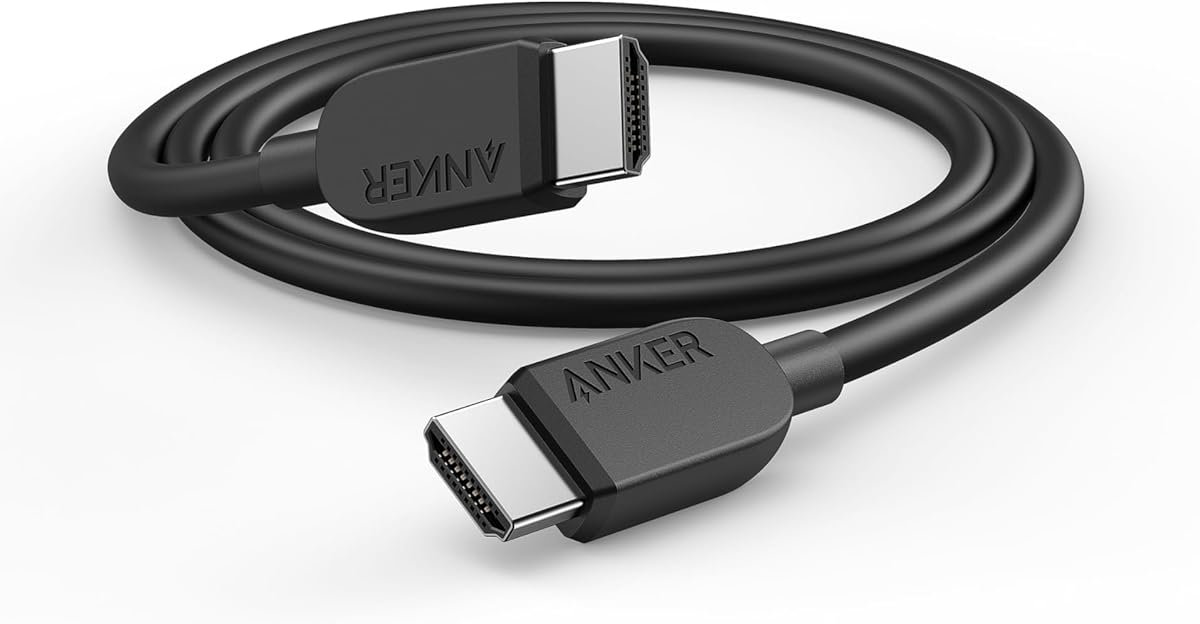
The Anker HDMI 2.1 Cable 4K@240Hz is a clean, straightforward option for a 4K Pro setup. It carries a 4.7 rating, offers certified Ultra High Speed performance at up to 48Gbps, and supports 8K at 60Hz, 4K at 120Hz, and 4K at 60Hz. Its six-foot length is a versatile middle ground for most desks.
We may earn a commission when you buy through this link, at no additional cost to you.
The standout physical claim is that the cable is designed to withstand up to 1,000 bends. That figure makes it appealing for a production environment where the connector may experience repeated movement. The cable can connect tablets, laptops, HDMI devices, projectors, and desktop screens, allowing it to serve multiple roles in a compact workspace.
Compared with cables that list extensive eARC, Dynamic HDR, and gaming functions in their descriptions, this option's supplied specification is more restrained. Its core appeal is reliable certified bandwidth, a useful length, and an explicit bend-resistance target rather than an exhaustive feature inventory. The package includes a welcome guide, an 18-month warranty, and customer service.
Choose it for an Elgato 4K Pro workstation where the primary need is a dependable HDMI 2.1 connection for a display, capture device, or computer. It is particularly sensible for users who want certified 48Gbps performance and frequent cable handling without paying for a long list of secondary features that their equipment may never use.
A stated 1,000-bend endurance target is relevant at the connector ends, where cables commonly experience the most strain. The figure is a manufacturer claim, but it adds useful context when selecting a lead for a frequently adjusted streaming desk.
Six feet is long enough for many monitor, capture-card, and console arrangements without adding unnecessary excess. It is a practical size for a movable production setup that needs to remain tidy behind a desk or display stand.
We may earn a commission when you buy through this link, at no additional cost to you.
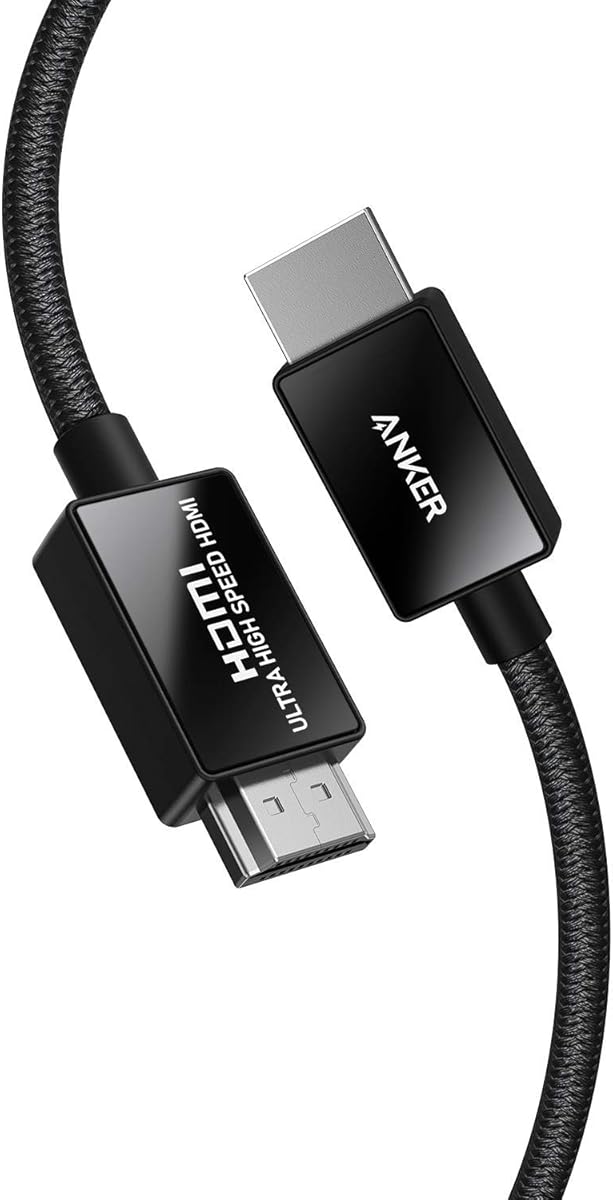
The Anker HDMI 2.1 Cable 48Gbps Ultra High Speed Cord with 8K@60Hz is the premium selection. Its 4.8 rating reflects strong customer reception, while official Ultra High Speed certification confirms that it belongs among the cables designed for modern high-bandwidth HDMI requirements. It supports 8K at 60Hz and 4K at 120Hz.
We may earn a commission when you buy through this link, at no additional cost to you.
Its physical design is a major strength. Carbon steel connector bodies, gold connector pins, and a double-braided nylon finish are intended to withstand regular handling. The supplied information states that the connectors are designed for 10,000 plug-and-unplug cycles, making the cable a good candidate for a permanent studio connection that may still be moved occasionally.
Gaming compatibility is broad, including PlayStation 5, Xbox Series X/S, Sony 8K UHD televisions, Apple TV, Roku Ultra, and other devices supporting 4K at 120Hz HDMI output. At 6.6 feet, the cable provides enough length for many desk arrangements while retaining a manageable form. An 18-month warranty and welcome guide are included.
This is the recommendation for a buyer who wants a certified cable with visibly premium construction and broad gaming support. It works well in a polished, permanent Elgato production environment where long-term physical durability is important. For a temporary setup or a straightforward desktop connection, a less expensive certified alternative may provide more of the relevant performance for less.
Carbon steel connector bodies, gold-plated pins, and a double-braided jacket give this cable a more robust appearance and construction profile. The stated plug-and-unplug endurance further supports its use in a permanent workstation or frequently reorganized production desk.
Official certification and full 48Gbps bandwidth provide a useful upgrade path beyond current 4K workflows. The cable can remain in the setup as capture equipment, displays, and source devices evolve toward higher-resolution or higher-refresh configurations.
We may earn a commission when you buy through this link, at no additional cost to you.
The Belkin Ultra HD HDMI 2.1 Cable, 6.6ft is a premium display-focused option with a 4.6 rating. It is certified as HDMI 2.1 UHD and supports data rates up to 48Gbps, along with 4K gaming at 120Hz and 8K at 60Hz. The listed capability also mentions 10K, making it a high-bandwidth choice for compatible equipment.
We may earn a commission when you buy through this link, at no additional cost to you.
Its main attraction for a production or living-room setup is compatibility with high-resolution media features such as Dolby Vision, HDR10, 4K HDR, and the latest gaming hardware. The product data names the PS5, Xbox One, Xbox Series X, Apple TV 4K, laptops, PCs, and MacBooks among compatible devices, giving the cable a broad role in modern entertainment setups.
The cable uses dual-layer shielding to protect internal wiring and reduce vulnerability to damage. Its 6.6-foot length is described as suitable for linking a laptop or streaming device to an Ultra HD high-speed display setup. The rating is lower than those of the other products in the guide, but the listed core specifications remain aligned with the category.
Choose this cable when a Belkin display ecosystem and premium brand positioning are priorities, particularly if your setup includes Dolby Vision or a compatible high-end television. It is also a reasonable permanent link for an Elgato 4K Pro workstation near a television or monitor. Confirm the resolution, refresh rate, and audio features supported by both endpoints before purchase.
The cable's stated support for Dolby Vision, HDR formats, and current gaming platforms makes it especially relevant when the Elgato workflow ends at a sophisticated television or monitor. It is intended to preserve high-resolution presentation quality through the full connection.
Dual-layer shielding is intended to protect delicate conductors and reduce interference. That makes the cable suitable for a fixed studio, living-room media center, or workstation where a stable connection is preferred over frequent swapping.
We may earn a commission when you buy through this link, at no additional cost to you.
The Cable Matters Ultra High Speed HDMI Certified 8K HDMI Cable, 13.1ft is the long-distance option in this guide. It has a 4.7 rating, carries 48Gbps bandwidth, and supports 8K output as well as 4K and 1080p. Its 13.1-foot length is the standout feature when an Elgato capture station is not directly beside the display.
We may earn a commission when you buy through this link, at no additional cost to you.
The cable supports HDR, 4:4:4 RGB, 12-bit color, Dolby Vision, eARC, Dolby Atmos, DTS:X, and 7.1 or 5.1 surround sound according to the supplied information. It also cites HDCP 2.2, 21:9 support, 32 audio channels, and a 1536KHz sampling rate, giving it a comprehensive media-oriented feature list.
A braided exterior is designed to resist tangling and fraying, an important consideration at a longer length. Compatibility is listed with PS4 Pro, Xbox One, Apple TV, and Roku Ultra, while backward compatibility with HDMI 2.0 is also stated. The cable does not provide the same explicit VRR or ALLM list as several competitors, so buyers focused primarily on gaming should confirm their requirements.
This is the ideal selection when distance, certification, and flexible placement matter more than having the shortest possible lead. It can connect a capture card or computer to a wall-mounted display, a projector across a room, or equipment arranged on separate furniture. For a compact desk, choose a shorter option to reduce clutter and make cable management easier.
Thirteen feet of cable gives creators room to separate the capture device, source, and display without immediately resorting to an HDMI extender or active distribution arrangement. It is especially useful for projectors and wall-mounted screens.
Support for high-resolution color formats, HDR, Dolby Vision, and eARC makes the cable useful for both production monitoring and a larger home-theater system. As with every cable in this category, the connected devices determine the features that can actually be used.
We may earn a commission when you buy through this link, at no additional cost to you.
For an Elgato 4K Pro workflow, the best cable is one that satisfies the modes of every connected device while offering reliable construction and manageable length. The following factors help narrow a large and sometimes confusing range of HDMI options.
Look for a cable that explicitly supports 48Gbps bandwidth when you want to accommodate 8K output, 4K at high refresh rates, Dynamic HDR, and future equipment upgrades. A basic 4K cable may work for a 4K at 60Hz workflow, but it does not provide the same high-bandwidth foundation. Certification is useful additional evidence because it indicates that the product was tested against the relevant HDMI specification rather than merely marketed with the version number.
A cable's maximum resolution does not guarantee that an Elgato workflow will run at that mode. The capture card, source computer, display, operating system, and selected software all have their own limits. For a typical high-quality 4K workflow, check whether the intended mode is 4K at 60Hz, 4K at 120Hz, or another rate. If gaming is included, verify that both the source and monitor support the refresh rate you want to capture.
VRR and ALLM can be valuable in a gaming-oriented production environment, but they only work when the source and display both implement the relevant functions. Some cables list gaming support explicitly, while others emphasize bandwidth without naming every feature. If variable refresh behavior or low-latency mode is important, look for these terms in the specification and confirm that the console or PC can output the desired mode through the Elgato device.
eARC, ARC, Dolby Atmos, and DTS:X matter when a television is responsible for passing audio to a soundbar or receiver. A capture card may handle video separately, so the required HDMI path can differ across a complex setup. If the cable carries audio from a display to another device, choose one that explicitly supports the format and return-channel method you need. Otherwise, standard digital audio support may be sufficient.
A six- or 6.6-foot lead is generally convenient for a desk where the capture card, computer, monitor, and console sit close together. Longer cables provide placement freedom for projectors, wall-mounted displays, or separate furniture. The 13.1-foot Cable Matters option is useful in those situations, although added length introduces more cable to route and manage. Choose only the length needed to create a tidy, strain-free installation.
Braided jackets, reinforced tails, and robust connector housings can be useful in mobile or frequently rearranged streaming setups. Connector plating and shielding are also common quality indicators, but they should be considered alongside verified bandwidth and certification. A well-made cable should connect firmly without excessive force and should include strain relief where the connector meets the jacket, reducing stress on internal conductors.
An HDMI 2.1 cable will generally work with earlier HDMI devices, but backward compatibility does not make every advanced feature available on older hardware. The Elgato workflow may include an older capture card, television, console, or streaming device during an upgrade period. Check the port version of every existing device and make sure the cable remains appropriate if the setup is mixed.
Official Ultra High Speed certification and a recognized warranty can provide added reassurance, particularly for a cable intended to remain in service. Some products also include verification processes, cleaning accessories, guides, or customer support. These details should complement rather than replace the basic checks of length, supported modes, connector fit, and compatibility with the intended source and display.
Begin by identifying the signal path from the source computer or console to the Elgato device and then from the Elgato device to the display. Connect each cable directly to the intended HDMI port, keep the connector aligned with the socket, and avoid forcing a plug into a port that does not fit. If the setup includes eARC, VRR, or a high refresh rate, make sure the correct HDMI port is being used on each component.
Route the cable so it does not form tight bends near the connectors. Secure excess length with reusable cable ties, but avoid wrapping the cable too tightly. Keep signal leads away from long runs of power cords where practical, and do not place a connector under equipment that can press against its shell. These steps reduce mechanical stress and help maintain a clean studio layout.
When moving a streaming or capture desk, disconnect the cable from the equipment rather than dragging it across the surface. Disconnect by holding the connector housing instead of pulling on the cable. Inspect the contacts for visible debris, and clean the cable with a dry, soft cloth when needed. Do not use liquids, abrasive materials, or sharp objects on the connector surface.
A certified HDMI 2.1 cable is the safest choice if you want access to 48Gbps bandwidth, high refresh rates, or room for future upgrades. It is especially useful when the capture card, source, and display support demanding modes. If your setup only uses 4K at 60Hz, a suitable older cable may work, but checking every device's specifications remains essential.
A six- to 6.6-foot cable is usually the most convenient choice for a compact workstation because it allows some routing freedom without excessive clutter. A longer cable is useful for projectors, wall-mounted displays, or equipment on separate stands. Always route the cable gently and avoid sharp bends close to either connector.
Yes, the cable can be one of several limits in the signal chain. The source, capture card, software, display, and cable must all support the desired resolution and refresh rate together. A cable that advertises 8K or 4K at 120Hz does not automatically make an unsupported recording mode available.
They are not mandatory for every streaming workflow, but they can improve a setup that also includes compatible gaming. VRR helps synchronize frame rates on supported displays, while ALLM can reduce latency on compatible television and console combinations. Neither feature matters unless the source and display implement the same functions.
Yes, if the correct HDMI path and return-channel support are present. A cable with eARC can send compatible high-quality audio from a television to a soundbar or receiver over one HDMI connection. If the capture card separates or processes the video signal, you may need to assess which device must pass the final audio to the soundbar.
HDMI 2.1 cables are generally backward compatible with earlier HDMI standards, and every product in this guide lists backward compatibility. Older equipment may limit the available resolution, refresh rate, audio format, or gaming features, however. The cable can preserve the connection without upgrading those functional limitations.
A braided jacket can help resist ordinary bending, fraying, and tangling compared with a less protective exterior, though it does not prevent damage from crushing or sharp pulls. Reinforced connector tails, flexible construction, and careful routing are also important. For frequent studio rearrangement, look for these details in addition to the braid.
No. The best length is the shortest one that reaches between the connected devices without strain or an untidy loop. Extra length can add clutter and may make cable management more difficult. Choose a longer lead only when distance is genuinely needed, such as for a projector, wall-mounted display, or separate equipment stand.
The Elgato Ultra High Speed HDMI Cable is the most cohesive overall recommendation because it combines certified HDMI 2.1 bandwidth, gaming features, broad compatibility, and rugged construction. The Highwings 8K HDMI 2.1 Cable stands out as the best budget option, while the Anker 8K HDMI 2.1 Cable takes the premium position with certified performance and robust materials.
Prioritize the modes your equipment actually uses rather than focusing on the largest advertised number. Confirm resolution, refresh rate, VRR, ALLM, eARC, and HDR requirements across the source, Elgato device, and display. Then select a sensible length and construction that will fit your desk or installation without strain, sharp bends, or unnecessary clutter.
Finally, check current prices and availability before buying, since both can change and several products occupy similar performance tiers. The right HDMI cable is the one that meets your present requirements, provides useful upgrade headroom, connects cleanly to every device, and remains dependable in the way you actually use your Elgato 4K Pro setup.