
eSynic Professional 192Khz eARC & ARC to Optical Audio Extractor
4.3Editor score
Accepts television eARC and ARC
Provides dedicated Toslink optical output
Supports 192KHz audio sampling
Includes HDMI and optical cables
Our HDMI Arc Adapter for Soundbar guide compares ten models for ARC and eARC compatibility, optical or analog outputs, audio formats, setup, and soundbar use
An HDMI ARC adapter for a soundbar bridges a television’s return-audio capability and a sound system’s available input. A worthwhile unit should support the correct television port, provide the output your audio equipment accepts, and convert formats without introducing unnecessary complexity or compatibility problems.
This guide compares ten HDMI ARC adapters using the supplied specifications, including ARC or eARC support, optical, coaxial, and analog outputs, maximum sampling rates, included cables, and television setup requirements. It covers adapters intended for soundbars, amplifiers, powered speakers, and wireless headphone bases.
Each review explains where the product fits, which connections matter, and what limitations to consider. The top picks lead for overall usefulness, budget value, or a broader connection set, while the complete list shows how smaller design and format differences can affect compatibility. Prices and availability can change.
4.3Editor score

4.9Editor score
4.2Editor score
The comparison highlights television-port support, audio output types, maximum sampling rates, format handling, and the accessories needed to complete a typical soundbar installation.


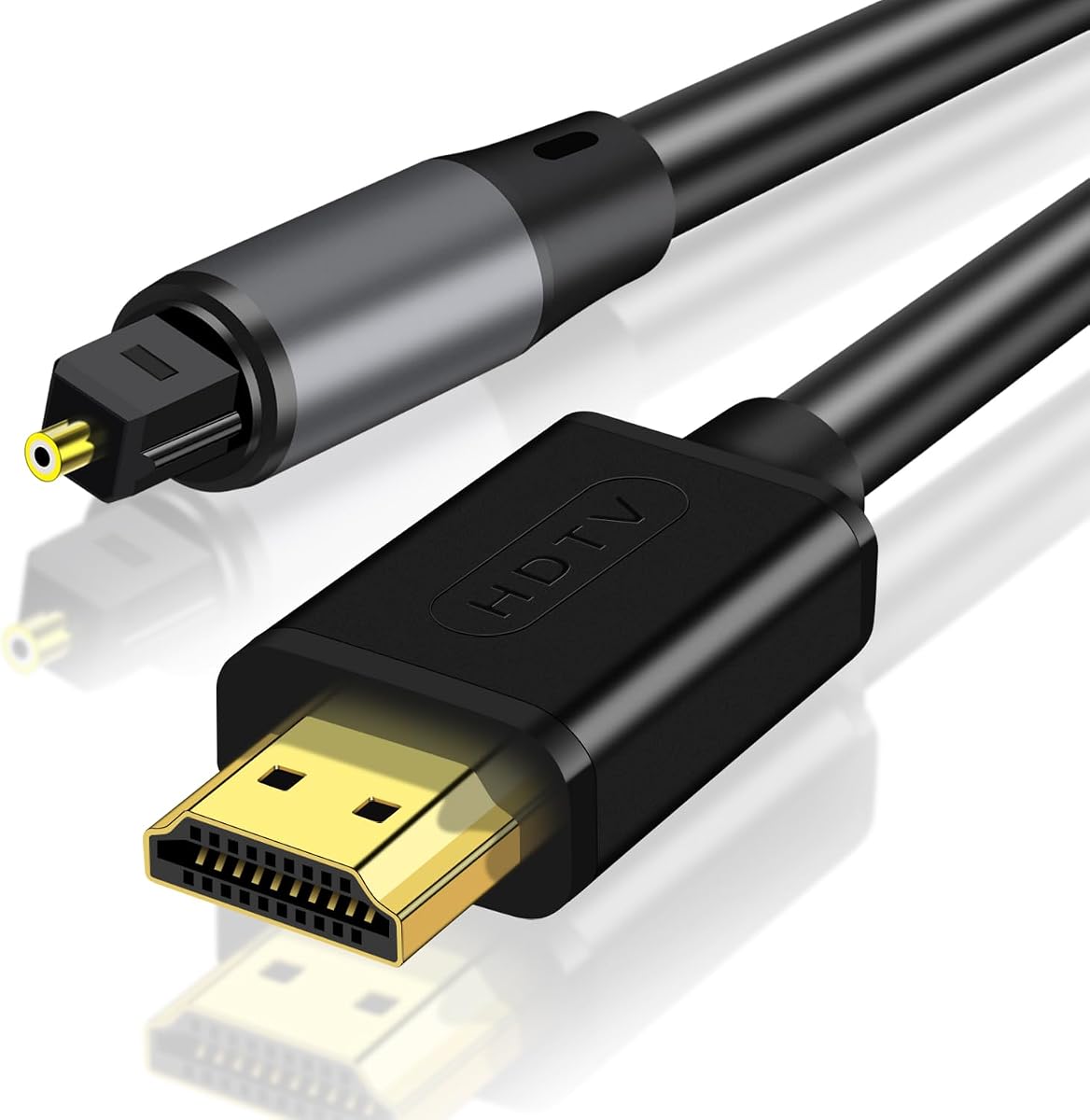
The HDMI ARC to Optical Audio Adapter for TV Soundbar has a 4.9 rating, the highest listed score in this group. It is designed for televisions with an HDMI ARC port and sends their audio to a soundbar, AV receiver, or home-theater system through an optical Toslink connection. Its defining feature is a broad stated decoding list rather than a simple PCM-only conversion.
We may earn a commission when you buy through this link, at no additional cost to you.
The supplied specifications list support for PCM, LPCM, AAC, DSD, Dolby 2.0, Dolby 2.1, Dolby 5.1, and DTS 5.1, with 24-bit and 192KHz sampling. Gold-plated HDMI and optical connectors are also specified, while a 4.9-foot optical cable is included. The long cable gives users more freedom when the soundbar sits away from the television or entertainment cabinet.
One important limitation is explicit: this model is not compatible with HDMI eARC. That makes it unsuitable for anyone whose television offers only an eARC-labeled return-audio port. As with optical connections in general, the TV remote's volume control would not carry over to the soundbar, so volume must be controlled at the playback device. These constraints should be checked before buying.
This is the most compelling choice for a soundbar setup that has an ordinary ARC television port and a destination capable of playing the listed formats. The stated codec range makes it particularly attractive for users who do not want to limit television output to basic PCM 2.0. It is best suited to a straightforward soundbar-and-TV arrangement rather than a newer eARC-only ecosystem.
Unlike converters that specifically direct users toward PCM 2.0, this adapter lists decoding for several common surround and lossless formats. The television and connected sound system must still support the selected format, but the broader specification offers more room when matching devices.
The included 4.9-foot optical cable can simplify placement when the soundbar is not directly beside the television. A slim design, status LEDs, and gold-plated connectors also make the unit suitable for a visible entertainment-center installation.
We may earn a commission when you buy through this link, at no additional cost to you.
The eSynic Professional 192Khz eARC & ARC to Optical Audio Extractor-No CEC earns a 4.3 rating. It accepts both eARC and ARC television signals and provides a dedicated Toslink optical output. Its design is focused rather than broad, concentrating on one clean digital connection for a soundbar, amplifier, wireless headphone base, or other optical-equipped audio system.
We may earn a commission when you buy through this link, at no additional cost to you.
A major strength is compatibility with both generations of television return-audio ports. The package includes the extractor, an optical cable, an eARC/ARC HDMI cable, and a USB power cable, so the core installation path is well covered. The stated 192KHz sampling rate and straightforward power-and-signal status indicator support a convenient setup for modern televisions that lack optical output.
The tradeoff is that the adapter deliberately omits CEC, and optical audio cannot carry CEC volume control in any event. Users must adjust volume on the soundbar, amplifier, or headphones. Its single-output approach also means it will not serve someone who needs 3.5mm or coaxial connections in the same box. These are acceptable limits when the destination device is optical-only.
This is a strong recommendation for users connecting an optical-equipped soundbar to a television that has either eARC or ARC. The bundled cables reduce extra purchases, and the focused design avoids unused ports. It is less suitable for legacy analog speakers or users who insist on controlling volume from the television remote.
The single optical output keeps the signal path understandable: television return audio enters through HDMI, and digital audio leaves through Toslink. This can make troubleshooting easier than a converter with several unused output options.
Included HDMI, optical, and USB cables cover the principal connections described for this adapter. The package is particularly convenient for a new installation where a user does not yet know which cable lengths or connector types will be required.
We may earn a commission when you buy through this link, at no additional cost to you.
The Unstincer 192KHz HDMI ARC to Optical Audio Converter for TV to Soundbar carries a 4.2 rating. It is built around a direct relationship: an ARC-compatible television connects by HDMI, and the converter carries that audio through an optical SPDIF output to a sound system. The built-in 1.05-meter, or 41-inch, optical cable supports typical furniture arrangements.
We may earn a commission when you buy through this link, at no additional cost to you.
The listed sampling specification is 24-bit and 192kHz, and the television can be configured for PCM, Dolby 5.1, or DTS 5.1. The sound system must also support the selected surround format. An LED indicates when the HDMI interface is connected, while USB power can come from a television port or another available USB source.
CEC volume control is unavailable through the optical connection, so users should expect to control volume from the soundbar or amplifier. The product information also focuses on ARC-compatible televisions rather than explicitly promising eARC operation. The integrated optical cable may be shorter than a user needs for a widely separated television and soundbar.
For a straightforward optical soundbar installation using an ARC television, this adapter offers an economical, uncomplicated route to television audio. It is also suitable for home theaters, meeting rooms, and conference-room audio systems. Buyers with eARC-only televisions or unusually long cable runs should verify those requirements before ordering.
The converter is tailored to the common situation in which a television has ARC but no optical output. It provides a dedicated digital path without requiring an analog cable or additional receiver.
Using PCM can provide the most straightforward baseline, while Dolby 5.1 and DTS 5.1 remain options when the connected system supports them. Matching television and playback settings helps prevent silence or unsupported-format issues.
We may earn a commission when you buy through this link, at no additional cost to you.
The HDMI eARC to Optical Audio Converter has a 4.4 rating and supports both eARC and ARC television ports. It is designed for soundbars, amplifiers, and active speakers with optical inputs, particularly when the television itself has no optical interface. The 24-bit and 192kHz sampling specification is appropriate for users looking for a digital audio path.
We may earn a commission when you buy through this link, at no additional cost to you.
The listed compatibility covers major television brands such as Samsung, LG, and Sony, although the television must support ARC or eARC in the first place. Setup involves enabling CEC, enabling eARC when available, choosing an ARC device as the television's audio output, and selecting PCM or Dolby/DTS 5.1. USB power can be supplied by the television or a separate adapter.
The package includes an HDMI input connector, digital optical cable, and 5V USB power cable, reducing the need to assemble a full cable set. As with the other optical-based products, CEC volume control does not pass through the optical connection, so the soundbar's own controls are needed. Incorrect television audio settings can also prevent sound even when the wiring is correct.
This is a well-rounded option for a modern television with eARC, or an older ARC set, that must feed an optical soundbar. It combines broad television-port support with a high stated sampling rate. Users should verify their television's menu options and the soundbar's optical input before installation.
Supporting both eARC and ARC makes the adapter useful across more television generations. The same basic installation can serve a new eARC television or an older television whose return-audio port is labeled ARC.
The four-step television setup is clearly outlined, while no software or driver installation is required. This keeps the installation focused on physical connections and the TV's own audio menu.
We may earn a commission when you buy through this link, at no additional cost to you.
The VPFET HDMI eARC Audio Extractor has a 4.1 rating and converts television eARC or ARC audio into optical and coaxial outputs. That dual-output arrangement gives it broader appeal than a single-output optical adapter, particularly for users who may connect a soundbar, amplifier, DAC, or headphone amplifier.
We may earn a commission when you buy through this link, at no additional cost to you.
The converter supports 24-bit and 192kHz audio and includes an independent ARC/eARC status indicator. Optical and coaxial outputs can operate simultaneously according to the supplied information, giving users flexibility when preparing a home-theater or private-listening setup. A 5V power supply and plug-and-play operation simplify integration around the television.
The device only accepts ARC or eARC from an HDTV; other HDMI source devices are not supported. CEC is also absent, so television-remote volume control is not available. Some TVs may require eARC to be enabled manually and TV speakers to be disabled, while a 19+1 high-pin HDMI cable is recommended for stable return-audio operation.
This is a good choice when both optical and coaxial destinations matter, or when futureproofing the connections around an older amplifier. For a single soundbar with one optical input, the additional output is not essential, but it broadens the adapter's role in a multi-device audio setup.
Optical suits soundbars, amplifiers, and powered speakers with digital inputs, while coaxial offers an alternative for compatible legacy digital equipment. Simultaneous output can simplify a setup with more than one destination.
The dedicated ARC/eARC indicator offers a quick visual reference for connection and operating mode. This is useful during initial setup, particularly when television menus also need adjustment.
We may earn a commission when you buy through this link, at no additional cost to you.
The 192kHz HDMI eARC to Optical Audio Adapter – 6.6FT,Not Support CEC has a 4.2 rating. It accepts an HDMI ARC or eARC television signal and provides an optical Toslink output for a soundbar, amplifier, or powered speaker. The 6.6-foot cable is longer than the lengths highlighted for several other products in this comparison.
We may earn a commission when you buy through this link, at no additional cost to you.
The stated maximum audio specification is 24-bit and 192kHz, and the television may output PCM, Dolby 5.1, or DTS 5.1. The destination system must support the chosen surround format. Setup is software-free: connect the adapter, provide USB power, select ARC as the television output, and set the appropriate audio format.
The product has significant format limitations. It does not support Dolby Atmos, 5.1-channel or 7.1-channel PCM multichannel formats, and optical connections do not carry CEC volume control. Users with newer lossless or object-based audio workflows should not assume the adapter can reproduce every format sent by a modern television.
Its strongest advantage is placement flexibility. A 6.6-foot optical run can accommodate a wider entertainment cabinet or a soundbar positioned farther from the television. It is best for conventional PCM or compatible 5.1 soundbar systems rather than users expecting full modern surround-format support.
The longer included optical cable is practical when the television and soundbar are separated by furniture or wall-mounted arrangements. It can reduce the need for an additional cable.
This adapter is oriented toward PCM and compatible 5.1 configurations. Dolby Atmos and multichannel PCM are excluded, making format verification especially important for owners of newer home-theater systems.
We may earn a commission when you buy through this link, at no additional cost to you.
The HDMI ARC Adapter 4K60Hz HDMI ARC Audio Extractor with 3.5mm and L R Stereo Audio for HDTV Soundbar Speaker Amplifier has a 4.1 rating. It is the most analog-oriented product here, converting television ARC audio to left/right stereo channels and a 3.5mm headphone-style output. That makes it useful for older amplifiers, powered speakers, and headphone connections.
We may earn a commission when you buy through this link, at no additional cost to you.
The L/R and 3.5mm outputs can operate simultaneously, and the converter supports 32KHz, 44.1KHz, 48KHz, 96KHz, and 192KHz sampling. Its aluminum construction is described as durable and useful for heat dissipation. The supplied compatibility list includes televisions, soundbars, amplifiers, home theaters, and several common source-device categories.
The key constraint is format. It is not an HDMI audio decoder and does not support raw 5.1-channel or 7.1-channel formats such as DTS or DSD, so the television should be set to PCM 2.0. It also lacks a built-in CEC protocol, preventing television remote volume control. These limitations make it more appropriate for stereo sound than for immersive surround decoding.
This adapter is a practical choice for a soundbar or speaker system that lacks HDMI but accepts analog stereo. The simultaneous 3.5mm and L/R outputs add flexibility, though a newer digital soundbar with an optical input will usually be better served by a TOSLINK converter. Buyers should confirm that their equipment works in PCM 2.0.
Left/right and 3.5mm outputs open a path to equipment that predates today's HDMI-only audio ecosystem. The simultaneous outputs can also accommodate more than one analog playback device.
Using PCM 2.0 avoids the unsupported raw surround formats described in the specifications. It is a predictable solution for television apps, basic gaming, and everyday stereo viewing.
We may earn a commission when you buy through this link, at no additional cost to you.
The LiNKFOR HDMI eARC ARC to Optical Audio Converter,192kHz Dolby DTS Supported has a 4.4 rating. It extracts television eARC or ARC audio and converts it to a digital optical output for soundbars, home-theater systems, and wireless headphone bases. The stated 24-bit and 192kHz sampling rate is paired with support for PCM 2.0, Dolby 5.1, and DTS 5.1.
We may earn a commission when you buy through this link, at no additional cost to you.
The product is designed for straightforward, software-free operation. It uses advanced audio processing to extract the digital television signal, and the description emphasizes clear, synchronized audio for sports, streaming, gaming, and everyday viewing. Compatibility is presented as broad across smart TVs and major soundbar categories, though the television port still must carry the ARC or eARC logo.
CEC volume control cannot operate over the optical connection, so the soundbar or other playback device must be used for volume changes. The source and destination also need compatible format settings; simply having Dolby or DTS support does not mean every encoded stream will be decoded correctly in every setup. Users should consult their device menus when troubleshooting.
This is an attractive general-purpose option for an optical soundbar, especially when a high sampling specification and conventional 5.1 support are priorities. Its eARC compatibility broadens its use with current televisions, while the stated home-theater applications make it suitable for more than casual television viewing.
The ability to accept either eARC or ARC allows the converter to serve newer and older compatible televisions. The television's port label remains the essential first check.
Support for PCM 2.0, Dolby 5.1, and DTS 5.1 makes the unit relevant to soundbars and home-theater receivers. Matching formats on both sides of the connection helps maintain stable, synchronized playback.
We may earn a commission when you buy through this link, at no additional cost to you.
The HDMI ARC Audio Converter, ARC to Toslink Optical & 3.5mm AUX Adapter has a 4.3 rating. It bridges an ARC-compatible television with either a Toslink optical device or a 3.5mm AUX input, making it one of the more flexible adapters for soundbars, legacy speakers, and headphones.
We may earn a commission when you buy through this link, at no additional cost to you.
It supports PCM 2.0 and 5.1-channel surround sound up to 192KHz and 24-bit. The supplied information notes that 5.1-channel output requires the SPDIF or coaxial connection; the 3.5mm path is the appropriate choice for basic analog playback. A USB power cable and HDMI 2.0 cable are included, and no drivers or complex software setup are required.
The television's volume buttons will not function through this adapter, so sound level must be adjusted on the soundbar or playback device. For the 3.5mm connection, the television's digital audio format should be set to PCM. The 5.1 distinction means buyers should choose their output before assuming every connection carries identical channel support.
This converter is useful when a household has more than one kind of audio equipment. A modern soundbar can use the optical output, while headphones or an older speaker can use the AUX connection. It is less suitable for someone who needs only a single optical cable and wants the simplest possible television setup.
The optical and 3.5mm outputs cover both digital and analog audio equipment. This is particularly useful for mixed setups involving a soundbar, headphones, and older powered speakers.
PCM 2.0 works broadly, while 5.1-channel audio is associated with the SPDIF or coaxial output. Selecting the correct connection before setup helps align the television's format with the connected device.
We may earn a commission when you buy through this link, at no additional cost to you.
The 192KHZ HDMI eARC to Optical Audio Adapter, HDMI to Optical Cable – 6.6FT has a 4.2 rating. It connects a television's ARC or eARC return-audio port to an optical-equipped soundbar, amplifier, or active speaker. A 6.6-foot optical cable provides useful placement flexibility within a typical room.
We may earn a commission when you buy through this link, at no additional cost to you.
The adapter is specified for 24-bit and 192kHz audio, with television output set to PCM or Dolby/DTS 5.1. It operates without software, requires a USB power connection, and supports many sound systems that use a fiber-optic digital input. The included length is a notable advantage over shorter integrated leads.
Its limitations are clearly stated: Dolby Atmos, 5.1-channel and 7.1-channel PCM multiclchannel formats are not supported, and optical connections cannot carry CEC volume control. If no sound appears after configuration, the recommended troubleshooting step is to restart both the television and audio devices. A newer home-theater user may need a more capable converter.
This is a straightforward choice for a conventional eARC- or ARC-equipped television and an optical soundbar, especially where a longer run is beneficial. It provides the core bridge between modern television return audio and older digital audio equipment without imposing a complex setup process.
The 6.6-foot optical lead gives the soundbar more freedom from the television cabinet. It can make a wall-mounted television or wider entertainment console easier to arrange.
If television and soundbar settings appear correct but audio is absent, restarting both devices is the first listed troubleshooting step. This is a quick way to reinitialize the digital audio path.
We may earn a commission when you buy through this link, at no additional cost to you.
The right adapter depends first on the ports your television and soundbar already have, then on audio format, cable placement, and control expectations. Checking these details before buying prevents most compatibility problems.
An HDMI ARC adapter is designed to receive television audio through a return-audio port, not through an arbitrary HDMI input. The television must have a port labeled ARC or eARC and its HDMI-CEC-related setting must be configured appropriately. Several products here support both standards, while the ARC-to-Optical Soundbar Adapter explicitly does not support eARC. The 4K60Hz HDMI ARC Audio Extractor is also described as accepting a television ARC connector rather than other HDMI ARC devices.
Match the adapter's output to the soundbar rather than assuming every adapter is interchangeable. A soundbar with a TOSLINK optical input calls for an optical converter. Equipment with left/right RCA inputs needs analog L/R outputs, while a 3.5mm headphone input calls for the AUX version. The VPFET model adds coaxial output for digital equipment without TOSLINK. Some adapters deliberately concentrate on one output, which can make cabling and troubleshooting simpler.
High sampling rates do not automatically guarantee support for every surround format. Several products list 192KHz and 24-bit operation, but the 4K60Hz adapter requires television PCM 2.0 and does not decode raw 5.1 or 7.1 formats. The 192kHz eARC Optical Adapter and 192KHZ eARC Optical Adapter both exclude Dolby Atmos and multichannel PCM. Conversely, the ARC to Optical Soundbar Adapter lists decoding for PCM, LPCM, AAC, DSD, Dolby, and DTS 5.1.
The distance between the television and soundbar determines whether an integrated cable is sufficient. The Unstincer converter includes a 1.05-meter optical lead, whereas the 192kHz and 192KHZ adapters use a 6.6-foot cable. The ARC to Optical Soundbar Adapter includes a 4.9-foot optical cable. Longer leads can ease furniture placement, but a compact one-output device may be easier to conceal if the equipment sits close together.
CEC volume control is a recurring limitation across these products. None of the optical extractors can carry television-remote volume commands through the optical cable, and products without a CEC implementation cannot provide that behavior through other outputs either. Users should be prepared to adjust volume on the soundbar, amplifier, or headphones. This is a normal characteristic of optical audio rather than necessarily a fault in the adapter.
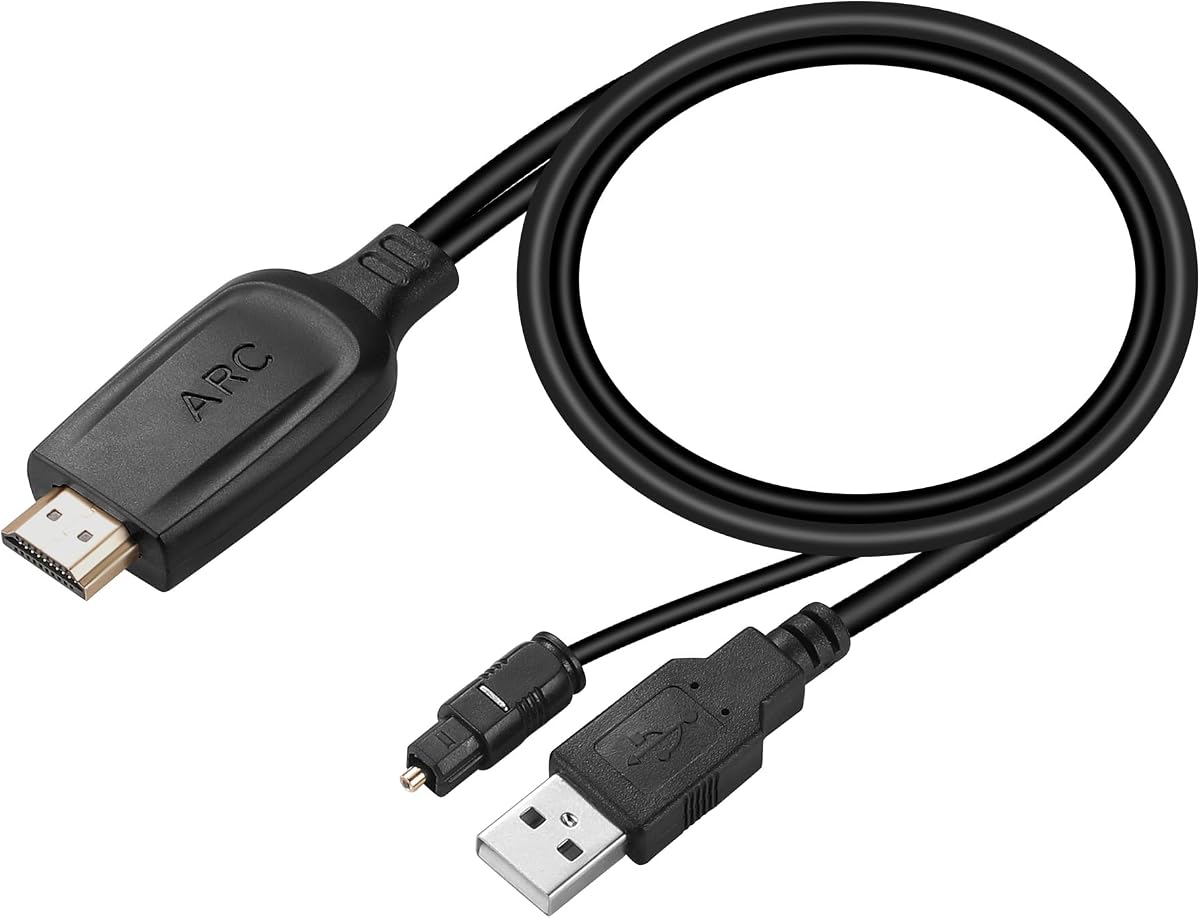
Most of these extractors require USB power, but power sources differ by model. Some can draw power from a television USB port, while others require a separate 5V adapter. Included cables also vary: the eSynic extractor provides HDMI, optical, and USB leads; the ARC Toslink and AUX Converter includes HDMI and USB cables; and other models include optical and power leads. Reviewing the box contents prevents an avoidable second cable purchase.
The best converter is the one that matches the entire signal chain, not merely the soundbar. Optical output is common for soundbars, amplifiers, powered speakers, and wireless headphone bases. Analog L/R or 3.5mm output serves older stereo equipment and headphones. Coaxial output supports another class of digital receivers and DACs. The 4K60Hz model, for example, is primarily useful when a television needs to feed analog stereo speakers, whereas a TOSLINK-only soundbar calls for a dedicated optical extractor.
Begin by identifying the television's ARC or eARC port. Connect the adapter's HDMI input to that port using an appropriate HDMI cable, then connect the adapter's optical, coaxial, L/R, or 3.5mm output to the matching input on the soundbar or other audio device. The adapter must also receive power through its USB connection.
On the television, enable HDMI-CEC when required, enable eARC if the television supports it, and select the ARC device as the audio output. Choose PCM 2.0 for the broadest basic compatibility, or select Dolby or DTS 5.1 only when both the television and the connected playback system support that format. Restarting the television and soundbar can help if the initial audio path does not appear.
Keep the adapter and its cables dry, ventilated, and away from heat sources. Do not sharply bend an optical fiber cable or pull on its connector. If the LED indicates power but there is no sound, check the television's selected output, the audio format, the correct ARC/eARC port, and every physical connection. Volume should normally be adjusted on the soundbar because optical links do not carry CEC volume commands.
You need one when your television has an ARC or eARC return-audio port but your soundbar does not accept the same type of connection. The adapter extracts television audio and converts it to a compatible output. If both devices support HDMI ARC, or the soundbar already has a matching optical or analog input, an adapter may be unnecessary.
No. The television must have an ARC or eARC port that supports return audio, which is normally identified by a label in the port panel or television manual. A standard HDMI input may carry video and audio toward the television but will not automatically send that audio back to an adapter. Check the port marking before connecting the equipment.
Generally, no when the final connection is optical. Optical links do not carry HDMI-CEC control commands, so the soundbar, amplifier, or headphones must be adjusted directly. Some adapters also omit CEC entirely. The absence of remote volume control is therefore a normal connection limitation rather than evidence that the adapter is defective.
PCM 2.0 is the safest starting point because it is broadly supported and is required by the 4K60Hz adapter. Dolby 5.1 or DTS 5.1 can be selected when the television and soundbar both support the format, but some adapters do not decode every raw surround or object-based format. If sound is missing, return to PCM and check the adapter's format list.
No. A high sampling-rate specification describes resolution and does not guarantee every codec or surround configuration. Some products explicitly state that Dolby Atmos and multichannel PCM are unsupported. Users should treat the 192KHz figure and the codec list as separate characteristics and verify both before selecting a model.
It depends on the adapter's outputs. The ARC Toslink and AUX Converter includes a 3.5mm output, while the 4K60Hz model also provides L/R and 3.5mm connections. Pure optical models require a wireless headphone base or another device with a compatible optical input. The television should generally use PCM when routing audio to an analog headphone jack.
A power LED confirms that the adapter is receiving power, but it does not prove that the television is sending a usable return-audio signal. Check that the correct ARC or eARC port is used, CEC and eARC are enabled where applicable, the television output is set to the ARC device, and the selected format is supported. Re-seat every cable and restart both devices if needed.
Choose a model that supports both whenever possible, because it gives you more television options and remains useful if equipment is replaced. An ARC-only model can work with an ordinary ARC television, but it is not the right choice for a setup that requires eARC. Confirm the television's port label and current audio requirements before ordering.
The ARC to Optical Soundbar Adapter is the leading overall choice for its 4.9 rating, stated 192KHz and 24-bit support, broad format list, gold-plated connectors, and included 4.9-foot optical cable. The eSynic Professional extractor stands out for dedicated eARC and ARC input with a focused optical output, while the Unstincer converter delivers the best budget-oriented route to a basic ARC-to-optical soundbar connection.
Before buying, prioritize the television's port standard, the soundbar's required input, and the audio formats both devices support. A 192KHz specification alone is not enough, and every optical option requires volume control at the soundbar. Cable length, included accessories, and the need for analog or coaxial outputs can further distinguish otherwise similar adapters.
Current prices and product availability can change, so compare the final listing and included components at the time of purchase. Checking the TV manual, the soundbar input panel, and the adapter's codec list will provide the most reliable path to a smooth installation and a soundbar setup that performs as intended.