
MAIWO Dual-Bay SATA Dock
4.5Editor score
Two SATA HDD or SSD bays
Offline cloning without computer
Three additional USB ports
A hard drive duplicator cloner docking station combines a drive dock with standalone copying hardware, making it useful for backups, migrations, data recovery, and managing multiple SATA drives without a computer. The best model should match your storage formats, capacity needs, transfer priorities, and tolerance for different interfaces and cloning workflows.
We compared ten products across essential criteria including supported drive types, number of bays, offline cloning capability, USB interface, capacity, power delivery, operating-system support, and installation convenience. The list includes conventional two-bay SATA docks, mixed-media models, larger multi-bay systems, and a professional four-bay duplicator and eraser.
Each pick below shows which use case it serves best, from compact SATA copying to versatile NVMe-to-SATA workflows and multi-drive duplication. Product specifications and availability can change over time, so readers should verify the latest listing details, drive compatibility, included cables, and warranty terms before purchasing.
4.5Editor score

4.5Editor score

4.4Editor score
As an Amazon Associate we earn from qualifying purchases.
The comparison below highlights bay count, supported media, cloning method, host connectivity, and standout functions so buyers can identify the most suitable hard drive duplicator cloner docking station for their storage setup.




The SABRENT USB 3.0 Dual Bay Hard Drive Docking Station and Cloner combines a straightforward two-bay SATA dock with standalone offline cloning. Its 4.5 rating reflects a well-balanced feature set, and its strongest appeal is how little setup it requires. It accepts standard 2.5-inch and 3.5-inch SATA hard drives and SATA SSDs, making it a natural fit for users who need to connect, copy, and replace conventional PC storage.
We may earn a commission when you buy through this link, at no additional cost to you.
The dock supports drives up to 10TB, and both bays can be used as standard storage locations when connected to a computer. USB 3.0 provides a stated transfer ceiling of 5Gbps, while backward compatibility with USB 2.0 and USB 1.1 broadens its usefulness with older computers. Offline cloning is also built in, allowing a source drive to be copied to a second drive without installing a complex application or keeping the computer involved for the entire process.
The trade-off is that the included connectivity follows the older USB-A style used by the original USB 3.0 model, and offline cloning is limited to 60Mbps. Those limits may not matter for a routine drive refresh or backup, but users regularly moving very large libraries may prefer a newer USB-C design or faster standalone duplication. Nevertheless, this model covers the fundamentals with fewer complications than many larger multi-bay alternatives.
This SABRENT dock is a strong recommendation for home users, technicians, and computer builders who need a dependable two-bay SATA cloner without a broad collection of specialty features. It is particularly attractive when the priority is plug-and-play operation, clear drive compatibility, and the ability to copy a drive without a host computer. For buyers who require NVMe support, multiple simultaneous copies, or secure erasing, the more specialized options later in this guide deserve closer consideration.
Offline cloning keeps the copying process independent of a host computer, which is useful for system migrations, drive recycling, and creating a direct copy of an existing installation. The source and destination are connected to the two-bay dock, and the process begins through the hardware controls.
Support for both 2.5-inch and 3.5-inch SATA hard drives and SATA SSDs covers the formats most commonly found in desktop PCs. A stated capacity ceiling of 10TB per drive also makes the dock suitable for a substantial collection of local storage.
We may earn a commission when you buy through this link, at no additional cost to you.
The SABRENT Dual-Bay USB-C Hard Drive Docking Station and Cloner is a more modern version of the conventional two-bay SATA dock. It holds a 4.4 rating and distinguishes itself with a USB-C connection at the dock end, hot-swappable tool-free bays, and the ability to read two drives simultaneously while connected to a computer. It is designed for users who want a clean desk setup and uncomplicated access to bare SATA storage.
We may earn a commission when you buy through this link, at no additional cost to you.
Both bays accept 2.5-inch and 3.5-inch SATA hard drives and SATA SSDs. The dock can mount the two drives separately, allowing users to move files, inspect data, or work from both at once. Its stated USB 3.0 ceiling is 5Gbps, but actual performance depends on the installed media; a mechanical hard drive will generally be limited by its own mechanical throughput rather than the theoretical interface speed.
Standalone offline cloning operates at up to 60MBps, with the target required to be equal in size or larger than the source. A USB Type-C cable and power adapter are included, but the supplied cable is USB-C at the dock end. Users whose computer lacks a compatible USB-C port may need an appropriate USB-C-to-USB-A cable. The dock also excludes IDE/PATA, Molex-powered, M.2, and NVMe drives.
This model suits laptop owners, technicians, and desktop users who prioritize modern connectivity and easy drive swapping. It performs the same basic job as a standard SATA clone dock but feels more tailored to contemporary computers. Those needing wider media support should move to a triple-bay NVMe-capable model, while buyers seeking multiple copies in one operation may prefer the five-bay ORICO unit.
When connected to a host, each drive appears as a separate volume. This makes the dock useful for temporary file access, organized backups, and balanced transfer workflows without constantly removing and reinstalling a single drive.
The USB-C dock connection suits modern laptops and desktop systems, while hot-swappable bays speed up routine changes. Buyers should confirm the connector on their computer because the included cable is USB-C only at the dock end.
We may earn a commission when you buy through this link, at no additional cost to you.
The ICY BOX TripleBay is the first recommendation here that combines a three-slot design with support for M.2 PCIe NVMe SSDs, 2.5-inch and 3.5-inch SATA SSDs, and SATA hard drives. Its 4.5 rating reflects a versatile package for users who are no longer limited to one storage format. The three independent slots make it possible to work with several drives while also preparing a migration or backup.
We may earn a commission when you buy through this link, at no additional cost to you.
One-touch offline cloning is the central feature. Users can copy between NVMe drives or clone from SATA storage to NVMe, reducing the need for adapters when modern and conventional media must be combined. The USB 3.2 Gen 2 interface offers a stated transfer ceiling of 10Gbps, and a dual-purpose USB-C/USB-A cable is included. The package also includes a power adapter and a 24-month warranty.
Tool-free construction supports quick drive replacement, while claimed Windows and macOS compatibility broadens the range of systems on which the dock can operate. The listing also identifies compatibility with PCs, laptops, and game consoles. One limitation is that the supplied details do not state a standalone offline cloning rate, so buyers who prioritize rapid hardware-to-hardware duplication should not assume it matches the 10Gbps host-interface figure.
The ICY BOX TripleBay is an excellent choice for technicians, content professionals, and advanced computer users who may need to copy between NVMe and SATA storage. It is also appealing for system migrations because it eliminates the need to move an M.2 drive into a separate enclosure. Buyers needing more than three simultaneous device connections or advanced erase functions should consider the larger StarTech and ORICO models.
The ability to handle M.2 PCIe NVMe SSDs alongside standard SATA drives removes one of the most common obstacles in mixed-device cloning. A user can keep a desktop SATA drive, a compact NVMe drive, and a 3.5-inch hard drive connected to the same three-slot dock.
Mixed-format offline cloning is particularly valuable when moving a working system between drive technologies. The target should still be large enough to hold the copied data, and users should confirm the exact source and destination combination before starting a critical operation.
We may earn a commission when you buy through this link, at no additional cost to you.
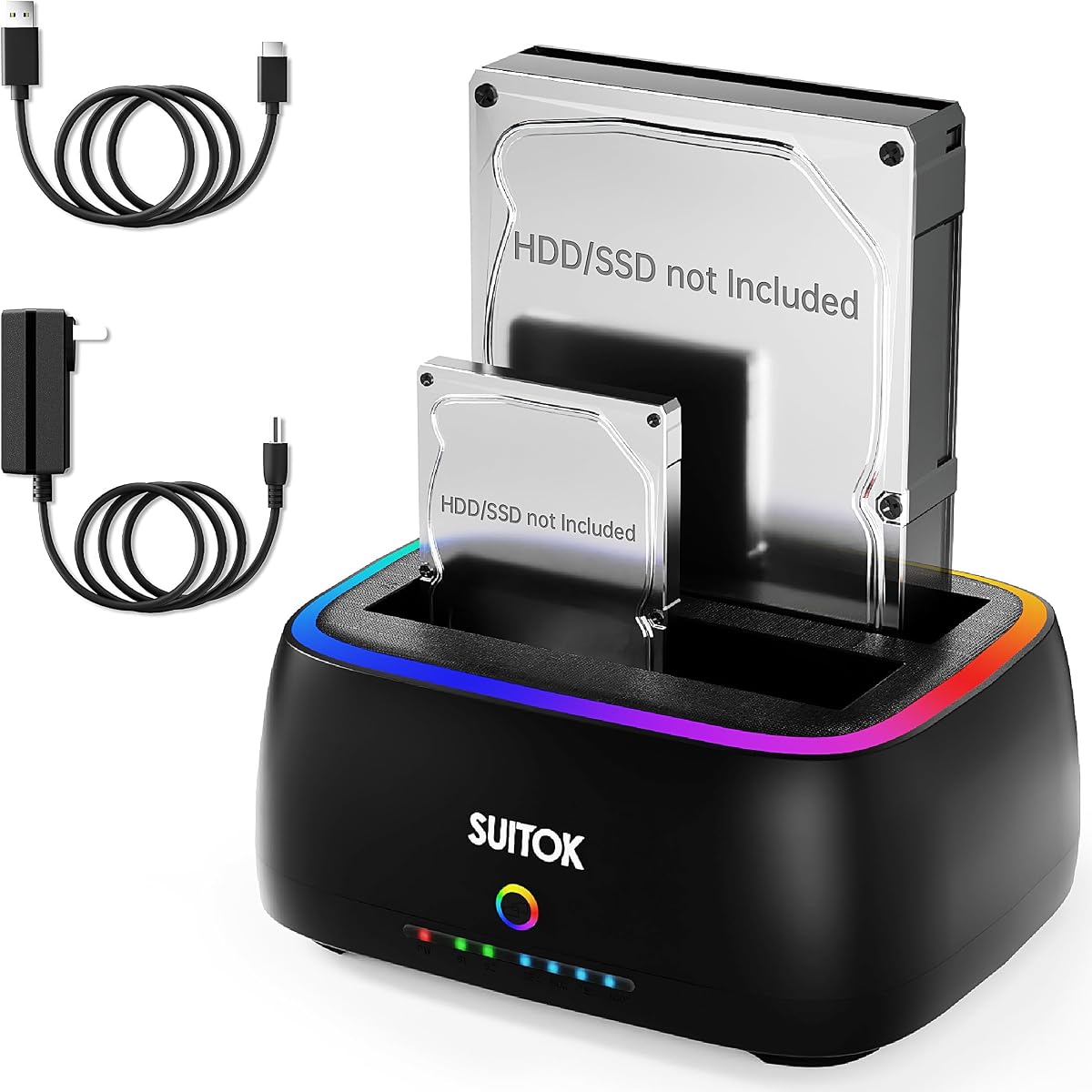
The MAIWO Dual-Bay SATA Dock combines basic hard drive duplication with a feature not offered by many competing models: three USB 3.0 Type-A extension ports. With a 4.5 rating, it is an appealing value-oriented choice for users who want offline cloning, broad drive support, and a convenient way to connect peripherals without another hub.
We may earn a commission when you buy through this link, at no additional cost to you.
The two bays support 2.5-inch and 3.5-inch SATA hard drives and SATA SSDs. Each bay is listed as supporting up to 24TB, for a combined 48TB capacity. Offline cloning copies a source drive to a target without a connected computer, and the front indicators display progress at 25%, 50%, 75%, and 100%. Tool-free installation and the absence of required drivers simplify routine use.
Its USB 3.0 interface provides a stated bandwidth of 5Gbps and remains backward compatible with USB 2.0 and USB 1.1. A dedicated 12V 3A power supply is included to support stable operation. The extra hub includes one port that can provide 2.4A of charging for a phone, although actual charging behavior will depend on the connected device and host configuration.
The MAIWO dock is best for desktop users, repair technicians, and budget-conscious buyers who primarily handle SATA drives. Its built-in hub adds everyday utility, while the offline function is sufficient for routine drive duplication. It is less suitable for NVMe workflows or newer USB-C-only systems, but for conventional SATA storage it delivers a notably capable feature set.
The integrated USB hub reduces clutter by providing three Type-A ports alongside the storage connection. It can accommodate flash drives, controllers, and other peripherals, with one port also offering a higher charging rate.
Four-stage status indicators show how far the offline duplication has progressed. This visual feedback makes the dock easier to monitor during lengthy operations, particularly when the unit is not connected to a host computer.
We may earn a commission when you buy through this link, at no additional cost to you.
The Dual Bay SATA Hard Drive Cloner Dock offers a modern combination of USB-C connectivity, tool-free vertical drive insertion, one-key offline copying, and a stated 40TB combined capacity. Its 4.3 rating places it slightly below the leading products, but the specification set is extensive for a two-bay unit and may appeal to users building a flexible storage workstation.
We may earn a commission when you buy through this link, at no additional cost to you.
The RTL9201DP bridge and included USB 3.2 Gen 1 cable support a stated SATA III transfer ceiling of 5Gbps. Offline duplication is initiated through a one-key control, while an LED bar reports progress through four stages. Each bay accepts 2.5-inch or 3.5-inch SATA devices, with a stated maximum of 20TB per drive. The open vertical layout is intended to improve heat dissipation.
Beyond basic copying, the listing identifies UASP, TRIM, and S.M.A.R.T. support, along with cooling vents and anti-slip pads. Claimed host compatibility extends across Windows, macOS, Linux, Chrome OS, and Android with OTG, plus devices such as smart televisions, projectors, and routers. These wide-ranging claims should be considered alongside the host-device and media requirements of the specific system being connected.
This dock is a reasonable choice for users who want a contemporary two-bay copier with useful SSD-oriented features and flexible host compatibility. It is less compelling for professional sector-by-sector workflows, multiple simultaneous copies, or mixed NVMe and SATA cloning. Buyers should verify the installed drive's protocol support and the target capacity before beginning an important copy.
UASP can improve command efficiency, while TRIM and S.M.A.R.T. provide SSD maintenance and health-monitoring functions. These features make the dock more relevant to users who alternate between hard drives and solid-state drives.
The tool-free open-air design allows drives to be inserted vertically and promotes passive cooling. That can be useful in a busy work area where multiple storage devices may be operating within the same space.
We may earn a commission when you buy through this link, at no additional cost to you.
The StarTech SDOCK2U313R is built for users who copy drives regularly and need more than a basic file-transfer dock. Its 4.4 rating, standalone sector-by-sector duplication, and stated copy rate of up to 28GB per minute make it one of the strongest professional choices in this roundup. It also works as a USB-to-SATA docking station when direct access to two drives is needed.
We may earn a commission when you buy through this link, at no additional cost to you.
Both 2.5-inch and 3.5-inch SATA hard drives and SSDs are supported, along with SATA I, SATA II, SATA III, and 4Kn drives. The tool-less, top-loading design uses drive doors and eject buttons, reducing the need to line up small connectors during repetitive tasks. The unit is operating-system independent, includes USB-C/A cables and a universal power adapter, and provides power and status indicators.
Offline duplication copies the entire disk, including empty sectors, and works with any file format. The target drive must be at least as large as the source. Unlike a conventional file-copy operation, a true sector-level duplicate is useful for system images, forensic workflows, and recreating a complete drive image. The manufacturer also backs the product with a two-year warranty and lifetime 24/5 multilingual technical assistance.
This StarTech model is the recommendation for IT professionals, managed-service technicians, and data-intensive users who value dependable standalone copying over decorative features. It does not support NVMe or IDE without an additional adapter, and it costs more than entry-level models. For a high-volume drive duplication workflow, its speed, service, and sector-level operation justify that premium position.
A standalone sector copy reproduces the complete target disk, including areas that contain no files. This differs from simply transferring visible folders and helps preserve a working system image or an exact representation of the source drive.
Top-loading doors, eject buttons, status lights, and tool-less installation reduce friction when several drives pass through the same workflow. Operating-system independence also makes the unit useful in repair, imaging, and provisioning environments.
We may earn a commission when you buy through this link, at no additional cost to you.
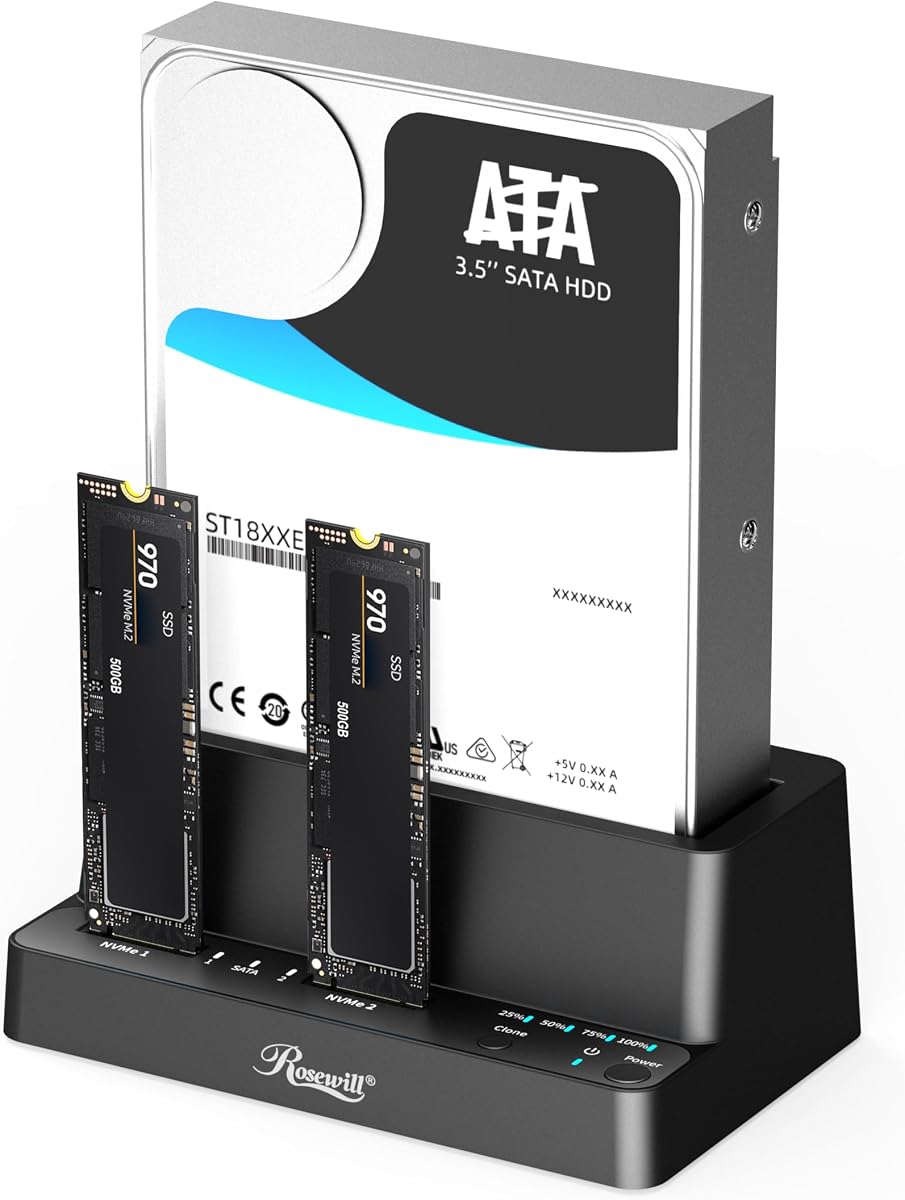
The Rosewill RS-N2S-CL combines a 4.5 rating with a compact three-bay layout that supports M.2 NVMe SSDs as well as 2.5-inch and 3.5-inch SATA hard drives and SSDs. It is positioned as both a docking station and a duplicator, allowing users to attach several storage formats, copy data offline, and use the dock as a general-purpose reader.
We may earn a commission when you buy through this link, at no additional cost to you.
The USB 3.2 Gen 2×1 interface provides a stated transfer ceiling of 10Gbps when connected to a compatible host. Tool-free installation makes it easier to exchange drives without additional tools, and the lightweight, portable construction supports use in different workspaces. Offline cloning can be performed without a host computer, which is convenient for moving data between bare drives.
Compared with the ICY BOX TripleBay, the Rosewill model covers a similar core use case but its supplied information is less detailed. It does not state a specific standalone cloning rate, supported capacity figures, operating-system list, or exact cable and power-adapter arrangement. Those omissions make it important for buyers to review the current listing carefully, particularly if a mixed NVMe-to-SATA migration is planned.
The RS-N2S-CL is a strong fit for mobile technicians, builders, and users who want several mixed-media bays in a relatively compact enclosure. It offers the key conveniences of modern storage docking—10Gbps connectivity, tool-free access, and offline copying—without moving to a large multi-copy appliance. Those needing a quantified duplication rate, advanced erase modes, or multiple simultaneous copies should select a more specialized model.
Supporting M.2 NVMe alongside conventional SATA media reduces the need to change adapters or docks between jobs. The three-bay arrangement also allows multiple sources and destinations to remain connected during a migration.
The compact enclosure and tool-free installation design favor users who carry equipment between locations. A compatible host connection is still required for normal docking use, while offline cloning removes the computer from the duplication step.
We may earn a commission when you buy through this link, at no additional cost to you.
The ORICO USB-C Five-Bay Hard Drive Docking Station is built for high-volume copying, with one source drive and up to four target drives handled in a single offline duplication operation. Its 3.9 rating is the lowest among the listed products, but the specialized one-to-four function gives it a clear purpose that cannot be matched by ordinary two-bay docks.
We may earn a commission when you buy through this link, at no additional cost to you.
All five bays accept 2.5-inch and 3.5-inch SATA SSDs or hard drives. A stated maximum of 20TB per drive produces combined capacity of up to 100TB. The vertical aluminum-alloy construction is intended to dissipate heat, while anti-vibration pads help stabilize the drives. LED indicators report operating status, and the enclosure is designed for professional users, photographers, and others managing large media collections.
The USB 3.2 Gen 1 interface and supplied two-in-1 Type-C cable support both USB-C and USB-A host devices. The listing identifies compatibility with laptops, PCs, Xbox consoles, desktops, routers, Windows systems, and Mac OS 10 or later. S.M.A.R.T. and TRIM functions are also listed. As with any multi-target clone, each destination must be appropriate for the data being written and the source contents will be overwritten.
This ORICO model is ideal for creating several copies of the same installation or media set without repeating the process four times. It is less attractive for casual users who only need occasional backups, and its lower aggregate rating warrants close attention to drive compatibility and setup. Buyers should also consider the StarTech SATDOCK4U3RE when secure erasure or a documented erase menu is equally important.
The one-to-four duplication function is the defining benefit. It can greatly reduce the time spent repeating a multi-copy workflow, making the enclosure useful for software deployment, imaging, and large media distribution tasks.
Five vertical bays make efficient use of desk space, and the aluminum-alloy shell supports heat dissipation. Anti-vibration pads help reduce movement when multiple drives are operating at once.
We may earn a commission when you buy through this link, at no additional cost to you.
The WAVLINK Dual-Bay External Hard Drive Docking Station offers a familiar two-bay format with useful UASP support and standalone offline duplication. Its 4.4 rating makes it a well-regarded general-purpose option for users who need fast access to two SATA drives and the ability to copy one disk to another without a host computer.
We may earn a commission when you buy through this link, at no additional cost to you.
The dock supports 2.5-inch and 3.5-inch SATA hard drives and SSDs, as well as SATA I, SATA II, and SATA III devices. UASP is listed at up to 6Gbps and is described as improving performance over standard USB 3.0. The product also includes a power switch and a 12V 3A power supply. Offline cloning is specified at up to 60Mbps, and the target must be equal to or larger than the source.
Tool-free installation and hot-swapping make drive changes convenient. Automatic sleep after 30 minutes of inactivity helps reduce energy use, while standard USB Mass Storage class operation means the dock itself does not require drivers. The listed operating-system coverage includes older Windows versions, Mac OS X, Linux, and Unix. Mac systems based on M1 and M2 chips are specifically excluded.
The WAVLINK dock is a solid choice for Windows, Linux, or older Mac workflows involving conventional SATA storage. It should not be chosen for modern Apple silicon compatibility, NVMe media, or online copying. The 16TB-per-bay configuration is suitable for substantial personal archives, while users who perform frequent full-disk imaging may benefit more from a faster standalone duplicator.
UASP is designed to reduce protocol overhead compared with conventional USB mass storage transfer behavior. The benefit depends on the connected host, drive type, and workload, but it makes this dock a strong fit for routine file access and backups.
A built-in power switch and 12V 3A adapter provide direct control over the dock. Automatic sleep after 30 minutes adds another layer of convenience for desks where the device remains connected throughout the day.
We may earn a commission when you buy through this link, at no additional cost to you.
The StarTech SATDOCK4U3RE is the most specialized hard drive duplicator in the roundup because it combines standalone cloning, drive erasure, and ordinary docking in one four-bay unit. Its 4.5 rating is backed by a feature set aimed at professional drive provisioning: one source can be duplicated to three targets, and the same enclosure can securely erase selected drives.
We may earn a commission when you buy through this link, at no additional cost to you.
The device works with 2.5-inch and 3.5-inch SATA and IDE hard drives or SSDs. IDE adapters for both 40-pin 3.5-inch and 44-pin 2.5-inch drives are included, while the hardware is operating-system independent. A top-loading design with doors, eject buttons, and multifunction LEDs helps manage several drives efficiently. USB 3.2 Gen 1 and eSATA provide host docking options.
Standalone sector-by-sector cloning operates at up to 4.2GB per minute, with target drives required to be equal in size or larger than the source. An LCD with push-button navigation makes it easier to select duplication, erase, and drive-information modes. The eraser supports Quick Erase and Secure Erase, including an NIST SP 800-88 Rev. 1 Purge method, which is important when drives must be sanitized before reuse or return.
This model is best for IT departments, refurbishment businesses, data centers, and repair technicians who need repeatable cloning and documented sanitization. The standalone duplication rate is lower than that of the two-bay SDOCK2U313R, and the four-bay format requires more space, but erasing and one-to-three copying add value that ordinary docks cannot provide. A two-year warranty and lifetime 24/5 multilingual technical assistance further support professional use.
Combining duplication with Quick Erase and NIST-aligned Secure Erase reduces the need to move drives between separate tools. This is especially useful for refurbishment, inventory preparation, and secure drive disposal workflows.
Four top-loading bays, an LCD menu, status LEDs, and one-to-three cloning support repeatable high-volume work. USB and eSATA connectivity allow the enclosure to serve as a conventional dock between standalone operations.
We may earn a commission when you buy through this link, at no additional cost to you.
The right hard drive duplicator cloner docking station depends on drive formats, the number of copies, transfer expectations, and whether erase or multi-device functions are essential. Use the following factors to narrow the field before checking the latest listing details.
Choose based on your current and future storage mix rather than the broadest list of formats. NVMe support is useful for modern laptop migrations, while SATA-only coverage is sufficient for conventional desktops and archives.
For occasional backups and drive upgrades, two bays are generally sufficient. Choose three or four bays when you regularly image, provision, or copy multiple drives at once.
Prioritize offline cloning when your workflow involves bare drives and system images. Check the stated copy rate when large volumes are involved, because a host-interface speed does not necessarily represent standalone duplication performance.
Choose full-sector copying for exact disk images. Use ordinary file transfer when you only need selected documents, media, or project folders.
Match the interface to your computer and prioritize SSD compatibility for high throughput. A fast USB link cannot make a slower mechanical drive substantially faster.
Check both per-bay and combined limits. The target must always be at least as large as the source for a complete clone.
Choose a dedicated eraser when drives will be reused, transferred, or returned. Cloning alone should not be treated as a secure data-removal method.
Use the supplied or specified power adapter, provide airflow around the enclosure, and consider professional support if the dock will support daily workloads.
Begin by confirming that every drive is compatible with the dock and that the intended target is equal in size or larger than the source. Inspect the drive connectors for damage, connect the dock to its appropriate power adapter, and install the media only after the enclosure is powered off if the manufacturer recommends that sequence. For an offline copy, identify the source and target bays clearly before pressing the clone control, because the destination contents will be overwritten.
When using the dock with a computer, connect the appropriate USB cable and wait for both drives to mount. Copy important files first, and do not unplug a drive while data is being transferred. A controlled eject through the host operating system is preferable to removing the media immediately after a large backup. If the system does not detect a drive, reseat the media, verify that the interface is operating at the expected generation, and consult the current product instructions for troubleshooting.
For long jobs, leave the enclosure in a ventilated area and avoid stacking fabric, papers, or other heat-retaining objects around it. Use the supplied power supply, particularly when multiple 3.5-inch drives are installed. Keep the dock away from moisture and sudden impact, clean the exterior with a dry or lightly damp cloth, and never clean exposed drive connectors while power is connected. Periodically check S.M.A.R.T. information for important drives and keep a separate backup of any data that cannot be replaced.
A docking station connects bare drives to a computer so their files can be accessed, managed, or backed up through the host. A standalone duplicator can copy a source drive to a target through its own hardware without a computer remaining involved. Many products in this guide perform both functions, so buyers should look for explicit offline cloning and host-docking support.
Yes, when the duplicator performs a full sector-by-sector copy rather than a basic file transfer. The target needs enough capacity for the source, and clone quality can be affected by encryption, damaged sectors, or unusual controller behavior. Always retain another recoverable copy of critical data and confirm that the cloned system boots before relying on the new drive.
The target's existing contents are overwritten during a successful clone, but the exact preparation method can vary by device. It is still wise to back up any valuable files on the target before starting. Do not assume that a clone securely erases old data; use a dedicated erase or sanitization feature when the drive will be reused or transferred.
No. M.2 is a physical shape, while NVMe and SATA are different storage interfaces, and some M.2 modules use other protocols. The ICY BOX and Rosewill models explicitly support M.2 PCIe NVMe alongside SATA media. Buyers should confirm the protocol, connector, dimensions, and capacity of every drive before insertion.
The USB specification describes the maximum host connection bandwidth, not the rate at which every device copies data. Hard drive mechanics, flash memory performance, the internal bridge, and the duplicator's own copy engine can all reduce results. The two SABRENT models and WAVLINK dock state a 60MBps or 60Mbps standalone cloning limit, while professional models provide different hardware-based rates.
Several products list support for PCs, laptops, game consoles, smart televisions, projectors, or routers, but compatibility depends on the host's USB interface and operating system. The WAVLINK model specifically excludes M1- and M2-based Macs. Check the complete device list and connection requirements before assuming that every USB-C device will recognize a bare drive.
No. Offline cloning is performed by the docking station's internal controller, so a host computer and dedicated cloning application are not required. You still need to identify the source and target correctly, ensure the target is large enough, and allow the full process to finish before disconnecting either drive.
Most two-bay docks create one target copy at a time. The ICY BOX and Rosewill triple-bay products provide extra slots but do not claim three or four simultaneous copies. The ORICO five-bay model supports one-to-four duplication, while the StarTech SATDOCK4U3RE supports one-to-three standalone cloning.
The SABRENT USB 3.0 Dual Bay is the most practical general recommendation for straightforward SATA copying, while the MAIWO model stands out as the value-focused option with a built-in USB hub. The StarTech SDOCK2U313R earns the premium position because of its rapid sector-by-sector duplication, 4Kn compatibility, professional construction, and technical support. These choices cover common home use, cost-conscious setups, and demanding service workflows.
Prioritize the features your actual process requires. Mixed NVMe and SATA migrations call for the ICY BOX or Rosewill triple-bay docks, one-to-many copying favors the ORICO five-bay unit, and secure sanitization points directly to the StarTech SATDOCK4U3RE. Before purchasing, verify the connector type, drive protocol, target capacity, host interface, included cable, and power requirements against the latest product listing.
A successful duplication depends as much on preparation as on the dock. Back up important information, test a smaller drive first when possible, allow the copy to finish completely, and verify the destination before reusing or erasing the source. Product details and availability can change, so checking the current listing and manufacturer instructions is the final step before ordering.