
AceGamer Wireless Pro Controller
4.5Editor score
Hall effect joystick sensors
Four vibration levels
Programmable M1 and M2
Broad device compatibility
Our Hall Effect Nintendo Switch 2 Controller guide compares ten options for drift-resistant sticks, wake-up, macros, motion controls, battery life, and comfort.
Hall Effect Nintendo Switch 2 controllers are built around magnetic joystick sensing, which reduces contact wear while supporting precise movement over extended play sessions. A worthwhile controller should also fit the console or dock properly, connect reliably, provide comfortable controls, and include the features players actually use rather than an excessive list of novelty functions.
This guide compares ten Hall Effect options for Nintendo Switch 2, the original Switch, Switch OLED, Switch Lite, Windows, and other supported platforms. The evaluation considers stick precision, hall effect technology, wake-up support, motion controls, vibration, programmability, trigger behavior, battery life, charging arrangements, lighting, and platform compatibility.
Each entry highlights the strongest reason to consider that controller and the compromises a buyer should understand. The list includes basic wireless designs, models with remappable rear buttons, premium options with trigger controls or a charging dock, and multi-controller sets. Product details and prices can change, so shoppers should confirm the current listing before purchasing.
4.5Editor score

4.6Editor score

4.3Editor score
The table below compares all ten controllers by their stick technology, core features, connectivity, and standout functions. It is designed to make differences in programmability, motion support, lighting, charging, and multiplatform use easier to identify.




The AceGamer Two Pack is a practical choice for households that want more than one Nintendo Switch 2-compatible controller. It carries a 4.4 rating and centers on hall effect joysticks designed to resist the mechanical wear associated with conventional analog sticks. Both controllers include wake-up support, dual vibration, a six-axis gyro, programmable rear buttons, and three-speed turbo functions. The package is especially attractive for couch multiplayer, since buyers do not have to assemble a set from unrelated models.
We may earn a commission when you buy through this link, at no additional cost to you.
Its strongest selling point is the combination of hall effect sensing and a generous feature set. The sticks are described as supporting up to five million rotations, while the ergonomic, non-slip housing is intended to improve grip during lengthy sessions. M1 and M2 buttons can be assigned to a broad selection of face, shoulder, stick, and directional inputs through single or multiple programming modes. Four vibration levels, including a completely off setting, make it possible to adjust feedback for different games or quieter late-night play.
There are some practical compromises. The controller has an 800 mAh battery and takes three to four hours to charge, which is reasonable but not exceptional among the options in this guide. Its initial pairing process involves a specific button combination, and the manufacturer advises calibrating before use without touching the sticks during connection. The abundant programmability is useful to experienced players, but it can feel excessive for someone who only wants a straightforward controller for everyday games.
This two-pack is best for families, couples, or groups who regularly play local multiplayer and want the same feature set on both devices. It also suits buyers who want hall effect sticks, programmable rear controls, motion sensing, and adjustable vibration without moving to a premium model with a dock or specialized trigger system. For a single-controller purchase, one of the single-controller alternatives may offer a simpler experience, but for a complete multiplayer set, this AceGamer package is the most versatile option here.
The magnetic sensing structure is intended to provide stable input without the contact-based wear that commonly contributes to analog-stick drift. That makes this pair especially relevant for players who put in long hours in precision games, platformers, shooters, and competitive multiplayer sessions.
Programmable M1 and M2 buttons, three turbo rates, four rumble levels, and a six-axis gyro give both players several ways to adapt the controller. The result feels more like a feature-complete gamepad than a basic replacement for a standard Joy-Con.
We may earn a commission when you buy through this link, at no additional cost to you.
The 8Bitdo Ultimate 2 is the premium-focused entry in this roundup, with a 4.3 rating and several features that distinguish it from more conventional third-party Pro Controller designs. Its most notable feature is a trigger mode switch that lets the user move between linear hall effect triggers and non-linear tactile triggers. That gives players a meaningful choice between smooth, consistent travel and more traditional resistance, depending on the game and personal preference.
We may earn a commission when you buy through this link, at no additional cost to you.
The controller uses TMR joysticks rather than describing them only as conventional hall effect sticks. According to the supplied information, this system is intended to improve sensitivity, precision, durability, and resistance to wear. An RGB fire ring and wear-resistant joystick rings add visual and functional refinement. The integrated charging dock is another major advantage: the controller charges while resting, reconnects when removed, and remains ready for play without requiring the user to handle a separate cable each time.
Its primary compatibility caveat is important. Switch 2 use requires both the controller and the relevant adapter to receive their latest firmware. That means buyers should not expect the dock and controller to deliver every listed feature immediately without completing the update process. Vibration and motion controls are listed for Switch use, while the product also supports Windows and the original Switch. Software support through 8Bitdo Ultimate Software V2 adds another layer to the configuration process.
This is the strongest premium choice for a player who cares deeply about trigger feel and appreciates a dedicated charging station. It is particularly suitable for shooters, racing games, action games, and mixed genres where the player may want to switch between linear and tactile trigger responses. Those wanting maximum simplicity or a multi-controller package should look elsewhere, but for trigger experimentation and dock-based convenience, the Ultimate 2 is the most specialized option in the list.
The trigger mode switch is the defining feature. Linear hall effect triggers provide consistent, pressure-based travel, while tactile triggers offer a more traditional feel, allowing the user to tune the controller for different play styles.
The integrated dock charges the controller when it is not in use and supports automatic reconnection when it is removed. That routine is convenient for a dedicated gaming setup and reduces the chance of starting a session with an empty controller.
We may earn a commission when you buy through this link, at no additional cost to you.
The Playnex Two Pack is a straightforward multiplayer solution for Nintendo Switch 2, the original Switch, OLED and Lite models, plus Windows PC. Its 4.3 rating reflects a well-rounded feature set without moving into the specialized trigger or dock territory occupied by the premium model. Each controller includes hall effect joysticks, rear M1 and M2 macro buttons, RGB lighting, vibration adjustment, and a rechargeable 600 mAh battery.
We may earn a commission when you buy through this link, at no additional cost to you.
The two-controller configuration is immediately useful for local multiplayer. A wireless operating range of up to 10 meters gives players enough room to move around a living room without requiring a cable connection. On supported Switch consoles, the Home button can wake the system, while PC support broadens the package beyond Nintendo hardware. Three turbo speeds and four vibration levels allow users to tailor the controls, while the rear buttons can hold favorite shortcuts.
The primary limitation is its smaller 600 mAh battery. It supports USB-C charging and extended play, but controllers with 800 mAh or 1000 mAh batteries are better suited to very long sessions away from a charger. The dynamic RGB lighting may also be unnecessary for buyers who prefer a traditional controller appearance. These are minor points, though, when the alternative is assembling a multiplayer set from individual products.
The Playnex package is best for couples, families, and friends who regularly play local multiplayer and want hall effect sticks on both units. It also makes sense for a player who alternates between a Switch and a PC and prefers one controller format across both platforms. It is not the strongest single-controller choice for advanced trigger tuning, but as a two-pack with practical programmability and broad compatibility, it delivers an unusually balanced package.
The core value comes from receiving two complete wireless controllers rather than one. It is a convenient way to establish a local multiplayer setup for two players without relying on shared Joy-Cons or mixing different controller styles.
Support for Switch 2, the original Switch family, and Windows makes the set practical for players who move between console and PC. Hall effect sticks and customizable rear buttons remain available across the package.
We may earn a commission when you buy through this link, at no additional cost to you.
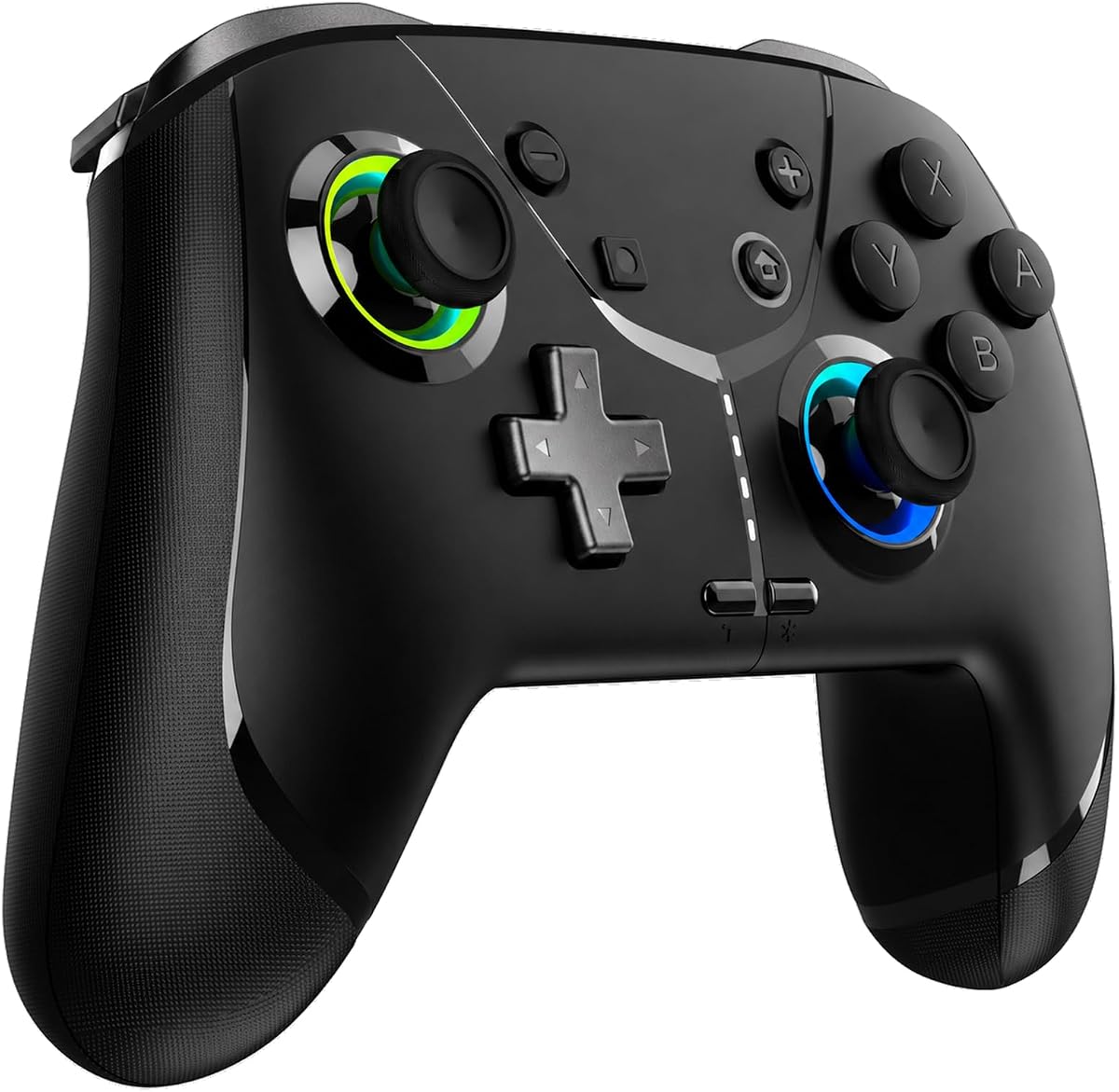
The AceGamer Wireless Pro stands out as a value-oriented single controller with a strong 4.5 rating. It supports Switch 2, the original Switch, Windows PC, Steam Deck, iOS, and Android, and uses hall effect joysticks intended to provide precise control while reducing wear. The controller also includes one-button wake-up, dual motors, a six-axis gyro, programmable rear buttons, and three-speed turbo functionality.
We may earn a commission when you buy through this link, at no additional cost to you.
Its feature-to-cost balance is difficult to overlook. The 800 mAh battery is larger than the units offered by several other manufacturers in the roundup, with up to 12 hours of continuous play claimed under stated conditions. Four vibration levels allow players to disable rumble or select subtle and strong feedback. The M1 and M2 buttons can be mapped to a broad set of existing controls in either single or multiple assignment modes, making them useful for complex sequences and repeat actions.
The wide platform claim needs a little practical interpretation. Some features are naturally more relevant on certain systems, and the supplied information does not indicate that every function behaves identically everywhere. The controller also presents a conventional third-party Pro Controller shape rather than the specialized trigger system or charging dock found among higher-end alternatives. Buyers who only want basic functions may find the customization options unnecessary, but they do not diminish the core hall effect controller experience.
This is an excellent choice for a budget-conscious Switch 2 owner who wants more than basic replacement functionality. It is well suited to everyday gaming, motion-controlled games, and players who want macros or programmable inputs without moving to a premium dock model. A two-controller set is the better choice for local multiplayer, but for one player who values broad compatibility, adjustable feedback, and a large battery, this AceGamer controller is a particularly strong package.
Programmable rear buttons, three turbo speeds, and four vibration levels give this controller more flexibility than a standard replacement. The feature set is particularly useful for action, fighting, and shooter games where repeat inputs and feedback matter.
Compatibility with Switch 2, Switch-family systems, Windows, Steam Deck, iOS, and Android makes the controller useful beyond the television. The six-axis gyro also supports motion-oriented gameplay on compatible titles.
We may earn a commission when you buy through this link, at no additional cost to you.
The Diswoe Wireless Pro is a feature-rich alternative for Nintendo Switch 2, Switch, Switch OLED, Switch Lite, and PC. Its 4.3 rating reflects a controller that covers most of the functions players commonly seek: hall effect sticks, a six-axis or motion-oriented control experience, programmable turbo, four vibration levels, a dedicated screenshot button, and support for both wireless and wired PC play.
We may earn a commission when you buy through this link, at no additional cost to you.
A notable point of differentiation is the dedicated Screenshot button. It is positioned to make capturing a game moment straightforward without navigating console menus. The controller also supports three turbo rates at 5, 12, and 20 shots per second. Its asymmetrical ergonomic shape, non-slip grips, and automatic sleep function are designed for comfort and power conservation, while the 600 mAh battery recharges in roughly two to three hours.
Some of the supplied marketing language is overly absolute, particularly the suggestion that magnetic sensing eliminates wear forever and the description of absolute drift-free longevity. Hall effect sticks reduce mechanical contact and the associated risk of drift, but no controller should be treated as immune to every possible input issue. The listed battery figure of up to eight to 12 hours also varies with settings and use. Those caveats do not undermine the core design, but they are worth considering when comparing it with larger-battery alternatives.
The Diswoe controller is a strong fit for a first third-party gamepad, especially for players who enjoy screenshots, turbo functions, and adjustable rumble. It supports every major Switch model and can also serve as a PC gamepad through a cable. It is less compelling for buyers specifically seeking a premium trigger mechanism, dedicated dock, or multi-controller package, but as a conventional wireless Pro Controller, it covers the essentials with a comfortable, feature-oriented design.
The dedicated Screenshot control removes one small barrier to sharing gameplay moments. Combined with three selectable turbo rates, it provides quick access to two features that are often buried deeper in a controller's settings.
An asymmetrical grip, skin-friendly non-slip surfaces, automatic sleep, and adjustable vibration are all intended to make the controller comfortable over time. Wireless range of up to 10 meters suits normal living-room play.
We may earn a commission when you buy through this link, at no additional cost to you.
The FUNLAB Charging Dock model combines a hall effect controller, a substantial concealed lighting system, and a matching charging dock. Its 4.3 rating reflects a visually distinctive package aimed at players who want their gaming setup to feel as polished as their game library. The controller and dock each contain hidden lighting, with 60 LEDs offering seven colors and three lighting modes.
We may earn a commission when you buy through this link, at no additional cost to you.
The dock does more than decorate the desk. It charges the controller when placed inside and synchronizes with the controller's lighting effects. That makes it a convenient home base for a Switch 2 or OLED setup. Hall effect joysticks provide the expected focus on precise, durable sensing, while vibration adjustment, macro settings, turbo, and back buttons cover the more practical competitive and customization needs.
App connectivity is one of the controller's most useful and least simple features. The app is described as supporting remapping, joystick adjustment, motor control, lighting customization, and automatic shutdown timing. This provides a deeper customization menu than many competing controllers, yet it also introduces a dependency on software setup. The dock itself requires space beside the console, and users interested primarily in understated hardware may prefer a controller without conspicuous lighting.
This model is best for a player who wants a coordinated controller-and-dock arrangement rather than treating charging as an afterthought. Its concealed honeycomb-like glow is particularly suited to a dark entertainment center, where bright permanent LEDs could be distracting. It is also a sensible choice for owners who value extensive app-based control. Those wanting minimal setup, understated styling, or the highest level of trigger customization should compare it with simpler or more specialized alternatives.
The matching dock provides a natural place to keep the controller between sessions. Its synchronized 60-LED system extends the controller's hidden glow to the desk while charging the device.
Remapping, joystick adjustments, motor control, lighting patterns, and shutdown timing can all be configured through the app. This level of control is valuable for players who like to fine-tune a controller to specific games.
We may earn a commission when you buy through this link, at no additional cost to you.
The NBCP Wireless Controller earns the highest listed rating in the roundup at 4.6, driven by a combination of hall effect joysticks, high polling specifications, broad platform support, and distinctive patterned RGB lighting. It is positioned for Switch 2, Switch, Switch OLED, Switch Lite, PC, PlayStation 3, Android, and iOS, with both wired and 2.4G wireless operation.
We may earn a commission when you buy through this link, at no additional cost to you.
Its response-rate specifications make it particularly interesting for competitive and fast-moving games. The product information cites 1000Hz polling in wired mode and 650Hz over 2.4G, values that can translate into more frequent input communication than standard wireless configurations. Dual hall effect sticks are joined by dual vibration motors, automatic and semi-automatic turbo modes, and programmable rear buttons for repeat actions or custom shortcuts.
The controller's appearance is more expressive than that of a standard Pro Controller. Its exclusive patterned RGB lighting creates moving effects rather than a simple solid color, and the skin-soft, non-slip surface is intended to improve comfort during marathon play. The trade-off is that this design is less suitable for buyers who prefer a discreet controller or a traditional visual style. Platform names also need careful interpretation, since input mappings and specific features can vary by system.
The NBCP is the strongest recommendation for a player who values responsive input above all else and wants a single controller across console, PC, and mobile devices. High polling rates are particularly appealing in competitive shooters, sports games, and action titles where quick feedback matters. It also suits users who want programmable rear buttons and rich lighting without moving to the 8Bitdo model's trigger-focused premium design.
A stated 1000Hz wired polling rate and 650Hz 2.4G polling rate provide a strong response foundation. Wired mode may appeal to competitive players, while the wireless connection keeps the controller practical for everyday console play.
The programmable patterned RGB system goes beyond a uniform glow. It is designed to create a more personal visual effect, while the soft, non-slip shell focuses on sustained grip and comfort.
We may earn a commission when you buy through this link, at no additional cost to you.
The aghi Switch 2 Pro stands out for its extensive macro automation and has a 4.4 rating. It uses hall effect joysticks for contact-free magnetic sensing and supports one-key wake-up across Switch 2, Switch, Lite, and OLED. The controller also includes dual vibration, a six-axis gyro, seven RGB lighting effects, and an 800 mAh battery.
We may earn a commission when you buy through this link, at no additional cost to you.
Macro support is the defining feature. The rear AL and AR buttons can be mapped to face buttons, joysticks, triggers, the D-pad, and plus or minus commands. Recording can extend up to 30 seconds, and loops can repeat a sequence, which is useful for repetitive attacks or grinding in compatible games. Turbo can be set to automatic firing rates of 5, 10, or 15 shots per second, while dual motors offer four listed vibration levels.
Initial pairing on Switch 2 requires a specific procedure: remove the Joy-Cons, use Change Grip or Order to pair the controller, and reattach them within 20 seconds. Once configured, the Home button can wake or reconnect the console later. The 800 mAh battery is advertised for 15 to 20 hours of play and takes two to three hours to charge. These numbers are favorable, although real battery life depends on lighting, vibration, connection method, and how often the controller is used.
This is an excellent choice for players who actively use remappable inputs and repetitive actions. The combination of hall effect sticks, looping macros, programmable rear buttons, gyro support, and wake-up functionality covers the core needs of a modern Switch 2 controller. It may feel over-featured for standard console play, but for automation-minded gamers it provides more depth than simpler alternatives.
Up to 30 seconds of recorded input can be assigned to the rear buttons and repeated as a loop. This is especially useful in repetitive action sequences, grinding sessions, and games that reward efficient input timing.
The six-axis gyro, four vibration levels, RGB effects, and large battery work together to make the controller suitable for varied games. Hall effect sticks add durable sensing without distracting from the familiar Pro Controller layout.
We may earn a commission when you buy through this link, at no additional cost to you.
The EasySMX S10C is a highly versatile controller with a 4.3 rating, hall effect joysticks, and support for Switch 2, Switch, PC, Android, and iOS. It also has one of the more unusual feature sets in the guide: a C-button intended for voice chat, nine-axis motion control, two programmable back buttons, mechanical ABXY buttons, adjustable vibration, turbo, and swappable faceplates.
We may earn a commission when you buy through this link, at no additional cost to you.
Its 1000 mAh battery is the largest listed among these products, with claimed playtime of up to 22 hours per charge. That makes it appealing for long sessions, travel, or households where the controller may sit unused for several days between uses. Silicone glide rings around the hall effect sticks are intended to reduce friction and support smooth, consistent movement, while the anti-slip grips prioritize stability.
The C-button is the most distinct addition. It provides a dedicated way to access voice-chat functionality, potentially making communication more convenient than relying on software shortcuts. However, actual voice chat still depends on game, console, and software support. Nine-axis motion is another attractive feature for aiming, steering, and swinging, although players should verify that every function behaves as expected on their chosen platform.
The EasySMX S10C is best for players who want the largest listed battery, convenient voice communication, and a controller that travels easily between Nintendo hardware, PC, and mobile devices. Swappable faceplates also make it appealing to owners who enjoy personalizing their setup. Those seeking specialized trigger hardware or a bundled charging dock may prefer other options, but the S10C offers one of the strongest combinations of everyday versatility and battery capacity.
A dedicated C-button provides a direct route to voice-chat controls. While game and platform support still matter, the hardware removes the need to memorize a button combination for every title.
The 1000 mAh battery is listed for up to 22 hours of play, making it a practical choice for portable use. Swappable faceplates add a visual personalization option without affecting the controller's core functions.
We may earn a commission when you buy through this link, at no additional cost to you.
The FUNLAB Firefly Z combines hall effect sticks, one-key wake-up, programmable rear buttons, turbo, and motion control with a distinctive hidden glow lighting system. It has a 4.4 rating and supports Switch 2, the original Switch, Switch OLED, Switch Lite, Windows PC, Android phones, and Steam Deck. Both low-latency wireless Bluetooth and wired operation are supported.
We may earn a commission when you buy through this link, at no additional cost to you.
Its visual design is the defining attraction. The controller appears plain black when the lights are off, but a hidden honeycomb pattern becomes visible during use. Seven RGB colors and several effects, including breathing, flash, motion, and always-on modes, let the lighting stay subtle or become more expressive. This approach appeals to players who want atmosphere without the constant brightness of a traditional LED controller.
The KeyLinker app provides deeper control. It supports remapping, complex turbo and macro commands, motor vibration adjustment, and RGB pattern changes. Hall effect joysticks focus on precise sensing and reduced wear, while the programmable back buttons give competitive and action games an extra layer of control. The absence of an integrated charging dock means the controller is lighter to store but requires a cable or separate charging solution.
The Firefly Z is best for buyers who want sophisticated lighting in a relatively understated form and who enjoy adjusting a controller through software. Its broad platform support makes it suitable for console and PC gaming, while one-key wake-up adds convenience on supported Switch systems. It is a particularly good fit for a gaming center where visible cable-free LEDs would be distracting but subtle patterned lighting would enhance the atmosphere.
The concealed honeycomb pattern remains out of sight when the controller is off and becomes visible when powered. Multiple effects and seven colors provide enough variation for different games without adopting a permanently bright appearance.
The KeyLinker app handles button remapping, turbo, macros, vibration, and lighting. This makes the controller easy to tailor over time, particularly for shooters, fighting games, and platformers that benefit from custom inputs.
We may earn a commission when you buy through this link, at no additional cost to you.
The right controller depends on platform support, control feel, battery life, customization, and how often it will be used. Hall effect sticks address one important durability concern, but they do not determine every aspect of the gaming experience.
A controller advertised for Nintendo Switch 2 should be checked for any setup requirements. The 8Bitdo Ultimate 2, for example, requires firmware updates for both the controller and the relevant Switch 2 adapter before full compatibility is available. Other models offer one-button wake-up, though the specific pairing process may differ. Buyers should also consider whether they want the controller to remain compatible with Switch, OLED, Lite, and PC systems.
Choose a model with explicit support for every platform and feature you plan to use. Confirm current manufacturer instructions before pairing.
Hall effect joysticks use magnetic sensing rather than relying on the same direct electrical contact used by conventional analog sticks. This reduces mechanical wear and helps address the drift problem that develops after extended use. It is particularly valuable for players who use their controller intensively or notice small directional errors early in a stick's life.
Prioritize models with two hall effect sticks, not just one. Also confirm that the controller remains accurate through long play sessions.
Battery capacity ranges from 600 mAh to 1000 mAh among these options. Larger batteries can support longer sessions and travel more comfortably, although actual runtime varies with lighting, vibration, connection method, and game demands. Controllers with a charging dock are convenient for a permanent setup, while USB-C models are easier to charge alongside other devices.
Match charging convenience to your routine. Choose a dock for your entertainment center or a large battery for frequent portable use.
Remappable rear buttons can streamline actions that would otherwise require combinations of face buttons, triggers, or stick movements. The aghi Switch 2 Pro supports longer recordings and looping macros, while several other controllers offer single or multiple assignments and three turbo rates. These features are useful for repetitive sequences, but they also require an initial setup and careful button selection.
Look for the remapping options that match your preferred games. Simple assignment is enough for most users; looped macros suit automation-heavy players.
A six-axis gyro enables compatible motion controls, including aiming, steering, and other tilt-based actions. HD Rumble and adjustable vibration improve feedback, while a zero-percent setting can reduce disturbance during late-night play. The presence of a gyro does not guarantee identical behavior across every supported platform, so compatibility should be verified for specific games.
Choose a controller with motion and adjustable vibration if you play action, sports, or rhythm titles. Keep the available intensity levels in mind.
Most entries in this guide follow a conventional Pro Controller trigger layout, but the 8Bitdo Ultimate 2 adds a switch between linear hall effect and non-linear tactile trigger modes. Linear triggers offer consistent travel based on pressure, while tactile triggers imitate a more traditional physical resistance. This choice is particularly relevant for shooters and games where trigger pressure matters.
Standard triggers are adequate for most games. Consider a trigger mode switch only if control feel is a priority and you value the added configuration.
Wireless controllers are convenient for living-room play, while wired modes can reduce uncertainty in competitive settings. The NBCP controller lists high polling rates for both 1000Hz wired and 650Hz 2.4G operation, a notable specification among the choices. Other products emphasize a stable wireless range of up to 10 meters and automatic reconnection or wake-up behavior.
Competitive players may favor a responsive wired mode. Everyone else should prioritize easy pairing, stable wireless performance, and wake-up support.
RGB lighting is more than decoration for some buyers. The NBCP offers patterned effects, while the FUNLAB models use concealed or hidden glow designs. Comfort depends on grip shape, button layout, weight, and surface texture, all of which should be considered alongside battery and electronic features. A controller that feels poor in the hand is difficult to appreciate even when its specification sheet is impressive.
Choose lighting that matches your setup and verify the advertised ergonomic features. Personal comfort should take priority over extra visual effects.
Begin with the manufacturer's pairing instructions because each controller may use a different process. Some require a specific combination such as Y plus Home, while the aghi Switch 2 Pro uses Change Grip or Order with the Joy-Cons removed and reattached within a specified interval. After connecting, update the controller and any required adapter firmware, then test each stick direction, face button, trigger, rear button, and vibration setting.
Calibrate the sticks in a calm position and avoid touching them while pairing or reconnecting. The AceGamer listing specifically warns against touching the joystick during connection because that can contribute to an incorrect reading. If input appears offset, disconnect and reconnect the controller rather than repeatedly pressing it. Use the compatible app to assign macros, adjust gyro behavior, tune vibration, and set lighting only after confirming that the basic controls work correctly.
Charge the controller according to its instructions and avoid leaving it on an unsuitable surface while powered. Clean the shell, buttons, and charging port with a soft, dry cloth; do not push debris into the joystick openings. When the controller is not in use, store it away from direct heat, moisture, and heavy pressure. Periodically check for firmware updates and retest the hall effect sticks after several months of regular play.
Hall effect joysticks reduce mechanical contact wear, which is one of the main causes of conventional analog-stick drift. They are generally more resistant to wear than contact-based sticks, but they are not immune to every possible fault. Environmental damage, manufacturing issues, calibration problems, or damage to the sensing assembly can still cause unusual input. Regular testing and careful pairing help maintain consistent performance.
Most of the products in this guide explicitly support the original Switch, Switch OLED, or Switch Lite in addition to Switch 2. Compatibility can still depend on the exact model and feature being used, particularly wake-up functions, motion controls, and firmware-dependent features. Check the product listing and manufacturer instructions before assuming every function works identically across consoles.
Linear triggers measure pressure and provide smooth, consistent travel without a sudden mechanical stop. Tactile triggers provide a more traditional resistance sensation and a defined endpoint. The 8Bitdo Ultimate 2 lets the user switch between both styles, which can be useful for different genres or personal preferences. Other controllers in the guide primarily use conventional Pro Controller trigger designs.
Many of the listed models support one-button or Home-button wake-up on Switch 2 and compatible Switch systems. The first pairing process may require removing Joy-Cons or using a special button sequence, depending on the model. Updating firmware and completing the initial pairing correctly is important before testing wake-up later.
They can be useful in games that allow the rear buttons to perform actions independently of the standard face buttons. Macros can also automate repeated inputs in supported titles. Compatibility and game rules vary, so players should check whether a sequence is permitted and confirm that their assigned inputs work as intended. Starting with a simple assignment is generally easier to troubleshoot than creating a complex macro.
Most of the controllers support Windows PC, with several also listing Steam Deck, Android, or iOS compatibility. Button labels and shortcut behavior may differ from the Nintendo layout, and some features could be limited by the PC game or operating system. Test the controller in the game's setup menu and use the bundled software or an application such as Steam to adjust mappings when needed.
The largest battery listed in this guide is the EasySMX S10C's 1000 mAh unit, while the Playnex and Diswoe options use 600 mAh batteries and several other models use 800 mAh. Runtime also depends on lighting, vibration, wireless use, and the games being played. A controller with a charging dock may be more convenient for a stationary setup, while a larger battery is useful for travel and extended handheld use.
Lighting is mainly a visual and personalization feature, though operating it can contribute to battery use. Some controllers offer moving patterns, while the FUNLAB designs keep illumination concealed until the controller is powered. Players should consider whether the effect suits their room and setup, but the more important performance factors are stick precision, response, ergonomics, connectivity, and feature reliability.
The NBCP Wireless Controller is the strongest overall fit for players who prioritize response rates, hall effect sticks, cross-platform support, and distinctive lighting. The AceGamer Wireless Pro offers a particularly balanced budget package with a large battery, programmable rear buttons, gyro support, and broad compatibility. For buyers who want specialized trigger behavior and a dedicated charging dock, the 8Bitdo Ultimate 2 is the premium choice.
Most shoppers should begin with platform compatibility, stick technology, wake-up behavior, and comfortable handling. Add programmable controls, macro support, lighting, or a dock only when those features improve the games they actually play. A controller with fewer extras but reliable fundamentals may be more satisfying than one whose specification sheet is longer than the user's needs.
Current availability, firmware instructions, ratings, and prices can change, so buyers should review the latest product listing before purchasing. They should also verify compatibility with their specific Switch 2 setup and confirm whether an adapter update is required. With those checks in mind, hall effect technology provides a durable foundation for precise, dependable control.