
Govee RGBIC LED Neon Rope Lights
4.4Editor score
Forty-two segmented RGBIC zones
Glare-free inverted illumination
Game and audio synchronization
App and voice control support
Gaming desk lighting can improve the atmosphere of a setup, but harsh LEDs, uneven beams, and screen reflections can undermine a long session. A useful diffuser softens direct light, spreads it more evenly, and controls how ambient illumination reaches your eyes and workspace.
This guide compares ten lighting solutions for gaming desks, including neon rope lights, monitor light bars, flexible diffuser panels, anti-glare covers, diffusion sheets, fabric shades, and masking tape. The comparison considers light quality, fit, installation, customization, eye comfort, and compatibility.
Each pick reveals a different way to improve desk lighting, from dramatic RGB effects to focused task illumination and general fixture diffusion. Ratings and specifications reflect the supplied product information, while prices and availability can change, so compare current listings before buying.
4.4Editor score

4.6Editor score

4.3Editor score
As an Amazon Associate we earn from qualifying purchases.
The table below compares each lighting product by its core function, dimensions or fit, major features, and best use in a gaming desk setup.




The Quntis Computer Monitor Lamp is a focused lighting solution rather than a conventional diffuser panel. It earns a 4.6 rating in the supplied data and stands out for its asymmetrical optical design, which directs illumination toward the keyboard and desktop instead of reflecting it from the screen.
We may earn a commission when you buy through this link, at no additional cost to you.
Its built-in ambient sensor monitors surrounding brightness and adjusts the output toward 900 lux. Manual controls add stepless dimming and a color-temperature range from 3000K to 6500K, while 78 LED beads provide uniform illumination. The weighted clip mounts above the monitor, keeping the desk surface uncluttered.
The product is certified to meet IEC/TR 62778 and IEC/EN 62471 standards and is described as flicker-free. Its Ra98 color rendering is useful for editing, design, and other color-sensitive tasks. The tradeoff is that it focuses on task lighting rather than creating diffuse RGB ambience throughout the room.
This is a strong choice for gamers and office users who want readable peripherals without screen glare. It is especially compelling for compact desks where a conventional lamp would occupy too much space. Those primarily seeking colorful atmosphere lighting should consider the Govee rope lights instead.
The asymmetrical beam keeps light on the work surface while reducing reflected glare on flat, curved, and glossy displays. It is a practical response to the common conflict between bright desk lighting and distracting monitor reflections.
Automatic sensing reduces the need to adjust brightness when room conditions change. Stepless manual controls and broad color-temperature selection also make it easy to tune the lamp for daytime precision work or warmer evening sessions.
We may earn a commission when you buy through this link, at no additional cost to you.
The Govee RGBIC LED Neon Rope Lights bring the most dramatic ambient lighting to the list. The 10-foot light uses 42 separately controllable segments, denser LED beads, and RGBIC color effects to create a more nuanced look than a basic single-color strip.
We may earn a commission when you buy through this link, at no additional cost to you.
Inverted illuminated lighting is designed to eliminate the spots and gaps commonly associated with LED strips. The soft silicone material can wrap around desk edges and follows 12 designated cutting points, allowing the usable length to be adjusted within the stated 7.03-to-10-foot range.
The feature set extends well beyond static color. The Govee Home App provides 16 million DIY colors, more than 64 scene modes, and 11 music modes, with voice-command support through Alexa and Google Assistant. Colors can also synchronize with a Govee AI Gaming Sync Box or Razer Chroma, although that gaming box is not included.
This light is ideal for gamers who value atmosphere, customization, and synchronization with on-screen action. It is less appropriate when the main goal is broad task illumination or when users do not want to manage a connected lighting system. Its higher feature level also makes it a more advanced choice than basic tape lighting.
Forty-two RGBIC sections allow gradients and multi-color effects across the rope rather than one uniform hue. This creates a more visually varied battlestation and makes the light responsive to games, music, or everyday schedules.
The inverted lighting technology is intended to reduce visible hotspots and gaps. Soft silicone construction follows curved and angular surfaces, helping the light blend into a desk installation instead of looking like exposed LED tape.
We may earn a commission when you buy through this link, at no additional cost to you.
The four-sheet polycarbonate diffuser set is an adaptable option for softening visible LED points across ceiling lights, downlights, track fixtures, spotlights, and flat panels. It carries a 4.3 rating and provides four separate pieces for covering several fixtures or assembling a layered effect.
We may earn a commission when you buy through this link, at no additional cost to you.
Each sheet measures 11.8 by 7.8 inches and is approximately 0.04 inch thick. The thin, lightweight polycarbonate offers impact resistance and is described as resistant to yellowing and cracking. Installation involves placing or mounting the material between the LED source and the fixture cover.
The main advantage is customization. Users can cut the sheets with a utility knife or scissors to match the dimensions of a particular fixture. That makes the set useful when standard diffuser sizes do not align with an unusual lamp or desk-related lighting installation.
Protective film may arrive with minor scratches, which should be removed to reveal a clearer surface. This is a practical pick for users who already know their fixture dimensions and want an inexpensive way to improve light uniformity without adding electronics or smart controls.
Because each sheet can be trimmed, the set is not restricted to square ceiling panels. It can also be adapted for downlights, track lights, spotlights, and other LED sources that produce harsh or uneven illumination.
The polycarbonate construction is designed to scatter strong LED beams into a more even glow. Its resistance to impact and yellowing supports continued daily use while avoiding the fragile appearance of some thin plastic covers.
We may earn a commission when you buy through this link, at no additional cost to you.
This four-panel diffuser set is designed to soften strong light across ceiling lamps, spotlights, panel lights, cabinet lights, flat lights, aquariums, and outdoor landscape fixtures. Its 3.5 rating is lower than that of several alternatives, but the physical design offers useful installation options.
We may earn a commission when you buy through this link, at no additional cost to you.
Every panel measures 11.8 by 11.8 inches with a thickness of 1 millimeter. The lightweight PC material is described as shatter resistant, flame retardant, and UV resistant. Because it can be cut into different shapes, one set can cover several fixture formats or be reserved for later desk-area lighting projects.
A distinctive feature is the ability to stack layers. That gives users some control over how diffused the output becomes, although adding multiple layers can also reduce overall brightness. Users should begin with a single sheet and increase coverage only if the fixture remains too intense.
This product is most suitable for people who value flexibility and broad fixture compatibility. Its modest rating warrants checking recent customer feedback, particularly regarding clarity, fit, and the amount of light lost through the diffusion material.
Stacking sheets creates a stronger diffusion effect for fixtures with especially harsh output. Starting with one layer preserves more usable illumination and makes it easier to determine whether another sheet is necessary.
The square format can be trimmed for indoor panels, cabinet lights, track fixtures, and other LED sources. UV resistance and flame-retardant construction also suit the product to a wider variety of lighting environments.
We may earn a commission when you buy through this link, at no additional cost to you.
This anti-glare shade diffuser cover is a third-party accessory designed for the Philips Hue Play Bar. It is aimed at gamers, streamers, and desk setup enthusiasts who want background lighting to feel more deliberate rather than shining directly into the viewing area.
We may earn a commission when you buy through this link, at no additional cost to you.
The shade is intended to optimize light direction and reduce unwanted reflection while preserving the original character of the underlying lighting experience. It can contribute to a more balanced atmosphere around a monitor, television, or entertainment display.
Compatibility is the defining consideration. The product is not affiliated with or endorsed by Philips Hue, and the brand name appears only to identify the supported device. Buyers should confirm that they own a compatible Play Bar before assuming this cover will work with another lighting system.
No customer rating is available in the supplied information, so the decision should be based on confirmed device compatibility and the desired direction of illumination. It is a targeted accessory rather than a universal diffuser, and it does not provide the RGB effects or task lighting found in the leading picks.
The shade helps guide ambient light away from direct viewing angles. This can make wall or desk-edge illumination feel softer while retaining a visible glow around the entertainment area.
Because this cover is designed around one named fixture, verify the model and mounting arrangement before ordering. It is most useful to owners who already depend on a Play Bar and want a more controlled ambient effect.
We may earn a commission when you buy through this link, at no additional cost to you.
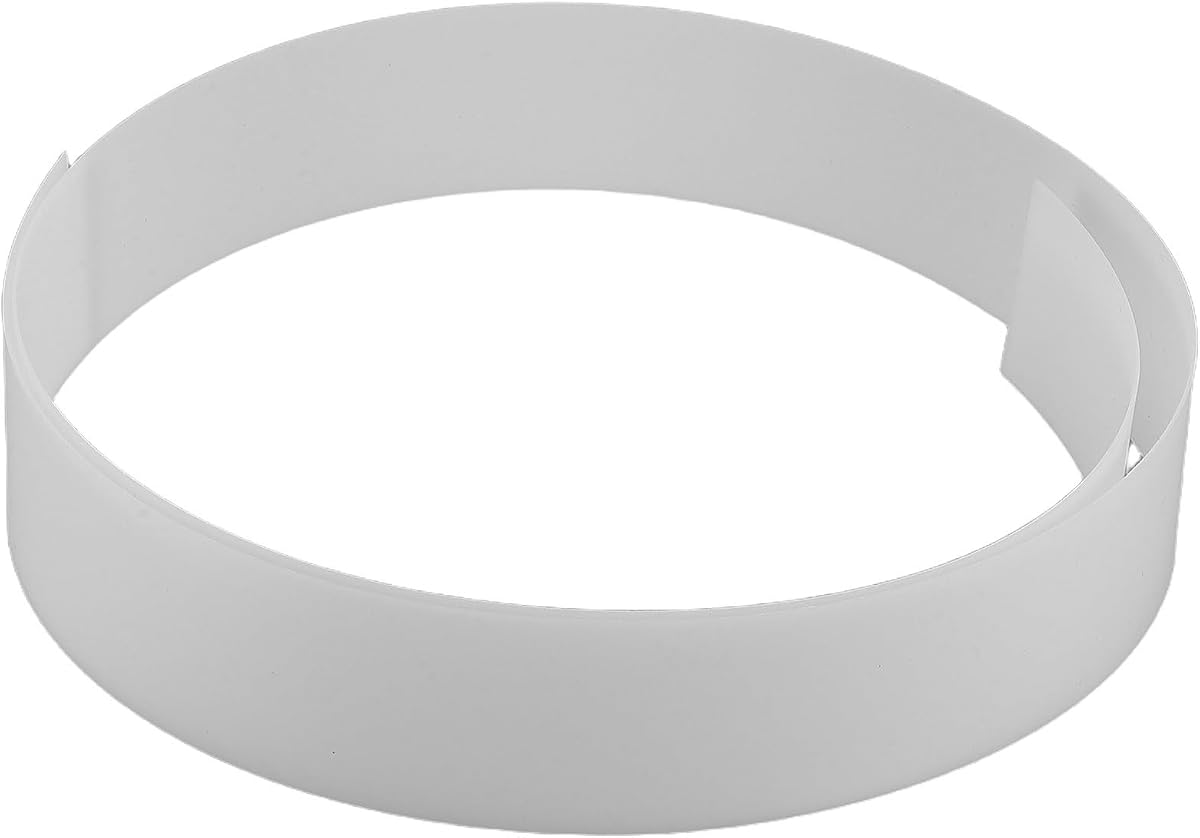
The flexible acrylic panel provides a long, narrow diffusion surface intended for LED strip installations. Its dimensions of 1220 by 45 millimeters make it more appropriate for continuous runs, cove lighting, chandeliers, recessed systems, and linear profiles than for large square fixtures.
We may earn a commission when you buy through this link, at no additional cost to you.
At 1 millimeter thick, the material is designed to fit into existing strips and profiles without adding substantial bulk. Its flexibility allows it to conform to different fixture shapes, while the white finish is intended to soften and spread the underlying light.
The product data emphasizes easy integration and resistance to deformation. Those qualities make it practical for a permanent setup, particularly when a user wants the LED source to disappear and the illuminated area to look cleaner and more even.
No rating is available in the supplied data, and there are no stated optical performance figures. Buyers should check the channel dimensions of their fixture and the panel's mounting requirements. It is best for linear lighting applications rather than a monitor-mounted task lamp.
The long, narrow format is well suited to hiding individual LED points across a strip run. It can create a more uniform ribbon of light along shelves, counters, or recessed desk-adjacent installations.
Acrylic construction allows the panel to follow different profiles and existing light covers. Its low thickness helps it slot into compact fixtures where a rigid diffusion sheet would be inconvenient.
We may earn a commission when you buy through this link, at no additional cost to you.
The small fabric diffuser cover is designed for table, floor, bedside, and pendant lamps where a soft shade is preferable to exposed LED glare. Its 3.5 rating reflects mixed user feedback, but the simple construction remains easy to understand and install.
We may earn a commission when you buy through this link, at no additional cost to you.
The cover fits lamps with diameters from 12 to 18 centimeters, or 4.72 to 7.09 inches. Elastic bands around the edge allow it to be stretched over a compatible shade and removed for cleaning. Polyester fabric is described as waterproof, washable, and durable.
Dust protection is an added benefit because the cover reduces the amount of open surface exposed on a lamp. Softening harsh light can also make reading, studying, and desk work feel more comfortable by reducing direct visual intensity.
Safety and compatibility deserve attention. The cover is intended only for LED lamps and must not be placed over exposed bulbs, incandescent bulbs, or high-temperature spotlights. Measure the lamp's shade diameter before buying, especially if it sits close to a gaming display.
Elastic edging allows the cover to fit quickly without adhesives or permanent modifications. It can be removed easily for cleaning or repositioned between compatible lamps in different parts of a room.
The fabric cover is for LED lamps only. Keep it away from exposed incandescent bulbs and other high-heat sources because the material can trap heat and may deform or become unsafe.
We may earn a commission when you buy through this link, at no additional cost to you.
This optical-grade polycarbonate board is intended for users who need even, high-transmission diffusion. It carries a 4.2 rating and is designed for photography fill lights, ceiling panels, track lights, spotlights, and other fixtures where individual LED points or harsh glare are visible.
We may earn a commission when you buy through this link, at no additional cost to you.
The 11.8-inch square panel is only 0.039 inch thick, making it light and straightforward to trim. Its stated light transmission is at least 80 percent, which helps preserve brightness while scattering the source into a softer, more uniform field.
Temperature performance is another distinguishing point. The product is listed as stable from minus 40°C to 120°C and resistant to yellowing and embrittlement. These characteristics make it suitable for environments with more varied conditions than a basic fabric or acrylic cover.
Only one board is included, so buyers needing several fixtures may need more than one unit. Its fixed dimensions also call for measuring before installation. Within the right fixture, it offers a convincing mix of optical clarity, durability, and easy fabrication.
A transmission level of at least 80 percent helps the board soften glare without unnecessarily darkening the fixture. This balance is useful for task areas where users want comfortable light without losing visibility.
The listed temperature range and aging resistance make the board more versatile than fabric shades. It is a practical option for enclosed fixtures, studios, workspaces, and other installations where heat can accumulate.
We may earn a commission when you buy through this link, at no additional cost to you.
Light Soften Tape offers a subtler approach to diffusion. Rather than covering an entire LED source, it masks selected sections so the strip produces less direct glare while continuing to pass some light through. It carries a 3.7 rating and is best suited to targeted adjustments.
We may earn a commission when you buy through this link, at no additional cost to you.
The package contains two fiberglass rolls measuring 0.78 inch by 32.8 feet each. Users can cut the tape to the desired width and length, then apply it directly over an LED strip. Multiple layers allow the amount of blocked light to be adjusted.
The material is described as heat resistant, flame retardant, corrosion resistant, and waterproof. It adheres firmly but removes cleanly without leaving residue, making it useful for temporary changes and for installations where a rigid panel would be difficult to position.
A tape solution cannot create the same uniform optical diffusion as a full panel. It can also reduce the overall glow when several layers are used. Its advantage is flexibility: it lets a gamer control which parts of a strip remain visible while preserving illumination elsewhere.
The tape blocks approximately 15 percent of the light in a single layer. By applying it only over bright LED points or unwanted sections, users can soften glare while leaving the rest of the strip visible.
Fiberglass tape can be cut to fit complex runs and removed cleanly when the layout changes. That reversibility makes it convenient for gaming rooms, display cabinets, mirrors, bookshelves, and other multi-zone lighting installations.
We may earn a commission when you buy through this link, at no additional cost to you.
The RGB Monitor Light Bar combines practical desk illumination with colorful ambient effects. It has a 4.5 rating and stands apart from conventional task bars through 25 preset combinations, including five brightness levels and five color temperatures from 3000K to 6000K.
We may earn a commission when you buy through this link, at no additional cost to you.
Three dynamic modes—Static Gradient, Marquee, and Music Rhythm—allow the bar to react to sound from games and music. Its asymmetric 45-degree beam illuminates the keyboard and desktop while avoiding screen reflection, including on glossy and curved displays.
The light uses 84 Ra95 LED beads for color rendering, making it suitable for office work and visual tasks as well as gaming. An aluminum alloy body supports heat dissipation, while the optical design is described as flicker-free and low blue light with illumination up to 1200 lux.
The bar weighs 12 ounces and fits 17-to-34-inch flat or curved monitors using USB power. A memory function recalls the last setting, and a 45-minute auto shut-off adds convenience. It is a strong all-in-one option for users who want both useful desktop light and RGB personality.
Static Gradient, Marquee, and Music Rhythm modes extend beyond ordinary white task lighting. These effects create visible atmosphere along the top of a display while the asymmetrical beam keeps the desk readable.
Twenty-five presets, memory recall, and automatic shut-off simplify daily operation. The adjustable fit supports a wide range of flat and curved monitors, although USB power must be available at the installation.
We may earn a commission when you buy through this link, at no additional cost to you.
The right diffuser depends on whether you want immersive ambient color, focused desktop lighting, softer general illumination, or a simple way to mask individual LED points.
Gaming desk lighting products solve different problems. RGB rope lights and monitor bars create atmosphere and dynamic effects, while PC sheets, acrylic panels, fabric shades, and masking tape soften an existing light source. A monitor lamp is optimized for the area between the screen and keyboard, whereas a diffusion sheet is intended to fit between an LED module and its cover. Consider whether your priority is entertainment immersion, task visibility, or reducing the appearance of harsh light across several fixtures.
Dimensions matter more for diffuser panels than for light bars. Square sheets need enough coverage to hide the full LED source, while narrow acrylic channels must match the internal width of a strip profile. Fabric shades require a lamp with a compatible shade diameter, and monitor lamps need a suitable top bezel or mounting edge. Measure both the fixture and the available installation space before ordering, especially if your desk has a curved monitor, a thick bezel, or cable-management constraints.
Diffusion works by spreading light, but every material can reduce intensity or alter color. The PC board in this guide has a stated transmission of at least 80 percent, while masking tape blocks approximately 15 percent in one layer. Stacking multiple sheets may improve softness but also reduce brightness. For gaming, stronger attenuation can help during dark scenes, whereas brighter output is useful for editing, reading, and general office tasks.
Compatibility can mean physical dimensions, electrical behavior, or an established accessory standard. The Play Bar diffuser cover is a third-party accessory designed specifically for a compatible Philips Hue Play Bar. Flexible panels must fit the intended channel, fabric shades must match the lamp's diameter, and monitor bars must be supported by the display. Reading the complete compatibility details helps prevent a cover that is too small, a profile that will not accept the panel, or an accessory that cannot mount safely.
Eye comfort depends on more than the word diffuser. Look for asymmetrical beams that avoid screen reflections, flicker-free output, low-blue-light design, automatic brightness adjustment, and broad color-temperature control. The Quntis bar and RGB monitor light bar provide task-oriented comfort features, whereas PC diffusion sheets focus on distributing light evenly. Consider whether you spend more time gaming, reading, editing, or working in daylight before deciding which type of control matters most.
Smart lighting adds atmosphere but also introduces an app, controls, or additional hardware. The Govee rope light offers scene modes, music modes, voice control, and optional game synchronization. Monitor bars provide preset and animated modes without requiring a broader smart-lighting system. Passive diffusers remain attractive when simplicity is the priority because they only need installation and occasional cleaning. Choose programmable features if synchronized ambience is central to your setup; choose passive materials if consistent illumination is the main goal.
The easiest options are those that attach directly to an existing structure. Rope lights wrap around desk edges, monitor bars clamp above a display, masking tape sticks over strip LEDs, and fabric shades stretch over compatible lamps. Sheets and panels usually require cutting, placement, or mounting inside a fixture. Consider whether you want a permanent installation, whether the diffuser can be removed for cleaning, and whether adhesive residue or heat could affect nearby materials.
Heat management is essential when placing a cover over an LED source. The fabric diffuser is restricted to LED lamps and should not cover exposed incandescent bulbs or high-temperature spotlights. PC and acrylic panels are better suited to enclosed or thermally controlled fixtures. Monitor bars keep their source above the display and direct light downward, which can reduce heat around screen surfaces. Always follow the fixture's temperature guidance and avoid covering ventilation openings.
Begin by turning off and disconnecting the light source. Confirm that the diffuser material matches the fixture, measure the installation area, and dry-fit the sheet, panel, tape, or cover before securing it. For cuttable PC materials, mark the required shape and use a sharp utility knife or suitable scissors on a clean, flat surface. Avoid reducing the coverage below what is needed to hide visible LED points.
Install passive diffusers according to their design. Sandwich a PC sheet between the LED source and the fixture cover, slide flexible acrylic into a compatible profile, stretch fabric covers over supported LED lamps, or apply masking tape only over the sections that create unwanted glare. With rope lights and monitor bars, route cables away from the desk edge and display bezel, then secure the unit without placing strain on the connection.
For connected lighting, use the Govee Home App or supported voice assistant to choose colors, scenes, brightness, and synchronization settings. Keep optional synchronization hardware requirements in mind, and avoid rapid brightness changes when operating in the dark. Clean removable fabric covers according to their care instructions, wipe polycarbonate and acrylic with a soft damp cloth, and allow cut panels to cool before handling or adjusting them.
An LED light strip produces the illumination, while a diffuser changes how that light appears. A sheet, panel, tape, shade, or monitor bar can spread, mask, redirect, or soften light from an existing source. Some modern strips include diffusion features themselves, but a separate diffuser can provide additional control over glare, brightness, and visual uniformity.
No product can guarantee zero glare because reflections also depend on monitor coating, screen angle, room brightness, and light position. Asymmetrical monitor light bars are particularly effective because they direct illumination toward the desk rather than the display. General diffusion materials can soften the source but may not prevent reflection if a strong lamp shines toward the screen.
A monitor light bar is usually the most space-efficient option because it mounts above the display and leaves the desktop unobstructed. For atmospheric lighting, a thin rope light can follow the desk perimeter. If the goal is simply reducing visible LED points in a small fixture, a cuttable PC sheet may be sufficient and unobtrusive.
No. Heat output differs significantly among LEDs, incandescent bulbs, spotlights, and other fixtures. The small fabric cover in this guide is intended only for LED lamps and should not cover exposed incandescent bulbs or high-heat sources. Polycarbonate and acrylic panels are generally better for compatible enclosed LED fixtures, but their temperature specifications and placement instructions should still be followed.
Stacking can increase diffusion and make the output appear softer, but it also reduces overall brightness and may shift the color slightly. It works best when a single layer still leaves visible LED points. Start with one sheet, inspect the result in different room conditions, and add another layer only if the glare remains strong enough to justify the light loss.
A diffuser can improve comfort by reducing harsh highlights and distributing light more evenly. Task lighting with flicker-free output, low-blue-light design, and an asymmetric beam can be especially helpful when the screen and keyboard are illuminated differently. However, no lighting accessory replaces suitable screen settings, regular breaks, correct viewing distance, or an eye examination when discomfort persists.
An RGB light bar combines desktop illumination with visible effects above a monitor, making it a practical two-in-one option. RGBIC rope lights provide more segmented color transitions along a desk edge and generally create broader decorative coverage. Choose the bar for task lighting plus color, or the rope for maximum ambient impact and detailed scene control.
Disconnect or switch off the light before cleaning. Wipe clean polycarbonate or acrylic surfaces with a soft, slightly damp cloth and avoid abrasive cleaners. Fabric shades may be washable, but check the care guidance and allow them to dry fully before reinstalling. Masking tape can generally be peeled away carefully, while exposed adhesive should not be washed unless the manufacturer recommends it.
The Quntis Computer Monitor Lamp is the most versatile task-lighting choice for users who want focused, glare-reduced desk illumination with automatic adjustment. The Govee RGBIC rope lights lead the category for immersive ambient effects, while the four PC diffuser sheets offer an adaptable and budget-conscious way to soften several fixtures.
Prioritize the problem you need to solve before choosing a format. Select a monitor bar for readable peripherals, RGB rope lighting for atmosphere and synchronization, or a PC panel or acrylic strip when the objective is even general illumination. Always verify dimensions, fixture compatibility, installation requirements, and heat restrictions before ordering.
Ratings, product configurations, and market conditions can change, and current prices should be checked before making a purchase. Comparing the latest listing with your monitor size, lamp shape, lighting profile, and preferred control style will help identify the most suitable gaming desk diffuser for your setup.