
BenQ GW2491
4.8Editor score
100Hz refresh rate
IPS color accuracy
TUV-certified eye care
Slim three-sided bezel
A frameless computer monitor creates an open, modern workspace by minimizing the visual interruption around the panel. The best models balance screen resolution, refresh rate, color quality, eye comfort, and practical connectivity, making them equally effective for focused office work, creative projects, entertainment, and multi-screen setups.
We compared ten frameless monitors using the specifications and feature details supplied for each product. The list covers compact Full HD displays, QHD and 4K options, ultrawide models, high-refresh gaming choices, and monitors designed for professional color work, with each review highlighting relevant benefits and limitations.
Each recommendation shows why a monitor earned its place and where it may fit less comfortably in your workflow. Ratings reflect the supplied customer feedback, while product options and prices can change over time, so readers should confirm current specifications and availability before making a final purchase.
4.8Editor score

4.6Editor score

4.2Editor score
As an Amazon Associate we earn from qualifying purchases.
The comparison below places all ten monitors side by side, emphasizing panel size, resolution, refresh rate, and the features that most influence daily productivity, gaming, content creation, and multi-monitor flexibility.
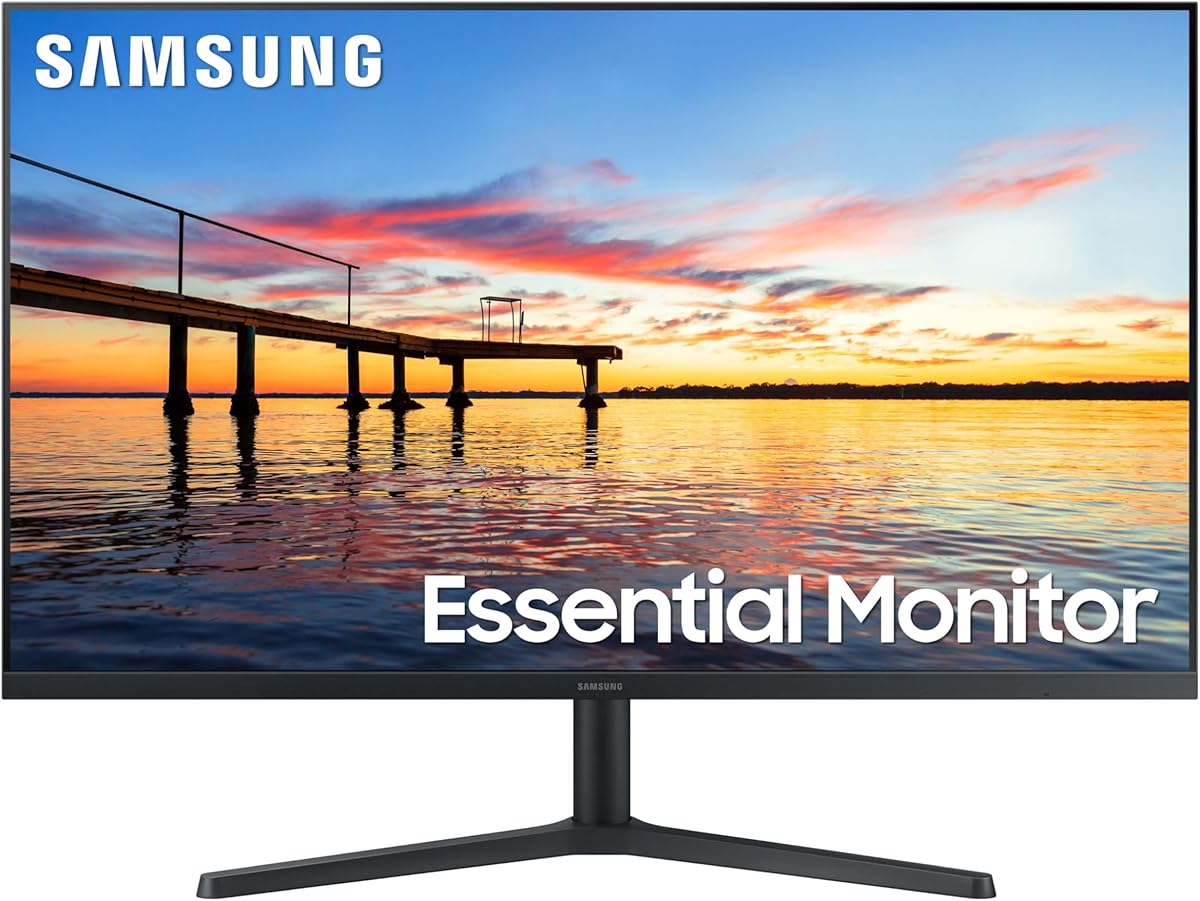


The Samsung 32-inch Flat Computer Monitor combines a generous panel with a clean three-sided borderless design, making it a versatile choice for productivity and entertainment. Its supplied rating is 4.5, and the standout appeal is the combination of screen size, synchronized refresh behavior, and eye-comfort functions rather than a single headline specification.
We may earn a commission when you buy through this link, at no additional cost to you.
The three-sided borderless construction gives the display a modern appearance and is especially useful in a multi-monitor arrangement, where aligned screens can create a more continuous visual field. AMD FreeSync synchronizes the monitor and graphics card refresh rate to reduce image tearing, while the 75Hz rate supports fluid movement for general office work, media, and casual gaming. Game Mode is available to optimize contrast and visibility, and Eye Saver Mode, Flicker Free technology, and the broader eye-care package support longer viewing sessions.
The most important limitation is the combination of Full HD resolution and a large 32-inch screen. Text and desktop elements may appear less finely detailed than they would on a smaller Full HD panel or a higher-resolution model. Likewise, the 75Hz refresh rate is less suited to competitive gaming than the 100Hz, 120Hz, and 144Hz options elsewhere in this guide. For general users, however, these compromises are reasonable when the priority is an expansive, uncluttered display.
Choose this Samsung if you want one monitor to serve as the central screen for office work, streaming, and casual gaming while preserving a modern borderless appearance. It is especially appealing for a two-screen office where the near-gapless visual treatment matters. Buyers who routinely edit fine-detail images, run dense spreadsheets, or demand maximum gaming responsiveness should instead consider a QHD or 4K alternative.
The borderless design does more than improve the monitor's appearance. When two units are placed together, their slim edges make the overall desktop feel more continuous and reduce the visual weight of the bezels between separate work areas.
Eye Saver Mode, Flicker Free technology, and the stated eye-care functions make the display suitable for long workdays, study sessions, and evening entertainment. These features are particularly valuable when the large 32-inch panel becomes a primary screen.
We may earn a commission when you buy through this link, at no additional cost to you.
The ViewSonic VA2256-MHD is a compact 22-inch Full HD IPS monitor built around the idea that a clean desk does not require a large display. It carries a supplied rating of 4.7, one of the strongest in the group, and stands out for its frameless construction, wide viewing angles, versatile presets, and ability to connect multiple displays through daisy chaining.
We may earn a commission when you buy through this link, at no additional cost to you.
The IPS panel is designed to maintain consistent colors and viewing angles, which helps when the monitor is used in a home office, shared workspace, or compact multi-screen arrangement. Integrated AMD FreeSync is intended to reduce tearing and stuttering, while ViewMode presets let users move among Game, Movie, Web, Text, and Mono configurations. Flicker-Free technology and a Blue Light Filter add comfort-oriented functionality for prolonged reading and office work.
Its 22-inch size is both the primary advantage and the central limitation. A smaller footprint is easy to accommodate, but users with large spreadsheets, many application windows, or detailed creative work may find it less expansive than the 27-inch, 32-inch, and 34-inch alternatives. The Full HD resolution is also less ideal for high-density editing than QHD or 4K. Nevertheless, it remains a practical option when desk space, affordability, and tidy multi-monitor operation matter more than maximum screen area.
This ViewSonic is a strong recommendation for students, remote workers, and anyone building a compact two- or three-monitor workspace. Its daisy-chain capability can simplify connections when using DisplayPort, and the preset system reduces the need to adjust image settings for every type of content. Select a larger, higher-resolution model instead if your work depends on displaying several dense applications or substantial visual detail at once.
ViewMode gives the monitor dedicated profiles for gaming, movies, web browsing, text, and monochrome work. This makes it easy to adapt the same screen to different tasks without repeatedly navigating a complex control menu.
DisplayPort-out daisy chaining can connect several monitors through a single connection between displays. That is especially useful for compact desks where every cable and power adapter competes for limited space.
We may earn a commission when you buy through this link, at no additional cost to you.
The ViewSonic VS2725-2K offers a balanced combination of resolution, refresh rate, and expandable design. Its 27-inch QHD panel provides more working space and finer detail than Full HD models, while the 100Hz refresh rate improves fluidity for casual gaming, video, and everyday interaction. The supplied rating of 4.4 reflects a broadly positive but not flawless customer history.
We may earn a commission when you buy through this link, at no additional cost to you.
Its ultra-thin, three-sided bezel is designed to look nearly seamless when two monitors are used together, making the display a good productivity option for business, research, and creative workflows. The IPS panel is specified to provide consistent colors and wide viewing angles. VESA Adaptive Sync reduces tearing at a smooth 75Hz, and ViewMode presets cover gaming, movies, web browsing, text, and monochrome tasks. Flicker-Free technology and a Blue Light Filter support comfortable long work sessions.
One subtle limitation is that the headline 100Hz refresh rate is not fully supported by the stated Adaptive Sync range, which centers on 75Hz. Players seeking consistently higher synchronized frame rates may prefer a 120Hz or 144Hz model. There are also no built-in speakers listed, and the supplied details do not mention USB hub functionality. These are reasonable omissions for a focused office monitor, particularly when external audio or peripherals are already part of the setup.
Choose the VS2725-2K when a 27-inch footprint, QHD clarity, and a relatively smooth refresh rate matter equally. It is well suited to spreadsheet-heavy work, coding, document review, and two-monitor productivity setups. For competitive gaming, prioritize a higher-refresh alternative; for professional color grading, verify the full color-gamut and calibration specifications before committing.
A 2560 by 1440 panel gives applications considerably more usable space than Full HD while retaining a familiar 16:9 shape. The result is a practical middle ground for mixed productivity and multimedia use.
The ultra-thin bezels support a near-seamless arrangement when two displays sit side by side. Align the panels carefully and use the daisy-chain connectivity to keep the desk organized.
We may earn a commission when you buy through this link, at no additional cost to you.
The LG 24U411A-B is a polished 24-inch IPS monitor that packs more everyday features into a compact Full HD design than many competing models. It has a supplied rating of 4.6 and distinguishes itself through a 120Hz refresh rate, HDR10 support, a virtually borderless three-sided design, and the Switch app for dividing the workspace into as many as six sections.
We may earn a commission when you buy through this link, at no additional cost to you.
The 1920 by 1080 IPS panel is intended to deliver sharp, vibrant visuals from virtually any angle, while the 120Hz rate produces smoother transitions during work, video, and gaming. Motion Blur Reduction is listed at 1ms, Dynamic Action Sync is designed to minimize input lag, and Black Stabilizer can brighten dark scenes for better visibility. Color performance is supported by HDR10 and up to 99% sRGB coverage, with the Switch app providing useful software-driven multitasking.
The primary constraint is Full HD resolution on a 24-inch display. It offers less space and less fine detail than the QHD and 4K models in this roundup, which may be noticeable with complex timelines, large spreadsheets, or multiple full-size windows. The stand permits tilt adjustment from -5 to 20 degrees, but height, swivel, and pivot are not listed. Users who require precise ergonomic positioning may therefore favor a more adjustable model.
This LG is an excellent general-purpose choice for a small or medium home office, particularly if you regularly split the screen between documents, communication apps, and a browser. The 120Hz refresh rate also makes it more responsive than many standard 60Hz office monitors. Choose a QHD or 4K alternative when maximum workspace and fine-detail clarity are the dominant requirements.
The Switch app can divide the display into up to six sections, customize layouts, and launch video calls with a hotkey. This is particularly useful when you need several compact work zones without arranging multiple physical displays.
A 120Hz refresh rate, 1ms Motion Blur Reduction, and Dynamic Action Sync work together to make fast-moving content feel more fluid. These features also help the display keep pace with routine cursor movement and desktop transitions.
We may earn a commission when you buy through this link, at no additional cost to you.
The CRUA 27-inch 4K UHD is the most creator-focused option in this guide, combining a frameless silver-aluminum enclosure with a high-resolution IPS panel and a broad color specification. Its supplied rating is 4.2, which is lower than several alternatives, but its 3840 by 2160 resolution, 98% DCI-P3 coverage, and extensive connectivity support demanding creative and professional workflows.
We may earn a commission when you buy through this link, at no additional cost to you.
Color performance is the main attraction. The monitor is specified with 120% sRGB, 98% DCI-P3, 1.07 billion colors through 8-bit plus FRC, 400 cd/m² brightness, a 2000:1 contrast ratio, and 178-degree viewing angles. Connectivity includes USB-C, two HDMI 2.0 ports, two DisplayPort 1.2 ports, and a 3.5mm audio jack. Built-in speakers add a clean option for everyday sound, while AMD FreeSync, low-blue-light, and flicker-free technologies support smoother and more comfortable viewing.
The primary compromise is the 60Hz refresh rate. It is suitable for creative work, office productivity, and casual gaming, but it is less capable than the 100Hz, 120Hz, and 144Hz models in this comparison for fast motion or competitive play. The broad color specification should also be understood carefully: gamut coverage indicates potential color range, not guaranteed calibration accuracy, so professional users may still need reference equipment and calibration workflows.
Choose the CRUA if sharp 4K detail, a metal-framed appearance, USB-C connectivity, and broad color capability outweigh your need for a high refresh rate. It is well suited to photographers, designers, video editors, and developers who want more working space than a Full HD display. General office users seeking a smoother everyday experience may prefer a faster QHD model.
The combination of wide sRGB and DCI-P3 coverage, high brightness, and a 2000:1 contrast ratio provides a strong foundation for design and media work. Confirm the required color space and calibration standards before using the monitor for final professional deliverables.
USB-C, dual HDMI, and dual DisplayPort give laptops and desktop systems multiple options. The included audio jack and built-in speakers can reduce the need for additional desk equipment during everyday meetings and media playback.
We may earn a commission when you buy through this link, at no additional cost to you.
The ASUS BE249QG-R is a 23.8-inch Full HD IPS monitor that emphasizes strong color specifications, high-refresh motion, flexible connectivity, and one of the most comprehensive ergonomic stands in the group. Its supplied rating is 4.6, and it is especially relevant for offices, government procurement, and users who regularly reposition their screens.
We may earn a commission when you buy through this link, at no additional cost to you.
The frameless IPS panel offers 178-degree viewing angles, 95% DCI-P3 coverage, and 100% sRGB reproduction. SmoothMotion operates at 120Hz for fluid gaming, video, and desktop movement. Connectivity includes HDMI, DisplayPort, an earphone jack, and a USB hub, while the package supplies an HDMI cable, USB 3.2 cable, power cord, quick-start guide, rubber sticker, and warranty card. ASUS Eye Care adds TV Rheinland-certified flicker-free and low-blue-light technologies.
Ergonomics are the model’s distinguishing feature. The stand supports tilt, swivel, pivot, and height adjustments, allowing the panel to be positioned more naturally than on basic fixed stands. Another advantage is the available Trade Agreements Act-compliant option for government and enterprise procurement. On the other hand, Full HD resolution limits workspace density, and no built-in speakers are listed, so external audio may be necessary.
Choose the ASUS for a professional office, enterprise deployment, or creative setup where adjustability, eye comfort, and broad color coverage are priorities. The 120Hz refresh rate also makes it more versatile for casual gaming than a standard 60Hz display. Users who routinely edit many windows side by side may still prefer the extra pixels offered by the QHD and 4K models.
Height, tilt, swivel, and pivot adjustments let users optimize screen height and viewing angle instead of relying on a fixed position. This flexibility can reduce neck and shoulder strain during extended sessions.
The combination of 95% DCI-P3, 100% sRGB, 120Hz motion, and USB hub access gives the monitor more flexibility than a basic office display. It is a balanced choice for content viewing, general productivity, and professional purchasing requirements.
We may earn a commission when you buy through this link, at no additional cost to you.
The Samsung ViewFinity S50GC uses a 34-inch 21:9 Ultra WQHD display to solve a different problem from conventional monitors: fitting wide workflows onto one screen. Its supplied rating is 4.4, and the virtually bezel-free design, 100Hz refresh rate, and picture-by-picture functionality make it particularly compelling for finance, development, media review, and other panoramic tasks.
We may earn a commission when you buy through this link, at no additional cost to you.
Ultra WQHD resolution and the wide aspect ratio create substantially more horizontal space than a standard 16:9 display. That extra room allows related applications, timelines, documents, or communication windows to remain visible without as much switching. The monitor supports picture-in-picture and picture-by-picture, allowing two simultaneous sources at native resolution, while two HDMI 2.2 ports and one DisplayPort 1.2 input provide flexible connectivity. Typical brightness is listed at 300 cd/m² with a 3000:1 static contrast ratio.
A 21:9 display does demand desk space, and some people may find the 34-inch footprint too wide for a compact workspace. The listed 5ms response time is also less competitive than the 1ms MPRT figures on the Dell models in this guide. For competitive gaming, the 100Hz rate and 5ms response should be considered against faster options. AMD Radeon FreeSync, however, helps reduce tearing during supported gameplay and video playback.
Choose the S50GC when replacing several smaller applications or panels with one ultrawide display is the main goal. Its ambient light sensor, Eye Saver Mode, and Flicker Free support are valuable for daily use. It is less suitable for users with a narrow desk or those who require extremely low response times for competitive gaming.
The 21:9 format is particularly useful for timelines, spreadsheets, code, and research pages that benefit from extra horizontal space. You can keep related windows visible while avoiding the vertical height constraints of a larger conventional display.
Picture-by-picture can show two sources at native resolution, and picture-in-picture places a resized second source over the main task. These options are useful for monitoring communications, a system console, or a reference feed beside active work.
We may earn a commission when you buy through this link, at no additional cost to you.
The BenQ GW2491 is a focused 23.8-inch IPS monitor that combines a 100Hz refresh rate, accurate color, and certified eye-care features without expanding into a large feature list. It has a supplied rating of 4.8, the highest among these products, and its frameless, 1080p design is well suited to office productivity, study, and general home use.
We may earn a commission when you buy through this link, at no additional cost to you.
The IPS panel provides accurate color and image reproduction from a wide range of angles, with 99% sRGB coverage for vivid everyday visuals. A 100Hz refresh rate makes scrolling, cursor movement, video, and general interface transitions feel more responsive than on a standard 60Hz screen. The monitor also supports HDMI and DisplayPort, providing flexible connections for laptops and desktop computers.
Eye comfort is the model's clearest specialty. TÜV certification, Flicker-Free operation, Low Blue Light Plus, Eye CareU, and an ePaper mode are all included, with the latter intended to improve readability during extended sessions. The trade-off is that the display does not claim a high-resolution workspace, high-end gaming refresh rate, integrated speakers, or a color-gamut level comparable to the ASUS and CRUA options. Full HD is sufficient for most office tasks but offers less breathing room for intensive editing.
Choose the BenQ when you want a well-rounded 23.8-inch monitor with smooth motion and a strong focus on viewing comfort. It is a particularly sensible pick for long reading sessions, students, frequent office workers, and users who want 100Hz performance without moving to a larger or more specialized display. For heavier creative work, a QHD or 4K model would provide more useful resolution.
Flicker-Free operation, Low Blue Light Plus, and the dedicated ePaper mode make the monitor suitable for documents, web research, and long study periods. The TÜV certification adds confidence that the stated eye-care features have been independently assessed.
A 100Hz refresh rate improves the feel of scrolling, menus, video, and everyday cursor movement. While it is not the fastest option here, it offers a noticeable step up from conventional 60Hz office monitors without moving into high-end gaming territory.
We may earn a commission when you buy through this link, at no additional cost to you.
The Dell S2425HSM pairs a familiar 23.8-inch Full HD format with a fast 144Hz refresh rate, 1ms Moving Picture Response Time, and integrated speakers. Its supplied rating is 4.6, and the monitor is positioned as an adaptable display for fast gaming, office productivity, and entertainment in a modern ash-white finish.
We may earn a commission when you buy through this link, at no additional cost to you.
The 144Hz refresh rate is one of its strongest attributes, delivering smoother motion than the 75Hz, 100Hz, 120Hz, and 60Hz alternatives in this guide. The stated 1ms MPRT is intended to minimize blur and ghosting, while AMD FreeSync helps maintain consistent frame delivery and reduce tearing. A 1500:1 contrast ratio supports clarity, and the built-in dual 3W speakers provide a convenient option for system audio without separate desktop speakers.
Its main limitation is resolution. At 1920 by 1080, the 23.8-inch panel cannot provide the fine text detail or expansive workspace of a QHD or 4K display. The listed connectivity is also limited to HDMI, so users who need DisplayPort or USB hub features should verify the exact port configuration before buying. The monitor's stand is a major strength, however, because it supports height, tilt, pivot, and swivel adjustments for more comfortable positioning.
Choose the S2425HSM for competitive or fast-paced gaming where a high refresh rate and short motion response are the priorities. It is also a pleasant general-purpose option thanks to its integrated audio, eye-comfort certification, and flexible stand. For professional editing or extensive office multitasking, the Dell S2725DSM offers a more useful balance of QHD resolution and 144Hz speed.
The 144Hz refresh rate and 1ms MPRT specification are aimed at reducing visible motion blur and keeping fast action readable. AMD FreeSync adds synchronization with compatible graphics hardware to help maintain smooth frame delivery.
Height, tilt, pivot, and swivel adjustments let the display adapt to different seating positions and desk arrangements. The 4-star TÜV-certified display also provides blue-light reduction for more comfortable viewing.
We may earn a commission when you buy through this link, at no additional cost to you.
The Dell S2725DSM combines the features buyers most often want in a general-purpose performance monitor: QHD resolution, a 144Hz refresh rate, a 1ms MPRT figure, integrated speakers, and a highly adjustable stand. Its supplied rating of 4.6, 27-inch size, and 2560 by 1440 panel make it one of the most complete all-rounders in this guide.
We may earn a commission when you buy through this link, at no additional cost to you.
The QHD panel provides enough detail and workspace for coding, spreadsheets, document editing, and general creative tasks without requiring a large 4K desk footprint. Motion performance is handled by the 144Hz refresh rate, 1ms MPRT, and AMD FreeSync, producing a strong specification for fast games and fluid everyday movement. The stated 1500:1 contrast ratio adds visual depth, while dual 3W speakers make the monitor practical for entertainment and meetings.
Connectivity is stronger than on the 24-inch Dell model because HDMI and DisplayPort 1.4 are both listed. Height, tilt, pivot, and swivel adjustments provide good ergonomic flexibility, and the display carries four-star TÜV certification with blue-light reduction. As with any specification-led display, QHD is not as finely detailed as 4K, and the supplied information does not specify a wide color gamut for professional color work. A monitor specification alone also does not guarantee calibration accuracy.
Choose the S2725DSM when you want more resolution than a standard Full HD panel but do not need a 4K display or ultrawide aspect ratio. It is a strong recommendation for hybrid workers, programmers, casual creators, and gamers who want QHD detail alongside 144Hz smoothness. The only clear reason to move upward would be a need for 4K text rendering, a wider color specification, or an even larger workspace.
A 27-inch QHD display offers a practical balance of size and detail. It provides room for side-by-side applications while remaining manageable on a standard desk and avoiding the scale of an ultrawide monitor.
The integrated dual 3W speakers cover everyday audio needs such as system sound, video dialogue, and online meetings. For music or more demanding entertainment, dedicated speakers or headphones can still provide a better listening experience.
We may earn a commission when you buy through this link, at no additional cost to you.
The right frameless monitor depends on how you work, what you view, and how you arrange your desk. Resolution, panel quality, refresh rate, eye comfort, connectivity, and adjustability should be weighed together rather than treating the thinnest bezel as the only sign of quality.
Resolution determines how much information the display can show and how finely text and graphics appear. Full HD at 1920 by 1080 remains practical on compact 22-inch and 23.8-inch screens, while QHD at 2560 by 1440 offers a better balance for 27-inch productivity monitors. A 4K panel delivers the finest detail and ample workspace on a 27-inch display, but it requires more graphics capability and careful operating-system scaling. Ultrawide Ultra WQHD models prioritize horizontal space rather than pixel density in the traditional 16:9 format.
A higher refresh rate updates the image more frequently, making scrolling, cursor movement, video, and games appear smoother. The monitors here range from 60Hz to 144Hz. A 100Hz or 120Hz model is a meaningful upgrade for everyday responsiveness and casual gaming, while 144Hz suits fast-paced titles. If you play competitively, refresh rate should be considered alongside response time, adaptive synchronization, and graphics-card capability rather than used as the only performance measure.
IPS panels are favored in this category for consistent color and broad viewing angles, making them practical for offices, study, and collaborative use. Color-gamut figures such as 99% sRGB, 100% sRGB, 95% DCI-P3, and 98% DCI-P3 indicate how much of a standardized color space the panel can reproduce. Those values do not guarantee that every unit is perfectly calibrated. Designers should consider color coverage, brightness, contrast, and the availability of calibration workflows rather than relying on one gamut number.
Long daily use makes eye comfort a practical requirement rather than an optional extra. Look for flicker-free operation, low-blue-light modes, reader settings, and automatic brightness adjustment where available. Certifications such as TÜV or TV Rheinland can add confidence, although certification does not guarantee that every user will find a display equally comfortable. Screen size, brightness, text rendering, and viewing distance also affect fatigue, so it is worth adjusting these settings after setup.
Ports determine how easily a monitor connects to a laptop or desktop and whether it can support peripherals. HDMI and DisplayPort are the most common video inputs, while USB-C can simplify some laptop connections and provide data or power when supported by the full device specification. DisplayPort-out daisy chaining can reduce cable clutter in a multi-monitor arrangement. Check the complete port list rather than assuming that USB-C, a USB hub, or audio output is included, because these features vary considerably across the models reviewed.
A larger monitor can improve productivity but may not fit the available desk depth or leave room for a keyboard and mouse. 22-inch and 23.8-inch models suit compact offices, 27-inch screens offer a conventional productivity balance, 32-inch displays provide a large but deeper canvas, and 34-inch 21:9 models need substantial width. Software features such as picture-in-picture, picture-by-picture, and screen splitting can make one display more versatile, but they do not replace the comfort and clarity of a properly sized physical screen.
A stand that only offers tilt may be adequate for a fixed desk, while height, swivel, and pivot adjustments make it easier to position the panel correctly. The ASUS BE249QG-R and both Dell Plus models provide comprehensive adjustment, whereas some of the more compact choices list only tilt. Consider your chair height, desk depth, and whether the display is used mainly by one person. Stable positioning and a comfortable viewing angle can be more valuable than a marginally thinner bezel.
Built-in speakers are convenient for meetings, video, and general system sound, but they rarely replace dedicated speakers or headphones for music. The Dell Plus models include dual 3W speakers, and the CRUA also lists built-in speakers and a 3.5mm audio jack. Software tools can add value as well, as shown by the LG Switch app and Dell Display and Peripheral Manager. Evaluate extras only when they solve a real need for your workflow.
Begin with the stand, positioning the display directly in front of you at roughly arm's length. Adjust the height so that the top of the active screen is near or slightly below eye level, then use tilt, swivel, or pivot where supported. Keep the monitor stable, leave ventilation openings unobstructed, and avoid placing it directly against a wall if the chassis design requires clearance for airflow.
After connecting the appropriate HDMI, DisplayPort, or USB-C cable, select the matching input and adjust brightness, contrast, and color settings for your room. For a new system, the operating system's display scaling can improve readability, but text and interface elements should be checked at your preferred viewing distance. Gaming monitors benefit from confirming that adaptive synchronization is enabled and that the graphics output uses a compatible frame rate.
Clean the panel with a soft, lint-free microfiber cloth lightly dampened with water, and avoid spraying liquid directly onto the screen. Do not use abrasive pads, household cleaners, or excessive pressure. Dust the vents and rear housing regularly, manage cables to prevent strain on connectors, and use the display's sleep or shutdown function when it will be unattended for extended periods.
No. Frameless or borderless usually describes a design with very thin bezels on three or four sides, while a small lower edge may remain for controls, branding, or power controls. The practical benefit is a cleaner appearance and a more continuous view when two monitors are placed side by side.
A slim-bezel design can make two monitors look more cohesive and reduce the visual interruption between panels. You will still need to align the screens carefully, use matching scaling settings, and make sure the stands provide enough stability. Some ViewSonic models also support DisplayPort daisy chaining for cleaner cable routing.
Full HD is practical for compact 22-inch and 23.8-inch monitors, while QHD at 2560 by 1440 is a strong fit for a 27-inch productivity display. A 27-inch 4K model provides finer detail and more workspace, but it can place more demand on your graphics hardware and operating-system scaling. Choose based on screen size and workload rather than resolution alone.
Both rates make scrolling, cursor movement, and interface transitions feel more fluid than a 60Hz display. The difference is usually less dramatic in static document work than in video or games, but a faster rate can still improve the overall sense of responsiveness. A 144Hz model offers a stronger benefit when fast gaming is a priority.
A frameless monitor can be well suited to editing, provided its resolution, color-gamut coverage, brightness, contrast, and calibration meet your standards. The ASUS and CRUA options have the broadest stated color specifications in this guide. Gamut percentages indicate potential coverage, but professional work may also require calibration against a reference target.
Flicker-free operation, a low-blue-light mode, a reader setting, and automatic brightness adjustment are useful features for reducing discomfort during long sessions. The BenQ GW2491 and ASUS BE249QG-R emphasize certified eye-care packages, while Samsung and ViewSonic models also provide related comfort features. Individual comfort still depends on brightness, viewing distance, and screen size.
USB-C is convenient when your computer supports video, data, and power delivery through a compatible port, while a built-in USB hub can reduce peripheral clutter. However, these features are not necessary for every setup. Confirm the monitor's exact ports and your computer's capabilities before choosing based on USB-C or hub support.
A 34-inch 21:9 monitor requires more horizontal desk space than a conventional 27-inch monitor and may sit farther from the viewer. That extra width can be valuable for timelines, research, and side-by-side applications. Before buying, measure the available width and check whether the display's depth will leave enough room for your keyboard, mouse, and preferred viewing distance.
The BenQ GW2491 stands out as the strongest value pick, combining a 4.8 supplied rating with a 100Hz refresh rate, IPS color accuracy, and certified eye-care features. The LG 24U411A-B offers the richest feature set for general users, while the CRUA 27-inch 4K model provides the strongest combination of premium resolution, broad color coverage, and professional connectivity.
Prioritize the characteristics that affect your daily experience: resolution and screen size for productivity, refresh rate and response for gaming, color coverage for creative work, and ergonomic adjustment for comfort. Connectivity, eye-care features, built-in speakers, and multi-display functions are useful additions, but they should support rather than define the core display you need.
Product specifications, ratings, availability, and prices can change, so verify the current listing before purchasing. Measure your desk, confirm your computer's ports, and test the final display at a comfortable viewing distance. With those checks completed, a slim-bezel monitor can provide a clean, modern workspace that suits both focused productivity and entertainment.