
Time Clock for Small Business, Employee Hours Calculation H4
4.8Editor score
Standalone operation without WiFi
Three verification methods
No recurring subscription fees
Our expert guide compares 10 fingerprint time clocks for employees, covering biometrics, payroll reports, shift support, connectivity, storage capacity, and
Fingerprint time clocks for employees combine fast biometric identification with automated attendance records, helping managers reduce manual entry and improve payroll preparation. A capable device should recognize different fingers reliably, support realistic shifts, export usable reports, and remain straightforward for staff to operate each day.
We compared the ten products across verification methods, standalone or cloud operation, employee and record capacity, scheduling controls, overtime calculations, offline protection, reporting options, and installation requirements. The list covers budget-friendly local systems, app-connected devices, and premium touchscreen models for teams with more varied workflows.
Each review highlights the product's most useful capabilities, limitations, and ideal operating environment, with the first three receiving Top Pick awards. Product features and availability can change over time, and prices fluctuate, so readers should confirm current specifications and costs before purchasing.
4.8Editor score

4.6Editor score

4.4Editor score
The comparison highlights each clock's connection model, verification options, employee capacity, and standout scheduling or reporting features, helping managers identify the device that best matches their workplace and payroll process.



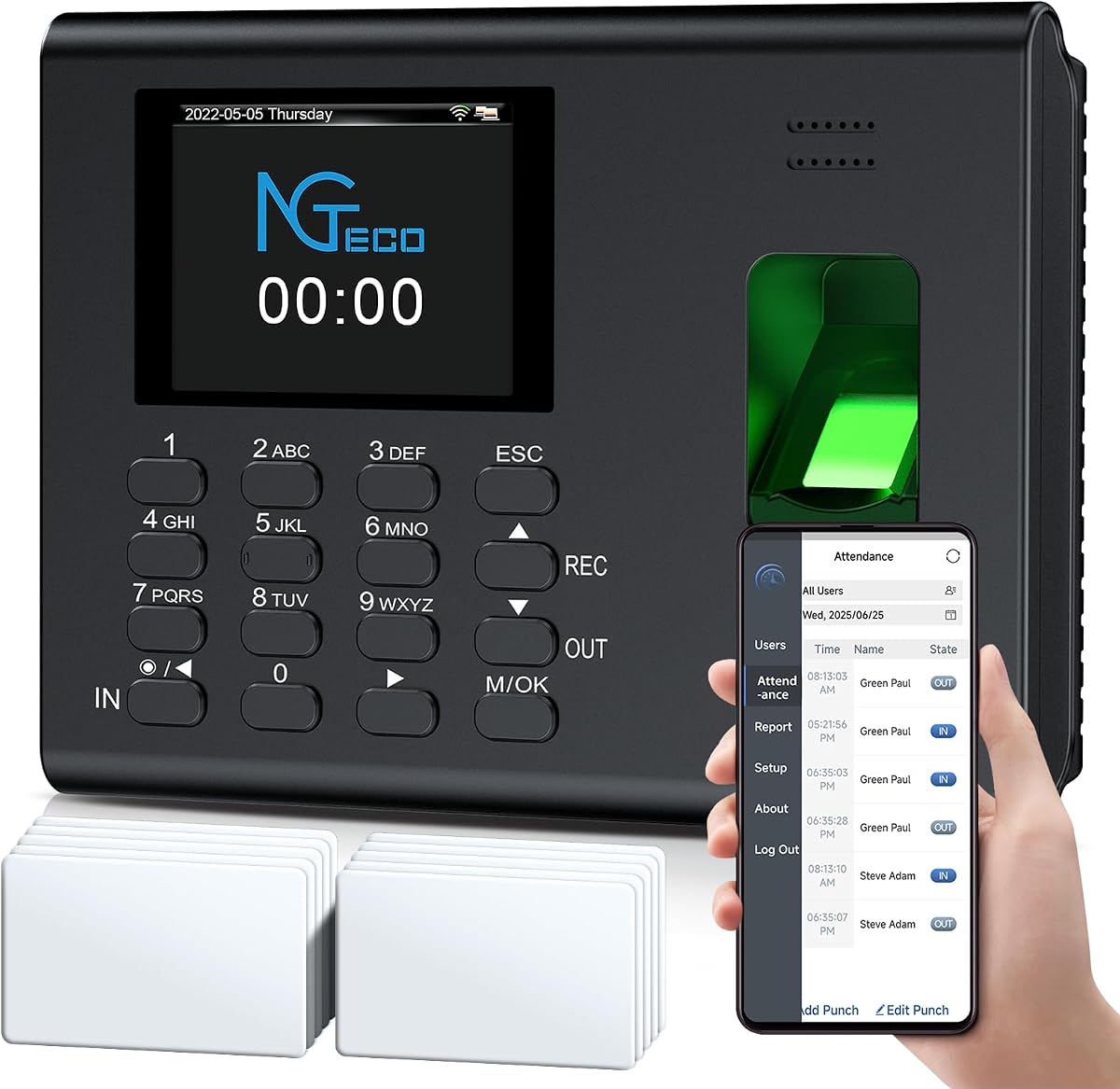
The NGTeco Time Clock for Small Business combines fingerprint and PIN verification with app-based attendance control, earning a 4.6 rating among the products reviewed. Its standout quality is the combination of 0.5-second fingerprint recognition and straightforward schedule management, which can reduce queues when employees arrive or begin breaks.
We may earn a commission when you buy through this link, at no additional cost to you.
Automatic calculations cover standard work hours and overnight schedules, while real-time punch detection records attendance automatically. Managers can edit punches through the mobile app, and data synchronizes across the system when devices share the same local network. Attendance records can be exported by email or USB, and the product supports weekly, biweekly, and monthly payroll cycles.
The local-network requirement for app synchronization is the main constraint. This is not positioned as a remotely managed cloud system, so managers should not expect the same location-independent access offered by several cloud-focused alternatives. Editing and report transfer also depend on the connected workflow rather than simply moving every function into the cloud.
This is an excellent choice for a small business seeking fast biometric attendance, practical shift tools, and app-assisted corrections without moving to a subscription-heavy model. It is particularly well suited to a stable site with reliable local connectivity, multiple shift types, or overnight operations. Its speed, editing convenience, and payroll flexibility justify an Editor's Choice recommendation.
The sensor is specified to authenticate wet or dry fingerprints in 0.5 seconds. That speed is meaningful in restaurants, warehouses, factories, and other workplaces where many employees may punch within a short arrival window.
Managers can correct punches in seconds from the mobile app and synchronize changes over the local network. This makes it easier to address missed or incorrect punches without relying entirely on manual report edits.
We may earn a commission when you buy through this link, at no additional cost to you.
The NGTeco Standalone Time Clock is a simple biometric punch machine for businesses that do not want to depend on internet service or cloud software. Its 4.2 rating reflects a practical package centered on dependable local attendance capture, with an included USB drive and ready-to-use Excel reports.
We may earn a commission when you buy through this link, at no additional cost to you.
Its no-network design reduces installation complexity. The device can support up to 500 user profiles and retain 50,000 punch records, giving it sufficient scale for many small and midsized teams. Employees can use the biometric reader, and managers can transfer attendance information through the supplied USB drive for payroll integration.
Standalone operation does have clear trade-offs. There is no described cloud portal for checking attendance away from the workplace, and data transfer depends on physically connecting the device. Managers who need continuous remote visibility or automatic email reporting may find a cloud-connected model more convenient.
The product is best for a small business with a stable physical punch location, limited IT support, and a preference for straightforward local records. It removes subscription language from the core proposition and offers useful capacity for growing teams. Choose it when independence and simple reporting matter more than remote administration.
Attendance data remains on the local device until exported through the included USB drive. This approach is useful in locations where network access is inconsistent or where management wants a clearly self-contained system.
Support for 500 user profiles and 50,000 punch records gives the device more room than many very small attendance terminals require. That makes it a practical choice for a business adding staff over time.
We may earn a commission when you buy through this link, at no additional cost to you.
This Standalone Time Clock for Employees offers fingerprint and PIN entry without requiring WiFi, complex software, or recurring fees. It carries a 4.4 rating and focuses on the fundamentals: fast setup, digital attendance records, USB transfers, and enough capacity for a substantial small-business team.
We may earn a commission when you buy through this link, at no additional cost to you.
The device can store up to 500 fingerprints and 50,000 punch records. Attendance data transfers through a USB flash drive, and reports are available in Excel format for administrative or payroll work. A built-in backup system is designed to preserve punches and employee details during an unexpected power loss.
Its limitations are mainly related to connectivity. Without a described cloud dashboard or mobile administration feature, managers must retrieve data on site and transfer it manually. The company also emphasizes eliminating paper cards and ink ribbons, which reduces recurring supply use but does not make the device a fully remote attendance system.
This is a strong fit for offices, factories, hotels, schools, restaurants, retail stores, and hospitals that want an inexpensive transition from paper attendance. Buyers should confirm the local network and reporting workflow are not requirements before choosing it over a cloud-connected alternative.
Replacing paper cards and ink ribbons can reduce supply purchases while creating instant digital records. USB export keeps the workflow understandable even for administrators without specialized time-clock software.
The clock can be mounted to a wall or placed directly on a desktop. That flexibility makes it easier to position the biometric reader near an entrance, reception desk, staff room, or production area.
We may earn a commission when you buy through this link, at no additional cost to you.
The NGTeco Cloud Time Clock is designed for managers who want to monitor attendance through a mobile app and web portal. Its 4.1 rating reflects a feature-rich cloud approach, including remote clock-in visibility, detailed shift configuration, automatic overtime rules, and dual-band WiFi connectivity.
We may earn a commission when you buy through this link, at no additional cost to you.
The system supports fixed, rotating, part-time, and department-specific schedules. Managers can configure weekly overtime plus dual OT1 and OT2 levels, allowing calculated hours to align with more nuanced compensation policies. A 2000mAh battery keeps the unit running during outages, while AWS cloud storage on U.S. servers provides encrypted data hosting.
The key trade-off is the distinction between free basic management and optional employee-app features. A separate TimeEntrix subscription unlocks additions such as GPS check-ins, real-time attendance reports, and intelligent reminders. Buyers should therefore assess which features are essential and whether they fit their remote workflow without assuming every listed capability is included at no charge.
This clock is best for distributed or multi-department small businesses that value remote administration and configurable overtime. It suits organizations comfortable with cloud software and dual-band networks. For those needs, its reporting, scheduling, and outage support deliver a more advanced workflow than a basic standalone terminal.
The iOS and Android app plus web portal let managers inspect clock-ins, review attendance, and generate reports away from the office. That visibility is particularly useful for owners overseeing more than one location or department.
Weekly overtime and separate OT1 and OT2 settings provide more control than a basic hours total. These rules can reduce manual recalculation when a business uses tiered overtime treatment.
We may earn a commission when you buy through this link, at no additional cost to you.
The uAttend JR2000 is an all-in-one cloud attendance system for small businesses, offering fingerprint, RFID, and PIN verification alongside payroll-oriented administration. Its 3.7 rating is the lowest among the reviewed products, but the supplied feature set makes it worth considering for managers who value a broader payroll ecosystem.
We may earn a commission when you buy through this link, at no additional cost to you.
Attendance records can be viewed, tracked, and managed in real time from a supported device. The cloud system automates the movement of time and attendance data into payroll tasks, handles tax filing functions, and provides reporting intended to reveal attendance trends, productivity patterns, and labor costs. Automatic cloud backups add recovery and availability.
The principal consideration is the premium subscription service. Unlike systems whose core functions are described as free, uAttend positions its expanded cloud capabilities as a paid service. That may be worthwhile when payroll integration and management reporting save substantial administrative effort, but it may be excessive for a very small team that only needs basic punch capture.
This product is best for a business seeking a broader time-and-attendance platform rather than an isolated attendance terminal. Managers should compare the required subscription features with their actual payroll process. If cloud reporting, tax workflow, and payroll integration are central priorities, the JR2000 offers a strong case despite its comparatively modest rating.
The JR2000 is more than a biometric reader: it connects time capture to cloud management, reporting, and payroll-oriented processes. That wider scope can make it attractive to organizations that want fewer disconnected administrative tools.
Fingerprint, RFID, and PIN options give the business several ways for staff to verify themselves. Multiple methods can improve usability when employees have different preferences or when a biometric scan occasionally fails.
We may earn a commission when you buy through this link, at no additional cost to you.
The HapAttend H4 stands out as a budget-focused standalone time clock, combining fingerprint, RFID, and PIN verification with a 4.8 rating, the highest among the ten products considered. It also promises a simple plug-and-play setup and no recurring monthly fees.
We may earn a commission when you buy through this link, at no additional cost to you.
This device handles multiple punches, including clock-in, clock-out, break starts, break ends, and several punches per day. It supports overnight shifts and assigns hours to the correct workday. Reports export through the included USB flash drive in Excel format, while a backup system protects employee information, punches, and attendance reports after power failures.
The fingerprint sensor is specified to recognize wet or dry fingerprints in 0.5 seconds. Multi-language support includes English, Spanish, German, French, and Italian, and the stated capacity reaches 500 employees. Its main limitation is that it is fully local, so it lacks the remote access and automatic cloud synchronization available in several competing models.
For a small or midsized business wanting several verification options, a low recurring cost, and straightforward reports, the H4 is an excellent budget recommendation. It suits offices, workshops, factories, hotels, schools, restaurants, retail stores, hospitals, and warehouses. Its broad verification, night-shift handling, and strong rating make it an especially complete standalone package.
Fingerprint, RFID card, and PIN entry make the clock adaptable to different employee preferences. These alternatives can also help maintain workflow when a particular biometric scan cannot be completed.
The core system functions are available through a one-time purchase without monthly subscription fees or hidden charges. This makes attendance administration easier to forecast for a growing small business.
We may earn a commission when you buy through this link, at no additional cost to you.
The NGTeco Cloud 4-in-1 Time Clock, also identified as the TC1 Cloud-Connect model, provides cloud-based punch management with flexible scheduling. It earns a 3.7 rating and is aimed at small businesses that need multiple shift types, browser access, and a clear distinction between free core functions and optional employee features.
We may earn a commission when you buy through this link, at no additional cost to you.
The browser interface can display real-time punch data, calculate hours, and generate reports. Shift structures include fixed, rotating, split, and open schedules, with custom weekly overtime and dual OT1 and OT2 grades. The device supports up to 200 users and 30,000 logs, connects through 2.4GHz WiFi or LAN, and captures punches offline before synchronizing them after reconnection.
Capacity is more modest than several alternatives that support 500 employees or store 50,000 to 100,000 records. The product also divides management into free core tools and a separate TimeEntrix subscription for additional employee-app capabilities. These factors make it most attractive to smaller teams that can work within the stated limits.
This model is best for organizations with rotating, split, or overnight schedules that value detailed configuration over maximum storage. It offers an appealing free cloud-management tier, encrypted hosting, offline resilience, and multi-language support. Teams approaching its user or log limit should verify expected growth before adopting it.
Fixed, rotating, split, and open shifts cover common structures used by part-time staff, multi-department businesses, and 24-hour operations. Custom overtime grades add flexibility where pay treatment changes by threshold.
Offline punch capture continues to record attendance when the network is unavailable. The stored punches synchronize to the cloud after connectivity returns, reducing the risk that a temporary outage creates attendance gaps.
We may earn a commission when you buy through this link, at no additional cost to you.
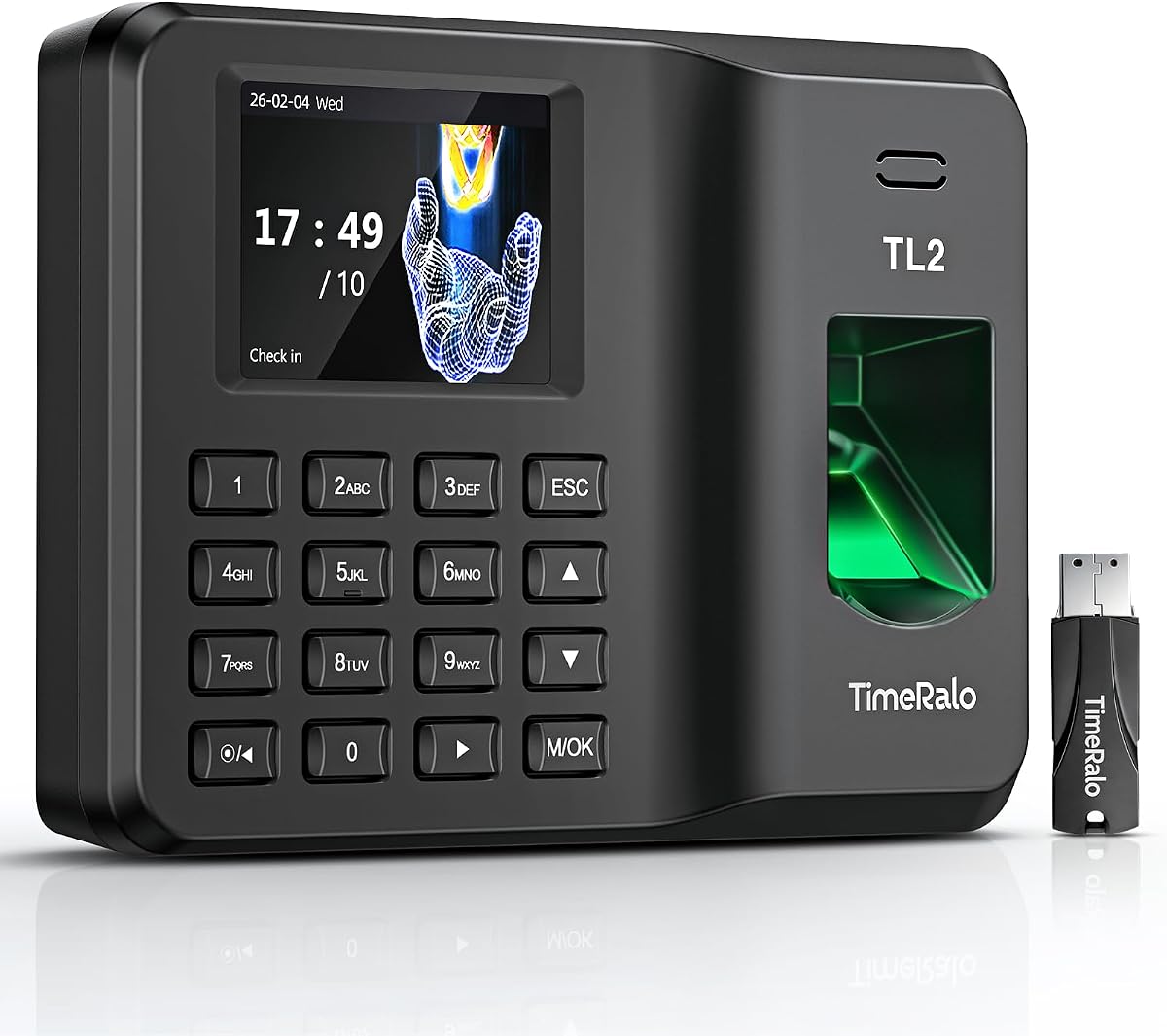
The TimeRalo Cloud Time Clock distinguishes itself with self-service attendance access, allowing staff to review their own timesheets from a phone. It has a 4.2 rating, supports 3-in-1 punch modes, and combines remote administration with offline tracking and no stated monthly fees.
We may earn a commission when you buy through this link, at no additional cost to you.
Employees can verify a fingerprint, select relevant dates, scan a QR code, and view hours, breaks, and overtime logs without needing an administrator's approval. Managers can also view, correct, and configure rules through the TimeRalo mobile app. Scheduling accommodates fixed, rotating, flexible, and night shifts, including cross-day work and department transfers.
Automatic calculations cover work hours, OT1, OT2, weekly overtime, and automatic lunch or break deductions. Reports can be emailed for weekly, biweekly, semimonthly, or monthly payroll periods. Connectivity is limited to 2.4GHz WiFi, and no separate web portal is described, so network compatibility and mobile-only administration deserve attention.
This is a strong option for a business that wants to reduce routine administrative requests by giving employees transparent access to their own records. It suits restaurants, retail operations, factories, offices, and high-turnover teams. The combination of self-service, offline operation, and automatic calculations makes it particularly practical where employees work varied schedules.
Phone-based self-service lets staff check work hours, breaks, and overtime without waiting for an administrator. This can improve transparency while reducing the volume of routine attendance inquiries.
The system calculates multiple overtime tiers, weekly overtime, and automatic break deductions. Email-ready reports support common pay periods and reduce manual assembly of time records.
We may earn a commission when you buy through this link, at no additional cost to you.
The NGTeco 4-in-1 Remote Access Touchscreen is the most premium-oriented product in the group, combining facial recognition, fingerprint scanning, RFID card tapping, and PIN entry in a 4.3-inch high-definition display. It earns a 4.4 rating and is well suited to a business seeking broad verification options and sophisticated attendance controls.
We may earn a commission when you buy through this link, at no additional cost to you.
Remote management is available through NGTeco Office web software and iOS or Android apps. Managers can review clock-ins, change schedules, correct punches, and create reports away from the terminal. Rules can cover fixed, rotating, and flexible shifts, paid or unpaid breaks, OT1 and OT2, night shifts, and revision zones designed to prevent early punches.
Dual-band WiFi supports both 2.4GHz and 5GHz networks, while AWS cloud storage on U.S. servers and end-to-end encryption protect attendance records. As with certain other NGTeco products, some employee-app features require TimeEntrix. The facial recognition option also warrants a clear internal privacy policy and informed employee procedures.
Choose this clock for organizations that value a polished touchscreen, multiple ways to punch, and advanced remote configuration. It is especially suitable for higher-volume sites where queue efficiency and flexible employee workflows matter. Buyers should review privacy practices, subscription boundaries, and installation requirements before making it part of a formal attendance policy.
Facial recognition, fingerprint scanning, RFID tapping, and PIN entry give administrators considerable flexibility. The variety can improve access for different staff while reducing dependence on a single verification method.
Break treatment, night-shift rules, overtime tiers, and early-punch revision zones allow the terminal to mirror a structured attendance policy. These controls are valuable for businesses where a basic clock-in total is not enough.
We may earn a commission when you buy through this link, at no additional cost to you.
The NGTeco APP Time Clock combines fingerprint, PIN, and RFID card entry with a 4.0 rating, offering one of the largest local storage capacities in this roundup. It supports 500 staff and 100,000 attendance records, making it a notable option for high-volume or fast-growing teams.
We may earn a commission when you buy through this link, at no additional cost to you.
Ten RFID cards are included, while automatic clock-in and clock-out capture and real-time alerts support accurate hour calculation. Flexible schedules and night-shift settings can be configured through the NGTeco app on the same local network. Managers can remotely view and edit attendance data, generate standardized reports, and export them through dual USB and app methods.
A built-in 2000mAh backup battery supports operation during power outages and attendance recording under unstable networks, with synchronization after connectivity returns. The main limitation is that the app's remote control is described as local-network access rather than cloud access. Thus, the word remote should be understood as wireless within the workplace, not management from another location.
This product is best for a sizeable small business with high punch volume and a need for substantial local record retention. It suits offices, factories, retail environments, and other sites that want app-assisted administration without a cloud service. Its three verification modes, offline resilience, and 100,000-record capacity make it a compelling local-network option.
Capacity for 100,000 attendance records is among the strongest figures listed by the reviewed devices. This gives a growing organization more room before records must be transferred or archived.
The backup battery and offline capture help preserve attendance when power or network conditions change. Once the system reconnects, locally recorded punches can synchronize automatically.
We may earn a commission when you buy through this link, at no additional cost to you.
The right fingerprint time clock depends on staff size, shift complexity, workplace connectivity, verification preferences, and the reporting workflow used by payroll staff. Comparing these operational needs before ordering prevents an attractive feature set from creating day-to-day administrative friction.
A standalone clock stores attendance locally and generally exports records by USB, making it suitable for businesses with poor internet access, a stable physical entrance, and administrators who prefer direct control. Cloud-connected models add browser portals, mobile management, remote visibility, and automatic synchronization, but they depend on a reliable network and may include subscription-based features. Consider who needs to review attendance and from where: a supervisor working beside the device may only need local exports, while an owner managing several locations may value remote access.
Fingerprint recognition is the primary feature in this category, but a useful system may also offer PIN or RFID access. Multiple methods help when employees have wet or dry fingers, wear gloves, or encounter an occasional sensor issue. Pay attention to recognition speed because queues can form during shift changes. The NGTeco APP Control model and HapAttend H4 are specified to authenticate wet or dry fingerprints in 0.5 seconds, while premium devices may also provide facial recognition. Consider workplace privacy policies and employee acceptance before selecting biometric options.
Capacity should reflect both current headcount and expected growth. Many options support up to 500 employees, which is appropriate for many small businesses, while the NGTeco APP Time Clock stores 100,000 attendance records and the standalone models support 50,000. Record capacity depends on frequency: a larger team with multiple punches per day can fill a smaller log limit faster than a compact team. Review both user-profile limits and record limits, and determine how often exports or backups will occur.
A time clock must reflect the way employees actually work. Basic devices may support fixed and overnight schedules, while cloud-oriented systems add rotating, split, open, flexible, part-time, and department-specific shifts. Overtime configuration is equally important for businesses using weekly thresholds, dual OT1 and OT2 rates, paid or unpaid breaks, or automatic lunch deductions. Test the available settings against sample schedules rather than assuming a basic hours total will match payroll policy.
Report usefulness depends on the format and transfer process. Standalone systems commonly provide Excel-compatible files through a USB drive, which is easy to inspect but requires a physical transfer. Cloud products can generate visual reports for weekly, biweekly, semimonthly, or monthly pay periods and may send them by email. The uAttend JR2000 goes further with optional payroll integration and tax-related workflows. Choose based on the tools your payroll staff already use and how they prefer to receive, review, and archive attendance data.
A power or network interruption should not erase an entire attendance period. Products with built-in backup systems preserve punches and employee records during outages, while cloud-capable models may continue capturing offline and synchronize later. Some also include a backup battery, such as the NGTeco Cloud Time Clock and NGTeco APP Time Clock, which can sustain operations longer. Consider how long the site may remain without power and whether attendance must remain available locally during the disruption.
A clock that is difficult to enroll or operate can create bottlenecks even when its specifications are strong. Standalone devices emphasize simple setup, while some models advertise a short three-step process or ready-to-use status. Wall mounting and desktop placement offer installation flexibility. Also consider the screen size, language support, visibility near the entrance, and whether a fingerprint reader works well in the expected lighting and temperature. Staff should receive a short demonstration covering clock-in, clock-out, breaks, and recovery from a missed punch.
Some products offer a complete local experience without recurring fees, while cloud systems may separate basic management from optional advanced features. NGTeco products mention a separate TimeEntrix subscription for expanded employee-app tools, while uAttend describes a premium cloud service. Do not evaluate only the hardware or advertised headline capabilities. List every required feature, confirm whether it belongs to the core system, and compare the associated ongoing cost with the administrative time it may save.
Install the clock on a stable wall or an appropriate desktop surface near the normal employee entrance, but keep it away from direct moisture, excessive heat, dust, and heavy impact. Connect it to the specified power source and, where required, place the terminal within a stable network. Before enrolling employees, define the business's workweek, shift templates, break rules, overtime thresholds, and overnight-shift treatment so the first schedule is configured consistently.
Enroll a small test group first and have each employee confirm the fingerprint or alternative verification method. Teach staff exactly when to punch, including clock-in, clock-out, meal breaks, and additional shift transitions. Place a short written instruction beside the terminal, and train administrators to correct missed or mistaken punches promptly. Periodically compare sample punches with schedules and payroll totals to identify an inconvenient location, an incorrect rule, or a sensor issue.
Keep the fingerprint sensor clean with a dry, nonabrasive cloth and avoid scratching or applying liquids to the reader. Protect access to the management app, web portal, and exported files because attendance records contain sensitive employee information. Export and back up records according to the organization's retention policy, verify that files open correctly, and test data recovery procedures before they are needed. If the device reports a network interruption, check power and connectivity before resetting or re-enrolling anything.
Yes, many models in this guide are specifically designed for small businesses and support team sizes up to 500 employees. A compact standalone system can suit one stable location, while a cloud-connected option is better for owners who need remote reports or multiple departments. The right choice depends on shift complexity, connectivity, and payroll-report requirements rather than company size alone.
Several products operate fully as standalone systems and store attendance data locally. Their reports are generally transferred through USB rather than automatically uploaded. Other models capture punches offline and synchronize them after the network returns, giving them a hybrid resilience. Buyers should confirm whether remote management is essential, since a local-only device will not provide cloud access away from the workplace.
Capacity varies by model, with many options supporting up to 500 users or employees. The NGTeco APP Time Clock also stores 100,000 attendance records, while the reviewed standalone models generally support 50,000. The number of users and number of punches are separate limits, so teams with multiple shifts and frequent break punches should consider both figures.
Fingerprint recognition uses a unique physical fingerprint, PIN entry uses a personal numeric code, and RFID uses a card or tag presented to the reader. Facial recognition identifies an employee through a camera-based process. Multiple methods can improve convenience and provide alternatives when a scan fails, although each biometric option should be paired with an appropriate employee privacy policy.
Yes, several of the reviewed products explicitly support overnight or cross-day shifts. The HapAttend H4 and the NGTeco Fingerprint/PIN APP model can assign hours to the correct workday. More advanced cloud models also offer night-shift rules, revision zones, flexible schedules, and configurable overtime, which can help align attendance calculations with demanding operating hours.
No, cloud access is not required for basic payroll preparation. Standalone models can export Excel-compatible attendance reports through USB, while cloud systems can generate or email reports automatically. The more relevant question is how your payroll staff prefer to receive and review records, and whether remote monitoring, automatic synchronization, or integrated payroll tools justify the added complexity.
The outcome depends on the model. Products with a built-in backup system preserve attendance data, and several cloud-capable clocks can record punches offline and synchronize them after reconnection. Models with a 2000mAh battery may also continue operating for an extended period. Businesses should still maintain a documented backup and recovery routine rather than relying on any single outage-protection feature.
A basic standalone model is usually enough for one site, straightforward schedules, local storage, and manual USB reports. A cloud or premium model becomes more valuable when you need remote administration, advanced overtime rules, offline synchronization, multiple verification methods, a touchscreen, or integrated payroll workflows. Compare recurring service requirements and privacy requirements as well as the initial purchase.
The NGTeco Fingerprint/PIN APP Time Clock is the strongest all-around recommendation for businesses wanting fast biometric recognition, practical app editing, overnight support, and flexible payroll cycles. The HapAttend H4 is the budget leader, offering three verification methods, a high customer rating, standalone reporting, and no recurring fees. For premium needs, the NGTeco 4-in-1 Cloud Touchscreen combines facial recognition, fingerprints, RFID, PIN entry, dual-band WiFi, and detailed remote controls.
The most important decision is not simply whether a clock recognizes fingerprints. It is whether its connectivity, shift rules, report format, outage handling, and ongoing service requirements match the way your team works. A local standalone model can be the most economical and dependable choice for one stable workplace, while a cloud system offers convenience and visibility for owners managing more than one department or location.
Before ordering, verify the current specifications, compatibility, warranty terms, subscription details, and software requirements. Features and product listings can evolve, and prices change frequently, so checking current availability helps ensure that the selected device still fits your workforce, workflow, and budget.