
EK-Quantum Vector3 Astral RTX 5090 GPU Water Block
Custom Astral RTX 5090 design
Comprehensive active and passive cooling
EK-Matrix7 loop compatibility
Discover the best Ek Waterblocks for Nvidia with a detailed comparison of GPU blocks, CPU coolers, radiators, reservoirs, compatibility, lighting, and design.
Ek Waterblocks for Nvidia are among the most specialized options for builders creating a high-end custom liquid-cooled PC. The right block can improve GPU cooling, unify the appearance of an entire system, and turn a standard desktop into a carefully engineered showcase.
This guide compares ten EKWB and EK products selected for Nvidia-focused builds, including full-cover GPU blocks, CPU water blocks, a radiator, and a reservoir. The comparison considers documented compatibility, cooling design, materials, lighting, mounting details, and how each component fits into a larger loop.
Each review explains the product's strongest qualities, practical limitations, and ideal role within a custom build. Ratings and specifications reflect the supplied product information, while availability, package contents, and prices can change, so readers should confirm the current listing before purchasing.


5.0Editor score
The table below places all ten products side by side, clarifying which Nvidia graphics cards each GPU block supports and how the CPU, radiator, and reservoir options contribute to a complete custom liquid-cooling loop.



The EKWB EK-Quantum Velocity 3 CPU Water Block is a polished all-CPU liquid-cooling option with a 4.6 rating and broad platform support. Rather than restricting builders to one chipset generation, it is designed for AMD AM5 and Intel LGA 1700 or 1851 systems, making it useful when a Nvidia build may use either processor family.
We may earn a commission when you buy through this link, at no additional cost to you.
Its standout feature is the optimized internal geometry and mounting pressure, which EK says improves heat-transfer efficiency. The nickel-plated copper cold plate provides a high-conductivity contact surface, while the documented comparison with Velocity 2 claims up to a 2-degree Celsius thermal improvement. That makes this more than a visual replacement for an air cooler.
The main limitation is scope. It cools the processor rather than the Nvidia graphics card, so it should be treated as one component of a complete loop rather than a replacement for a GPU water block. The supplied information also does not identify integrated addressable lighting, which may matter to builders seeking a synchronized RGB theme.
It is best for builders choosing a CPU after planning their Nvidia GPU, particularly those who value platform flexibility and a relatively compact CPU block. Pairing it with one of the Vector3 blocks covered in this guide can produce a coordinated liquid-cooled system without committing to a new CPU family in advance.
Supporting AM5, LGA 1700, and LGA 1851 gives this block unusual flexibility. It is especially attractive for builders who want a repeatable liquid-cooling theme across several possible processor configurations.
The nickel-plated copper cold plate, revised internal geometry, and documented thermal improvement make the design appealing for demanding workloads. Its stated 69 x 69 x 25.1mm dimensions also help distinguish it from bulkier CPU blocks.
We may earn a commission when you buy through this link, at no additional cost to you.
The EKWB EK-Quantum Velocity 2 D-RGB is a high-performance CPU water block built specifically for Intel's LGA 1700 platform. Its 4.6 rating reflects a strong reception, while the extensive lighting system makes it particularly suitable for a coordinated Nvidia custom loop intended to be seen through a case window.
We may earn a commission when you buy through this link, at no additional cost to you.
The socket-specific cooling engine and EK exact Mount system are central to the design. The block also includes Thermal Grizzly Hydronaut thermal paste, reducing one supply item the installer needs to source separately. D-RGB support is designed to work with popular lighting software from major motherboard manufacturers.
Its chief compromise is platform age and specificity. LGA 1700 compatibility is narrower than the multi-platform approach of the Velocity 3, and the title does not indicate LGA 1851 support. A buyer should therefore verify the processor socket and all mounting requirements before planning around this block.
This is a good choice for an LGA 1700 system where synchronized illumination and a polished Intel CPU cooling option are priorities. It is less suitable for builders who may move to a different socket, but it can pair effectively with a modern Vector3 Nvidia GPU block in a visually focused build.
The extensive D-RGB system is the defining feature for display-oriented builds. Compatibility with major motherboard lighting ecosystems makes it easier to synchronize the CPU block with a Vector3 GPU block and other illuminated components.
The included Hydronaut thermal paste improves convenience at installation time. Combined with the socket-specific cooling engine and mounting system, it presents a well-defined package for LGA 1700 builders.
We may earn a commission when you buy through this link, at no additional cost to you.
The EKWB EK-Quantum Vector3 Master RTX 5090 is purpose-built for the Gigabyte AORUS GeForce RTX 5090 Master 32G and Gigabyte GeForce RTX 5090 Gaming OC 32G. Its model-specific design makes it one of the most directly relevant choices in this Nvidia-focused roundup.
We may earn a commission when you buy through this link, at no additional cost to you.
The open split-flow cooling engine, expanded fin array, and precision coolant paths form the core of the thermal design. A nickel-plated electrolytic copper cold plate handles the GPU surface, while the block actively cools the core, GDDR7 VRAM, and power stages. The L-shaped full-coverage backplate adds passive cooling for additional PCB components.
Its constrained compatibility is the trade-off. It is engineered for the two named Gigabyte models rather than the entire RTX 5090 ecosystem, and no customer rating was supplied. Buyers must confirm the exact card and PCB configuration rather than assuming every 5090 will fit.
The product is an excellent match for owners of the listed AORUS cards who want comprehensive block coverage, polished acrylic, D-RGB lighting, and Matrix7 planning. It is a stronger choice for a complete showcase loop than a basic GPU cooling upgrade because it addresses the processor, memory, power stages, and backplate area together.
Active cooling of GDDR7 memory and power stages distinguishes this from a cooler that only addresses the main processor. The backplate then extends passive dissipation across additional PCB components.
Matrix7 standardization supports cleaner tube routing and integration with EK-Quantum distribution plates. This is valuable for builders who want the GPU block to look integrated rather than visually separate within the chassis.
We may earn a commission when you buy through this link, at no additional cost to you.
The EKWB EK-Quantum Velocity 2 CPU Water Block in White Edition is designed for AMD AM5 and carries a perfect 5.0 rating in the supplied data. Its white finish, digital RGB lighting, and acrylic presentation suit builders who want a bright, coordinated Nvidia system rather than a predominantly dark aesthetic.
We may earn a commission when you buy through this link, at no additional cost to you.
The coldplate is manufactured from 99.99% pure electrolytic copper, a specification that directly supports efficient heat transfer from the processor. Digital RGB lighting adds visual appeal, while the listed dimensions of 89 by 113.5 by 34mm give installers concrete space-planning information.
Compared with the Velocity 3, this model is more narrowly focused on AM5 and does not offer the same multi-platform flexibility. Its listed dimensions are also larger, which can matter beneath a wide tower cooler or inside compact cases. Aesthetics also remain subjective, and white components can show dust or coolant marks more readily than darker finishes.
It is a compelling choice for an AM5-based showcase build that needs a white CPU cooling element. Buyers should confirm motherboard clearance and case dimensions, then coordinate the white finish with compatible fittings, tubing, radiator sections, and reservoir choices.
The White Edition gives AM5 builders a way to avoid mixing dark CPU hardware into a light-themed enclosure. Digital RGB allows the color effects to remain programmable within the broader lighting ecosystem.
The 99.99% pure electrolytic copper coldplate is a clear engineering focus. It is the main reason this block can appeal to users who prioritize contact-material quality as well as appearance.
We may earn a commission when you buy through this link, at no additional cost to you.
The EKWB EK-Quantum Vector3 TUF RTX 5080 is engineered for the ASUS TUF Gaming GeForce RTX 5080 16GB GDDR7 and OC Edition. It gives owners of those cards a polished, model-specific option rather than a generic GPU cover or a basic heatsink replacement.
We may earn a commission when you buy through this link, at no additional cost to you.
Its open split-flow design uses an expanded fin array and improved coolant paths to address the GPU core, VRAM, and power stages while maintaining low hydraulic restriction. A nickel-plated electrolytic copper coldplate forms the primary heat-transfer surface, and a black anodized aluminum backplate reinforces the card while passively cooling PCB areas.
Compatibility is the decisive limitation. The block fits only the named TUF configurations, and the supplied information includes no customer rating. The listed 500mm RGB cable and 12 individually addressable LEDs are useful, but installers should verify connector standards and available routing space in the chassis.
This is an ideal choice for an ASUS TUF RTX 5080 owner creating a detailed custom loop. The pre-cut thermal pads, captive backplate screws, and active component coverage make it particularly appealing to builders who want both installation convenience and comprehensive cooling.
The cooling engine is designed to maintain low hydraulic restriction. That makes the block easier to combine with CPU cooling, radiators, and other loop components without creating unnecessary flow resistance.
Pre-cut high-performance thermal pads reduce preparation work, while captive screws help secure the full-coverage L-shaped backplate. These details support a cleaner and more repeatable installation.
We may earn a commission when you buy through this link, at no additional cost to you.
The EK Water Blocks EK-Quantum Surface S120 in Schwarz is a compact Surface-series liquid-cooling component with a 5.0 supplied rating. It is not itself a GPU water block, but it can provide the heat-rejection role needed to support a dedicated Nvidia block and other components in a custom loop.
We may earn a commission when you buy through this link, at no additional cost to you.
The S120 designation places it in a smaller radiator category than the X360M included in this guide. That smaller format can be useful when case space is limited, although the supplied product information does not provide the exact dimensions, fin density, tube count, or port configuration needed for a detailed specification assessment.
The main limitation is therefore information depth rather than a documented weakness. Buyers need to confirm the current S120 dimensions, mounting hardware, and G1/4 connection details on the listing. It also cannot cool an Nvidia GPU by itself and should not be confused with a full-cover GPU block.
It is a sensible component-oriented choice for a builder who wants a restrained black radiator for a compact or simpler custom loop. Confirm clearance and the complete list of included parts before purchase, and pair it with a precisely compatible GPU block rather than treating it as an all-in-one Nvidia cooling solution.
The Surface S120 name identifies a smaller format intended to make custom liquid cooling more manageable in constrained builds. It can be especially relevant when a full-size radiator would compete with other hardware.
Because the supplied listing data is sparse, exact dimensions and included fittings should be confirmed. Those details determine whether the radiator will fit the intended case and connect cleanly to the rest of the loop.
We may earn a commission when you buy through this link, at no additional cost to you.
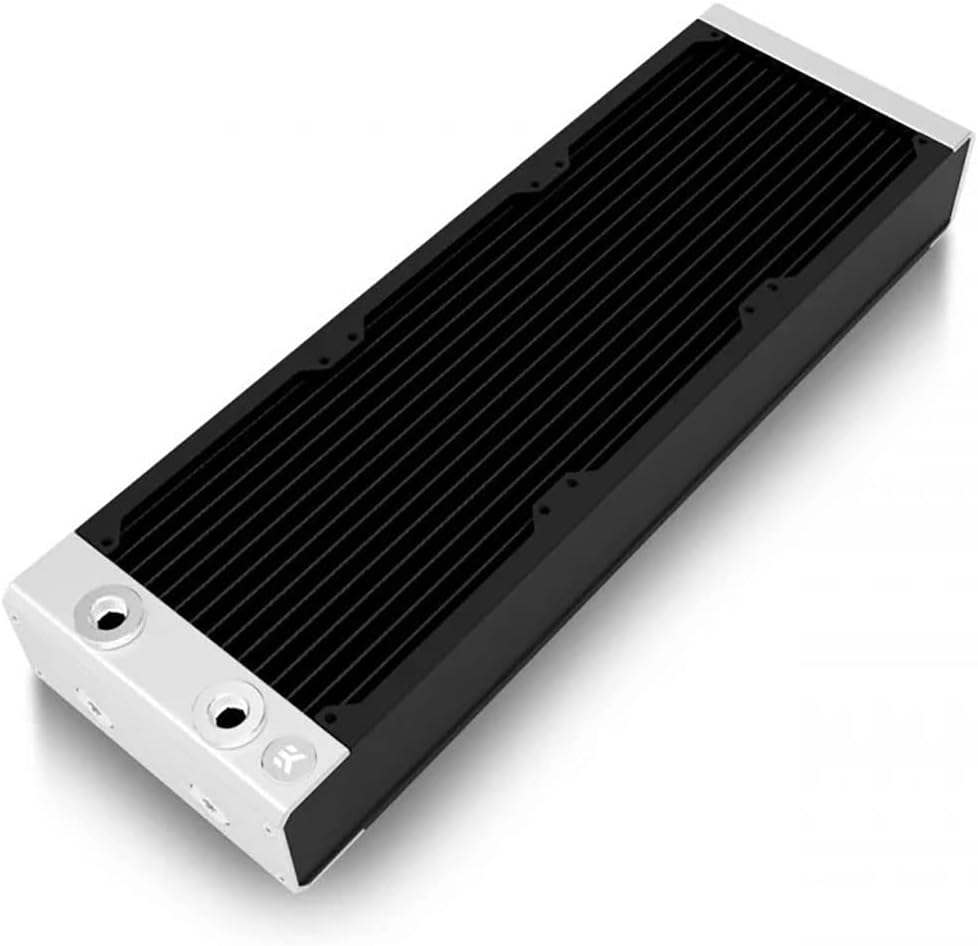
The EK Water Blocks EK-Quantum Surface X360M Schwarz is a 360mm-class radiator with a 4.3 rating and the most substantial thermal hardware among the supporting products in this guide. Its 58mm thickness is designed to provide greater cooling power than thinner Surface-series models.
We may earn a commission when you buy through this link, at no additional cost to you.
Sixteen 2mm copper tubes run across the radiator, while high-grade non-louvered copper fins use an 18 FPI density. EK describes that balance as effective for both heat transfer and air resistance. The thick format also benefits from medium- or high-speed fans and can support a push-pull configuration when the case allows it.
Its depth is both a strength and a practical constraint. A radiator this thick requires careful case clearance, fan positioning, tubing space, and consideration of nearby motherboard or graphics-card components. It also needs an appropriate fan setup; the radiator itself does not replace the fans required to move air through the fins.
The X360M is a strong choice for a high-output Nvidia build that also cools the CPU and benefits from a large radiator. It is less appropriate for compact cases. Buyers should measure both radiator thickness and total fan-plus-radiator assembly before ordering, especially when the GPU is mounted vertically.
The 18 FPI non-louvered copper fin arrangement is described as balancing heat transfer with manageable airflow resistance. This is important because excessive fin density can restrict air movement in a crowded chassis.
A 58mm radiator benefits from medium- and high-speed fans, while push-pull can further improve performance. Case depth and fan thickness therefore need to be considered before the system design is finalized.
We may earn a commission when you buy through this link, at no additional cost to you.
The EKWB EK-Quantum Vector3 Astral RTX 5080 is designed exclusively for ASUS ROG Astral GeForce RTX 5080 graphics cards. It combines a model-specific open split-flow cooling engine with extensive lighting, making it a natural option for a ROG-themed Nvidia build.
We may earn a commission when you buy through this link, at no additional cost to you.
The nickel-plated electrolytic copper coldplate, expanded fin array, and enhanced coolant paths form the active cooling solution. The GPU core, VRAM, and power stages are all addressed, while the L-shaped full-coverage backplate passively cools PCB hotspots. Next-generation pre-cut thermal pads are intended to improve contact and simplify installation.
The strict card compatibility is the principal limitation. It should not be selected for another RTX 5080 partner model unless the seller or manufacturer confirms a valid fit. No rating was supplied, so prospective buyers should examine current customer feedback for their exact card variant and revision.
This block is a strong recommendation for ROG Astral owners who want a full liquid-cooling treatment rather than a decorative GPU cover. Its 14 individually addressable LEDs, top and back edge placement, 500mm cable, and Matrix7 compatibility all support a polished, integrated custom loop.
Cooling the core, memory, and power stages creates a more complete thermal solution. The passive backplate extends coverage to additional PCB hotspots for a broader treatment of the graphics card.
Fourteen individually addressable LEDs run along the top and back edges. The result is visible illumination from multiple angles, particularly useful in cases with a side panel or elevated GPU placement.
We may earn a commission when you buy through this link, at no additional cost to you.
The EK Water Blocks EK-Quantum Volume 3 FLT 140 is a flat-shaped reservoir designed to change how desktop liquid-cooling loops are planned and presented. Its title identifies a desktop GPU liquid-cooling use case, and its 3.0 supplied rating warrants a closer look at fit and planning considerations.
We may earn a commission when you buy through this link, at no additional cost to you.
The reservoir holds approximately 225ml and includes nine G1/4 ports. That port count gives builders flexibility to choose how coolant moves between the pump, GPU block, CPU block, and radiator. Digital RGB lighting and a plexi enclosure preserve the transparent, customizable look associated with showcase liquid-cooling systems.
Its 146.5 by 143.5 by 44mm dimensions create a substantial footprint, and the 3.0 rating indicates mixed customer experiences. The supplied data does not explain the reasons for that rating, so it would be prudent to check recent reviews for details about pump configuration, fitting inclusion, mounting, or noise. Fittings are not stated as included.
The Volume 3 is best for a builder who wants a flat, high-capacity reservoir and values routing flexibility. It works particularly well in desktop-oriented Nvidia systems with enough internal space to accommodate the reservoir and nine selected connections, but it should not be selected solely for its appearance without checking the full package and current customer feedback.
Nine G1/4 ports provide multiple connection paths for a complex loop. Builders can use that flexibility for a clean GPU-and-CPU circuit, although every port used adds another connection that must be secured correctly.
The approximately 225ml capacity gives the loop more fluid than a small reservoir. Its flat enclosure and plexi construction are intended to remain visible as part of the finished build rather than disappear behind other hardware.
We may earn a commission when you buy through this link, at no additional cost to you.
The EKWB EK-Quantum Vector3 Astral RTX 5090 is a custom water block created exclusively for ASUS ROG Astral GeForce RTX 5090 cards. It brings the Vector3 treatment to a flagship Nvidia generation, targeting builders who want the GPU to function as the visual centerpiece of a premium custom loop.
We may earn a commission when you buy through this link, at no additional cost to you.
The cooling engine uses an expanded fin array and optimized coolant paths within a nickel-plated electrolytic copper coldplate. Cooling is applied actively to the GPU core, GDDR7 memory, and power stages, while the included L-shaped backplate passively addresses PCB hotspots. The acrylic top displays coolant flow, and the black anodized aluminum backplate supports structural integrity.
The product is designed specifically for the Astral RTX 5090, and no customer rating was supplied. Exact fit should still be confirmed against the card, particularly if board partners revise a design. Matrix7 planning and compatibility with EK-Quantum Reflection2 distribution plates make the block more attractive to builders planning a comprehensive chassis layout.
It is a compelling recommendation for an Astral RTX 5090 owner who wants a full-cover solution and coordinated lighting. Matrix7 compatibility with Reflection2 distribution plates makes the block more attractive to builders planning a comprehensive chassis layout, while support for vertical and horizontal mounting offers flexibility when the case design demands it.
The block actively cools the core, VRAM, and power stages instead of concentrating on a single thermal zone. The L-shaped backplate extends passive cooling to additional PCB areas for broader management.
Matrix7 standardization and Reflection2 compatibility help with routing in elaborate systems. The ability to plan for vertical or horizontal GPU placement makes the block more adaptable to different chassis layouts.
We may earn a commission when you buy through this link, at no additional cost to you.
The right EK Waterblocks for Nvidia depend on the exact card, CPU platform, case dimensions, cooling loop, and desired visual treatment. Compatibility should always take priority over lighting or a broad product-family resemblance.
Nvidia GPU water blocks are rarely interchangeable across every card in a generation. The Vector3 products in this guide support specifically named models, including Gigabyte AORUS RTX 5090 variants, ASUS TUF RTX 5080 variants, and ASUS ROG Astral RTX 5080 or RTX 5090 cards. The precise model, board partner, memory configuration, and sometimes product revision can affect whether the coldplate, PCB, and backplate align correctly. Before ordering, compare the seller's supported model list with the label and dimensions of the card already installed. If the intended card is not listed, ask the seller for written confirmation rather than relying on a shared chipset name.
A full-cover block can cool the GPU core, VRAM, and power stages through internal channels, while an L-shaped backplate adds passive dissipation across PCB hotspots. That broader coverage matters most in demanding gaming, rendering, and overclocking scenarios. It also adds installation complexity because the block must make reliable contact with several thermal pads rather than one central processor. Buyers should distinguish between a decorative cover, a basic coldplate-only design, and a comprehensive block with active memory and power-stage cooling. For a serious Nvidia custom loop, the latter usually offers the more balanced result when correctly installed.
The Vector3 models use nickel-plated electrolytic copper coldplates, combining a conductive contact material with a low-restriction coolant path. Their open split-flow designs and expanded fin arrays are intended to move coolant across the GPU assembly while reducing hydraulic restriction. A block that sounds impressive but forces the pump to work harder can make a shared loop noisier and more sensitive to pump or radiator restrictions. In a multi-component system, flow efficiency matters as much as the area of the coldplate itself.
A visually complete PC often needs both a GPU block and a CPU block. The Velocity 3 supports AMD AM5 and Intel LGA 1700 or 1851, offering broad flexibility. The standard Velocity 2 D-RGB is specific to LGA 1700, while the white Velocity 2 is designed for AM5. Confirm the socket, retention hardware, cooler dimensions, and motherboard clearance before assembling the loop. Buying the CPU block first is often sensible because it determines which compatible platform options remain available.
A GPU block cannot manage the heat it receives by itself; the loop also needs a radiator, pump, reservoir or distribution solution, fittings, and tubing. The Surface S120 offers a smaller-format option, while the Surface X360M provides a larger 58mm-thick design suited to more aggressive fan configurations. Measure the case's radiator bay, including fan thickness, rather than relying on the nominal radiator width. Also leave space for tubing bends and check whether the selected GPU orientation affects the available space.
D-RGB lighting can make an Nvidia build look cohesive, but synchronization depends on connectors, controllers, and software support. The Vector3 blocks use individually addressable LEDs, and the Velocity 2 CPU blocks also provide digital RGB. Check whether the required three-pin 5V digital header is available and whether the motherboard software supports the chosen block. Lighting should be a secondary criterion because a mismatched connector or synchronization routine can undermine an otherwise polished build.
The Volume 3 FLT 140 offers a flat form, approximately 225ml of capacity, and nine G1/4 ports. Multiple ports can simplify routing when a loop includes a GPU block, CPU block, radiator, pump, and optional distribution plate. They also create more joints, so every connection must be seated and leak-tested properly. Confirm the physical reservoir dimensions, mounting requirements, pump arrangement, and whether the necessary fittings and pump are included before ordering it as a complete solution.
EK's included thermal pads and captive screws can simplify installation, but a custom loop still requires careful preparation. Flush the loop, inspect every fitting, confirm the pump orientation, and leak-test before powering the graphics card. The acrylic top, coolant, copper surfaces, and narrow channels also require attention to tube routing and bend radius. Plan the loop path before ordering fittings, and use the exact mounting kit intended for the selected CPU or GPU model rather than adapting hardware from an unrelated block.
Begin by identifying the exact Nvidia card and CPU platform supported by each block. Confirm the fitting size, mounting hardware, thermal-pad coverage, and case-clearance requirements against the manual included with the product. Assemble the entire loop on a bench where possible, install the GPU block without forcing the coldplate against the PCB, and route tubes so they do not restrict the card or pull against connectors.
Before installing the graphics card, flush the loop according to the pump and coolant manufacturer's guidance. Inspect every fitting and tighten them evenly, then run the pump while monitoring the block, tubing, and connections for leaks. Do not power the GPU until the system is stable, the pump is operating in the correct direction, and air has been removed from the critical passages.
Ongoing care includes checking fittings for seepage, keeping dust away from radiator fins, and monitoring unusual pump noise or rising temperatures. Avoid modifying the block or changing contact materials without compatible replacement parts. Cleaning should follow EK's current instructions, and the loop should be inspected whenever the system is opened, moved, or operated after a period of inactivity.
No. The Vector3 blocks listed here are engineered for specific ASUS, Gigabyte, and other partner-model configurations, not every card in a Nvidia generation. Check the exact model name, memory capacity, and supported fitment list before purchasing. If the card is not named, contact the seller for confirmation. Using a block on an unverified card can cause poor thermal-pad contact, unstable mounting, or physical damage.
A separate CPU water block is not absolutely required if the processor uses a compatible air cooler and the custom loop exists only for the GPU. It is, however, common in showcase builds because it creates a unified appearance and allows the processor to share the loop's radiator capacity. A compatible CPU block can also be necessary when the case lacks enough air-cooler clearance.
Their active cooling coverage and low-restriction flow designs make them relevant to heavy gaming, rendering, and overclocking workloads. The blocks cool the GPU core, VRAM, and power stages while the backplate helps dissipate additional PCB heat. Actual performance still depends on correct mounting, pump performance, radiator capacity, ambient temperature, and the stability of the entire system.
The S120 is a smaller Surface-series format that can suit more compact custom loops, while the X360M offers a larger heat-transfer surface and a substantial 58mm thickness. The larger model is intended to benefit from capable fans and can support push-pull arrangements. Both require confirmation of exact dimensions, mounting details, and case clearance before being included in a build.
The supplied information states that the blocks use D-RGB compatible with major motherboard synchronization technologies. The relevant CPU models mention compatibility with popular D-RGB software, and the Vector3 blocks include addressable LED wiring and documented cable lengths. Confirm connector type, available headers, and software support to avoid using an incompatible lighting controller.
The supplied information confirms nine G1/4 ports, approximately 225ml capacity, digital RGB lighting, and the listed enclosure dimensions, but it does not state that a pump or fittings are included. Buyers should inspect the current package contents and specifications. Depending on the chosen loop design, a pump, tubing, adapters, and additional G1/4 fittings may need to be purchased separately.
Complete and inspect every connection, fill and flush the loop as directed, and run the pump while the GPU remains disconnected or otherwise protected from operation. Watch the coldplate, backplate, fittings, reservoir, and pump area closely for leaks. After the test, verify stable flow and remove remaining air before installing the graphics card and entering normal use.
Check the processor socket first. The Velocity 3 supports AMD AM5 and Intel LGA 1700 or 1851, the standard Velocity 2 D-RGB is listed for LGA 1700, and the white Velocity 2 is listed for AM5. Also consider dimensions, lighting, and finish. Your CPU block can use the same G1/4 loop as the Nvidia GPU block when compatible fittings and pump capacity are used.
The strongest overall choice in this guide is the Vector3 Master RTX 5090 for builders with one of the two listed Gigabyte AORUS cards, while the Vector3 Astral RTX 5090 stands out for ROG Astral owners. The Vector3 TUF RTX 5080 and Vector3 Astral RTX 5080 cover two additional partner families, and the Velocity 3 offers the most flexible CPU-side platform support.
Prioritize exact model compatibility, complete component coverage, and room for the entire cooling assembly. The quality of the coldplate and flow path matters, but so do thermal-pad contact, radiator capacity, pump arrangement, fittings, tube routing, and leak prevention. Decorative lighting and the acrylic top can make a build more satisfying without changing the need for careful engineering.
Finally, check current prices, package contents, stock, ratings, and fitment information before ordering. Product availability and listing details change, and the price of individual EK components can affect whether a complete multi-part loop is practical for a given build.