
Redragon M612
4.6Editor score
Five remappable DPI levels
Nine programmable buttons
Wired RGB gaming design
Discover the best drag click mice for gaming and productivity, with 10 options compared for clicks, sensors, buttons, connectivity, comfort, and customization.
A drag click mouse can make repeated selections faster by holding the primary button and moving the pointer, which is useful in games, creative software, spreadsheets, and everyday tasks. The right model depends on switch response, sensor accuracy, grip comfort, connectivity, programmability, and whether its design suits your hand.
This guide compares ten wired, wireless, and multi-mode gaming mice for the characteristics that matter to drag clicking. It examines button actuation, DPI, polling rates, sensor performance, button counts, profiles, lighting, battery claims, grip shapes, and connection methods without claiming that every model is explicitly marketed for drag clicking.
Each review explains the strongest reasons to consider a particular mouse and any meaningful trade-offs. The Redragon M612 stands out as a budget-friendly programmable option, the Razer Viper V3 Pro targets competitive performance, and the Logitech G PRO X2 SUPERSTRIKE offers premium click customization. Product availability and prices can change, so confirm current details before buying.
4.6Editor score

4.6Editor score

4.6Editor score
The comparison below highlights the major differences in click technology, sensor specifications, connection options, programmable controls, and physical design. These distinctions help determine which mouse is most likely to suit a particular grip style, software workflow, or competitive gaming routine.

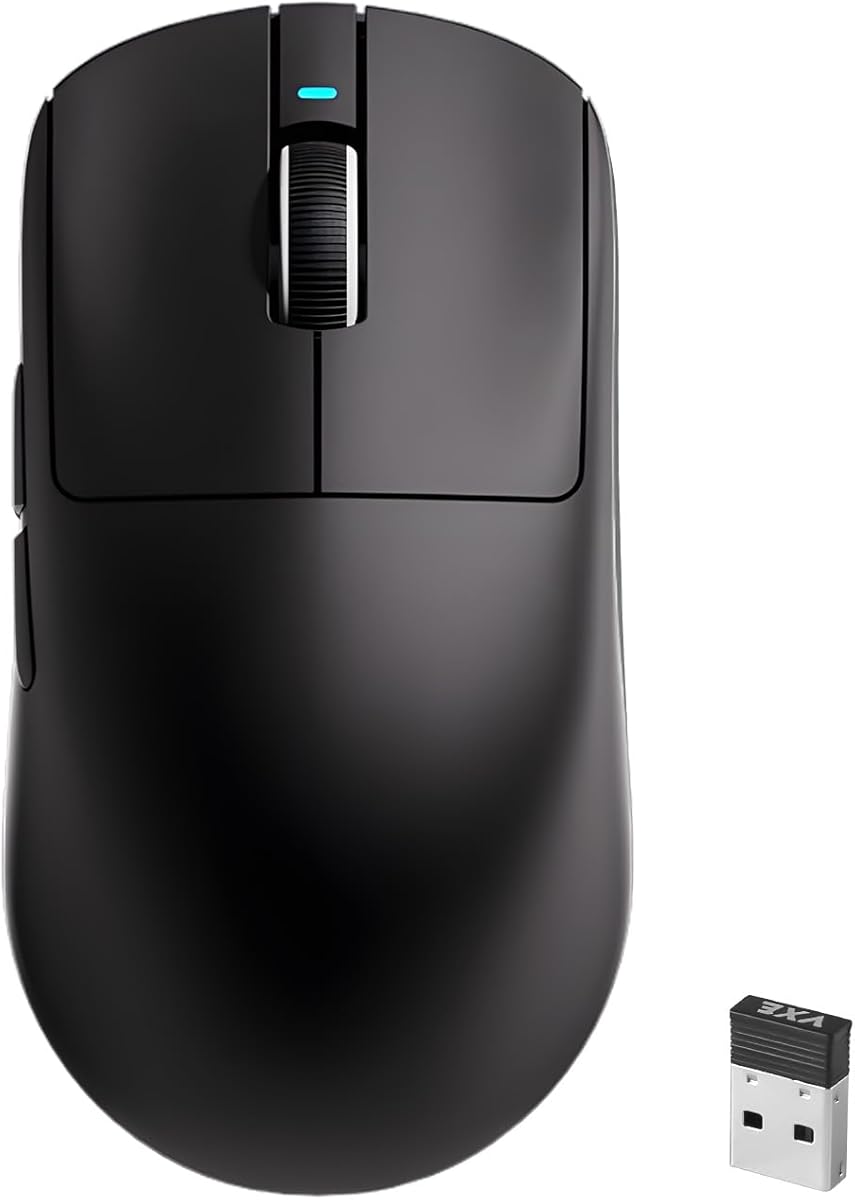



The Redragon M612 is a wired optical gaming mouse with a 4.6 rating and a feature set aimed at players who want extensive control without moving to a premium desktop ecosystem. It supports sensitivity settings up to 8000 DPI, provides nine programmable buttons, and includes dedicated mapping controls for work as well as gaming.
We may earn a commission when you buy through this link, at no additional cost to you.
Its most important strength for drag-click users is the combination of editable buttons and broad DPI configuration. The default DPI presets cover 500, 1000, 2000, 3000, and 4000, while the software expands the selectable range through 8000. Users can assign tactical keybinds, including rapid-fire and side macro functions, which makes the mouse adaptable to repeated actions in games and productivity software.
The M612 is a conventional wired design rather than a mouse explicitly marketed for drag clicking. That distinction matters because drag-click behavior can depend on switch feel, software interpretation, and how the operating system handles held inputs. Its frosted coating, rubber-textured left side, and claw-grip shape may support control, but people with especially small or large hands should consider comfort before committing.
This is the strongest budget-oriented recommendation in the guide for anyone who prioritizes remapping, adjustable sensitivity, macro support, and RGB lighting over wireless freedom. It is particularly useful for experimenting with drag-style workflows because its software provides a high level of button control without moving to a premium desktop ecosystem.
Nine programmable buttons give the M612 more control than a basic office mouse. Reassigning commands to accessible positions can reduce repetitive keyboard shortcuts, while custom tactical bindings can support games that use several abilities or communication commands.
The wired connection eliminates receiver management and charging routines, while the broad DPI range lets users balance slow, precise movement with faster cursor travel. This flexibility is useful when alternating between text selection, strategy games, and detailed editing.
We may earn a commission when you buy through this link, at no additional cost to you.
The Redragon M923 PRO combines wired, 2.4 GHz wireless, and Bluetooth connectivity in a programmable gaming mouse that carries a 4.6 rating. Its broad 24,000 DPI range, eight editable buttons, and dedicated software support make it a flexible option for people who alternate among gaming, office work, and connected devices.
We may earn a commission when you buy through this link, at no additional cost to you.
Three connection modes are the defining feature. The wired mode suits a stationary computer, 2.4 GHz removes the cable during play, and Bluetooth can serve computers or tablets. Five adjustable DPI presets are listed at 400, 800, 1600, 2400, and 3200, with software-based customization extending the range up to 24,000.
Its strongest drag-click appeal comes from editable hotkeys and the ability to tune sensitivity for different tasks, but the product data does not identify a dedicated drag-click switch or explicit drag-click mode. The included rapid-fire function may also require careful configuration in games, since automatic repeated inputs can be restricted by individual titles.
Choose the M923 PRO when cable-free operation and cross-device flexibility matter more than a stated battery-life figure. It offers a strong balance of programmability and connectivity for general users, although the Viper V3 Pro is a more focused option for competitive wireless play and the M612 remains a simpler wired alternative.
Wired, 2.4 GHz, and Bluetooth modes let the mouse adapt to different desks and devices. The 2.4 GHz receiver is convenient for gaming, while Bluetooth offers a practical way to move between a gaming PC and a compatible tablet or secondary computer.
Users can adjust DPI, remap buttons, and create hotkey combinations through Redragon software. That level of control helps when a single mouse must support both precision editing and high-action gaming without changing hardware.
We may earn a commission when you buy through this link, at no additional cost to you.
The Razer Viper V3 Pro is a 54-gram wireless esports mouse with a 4.6 rating and specifications aimed at competitive shooters. Its defining features are the Focus Pro 35K optical sensor, Razer HyperPolling technology up to 8000 Hz, and third-generation optical switches designed for fast actuation without debounce delay.
We may earn a commission when you buy through this link, at no additional cost to you.
For drag-click use, the Gen-3 optical switches and adjustable actuation are the most relevant attributes. The switches offer 0.2 ms actuation and a stated lifecycle of 90 million clicks, while the sensor supports one-DPI-step adjustments for very fine control. Although the mouse is not advertised as a dedicated drag-click model, its low-latency design suits users who want responsive held-button actions.
The trade-offs center on specialization. A lightweight esports shape may not provide the thumb rest or sculpted support sought by productivity users, and maximum polling performance depends on compatible hardware and configuration. Razer recommends disabling Windows pointer acceleration and using Synapse to optimize accuracy, which means setup requires a little more attention.
The Viper V3 Pro is the leading recommendation for competitive gamers who prioritize latency, fast clicks, accurate tracking, and minimal weight. It is also a compelling high-end choice for drag-click testing because the optical switches and granular sensor controls allow the user to tune both movement and click behavior.
The combination of Razer HyperSpeed and HyperPolling supports a polling rate up to 8000 Hz, reducing the delay between movement or button input and its response. This is particularly valuable in fast competitive games where small timing differences can matter.
One-DPI-step adjustments make it easier to dial in precise cursor movement, while the 35K sensor is designed to track accurately across a wider range of surfaces. Gen-3 optical switches supply quick actuation and are well suited to users testing click-heavy workflows.
We may earn a commission when you buy through this link, at no additional cost to you.
The ATK R1 SE+ is a lightweight tri-mode gaming mouse with a 4.6 rating. At 55 grams, it competes directly with ultra-light esports designs while offering a broad 200-to-18,000 DPI range, four on-board speed steps, a PAW3395SE sensor, and both wired and wireless connections.
We may earn a commission when you buy through this link, at no additional cost to you.
Its web-driven interface is notable because it lets users adjust DPI, polling rate, and button functions without relying on a separate desktop utility. That makes the mouse easier to configure across different applications and provides a convenient way to establish separate settings for editing, browsing, and gaming.
The stated 125-to-1000 Hz polling range is the main limitation when compared with the 8000 Hz specification of the Razer Viper V3 Pro and Logitech G PRO X2 SUPERSTRIKE. ATK does not advertise a dedicated drag-click switch, so the R1 SE+ should be considered a configurable general-purpose mouse rather than a specialized drag-click product.
This mouse is a good match for users who want a light body, several connection options, and browser-based setup. Its ergonomic shape is described as fitting palm, claw, and fingertip grips, making it a broad option for people who have not settled on one physical style.
The web-driven interface puts DPI, polling rate, and button assignments in a browser. This can be convenient for quick changes and avoids the need to keep one particular configuration utility open while adjusting the mouse.
At 55 grams, the R1 SE+ is easy to move quickly, while USB-C wired, 2.4 GHz, and Bluetooth modes cover gaming, desktop productivity, and compatible mobile devices. Its wide DPI range supports both detailed selection and fast navigation.
We may earn a commission when you buy through this link, at no additional cost to you.
The Redragon M910-K is a wired programmable gaming mouse offering nine reassignable buttons, a fire button, five user profiles, and sensitivity up to 8000 DPI. Its 4.5 rating reflects a feature-rich design aimed at players who need different configurations for games, work, and shared computers.
We may earn a commission when you buy through this link, at no additional cost to you.
Profile support is the feature that separates it from simpler budget mice. The software permits macro editing, profile switching, RGB control, report-rate adjustment, and custom keybinds, allowing one device to serve multiple applications or users. Those capabilities can be useful for drag-based workflows, where a button may need a different command in a game, browser, or editing program.
The included fire button is described as producing three clicks from one press. This is a convenience feature rather than a substitute for a dedicated drag-click switch, and it may be restricted in games that detect or prohibit automated inputs. Buyers who need drag clicking should treat it as a bonus rather than the central reason to choose this mouse.
The M910-K is worth considering when profiles and macro access matter more than wireless convenience. It is a capable wired budget option, although the M612 offers a similar programmable foundation with a slightly higher listed rating and a more explicitly gaming-oriented design.
Separate profiles make it possible to change sensitivity, lighting, and button mappings between games and work. This is valuable for shared systems and for users who alternate frequently between demanding applications.
The software supports customizable keybinds and report-rate settings, giving users more control over input behavior. These tools can improve productivity and make repeated actions easier to assign to accessible buttons.
We may earn a commission when you buy through this link, at no additional cost to you.
The MOJO Pro Performance is built around silent buttons, programmable controls, and an ergonomic shape, making it distinct from the flashier RGB gaming mice in this list. It carries a 4.0 rating and uses a PMW3336 sensor with up to 12,000 DPI and a 1000 Hz polling rate.
We may earn a commission when you buy through this link, at no additional cost to you.
Silent operation is the central reason to consider it. The product information specifically emphasizes quiet clicking, which can help during late-night use or in shared environments. Adjustable force may also let users choose between a lighter initial press and a more deliberate response, potentially helping them find a comfortable setting for held-button selections.
Its 127-gram weight is substantial compared with the 54- and 55-gram competition from Razer and ATK. The mouse also requires a 1.8-meter wired connection and Windows 7 or later for its software. These are meaningful constraints for people who prefer modern wireless ergonomics or require macOS compatibility.
Choose the MOJO Pro Performance for quiet operation and tactile customization rather than maximum competitive specifications. It may appeal to productivity users and office workers who want programmable gaming features without the repeated audible clicks associated with conventional mechanical switches.
Silent switches reduce the noise created by normal clicks, making the mouse more suitable for shared rooms, late-night sessions, and recordings. The reduced sound can make extended productivity sessions more pleasant without removing feedback entirely.
The hand-sculpted shape and 127-gram chassis prioritize a substantial feel. That may be comfortable for some users, although it will not appeal to competitive players who prefer the extremely light bodies of modern esports models.
We may earn a commission when you buy through this link, at no additional cost to you.
The Redragon M913 Impact Elite is an MMO-style gaming mouse built around a large control surface. It has a 4.4 rating, 16 programmable buttons, 12 side buttons, an upgraded Pixart 3335 optical sensor, and sensitivity up to 16,000 DPI.
We may earn a commission when you buy through this link, at no additional cost to you.
Its 45-hour battery claim and support for both 2.4 GHz wireless and USB-C wired operation make it more versatile than a basic cable-bound MMO mouse. The high button count is useful in games, creative applications, and productivity software where shortcuts can be placed directly on the shell.
Drag clicking may benefit from the abundance of available commands, but the layout also has a clear downside. Twelve side buttons create a crowded surface and can be awkward for users who only need a mouse for occasional work. The product data does not mention a specific drag-click switch, so the focus should remain on its programmable input strengths.
The M913 Impact Elite is best for MMO players, streamers, and power users who want many commands available without relying on the keyboard. It is less suitable for minimalist productivity setups or users who value a small, lightweight shape.
The 16 programmable buttons and 12 side controls allow a large number of actions to be placed directly under the fingers. This is particularly useful in games with many abilities, as well as editing and productivity software that benefits from direct shortcuts.
The 2.4 GHz receiver removes the cable while the stated 45-hour battery supports extended sessions. USB-C wired mode remains available for users who want a constant connection or a different power routine.
We may earn a commission when you buy through this link, at no additional cost to you.
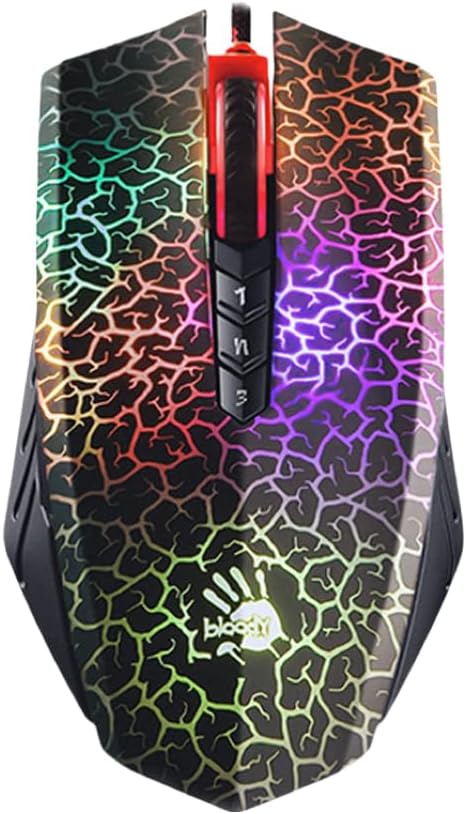
The Bloody A70 II uses Light Strike optical switches and an 8000 CPI optical engine to deliver fast, quiet click response. With a 4.5 rating, it is the most directly relevant traditional gaming-mouse option for users investigating click mechanics without being marketed specifically as a drag-click mouse.
We may earn a commission when you buy through this link, at no additional cost to you.
Light Strike switches use an optical trigger rather than traditional metal contacts, eliminating the familiar bouncing noise associated with mechanical switches. The listed 0.2 ms actuation and more than 20 million-click lifespan make them compelling for repeated actions, including held-button selection and rapid clicking.
The BC3332-S engine supports adjustable CPI, while X'Glide Armor feet are designed to improve glide and durability. Fully programmable controls and advanced macros broaden the utility beyond gaming. However, the data does not state a polling rate, so comparisons with 1000 Hz and 8000 Hz models should focus on the verified click and sensor features instead.
The A70 II is a strong choice for gamers who want quick optical clicks, quiet operation, and detailed macro support. It is also worth considering for drag-click experimentation, although users should confirm the behavior of their intended applications and avoid assuming that the optical switch alone guarantees a dedicated drag-click mode.
Light Strike switches actuate in 0.2 ms without the metal-contact noise of conventional mechanical switches. Their fast response can make repeated clicks and held selections feel immediate while remaining relatively quiet during extended use.
Advanced macro programming expands the mouse beyond basic gaming controls, and the X'Glide Armor feet are intended to deliver smooth movement. Together, these features make the mouse suitable for users who customize commands as heavily as they adjust sensitivity.
We may earn a commission when you buy through this link, at no additional cost to you.
The Logitech G PRO X2 SUPERSTRIKE is a premium wireless gaming mouse built around unusually deep click customization. It has a 4.6 rating, ten-level trigger actuation, five rapid-trigger reset levels, haptic feedback, an HERO 2 sensor rated up to 44,000 DPI, and lag-free 8 kHz polling.
We may earn a commission when you buy through this link, at no additional cost to you.
Its Haptic Inductive Trigger System is particularly relevant to drag-click users. Instead of treating click actuation as a single fixed behavior, the mouse allows the initial trigger point to be adjusted across ten levels. Haptic feedback supplies real-time confirmation of the selected actuation, making it easier to understand when the mouse registers a click.
The product also combines a lightweight thin-wall case, extra-large UHMWPE feet, a 60-to-90-hour battery claim, and LIGHTSPEED wireless. The 8 kHz polling result is listed as tested on the G640 mousepad, and advanced features require G HUB software. POWERPLAY compatibility is mentioned, but the accessory is sold separately.
This is the best premium recommendation for someone willing to invest in a specialized click system. It also suits users who want exceptionally high sensor resolution, rapid wireless communication, and tactile confirmation. Buyers primarily seeking simple plug-and-play operation should consider a simpler model instead.
Ten actuation points give users meaningful control over when the primary click registers. This is especially valuable for drag clicking, where an actuation point that is too light can feel accidental and one that is too firm can make selection tiring.
Haptic feedback communicates the trigger response in real time, while the HERO 2 sensor tracks at over 888 IPS, up to 88 g-force, and as high as 44,000 DPI. Together, they support precise control without relying on movement alone.
We may earn a commission when you buy through this link, at no additional cost to you.
The Razer Basilisk V3 is a wired ergonomic gaming mouse that combines an 11-button layout, a versatile Hyperscroll tilt wheel, RGB lighting, and a 26,000 DPI Focus Plus sensor. Its 4.6 rating and broader shape make it well suited to users who divide their time between gaming and desktop work.
We may earn a commission when you buy through this link, at no additional cost to you.
The thumb rest and button placement distinguish the Basilisk V3 from lightweight competition models. Eleven programmable buttons can handle macros and secondary functions such as push-to-talk or ping commands, while the wheel can free-spin for rapid scrolling or provide tactile feedback when precise steps are needed.
Its second-generation optical switches are rated for 0.2 ms actuation and up to 70 million clicks, which makes them suitable for repeated button work. Nevertheless, the product is not explicitly listed as a drag-click mouse, and the heavier ergonomic chassis may feel different from mice designed specifically for rapid competitive flicks.
Choose the Basilisk V3 for a comfortable hybrid of productivity and gaming. It is especially appealing to users who value a thumb rest, many programmable inputs, flexible scrolling, and extensive lighting, while accepting the need for a permanent cable.
The sculpted form and thumb rest support longer periods of use, making the Basilisk V3 useful for office work, browsing, and general creative tasks. The extra controls remain accessible without requiring constant keyboard shortcuts.
The Hyperscroll tilt wheel alternates between rapid free-spinning movement and precise tactile steps. Eleven programmable buttons and 0.2 ms optical switches extend that flexibility into frequently used commands and click-heavy workflows.
We may earn a commission when you buy through this link, at no additional cost to you.
Drag-click performance depends on more than a headline DPI number. The most important factors are switch behavior, software support, sensor control, grip comfort, connectivity, and the applications in which you plan to use held-button selections.
A drag click is a software action created by holding a mouse button while moving the pointer, usually to select a range of text, move objects, or perform another continuous action. Some products marketed for drag clicking use specialized switches that prevent the traditional drag threshold from breaking the selection, while conventional gaming mice can perform similar actions when an application recognizes the held input. No model in this list is explicitly identified as a dedicated drag-click device, so buyers should confirm switch behavior and application compatibility rather than assuming every gaming mouse supports the same workflow.
Choose based on documented click mechanics, macro support, and practical testing in your intended programs. A mouse with many remappable buttons can simplify other repetitive tasks even if its primary switch does not advertise a special drag mode.
Click response depends on switch technology, actuation force, travel distance, debounce behavior, and how the mouse interprets a held button. The Bloody A70 II and Razer Viper V3 Pro use optical switches with stated 0.2 ms actuation, while the Logitech G PRO X2 SUPERSTRIKE goes further by offering ten configurable actuation points and haptic feedback. Razer’s Basilisk V3 also uses fast optical switches rated for a 70-million-click lifespan. These features can make rapid or held clicking feel responsive, but they do not by themselves guarantee that an operating system or game will treat a drag as one continuous action.
Look for adjustable actuation or clear switch information when click behavior is central to your decision. Test the mouse in the applications you use most and avoid treating click speed as the same thing as drag-click compatibility.
Sensor resolution affects how far the pointer travels for a given hand movement. The Logitech G PRO X2 SUPERSTRIKE reaches up to 44,000 DPI, the Razer Basilisk V3 supports up to 26,000 DPI, the Redragon M923 PRO reaches 24,000 DPI, and the ATK R1 SE+ supports 18,000 DPI. High maximum settings are not automatically more precise because actual tracking also depends on the surface, lower DPI values, and consistent movement.
For selection tasks, begin with a moderate sensitivity and adjust only as needed. Competitive shooters may benefit from a fast, precise sensor, while office and creative users often value finer control and a smoother relationship between hand movement and cursor travel.
Polling rate indicates how frequently the mouse reports input to the computer. The Razer Viper V3 Pro and Logitech G PRO X2 SUPERSTRIKE support up to 8000 Hz, the ATK R1 SE+ provides an adjustable 125-to-1000 Hz range, and the MOJO Pro Performance lists 1000 Hz. Higher polling can reduce input latency when the full system, software, and connected hardware support it.
Prioritize polling rate most in competitive gaming. For ordinary productivity, a stable lower rate may be entirely adequate, and software compatibility can matter more than the largest headline number.
Wired mice provide a constant path for power and data and avoid receiver management, while wireless models offer greater freedom. The ATK R1 SE+ supports USB-C wired, 2.4 GHz wireless, and Bluetooth, while the Redragon M923 PRO also offers three connection modes. The Razer Viper V3 Pro and Logitech G PRO X2 SUPERSTRIKE are focused on wireless gaming, whereas the M913 Impact Elite supports wired and 2.4 GHz operation.
Choose a wired model for simplicity and a competitive model for low-latency wireless. Multi-mode mice are best for people who regularly alternate among a gaming computer, office system, and compatible mobile device.
Additional buttons can reduce the need to memorize complex keyboard combinations. The M612 and M910-K each provide nine programmable buttons, the Basilisk V3 offers 11, and the M913 Impact Elite provides 16 with 12 side buttons. Redragon’s dedicated software can customize DPI, report rate, RGB, macros, and tactical bindings, while the M910-K adds five user profiles. These tools are useful for assigning one command to a gaming application and another to productivity software.
More buttons are not automatically better. Consider whether the layout will be comfortable, whether side buttons can be reached without accidental presses, and whether the software is compatible with your operating system.
A drag click combines button pressure with sustained movement, so comfort and control are as important as speed. The Redragon M612 uses a frosted coating and rubber-textured left side, the ATK R1 SE+ is shaped for palm, claw, and fingertip grips, and the Razer Basilisk V3 provides a dedicated thumb rest. Lightweight models such as the 54-gram Razer Viper V3 Pro and 55-gram ATK R1 SE+ can move easily, while the 127-gram MOJO Pro Performance feels more substantial.
Choose a shape that fits your hand and a weight you can control comfortably. If you play for long periods or use the mouse for work, consider fatigue, button placement, and surface compatibility before focusing only on specifications.
Wireless capability adds convenience but also introduces charging, battery, and receiver considerations. The Razer Viper V3 Pro lists up to 95 hours of battery life, the Logitech G PRO X2 SUPERSTRIKE lists 60 to 90 hours, and the M913 Impact Elite lists 45 hours. The M923 PRO supports wireless but does not provide a stated battery duration in the supplied information. Software support also varies, with Razer Synapse, Logitech G HUB, Redragon utilities, and a web-driven ATK interface serving different purposes.
Check operating-system requirements, available controls, and the inconvenience of charging before buying. Premium mouse features may depend on their respective software, so a simpler model can be a better choice when plug-and-play operation matters more.
Begin by installing the mouse and opening its configuration software before attempting a long drag operation. If the manufacturer provides a DPI button, set a moderate starting sensitivity, assign the primary drag or selection function as required by the application, and use the dedicated software to remap side buttons. For a gaming mouse with adjustable actuation, move through the available settings gradually so you can identify the response level that feels controlled rather than accidental.
Practice the technique on a disposable text field or an unimportant object. Hold the primary button, move the pointer smoothly, and confirm that the application continues the selection without releasing. If the selection breaks, check the mouse switch, operating-system drag settings, application preferences, and whether the software is assigning an unintended macro. Avoid using rapid-fire or automatic-click functions in online games because they can be restricted and may violate game rules.
For care, keep the mouse on a clean, even surface and remove dust from the feet and sensor window with a soft, dry cloth. Avoid abrasive cleaners, excessive moisture, and compressed air directed into switches or openings. When changing DPI levels or assigning new buttons, review the profile afterward so a setup intended for gaming does not accidentally alter an editing workflow. For wireless models, follow the maker's charging guidance and keep the receiver unobstructed.
The Logitech G PRO X2 SUPERSTRIKE offers the most directly relevant click customization through ten actuation points and haptic feedback. The Bloody A70 II and Razer Viper V3 Pro are also compelling for fast optical click response, while the Redragon models provide extensive button remapping. Because none is explicitly identified as a dedicated drag-click mouse, test the behavior in your intended applications.
A gaming mouse can be useful for drag clicking when its switch response, software, and button layout suit the task. High DPI alone does not guarantee reliable drag behavior. The more important factors are the primary switch, whether the operating system and application recognize the held input, and whether the mouse remains comfortable during repeated selections.
Not necessarily. A higher DPI produces more cursor movement for a given hand motion, which can make fine selections harder to control. Moderate settings are often easier to manage, while a broad range lets users move between precise editing and rapid navigation. The Logitech, Razer, Redragon, and ATK models offer extensive ranges for this reason.
Wireless mice can perform drag actions just as effectively as wired models, provided the connection is stable and the software recognizes the input. The Razer Viper V3 Pro and Logitech G PRO X2 SUPERSTRIKE emphasize high polling rates for responsive wireless use, while the ATK R1 SE+ and Redragon M923 PRO provide flexible multi-device connections.
A macro button runs a configured sequence of commands when activated. A drag-click switch is designed to help the operating system maintain a held-button movement as a continuous selection. Programmable buttons can accelerate other repeated tasks, but they should not be assumed to reproduce the behavior of a dedicated drag-click switch.
No. Games may interpret held inputs differently, restrict artificial or repeated clicks, and limit the usefulness of conventional selection behavior. The most reliable approach is to follow each title's rules and test with ordinary held inputs. Automatic rapid-fire features are more likely to be restricted than a standard manual click-and-drag action.
Software is useful for changing DPI presets, polling rates, button assignments, RGB effects, and macro profiles. Razer products use Synapse, Logitech relies on G HUB for advanced features, Redragon provides its own configuration utility, and the ATK R1 SE+ uses a web-driven interface. Check operating-system support before purchasing if customization is important.
A smooth, consistent surface helps the sensor maintain tracking and reduces the effort required for controlled movement. Different mice perform best on different materials, so users should follow the manufacturer's guidance and avoid surfaces that are uneven, excessively glossy, or contaminated. The Razer Viper V3 Pro is specifically described as supporting a wider variety of surfaces, including glass.
The Redragon M612 is the most practical budget selection because it combines nine programmable buttons, a wide DPI range, and RGB lighting at a simple wired format. The Razer Viper V3 Pro is the top competitive choice, emphasizing a 35K sensor, 8000 Hz polling, fast optical switches, and a remarkably light 54-gram body. The Logitech G PRO X2 SUPERSTRIKE is the premium option for users who want the deepest control over click actuation.
Prioritize the features that affect your actual workflow. Competitive users should examine polling rate, sensor performance, weight, and switch speed. Productivity users should look at button remapping, profiles, grip comfort, and scroll-wheel usefulness. Anyone specifically testing drag behavior should confirm the switch mechanics and verify the action in the target operating system or game rather than relying on the term gaming mouse alone.
Ratings, software features, product configurations, and prices can change over time, so check the current listing and seller details before purchasing. Once you have narrowed the field, a short hands-on test with your preferred sensitivity, grip style, and applications is the best way to confirm that the mouse feels precise and comfortable.