
Programmable LED Sign 24×5
4.0Editor score
Compact 24-inch flexible panel
Bluetooth app and remote
Over 200 built-in animations
Digital marquees for schools help administrators communicate schedules, events, reminders, and important notices where students, families, and staff can see them. A useful marquee combines readable brightness, flexible programming, practical dimensions, and enough durability for the intended indoor or outdoor location.
The products in this guide range from compact flexible panels to large outdoor message boards. We compared their stated display dimensions, control options, brightness, playback features, weather protection, installation methods, and intended use to identify the strongest option for different school environments.
Each review explains where the marquee stands out, what compromises to consider, and which facilities teams may suit it best. Ratings and specifications reflect the supplied product information, while availability, features, and prices can change, so readers should confirm current listing details before purchasing.
4.0Editor score

4.4Editor score
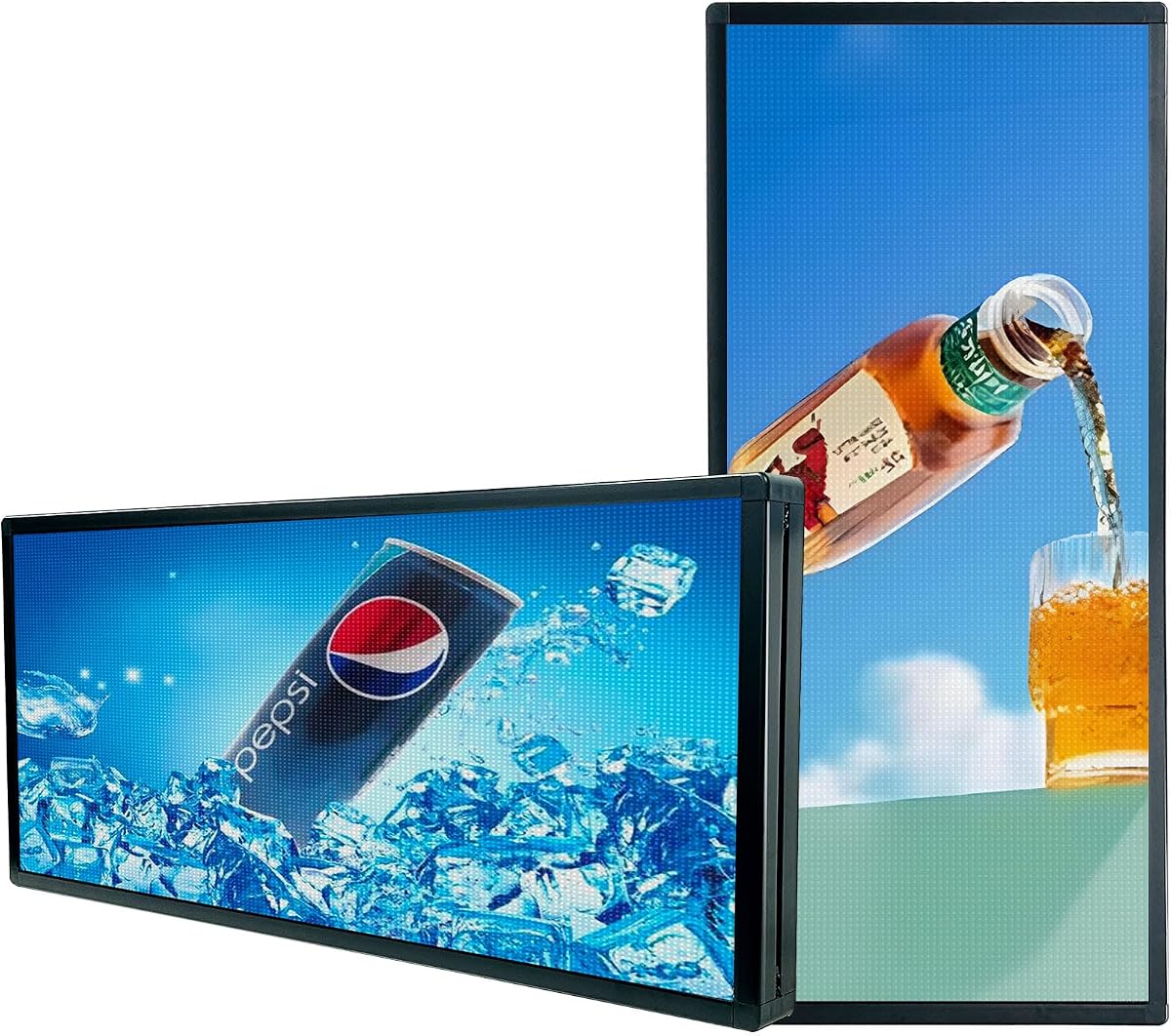
4.4Editor score
As an Amazon Associate we earn from qualifying purchases.
This side-by-side comparison highlights each marquee's size, connectivity, outdoor suitability, and most important control features for school facilities teams.


The Rayhome Large Programmable LED Sign is a 37-by-8-inch flexible display designed for indoor communication in schools, hospitality environments, and other facilities. It carries a 4.3 rating and combines app-based customization with a remote, giving staff more than one route for making quick content changes.
We may earn a commission when you buy through this link, at no additional cost to you.
Its most useful school features are the programmable text, patterns, animations, and multiple looping tasks. Administrators can adjust font size, color, and playback speed, while the timing function can regulate when content appears. The sign's low heat output and touchable surface also make it more practical for an area where people regularly pass close to the display.
The main limitation is its indoor orientation. Although the flexible construction makes installation around columns and along walls easier than with a rigid board, the supplied information does not claim a weatherproof rating. Facilities teams needing a marquee exposed to rain or snow should consider one of the explicitly outdoor-rated options instead.
This is a strong choice for indoor lobbies, cafeterias, offices, and activity wings where staff need frequent message changes and password-protected access. It combines useful scale with flexible placement, making it a practical all-around sign for schools that do not need full outdoor exposure.
The thin, bendable panel can conform more readily to walls, counters, and columns than a rigid display. That makes it useful where straight mounting space is limited.
Bluetooth app control, scheduled programming, multiple tasks, and a password setting support a rotating mix of announcements, reminders, graphics, and seasonal messages.
We may earn a commission when you buy through this link, at no additional cost to you.
The KJOY Bright Large Programmable LED Sign is a 77-by-8-inch scrolling panel with a 4.4 rating. Its wide format is particularly useful for long school announcements, and the product information identifies schools, hotels, shops, and event spaces as practical applications.
We may earn a commission when you buy through this link, at no additional cost to you.
This sign offers 24V technology, high-brightness beads, and low heat generation. Through the Bluetooth app, users can customize text, pictures, animations, borders, font size, angle, color, and playback speed. Multiple tasks can be looped in a chosen order, and a built-in microphone allows the display to react to music.
The 3M adhesive and IP65 waterproof construction improve its usefulness for outdoor-facing school areas, although exposed electrical connections still need appropriate protection. It is also a long physical component, so installation requires a clean, straight surface and enough uninterrupted space to take advantage of its size.
For schools seeking a broad text display that can sit outside a gym, entrance, or activity center, this is a versatile option. It is particularly attractive when the goal is to show several notices at once without the rigid, deep structure of a traditional outdoor message board.
The 77-inch width creates room for multiple school messages, event dates, or directional information on one line. That capacity can reduce the need to replace one announcement with another.
An IP65-rated, flexible panel with 3M tape offers an adaptable installation method, although installers should position power connections away from moisture and follow the included guidance.
We may earn a commission when you buy through this link, at no additional cost to you.
This 40-by-17-inch P6 panel is a full-color outdoor message board with a 4.4 rating. Its W160-by-H64 resolution and support for text, animation, video, and DIY images make it more versatile than a basic scrolling-text panel.
We may earn a commission when you buy through this link, at no additional cost to you.
A built-in Wi-Fi module allows updates from a phone app or a Windows laptop within the stated 9-meter range. IP65 protection and intelligent indoor-outdoor brightness switching support year-round use, while the ability to store 100 programs and retain them after power loss is valuable for scheduled school communications.
Viewing distance is the crucial consideration. The stated 19-to-160-foot suitability emphasizes text and long-distance impact, while the manufacturer notes that pictures and video are not clear at close range. Schools wanting detailed indoor graphics should select a finer-pixel option, but outdoor athletics fields, campuses, and entrances are more natural fits.
This sign is a premium choice for institutions that want more than simple text and a larger canvas than most flexible panels provide. Its combination of weather protection, wireless updates, multimedia support, retained programming, warranty coverage, and technical support makes it especially compelling for dedicated outdoor installations.
The larger 40-by-17-inch format can carry multi-line notices, event promotions, and directional information while remaining legible from a distance.
Storing numerous programs and retaining saved content through a power interruption reduces the need to recreate a school's message schedule after an outage.
We may earn a commission when you buy through this link, at no additional cost to you.
The Rayhome Full Color Dual Row Programmable LED Sign has a 4.5 rating, the highest among the listed products. Its 33-by-6.3-inch flexible panel is organized into two rows, allowing different pieces of information to appear simultaneously without requiring a very tall display.
We may earn a commission when you buy through this link, at no additional cost to you.
RGB light beads provide full-color text, patterns, and animations, while the Bluetooth app handles content creation and playback settings. The sign can run multiple tasks in sequence and offers laser, slide, up, down, left, right, snowflake, and scroll modes. Its low heat, low power consumption, and touchable surface suit high-traffic indoor areas.
Unlike several outdoor-capable competitors, the supplied description does not specify a waterproof rating. The panel is also only 33 inches long, which may limit longer notices. However, the dual-row design uses its footprint efficiently, allowing administrators to show two shorter updates at once.
This is a good option for a school reception area, main office, library, or cafeteria where a compact sign needs to present two kinds of information. Schools prioritizing full color, flexible installation, and efficient use of limited wall space should find the design especially compelling.
A dual-row layout can present a permanent greeting alongside a changing reminder, or pair a date with an event message without creating excessive vertical clutter.
Full-color RGB output and numerous playback effects can help distinguish messages, celebrate holidays, and draw attention to priority school information.
We may earn a commission when you buy through this link, at no additional cost to you.
The HS Programmable Outdoor P10 Sign combines a 39-by-14-inch display with brightness stated at up to 5,000 nits. It carries a 4.4 rating and is designed for clear commercial visibility, including direct sunlight and viewing distances of up to 70 feet.
We may earn a commission when you buy through this link, at no additional cost to you.
Built-in standalone Wi-Fi lets a phone or compatible computer update content within 35 feet. Up to four text lines can be configured with font, size, color, brightness, speed, border, and background controls. Multiple messages, scrolling methods, timing, 14 languages, and retained programming make it well suited to a multilingual school community.
Its IP-rated waterproof construction is intended to handle rain and snow, and an aluminum alloy frame supports hanging or wall-mounted installation. Some mounting parts may need to be purchased separately. Computer programming supports Windows 7 or later rather than MacOS, which could inconvenience technology staff accustomed to Apple systems.
Schools can use this sign for athletics fields, entrances, parking guidance, or community events where sunlight and long viewing distances determine the display requirements. It is less suited to close-up multimedia, but it is a strong choice for crisp, scheduled text.
The stated 5,000-nit brightness and 70-foot viewing range target entrances, sports venues, and other locations where notices must compete with sunlight.
Four-line layouts, 14-language support, timers, and retained messages make the panel adaptable to schools serving varied community populations.
We may earn a commission when you buy through this link, at no additional cost to you.
The Programmable Scrolling Digital Business sign offers a conventional 96-by-32-pixel matrix and a 4.0 rating. Its stated visibility from up to 100 feet makes it a potential fit for school grounds, athletic areas, and other open locations where text must be seen at a distance.
We may earn a commission when you buy through this link, at no additional cost to you.
The display can be programmed through USB or a Wi-Fi hotspot. Phone editing works on iPhone and Android, while computer programming does not support MacOS. Program selection, automatic on and off timing, and a countdown function help facilities teams manage recurring messages without continuous manual control.
A nano-coating is designed to protect the panel in wind, rain, and other outdoor conditions, while heat dissipation supports continued operation. A USB flash drive with tutorials and paper manuals are included, and the product listing mentions a two-year product protection. The 4.0 rating is lower than most alternatives, so buyers should carefully consider the listing and installation requirements.
For a school seeking a relatively conventional digital message board without a large learning curve, this option offers useful reach and scheduling. It is less attractive for institutions that require sophisticated graphics or close-view video, but it remains a practical text-focused solution.
A 96-by-32-pixel matrix and claimed 100-foot visibility provide the basic performance needed for outdoor notices viewed while people are moving.
Automatic on and off timing and countdown tools help schools maintain consistent messages while reducing routine manual intervention.
We may earn a commission when you buy through this link, at no additional cost to you.
This P6 outdoor message board combines a 40-by-17-inch screen, 5,000-nit brightness, and a 4.2 rating. It supports scrolling and animated text, video, images, clocks, countdowns, and simultaneous content, giving facilities teams a broad set of display tools.
We may earn a commission when you buy through this link, at no additional cost to you.
Landscape and portrait modes offer useful installation flexibility. A built-in independent Wi-Fi network allows updates from a phone or Windows 7-or-later computer within 30 feet, while 100-program storage and retained content reduce reprogramming after power loss. Triple waterproof epoxy protection supports operation from minus 20 to 60 degrees Celsius.
The manufacturer is candid that images and video may appear grainy at close range, with an optimal viewing distance of about 20 feet. This means the sign performs best as a distance-displaying board rather than a close-up indoor monitor. MacOS computer programming is also unsupported.
This option suits campuses, sports facilities, and exterior gathering areas that need a flexible mix of live information, schedules, and promotional content. Schools prioritizing close visual detail should consider a higher-density model, while those focused on outdoor impact will find the stated brightness and resolution appropriate.
Clocks, countdowns, text, images, and video can share the display, allowing one board to handle schedules, countdowns, and promotional content.
Landscape and portrait modes can suit different walls and mounting areas, although close-up media quality remains the trade-off.
We may earn a commission when you buy through this link, at no additional cost to you.
The P10 77-by-20-inch LED sign is the largest display in the group, offering a substantial 5,000-nit surface for outdoor school communication. It has a 4.1 rating and targets long-distance visibility, with a stated range of up to 70 feet and flicker-free operation.
We may earn a commission when you buy through this link, at no additional cost to you.
Programmable fonts, colors, brightness, scroll speed, and effects work with messages up to 1,000 characters. Built-in Wi-Fi enables updates from a phone or compatible computer within 30 feet, and 19 languages, automatic power scheduling, countdowns, and retained content make the system practical for a busy campus.
Multi-layer waterproofing supports rain, snow, and temperatures from minus 20 to 60 degrees Celsius. Transport is handled through a modular design, but buyers must tighten several screws to assemble the unit. Computer compatibility excludes MacOS, and the sheer size calls for careful structural mounting and adequate electrical support.
This premium-scale sign is intended for schools that need a commanding outdoor display at a stadium, gym entrance, parking area, or community event space. It offers the most capacity, but buyers should budget attention to assembly, mounting, and ongoing content management.
The 77-by-20-inch surface can present long messages, multiple event details, and directional information without the severe limitations of a compact strip display.
Layered waterproofing, a broad temperature range, and automatic restart after power loss support dependable outdoor operation.
We may earn a commission when you buy through this link, at no additional cost to you.
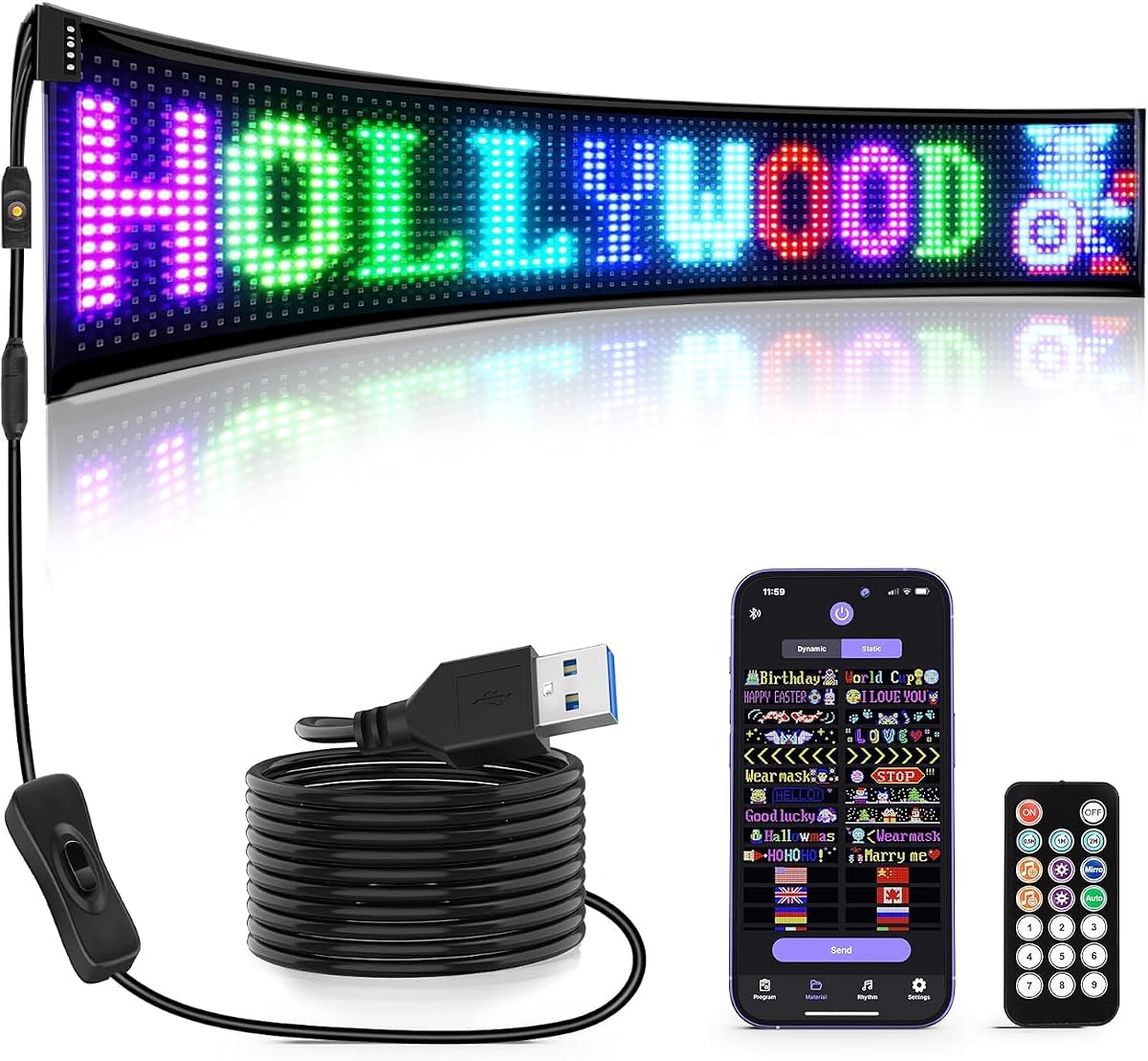
The Programmable LED Sign 24×5 is a compact 16-by-96-pixel panel with a 4.0 rating. Its narrow format and flexible silicone construction are well suited to small indoor spaces, event areas, office windows, and school displays where a full-size message board would be excessive.
We may earn a commission when you buy through this link, at no additional cost to you.
Bluetooth 5 connectivity works with a smartphone app, while the included remote offers a second control method. Users can display scrolling text, over 200 preloaded animations, and uploaded pixel-art logos. Brightness, fonts, and colors can be adjusted to suit different rooms and times of day.
Although the sign carries an IP65 waterproof rating, the supplied description specifically recommends outdoor rain-free scenarios. It also has less room for lengthy announcements than the larger displays. The included 4.5-meter power cable and switch require thoughtful placement, particularly in a busy student area.
This is the most practical pick for a school seeking a compact sign for celebrations, club promotions, lunch reminders, or short daily messages. It delivers flexibility and varied animation at a modest size, making it a sensible budget-oriented alternative to rigid commercial boards.
A compact 24-by-5-inch footprint fits more easily into small spaces, while the large animation library and logo uploads keep messages visually varied.
The smartphone app supports routine updates from a compatible device, and the included remote gives staff a quick way to adjust the display.
We may earn a commission when you buy through this link, at no additional cost to you.
The P10 Programmable LED Sign is a 39-by-8-inch message board designed for both indoor and outdoor use. It carries a 3.9 rating and offers a relatively simple feature set: scrolling text, images, video, adjustable brightness, and programming through USB or Wi-Fi.
We may earn a commission when you buy through this link, at no additional cost to you.
Its primary strength is flexibility. A school can move between text-based notices and visual content while using either a wired USB workflow or a wireless connection. The compact 39-inch width is easier to accommodate than the largest boards in this guide and larger than many flexible entry-level panels.
The supplied information is comparatively limited, so it does not provide detailed brightness figures, a specific IP rating, supported languages, storage capacity, or warranty terms. Buyers should confirm those details in the current listing, particularly if the sign will be exposed to weather or managed by nontechnical staff.
This board is most appropriate for a school that values simple content and dual control options over advanced analytics, extensive media, or a large display area. It is a reasonable general-purpose option, but schools needing more precise outdoor or scheduling specifications may receive better guidance from one of the better-documented alternatives.
USB and Wi-Fi programming offer two ways to transfer content, accommodating facilities teams with different technical workflows.
The 39-by-8-inch format provides a useful middle ground between compact indoor strips and large, structurally demanding outdoor boards.
We may earn a commission when you buy through this link, at no additional cost to you.
Selecting a school marquee requires balancing visibility, available wall space, exposure to weather, programming complexity, and the kinds of messages administrators need to publish. The following factors help narrow the field before a school commits to a particular format.
Screen dimensions should match the area from which messages will be read. A compact strip can work behind an office counter or beside a small entrance, while a large outdoor board is better for school gates, athletic fields, and parking areas where people approach from a distance. Pixel density also matters: P6 and P10 designs emphasize long-distance readability, while fine imagery and video generally look better on denser displays viewed close up.
Choose dimensions based on the real viewing area, not just the largest available model. A long and narrow panel works well for headlines, dates, and short reminders, whereas a deeper screen supports more lines and richer layouts.
Indoor lobbies do not need the same brightness as a sign facing direct sun. Outdoor models in this roundup cite high-brightness outputs of up to 5,000 nits, along with automatic or intelligent brightness switching. These claims are most relevant for exterior campuses, uncovered walkways, sports grounds, and other locations where ambient light can overwhelm a dim display.
Check whether the sign includes brightness controls and whether the seller provides a clear viewing-distance recommendation. A brighter panel is useful outdoors, but schools should still avoid unnecessary power consumption and glare near entrances or neighboring properties.
The most convenient marquee is one that the people responsible for daily updates can actually operate. Bluetooth app control works well for nearby flexible panels, while built-in Wi-Fi supports signs placed farther from a phone or computer. Some products also accept USB media, and Windows compatibility is more common than MacOS support. Remote controls can be helpful for basic adjustments, but an app or computer interface is generally more capable for recurring schedules.
Before buying, identify the devices staff use, the distance from the sign, and how often messages will change. Also determine whether the school needs a password, stored programs, automatic power timing, or a simple interface for nontechnical personnel.
A marquee mounted outside needs a clearly stated waterproof rating and protection against the temperatures expected at the school. Several products specify IP65 protection, while others are described primarily for indoor or rain-free outdoor scenarios. Flexible panels can also be difficult to seal around a wall or column, so the quality of the adhesive, surface preparation, and power connection matters.
Verify whether the entire product, rather than only the LED surface, is suitable for exposure. Even a weather-resistant board should be installed with protected wiring, adequate drainage, and ventilation, and local electrical requirements should be reviewed before installation.
Basic marquees focus on scrolling text, but many models also support colors, borders, countdowns, clocks, images, animations, and video. Dual-row panels can show two kinds of information at once, and multi-task loops allow separate messages to play in sequence. The availability of saved programs and scheduled playback is particularly valuable for daily school routines such as lunch reminders, assembly notices, and after-school activities.
Match features to real communication needs. If the display will primarily announce dates and short reminders, elaborate graphics are optional. If it will serve as a campus information hub, multi-program storage, timers, and multiple display elements become more valuable.
Flexible panels can be bent, folded, or attached with adhesive, which is convenient for smaller spaces. Rigid boards are better for large, permanent outdoor installations but may require wall mounting, hanging hardware, electrical work, and sufficient structural support. Some listings include mounting accessories, while others require the buyer to source them separately. Modular signs may simplify shipping but still require basic assembly.
Measure the intended wall before ordering and inspect its texture, alignment, and access to power. Large displays should be assessed for appropriate mounting points and wind exposure, and adhesive installations should be planned carefully because a flexible panel is only as secure as its prepared surface.
Look for low power consumption, automatic on and off scheduling, and realistic operating-temperature specifications. The ability to retain content after a power interruption can prevent blank displays and repeated programming work. Some signs include extended cables and inline switches, which help with placement but should be routed to avoid trip hazards.
For schools, energy scheduling is often as important as display performance. Automatic shutoff during unused hours can reduce energy use, while stored messages and automatic restart improve operational resilience. Confirm the power requirements and included accessories before installation.
Programming quality depends heavily on documentation. Several models in this guide include paper manuals and instructional videos, and some state that a customer service or technical support team is available. Warranty periods also vary, with certain outdoor models listing two years of coverage. Schools should consider not only the product but also the availability of setup assistance and replacement parts.
Look for clear operating instructions, understandable software requirements, and a support channel that matches the school's needs. A two-year warranty and lifetime technical guidance are meaningful advantages for permanent signs, while compact indoor models may not require the same level of ongoing support.
Plan the installation before connecting the sign. Measure the mounting area, confirm access to power, read the included manual, and identify whether the display will be indoors, under partial cover, or fully exposed outdoors. Clean an adhesive mounting surface thoroughly and avoid placing a flexible sign where doors, vehicles, branches, or people could pull against it.
Connect the sign using the specified power adapter, then use the app, remote, USB drive, or computer connection described in its instructions. Begin with a short test message, adjust brightness for the location, and create a few scheduled programs for recurring announcements. Use password protection where available and give authorized staff clear guidance on updating content.
For ongoing care, inspect the panel and mounting points periodically, keep connectors dry, and avoid using alcohol or abrasive cleaners directly on the LEDs. Follow the specified temperature and weather limits. Review saved messages, storage, and playback loops, and update the content schedule before each school term, holiday period, or major event.
The right size depends on viewing distance and available wall space. A narrow flexible panel works well for short indoor greetings, while a 39-inch or 40-inch outdoor board is more practical for an entrance viewed from a walkway or parking area. Schools should test readability before choosing the largest model.
Several products support patterns, animations, borders, images, and custom logos. Flexible Bluetooth-controlled signs are particularly suited to uploaded pixel art and preset effects, while larger P6 and P10 models add more advanced multimedia options. Exact file and format support should be confirmed with the seller.
Only signs with a stated outdoor or waterproof rating should be considered for exposed locations. Several models specify IP65 protection and wide operating-temperature ranges, while others are intended for indoor or rain-free scenarios. Protected power connections and suitable mounting remain necessary even when the panel is weather resistant.
Common control methods include a Bluetooth app, built-in Wi-Fi, a remote, and USB media. Wi-Fi or USB systems are useful for larger signs, while app-controlled flexible panels are convenient for short messages. The most suitable choice is the method staff can use confidently and maintain without complicated software.
High-brightness models are designed to remain visible in strong daylight, with some claiming visibility from distances of 70 to 100 feet. Actual readability also depends on pixel density, contrast, viewing angle, and installation position. Outdoor schools should prioritize brightness and distance rather than close-up picture detail.
Many models support timers, multi-task loops, and automatic power on and off functions. Some can store numerous programs, while others retain messages after a power failure. These features are useful for daily schedules, but administrators should confirm scheduling and storage details for the exact model they intend to buy.
Mac compatibility varies by product. Several Wi-Fi-controlled models support phones and Windows computers but explicitly do not support MacOS, while some Bluetooth-controlled panels are primarily managed through mobile apps. Check the product's software requirements and choose a method that matches the devices used by the school's facilities team.
Periodic inspection should cover the panel, mounting points, power connections, and visible moisture or damage. Operators should use only the permitted cleaning method, keep electrical components protected, and follow the stated temperature limits. Updating saved programs and checking the display after severe weather also helps maintain reliable operation.
The KJOY 77-by-8-inch flexible sign stands out for schools that need a long, waterproof, app-controlled display, while the compact 24-by-5-inch sign is an economical choice for small indoor spaces. The P6 40-by-17-inch outdoor model is the premium pick for institutions wanting a larger screen, multimedia capability, and more advanced programming features.
Prioritize the viewing distance, installation environment, and ease of routine operation before focusing on maximum screen size. Indoor users should emphasize flexibility and app control, while outdoor buyers need verified weather protection, safe mounting, and sufficient brightness. Text-heavy schools may find a mid-sized panel more useful than an elaborate close-up video display.
Ratings, software compatibility, included accessories, availability, and prices can change, so check the current product listing before making a final decision. Review the school's most common messages, measure the intended space, and confirm that the selected marquee's dimensions and controls fit the way the facilities team will actually use it.
