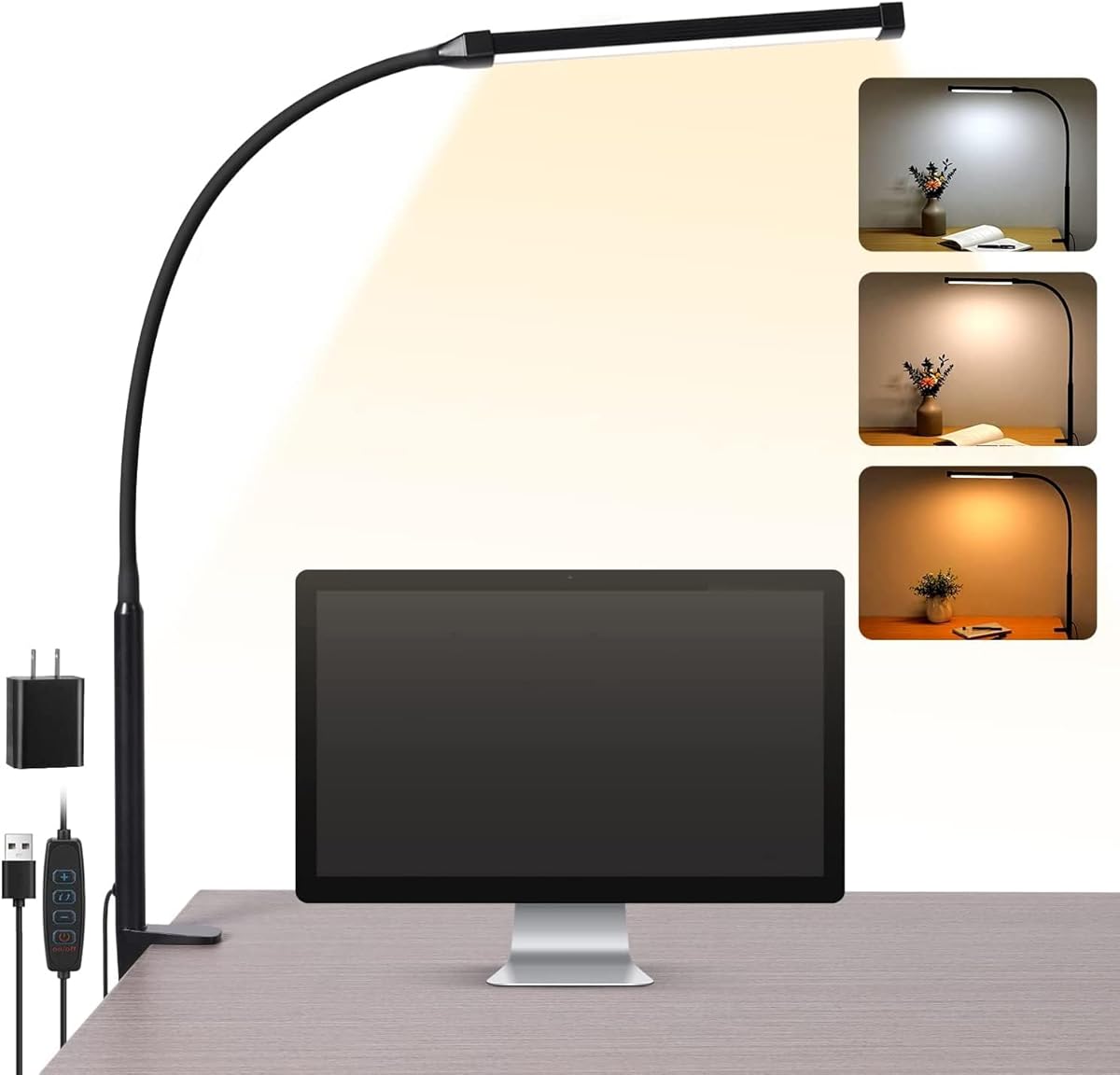
Voncerus LED Desk Lamp with Clamp
4.6Editor score
Ten brightness levels
Three color temperatures
Memory settings function
Cubicle lights bring focused illumination to compact workstations where overhead fixtures may be distant, uneven, or controlled by shared office controls. The best models combine useful reach, even light distribution, simple controls, and a compact mounting method, making them suitable for computer work, reading, drafting, crafts, and other detailed tasks.
We compared these lights by examining their mounting designs, beam widths, adjustment ranges, lighting modes, brightness controls, timers, color temperatures, and eye-comfort features. The list includes clamp-on task lamps, dual-head fixtures, architect-style arms, a wide light bar, and a rechargeable under-desk model for buyers with different workspaces.
Each review identifies the product's strongest use case, practical limitations, and most appropriate buyer. The ratings and specifications reflect the supplied product information, while prices and availability can change, so readers should confirm current details before purchasing.
4.6Editor score

4.7Editor score

4.6Editor score
As an Amazon Associate we earn from qualifying purchases.
The comparison below highlights the major differences among all ten lights, including mounting style, illumination width, adjustment, controls, and the kinds of cubicle tasks each model is best equipped to handle.
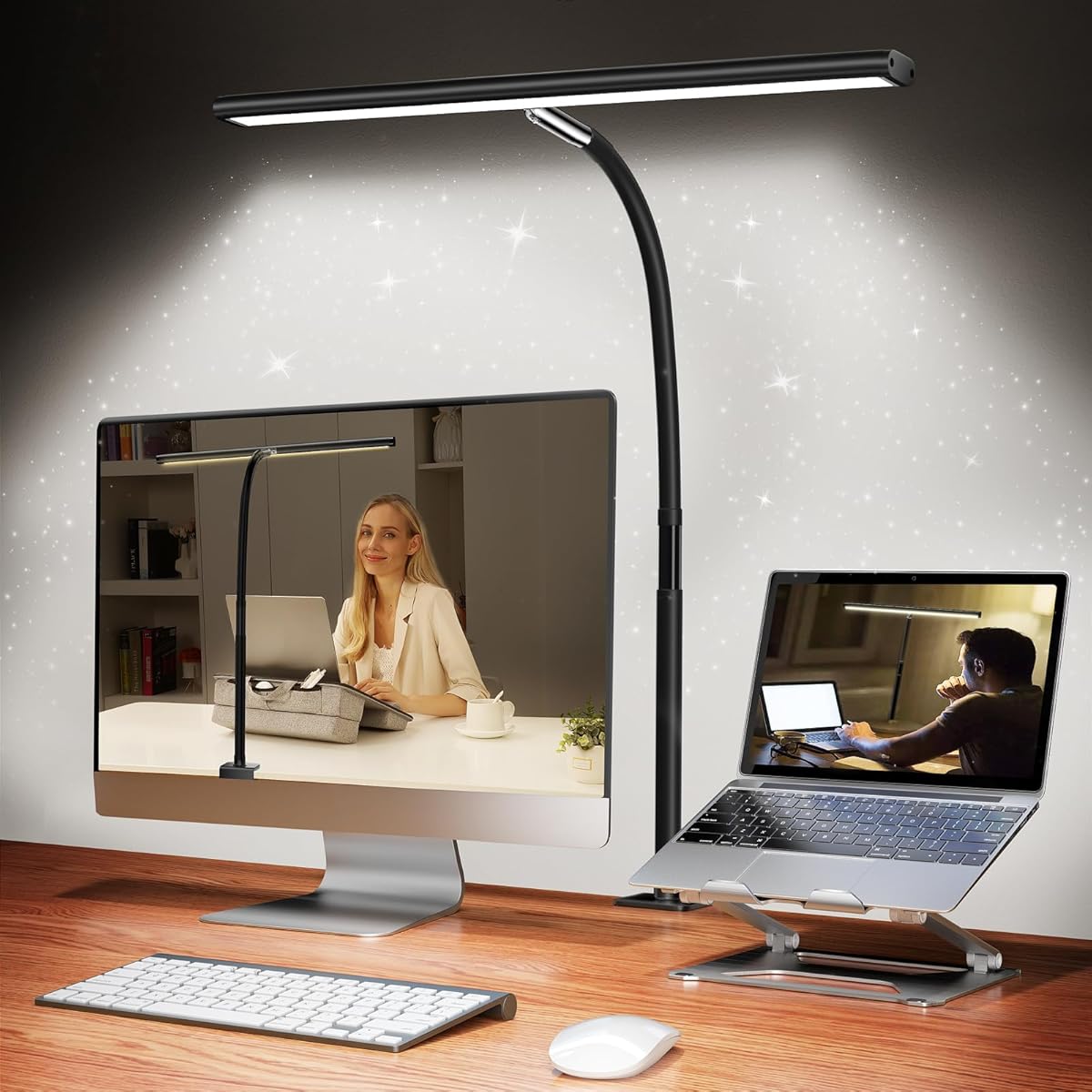


The Airlonv 17-Inch Clamp Lamp is a straightforward, flexible task light for cubicles that need broad desk coverage without a complicated multi-arm fixture. It carries a 4.5 rating and stands out for its 17-inch lamp bar, stepless dimming, adjustable color temperature, and a long gooseneck. The result is a versatile light for reading, studying, computer work, drawing, sewing, and other close-detail tasks.
We may earn a commission when you buy through this link, at no additional cost to you.
Its most impressive feature is the continuous brightness control. Rather than forcing users to select a small number of fixed levels, the lamp adjusts from 1% to 100%. The 2700K–6500K color range moves from warm reading light to a cooler working tone, while the 360-degree gooseneck lets users place the beam over a keyboard, notebook, or drafting area. The aluminum-and-ABS construction also promotes heat dissipation, and built-in wire management helps preserve a clean desktop.
There are some trade-offs. This is a single-head design, so it cannot separately provide focused task light and upward ambient light. It also has a specified maximum work height of about 31 inches and is intended to work with monitors up to 30 inches, with backward compatibility for smaller displays. Buyers should also confirm that the clamp will fit their desk and that the long bar will not interfere with a monitor or partition.
This lamp is a strong recommendation for someone who wants one wide, dimmable fixture for a conventional workstation. It may be less suitable for users who require independently controlled reading and ambient lights, but its smooth controls, clean cable management, and broad coverage make it an excellent general-purpose cubicle light.
Stepless dimming gives the user much finer control than a conventional ten-step lamp. Brightness can be reduced for reading, raised for computer work, or finely tuned for detailed craft and drafting tasks without jumping between widely separated presets.
The 17-inch bar is intended to cover a substantial portion of the desktop, while the long gooseneck can be bent to bring illumination directly onto the work area. This combination is particularly useful when a monitor creates a deep shadow near the keyboard.
We may earn a commission when you buy through this link, at no additional cost to you.
The Voncerus Clip-On Desk Lamp is a compact, budget-conscious option for compact cubicles, home offices, and study areas. Its 4.6 rating reflects a well-rounded feature set that includes a flexible goose neck, three color modes, ten brightness levels, and a memory function. Although it does not span the desk like a large architect lamp, it delivers useful targeted illumination without taking up much space.
We may earn a commission when you buy through this link, at no additional cost to you.
The 360-degree neck makes it easy to move the light away from a monitor and toward a notebook, keyboard, or craft project. Users can select 2700K warm light, 4500K warm white, or 6500K cool light, then choose from ten brightness levels. The memory function restores the previous setting after the lamp is turned off and on again, reducing repeated adjustments during the workday. A 5V/2A adapter is included, and the USB-powered design is ready for immediate use.
The main limitation is its smaller lighting footprint compared with the 31.5-inch and 40.9-inch options in this guide. Its ten discrete levels are also less fluid than the continuous dimming offered by the Airlonv and several premium fixtures. The light bar is described as ultra-thin to improve transmittance, but it still has to be repositioned when the user alternates between screen work and close-up tasks.
This is a sensible choice for a small workstation where value, simple operation, and a compact clamp matter most. It is particularly useful for students and employees who need an adjustable light without a remote, elaborate timers, or independently controlled heads. The included adapter and memory function make it especially convenient for everyday use.
The clamp keeps the lamp's footprint small, while the long flexible neck provides enough reach to position the panel over a compact work surface. This makes the design practical when desk depth or elbow room is limited.
The memory function is a small convenience that becomes noticeable during daily use. Once the preferred mode and brightness are selected, the lamp returns to them when switched back on, eliminating repetitive control changes.
We may earn a commission when you buy through this link, at no additional cost to you.
The Four-Head Remote Desk Lamp is the most expansive fixture in this roundup, designed for large desks, wide monitor arrangements, and work areas that need both broad illumination and focused task light. It has a 4.6 rating, four independently controlled heads, a maximum reported reach of 40.9 inches, and a potential coverage area for desks as wide as 90 inches.
We may earn a commission when you buy through this link, at no additional cost to you.
Its optical performance is another major strength. The 24-watt lamp uses 192 high-quality LED beads with a stated CRI above 95, a specification that is particularly relevant for drawing, design, photography reference work, sewing, and other color-sensitive tasks. The remote provides stepless dimming from 10% to 100%, color temperatures from 3000K to 5700K, six preset modes, and ten- or forty-minute auto-off timers. Users can also wave a hand to switch the lamp on or off.
The trade-off is physical complexity. Four heads, long folding arms, and a 40.9-inch maximum span demand more room and attention than a single-bar lamp. The stated maximum work height is about 31 inches, and the clamp supports desktops up to two inches thick. Although the individual heads are adjustable, the wide structure may sit close to a large monitor or create more visual clutter in a small cubicle.
This lamp is best for large workstations, expansive architect desks, and users who want independent control of general and auxiliary illumination. Its high CRI, remote operation, wide reach, and timer functions justify selecting it when coverage and specialized control matter more than a minimal footprint.
Two main heads and two auxiliary heads can be controlled separately, allowing the user to direct bright light onto active work while reserving softer illumination for the surrounding area. This is more flexible than a conventional single-head design.
A stated CRI above 95 can make materials, drawings, and screen-adjacent objects appear more natural. The value is especially useful for designers, illustrators, and crafters who need dependable visual reference under the desk lamp.
We may earn a commission when you buy through this link, at no additional cost to you.
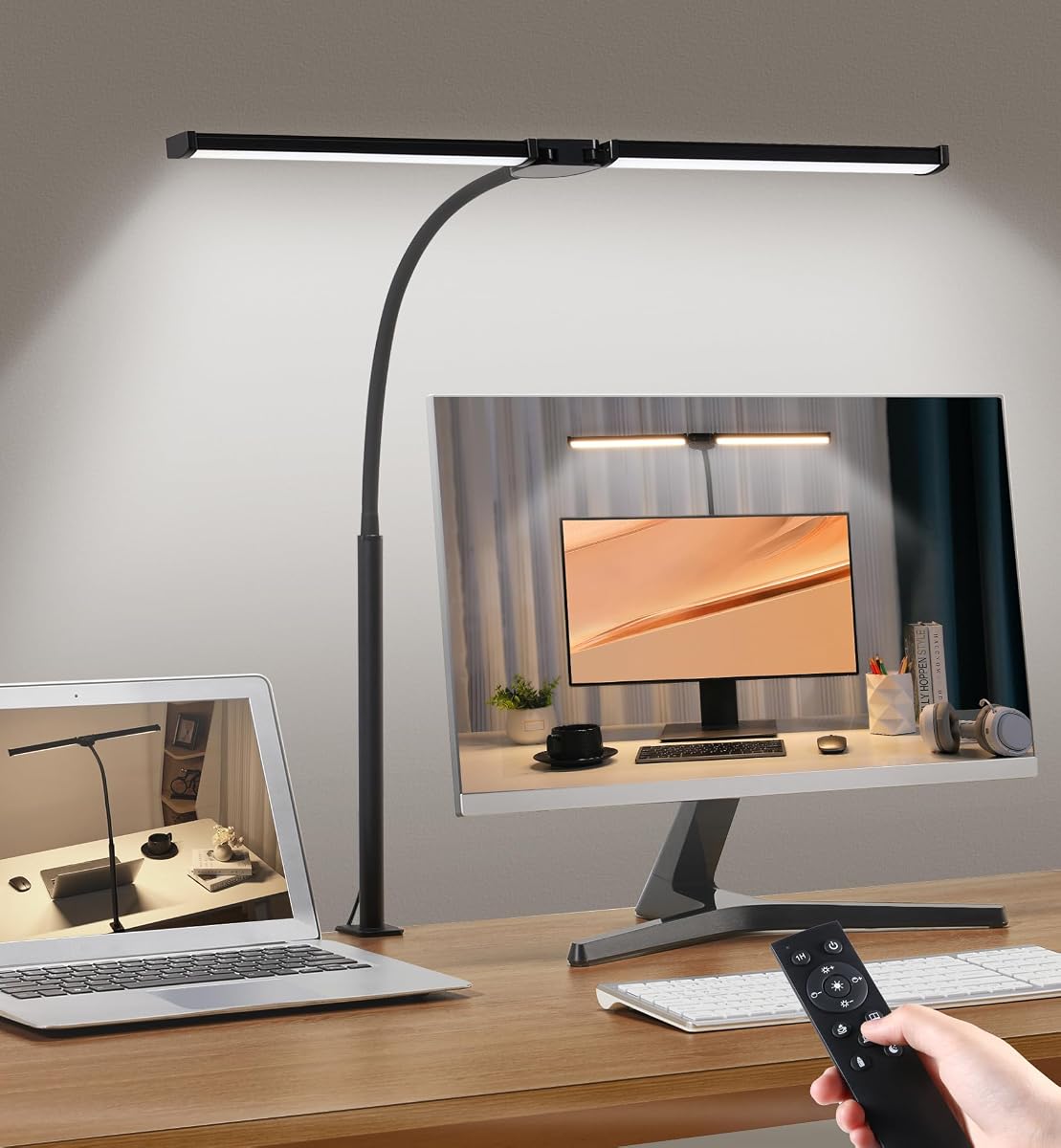
The Motumen Dual-Head Clamp Lamp is a balanced choice for home offices and compact workplaces that want more than a single fixed beam. It has a 4.6 rating and combines dual light heads, five color temperatures, five brightness levels, a remote control, an on-lamp button, a timer, and a memory function. Those features make it versatile without adopting the more complex structure of a four-head architect fixture.
We may earn a commission when you buy through this link, at no additional cost to you.
The dual-head arrangement creates a wider lighting field than a conventional single panel, while the adjustable goose neck allows precise positioning over a keyboard, notebook, or work surface. Users can select temperatures from 3000K to 6500K and brightness from 20% to 100%. The remote reaches up to 32.8 feet, which is useful when the lamp is clamped to the far edge of a broad desk. Alternatively, the on-lamp button keeps basic changes within reach.
The one-hour timer is particularly relevant for study sessions because it can switch the lamp off automatically. The memory function also reduces friction by restoring the last selected lighting condition. The main compromise is that the five-step brightness range is less granular than the continuous controls found on several other products, and the stated remote range may be excessive for a small enclosed cubicle.
This lamp is a good match for students, remote workers, and readers who want a dual-head fixture with flexible remote and local controls. It may not be the first choice for a very wide desk that requires multiple independent light zones, but for a medium workstation, it balances coverage, adjustability, and convenience effectively.
The combination of a wireless remote and on-lamp buttons gives users two ways to change settings. This is helpful when the clamp sits beyond comfortable reach or when a user frequently adjusts the lamp while working.
The one-hour auto-off function suits reading and study routines because it reduces the need to manually switch the lamp at the end of a session. It is a straightforward way to make the fixture more suitable for routine study schedules.
We may earn a commission when you buy through this link, at no additional cost to you.
The ShineTech 31.5-Inch Lamp is built for broad workstations, especially those with dual monitors. It has a 4.5 rating and combines an expandable dual-head design with a stated 31.5-inch span, 50 combined lighting modes, touch controls, timers, and a memory function. It is a particularly relevant choice for users who want one fixture to handle computer work, drafting, reading, gaming, and crafts.
We may earn a commission when you buy through this link, at no additional cost to you.
The lighting controls offer five color temperatures from 3000K to 6000K, with ten brightness levels for each temperature. That creates 50 combinations in total and allows the user to match the light more closely to a particular task. The heads can be adjusted, and the 360-degree gooseneck gives additional positioning freedom. A 26.7-inch height clearance is specified, which should be checked against the user's monitor, laptop, and wall or partition arrangement.
The clamp is one of its more practical details because it is rated for desktops up to 2.9 inches thick and includes a protective pad. It also has ten- and forty-five-minute auto-off timers, useful during reading or late-night work. On the other hand, touch controls can be less tactile than physical buttons, and the elongated dual-head arrangement may require careful placement beneath a large monitor to prevent shadows or unwanted screen reflection.
This lamp is a strong recommendation for a spacious home office or dual-monitor cubicle that values a wide range of lighting choices. It is less ideal for a tiny desk where the 31.5-inch architecture would be cumbersome. For buyers who can accommodate its size, the combination of coverage, mode selection, timers, and clamp capacity makes it a flexible all-rounder.
Five color temperatures multiplied by ten brightness levels provide much more granular tuning than a basic three-mode lamp. This allows the user to move between warm reading light, balanced general illumination, and brighter task settings with greater specificity.
The expandable dual-head span is intended to illuminate large desks and dual-monitor arrangements. Its strongest appeal comes from reducing the need for separate task and ambient lights when the user has sufficient physical room.
We may earn a commission when you buy through this link, at no additional cost to you.
The EYOCEAN 31.5-Inch Lamp is the strongest all-around choice for a modern cubicle where screen clarity, broad coverage, and convenient controls all matter. Its 4.7 rating reflects a capable 24-watt, double-head design with an asymmetrical optical arrangement, 31.5-inch wide light source, 25 lighting combinations, remote operation, a timer, and a memory function.
We may earn a commission when you buy through this link, at no additional cost to you.
The asymmetrical optical design is the defining feature. By directing light away from the screen rather than straight onto it, the lamp is designed to reduce reflections while still providing a soft source across the desk. Its two rotatable heads can be adjusted for different angles, and the flexible gooseneck adds height and directional control. Users can choose five color temperatures and five brightness levels, producing 25 combinations for reading, general work, studying, and drawing.
The remote makes frequent adjustments easy, while the memory function preserves the last configuration and the timer adds control over operating time. The supplied package includes the lamp, remote, UL adapter, and manual. Its clamp supports desktops up to 2.1 inches thick, which is adequate for many office desks but less generous than the ShineTech model. As with any long double-head fixture, users should confirm that the arms can sit beneath a monitor without creating shadows.
This lamp is recommended for users who spend substantial time in front of one or two monitors and want substantial desk coverage without glare dominating the workspace. It is also a strong choice for architects, students, and hybrid workers who alternate between screen-focused and paper-based tasks. The combination of optical design, flexible adjustment, and remote convenience makes it our editor's choice.
The asymmetrical optical arrangement is especially valuable when a monitor is positioned directly in front of the lamp. Angling the output toward the work surface helps illuminate papers and keyboards while limiting reflected light on the display.
A 31.5-inch source and two rotatable heads create broad coverage while retaining a relatively simple overall structure. It is a useful middle ground between a single narrow panel and a more complex four-head fixture.
We may earn a commission when you buy through this link, at no additional cost to you.
The 23.6-Inch Dimmable Light Bar is a streamlined wide-coverage lamp with a 5.0 rating, the highest rating among the supplied products. It uses an 18-watt, 1200-lumen source within a 23.6-inch bar, offering a practical alternative to bulky multi-head fixtures. Its stepless dimming and three color modes make it especially approachable for readers, students, and office workers.
We may earn a commission when you buy through this link, at no additional cost to you.
The long light bar is designed to distribute illumination across a broad workspace without obvious dark areas or deep shadows. Users can move between warm white, natural light, and cool white modes, then adjust brightness continuously rather than choosing from a limited series of steps. A flexible neck directs the bar toward the active work area, and the stated materials support heat dissipation and energy efficiency.
The specification list does not mention a remote control, timer, memory function, or independently adjustable heads. That simplicity can be a benefit for users who do not want to manage complex settings, but it also means fewer ways to automate or fine-tune the lamp. Its three color temperatures are fewer than those offered by models with 3000K–6500K or wider ranges, so highly specific color selection may be less important than smooth brightness control.
This light is well suited to a study desk, dual-monitor workspace, or architectural drafting area where broad, even task illumination is the priority. It may appeal to buyers who want a wide bar but not a remote-controlled architect design. With its high rating, fluid dimming, and uncluttered feature set, it is an attractive choice for everyday cubicle illumination.
Stepless dimming lets the user reduce the light gradually for evening reading and raise it for detailed daytime work. The continuous adjustment is more flexible than selecting among a handful of preset levels.
The 23.6-inch panel provides broad illumination without the joint count and visual complexity of a four-head fixture. It is a practical option when coverage is important but advanced remote controls are unnecessary.
We may earn a commission when you buy through this link, at no additional cost to you.
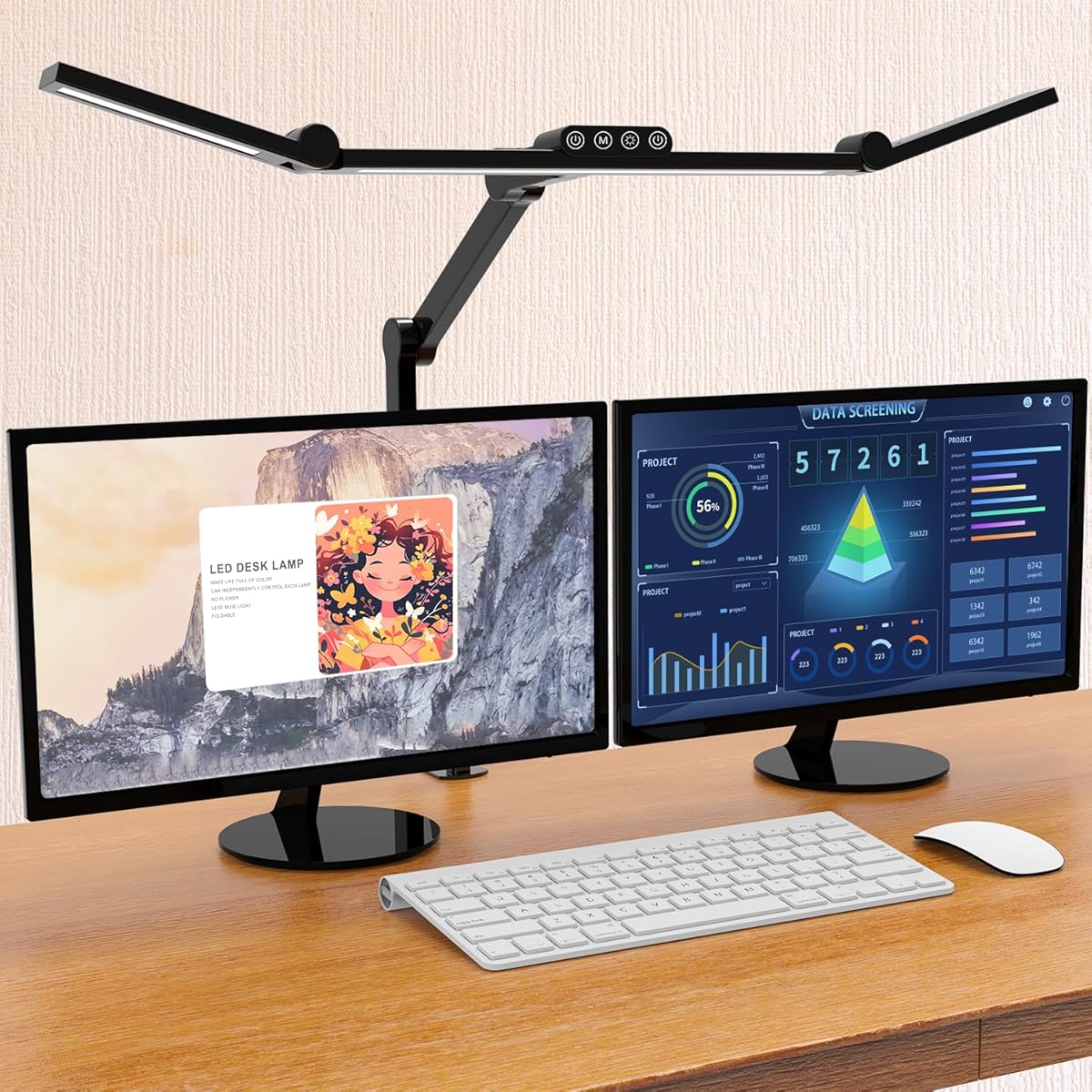
The Pzloz Architect Task Lamp is a highly adjustable fixture for dual-screen offices, drafting desks, and creative workspaces. It carries a 4.7 rating and combines a 24-watt output with a 360-degree standing structure, 180-degree folding swing arms, 270-degree rotatable heads, five color temperatures, five brightness levels, and wireless remote control.
We may earn a commission when you buy through this link, at no additional cost to you.
The arm geometry is the main attraction. A lamp can be raised, folded, and rotated to place one head over each side of a workstation or aimed closely at a drawing, keyboard, or sewing project. The resulting 25 lighting combinations span color temperatures from 3000K to 5500K and brightness from 20% to 100%. Night-light and reading modes are included, adding shortcuts for different tasks.
As with other architect-style lamps, the additional arms and heads require enough clearance beneath a monitor and sufficient room on the desktop. The supplied information does not mention a timer or memory function, so users interested in automated shutdown or automatic setting recall may need to consider another model. The broad range of motion also means the light can be set to cast fewer shadows over hands when working close to the desk.
This lamp is an excellent recommendation for users who need to redirect illumination frequently without moving the entire clamp. It is particularly relevant to designers, students, and dual-monitor workers. Its 4.7 rating, flexible positioning, remote operation, and dedicated reading and night modes make it one of the most adaptable choices in the guide.
Multiple articulated joints let the user move illumination away from a monitor and toward a notebook or craft surface without unclamping the fixture. This flexibility is valuable in workstations where tasks change throughout the day.
The inclusion of night-light and reading modes provides task-focused starting points in addition to the 25 general combinations. These shortcuts can make daily changes faster for users who alternate among screen work, reading, and low-level evening tasks.
We may earn a commission when you buy through this link, at no additional cost to you.
The Rechargeable Under-Desk Light Bar is a different kind of cubicle solution, designed around cord-free use and flexible mounting. It has a 3.8 rating and a 16.5-inch body with two built-in 3600mAh batteries. Unlike the clamp-on task lamps, it can illuminate an under-shelf area, a compact workstation, a bookcase, a dressing table, or another surface without requiring a nearby outlet.
We may earn a commission when you buy through this link, at no additional cost to you.
The battery provides up to 20 hours at minimum brightness or four hours at maximum brightness. A USB-C port recharges it in approximately three to four hours. Three color temperatures from 3000K to 6000K and stepless touch dimming allow detailed adjustment, while the body rotates through plus or minus 88 degrees to control the direction of the projected light.
Its 3.8 rating is the lowest in the comparison, and the supplied specifications do not include the same extensive eye-care, color-rendering, or desk-adjustment claims found on the dedicated task lamps. The magnetic mounting also depends on iron, tile, glass, or wood surfaces that accept the included double-sided tape. Because the light bar is relatively fixed after installation, it offers less live repositioning than a long gooseneck or articulated arm.
This light is best for users who value cordless operation and multi-room flexibility more than intensive monitor lighting. It is particularly useful under a shelf, above a compact desk, or in a dorm room with limited outlet access. For a conventional cubicle, a clamp task lamp may provide more precise placement, but for a shared office or changing workspace, the rechargeable magnetic design is distinctive and practical.
The built-in batteries remove the need for a live power cable during use. That makes the bar useful in temporary workstations, dorm rooms, and locations where outlet access is limited or a permanent cable would be inconvenient.
Unlike a clamp lamp, the magnetic base can be attached to several compatible surfaces with the included tape. This expands the product beyond a desktop into shelves, cabinets, bookcases, mirrors, and under-hutch areas.
We may earn a commission when you buy through this link, at no additional cost to you.
The Micomlan 24W Architect Lamp is an advanced three-bar fixture for users who want task lighting and ambient illumination to work together. It has a 4.6 rating, seven articulated joints, a built-in light sensor, stepless brightness and color controls, and a stated CRI above 90. The result is a more specialized cubicle light than a conventional single-head desk lamp.
We may earn a commission when you buy through this link, at no additional cost to you.
The three light bars can be rotated vertically and horizontally. When the auxiliary lights point upward, they provide ambient illumination; when angled toward the work surface, they expand coverage. The main light uses a 45-degree asymmetrical arrangement intended to illuminate the desk and keyboard while reducing direct light in the user's eyes and reflected glare on a screen. A user can also angle one auxiliary head downward to reduce hand shadows.
The automatic light sensor adjusts brightness according to surrounding light, which is particularly useful when the lamp remains on throughout changing parts of the day. Touch controls provide five stepped brightness levels for quick changes, while holding the panel enables stepless dimming from 20% to 100% and stepless color adjustment from 3000K to 6500K. The memory function restores the last setting. A drawback is that the main and auxiliary lights must be switched separately, and three bars plus seven joints create a substantial assembly.
This lamp is recommended for a larger, well-equipped workstation that benefits from separate task and ambient zones. It is especially relevant to users concerned with screen reflections, hand shadows, or changing room brightness. Although the controls are more involved than those of a simple clip lamp, the automatic sensor and flexible three-bar architecture offer one of the most sophisticated lighting arrangements in this roundup.
The two auxiliary bars can shift between overhead ambient illumination and supplemental task coverage. That flexibility lets the user adapt one fixture to different parts of the workday without adding a separate ambient lamp.
The built-in sensor changes the lamp's brightness according to the surrounding environment. This can make long work sessions more comfortable by reducing the need to adjust the fixture whenever daylight or room lighting changes.
We may earn a commission when you buy through this link, at no additional cost to you.
A useful cubicle light should fit the available space, illuminate the actual work area, reduce screen reflections, and offer controls that are easy to understand. The most important factors are coverage, mounting method, adjustability, color choice, and the way the lamp interacts with a monitor and partition.
Begin by measuring the desk width, usable depth, and the space beneath the monitor. A wide bar may cover a dual-screen workstation better, but it can also conflict with a tall monitor, sit too close to the user's eyes, or extend beyond the edges of a compact cubicle. A long gooseneck provides a narrower footprint while retaining useful reach. A multi-head architect lamp needs more vertical and horizontal clearance than its initial clamped footprint suggests, so its maximum span and work height deserve careful comparison with the user's setup.
Clamp mounting is the most common choice for conventional desks because it saves surface space and usually places the light in a useful position. Compare the stated maximum desktop thickness with the actual edge and material of the desk. Magnetic adhesive mounting is useful for shelves, cabinets, and other surfaces, but it may be less suitable where a secure clamp is preferred. Portable or rechargeable designs are valuable when the user works in changing locations, while fixed under-desk bars are better for permanent illumination.
A cubicle lamp should illuminate the desk without creating a bright reflection in the monitor or shining directly into the user's eyes. Asymmetrical optics, angled LEDs, and rotatable heads can redirect light toward the keyboard and papers. The EYOCEAN and Micomlan models specifically emphasize asymmetrical arrangements, while dual-head and multi-head designs allow the user to angle each source away from a screen. The best setup depends partly on the monitor's angle and the lamp's position, so adjustable geometry is often more valuable than a fixed optical design.
Color temperature changes the character of the light, while brightness determines how comfortably it can be used for different activities. Warm settings around 2700K–3000K are generally more relaxing, neutral settings near 4500K suit reading and general work, and cooler settings around 6000K–6500K can support alertness and detailed tasks. Stepless controls allow fine adjustments, while discrete levels are simpler and easier to reproduce. Users who switch frequently should also look for a memory function so the lamp can restore a preferred configuration.
A long bar does not automatically mean uniform illumination across every desk. Coverage depends on the light source, optical design, distance from the work surface, and whether multiple heads can be aimed independently. The 23.6-inch and 31.5-inch single-source designs are good candidates for broad horizontal coverage, while four-head fixtures can dedicate some heads to the central task and others to the surrounding workspace. Large or architect-style lamps can also cast uneven pools if their arms are not carefully positioned, so expected coverage and user-adjustable geometry should both be considered.
Cubicles often have partitions, monitor arms, limited knee space, or a wall close to the rear of the desk. A lamp may be too tall to clear a display, too wide to turn around, or positioned so that a flexible arm blocks mouse movement. Compare the stated maximum work height with the monitor height, inspect the clamp opening, and leave enough room to reach the controls. Long goose necks are useful in shallow spaces because they can be bent around obstacles, while folding arms provide more compact storage but may require precise joint tension.
Remote controls, on-lamp buttons, timers, memory functions, and sensors can improve usability, but they should support rather than complicate the core experience. A remote is helpful when the lamp is mounted beyond arm's reach, while local buttons are useful when the user changes settings frequently. Timers are valuable for reading and study sessions, and a memory function reduces repetitive adjustments. Automatic sensors suit users who want the fixture to respond to changing daylight, while dedicated preset modes can simplify common tasks.
For long work sessions, look for even illumination, low glare, stable output, and useful high color-rendering performance. LEDs with a CRI above 90 can help colors appear more natural, which is advantageous for drafting, design, and crafts. The supplied listings also describe several models as flicker-free, soft, and anti-glare, but actual comfort also depends on brightness, positioning, desk reflectance, and the user's own sensitivity. A high-quality aluminum housing can improve heat dissipation and may contribute to steadier long-term performance.
Install the lamp on a stable edge or intended mounting surface, then tighten the clamp gradually without exceeding the stated desktop thickness. Position the light before connecting power, and aim it toward the keyboard, notebook, or drafting area rather than directly at the monitor. For dual-head models, use one head for the main task and the other for general coverage. If the lamp has a sensor, allow the room lighting to settle before relying on automatic brightness changes.
Set the color temperature according to the activity: warmer tones for relaxed evening reading, balanced tones for ordinary office work, and cooler or brighter settings for detailed tasks. Begin with moderate brightness and increase it only when needed. Stepless controls allow small adjustments that are easier on the eyes than abrupt jumps. For a study session, set the timer and place the light so the page is evenly illuminated without the user's hand casting a strong shadow.
To maintain the fixture, unplug it before cleaning and use a soft, slightly damp cloth on the lamp head, arms, and clamp. Avoid spraying liquid directly onto the controls or seams, and do not use harsh chemical cleaners. Keep the ventilation paths free of dust, tighten loose joints only enough to preserve movement, and inspect the power cable for visible damage. For rechargeable models, use the intended charging connection and avoid using the light in wet locations.
Yes, clamp lamps are often especially suitable because they free up desk space and can be positioned near the rear edge of the workstation. Check that the desk is within the stated thickness limit and that the lamp clears the monitor and partition. A padded clamp or stable desktop can help protect the surface and prevent movement.
A wide dual-head or four-head model is generally the most suitable because its multiple arms can illuminate both sides of the workstation. The EYOCEAN, ShineTech, and four-head remote models offer broad coverage and adjustable heads. You should also confirm vertical clearance, especially if the monitor is elevated on a stand or arm.
Position the lamp so the light source is not reflected in the monitor and angle the head or heads away from the screen. Asymmetrical designs, such as the EYOCEAN and Micomlan, are intended to direct light toward the desk rather than directly into the screen. Lowering brightness and raising the lamp can also reduce harsh reflections.
Most users find a neutral setting around 4000K–5000K comfortable for general computer work, while warmer settings are better for reading and winding down. Cooler settings near 6000K may help with alertness, but they are not required for every task. Models with memory and stepless controls make it easier to maintain a preferred setting throughout the day.
Wide bars are better when the goal is to cover a broad desk evenly, especially with multiple monitors or a large drafting surface. Single-head or gooseneck models are easier to position in shallow spaces and can provide more concentrated light. The best choice depends on desk size, monitor arrangement, and how much adjustment the user needs.
A remote is convenient when the light is clamped beyond comfortable reach or when the user changes settings while leaning back. On-lamp buttons are more convenient for frequent local adjustments, while remote-controlled fixtures often provide more modes and timers. Choose based on the control style you will actually use rather than the number of features alone.
Yes, if the desk has a nearby USB port or a suitable power source. The rechargeable under-desk light bar is specifically designed for cord-free operation and can be moved among compatible surfaces. Most clamp task lamps still require a power connection, so check whether an adapter is included and whether the cord can reach your intended outlet.
Check the maximum supported thickness, edge depth, surface material, and whether a partition or armrest could interfere with the clamp. Also confirm that the lamp will clear the monitor and that the light can be positioned without blocking controls or mouse movement. A protective pad can help prevent scratches on a finished desktop.
The top recommendations cover three distinct priorities. The Voncerus Clip-On Desk Lamp is the best budget option for compact spaces, the EYOCEAN 31.5-Inch Lamp is the editor's choice for balanced coverage and screen-friendly lighting, and the Four-Head Remote Desk Lamp is the premium selection for exceptionally broad illumination and independent control.
Before choosing, prioritize the features your workstation actually needs. A small desk may benefit most from a flexible single gooseneck, while dual monitors and large work surfaces reward wide bars or multiple heads. Screen-focused users should consider asymmetrical optics, and anyone working long sessions may appreciate stepless dimming, high color rendering, timers, or automatic brightness adjustment.
Finally, confirm the lamp's current dimensions, clamp requirements, included accessories, and other listed specifications before buying. Product details and prices can change, and the most capable fixture is only the best cubicle light when it fits the available space and supports the user's normal tasks.
