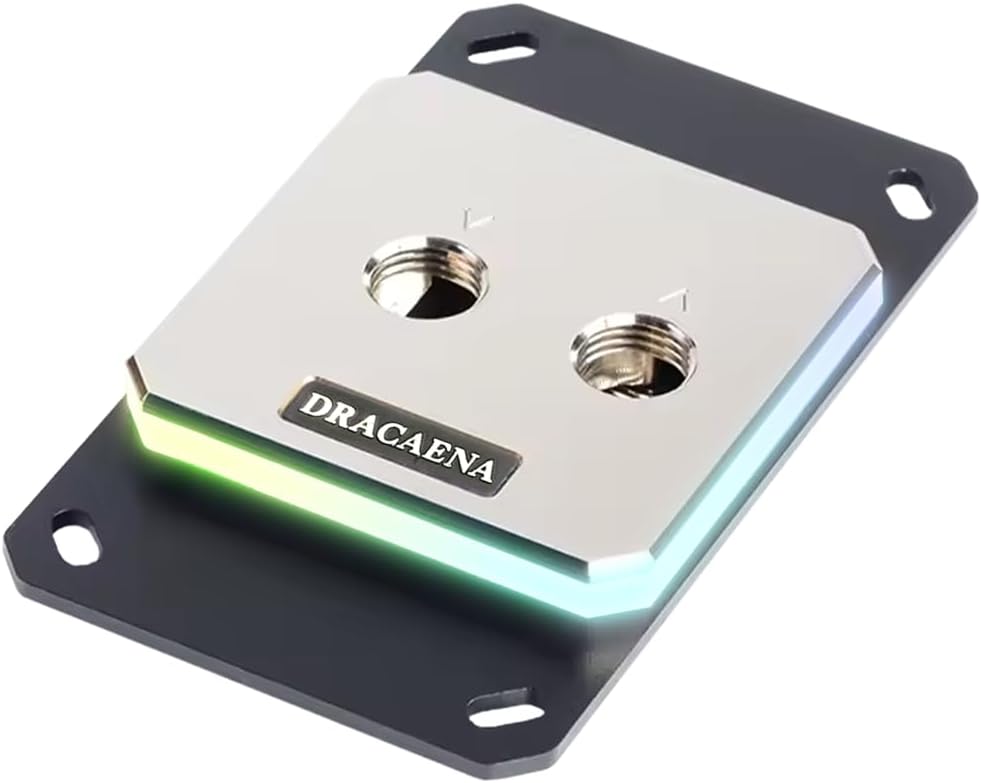
Dracaena.io CPU Water Block
4.6Editor score
Full copper water channels
Broad legacy AMD support
Complete mounting kit included
CPU water blocks are the centerpiece of a custom liquid-cooling loop, transferring heat from the processor through a cold plate and circulating coolant through the block. The best choice depends on socket compatibility, internal design, pump performance, loop layout, aesthetics, and whether you want a display or integrated lighting.
This guide compares ten CPU water blocks based on the supplied specifications, including supported platforms, cold-plate materials, microfin structures, filtration, fittings, RGB lighting, screens, dimensions, and accessory details. It covers options for modern AMD and Intel systems as well as several designs aimed at different budgets and build styles.
Each review explains who benefits most from a particular block, where its design stands out, and which trade-offs deserve consideration. Ratings and specifications reflect the product information available for this guide, while prices and promotions can change at any time. Always confirm the current listing and socket kit before purchasing.
4.6Editor score

4.6Editor score

3.6Editor score
As an Amazon Associate we earn from qualifying purchases.
The table below compares all ten blocks by the features most likely to influence compatibility, cooling, installation, and appearance, making it easier to identify the right model before moving to the detailed reviews.




The EKWB EK-Quantum Velocity 3 is a high-performance CPU water block for AMD AM5 and Intel LGA 1700 and LGA 1851 systems. It carries a 4.6 rating and stands out for its optimized internal geometry, precise mounting pressure, and a claimed thermal improvement of up to two degrees Celsius over the Velocity 2. It is a compelling option for builders who prioritize engineering and cooling performance over decorative screens.
We may earn a commission when you buy through this link, at no additional cost to you.
Its nickel-plated copper cold plate is designed for strong thermal conductivity, while the revised internal geometry aims to improve the movement of coolant through the block. The result is aimed at demanding workloads and overclocking, where lower processor temperatures and more consistent heat transfer can be valuable. A transparent Plexi cover also gives the block a recognizable technical appearance without adding another powered display.
The main compromise is that it does not include an LCD or AMOLED screen, so users looking for live temperatures, animated content, or a focal point for the build may prefer the TRYX Panorama WB or CORSAIR XC7 RGB Elite LCD. The Velocity 3 also operates as a conventional component in a custom loop, requiring the user to plan the radiator, reservoir, tubing, pump, and fittings carefully around its compact 69 by 69 by 25.1 millimeter dimensions.
This is the strongest general recommendation for a modern custom cooling build because it directly targets the latest high-performance platforms without introducing display complexity. It suits experienced loop builders, overclockers, and anyone who values cold-plate materials and refined internal design. For the displayed feature set, the Velocity 3 delivers the most focused balance of performance, platform relevance, and physical compactness in this group.
The nickel-plated copper cold plate and revised internal geometry focus the design on efficient heat transfer. The supplied information specifically notes up to a two-degree Celsius improvement over the preceding Velocity 2, making this a relevant option for performance-oriented custom loops.
Support for AM5, LGA 1700, and LGA 1851 covers the principal modern platforms represented in this guide. Confirm the exact processor and board layout before installation, especially when clearance around large coolers or integrated VRM hardware is limited.
We may earn a commission when you buy through this link, at no additional cost to you.
The CORSAIR XC7 RGB Elite LCD combines a 480 by 480 IPS screen with 31 individually addressable RGB LEDs and a high-performance CPU cold plate. Its 4.1 rating reflects a feature-heavy design aimed at builders who want both cooling and a live visual centerpiece. The screen can display processor temperatures, animated GIFs, memes, team logos, and other customized content.
We may earn a commission when you buy through this link, at no additional cost to you.
Its display uses a 30 FPS IPS panel with a 600 cd/m² backlight and 24-bit true color. Thirty-one addressable LEDs add another layer of customization, while USB-C connectivity allows installation and automatic iCUE setup without a separate controller. Internally, the Hexa-Flow cooling engine is designed to reduce laminar flow and distribute coolant more evenly across the cores of multi-chip package processors.
The nickel-plated copper cold plate and more than 120 micro-cooling fins form the thermal foundation. That combination targets strong heat transfer and overclocking, although users should not assume that a display-equipped block will outperform a simpler premium design solely because it has more visible features. Screen visibility, software behavior, cable routing, and overall loop layout also influence the practical experience.
This block is best for a showcase build that needs an attractive screen and rich RGB lighting without managing a separate display controller. It is particularly appealing to AM5 and LGA 1700 owners who want live CPU information in the center of the system. Choose it when the visual experience is a priority and you are comfortable configuring iCUE and planning around the display's power and data requirements.
The IPS panel can turn otherwise idle space in a glass-sided build into a live temperature display or customizable media surface. Its brightness, resolution, and broad color support make it more useful than a simple static logo, provided software setup is handled correctly.
USB-C connectivity removes the need for a separate display controller and supports automatic iCUE configuration. That convenience is meaningful in display-equipped loops, where multiple internal cables can otherwise make installation and maintenance unnecessarily difficult.
We may earn a commission when you buy through this link, at no additional cost to you.
The Dracaena.io CPU Water Block is the value-focused choice in this guide, combining a 4.6 rating with support for numerous AMD platforms. It fits AM5, AM4, AM3 and AM3+, and AM2 and AM2+ systems, covering recent Ryzen processors as well as older AMD FX, Phenom II, and related platforms without requiring socket adapters.
We may earn a commission when you buy through this link, at no additional cost to you.
Cooling is based on full copper internal water channels and a 0.4 millimeter microfin base plate. Aluminum is used for the mounting brackets, while a clear acrylic top reveals the water path and provides a surface for a compact metal accent. The stated 63 by 63 millimeter form factor should make it relatively approachable in compact custom-loop layouts.
Integrated 5V ARGB lighting uses a standard three-pin header and can synchronize with major motherboard ecosystems, including Asus Aura Sync, MSI Mystic Light, Gigabyte RGB Fusion, and ASRock Polychrome. The installation kit includes a 5V ARGB controller, backplate, mounting hardware, and screws. Thermal paste is not included, so installers must apply their own suitable interface material before mounting the block.
This is a strong recommendation for AMD builders who want a copper-based custom-loop block without paying for a screen. Its exceptional socket coverage can also make it useful when upgrading an older AMD system without replacing the entire cooling platform. Confirm the CPU socket before buying, especially if the system is Intel-based, and budget for thermal paste and the rest of the custom loop.
Supporting AM5 through AM2 and AM3 families gives this block unusual flexibility for a new purchase. It can serve as an upgrade across several AMD generations, reducing concern about future socket changes when maintaining an existing custom loop.
The standard three-pin 5V ARGB connection makes synchronization straightforward with a broad range of motherboard ecosystems. The included controller adds flexibility, while users should verify that the motherboard header is also 5V ARGB rather than a 12V RGB connector.
We may earn a commission when you buy through this link, at no additional cost to you.
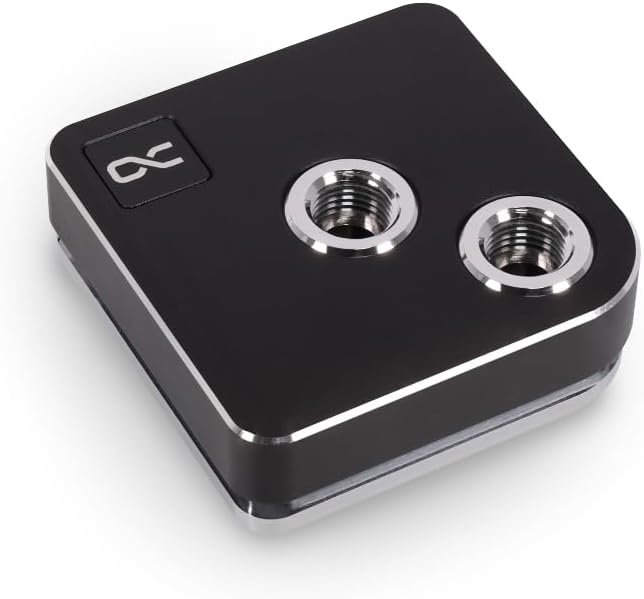
The Alphacool Core 1 is a straightforward CPU water block for Intel and AMD systems, earning a 4.6 rating among the products reviewed. It supports Intel LGA 1700 along with AMD AM4 and AM5, covering the main socket families represented by the guide. Its black finish suits understated builds where a screen or bright lighting would distract from the rest of the case.
We may earn a commission when you buy through this link, at no additional cost to you.
At 72 by 72 by 26.50 millimeters, the block has a square footprint that is easy to compare with alternatives during case planning. The supplied specifications are intentionally concise, so buyers should not expect the detailed cold-plate and flow-channel explanations found with some premium models. The product's strongest documented advantages are compatibility, its rating, and a visually restrained design.
The absence of listed RGB lighting may be a limitation for builders who want the water block to contribute color to the system. Conversely, it can be an advantage for a clean industrial or all-black aesthetic, reducing both cable requirements and the need for lighting software. Its exact thermal construction is not specified in the provided information, so performance expectations should be based on its established design rather than unsupported assumptions.
The Core 1 is a practical selection for a custom loop centered on Intel LGA 1700 or AMD AM4 and AM5. It suits builders who value straightforward compatibility and a neutral appearance. Those seeking a more elaborate center-of-build feature should examine the CORSAIR display model, while buyers focused on modern thermal refinement may prefer the EKWB Velocity 3.
The all-black presentation avoids the visual footprint of a screen or illuminated top. That makes the block suitable for builds in which the radiator, reservoir, fans, and tubing provide the decorative focus.
LGA 1700, AM4, and AM5 support covers the most relevant current platforms in this comparison. Users should still check the exact mounting hardware and board clearance, since product dimensions do not reveal every detail about connector orientation.
We may earn a commission when you buy through this link, at no additional cost to you.
This 50mm copper-base CPU water block is an entry-level option designed for a specific group of older AMD and Intel platforms. It carries a 4.2 rating and focuses on a copper base, chrome-plated connections, and a comparatively large internal water channel intended to move heat away from the processor efficiently.
We may earn a commission when you buy through this link, at no additional cost to you.
Documented platform compatibility includes AMD 940, AM2, AM3, Bulldozer, and Intel 775, 1155, 1156, 1366, LGA 1150, and LGA 2011. The block has a 50-millimeter copper base height, and its external connection diameter is listed as 10 millimeters. It comes with one set of four accessory screws, giving buyers a basic starting point rather than a complete contemporary mounting ecosystem.
The major limitation is platform age. None of the listed sockets cover AM5, LGA 1700, or LGA 1851, making this unsuitable for most current enthusiast processors. It also lacks integrated lighting, a screen, a modern display connection, and many of the convenience features found in newer designs. Its plain construction may be appealing for a functional build or an old system, but compatibility must be established before purchase.
This product makes sense for someone maintaining a supported legacy custom-loop system and seeking a simple replacement or affordable block for an open test bench. For a new AM5 or LGA 1700 build, the Dracaena.io, EKWB Velocity 3, or Alphacool options are much safer choices. It is best treated as a specialist legacy part rather than a general-purpose recommendation.
The broad internal water-contact area is intended to carry heat away quickly while coolant moves through the block. Although simple, this design focus makes the product relevant to older systems where straightforward heat transfer matters more than integrated lighting or software.
The documented socket list is broad for older platforms but does not extend to current AM5 or LGA 1700 processors. Check the exact CPU, motherboard, and desired loop format before purchasing to avoid an incompatible or unnecessarily limited purchase.
We may earn a commission when you buy through this link, at no additional cost to you.
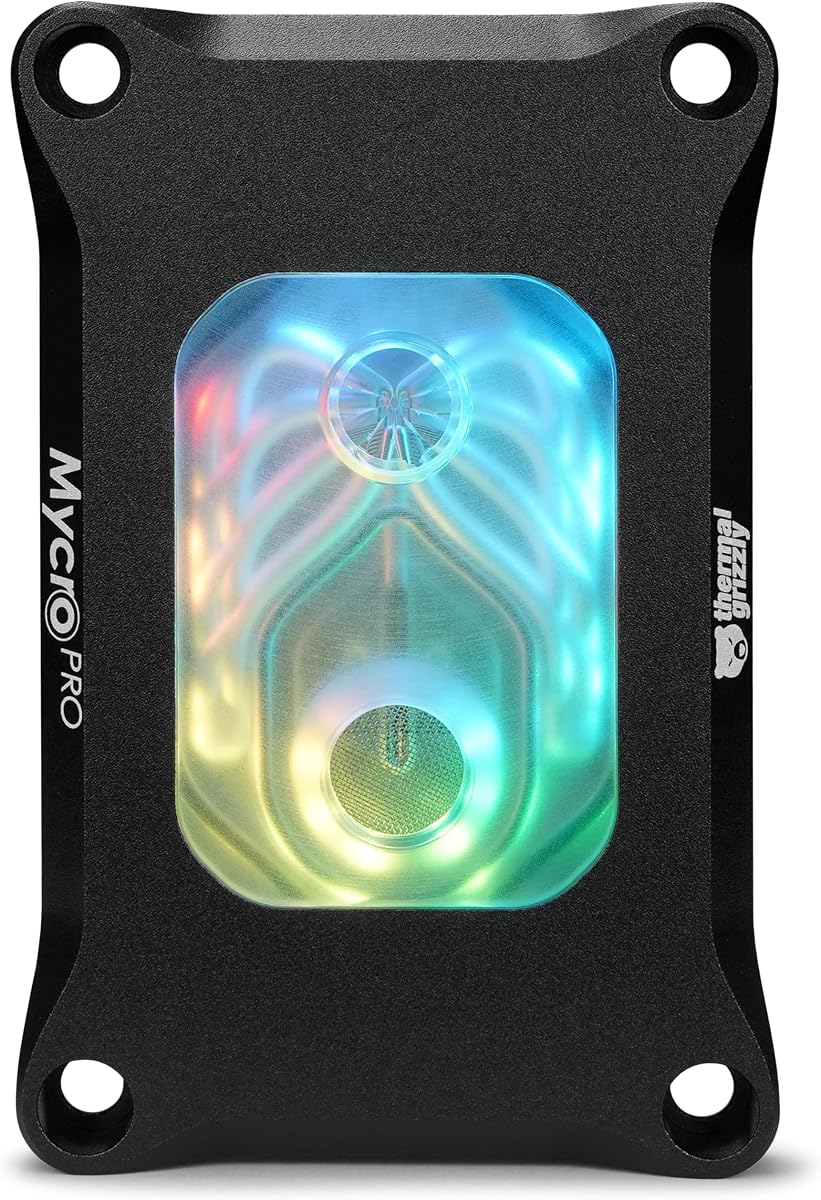
The Thermal Grizzly Mycro Pro RGB is a premium custom-loop block designed primarily for AMD AM5 while remaining compatible with AM4. It earns a 4.6 rating and distinguishes itself through a precision-machined nickel-plated copper cold plate containing 68 microfins with a stated 0.2 millimeter structure. The dense internal design is aimed at efficient heat transfer under sustained load.
We may earn a commission when you buy through this link, at no additional cost to you.
An integrated fine mesh filter at the inlet helps trap particles before they reach the microfin area. That supports more consistent coolant flow over time, although it also introduces a maintenance point: the filter should be inspected and cleaned as needed. Standard G1/4 threads simplify integration into a conventional custom loop, while the RGB window adds illumination without the complexity of a screen.
The product combines acrylic, aluminum, nickel-plated copper, and EPDM O-rings. Those materials support a balance of transparency, structural strength, thermal performance, and sealing. As an AMD-focused design, it is less suitable for an Intel build than the multi-platform EKWB, Alphacool, CORSAIR, and TRYX options. Its narrow microfin passage also makes loop cleanliness particularly important.
The Mycro Pro RGB is an excellent choice for an enthusiast AMD system that emphasizes cold-plate precision and custom-loop refinement. It is especially appropriate when the builder values filtration, standardized fittings, and restrained RGB lighting more than a large visual display. Pair it with a clean loop, compatible G1/4 components, and a maintenance schedule that accounts for the fine filter.
The 68-microfin cold plate and stated 0.2 millimeter structures target a large heat-transfer area within a compact block. This design is especially attractive for AMD systems operated at demanding stock or overclocked settings.
The built-in inlet filter can reduce the chance that debris reaches the densely machined cold-plate passages. Regular inspection and cleaning will help preserve the intended flow characteristics and make this filtration feature an asset rather than an overlooked restriction.
We may earn a commission when you buy through this link, at no additional cost to you.
The TRYX Panorama WB is the most visually ambitious model in the guide, combining a custom-loop CPU water block with a curved 6.67-inch 2K AMOLED display. It has a 3.6 rating, the lowest among these products, but the rating should be considered alongside its unusually extensive feature set. The screen uses a 60Hz refresh rate and 372 PPI pixel density for vivid imagery and anamorphic effects.
We may earn a commission when you buy through this link, at no additional cost to you.
TRYX KANALI software provides native GIPHY access, preset anamorphic materials, hardware monitoring, split-screen views, filters, and uploaded PNG, JPG, GIF, and MP4 content. The display is therefore not restricted to a basic temperature readout. It can act as a changing centerpiece, though this level of customization also introduces software dependency and a more involved setup than a conventional block.
Cooling is based on Asetek Gen8 V2 thermal architecture and a 55.5 by 55.5 millimeter microchannel copper cold plate. A built-in four-pin PWM fan directs airflow toward motherboard voltage regulators, operating up to 3300 RPM with 17.4 CFM airflow and a stated full-load noise level of 22 dB. Brass G1/4 90-degree rotary fittings, all-metal mounting frames, and thermal paste are included.
This is the premium recommendation for a showcase system where the screen is as important as the cooling hardware. It supports Intel LGA 1851, 1700, 1200, and 115X alongside AMD AM4 and AM5, and the package is backed by six-year total coverage, including three years for the display. Buyers should consider its complexity and lower rating, but few alternatives offer a comparable curved AMOLED experience.
The curved AMOLED panel offers considerably more visual real estate and immersion than the square LCD in the CORSAIR XC7 model. Native GIPHY access and support for common media formats make it suitable for animated backgrounds, monitoring layouts, and personalized content.
The integrated PWM fan provides targeted airflow to VRM components, which can be useful during heavy overclocking. Its stated maximum speed and airflow offer a clear purpose, while builders should still confirm case and motherboard clearance around the block.
We may earn a commission when you buy through this link, at no additional cost to you.
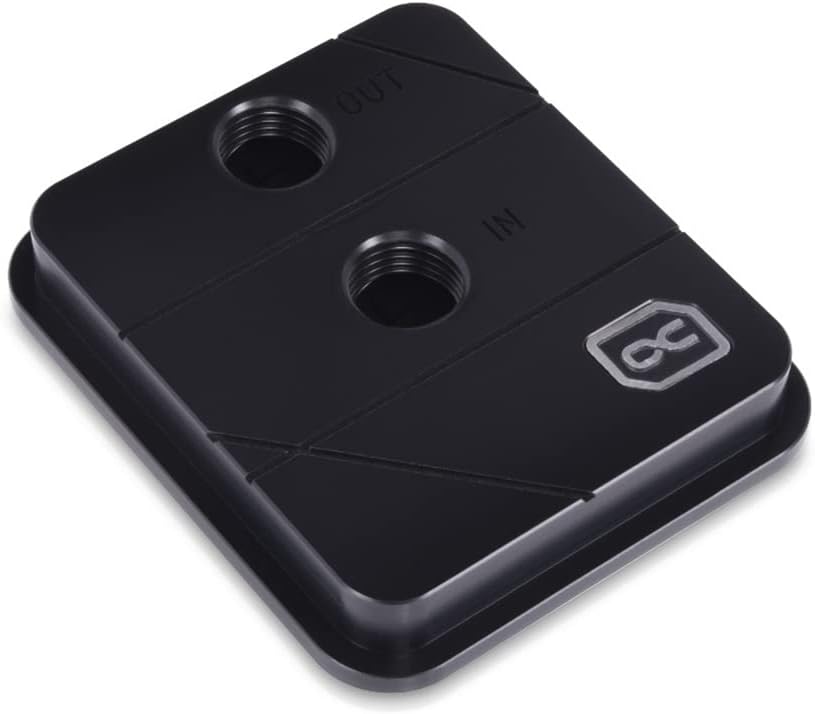
The Alphacool Core XP3 is a conventional custom-loop CPU block with a 4.4 rating. It is designed for Intel and AMD processors and uses two G1/4 threaded ports, making it straightforward to integrate into a standard water-cooling loop. Its nickel-plated copper cold plate and acetal body provide a practical combination of heat-transfer surface and durable construction.
We may earn a commission when you buy through this link, at no additional cost to you.
The block measures 73 by 63 by 21 millimeters, giving it a relatively shallow rectangular shape. That profile can be useful when planning around side-mounted radiators, compact reservoirs, or motherboard clearance. Its maximum working temperature is listed as 60 degrees Celsius, and the absence of a screen or elaborate RGB system keeps the design focused on cooling rather than entertainment.
Its main trade-off is visual and technical age compared with the newest releases in the comparison. The XP3 does not offer a display, USB-C management, a built-in temperature sensor, or the advanced microfin descriptions presented by some premium models. Conversely, it avoids the software, power, and clearance complexities associated with display-equipped blocks and may suit a mature loop built around familiar components.
The Core XP3 is most appropriate for builders who prioritize a standard connection format, a compact shape, and uncomplicated operation. It can work in Intel or AMD custom loops, provided the appropriate socket hardware is available for the chosen CPU. Choose it when reliability and straightforward integration matter more than integrated lighting, animated content, or the newest visual presentation.
Two G1/4 threads align with widely used fittings and tubing arrangements. This makes the XP3 easier to incorporate into an existing custom loop than a model that requires proprietary connections or additional display hardware.
The 21-millimeter height and 73 by 63 millimeter footprint offer useful clearance options for compact builds. Exact orientation matters, so compare the block with the radiator, reservoir, and motherboard mounting area before ordering.
We may earn a commission when you buy through this link, at no additional cost to you.
The CORSAIR iCUE Link XC7 RGB Elite focuses on connected RGB illumination and smart cooling rather than a display. Its 4.1 rating reflects a design that combines a transparent flow chamber, 24 individually addressable RGB LEDs, and a built-in cold-plate temperature sensor. It supports Intel LGA 1700, AMD AM5, and older platforms listed in the product information.
We may earn a commission when you buy through this link, at no additional cost to you.
The patented iCUE LINK ecosystem allows compatible components to be connected through universal connectors and daisy-chained. This can reduce cable clutter and create a more cohesive setup, but the required iCUE LINK System Hub is sold separately. That dependency adds a component buyers must account for, particularly when choosing between this model and a simpler block without proprietary lighting controls.
Cooling is based on the same Hexa-Flow concept found in the CORSAIR LCD version, designed to mitigate laminar flow and distribute coolant more evenly across multi-chip package CPUs. The nickel-plated copper cold plate uses more than 120 high-efficiency micro-cooling fins. The temperature sensor adds precise monitoring and control through iCUE, which is useful for tuning pump speed, fan curves, and lighting effects.
This model is a strong fit for a CORSAIR-centered RGB system where the user wants connected lighting and temperature-based control without carrying a large screen. It is less attractive for builders who want a standalone loop or wish to avoid proprietary hubs and software. Confirm the available LINK ports, hub requirements, socket hardware, and case clearance before making the final selection.
The iCUE LINK approach centralizes compatible lighting and monitoring within one software environment. Its value is greatest for users who already own multiple LINK devices and can add the separately sold system hub.
A cold-plate temperature sensor provides a more direct measurement for configuring cooling behavior. The information can support smarter pump and fan curves, helping a display-free build retain useful telemetry beneath its RGB exterior.
We may earn a commission when you buy through this link, at no additional cost to you.
The Alphacool Core 1 LT combines an acrylic construction with digital RGB lighting in a CPU water block rated 4.1 by users. It supports Intel LGA 1700 and AMD AM4 and AM5, covering the main current socket families without the overhead of a built-in screen. The clear panel gives the block a visible internal aesthetic while lighting adds color to a custom loop.
We may earn a commission when you buy through this link, at no additional cost to you.
Its dimensions are listed as 71.80 by 71.80 by 28.05 millimeters, creating a compact square footprint with a somewhat taller profile than several alternatives. The supplied information does not detail the cold-plate construction or internal channel geometry, so the strongest documented selling points are platform support, material appearance, lighting, and size. Buyers who require precise thermal specifications should investigate the full manufacturer documentation.
Digital RGB can make the block a more active visual element than the unlit Alphacool Core 1, but it does not create the software complexity of an LCD. It is therefore a middle ground for builders who want coordinated illumination but do not need animated content or live system data. The acrylic panel may also show fingerprints, dust, and flow details more readily than a dark metal exterior.
The Core 1 LT is a good choice for a modern Intel or AMD loop with an acrylic-centered visual theme. It offers enough lighting to contribute to the build without demanding a separate display controller. Confirm motherboard lighting-control compatibility, verify the exact mounting hardware, and ensure the 28.05 millimeter height fits the intended radiator and reservoir arrangement.
The acrylic panel exposes the interior of the block and pairs well with illuminated coolant lines. It creates a more technical presentation than a fully opaque design while remaining less visually busy than a screen-equipped model.
Digital RGB gives the block adjustable color without the software demands and power requirements of an LCD or AMOLED panel. This middle-ground approach works well for builders who want coordinated lighting but prioritize a clean custom-loop layout.
We may earn a commission when you buy through this link, at no additional cost to you.
A CPU water block should be judged by the processor it supports, the quality and geometry of its cold plate, how it integrates into the planned loop, and the amount of hardware and software it adds to the build.
Begin with the exact socket used by the processor, not merely the chipset or a general platform family. The listed blocks support a mix of current and legacy platforms: AM5 and AM4 appear across several options; LGA 1700 is common; LGA 1851 is offered by the EKWB Velocity 3 and TRYX Panorama WB; and the 50mm copper block is limited to older sockets. Socket families can also share a name while requiring different mounting kits, so the listing must explicitly identify the processor platform. A block that looks compatible by shape may still lack the correct backplate, retention hardware, or mounting pattern. Review the product specifications, included accessory list, and motherboard CPU socket before buying, especially when planning an upgrade rather than a new system.
In short, confirm the precise socket and mounting kit before considering any other feature.
Copper is the dominant cold-plate material among these products. The EKWB uses nickel-plated copper, as do the CORSAIR models, Thermal Grizzly Mycro Pro RGB, Alphacool Core XP3, and the TRYX Panorama WB. The Dracaena.io goes further with an all-copper internal water path, while the generic 50mm block specifies a copper base. Nickel plating can provide a stable, corrosion-resistant contact surface, while the machining and internal channel geometry determine how effectively coolant moves across the processor's heat-producing regions.
Choose based on documented cold-plate quality, microfin structure, and intended load rather than visual appearance alone.
Fine internal structures seek to increase the contact area between coolant and the cold plate. The Thermal Grizzly Mycro Pro RGB uses 68 microfins with a stated 0.2 millimeter structure, while the CORSAIR blocks feature more than 120 micro-cooling fins and a Hexa-Flow engine intended to reduce laminar flow. The EKWB highlights optimized internal geometry, while the generic block emphasizes a large water-contact area. These differences matter most in a clean, correctly sized loop where pump capacity, tubing restriction, radiator area, and air management support the block's intended flow.
Look for a clear explanation of internal geometry, but pair it with realistic loop planning rather than judging fins in isolation.
Most custom-loop builders will prefer standard fittings for tubing, reservoirs, and radiators. The Thermal Grizzly, Alphacool Core XP3, and TRYX Panorama WB explicitly use G1/4 connections, while the Dracaena.io is compatible with G1/4 custom loops. Maintenance features are less uniformly documented, but the Mycro Pro RGB's integrated inlet filter stands out. A filter can help protect narrow passages, yet it must be cleaned when necessary. Also consider how easily the block can be drained, whether coolant remains trapped internally, and whether servicing the loop requires removing the entire assembly.
Favor standard connections, accessible filtration, and a serviceable loop arrangement over proprietary convenience when reliability is the priority.
The visual feature set ranges from no lighting to RGB, a square IPS screen, or a curved AMOLED panel. The TRYX Panorama WB offers the largest and most advanced display, including native GIPHY access, but also introduces the greatest software and installation complexity. The CORSAIR XC7 RGB Elite LCD provides a 480 by 480 IPS display and a single USB-C connection, while the iCUE Link XC7 uses 24 RGB LEDs and requires a separately sold system hub. The Alphacool Core 1 LT and Dracaena.io provide simpler RGB options, while the EKWB Velocity 3 and generic copper block do not advertise lighting.
Decide whether the block needs to function as an information display, an RGB component, or simply a cooling part before paying for extra software and wiring.
CPU blocks occupy valuable space directly above the motherboard, near RAM and the side radiator. The Dracaena.io is the most compact square option at 63 by 63 millimeters, the EKWB Velocity 3 measures 69 by 69 millimeters, the Alphacool Core 1 measures 72 by 72 millimeters, and the Core 1 LT is 71.80 millimeters square. The TRYX's large screen and integrated fan introduce additional clearance considerations that dimensions alone may not communicate. Measure from the socket and mounting area to the side panel, radiator, reservoir, and memory modules, then account for tubing bend radius and connector orientation.
Always verify socket-to-case clearance in the actual chassis rather than relying only on the block's stated dimensions.
A block may look simple while still adding a fan, pump, display, or motor to the system. The TRYX Panorama WB includes a PWM VRM fan with a stated maximum of 3300 RPM and 22 dB full-load noise, while its larger screen and rotating fittings add moving and powered elements. By contrast, the Dracaena.io includes an ARGB controller, backplate, mounting hardware, and screws, although thermal paste is not included. The generic 50mm block supplies only four screws, making it important to identify every missing installation requirement. Coverage for displays and long-term components can also influence confidence in a display-heavy purchase.
Consider noise sources, warranty coverage, included mounting parts, and consumables such as thermal paste as part of the product's overall value.
The best-performing choice depends on how hard the processor is driven and whether the system is overclocked. The EKWB Velocity 3 is especially relevant for demanding workloads because its product information highlights an improvement of up to two degrees Celsius over its predecessor. The Thermal Grizzly Mycro Pro RGB targets efficient AMD heat dissipation through dense microfins, while the CORSAIR and TRYX designs combine substantial cold-plate structures with visual hardware. For modest systems, a simpler block may be sufficient, but it must still fit the intended loop and provide reliable mounting.
Match the block's engineering and included features to the CPU's power envelope, overclocking plans, and the broader quality of the cooling loop.
Before installation, confirm the socket, inspect every included part, read the mounting instructions, and verify that the pump, reservoir, radiator, tubing, fittings, and block can support the intended flow. Clean the radiator and tubing before assembly, flush the loop if needed, and apply the specified thermal interface material evenly to the cold plate. Attach the block according to its manual, tightening fasteners gradually and in the required pattern so the contact plate seats evenly without excessive pressure.
Fill the loop slowly while the pump runs, allowing air to escape through the fill port and monitoring for persistent bubbles. Check that the pump is operating in the correct direction and that coolant moves smoothly through the block. Once the loop is filled, inspect every fitting for leaks, confirm that the block does not trap air, and leave the system under observation before applying its final operating configuration. Display and RGB models should be connected according to their software and power instructions after the cooling circuit is stable.
For ongoing care, monitor coolant level, tubing condition, fitting security, pump operation, and processor temperatures. Keep the internal filter clean when using a filtered design, and avoid leaving the system powered while a loop is open. Clean the cold plate and mounting area carefully when changing processors, replace the thermal interface material as appropriate, and update lighting or display software only when the system is stable. Periodic leak checks are especially important around G1/4 fittings, rotary connectors, and blocks with additional display hardware.
No. CPU water blocks use socket-specific mounting hardware, so compatibility depends on the exact socket rather than the processor brand alone. Several models support AM5 and LGA 1700, but the Thermal Grizzly Mycro Pro RGB is AMD-focused, while the generic 50mm copper block targets older platforms. Verify the product's socket list and included mounting kit before purchasing.
A water block can provide substantial cooling capacity and creates space around the processor for large air coolers, which benefits multi-GPU or heavily equipped systems. It also introduces cost, pump noise, leak risk, installation complexity, and maintenance. A capable air cooler remains simpler and may be preferable for modest processors or builders who do not want a custom loop.
Microfins increase the surface area exposed to coolant within the cold plate, helping transfer heat from the processor into the moving fluid. Fine structures can be effective, but they also make loop cleanliness important. Products such as the Thermal Grizzly Mycro Pro RGB use an integrated filter, while CORSAIR's blocks feature more than 120 micro-cooling fins.
No. A display is a visual and software feature rather than a requirement for effective liquid cooling. The TRYX Panorama WB and CORSAIR XC7 RGB Elite LCD are ideal for showcase systems, while simpler options such as the EKWB Velocity 3 or Alphacool Core XP3 focus on the cooling hardware and reduce software and cable complexity.
The voltage indicates the pin arrangement and signaling method of the lighting connector. A 5V three-pin ARGB connection, such as the one offered by the Dracaena.io, is not physically compatible with a 12V four-pin RGB header. Check the motherboard header specification carefully and never force an incompatible connector.
Only when the block includes the required mounting hardware for each socket. Some models, including the Alphacool blocks and CORSAIR XC7 variants, cover both Intel and AMD platforms, but compatibility is not universal. A block designed for AM5 and AM4 may still require a separate Intel mounting kit even if its product family supports both brands.
Inspect visible tubing and fittings after assembly, after moving the system, and periodically during normal operation. Watch the reservoir level, listen for pump changes, and check for dampness or discoloration around connections. If a filtration feature is present, clean it according to the manufacturer's guidance so trapped debris does not restrict flow.
They are worthwhile when the case has a visible side panel and the build's purpose includes live information or coordinated lighting. They add cables, software dependencies, power requirements, and possible failure points. Builders focused on compactness, simplicity, or maximum serviceability may prefer a display-free block such as the Alphacool Core XP3 or EKWB Velocity 3.
The EKWB Velocity 3 is the strongest all-around recommendation for a modern performance build, combining AM5 and LGA 1700 and LGA 1851 support with refined internal geometry and a nickel-plated copper cold plate. The Dracaena.io delivers the best budget-oriented combination of copper construction, broad AMD compatibility, and included accessories, while the TRYX Panorama WB stands apart as the premium visual choice with its curved AMOLED display and integrated VRM fan.
Prioritize socket compatibility, cold-plate design, loop fittings, and physical clearance before considering lighting or a screen. A sophisticated display cannot compensate for an undersized or poorly planned loop, and RGB is unnecessary if it creates extra hubs, cables, or software complications. The simpler CORSAIR iCUE Link, Alphacool, and standard copper options may be better matches for builders who value straightforward operation.
Finally, check the current listing, included hardware, warranty information, and latest component compatibility before ordering. Prices, availability, and promotional details can change, and package revisions may also affect what is included. Comparing the final product page with the loop plan ensures that the selected CPU water block fits both the processor and the build you intend to complete.