
4K HDR Gaming Projector
4.4Editor score
2200 ANSI lumens brightness
60Hz gaming refresh rate
Built-in Google TV
HDMI 2.1 connectivity
Discover the best console gaming projector for big screen, comparing 4K picture quality, low latency, brightness, setup ease, connectivity, and audio features.
A console gaming projector for big screen can transform a living room, bedroom, or dedicated gaming space into an immersive display larger than most televisions. The right model balances vivid picture quality, responsive input, convenient setup, reliable connectivity, and enough brightness for the lighting conditions in your room.
This guide compares ten projectors using the supplied specifications, customer ratings, stated features, and intended use cases. It covers dedicated 4K gaming models, short-throw options, smart projectors, and retro systems with built-in games, helping readers distinguish serious console performance from general entertainment features.
Each selection highlights a different reason to consider it, from high-refresh gaming and low input lag to flexible placement, built-in streaming, or portable entertainment. Product features and availability can change, so readers should confirm current specifications, compatibility, and prices before making a final purchase.
4.4Editor score

3.9Editor score
3.9Editor score
The comparison below places every shortlisted projector beside the factors that most affect console gaming, including resolution, brightness, gaming responsiveness, installation, smart features, and audio capabilities.




The ViewSonic PX749-4K is built for gamers who want the largest practical image while retaining specifications aimed at responsive console play. Its 4.9 rating reflects a strong combination of native 4K UHD, 4000 ANSI lumens, a 240Hz maximum refresh rate, and 4.2ms input lag.
We may earn a commission when you buy through this link, at no additional cost to you.
Its most important gaming feature is support for 1440p at 120Hz, allowing compatible consoles and games to take advantage of a smoother output than a standard 60Hz projector. HDR and HLG support add visual depth, while SuperColor technology is intended to produce richer color. Images can reach 300 inches, and the stated 100-inch distance of 13 feet makes the scaling easier to understand.
The trade-off is that a projector built for this level of performance occupies more space and requires thoughtful installation. Its 3.9 rating is not among the highest in this roundup, and some buyers may want the ViewSonic X2-4K's short-throw design or built-in Harman Kardon audio instead. Even so, the PX749-4K's combination of brightness, high-refresh support, and large-screen capability is difficult to overlook.
This is the strongest recommendation for a dedicated gaming room, competitive console sessions, or a home theater where a genuinely huge screen matters. Buyers should verify that their console, game, cable, and chosen resolution or refresh mode support the desired settings.
The 1440p-at-120Hz mode, 240Hz maximum refresh rate, and 4.2ms input lag are the defining gaming specifications here. Together, they target motion clarity and fast reactions in shooters, racing games, and competitive multiplayer titles.
With 4000 ANSI lumens and support for images as large as 300 inches, the PX749-4K can remain legible in moderately lit spaces. Its brightness and scale make it best suited to a room where the projection can be carefully positioned.
We may earn a commission when you buy through this link, at no additional cost to you.
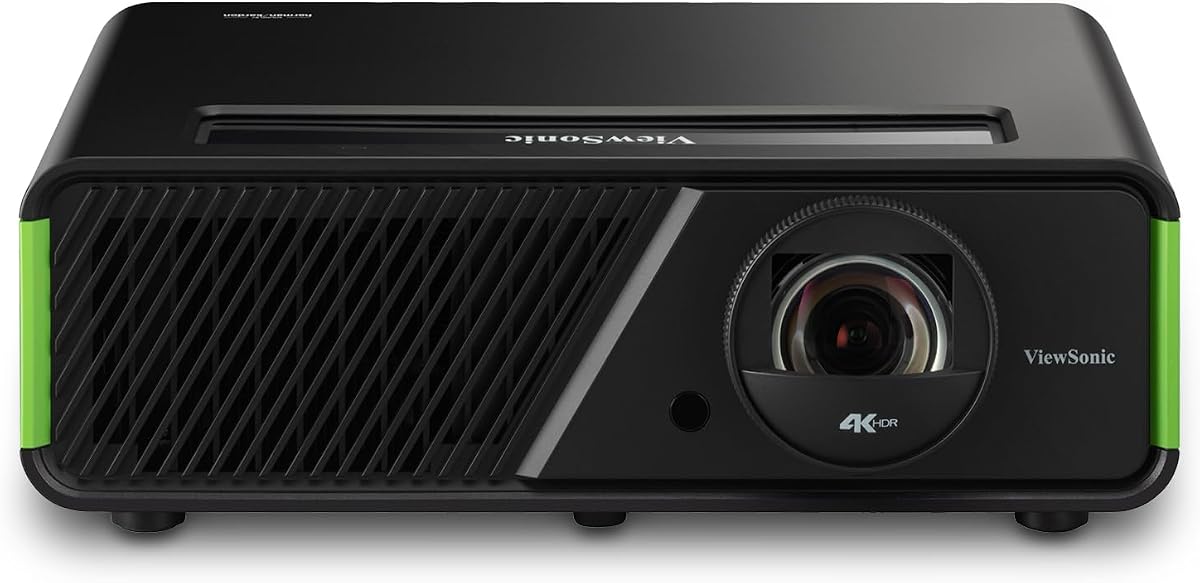
This 4K HDR gaming projector offers a practical balance of brightness, smart features, and responsive console connectivity. Its 4.4 rating and 2200 ANSI-lumen engine make it appealing for rooms where keeping the lights on is important, while HDMI 2.1 provides a modern wired connection for current consoles.
We may earn a commission when you buy through this link, at no additional cost to you.
The 60Hz refresh rate and stated low-latency performance target fast-paced games, although they do not match the 120Hz and 240Hz capabilities of the dedicated ViewSonic gaming models. Its strongest advantages may be outside competitive play: built-in Google TV, access to more than 10,000 apps, WiFi 6, screen mirroring, voice search, and a sealed optical engine.
Automatic focus, automatic keystone correction, digital zoom, and ceiling-mount compatibility reduce setup friction. Multiple HDMI, USB, and audio ports also make it easier to connect a console, PC, or soundbar. The trade-off is that buyers seeking ultra-high refresh rates or very large dedicated theater images may find higher-performance alternatives more appropriate.
It is a sensible recommendation for general console gaming, streaming, and big-screen entertainment in a multipurpose room. Those who regularly compete in online shooters should prioritize the lowest input lag and highest supported refresh rate rather than treating general responsiveness as equivalent to specialist gaming specifications.
Built-in Google TV provides direct access to streaming applications, while WiFi 6 and wireless mirroring add convenient ways to move content onto the large screen. It is especially useful for casual gaming sessions and mixed entertainment use.
Auto Focus and Auto Keystone Correction help produce a sharp, properly aligned image without extensive manual setup. Digital zoom and ceiling-mount support provide additional flexibility when the projector cannot sit directly in front of the screen.
We may earn a commission when you buy through this link, at no additional cost to you.
The Arcade Vision Projector is a two-in-one entertainment system with more than 36,000 built-in retro games and two wireless controllers. Its 3.2 rating and native 720P specification separate it from modern 4K gaming projectors, but for nostalgic play, party games, and casual users it offers a different kind of convenience.
We may earn a commission when you buy through this link, at no additional cost to you.
It can project an image up to 300 inches and includes 2.4/5G WiFi, Bluetooth, and 4K decoding support. A 300-ANSI-lumen engine and short-throw capability are useful in dimly lit bedrooms, living rooms, or outdoor settings, while the stated 25dB operating noise is low enough for long sessions.
The primary limitation is picture resolution and gaming performance. Native 720P may look soft on a very large screen, and the supplied information does not identify a modern console-oriented refresh rate or input-lag figure. This makes it less appropriate for competitive gaming or viewers who place a high value on 4K detail.
Choose it for a self-contained retro library, controller-based multiplayer, or portable family entertainment. If the main goal is connecting a current PlayStation, Switch, or Xbox and maximizing competitive performance, a dedicated gaming projector is the better investment.
The built-in game library and included wireless controllers create an immediately accessible arcade-style experience. It is particularly convenient for casual players and nostalgic multiplayer sessions.
WiFi, Bluetooth, screen mirroring, and 4K decoding make the projector useful for movies and phone content too. Its portable design and quiet operation suit bedrooms, patios, and temporary setups.
We may earn a commission when you buy through this link, at no additional cost to you.
The BenQ TH671ST combines 3000 lumens, native 1080p resolution, and short-throw projection in a home-entertainment design. Its 4.4 rating makes it one of the stronger traditional projector choices in the list, particularly for gamers who prioritize a large image in a relatively compact room.
We may earn a commission when you buy through this link, at no additional cost to you.
The projector can display a 100-inch image from about five feet away and supports sizes up to 300 inches. Ultra-low input lag and a refresh rate matched to the maximum output of the Xbox One X and PS4 Pro target smooth console gaming, while 92% Rec.709 color accuracy supports natural-looking presentation.
The main limitation is resolution. It does not offer the native 4K UHD imaging or high-refresh modes found on several newer ViewSonic models. It also does not list built-in streaming applications, so a separate streaming device may be needed for smart entertainment. Short-throw placement still requires an appropriate wall or screen and careful alignment.
This projector is well suited to a bedroom, den, or living room where a big 1080p image matters more than 4K detail or 120Hz gaming. It is especially attractive for short spaces and for players who want responsive console performance without a large, complicated installation.
A stated 100-inch image from roughly five feet gives the TH671ST useful placement flexibility. The short-throw lens is valuable in apartments and smaller rooms where the projector cannot sit far from the screen.
Native 1080p, 92% Rec.709 color accuracy, and low input lag create a balanced package for console games. It prioritizes clear motion and familiar color over 4K resolution.
We may earn a commission when you buy through this link, at no additional cost to you.
The ViewSonic LX700-4K is a premium laser gaming projector with native 4K UHD, a 240Hz maximum refresh rate, and 4.2ms input lag. Its 4.2 rating reflects a strong performance-oriented specification set, while the dedicated Golf Mode broadens its appeal beyond conventional console games.
We may earn a commission when you buy through this link, at no additional cost to you.
HDR and HLG compatibility, SuperColor technology, and 1440p-at-120Hz gaming support make it well suited to high-action titles. A stated 100-inch image from 7.7 feet provides a more manageable scale than some maximum-screen competitors, and installation flexibility includes ceiling mounting, curved-screen projection, and four-corner correction.
The supplied product information contains a notable brightness discrepancy: the title states 3500 lumens, while the description refers to 4000 ANSI lumens. Buyers should verify the exact specification on the listing. It is also a premium home-theater model rather than a compact portable projector, so setup and room planning deserve attention.
Choose the LX700-4K for a dedicated room where native 4K, high refresh rates, and gaming simulation matter. It is also compelling for owners of a golf simulator who can benefit from its enhanced greens and blues rather than treating the projector solely as a living-room screen.
The 240Hz maximum refresh rate, 4.2ms latency, and 1440p-at-120Hz support are among the most advanced specifications in the roundup. Compatible games and consoles can exploit these modes for smoother motion.
Golf Mode enhances greens and blues for compatible golf simulators, making this model relevant to dedicated simulation setups. Its laser source also differentiates it from conventional lamp-based designs.
We may earn a commission when you buy through this link, at no additional cost to you.
The ViewSonic X2-4K is a short-throw 4K gaming projector designed with Xbox in a prominent role. Its 3.9 rating is helped by a 240Hz maximum refresh rate, 4.2ms response time, and support for the wide color gamut associated with Cinema SuperColor technology.
We may earn a commission when you buy through this link, at no additional cost to you.
Its 0.69–0.83 short-throw ratio allows a large image from a relatively short distance, while 1.2x optical zoom and horizontal, vertical, and four-corner adjustment improve placement flexibility. HDR/HLG support helps create deeper image contrast, and dual Harman Kardon Bluetooth speakers provide an integrated audio option that many competing projectors lack.
The stated 2000-lumen output is lower than that of the PX749-4K and other brighter models, so controlled lighting is advisable for the best image. Its 3.9 rating also indicates that the product has not received the same level of customer feedback as the highest-rated selections. A short-throw projector still needs a suitable wall, screen, and enough space for the equipment and airflow.
The X2-4K is ideal for console players who want native 4K, high-refresh support, short placement, and good built-in sound in a medium-sized room. It is particularly attractive when adding a separate sound system is inconvenient.
The short-throw ratio makes the X2-4K practical for rooms where a conventional projector would need to sit much farther back. Optical zoom and digital image correction add further placement control.
Dual Harman Kardon Bluetooth speakers add a meaningful advantage for a projector used mainly for games and movies. The included audio simplifies setup while still allowing compatible external listening options.
We may earn a commission when you buy through this link, at no additional cost to you.
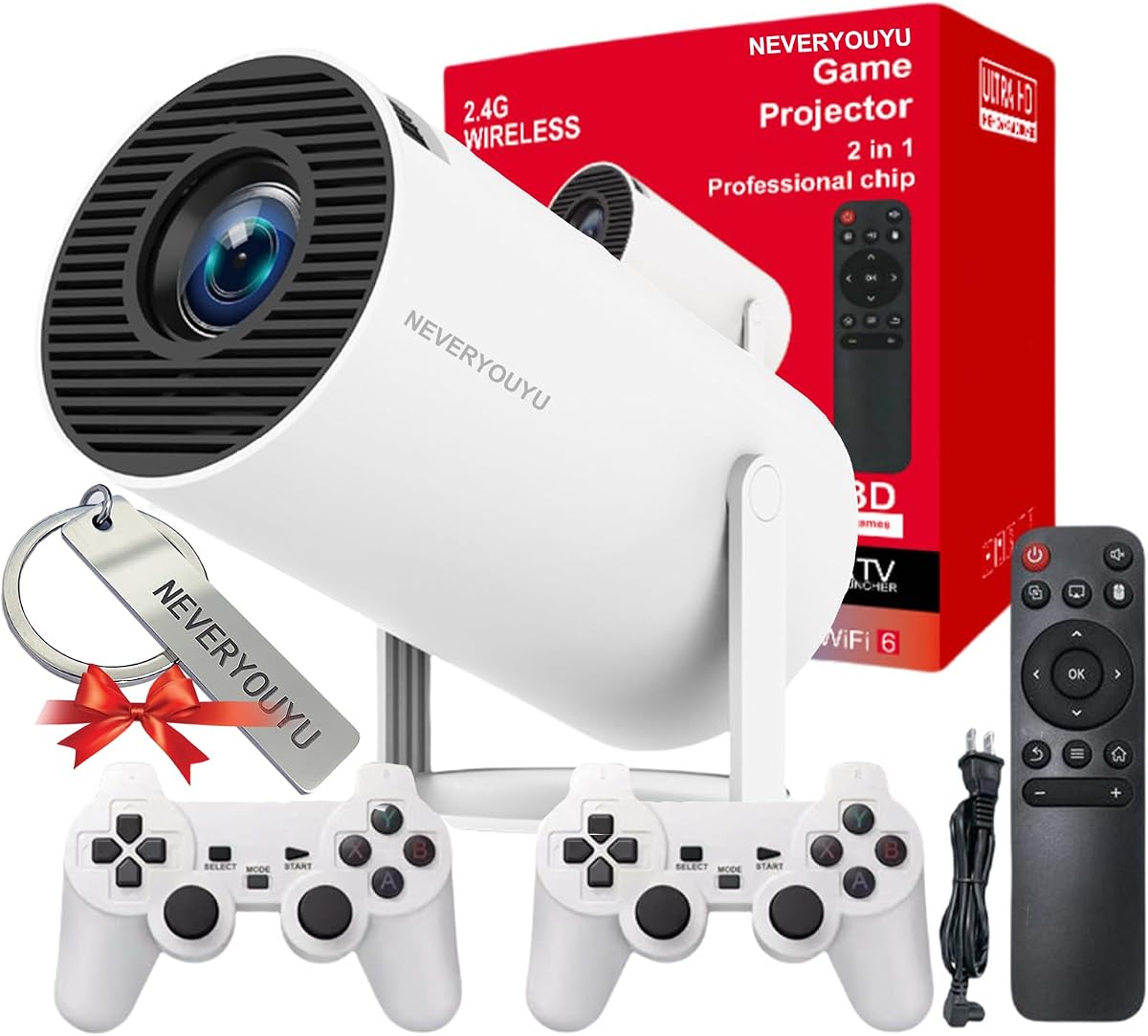
The NEVERYOUYU Retro Projector is a portable entertainment system offering 36,000+ built-in games, movie playback, and two wireless controllers. Its 3.5 rating and native 720P resolution position it as a casual and nostalgic option rather than a competitive console projector.
We may earn a commission when you buy through this link, at no additional cost to you.
The system supports 2.4/5G WiFi and Bluetooth, allows phone mirroring, and can deliver a claimed 300-inch image. Its stated 25dB operation is suitable for shared rooms, and the compact enclosure makes it easier to move between a bedroom, living room, or outdoor gathering.
At 300 ANSI lumens, it is best used in dim conditions, while 720P may appear soft across the largest settings. There is no stated refresh rate or input-lag specification for modern console gaming, so responsiveness cannot be compared directly with dedicated gaming models. The supplied listing also closely mirrors another retro projector, making feature comparison especially important.
This product makes sense for a family member or casual gamer who values a ready-made game library over graphical performance. Those wanting current console titles, 4K clarity, or competitive latency should choose a purpose-built projector instead.
Thousands of built-in retro titles and two wireless controllers remove the need to connect a separate console for casual gaming. It is a convenient self-contained entertainment option.
The compact portable design, low noise, and short-throw projection make it useful in temporary setups. Dim lighting is still essential for the 300-ANSI-lumen output to look its best.
We may earn a commission when you buy through this link, at no additional cost to you.
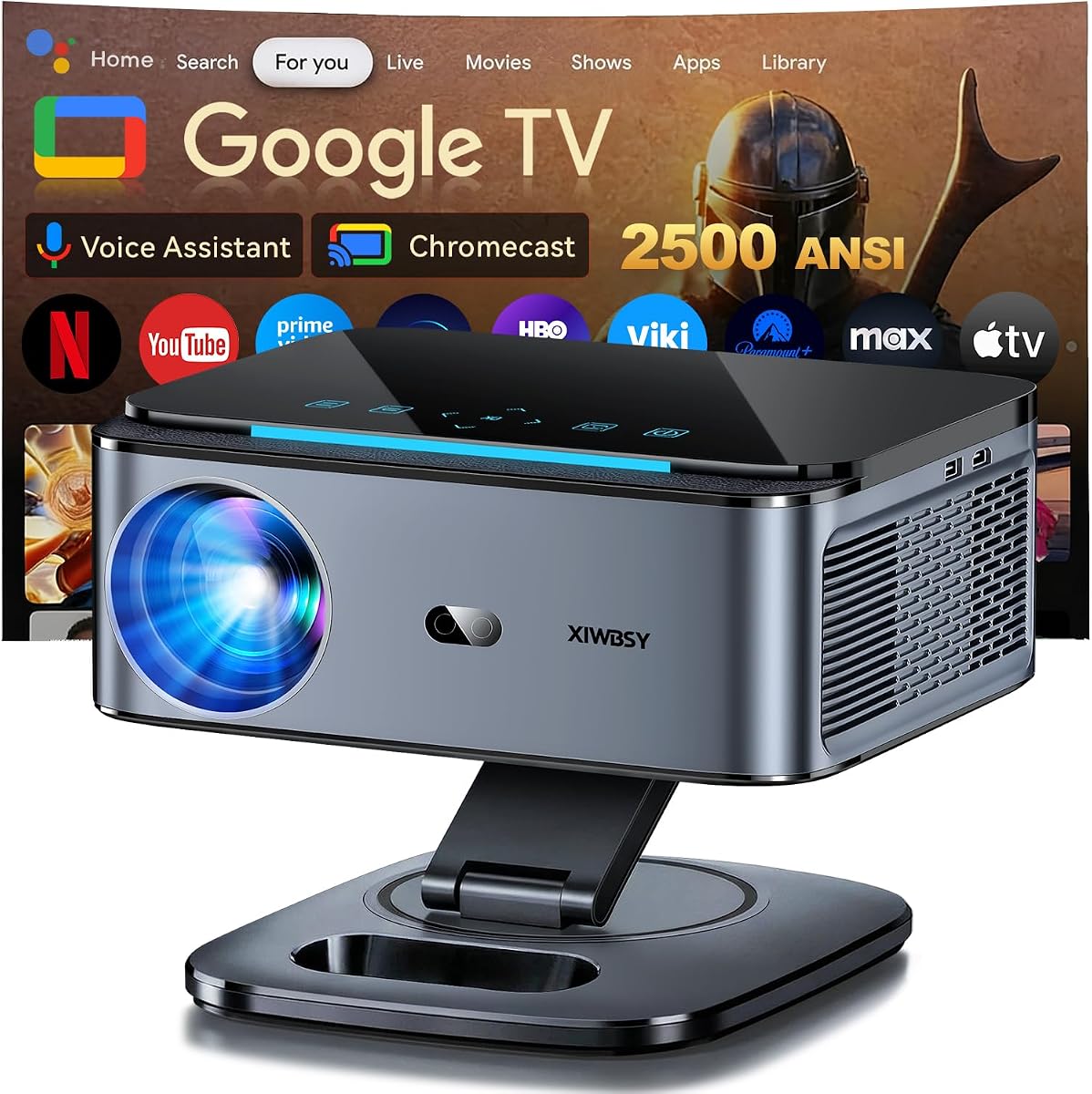
The Google TV Smart Projector combines a 4.8 rating with 2500 ANSI lumens, a 10ms input latency figure, and 60Hz refresh rate. It is a strong general-purpose option for console gaming, streaming, and large-screen family entertainment rather than a dedicated high-refresh gaming projector.
We may earn a commission when you buy through this link, at no additional cost to you.
The smart platform includes official Google TV applications, a family account system, content filtering, a voice assistant, and wireless casting. For the image, automatic focus, automatic keystone correction, screen fitting, and 50%–100% digital zoom simplify setup. A detachable 360-degree rotating stand expands desktop, tripod, wall, and ceiling-placement options.
Native resolution is 1080P, while 4K UHD input decoding allows compatible higher-resolution signals to be accepted and processed. The 60Hz refresh rate and 10ms latency are suitable for many console games, but they trail the 120Hz and 240Hz options elsewhere in this guide. The listing also combines ANSI and other brightness figures, so comparisons should focus on the stated ANSI value.
This projector is best for users who want one device to handle games, streaming, casting, and casual family viewing. It is a particularly attractive bedroom or living-room option thanks to its bright output, automatic setup, flexible stand, and integrated speakers.
Official Google TV, WiFi 6, and wireless casting reduce the need for separate streaming hardware. HDMI, USB, and a 3.5mm jack preserve straightforward console and audio connections.
AI-assisted focus, keystone correction, screen fitting, and a rotating stand make placement less restrictive. These features are especially helpful when the projector is moved frequently or mounted away from the ideal position.
We may earn a commission when you buy through this link, at no additional cost to you.
The Outdoor-Projector-4K is a smart projector designed for flexible home-theater, ceiling, and outdoor use. Its 4.6 rating is strong, while the VIDAA platform, official AirPlay 2, HomeKit support, and 920 ISO ANSI lumens create a well-rounded entertainment system.
We may earn a commission when you buy through this link, at no additional cost to you.
The listing emphasizes a smooth smart-TV experience, cloud storage, privacy protections, preloaded streaming applications, and more than 1,000 live channels. Audio is handled by Dolby-certified dual 20W speakers, while Bluetooth 5.4, HDMI ARC, and CEC support make it easy to connect or control a broader entertainment system.
Its AI setup includes autofocus, 6D keystone correction, obstacle avoidance, and automatic screen fitting, reportedly operating in as little as three seconds. The brightness figure is lower than that of many gaming-oriented competitors, and no high-refresh console mode is stated. It is therefore better suited to movies, sports, and general console gaming than competitive play.
Choose it for a patio, bedroom, basement, or ceiling-mounted setup that benefits from smart apps and flexible installation. Console gamers can connect through HDMI, but those prioritizing response time and refresh rate should look to the dedicated 4K gaming projectors in this roundup.
VIDAA offers a TV-style interface, cloud storage, live channels, and access to major streaming applications. The stated privacy approach may appeal to households that prefer fewer targeted ads and less data collection.
Autofocus, 6D keystone correction, obstacle avoidance, and screen fitting simplify temporary or ceiling installations. Digital zoom and adjustable lens height add further control over the final image.
We may earn a commission when you buy through this link, at no additional cost to you.
The Outdoor Projector 4K earns the highest customer rating in this roundup at 4.9. It combines 1450 ISO ANSI lumens, native 1080P, HDR10, HDMI 2.1, and a stated input lag under 30ms, making it a credible option for console gaming in a smart home-theater setup.
We may earn a commission when you buy through this link, at no additional cost to you.
Its VIDAA platform provides major streaming applications, more than 1,000 live channels, voice control, and enhanced privacy features. Dual 30W Dolby speakers add substantial integrated audio, while Bluetooth 5.4 and HDMI ARC/CEC simplify connections to headphones, speakers, and other compatible equipment.
AI autofocus, 6D keystone correction, screen fitting, and obstacle avoidance reduce manual alignment. A rotating stand supports wall and ceiling projection, and the stated 30dB standard-mode noise is relatively restrained. The trade-off is that native resolution is 1080P, 4K content is decoded rather than displayed at native 4K, and the 60Hz refresh rate is modest for competitive gaming.
This is a strong recommendation for households that want one bright projector for console games, films, sports, streaming, and outdoor viewing. Competitive players should confirm that under-30ms latency and 60Hz performance meet their expectations; high-refresh enthusiasts should prioritize 120Hz or 240Hz models.
VIDAA brings streaming applications, live channels, personalized navigation, and voice control into the projector. WiFi 6 and official AirPlay make it convenient to share content from compatible phones and computers.
HDMI 2.1, a stated under-30ms input lag, and compatibility with PS5, Switch, and other devices create a practical wired gaming path. HDR10 and higher brightness further improve the presentation of supported games.
We may earn a commission when you buy through this link, at no additional cost to you.
The right console gaming projector depends on more than headline resolution. Screen size, room lighting, console capabilities, throw distance, audio, and setup tolerance all influence which features matter most.
Refresh rate and input lag are the most important specifications for responsive console play. A 60Hz projector can suit casual and many competitive games, while 120Hz modes provide smoother motion for supported titles. Models advertising 240Hz maximum refresh rates are better suited to players seeking the highest supported output, although their actual benefit depends on console, cable, game, and resolution compatibility. A stated input lag of 4.2ms or 10ms is considerably more informative for competitive gaming than a generic claim of low latency.
Native 4K UHD means the projector physically displays 3840 by 2160 pixels, producing finer detail than native 1080p or 720P devices. A product that only supports 4K decoding accepts a 4K signal but displays it at a lower native resolution, so the two terms should not be treated as equivalent. For a large screen, the difference becomes easier to notice because individual pixels cover a wider physical area. If sharp game art, text, and interface elements are priorities, native 4K is the safer specification target.
Brightness determines how easily a large image remains visible in a room with lamps, windows, or pale walls. ANSI lumens and ISO lumens are more useful standards than an unlabeled lamp or LED brightness claim, but a controlled room still produces the best result. Projectors in this list range from 300 ANSI lumens for retro use to 4000 ANSI lumens for brighter dedicated spaces. More brightness helps with ambient light, although it does not replace contrast, color, and proper screen selection.
A large image requires enough distance, but short-throw projectors can create an oversized picture from much closer to the wall. The PX749-4K can show a stated 100-inch image from 13 feet and reach 300 inches, while the BenQ TH671ST can show 100 inches from about five feet. These figures provide a useful starting point, although lens position, zoom, room dimensions, and mounting hardware can change the result. A short-throw design is especially useful in apartments, bedrooms, and media rooms with limited depth.
Modern console setups need a dependable wired connection, so HDMI is the most important port to confirm. HDMI 2.1, ARC, and CEC can support newer consoles, simplified audio, and integrated remote control. Built-in Google TV or VIDAA can eliminate the need for a streaming stick, while WiFi, Bluetooth, AirPlay, and screen mirroring add flexibility for casual content. These smart features are convenient, but they should not replace the connection and latency specifications that matter most during gameplay.
Color gamut, HDR, HLG, and dedicated gaming modes influence how game worlds and menus appear. SuperColor, Cinema SuperColor, and wide-gamut coverage can improve realism, while HDR support adds contrast when the console, game, and projector are properly configured. A gaming mode may also adjust color and processing to reduce delay. These features work best on a neutral wall or dedicated screen, and users should avoid excessive brightness controls that push colors outside their intended appearance.
Projector speakers are convenient, yet a very large image can make their output feel less immersive. The ViewSonic X2-4K includes dual Harman Kardon Bluetooth speakers, while the two smart outdoor projectors provide higher-wattage stereo systems with Dolby support. Bluetooth, HDMI ARC, and a 3.5mm jack allow many users to connect a soundbar, headphones, or external speakers. Consider the room's acoustics, seating distance, and whether a separate audio system is part of the intended setup.
Automatic focus, keystone correction, screen fitting, obstacle avoidance, and digital zoom can make temporary or ceiling installations much easier. Optical zoom and four-corner adjustment provide more precise manual control, while a rotating stand can expand placement options. Consider ceiling mounts, tripod compatibility, ventilation, cable routing, and access to filters or cleaning ports. LED and laser light sources are designed for long service lives, but a dust-conscious location and unobstructed cooling remain important.
Begin by positioning the projector opposite the desired screen or wall, then connect the console with a suitable HDMI cable and select the correct input. Power the projector on before the console when possible, allow automatic focus and keystone tools to complete their cycle, and use physical controls to fine-tune image size and alignment. For gaming, select the intended resolution and refresh mode, close unused applications, and disable any optional video processing that the manufacturer advises against for latency-sensitive play.
For the best picture, control ambient light where possible, use a neutral or dedicated projection surface, and let the projector reach its operating mode before judging color or brightness. Keep air vents clear, avoid placing the unit inside a closed cabinet, and clean the lens with a soft, dry cloth. Periodic filter cleaning and careful cable management help maintain airflow and prevent avoidable setup problems.
When moving the projector, allow it to cool if the manual recommends it, remove the lens cover if present, and protect the lens from fingerprints. Update the smart platform and console software periodically, but keep the projector and console connected directly by HDMI during competitive sessions. Test game and picture modes before a major event, and record which settings produce the best combination of responsiveness, color, and screen size.
A gaming projector can provide a much larger image and a more theatrical experience, especially in a dark or controlled room. A television usually remains easier to set up and may offer very high brightness with less ambient-light sensitivity. The better choice depends on room size, seating distance, screen surface, budget, and whether the extra scale matters more to the player than television-style convenience.
Lower input lag is generally better because it reduces the delay between a controller or controller-triggered action and the corresponding image. A stated 4.2ms is particularly suited to responsive play, while 10ms and under-30ms options can still work well for many console experiences. Actual feel also depends on the game, display mode, controller use, and whether additional processing is enabled.
It depends on screen size and how close viewers sit. Native 4K provides finer detail and is especially noticeable on very large images, while a native 1080p projector can still deliver a compelling result at more moderate sizes. A projector labeled for 4K decoding accepts a 4K signal but does not display it with native 4K pixel detail, so buyers should distinguish the two specifications.
Yes, a projector can generally connect to a console through HDMI, and the ViewSonic LX700-4K, X2-4K, and PX749-4K are explicitly described with Xbox-oriented features. The WIMIUS K14 is also listed as compatible with PS5 and Switch. Users should confirm the project's input specifications, use a suitable cable, and select a matching picture or gaming mode.
Short-throw projectors are often more practical in small or medium rooms because they can create a large image from a shorter distance. Models such as the BenQ TH671ST and ViewSonic X2-4K offer short-throw positioning, while other smart projectors add automatic focus and screen fitting. The projector still needs clearance for airflow, and the wall or screen must be flat and properly sized.
Many models include a smart platform, but the best choice depends on the operating system and the streaming services you use. The 4K HDR Gaming Projector and Google TV Smart Projector use Google TV, while the Outdoor-Projector-4K and WIMIUS K14 use VIDAA. If a required application is unavailable, a connected streaming stick or console can provide an alternative.
More brightness improves visibility when daylight or room lights are present, but dark curtains and a dedicated screen still have a major effect. The 2200-ANSI-lumen 4K HDR Gaming Projector and the 2500-ANSI-lumen Google TV Smart Projector are positioned for brighter use, while the higher-output ViewSonic models offer additional headroom. No projector fully replaces a darkened room for the deepest blacks.
Built-in retro libraries are useful for casual gaming, family entertainment, and users who do not want a separate console. They do not replace the game library, online features, or high-refresh performance of a modern PlayStation, Switch, or Xbox. The Arcade Vision Projector and NEVERYOUYU Retro Projector are therefore best viewed as portable two-in-one entertainment systems.
The ViewSonic PX749-4K stands out as the leading performance choice because it combines native 4K UHD, 4000 ANSI lumens, 240Hz maximum refresh support, and 4.2ms input lag. The 4K HDR Gaming Projector is the strongest budget-oriented option, while the ViewSonic X2-4K earns the premium designation through its short-throw design, high-refresh capability, and integrated Harman Kardon speakers.
Prioritize the factors that affect play rather than the largest number printed on the box. Console users should consider native resolution, compatible refresh modes, input lag, brightness, throw distance, and room setup. Smart systems and built-in games can add convenience, but they work best alongside a reliable HDMI connection and a properly sized image.
Product specifications, availability, and prices can change, so check the current listing before buying. Measure the room, confirm console and cable compatibility, and review the latest performance and installation information. Those steps will help ensure that the selected projector remains a practical fit for your gaming space.