
MERCURY SmartCraft Connect
3.7Editor score
Single-engine under-cowl installation
Wireless Mercury Marine app access
Live engine data and gauges
Fuel and maintenance tracking
Our Boat Engine Marine Diagnostic Tool guide compares 10 marine scanners for coverage, compatibility, live data, service functions, portability, and repair
A boat engine marine diagnostic tool turns hidden faults into information a technician can act on, helping owners understand warning lights, intermittent performance issues, sensor failures, and electrical problems. The right scanner should match the engine brand, model year, and control system while providing the service functions needed for real-world troubleshooting.
This guide compares ten marine diagnostic tools and one connected engine-monitoring system based on their stated engine compatibility, diagnostic coverage, live-data capabilities, maintenance functions, hardware, software support, and intended users. It includes broad multi-brand equipment, manufacturer-focused kits, affordable USB scanners, and a smartphone-connected Mercury module.
Each review explains where a product stands out, who it is best suited for, and where compatibility limitations matter. The top picks include the most versatile workshop tool, a value-oriented connected module, and a feature-rich E-TEC G2 kit. Availability and pricing can change, so confirm engine support and current terms before purchasing.
3.7Editor score

4.5Editor score
The table below compares engine coverage, connection style, diagnostic depth, and ideal use case for all ten products, helping boat owners and marine technicians identify the most appropriate tool for a particular powertrain.


The iCarsoft MarineScan X9 is the broadest all-in-one tool in this guide, combining diagnostic, maintenance, and component-control capabilities for jet skis, outboards, and inboard engines. Its listed brand coverage includes Mercury, Yamaha, Kawasaki, Volvo, and Suzuki, while its 10-inch touchscreen and wireless connection make it more practical as a portable field instrument than a basic USB code reader.
We may earn a commission when you buy through this link, at no additional cost to you.
The X9 can read and clear engine fault codes, display live data and freeze-frame information, and test OBD2 monitor systems. Its service library includes oil and engine-hour resets, battery registration, diesel particulate regeneration, steering-angle calibration, ABS bleeding, injector coding, TPMS programming, and air-suspension adjustment. Bidirectional testing can actively command marine components such as fuel pumps, cooling fans, solenoid valves, throttle bodies, lights, and trim tabs.
There are important qualifications. The manufacturer states that vessel-specific support varies, giving Toyota inboard engines as an example where only OBD2 functions are available and maintenance or actuation tests are unavailable. MarineScan also includes a built-in fault-code library, diagnostic history, data logging, and remote support, but buyers should obtain a compatible service list before committing to a boat with an unusual control system.
This is the strongest choice for a mobile technician, repair shop, or owner of several different types of marine powertrains who wants one screen to handle routine diagnostics and service work. It is less appropriate for someone who needs only a simple code reader or who works exclusively with one older engine family. Confirm connector fit, protocol support, and vessel-specific functions before buying.
The combination of multi-system ECU diagnostics, more than 40 service functions, and bidirectional actuation makes the X9 useful beyond clearing a warning lamp. It can help isolate sensors, wiring, control units, and controllable components without immediate disassembly, although the supported operations ultimately depend on the engine electronics and protocol.
Its 1280-by-800 capacitive touchscreen, 10,000mAh battery, and stated continuous use of up to eight hours suit dockside and workshop use. Real-time parameter views and graphical waveforms can also help capture faults that appear only under load, temperature changes, or other operating conditions.
We may earn a commission when you buy through this link, at no additional cost to you.
The MERCURY Marine SmartCraft Connect Mobile is designed for monitoring rather than comprehensive workshop diagnosis. It installs under the cowl on a single Mercury engine and connects wirelessly with the Mercury Marine app, replacing the separate Vesselview Mobile app approach. Owners can stream live engine information, follow fuel usage, and view digital gauges from a compatible mobile device.
We may earn a commission when you buy through this link, at no additional cost to you.
The module's strongest advantages are convenience and accessibility. Engine information is available through the app without carrying a dedicated scanner to the boat, and the product supports fuel tracking and maintenance records. Engine data can also be shared with a preferred dealer, potentially simplifying a service visit by giving the technician a clearer view of operating behavior.
This is not a substitute for a code reader, bidirectional tester, or comprehensive service tool. It is also limited by its installation arrangement: the listing specifies an under-cowl installation for one engine, while an Avator 7.5e installation should be handled by a dealer. Its 3.7 rating also suggests that some buyers may find the setup or app experience less polished than they expected.
Choose the SmartCraft Connect when convenience, ongoing monitoring, and Mercury app integration matter more than access to low-level service functions. It is a practical companion for a compatible single-engine boat, while a technician who needs fault-code analysis, actuation, or maintenance resets should choose one of the dedicated diagnostic kits.
The module turns a compatible phone or tablet into a source of live engine information, fuel tracking, and digital gauges. This makes ongoing awareness more convenient than repeatedly connecting a laptop-based diagnostic system during routine ownership.
The ability to share engine data with a preferred dealer can improve service conversations. Sharing information does not replace a physical inspection, but it may help a technician understand operating patterns and maintenance needs before the boat reaches the workshop.
We may earn a commission when you buy through this link, at no additional cost to you.
The YamahaMarine Y.D.S. Marine Diagnostic Kit is a dedicated solution for Yamaha outboard engines and personal watercraft. It supports EFI four-stroke outboards, HPDI outboards, and popular Jet Ski models through 2017, with examples such as the F50, F200, and FX listed among compatible families. The included device, USB cables, software flash drive, and manual create a complete package for home mechanics or marine shops.
We may earn a commission when you buy through this link, at no additional cost to you.
The core capabilities center on reading fault codes, testing engine components, and performing real-time analyses without relying exclusively on dealer-only access. Buyers also receive a two-year warranty, ongoing support, lifetime access to software updates, and an online workshop manual. Those additions make the package more useful for ongoing ownership rather than a one-time code-reading task.
The 3.2 rating deserves attention, and prospective buyers should consider the support and activation process carefully. The software license is single-use, and the product becomes non-returnable and non-transferable after activation. Compatibility is also concentrated in Yamaha systems, with model-year and control-platform limits that should be checked before purchase.
This kit makes sense for a Yamaha owner or service business that regularly encounters Yamaha EFI and HPDI engines. It is particularly attractive when access to dealer diagnostics is inconvenient. Confirm the exact engine model, year, connector, and supported service list first, particularly if the boat uses a newer generation not explicitly included in the stated coverage.
Fault-code reading, component testing, and real-time analysis can help owners investigate warning indicators and performance concerns without immediately scheduling dealer-only diagnostic work. The included workshop manual and updates also support repeat use as the owner becomes familiar with the software.
The supplied device, cables, flash drive, manual, warranty, and update access remove the need to assemble several separate components. That organization is especially helpful for first-time owners building a marine troubleshooting kit.
We may earn a commission when you buy through this link, at no additional cost to you.
The Suzuki Marine Outboard Diagnostic Kit with SDS 8.8 is a focused scanner for owners and technicians who work with Suzuki marine electronics. It can read and reset fault codes, identify the EMM module, inspect sensor and actuator values in real time, test components, and generate graphical representations of engine operation. Its 4.1 rating indicates a generally favorable reception among the available customer feedback.
We may earn a commission when you buy through this link, at no additional cost to you.
The kit's strengths are practical rather than expansive. Reading codes gives the user a starting point, EMM identification helps confirm the control module, and real-time testing supports more active troubleshooting than a code-only reader. Graphical engine-operation views can make changing sensor values easier to interpret while the engine is running.
The key limitation is specialization. This is not presented as a universal OBD2 scanner for multiple marine brands, and buyers should confirm the supported Suzuki engine families, model years, and connector arrangement. The supplied information does not detail software licensing, update terms, or the complete maintenance-function list, so those points require verification before purchase.
It is a sensible option for a Suzuki outboard owner who wants dedicated fault-code and live-data functions without paying for a broad multi-brand platform. It is less suitable for a workshop that regularly handles many manufacturers. For those buyers, the MarineScan X9 or one of the broader cable-based sets may offer a more adaptable toolkit.
Live sensor readings and actuator tests can reveal whether a stored code corresponds to an actual operating anomaly. Graphical engine-operation data adds context that may help distinguish a persistent electrical problem from a condition visible only under particular engine loads.
The ability to read EMM identification information helps users verify the module and assess whether a communication or configuration issue should be investigated. It remains important to follow the manufacturer's electrical-safety and connector-handling procedures.
We may earn a commission when you buy through this link, at no additional cost to you.
The Evinrude Diagnostic Kit with EvDiag provides a focused set of tools for troubleshooting compatible Evinrude marine engines. It supports reading and resetting fault codes, identifying the EMM module, viewing sensor and actuator data in real time, testing sensors and actuators, and producing engine-operation graphics. Its 4.2 rating reflects a favorable user response.
We may earn a commission when you buy through this link, at no additional cost to you.
This kit covers a sensible diagnostic sequence: identify stored faults, observe live information, test relevant components, and review graphical engine behavior. That combination is useful when a warning light, poor running condition, or starting problem needs more investigation than a simple code display can provide.
The software license is single-use, and activation makes the product non-returnable and non-transferable. Compatibility also needs careful confirmation because the listing does not define every supported engine generation in detail. It should not be assumed to cover E-TEC G2 functions just because it uses EvDiag software.
The product is best for an Evinrude owner or technician who needs a compact, dedicated diagnostic set for compatible systems. Buyers seeking broad model-year coverage or advanced G2 functions should examine the more specialized G2 kit or the older-model USB options. This kit remains useful when the required functions are simpler and the focus is a proven EvDiag workflow.
The available functions move beyond merely reporting a code. Live data, direct component tests, and graphed operation allow a user to check whether sensors and actuators behave as expected while the engine runs.
The kit is appropriate when dedicated Evinrude capability matters more than cross-brand support. Buyers should verify the exact engine family and whether the required service functions are present before activating the non-transferable license.
We may earn a commission when you buy through this link, at no additional cost to you.
The CodeMate Tester is a purpose-built reader for older MEFI marine electronic fuel-injection systems, covering MEFI-1 through MEFI-4. It checks sensor and control integrity and can function as a malfunction-indicator lamp, trouble-code display, code-erasure tool, and base spark-timing instrument. Its 4.0 rating gives it a solid overall standing in the supplied feedback.
We may earn a commission when you buy through this link, at no additional cost to you.
Its main value is providing appropriate coverage for an older generation of marine engines. A technician encountering a supported MEFI system can read and clear codes, check related inputs and controls, and use the base timing function without purchasing a modern multi-brand platform designed for newer protocols.
Compatibility is sharply defined. The product is expressly not intended for MEFI-5, MerCruiser PCM-555, ECM-555, Volvo Penta EGC, or other marine EFI systems. That limitation is not a minor detail; using the wrong scanner can lead to wasted time, incorrect assumptions, or an inability to communicate with the engine control module.
Choose the CodeMate for a confirmed MEFI-1 through MEFI-4 installation, particularly when preserving support for an older boat matters. Newer owners should identify their control system before shopping and opt for a contemporary OBD2-capable or manufacturer-specific tool instead.
Older boats often need diagnostics that modern universal scanners do not cover adequately. A dedicated MEFI reader gives owners of these systems a way to inspect faults, clear codes, and check sensor and control integrity with equipment designed for the architecture.
The explicit exclusions are essential when making a purchase. Confirm the engine-management designation from documentation or the engine itself, and do not rely on a general resemblance between marine EFI systems.
We may earn a commission when you buy through this link, at no additional cost to you.
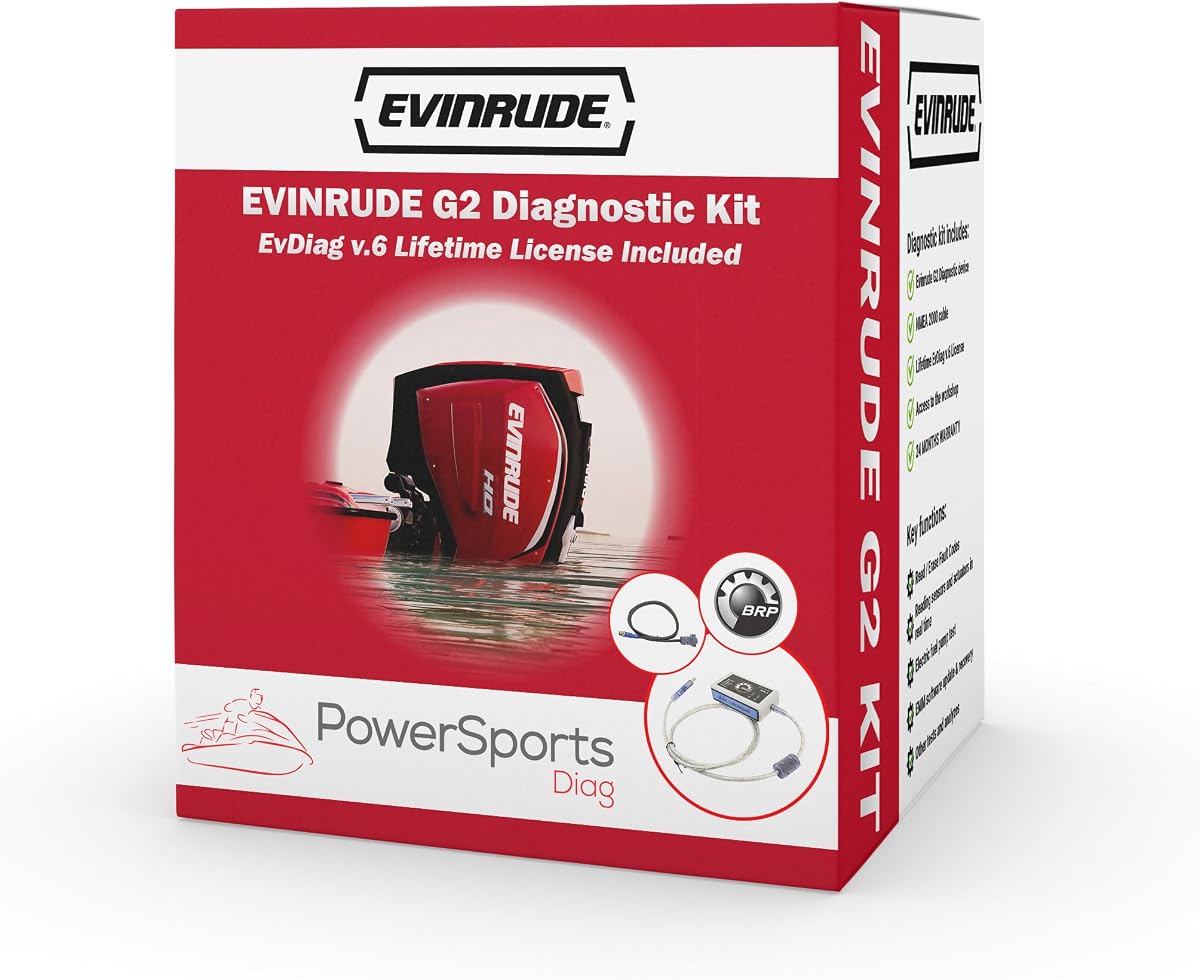
The Evinrude G2 Diagnostic Kit with EvDiag v.6 is the most specialized premium option in the guide, built for professional-level work on E-TEC G2 outboard engines. It provides real-time engine data, injector tests, fault-code resets, EMM software updates, and more. Its 4.5 rating is the highest published rating among the listed products that have customer feedback.
We may earn a commission when you buy through this link, at no additional cost to you.
The kit goes deeper than basic code reading. Users can monitor live sensor values, test fuel pumps and coils, update injector data, and export detailed PDF engine reports. The package includes the diagnostic device, an NMEA 2000 cable, USB flash drive, software, manual, access to service manuals, and unlimited updates, with a stated 24-month warranty and expert support.
The tradeoff is specialization and activation. It is centered on E-TEC G2 engines rather than multiple brands, and its single-use software license becomes permanently tied to engine data after activation. At that point, the product is non-returnable and non-transferable, so buyers should establish the engine platform and licensing requirements before purchase. It also assumes a compatible Windows computer, with support stated for Windows 7 through Windows 11.
This is the most convincing choice for an E-TEC G2 owner or a specialist shop that regularly services those engines and values reports, advanced tests, manuals, and updates. It is overkill for a generic boat owner, but for a workshop committed to the platform it can provide a more complete and organized diagnostic package than a basic cable.
Fuel-pump and coil tests, injector-data updates, live sensor monitoring, and EMM software work address tasks that a basic reader cannot. PDF exports also make it easier to preserve findings, communicate with customers, and build a service history.
The diagnostic hardware, NMEA 2000 cable, flash drive, manuals, software, support, warranty, and unlimited updates arrive as one coordinated system. That makes the kit particularly attractive for independent shops that want a repeatable E-TEC G2 workflow.
We may earn a commission when you buy through this link, at no additional cost to you.
The FT232RL Diagnostic Scanner Kit gives PC users an entry point into diagnostics for Evinrude E-TEC, FICHT, and DI outboards produced from 1999 through 2020. It can read and clear fault codes and display real-time data streams. Its 4.0 rating indicates a generally positive user response among a product category where compatibility matters more than flashy features.
We may earn a commission when you buy through this link, at no additional cost to you.
The package includes the diagnostic scanner cable, a six-foot extension cable, and a blue USB adapter for PC connection, along with driver software and installation instructions. This configuration works as a practical bench or dockside troubleshooting setup for owners who already have a compatible Windows computer.
Its limits are significant for newer G2 work. Only basic functions are available for G2 versions, and the stated operating-system support includes older platforms such as Windows XP, Vista, 7, 8, and 10 in 32-bit or 64-bit configurations. A modern computer may therefore require compatibility planning. The product also lacks the advanced reports, service manuals, and dedicated update support offered by the premium G2 kit.
Choose this scanner for a compatible legacy Evinrude engine when basic code access and live data are the main goals. It can be especially useful for owners maintaining older boats across several E-TEC, FICHT, or DI model years. For a G2 engine requiring deeper functions, select a purpose-built G2 package instead.
A single kit spanning E-TEC, FICHT, and DI systems from 1999 through 2020 can simplify tool collection for owners of older Evinrude boats. It provides the core functions most often needed to investigate a warning light or performance complaint.
Because the scanner operates through a PC and its driver requirements include legacy Windows environments, check the current computer before ordering. A compatible machine, installed driver, and correct cable connection are essential before fault reading begins.
We may earn a commission when you buy through this link, at no additional cost to you.
The USB Diagnostic Tool Scanner Kit for Evinrude E-TEC and FICHT engines is a straightforward, dedicated solution for compatible outboards from 1999 through 2020. Its software is designed specifically for troubleshooting outboard engines and can collect engine data, determine active faults, and run engine tests. The 4.5 rating ties it for the highest published score among the scanner kits in this roundup.
We may earn a commission when you buy through this link, at no additional cost to you.
The tool can be used on a Windows PC, laptop, or tablet running Windows XP, 7, 8.1, or 10, offering several ways to create a workable diagnostic station. Its emphasis on collecting data and running tests makes it useful for both an owner investigating a current warning and a technician who needs direct access to compatible Evinrude systems.
As with the other USB-based options, compatibility with a current computer deserves advance attention. The operating-system range does not include every modern Windows release, and the product does not describe the same broad service package, manual library, or update policy as the dedicated G2 kit. It is also not a universal marine scanner.
This is a good choice for an Evinrude owner who wants established E-TEC and FICHT coverage in a simple PC program. It is less appropriate for G2 owners seeking advanced functions or for a workshop that needs one solution across many brands. Confirm the engine year and prepare the computer before purchasing.
Collecting engine data and running tests can turn a general complaint into a more specific investigation. The dedicated software is designed around Evinrude outboard troubleshooting, which keeps the interface focused for owners familiar with these systems.
The 4.5 rating supports the kit's reputation as a practical traditional scanner. Its value is strongest when paired with a suitable computer and a compatible E-TEC or FICHT engine that falls within the stated model years.
We may earn a commission when you buy through this link, at no additional cost to you.
The YDS 1.33 SDS 8.70 set combines cables and software for Yamaha, Suzuki, and Evinrude outboards, making it an appealing all-in-one package for owners who maintain more than one of these brands. The kit includes a Yamaha three-pin cable, Suzuki four-pin and eight-pin harnesses, an Evinrude shielded FTDI cable, a bootstrap cable, a USB adapter, a flash drive, drivers, software, and PDF workshop manuals.
We may earn a commission when you buy through this link, at no additional cost to you.
The stated software functions are extensive. They include reading diagnostic codes and records, viewing engine hours, activating low- and high-pressure fuel pumps, testing injectors and ignition coils, setting tilt limits, temporarily deactivating certain sensors for testing, and viewing TPS, IAC, battery voltage, charging voltage, RPM, oil pressure, and MAP readings. Data can be saved to a computer for later reference.
The bootstrap cable is the defining specialty. It is intended for Evinrude EMM recovery, oil-pump replacement, injector replacement, writing injector data files, and EMM software updates. These are advanced procedures with real consequences if performed incorrectly, so the included documentation and solid understanding of the engine system are essential. The product has no published user rating in the supplied information, so objective feedback is limited.
Choose this set when you own or service several Yamaha, Suzuki, and Evinrude boats and want one organized cable collection. It offers more capability than a simple reader, but it is not the broad touchscreen experience of the MarineScan X9. For advanced Evinrude workshop work, the dedicated G2 kit may provide a more focused and professionally packaged alternative.
The included Yamaha and Suzuki harnesses, Evinrude cable, adapter, software, and manuals reduce the need to source individual connections separately. This is useful for owners of mixed-brand fleets or independent technicians who encounter these systems regularly.
The bootstrap tool can support injector data, EMM restoration, and software update tasks, but these functions are specialized. A technician should use the appropriate workshop instructions and verify the exact Evinrude system before attempting any procedure that alters module data.
We may earn a commission when you buy through this link, at no additional cost to you.
The most useful marine scanner is not necessarily the one with the longest feature list. Engine architecture, model year, connection method, diagnostic depth, and licensing terms should determine the choice before considering convenience or extra service functions.
Start with the exact engine make, model, year, and electronic-control designation. Some products support a broad collection of marine brands, while others are built around Yamaha, Suzuki, Evinrude, Mercury, or a specific MEFI generation. A scanner that appears powerful on paper can still be useless if it cannot communicate with the boat's control system. Check the manufacturer documentation, engine label, or service records before ordering.
Prioritize explicit compatibility over a vague claim that the tool supports outboards or personal watercraft. Pay particular attention to model-year cutoffs and the distinction between E-TEC, FICHT, DI, G2, EFI four-stroke, and HPDI platforms.
Marine engines may use manufacturer-specific protocols rather than the automotive OBD2 standard. Determine whether the tool supports the exact communication method used by the target engine and whether it can access the relevant electronic control or engine-management module. Universal OBD2 functions can be useful, but they are not a guarantee that advanced marine functions will work.
For a boat with several control modules, look for multi-system ECU capability. For a single-engine owner, a focused branded scanner may provide deeper functions while remaining easier to set up and use.
Basic code reading is enough to identify many stored faults, but it does not necessarily reveal why an intermittent problem occurs. Live data, freeze-frame information, waveform displays, sensor testing, and actuator control can provide valuable context. Bidirectional testing is especially useful when a technician needs to command a pump, fan, solenoid, or other component and observe its response.
Service functions such as oil resets, engine-hour resets, injector coding, battery registration, diesel particulate regeneration, and steering calibration matter only on supported systems. Obtain a vessel-specific service list before buying a tool based mainly on advanced maintenance features.
USB scanners are economical and convenient for owners with a compatible computer. Handheld and wireless tablets reduce dependence on a laptop and are often more practical in a workshop or at the dock. Smartphone modules prioritize monitoring and convenience, while diagnostic tools may require cables, software installation, or a specific connector.
Check connector type, cable length, operating-system requirements, and whether the connection is wired or wireless. A modern computer with an unsupported operating system can make an otherwise capable scanner inconvenient or unusable.
Software terms can materially affect long-term usability. Several products in this guide include a single-use license that becomes non-returnable and non-transferable after activation. Confirm whether updates are included, limited, or offered for a defined period, and whether the license is tied to a computer, engine, or purchaser.
Also check whether support manuals and software are supplied on a flash drive, downloaded online, or distributed differently. A clear, durable licensing model and accessible documentation are valuable signs of a kit intended for repeated work.
The best tool for a private owner may be a connected monitoring module that displays live information and tracks fuel use. A marine shop may need bidirectional controls, service resets, report exports, update tools, and broad brand coverage. An owner of one older engine may need only a small code reader for a specific legacy system.
Consider screen readability, battery life, data storage, report generation, remote support, and the availability of manuals. A technically capable tool is more useful when its interface and workflow match the user's experience.
Marine diagnostics often involve unfamiliar terminology, specialized connectors, and procedures that carry safety or engine-management implications. Look for online workshop manuals, vendor support, software updates, and clear installation instructions. A two-year warranty and ongoing technical assistance can add confidence, particularly for advanced kits.
Do not rely on a generic troubleshooting guide alone for module recovery, injector programming, EMM restoration, or software updates. Use the documentation supplied for the exact tool and engine, and follow all manufacturer safety instructions.
Begin by identifying the engine, control system, model year, and diagnostic connector. Install the correct software and driver on a compatible computer, or fully charge and pair the handheld or wireless device. Read the tool's connection instructions, and use the correct Yamaha, Suzuki, Evinrude, Mercury, OBD2, NMEA 2000, or brand-specific harness identified by the manufacturer.
With the engine safely configured for the intended test, connect the scanner and confirm that it can identify the control module. Read stored and pending codes before clearing anything, saving reference data and freeze-frame information for future use. Avoid erasing codes until the relevant conditions and values have been recorded, because clearing a fault can remove useful diagnostic context.
For live-data or bidirectional tests, operate the engine in a safe, ventilated location with the boat secured. Follow the engine manufacturer's warning about carbon monoxide, fuel vapors, moving components, and water. Protect connectors from moisture and dirt, route cables away from sharp or hot surfaces, and never force a plug into an uncertain socket. Store the device in a dry protective case, keep contacts clean, and update its software when the manufacturer provides a legitimate release.
Some marine scanners support standard OBD2 functions such as code reading, live data, freeze-frame data, and readiness information. However, standard OBD2 does not guarantee access to every manufacturer-specific marine system or service function. Confirm both the protocol and the engine-specific function list before purchasing.
A general reader may provide limited information on an OBD2-equipped engine, but it may not communicate with proprietary marine control modules. Dedicated tools can add brand fault-code libraries, live sensor tests, actuator controls, maintenance resets, and EMM functions. The correct choice depends on the engine architecture and the diagnosis you need to perform.
They are different generations and engine families within the Evinrude product line, and their communication and service capabilities can differ. Some scanner kits cover older E-TEC, FICHT, and DI models from 1999 through 2020, while advanced G2 features require a dedicated G2 tool. Always verify the exact engine series and model year.
A multi-brand cable set can include software and harnesses for all three brands, but the available depth varies by engine generation. A broad handheld platform may offer broader brand coverage, while dedicated kits can provide deeper functions for a particular platform. Confirm the service list rather than relying only on the brand names printed on the package.
Read and record both stored and pending codes, note any freeze-frame information, and inspect live sensor values that relate to the fault. Clearing a code can remove evidence needed for diagnosis. Record the circumstances surrounding the warning light or performance issue before changing the control module or disconnecting components.
No. Bidirectional commands are available only when the engine system supports the relevant function, and they can activate pumps, fans, valves, or other components. Follow the engine and scanner instructions, use the correct operating conditions, and never perform a test while the boat is running in an unsafe or unattended location.
It depends on the product. Some kits use a single-use license that is non-returnable and non-transferable after activation, while others offer ongoing update access. Check whether activation is tied to the purchaser, computer, or engine data before installing the software, especially if the tool may be resold.
A handheld or wireless tablet is convenient for field work, repeated wireless use, larger screens, and service functions, while a USB kit is often straightforward for a technician with a compatible computer. Consider portability, platform support, required repair tasks, and whether the boat owner or workshop will use the tool independently or as part of a larger diagnostic system.
The iCarsoft MarineScan X9 is the leading choice for broad, multi-brand work because it combines extensive service functions, bidirectional controls, live-data views, and a field-ready touchscreen. The MERCURY SmartCraft Connect serves a different purpose as an easy connected-monitoring system for a compatible single engine, while the Evinrude G2 Diagnostic Kit is the strongest premium specialist option for advanced E-TEC G2 diagnostics.
For the remaining choices, prioritize exact engine compatibility and the functions you genuinely need. A Yamaha Y.D.S. kit, Suzuki SDS scanner, legacy Evinrude package, MEFI code reader, or multi-brand cable set can be more appropriate when one engine architecture dominates your ownership or repair workload. A simple, dedicated tool that communicates reliably is often more valuable than a larger platform whose advanced functions do not apply.
Before ordering, verify the engine model and year, connector, software requirements, license terms, operating-system support, and vessel-specific service list. Product availability and pricing can change, so review the current listing and manufacturer information at the time of purchase. A little compatibility research is the fastest way to avoid buying a capable scanner that cannot perform the job your boat requires.
