
Deal4GO CSR8510 Adapter
4.1Editor score
Bluetooth 4.0 with BLE
Up to 33-foot open range
Supports multiple applications
Our Bluetooth 4 0 USB Adapters guide compares ten options for range, compatibility, speed, portability, and setup across Windows and Linux systems.
Bluetooth 4 0 USB adapters give desktop and older laptop computers a convenient way to connect keyboards, mice, headphones, phones, printers, and other wireless peripherals. A worthwhile adapter should pair easily, maintain a dependable connection, support the operating system you use, and fit without obstructing nearby ports.
The ten adapters in this guide were compared using their stated Bluetooth versions, supported operating systems, connection range, transfer capabilities, physical design, and setup requirements. The list includes compact Windows dongles, Linux-compatible models, and longer-range alternatives, giving readers options for different computers and peripherals.
Each review identifies the product's strongest benefit while noting important compatibility limits and practical trade-offs. The top selections represent the best balance of performance, value, and specialized range, while ratings and product details remain subject to change. Current prices and availability also fluctuate, so verify them before purchasing.
4.1Editor score
4.5Editor score

4.2Editor score
This side-by-side comparison highlights the important differences in Bluetooth version, operating-system support, range, transfer speed, and form factor. It includes compact general-purpose dongles, cross-platform models, and adapters designed for unusually long wireless coverage.


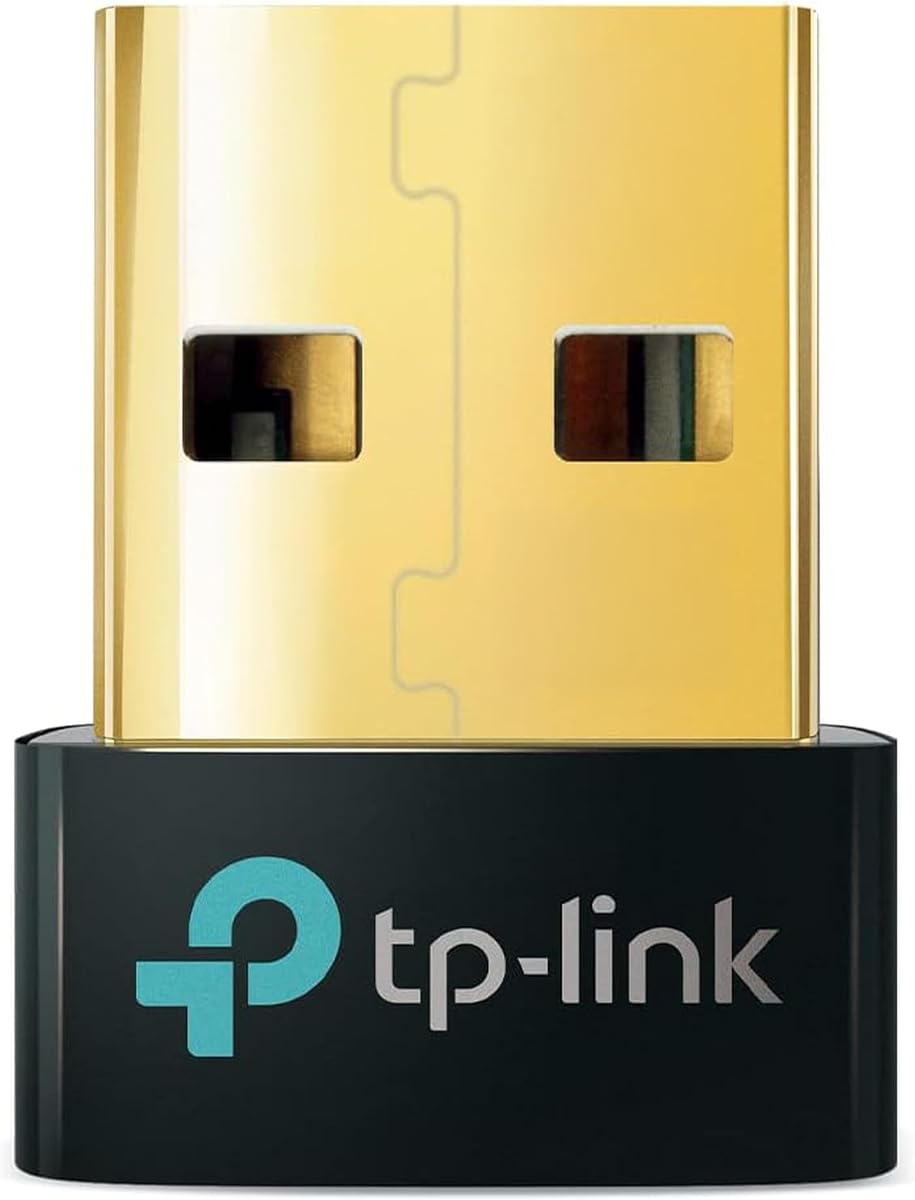
The TP-Link UB500 combines a 4.5 rating with the strongest overall balance of useful features in this guide. Although it is not labeled strictly as a Bluetooth 4.0 adapter, its backward compatibility includes that standard and several newer versions, allowing it to connect with both modern and established Bluetooth peripherals.
We may earn a commission when you buy through this link, at no additional cost to you.
Its Bluetooth 5.4 implementation, enhanced data rate, and Bluetooth Low Energy support make it more versatile than a basic legacy dongle. The stated ability to transfer data up to twice as fast and cover four times as much ground as Bluetooth 4.0 is especially useful for users who have upgraded their peripherals but retained an older computer.
The main limitation is its operating-system focus. The UB500 is designed for Windows PCs, not macOS, Linux, televisions, or game consoles. It also cannot connect directly to a PS5, PS4, or Xbox, although a compatible controller can be used through the PC. On Windows 7, a driver must be downloaded separately.
This is the most practical recommendation for a Windows user seeking easy Bluetooth connectivity, broad device compatibility, and a tiny footprint. The minor driver requirements and platform restrictions are outweighed by its modern wireless capabilities and ability to serve as a bridge between older and newer peripherals.
Users who need only a basic Bluetooth 4.0 connection may find simpler alternatives here, but the UB500 offers the broadest combination of modern features, backward compatibility, and everyday convenience.
Support for Bluetooth versions ranging from 1.1 through 5.4 makes the adapter useful with a varied collection of peripherals. That backward support is especially valuable for older headsets, keyboards, and printers that do not use newer Bluetooth Low Energy profiles.
The nano-sized housing can remain inserted in a USB port without obstructing neighboring connections. It is a practical choice for a desktop used regularly or a laptop carried between home, office, and travel locations.
We may earn a commission when you buy through this link, at no additional cost to you.
The Deal4GO CSR8510 is a budget-focused Bluetooth 4.0 adapter that earns a 4.1 rating and covers many older Windows computers. Its stated support extends from Windows XP through Windows 10 in both 32-bit and 64-bit editions, making it useful for systems that cannot take advantage of newer plug-and-play installation.
We may earn a commission when you buy through this link, at no additional cost to you.
The adapter uses a CSR8510 controller and supports multiple Bluetooth applications simultaneously. Its Bluetooth 4.0 implementation includes Low Energy while remaining compatible with versions 3.0, 2.1, 2.0, and 1.1. For common accessories such as a mouse, keyboard, speaker, headset, or smartphone, the feature set is appropriately focused.
Stated performance reaches up to 3 Mbps and approximately 33 feet in open space. Those figures are suitable for normal desk use, although walls and interference can reduce practical range. The package does not include a physical disc, so users need the appropriate driver from the manufacturer's website.
The Deal4GO is a sensible choice for an inexpensive upgrade to a legacy Windows PC. It avoids unnecessary premium features and prioritizes the fundamentals: broad Windows compatibility, BLE support, a compact form, and the ability to serve several Bluetooth application categories.
Those searching specifically for the most current Bluetooth generation should choose a newer option, but users whose older computer needs simple peripheral connectivity will find this adapter practical and economical.
Windows XP, Vista, 7, 8, and 10 support makes this one of the more accommodating options for older hardware. It is particularly relevant to refurbished office computers and systems that predate widespread Bluetooth integration.
A stated 3 Mbps transfer rate and 33-foot open-space range are appropriate for standard accessories. Users should treat those figures as ideal conditions rather than guaranteed performance through walls or in crowded radio environments.
We may earn a commission when you buy through this link, at no additional cost to you.
The TP-Link UB400 is a direct Bluetooth 4.0 option with a 4.4 rating, broad Windows compatibility, and a stated range of up to 65 feet. It sits between a basic legacy adapter and a newer multi-version model, making it a balanced choice for users who do not need the newest Bluetooth standard.
We may earn a commission when you buy through this link, at no additional cost to you.
Its compatibility list includes Windows 11, 10, 8.1, 8, 7, and XP. Installation is plug-and-play on Windows 8, 8.1, 10, and 11, while Windows 7 and XP users need to download a driver. The adapter also works backward with Bluetooth 3.0, 2.1, 2.0, and 1.1 devices.
Its strengths include low-energy operation, a nano-sized housing, and compatibility with common Bluetooth equipment such as headsets, phones, printers, and other computers. The limitations are equally clear: it is not designed for Mac, Linux, or television platforms, and game controllers must connect through the computer rather than directly to a console.
The UB400 is a strong recommendation for a Windows desktop or laptop that needs a dedicated Bluetooth 4.0 upgrade. It offers more range than many budget dongles and broad legacy compatibility without the complexity of adjustable hardware or extended-range antennas.
This adapter is particularly attractive to users replacing an older computer with one that lacks built-in Bluetooth but whose peripherals are based on established Bluetooth 4.0 profiles.
The stated 65-foot transmission distance provides useful flexibility for moving around a room while remaining connected to a headset or peripheral. Walls, furniture, and other radio interference can make the usable distance shorter.
The product's operating-system limitations make the purchase decision straightforward. Windows users get broad support and simple setup, while Mac, Linux, and television owners should choose a cross-platform alternative.
We may earn a commission when you buy through this link, at no additional cost to you.
The Panda Bluetooth 4.0 USB Nano Adapter stands out with a 4.5 rating and an operating-system list extending across numerous Linux distributions as well as many Windows versions. That cross-platform focus makes it a notable choice for users who move between a Windows PC and a Linux system.
We may earn a commission when you buy through this link, at no additional cost to you.
The adapter supports Bluetooth Smart Ready 4.0 with both Low Energy and Enhanced Data Rate. Its stated range reaches up to 80 feet when connected to a compatible Bluetooth Smart device, and its nano format suits travel or permanently occupied USB ports. The product information specifically identifies a Bluetooth software stack for Windows.
This creates an important qualification. Although the title and compatibility information name many Linux distributions, the detailed software-stack reference is for Windows. Buyers using a less common Linux environment should verify kernel, distribution, and driver support before relying on the adapter.
The Panda remains an attractive option for a legacy computer that needs both Windows and Linux compatibility. Its stated range is among the strongest among the compact models, while LE and EDR provide useful coverage for accessories built around both classic and low-energy Bluetooth profiles.
For a user who values operating-system breadth and long stated range, this adapter is more versatile than several Windows-only alternatives. The lack of stated Mac support and limited setup details are the main considerations.
The compatibility title covers popular Linux families and specialist environments, which is broader than most competing descriptions. Actual recognition still depends on the distribution, kernel, and Bluetooth support installed on the specific computer.
An 80-foot stated range and tiny nano enclosure create a useful combination for portable setups. The range is most applicable in open spaces and will vary with obstacles and the capabilities of the connected peripheral.
We may earn a commission when you buy through this link, at no additional cost to you.
The StarTech USBBT2EDR4 is a compact Bluetooth 4.0 adapter with a 4.2 rating and an unusually broad stated desktop-platform range. It supports Windows systems from XP through 10, Windows Server 2003, and macOS versions from 10.8 through 10.15 and 11.0.
We may earn a commission when you buy through this link, at no additional cost to you.
Its Bluetooth Class 2 transceiver communicates across distances of up to 10 meters, or approximately 33 feet, while Enhanced Data Rate supports transfer rates of up to 3 Mbps. The adapter is also backward compatible with Bluetooth 3.0, 2.x, and 1.x equipment.
The TAA designation makes this model relevant for institutional and government procurement, while the ultra-compact body suits travel. It can remain connected without taking up much room, although the Class 2 radio is intended for shorter-range use than StarTech's larger Class 1 option.
This is a strong recommendation for a Windows or Mac system that needs standard Bluetooth 4.0 connectivity and a physically small adapter. It may be less attractive for Linux users, and its operating range is more modest than the product's higher-range StarTech sibling.
The cross-platform support and procurement-friendly design set it apart from many compact dongles restricted to newer Windows releases. For ordinary desk-level accessories, its stated performance is appropriate.
Supporting both major desktop ecosystems is valuable for a shared adapter. It can move between a Windows workstation and compatible Mac computer, reducing the need to maintain separate receivers for each platform.
A Class 2 transceiver is a common choice for desk peripherals and portable accessories. Its 33-foot maximum is adequate for typical indoor use but should not be compared directly with a Class 1 adapter built for extended coverage.
We may earn a commission when you buy through this link, at no additional cost to you.
The StarTech USBBT1EDR4 is the premium long-range selection in this guide, carrying a 4.2 rating and a stated transfer distance of up to 50 meters, or 165 feet. Its Bluetooth Class 1 design separates it from ordinary desk-level dongles intended for nearby accessories.
We may earn a commission when you buy through this link, at no additional cost to you.
It is Bluetooth 4.0 LE compliant, supports Enhanced Data Rate, and offers transfer rates up to 3 Mbps. The product information also highlights 128-bit AES encryption for transfers and Bluetooth Smart Ready support for compatible Apple and Android mobile devices.
Native support for Windows and Mac means additional software is not required according to the stated specifications. The portable housing remains smaller than a full-size network adapter, but it is not as inconspicuous as the nano models included elsewhere in this roundup.
Its specialized strength is clear: the adapter can cover significantly greater physical distance than typical Bluetooth 4.0 dongles. That makes it relevant to users whose peripheral is in another room, a nearby workspace, or another part of a larger property. Real-world range still depends on walls, radio interference, antenna position, and the connected device.
For ordinary keyboard and mouse use, the extra reach may be unnecessary. For a long-range accessory, a larger workspace, or a system requiring robust cross-platform support, however, this StarTech adapter provides a compelling reason to consider the premium option.
The 165-foot figure distinguishes this adapter from standard Class 2 dongles. It is especially relevant to users who cannot keep a headset, controller, or other Bluetooth device within a few meters of the computer.
Windows and Mac support make this a flexible shared adapter, while 128-bit AES encryption adds an important security layer for wireless transfers. Older and newer compatible Bluetooth peripherals benefit from Smart Ready and LE support.
We may earn a commission when you buy through this link, at no additional cost to you.
The TP-Link UB500 Plus has a 4.4 rating and combines Bluetooth 5.3 capability with a rotatable, multi-directional antenna. That adjustable hardware distinguishes it from the standard UB500 and makes it a strong option for users who want more control over reception.
We may earn a commission when you buy through this link, at no additional cost to you.
It is backward compatible with Bluetooth 4.2, 4.0, 3.0, 2.1, 2.0, and 1.1, so it serves both current and established peripherals. The stated performance is up to twice the speed and four times the coverage of Bluetooth 4.0, subject to the user's device, environment, and connection conditions.
Setup is plug-and-play on Windows 8.1, 10, and 11 when internet access is available. Windows 7 requires a driver from the manufacturer. Like other TP-Link options in this roundup, it focuses on Windows PCs rather than macOS, Linux, televisions, or direct console use.
The adjustable antenna can be rotated toward a connected device to improve signal reception. This is useful when the adapter sits behind a monitor, inside a cabinet, or away from the peripheral. Its larger body is less discreet than a nano dongle, but the placement flexibility may justify the added size.
This adapter is ideal for a Windows user who prioritizes reach, modern wireless standards, and the ability to optimize antenna direction. It also remains compatible with Bluetooth 4.0 equipment despite offering a more advanced protocol.
Rotating the antenna allows the adapter to be aimed toward a connected peripheral. That control can be more useful than a fixed nano design when the computer and Bluetooth device are in different parts of a room.
Bluetooth 5.3 provides a more current platform while preserving support for older peripherals. EDR and Bluetooth Low Energy cover conventional and energy-conscious accessories within one compact receiver.
We may earn a commission when you buy through this link, at no additional cost to you.
The ASUS USB-BT600 is a modern, multi-device adapter with a 4.0 rating. Its support for up to seven connected devices is its defining feature, allowing one computer to manage several accessories without replacing the adapter whenever a different device needs to be paired.
We may earn a commission when you buy through this link, at no additional cost to you.
Bluetooth 6.0 and Bluetooth Low Energy provide a current foundation, while backward compatibility allows use with peripherals built around earlier Bluetooth versions. The stated operating-system support includes Windows 10, Windows 11, and Linux, covering both major platforms commonly encountered by technical users.
The ultra-small housing is designed to be portable and unobtrusive. It is a natural fit for a compact workstation or a laptop that is frequently moved. The specification does not list Mac support, nor does it mention Windows 7, 8, or 8.1.
Its main tradeoff is that this is a forward-looking adapter rather than a broad legacy upgrade. A user with an older operating system should favor a model explicitly designed for that environment. Likewise, Mac users should not assume compatibility without checking the manufacturer.
For a current Windows 10, Windows 11, or Linux system with several Bluetooth peripherals, the USB-BT600 offers a compelling combination of multi-device capacity, backward compatibility, and a compact footprint.
Supporting up to seven devices is useful for a desk containing a keyboard, mouse, headset, phone, and other accessories. It reduces the inconvenience of manually moving a single-device dongle between ports.
Bluetooth 6.0, Low Energy operation, and backward compatibility position the adapter for current peripherals. Its ultra-small form makes it easier to keep installed during travel without blocking adjacent USB ports.
We may earn a commission when you buy through this link, at no additional cost to you.
The generic CSR8510 adapter is a straightforward Bluetooth 4.0 USB dongle with a 3.3 rating. Its core specification is familiar: a dual-mode CSR8510 controller, USB 2.0 interface, backward compatibility with older Bluetooth versions, and support for a stated maximum transfer speed of 3 Mbps.
We may earn a commission when you buy through this link, at no additional cost to you.
The adapter is described as suitable for headsets, phones, keyboards, mice, printers, GPS equipment, laptops, and desktop computers. Its range is stated at 20 meters in an unobstructed environment, while features such as adaptive frequency hopping and low-power sleep and wake behavior support stable everyday use.
The clearest limitation appears in the operating-system guidance, which points to specific Windows 10 releases. Compared with the detailed Windows and Linux lists elsewhere in this guide, that limited information makes this model less appealing for unusual systems or users who need assured cross-platform support.
It may still make sense as a low-cost adapter for a compatible Windows computer and standard peripherals. However, the lower rating and less precise documentation warrant more careful verification before purchase, especially if the intended system is old, newly released, or not Windows-based.
This adapter is best considered a basic functional option rather than a feature-rich recommendation. Users who value clearer documentation, broader platform support, or a more established range of choices should favor a better-documented model.
The CSR8510 controller provides the adapter with a recognizable basis for common Bluetooth 4.0 accessories. It also supports older Bluetooth versions, which can be useful when replacing a lost receiver for an existing peripheral.
The operating-system note is narrower than those of most featured products. Confirming the intended Windows version and obtaining the appropriate driver before buying can prevent setup disappointment.
We may earn a commission when you buy through this link, at no additional cost to you.
The TP-Link UB600 combines a 4.2 rating with Bluetooth 6.0, multi-device capacity, and an ultra-compact nano form. It is designed to give a compatible Windows computer a current wireless platform without requiring a large external unit.
We may earn a commission when you buy through this link, at no additional cost to you.
The adapter can connect up to seven types of Bluetooth devices at the same time, covering peripherals such as a mouse, keyboard, smartphone, tablet, controller, and printer. Its Bluetooth 6.0 implementation is positioned for fast transfers, stable connections, low-latency input, and responsive audio or video streaming.
Windows support extends from Windows 7 through Windows 11, although the setup method varies. Windows 10 and 8.1 support plug-and-play installation, while Windows 11 and Windows 7 users need to download the latest driver from TP-Link's official website. Internet access may therefore be needed during setup.
Its strongest feature is the combination of a tiny body and support for several connected accessories. A user with many peripherals does not need to repeatedly move a dongle between devices. The main platform limitation is that no Mac or Linux support is stated, and the new Bluetooth generation is more useful with compatible accessories.
The UB600 is a strong choice for a Windows user who wants a discreet adapter with ample multi-device capacity. It also suits mobile setups because the housing is designed to remain connected without blocking surrounding USB ports.
Connecting as many as seven device types is a meaningful advantage for a modern workstation. It is especially useful when several Bluetooth accessories are already paired and must remain available at the same time.
TP-Link identifies the UB600 as a signatory to the CISA Secure-by-Design pledge. That commitment is relevant for buyers who consider wireless security as part of the purchasing decision, although users should still maintain appropriate system and device security practices.
We may earn a commission when you buy through this link, at no additional cost to you.
The right Bluetooth USB adapter depends on your operating system, peripheral types, physical workspace, and preferred setup process. Consider compatibility and range first, then compare low-energy support, size, security features, and multi-device capacity.
Start by confirming that the adapter explicitly supports your exact operating system and version. Several compact models in this guide support Windows while excluding Mac, Linux, televisions, and game consoles, whereas the Panda adapter and two StarTech products provide broader desktop support. The generic CSR8510 has narrower operating-system guidance and may be less suitable when certainty is important. Compatibility also involves more than the host computer: the adapter must support the Bluetooth profiles used by your keyboard, headset, mouse, phone, printer, or controller.
Bluetooth 4.0 introduced Low Energy, but the most useful adapter is often one that supports the standard you own while also accommodating newer devices. The TP-Link UB500, UB500 Plus, ASUS USB-BT600, and TP-Link UB600 use newer Bluetooth versions with backward compatibility, while the Deal4GO, UB400, Panda, StarTech models, and generic CSR8510 center on Bluetooth 4.0. Classic Bluetooth and Bluetooth Low Energy are not always interchangeable, so check which profile your peripheral requires rather than assuming every device will connect.
Range matters when a peripheral is several rooms away or when the computer sits behind furniture. Standard adapters commonly state about 33 feet, while the TP-Link UB400 lists 65 feet, the Panda lists 80 feet, and the StarTech USBBT1EDR4 claims up to 165 feet. A longer specification is useful but not always necessary; walls, obstacles, radio interference, antenna placement, and the peripheral's own radio can reduce actual coverage. Choose the shortest range that comfortably covers your setup unless you have a specific long-distance requirement.
Nano adapters are discreet and easy to carry, making them suitable for laptops and crowded USB ports. The TP-Link UB500, UB400, Panda, and UB600 follow this approach. The StarTech USBBT1EDR4 and TP-Link UB500 Plus use somewhat larger housings, with the latter adding an adjustable antenna. Consider whether the adapter will remain plugged in, whether it might be bumped, and whether blocking a neighboring port would create inconvenience. A slightly larger design is not a drawback if it improves signal positioning.
Some adapters emphasize simultaneous connections more explicitly than others. The ASUS USB-BT600 and TP-Link UB600 support up to seven connected devices, while the Deal4GO CSR8510 states that multiple Bluetooth applications can be supported simultaneously. This is valuable for users with a keyboard, mouse, headset, phone, and printer. More supported devices do not guarantee better performance for each one, but they can eliminate the need to unplug and re-pair a compact dongle whenever a different accessory is used.
Plug-and-play support can simplify setup considerably, but it is not universal even among adapters with the same physical design. Most modern Windows releases are straightforward, while Windows 7, Windows XP, and some older Linux environments may require a downloaded driver. The Deal4GO adapter has no included CD, and the TP-Link products state that internet access or a manufacturer website download may be necessary. Check your internet availability and administrator access before installation, especially on a legacy computer that is no longer well supported by its manufacturer.
Bluetooth Low Energy helps reduce power consumption, particularly for compatible accessories that operate intermittently. Security is also important on a shared or public computer. The StarTech USBBT1EDR4 includes 128-bit AES encryption, while the TP-Link UB600 participates in TP-Link's Secure-by-Design commitment. These details do not replace normal system maintenance, but they can distinguish otherwise similar adapters. For a home office, prioritize stable pairing and device support; for a managed environment, consider procurement requirements and documented security features.
Begin by checking the adapter's compatibility list and locating the correct driver or setup instructions for your operating system. Before connecting an external adapter, open Device Manager on a Windows PC and disable any existing internal Bluetooth radio. TP-Link specifically recommends this step for the UB500 and UB400, because two active Bluetooth controllers can cause conflicts, incorrect pairing behavior, or unstable connections.
Insert the adapter into a direct USB port on the computer. After the operating system detects it, open the Bluetooth settings and use the normal pairing process for your keyboard, mouse, headset, phone, or printer. Select the device name in the Bluetooth menu, confirm any prompts, and complete any platform-specific pairing action such as choosing a numeric code. If the device does not appear, verify that it is in pairing mode, restart the search, and confirm that the relevant adapter driver is installed.
For best results, position the adapter or its antenna toward connected devices and keep the receiver unobstructed where possible. Protect the dongle from impacts, moisture, and repeated bending, particularly if it remains inserted in a laptop while traveling. When moving the adapter to another computer, unplug it cleanly, remove the device pairings if the new computer will share peripherals, and install any required driver again before attempting to reconnect.
It can work when the newer device retains backward compatibility and uses a Bluetooth profile supported by the adapter. Bluetooth 4.0 dongles may not support every feature found in later standards, particularly specialized profiles, newer audio functions, or high-bandwidth applications. Check both devices for the required Bluetooth profile before purchasing.
Yes, but compatibility depends on the adapter, Linux distribution, kernel, and Bluetooth support packages. The Panda adapter explicitly names numerous Linux distributions, and the ASUS USB-BT600 lists Linux support. Other models are primarily described as Windows devices, so Linux users should verify kernel and driver compatibility before buying.
A computer with two active Bluetooth controllers can encounter driver conflicts, device-manager warnings, or inconsistent pairing behavior. TP-Link recommends disabling the existing internal radio for the UB500 and UB400. You can usually re-enable it later through Device Manager if you need to switch between the internal and external adapters.
For a keyboard, mouse, or nearby headset, a standard adapter with roughly 33 feet of stated range is usually sufficient. The 65-, 80-, and 165-foot models are more appropriate for larger rooms, separate work areas, or accessories located farther from the computer. Obstacles and radio interference can make the usable distance much shorter than the stated maximum.
That depends on the adapter and the intended connection. The TP-Link UB500 and UB400 support PS4 and Xbox controllers when they are used through a Windows PC, but neither is intended for direct connection to a PS4, PS5, or Xbox console. Confirm that both the computer and controller support the required connection method.
Choose Bluetooth 4.0 when your peripherals use older or Low Energy profiles and your priority is straightforward support for established equipment. Choose a newer version when you own compatible current accessories, want a longer upgrade path, or prefer a multi-device adapter. A newer adapter with backward compatibility is often the more flexible choice.
Begin by checking the USB connection, restarting the computer, and confirming that the correct driver is installed. Also disable any conflicting internal Bluetooth radio and test the adapter in another compatible computer. On older Windows or Linux systems, additional support packages or kernel modules may be required.
The TP-Link UB500 is the strongest overall choice because it combines a compact design, broad backward compatibility, and modern Bluetooth 5.4 performance. The Deal4GO CSR8510 is a practical budget selection for supported legacy Windows systems, while the StarTech USBBT1EDR4 stands out for long range and cross-platform support.
Your priorities should determine the remaining choice. Windows users prioritizing compactness can consider the UB400, UB600, or ASUS USB-BT600; Linux users have clearer options in the Panda and ASUS models; and users who can optimize antenna direction may appreciate the TP-Link UB500 Plus. Confirm operating-system support, required Bluetooth profiles, driver requirements, and real-world range before ordering.
Ratings, product specifications, prices, and availability can change over time, and Amazon listings may receive updates from their manufacturers. Review the current listing and latest compatibility guidance at the point of purchase to ensure the selected adapter still fits your computer and peripherals.