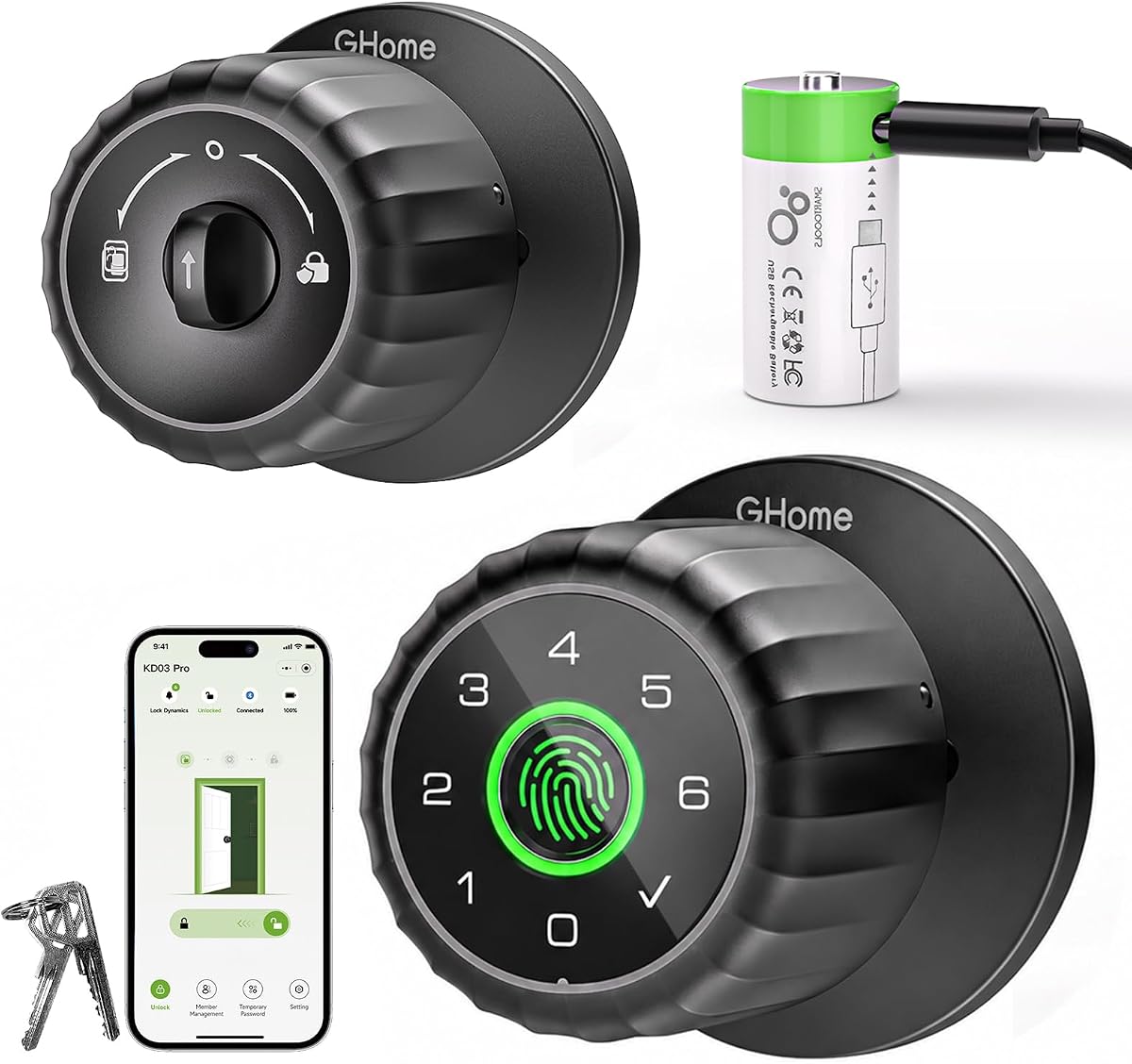
GHome Smart Fingerprint Door Lock, 4-in-1 Smart Lock with Removable Battery
4.5Editor score
Removable 700mAh battery
100 fingerprint capacity
100 passcode capacity
Local biometric storage
Best biometric door knob guide comparing 10 smart locks for fingerprint access, keypads, app control, battery life, installation, and security features.
A biometric door knob replaces the need to carry a conventional key by recognizing a registered fingerprint, while many models also provide keypads, app access, mechanical keys, and emergency power. A worthwhile model should balance fast recognition, dependable access management, straightforward installation, and features suited to bedrooms, offices, apartments, and other interior doors.
The products in this guide were compared using the information supplied for each listing, including supported access methods, fingerprint and password capacity, sensor specifications, app capabilities, operating modes, battery provisions, door compatibility, backup options, warranty coverage, and customer ratings. The comparison also distinguishes locks designed mainly for convenient interior access from feature-rich models intended for broader smart-lock use.
Each review explains the strongest qualities, practical limitations, and likely best use for a particular lock, helping you determine which option best fits your household, renters, guests, or workplace. Product features and availability can change, and current prices fluctuate, so confirm the latest listing details and door measurements before making a final purchase.
4.5Editor score

4.8Editor score

4.2Editor score
This side-by-side comparison highlights the major differences in access methods, user capacity, biometric hardware, app functions, power options, installation requirements, and door compatibility. It is designed to make it easier to identify the most capable general-purpose lock, the most economical option, or a model tailored to a specific interior door.

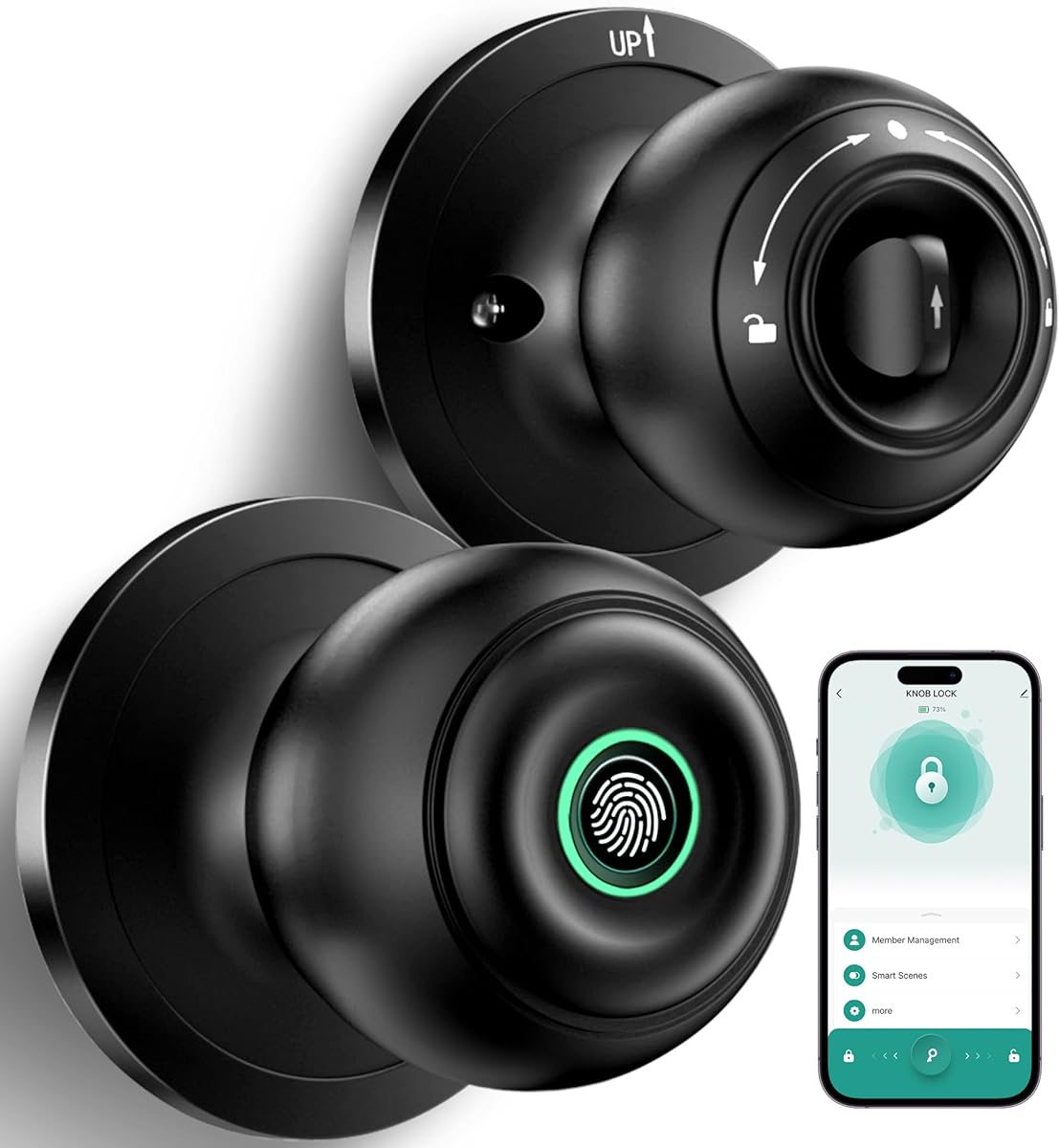


This black fingerprint door lock offers fingerprint, password, two mechanical keys, and four IC cards, giving it more flexibility than a biometric-only model. Its 4.0 rating reflects a practical feature set, while the advertised sub-second fingerprint recognition makes it appealing for people who want quick daily entry without carrying a conventional key.
We may earn a commission when you buy through this link, at no additional cost to you.
Capacity is one of its main strengths. The lock can store as many as 100 fingerprints and 50 passwords, making it suitable for a family with regular visitors, a home office, or a rental property with multiple occupants. Installation is designed for wooden doors measuring 1.18 to 1.97 inches thick, and the reversible design accommodates left- and right-swinging doors. Video tutorials and included tools support a do-it-yourself setup.
The important setup warning deserves close attention. An administrator fingerprint must be registered before first use, and until that step is completed, any fingerprint may unlock the door. The USB port is intended only for emergency power from an external power bank; it cannot recharge the lock's internal batteries. Those limitations make initial configuration and battery planning especially important.
This is a sensible pick for buyers seeking a straightforward, broadly compatible interior lock with several fallback methods. Check the door thickness, follow the administrator setup instructions carefully, and consider the model a good fit when fingerprint access, PIN entry, cards, and physical keys should all be available.
Fingerprints, passcodes, mechanical keys, and four IC cards cover several common access situations. Family members can use biometrics, temporary visitors can receive a code or card, and mechanical keys provide a physical backup when batteries or electronics are unavailable.
The reversible handle is intended for left- and right-swinging wooden doors, and the stated thickness range makes it broader than some keypad-only alternatives. Measure the door and follow the supplied orientation guidance before drilling or modifying hardware.
We may earn a commission when you buy through this link, at no additional cost to you.
This smart door handle combines fingerprint, privacy password, IC card, app control, and two mechanical keys. Its 4.8 rating is the highest among the ten products, and the combination of a large 160 by 160 DPI sensor, 0.2-second recognition, and high user capacity makes it the most balanced all-around option in this guide.
We may earn a commission when you buy through this link, at no additional cost to you.
The expanded recognition area is particularly useful for households with children, older adults, or anyone whose fingerprint changes with dryness or age. It supports up to 100 fingerprints and 50 passwords, while privacy passcodes, cards, app access, and keys ensure the door can still be opened under different circumstances. A low-battery alarm and integrated USB-C emergency connection add further reassurance.
Installation looks manageable for a standard residential door. The flip-up handle supports left- and right-opening doors, and the listed specifications cover 60 mm or 70 mm backsets, a 54 mm lateral aperture, and door thicknesses from 35 to 55 mm. Four AAA batteries are required but not included, so those should be obtained before installation. App-dependent features also require initial setup and compatible phone connectivity.
This lock is the strongest recommendation for someone who wants broad access options and advanced biometric hardware without moving beyond a conventional interior door knob. It is particularly suitable for a main bedroom, private office, or rental room where family, guests, and emergency entry all need to be considered. Verify dimensions, install an administrator profile, and keep backup keys accessible.
The 160 by 160 DPI recognition area is 35 percent larger than the standard 120 by 120 sensor cited in the listing. That expanded target can make finger placement easier and supports recognition from a broader range of angles.
Biometrics, a privacy password, an IC card, app control, and two mechanical keys allow the lock to accommodate different users and circumstances. The emergency USB-C port can provide temporary power when the batteries are depleted, although it does not replace routine battery management.
We may earn a commission when you buy through this link, at no additional cost to you.
This matte black smart knob provides fingerprint and app entry along with mechanical key access, giving it a compact set of options for bedrooms and apartments. Its 4.2 rating is supported by flexible operating modes, including Passage, Normal, Privacy, and Silent modes, which allow the lock to adapt to different times and household routines.
We may earn a commission when you buy through this link, at no additional cost to you.
App management is a meaningful advantage for shared spaces. Users can add fingerprints, share access with family members, and review access records when the phone is within Bluetooth range. Normal Mode automatically locks after five seconds in this version. The rechargeable internal battery is stated to last for one year and can be charged through USB Type-C, while low-battery notifications help prevent an unnoticed shutdown.
There are meaningful boundaries. Remote app control requires a separately purchased gateway, and the lock is not intended for doors fitted with weather seals. The installation instructions are also detailed, requiring the exterior and interior knobs, spindle, and thumb turn to be aligned according to the marked directions. A screwdriver and a little force may be needed to seat the rear assembly properly.
This model is a good choice for an apartment or bedroom where mode switching and local app management matter more than exterior-weathering capability. Anyone considering it should verify the door construction, install carefully by following the orientation marks, and understand that Bluetooth access is local rather than inherently remote.
Passage Mode favors convenient access, Normal Mode adds automatic locking, Privacy Mode supports a private interior space, and Silent Mode reduces operational noise. This flexibility makes the lock useful for bedrooms, home offices, and rooms with different routines throughout the day.
The app can manage fingerprints and shared access while checking entry history within Bluetooth range. A separate gateway would be required for remote control, so buyers should decide whether local management alone meets their needs.
We may earn a commission when you buy through this link, at no additional cost to you.
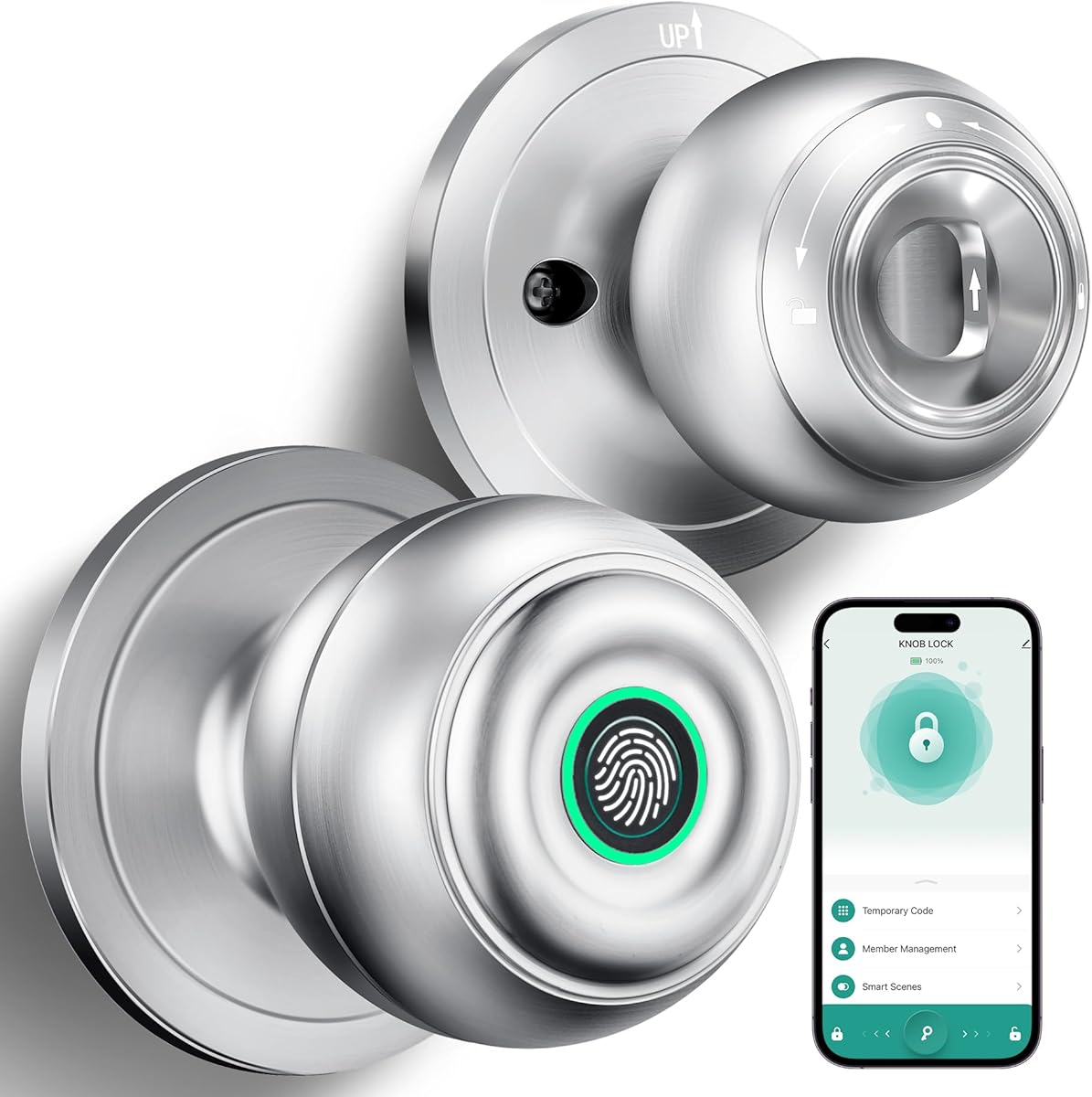
This silver smart fingerprint door knob offers a more understated appearance than the black version in the previous listing while retaining a similar feature set. Its 4.2 rating and combination of fingerprint access, app control, mechanical keys, and four operating modes make it suitable for a bedroom, private office, apartment, or short-term rental.
We may earn a commission when you buy through this link, at no additional cost to you.
The main distinction is its Normal Mode, which automatically locks after seven seconds. Passage Mode can keep the door unlocked, Privacy Mode supports a secured personal space, and Silent Mode provides quieter operation. Through the app, users can set fingerprints, examine access records, and share or add access for family members when their phones are within Bluetooth range.
The rechargeable battery is specified for a one-year lifespan and accepts USB Type-C charging. Low-battery notifications are triggered when the internal battery falls below the stated threshold, helping the user intervene before power becomes critical. As with the related black model, remote operation requires a separate gateway, and the lock should not be installed on a door with weather strips.
Choose this model if you prefer a silver finish, a slightly longer seven-second automatic lock delay, and the same practical app functions as the related option. Confirm the installation orientation, check the door for weather seals, and make sure the Bluetooth-based app experience aligns with your expectations.
Normal Mode relocks the door seven seconds after an unlock. This delay provides a short window for retrieving items or greeting someone, while the other modes allow owners to prioritize continuous access, privacy, or reduced noise.
App-based fingerprint and access management can simplify distributing entry to household members. Because the control depends on Bluetooth proximity, a separate gateway is necessary only if true remote access is a priority.
We may earn a commission when you buy through this link, at no additional cost to you.
This second smart door handle with keypad shares the top rating in the guide and builds a compelling case for buyers who want numerous entry methods. It supports fingerprint, anti-peep passcode, IC card, app control, and two mechanical backup keys, while accommodating as many as 100 fingerprints and 50 passcodes.
We may earn a commission when you buy through this link, at no additional cost to you.
Its 160 by 160 DPI sensor offers a recognition area 35 percent larger than the standard sensor referenced in the product information. The listing emphasizes 360-degree recognition and performance with dry or elderly fingerprints. Recognition is advertised at 0.2 seconds, with access in approximately one second, making it well suited to a busy bedroom or office entrance.
A low-battery alarm and USB-C emergency power connection help protect against complete depletion. The package includes two mechanical keys and two IC cards, although four AAA batteries must be supplied separately. Installation uses a reversible handle, requires no drilling, and covers common 60 mm and 70 mm backsets, a 54 mm cross-bore, and 35 to 55 mm door thicknesses.
The included 12-month warranty, stated money-back guarantee, and ongoing technical support make this a reassuring all-around choice. It is best for users who want advanced biometric hardware and multiple fallbacks in one interior lock. Confirm the measurements, obtain batteries in advance, and complete administrator setup before allowing regular household access.
The anti-peep passcode function adds a layer of privacy around numeric entry. Combined with biometrics, cards, app control, and physical keys, it gives household members several ways to enter while discouraging casual observation of a code.
The reversible handle and stated range of backsets, cross-bore dimensions, and door thicknesses cover many standard U.S. residential doors. Checking all measurements before ordering reduces the chance of an installation mismatch.
We may earn a commission when you buy through this link, at no additional cost to you.
This biometric keypad smart door knob combines fingerprint recognition, anti-peep passcode entry, app control, and two traditional mechanical keys. It earns a 4.5 rating and stands out as a value-focused option that still provides the convenience and versatility expected from a modern smart interior lock.
We may earn a commission when you buy through this link, at no additional cost to you.
Its 400mAh rechargeable battery takes approximately four to six hours to charge and is advertised as providing up to one year of standby power. That estimate should be understood in context, because standby and active-use demands differ. A low-battery alert, emergency keys, and a passcode entry method help provide alternatives when attention to charging is needed.
The operating features are well suited to bedrooms and offices. A backlit keypad assists nighttime entry, one-time guest codes limit unnecessary access, anti-peep protection obscures the actual code, and Silent Mode reduces disturbance. Passage Mode keeps the door unlocked for high-traffic periods, while the adjustable latch accommodates 60 mm or 70 mm backsets and 30 to 55 mm door thicknesses.
Installation is advertised as a 15-minute process using a screwdriver and without drilling. This makes the model attractive for renters and homeowners seeking a straightforward upgrade. The most suitable buyer is someone who wants a capable four-method lock without paying for every expanded feature found in higher-capacity premium models.
One-time guest passcodes offer a practical way to admit a visitor without handing over a physical key. They can be removed after the intended visit, reducing the need to reissue access credentials.
The internal rechargeable battery is designed for a four-to-six-hour charge and up to one year of standby operation. A low-battery warning and two mechanical keys provide important safeguards against being locked out.
We may earn a commission when you buy through this link, at no additional cost to you.
This GHome Smart lock combines fingerprint recognition, personalized passwords, Bluetooth app control, and mechanical keys in a four-method access system. Its 4.2 rating, local biometric storage, detailed logs, and privacy-focused operation make it a strong premium option for shared homes, offices, and rental properties.
We may earn a commission when you buy through this link, at no additional cost to you.
The lock recognizes fingerprints in 0.2 seconds and unlocks in approximately 1.5 seconds, with the listing citing 99.9 percent accuracy and self-learning behavior. Fingerprint and password data are stored locally without cloud storage, an important distinction for buyers concerned about data handling. Capacity is listed at 20 fingerprints and 20 passwords, which suits a small household or a modest rental property.
App management includes permanent or temporary access sharing, entry logs, low-battery monitoring, Silent Mode, and Passage Mode. The lock auto-locks five seconds after entry. A 400mAh rechargeable battery is said to reach a full charge in four to six hours and support up to 10,000 unlocks or more than 300 days, depending on use. The door fit covers 1-3/8 to 2-1/4 inches, but the listing advises checking dimensions.
This is most appropriate for a buyer who values local data storage, access auditing, and flexible sharing over extremely high user capacity. Its warranty and support commitments add value, but buyers should compare the 20-user limit with the needs of a large family or busy property before ordering.
Fingerprint and password information is kept locally rather than in cloud storage. This design may appeal to privacy-conscious households that want convenient biometric entry without relying on an external database for stored credentials.
Permanent and temporary access sharing, along with detailed entry logs, is valuable for landlords, home-office owners, and hosts. These tools make it easier to see who entered and to limit access for short-term visitors.
We may earn a commission when you buy through this link, at no additional cost to you.
This GHome Smart fingerprint door lock provides a broad set of premium-oriented functions in a four-in-one design. It supports fingerprints, personalized passwords, app control, and mechanical keys, earning a 4.2 rating and fitting well within the guide's high-capacity smart-lock category.
We may earn a commission when you buy through this link, at no additional cost to you.
Its strongest differentiators are privacy and administration. Fingerprint and password data remain locally stored, while the app allows users to add or remove credentials, create permanent or temporary access, review logs, and change operating behavior. The biometric system is listed at 0.2-second recognition and 99.9 percent accuracy, with automatic locking five seconds after entry.
The 400mAh rechargeable battery is advertised as charging in four to six hours and lasting for up to 10,000 unlocks or more than 300 days, depending on use. Silent Mode is useful around sleeping areas, while Passage Mode supports continuous access during busier periods. The listed fit extends from 1-3/8 to 2-1/4 inches, making measurement essential before purchase.
This model is a good fit for a small office, apartment, garage interior, or bedroom where privacy and access records are priorities. Compared with the higher-capacity models in the guide, it supports 20 fingerprints and 20 passwords, so consider whether that limit matches the number of daily users and expected guests.
Temporary access codes let hosts, property managers, or family members issue short-term entry without physical key distribution. They are particularly useful when regular household members still need access after a visitor leaves.
Silent Mode supports use in bedrooms and other areas where the normal lock sound could be disruptive. Passage Mode complements it by allowing continuous access when a temporarily unlocked state is more appropriate.
We may earn a commission when you buy through this link, at no additional cost to you.
This GHome smart lock is distinguished by a removable 700mAh rechargeable battery that can be taken indoors, charged with USB-C, and snapped back into the interior knob. The design avoids leaving a power bank connected at the door or removing the entire lock, while its 4.5 rating and extensive access controls make it one of the most sophisticated choices here.
We may earn a commission when you buy through this link, at no additional cost to you.
The KD03 PRO supports fingerprint, keypad passcode, Bluetooth app, and key access, with capacity for 100 fingerprints and 100 passcodes. Its 0.2-second biometric recognition, 1.5-second overall unlock, 360-degree sensor, and listed 99.98 percent accuracy are designed for smooth daily use. The battery reportedly charges in two hours and provides more than 300 days of everyday operation.
App controls include user management, permanent or temporary codes, entry history, passage mode, privacy mode, normal mode, silent mode, and configurable auto-lock timing from five to 1,800 seconds. A separate G2 or G2B gateway is required for remote access and compatible voice-control functions. Local storage keeps credentials on the lock, while the anti-peep keypad and safe mode after ten incorrect codes add protection.
This is the most attractive recommendation for a large family, shared home, rental, or office needing high credential capacity and convenient battery charging. It is less suitable for buyers seeking a minimal setup with no app or large user database. Check the stated door thickness of 1-3/8 to 2-1/8 inches and plan the initial administrator setup carefully.
The battery is removed from the indoor knob and charged like a phone, then clicked back into place. This approach is more convenient than keeping a power bank attached at the door or taking the entire lock off the door for charging.
Supporting 100 fingerprints and 100 passcodes gives this lock substantially more capacity than models limited to 20 users. It is a better fit for growing families, rental properties, and offices where temporary credentials and multiple people are common.
We may earn a commission when you buy through this link, at no additional cost to you.
This silver fingerprint door lock provides a straightforward combination of biometrics, passwords, mechanical keys, and four IC cards. Its 3.8 rating is the lowest in the guide, but the remaining specifications still make it a credible option for bedrooms, offices, hotels, and apartments where multiple entry methods are useful.
We may earn a commission when you buy through this link, at no additional cost to you.
The lock supports as many as 100 fingerprints and 50 passwords, and its upgraded sensor is advertised as recognizing a print in less than one second. Like the related black model, it is designed to fit wooden doors from 1.18 to 1.97 inches thick and to work with either left- or right-swinging doors. Installation requires no drilling or wiring, with tools and video tutorials included.
Its emergency USB port can be connected to an external power bank, but it cannot charge the internal batteries. This distinction matters because a power bank is a temporary rescue rather than a normal charging solution. The administrator fingerprint must also be registered before first use; until that occurs, any fingerprint may open the door. Buyers should therefore treat initial configuration as a security-critical step.
This model is most suitable for buyers who value a silver finish, generous user capacity, and a simple four-method access system without expecting the expanded app features found in more advanced models. Measure the door, complete administrator setup carefully, keep the backup keys in a secure location, and test every access method before regular use.
The combination of 100 fingerprint slots, 50 password slots, four IC cards, and mechanical keys supports several kinds of household or guest access. This makes the lock adaptable to family members, visitors, and emergency entry.
The stated installation process requires no drilling or wiring and supports both door-handle directions. Included tools and tutorials make it approachable for a standard wooden interior door, provided the thickness and swing are compatible.
We may earn a commission when you buy through this link, at no additional cost to you.
Choosing a biometric door knob involves balancing access methods, security controls, power management, app behavior, and physical fit. The most important first step is to identify the door and the people who will use it, then compare those requirements with each lock's documented specifications.
Compatibility begins with the door thickness, backset, cross-bore or lateral aperture, and swing direction. Most models target standard interior doors, but their listed ranges vary: examples include 30 to 55 millimeters, 35 to 55 millimeters, 1.18 to 1.97 inches, and 1-3/8 to 2-1/8 inches. A lock that appears similar may still require a different spindle, latch, or orientation. Measure the door before ordering and compare every relevant dimension with the listing rather than relying on a general description of a standard door.
Biometrics are the headline feature, but a useful lock should offer alternatives. Fingerprints, PINs, IC cards, app control, and mechanical keys each serve different needs, such as repeated family entry, temporary visitor access, offline entry, or emergency fallback. Capacity also matters. Some models accommodate 20 fingerprints and 20 passwords, while others support 100 fingerprints and as many as 50 or 100 passcodes. Choose enough capacity for regular users, occasional guests, and future household changes without paying for unnecessary database capacity.
Sensor size, resolution, recognition time, and supported angles influence everyday usability. The more advanced models in this guide use 160 by 160 DPI sensors with a recognition area 35 percent larger than a standard 120 by 120 sensor. They also advertise 360-degree recognition and stronger performance with dry or elderly fingerprints. Faster recognition can reduce hesitation at the door, but the complete unlock time, which may be around 1.5 seconds, is more relevant than the brief sensor-matching figure alone.
App features range from basic fingerprint enrollment to access logs, temporary credentials, user removal, and remote control. Local Bluetooth control is not the same as internet-based remote access; some products require a separately purchased gateway. Privacy deserves equal attention. Locks that store fingerprints and passwords locally avoid placing those records in cloud storage, while anti-peep keypad functions help protect a PIN from casual observation. Review the app requirements and data-storage claims before connecting the lock to a phone.
Power options include built-in rechargeable batteries, removable rechargeable packs, and models that use replaceable AAA batteries. Rechargeable models offer convenient routine charging, while a removable pack can be taken off the door and charged indoors. Battery-life claims range from one-year standby estimates to more than 300 days or 10,000 unlocks, and actual results depend on use. Low-battery alerts, mechanical keys, and emergency USB power are essential safeguards. A USB emergency port may provide temporary power but does not necessarily recharge the installed battery.
Useful modes adapt a single lock to different situations. Passage Mode can keep a door unlocked during periods of heavy traffic, Privacy Mode secures a bedroom or office, Normal Mode automatically relocks after entry, and Silent Mode reduces sound. Automatic lock delays range from five seconds in several GHome models to seven seconds in one listing. The removable-battery GHome model offers an especially broad five-to-1,800-second range. Select a delay that fits your routine rather than simply choosing the fastest possible relock.
Most products claim screwdriver-only, no-drill installation, but ease of installation varies with door construction and the hardware already fitted. Reversible handles and adjustable latches help, while detailed orientation instructions are especially important for knobs with an interior thumb turn. Some models include video tutorials, and the related GHome locks emphasize removable-battery convenience. Before purchasing, check whether the listed installation assumptions match the door and whether the seller offers ongoing setup or troubleshooting support.
Security extends beyond fingerprint matching. Useful safeguards include anti-pick construction, anti-peep passcode entry, safe mode after repeated incorrect codes, local credential storage, and backup keys. Warranty terms vary across the category, with several listings mentioning a 12-month warranty, a 30-day money-back guarantee, and lifetime technical support. Check the current terms directly on the listing, since policies can change. A credible support commitment and accessible mechanical backup are important parts of the overall value.
Begin by measuring the door and checking the lock's installation requirements, including thickness, backset, bore size, handle direction, and any weather-stripping restrictions. Install the supplied latch, spindle, and interior and exterior assemblies according to the manufacturer's orientation marks. Tighten the screws evenly so the mechanism operates smoothly without binding.
Register an administrator fingerprint before allowing other users to use the lock. Add household members one at a time, test each credential, and use passcodes, cards, app controls, and mechanical keys before relying on the system. Configure the desired auto-lock delay, passage, privacy, and silent modes, then create a clear routine for issuing and deleting temporary guest credentials.
Charge or replace the battery according to the model's instructions, enable low-battery alerts, and keep backup keys in a secure but accessible location. Clean the fingerprint sensor with a dry, lint-free cloth and avoid abrasive liquids. Review access records periodically, remove credentials belonging to former household members or guests, and arrange professional service if the lock becomes difficult to rotate, the sensor repeatedly rejects a registered print, or the unit shows a persistent low-battery warning.
Most products in this guide are described for bedrooms, offices, apartments, hotels, and other interior doors, and some explicitly do not suit doors with weather strips. Unless the listing states that a model is weather resistant and intended for exterior exposure, it is safest to use it on a protected interior door. Confirm the manufacturer's environmental and weather-seal guidance before installation.
The locks generally provide low-battery warnings, mechanical backup keys, and emergency power options. Depending on the model, emergency power may use a USB connection and an external power bank, but an emergency port does not always recharge the internal battery. Keep the included keys accessible, charge or replace batteries promptly, and avoid leaving the lock unattended after a low-battery warning.
Yes, within the model's stated user capacity. Listed limits range from 20 fingerprints and 20 passwords on the GHome models to 100 fingerprints with 50 or 100 passcodes on other options. A larger database is useful for shared families and rentals, while a smaller one may be simpler to manage. It is still important to delete old fingerprints and temporary credentials promptly.
It depends on the model and the kind of control you want. Bluetooth app functions can manage nearby locks without a gateway, but true remote unlocking may require a separately sold gateway. Some listings state that remote control requires one, while others offer local operation without it. Review the app description carefully before buying if access from outside Bluetooth range is important.
Storage methods differ among the products. The GHome locks described here state that fingerprint and password data are stored locally without cloud storage, which may appeal to privacy-conscious users. For every model, review the current privacy policy, setup prompts, and account requirements before enrolling sensitive biometric information.
Most of these locks are designed for screwdriver-only, no-drill installation and include instructions or video guidance. However, compatibility and assembly vary. Follow the marked orientation of the knobs, spindle, latch, and thumb turn, and do not force the mechanism if parts do not align. Doors with unusual backsets or thick weather seals may require different hardware.
A keypad offers numeric entry, a card uses a physical IC credential, app control provides phone-based user management or nearby unlocking, and a mechanical key serves as a physical fallback. Using several methods makes the lock more adaptable and reduces the chance of a single failed credential leaving you locked out.
Temporary passcodes, removable user credentials, access logs, and mechanical backup keys are especially useful. A lock that supports one-time guest codes and app-based access history can simplify turnover without requiring every guest to be registered as a long-term fingerprint user. Confirm the app works with your own phone and that no paid subscription is required for the features you need.
The smart door handle with keypad and 160 by 160 sensor stands out as the best overall choice because it combines a 4.8 rating, five access methods, generous user capacity, and useful emergency provisions. The GHome removable-battery model is the best budget-oriented all-rounder for buyers who value 100 fingerprints, 100 passcodes, and convenient indoor charging, while the feature-rich GHome lock with local storage and detailed logs earns the premium recommendation.
Prioritize the features that match your actual use rather than choosing only by sensor resolution or the largest user count. Confirm door dimensions, determine whether local or remote app control is needed, check battery charging requirements, and consider how many people will need permanent or temporary credentials. Physical backup keys, administrator setup, and sensible operating modes are equally important to day-to-day security.
Finally, review the current product listing before ordering because specifications, app behavior, warranty terms, and prices can change. Compare the latest dimensions and package contents with your door, especially when a model requires separate batteries or a gateway. The right biometric door knob should make daily entry smoother without sacrificing control, privacy, or a dependable way back inside.