
Thermalright TL-C12C-S X3
4.7Editor score
Three 120mm ARGB fans
PWM speed control
Up to 1550 RPM
Explore the best Be Quiet case fans of 2026, with 10 quiet PC cooling options compared for airflow, noise, lighting, size, and features.
Be Quiet case fans are designed for PC builders who want effective cooling without turning a polished workstation or gaming system into a noisy machine. The right choice depends on airflow, static pressure, frame clearance, lighting, PWM control, and whether the fan is intended for intake, exhaust, a radiator, or a CPU cooler.
This guide compares ten quiet 120mm and 140mm case fans, concentrating on the be quiet! Pure Wings 3 and Light Wings families while also comparing strong alternatives from Noctua, Thermalright, ARCTIC, NZXT, and ASUS. Specifications come from the supplied product information, with particular attention to airflow, noise, speed control, bearing technology, lighting, and installation requirements.
Each pick highlights a different route to quieter PC operation: the Pure Wings 3 prioritizes efficient airflow, the Light Wings LX emphasizes illuminated customization, and the Noctua NF-P12 redux-1700 focuses on balanced low-noise cooling. Other fans stand out for slim fitments, high-speed responsiveness, ARGB effects, or long advertised lifespans. Product availability and prices can change, so confirm current details before purchasing.
4.7Editor score

4.8Editor score

4.8Editor score
The table below compares the ten featured quiet case fans by their most important practical characteristics, including size, speed range, lighting, noise treatment, mounting suitability, and control features.


The Noctua NF-P12 redux-1700 PWM is a compelling all-around quiet case fan with a 4.8 rating. Its pressure-optimized blade design targets the difficult job of moving air through restrictive grilles, heatsinks, radiators, and crowded chassis positions while keeping the maximum listed noise level at 25.1dB(A).
We may earn a commission when you buy through this link, at no additional cost to you.
The fan reaches up to 1700 RPM and uses a four-pin PWM connection, allowing the motherboard to vary speed according to temperature and load. That makes it particularly useful for a quiet workstation that needs more cooling under stress but can run slowly during ordinary tasks. Its stated airflow and static-pressure characteristics also make it suitable for air-based CPU coolers, water-cooling radiators, and low-noise chassis ventilation.
The principal trade-off is the absence of ARGB lighting, so it will not suit a build whose visual design depends on illuminated fans. The package also contains only one fan, although its streamlined redux design and broad range of optional accessories can keep the overall approach simple and flexible. The stated MTTF of more than 150,000 hours adds long-term reassurance for builders who prefer an established design.
Choose the NF-P12 redux-1700 when quiet operation, pressure-oriented performance, and dependable PWM control matter more than synchronized lighting. It is particularly well suited to office systems, recording PCs, compact workstations, and enthusiast builds where the fan must work against a restrictive front grille. For most readers seeking the most balanced quiet 120mm option, it is the strongest recommendation in this guide.
PWM control lets the fan match output to system demand, reducing unnecessary noise at idle while preserving additional airflow under load. The 1700 RPM ceiling provides useful headroom for radiators, heatsinks, and restrictive intake positions.
The pressure-optimized blades are intended to maintain airflow through resistance rather than only move air in an open case. This makes the fan adaptable to grilles, radiators, coolers, and other less forgiving locations.
We may earn a commission when you buy through this link, at no additional cost to you.
The be quiet! Pure Wings 3 is a high-speed 120mm PWM case fan aimed at builders who prioritize airflow. It carries a 4.7 rating and is built around seven airflow-optimized blades, a frame outlet designed around performance, and the ability to operate at very low minimum RPM for quiet background cooling.
We may earn a commission when you buy through this link, at no additional cost to you.
Its optimized outlet and blade design make it a sensible option for radiators, where the fan must generate enough pressure to move air through a dense fin stack. The wide operating range is also useful in a case that needs a dramatic increase under load. When the system is cool, the fan can slow down rather than continue producing unnecessary sound.
This is deliberately a straightforward, unlit fan rather than an ARGB showcase component. The absence of lighting may disappoint builders who want the interior illuminated, but it also keeps the focus on thermal performance. Another limitation is that the package includes one fan, so users assembling a full set need to purchase additional units. Its stated rifle-bearing operating lifetime of 80,000 hours provides a clear durability figure.
The Pure Wings 3 is best for radiator mounting, high-load systems, and builders who want a high-speed be quiet! option without decorative lighting. Choose it when cooling headroom and the ability to tune down the speed during lighter workloads are more important than synchronized RGB effects.
The outlet is specifically shaped for performance, helping the Pure Wings 3 maintain airflow in demanding positions. This makes it a natural candidate for radiators, dense heatsinks, and other components that create resistance.
Very low minimum RPM operation lets the fan reduce audible output when cooling demand falls. A user-defined PWM curve can therefore provide strong performance under load without making the fan run at full intensity all the time.
We may earn a commission when you buy through this link, at no additional cost to you.
The be quiet! Light Wings 120mm three-pack combines high-speed airflow, ARGB illumination, and a supplied synchronization hub. It has a 4.7 rating and reaches up to 2500 RPM, making it more aggressive than many case fans while retaining a stated maximum noise figure of 31dB(A).
We may earn a commission when you buy through this link, at no additional cost to you.
Each fan uses nine silence-optimized blades designed to reduce noise-generating turbulence. The package includes three fans and one hub, with 18 LEDs per fan providing multiple colors and lighting modes. The hub can synchronize up to six ARGB components, which makes it convenient for a coordinated case interior when other compatible lighting hardware is present.
The maximum speed can produce more sound than a restrained low-speed fan, so careful PWM tuning is important for a truly quiet build. ARGB also adds cable management considerations, and buyers who do not need lighting may find the illuminated design unnecessary. Its radiator and heatsink suitability, however, makes it a versatile option for a show-case build that must also perform well.
This three-pack is a good match for builders creating a coordinated, illuminated PC with a radiator or several intake and exhaust positions. Choose it when you value ARGB, a ready-made multi-fan package, and high-speed control, but be prepared to create a calm fan curve for the quietest possible operation.
Eighteen LEDs and nine optimized blades allow the same fan to contribute to the case appearance and its thermal strategy. A user-defined lighting profile can match the rest of an ARGB ecosystem without requiring separate controllers for each fan.
The included hub and three matched fans reduce the need to source individual components. It is a practical way to populate multiple 120mm mounting positions while keeping the installation visually consistent.
We may earn a commission when you buy through this link, at no additional cost to you.
The be quiet! Light Wings LX is a 120mm PWM reverse fan created specifically for side or bottom intake positions. Its 4.6 rating, reversed blades, illuminated hub, and frosted blades give it a distinct appearance while preserving airflow-oriented frame and blade design.
We may earn a commission when you buy through this link, at no additional cost to you.
Sixteen LEDs sit inside the hub and shine outward through the frosted blades, creating a softer lighting effect than exposed LED points. The frame outlet is designed to minimize air leaks, an important consideration when a reverse intake fan sits behind a filtered or restrictive panel. Its ARGB cable includes both input and output connectors, allowing several Light Wings LX fans to be daisy-chained.
The single-fan format means this is not the quickest way to populate an entire case, and the product depends on motherboard or controller support for the stated ARGB connection. Buyers should also confirm the case has room for a reverse fan in the intended position. The stated 60,000-hour rifle-bearing lifespan provides reassurance, though it is shorter than the Pure Wings 3 figure.
Choose the Light Wings LX when you want an illuminated reverse fan for a side intake or showcase chassis. It is especially attractive in systems with a glass side panel, where the frosted blades and hub lighting are clearly visible. The combination of reverse orientation, leak-conscious framing, and daisy-chain ARGB makes it more specialized than a standard case fan.
Reverse blades preserve an attractive view into the case when the fan is placed behind a side or bottom panel. The design is therefore as much about presentation as it is about moving air.
Input and output ARGB connectors make it possible to daisy-chain compatible Light Wings LX fans. This simplifies synchronized lighting while reducing the number of separate lighting leads.
We may earn a commission when you buy through this link, at no additional cost to you.
The be quiet! Light Wings 140mm is an unusually measured premium fan, offering a larger frame than most case options while retaining a stated maximum noise level of 23.3dB(A). Its 4.7 rating, seven silence-optimized blades, and ARGB lighting make it attractive for spacious, visually oriented systems.
We may earn a commission when you buy through this link, at no additional cost to you.
A 140mm fan can move a substantial volume of air at lower rotational speeds than a similarly sized 120mm model, depending on the installation. The seven blades are designed for high airflow while limiting noise-generating turbulence. Twenty LEDs provide lighting on both the front and rear, creating a more even appearance when the fan is viewed through a case panel.
The central limitation is fitment. A 140mm fan requires a compatible 140mm mount and enough clearance from the motherboard, drive cages, radiators, and cable space. It is therefore less flexible than a standard 120mm fan in compact cases. The package also contains only one fan, and the stated 60,000-hour bearing life is not among the highest figures in this comparison.
Choose the Light Wings 140mm for a roomy case where you want strong airflow, refined ARGB lighting, and a low-noise design without moving to a smaller fan format. It works particularly well for broad side or rear positions where a larger blade sweep can be accommodated. Check every clearance carefully before buying.
The 140mm size creates an opportunity to move air without relying on the very high RPM used by some 120mm fans. This can suit builds where low background noise matters alongside substantial chassis airflow.
Front and rear illumination gives the fan a balanced appearance in a glass case. The twenty LEDs also support multiple colors and modes for coordination with other ARGB hardware.
We may earn a commission when you buy through this link, at no additional cost to you.
The Thermalright TL-C12C-S X3 is a three-pack of 120mm ARGB case fans that combines useful performance specifications with a budget-oriented format. It carries a 4.7 rating, uses a four-pin PWM connection, and reaches a maximum of 1550 RPM with a listed noise level of no more than 25.6dBA.
We may earn a commission when you buy through this link, at no additional cost to you.
The product data lists airflow of 66.17 CFM and static pressure of 1.53mm H2O, giving it a credible foundation for case ventilation, CPU coolers, and similar positions. The S-FDB bearing is intended to limit blade vibration and maintain stable operation. Its high-brightness ARGB blades provide softer reflected lighting, multiple effects, and motherboard-managed color synchronization.
Cable management deserves attention because the PWM cable is listed at up to 55 centimeters, and the package adds three fans plus ARGB connections. Buyers should also verify that the motherboard or controller supports the required ARGB standard. These are practical setup considerations rather than cooling limitations, but they make the installation less plug-and-play than a plain PWM-only fan.
Choose the TL-C12C-S X3 when you need a matched set of 120mm illuminated fans without moving beyond a 120mm size. It is a strong option for a colorful gaming build that also needs moderate airflow in several mounting positions. The combination of three fans, PWM control, and ARGB makes it especially useful for comprehensive case ventilation.
Three matching fans make it easier to establish balanced intake and exhaust positions. The listed 25.6dBA maximum and S-FDB bearing support a low-noise approach, while PWM control allows further refinement through the motherboard.
The lighting is designed to reflect from the blades for a smoother appearance than bare LED points. Seventeen modes and motherboard color management make it adaptable to different visual themes.
We may earn a commission when you buy through this link, at no additional cost to you.
The be quiet! Light Wings LX White triple pack is designed for builders who want coordinated lighting in a light-colored or white showcase PC. The three 120mm PWM fans carry a 4.7 rating, with illuminated hubs, frosted blades, and multiple lighting colors and modes.
We may earn a commission when you buy through this link, at no additional cost to you.
Sixteen LEDs inside each hub shine through the frosted blades to create a distinctive effect. The daisy-chain arrangement uses an input and output connection, allowing the fans to be linked while connecting the group to a compatible motherboard header or ARGB controller. Airflow-oriented blades and a frame outlet that minimizes leakage help maintain performance in intake and other case positions.
The all-white finish is the most obvious constraint, as it will not coordinate as naturally with darker components. Users must also ensure their lighting controller supports the required connection. Although three fans are included, the package does not include a separate hub like the be quiet! Light Wings three-pack, so compatibility with the motherboard or an existing controller matters.
Choose this triple pack for a white, silver, pastel, or carefully coordinated build in which the soft blade illumination is part of the intended design. It is also practical for populating several standard 120mm positions with a consistent finish. If your system uses a different color theme, the standard LX or another illuminated series may align more naturally.
The internal hub LEDs illuminate the translucent blade surfaces rather than appearing only as bright points. That creates a more integrated visual effect that suits a showcase-oriented case.
Daisy-chain input and output connectors let multiple fans link together before connecting to the system. The arrangement reduces lighting-cable clutter compared with three separate controller connections.
We may earn a commission when you buy through this link, at no additional cost to you.
The ARCTIC P12 Slim PWM PST is the clear solution among these picks for installations where a standard 25mm-thick fan will not fit. Its 15mm installation depth makes it suitable for small-form-factor cases and other unusually restricted spaces, while the three-pack provides enough units for a complete airflow layout.
We may earn a commission when you buy through this link, at no additional cost to you.
The fans operate from 200 to 2100 RPM through a four-pin PWM PST connection. This broad range allows a motherboard to keep them quiet at low demand and increase output under load. Static pressure is listed at 1.33mm H2O, and the product is optimized to move air through resistance such as heatsinks and radiators.
Slim fans generally make a tradeoff between physical depth and the volume of air they can move, so users with standard mounting space may get more airflow from a deeper model. There is also no integrated lighting, which makes the pack less suited to a colorful showpiece. Within those constraints, the pressure-oriented design and low installation height remain highly useful.
Choose the P12 Slim PWM PST for a compact case, a crowded chassis, or any location where the extra clearance of a slim fan solves a real installation problem. It is less obvious as an upgrade in an expansive case with abundant room, but there it can provide a tidy and responsive three-fan cooling solution.
A 15mm depth can make a 120mm mounting position possible where a conventional 25mm fan would collide with a component. That physical fit is the central advantage of this package.
The 200–2100 RPM span gives a motherboard extensive control over the operating point. Low RPM supports quiet idle operation, while the upper end provides additional airflow for radiators, heatsinks, and loaded systems.
We may earn a commission when you buy through this link, at no additional cost to you.
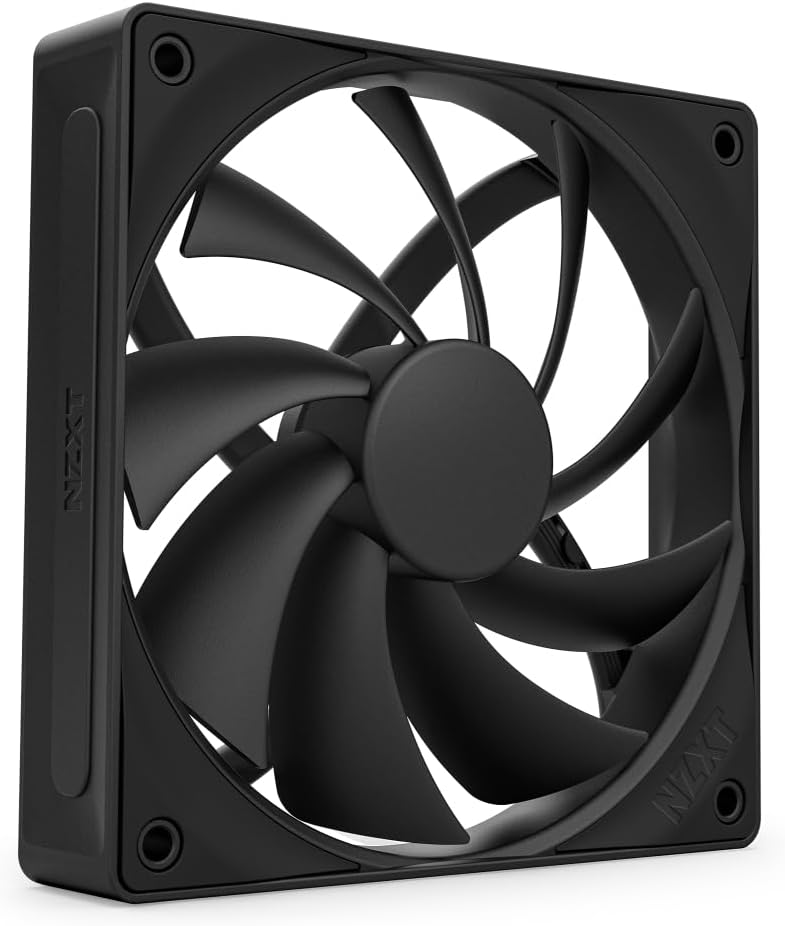
The NZXT F120Q is a straightforward black 120mm PWM fan designed around high airflow, stable operation, and intelligent speed control. It holds a 4.6 rating and uses nine sickle-style blades, a chamfered frame, and fluid dynamic bearings with a stated 60,000-hour lifespan.
We may earn a commission when you buy through this link, at no additional cost to you.
The minimal gap between the blade edges and frame maximizes the usable spinning area, reducing turbulence and helping the fan move a larger volume of air. Its frame also directs a concentrated flow farther into the case, making the fan useful for intake positions where air needs to reach distant components. PWM control lets the motherboard adjust output according to system temperature.
The fan does not provide integrated lighting, and the package contains only one unit. There is also no detailed sound-pressure figure in the supplied product information, so the quiet claim cannot be compared as precisely as the figures provided for some alternatives. Its appeal therefore rests on the combination of blade design, airflow direction, speed control, and fluid dynamic bearing construction.
Choose the F120Q for a clean, unlit build that values airflow and conventional case aesthetics. It is a versatile option for front intake, rear exhaust, and other standard 120mm positions, particularly when the builder wants a simple black fan that responds to the motherboard's PWM settings.
The narrow gap between blade and frame reduces wasted space and turbulence around the rotor edges. This supports the fan's goal of moving large amounts of air through a conventional 120mm format.
PWM control allows output to rise when the system needs additional cooling and fall when demand is lower. A tuned motherboard curve can therefore make better use of the fan's operating range.
We may earn a commission when you buy through this link, at no additional cost to you.
The ASUS ROG Strix XF120 is a premium 120mm PWM fan offering a strong balance of airflow, low noise, and longevity. Its 4.8 rating, 22.5dB(A) stated cooling performance, 250–1800 RPM range, and advertised 400,000-hour lifespan make it one of the most refined specifications in this guide.
We may earn a commission when you buy through this link, at no additional cost to you.
MagLev bearing technology stabilizes the rotor to reduce friction and noise, while aerodynamic blades and the frame are tuned to minimize turbulence and maximize airflow. Anti-vibration pads and mounts help prevent transferred vibration from becoming a rattling problem inside a metal case. The fan can serve as a case fan, radiator fan, or CPU cooler fan, giving it broad installation value.
The main drawback is the absence of integrated lighting in a market where many premium PC fans include ARGB. A single fan is also included, so building a complete matching set requires additional purchases. Despite that, the five-year warranty and unusually long advertised bearing lifespan add a level of reassurance for builders who intend to keep the system for years.
Choose the XF120 when acoustics, broad compatibility, durability, and clean four-pin PWM control are the leading priorities. It is well suited to premium workstations, quiet gaming systems, and any build where a fan must operate in a case, radiator, or cooler. The absence of lighting is acceptable when the internal components and cooling performance are the visual focus.
Aerodynamic blade and frame choices minimize turbulence, while anti-vibration components reduce the chance that a spinning fan will transmit harsh vibrations into the chassis. The result is a quieter installation in principle, provided the fan is mounted correctly.
The MagLev bearing is advertised for up to 400,000 hours of life, and the product includes a five-year warranty. Those details make the fan appealing for builders who prefer to install it and retain it across major hardware upgrades.
We may earn a commission when you buy through this link, at no additional cost to you.
A quiet case fan should do more than sound subdued at idle. Match the fan's airflow, pressure, dimensions, lighting, controls, and mounting position to the components inside your PC and the amount of noise you are willing to hear under load.
Airflow describes the volume of air a fan can move, while static pressure indicates how effectively it can push air through restrictions. Open intake positions generally benefit from high airflow, whereas radiators, dense heatsinks, filters, and narrow grilles reward a pressure-optimized design. Choosing a fan only by its headline RPM can be misleading because blade shape, frame geometry, operating point, and mounting restrictions all influence the result.
Prioritize airflow for open chassis positions and static pressure for restrictive components. Among the featured products, the Pure Wings 3, Noctua NF-P12, and ARCTIC P12 Slim are all described with pressure-oriented characteristics, while the NZXT F120Q emphasizes concentrated case airflow.
A genuinely quiet build depends on more than a favorable maximum sound figure. PWM control lets the motherboard reduce fan RPM when temperatures are low and increase it when the system is working hard. A custom fan curve is often more effective than running every case fan continuously at a moderate or high fixed speed.
Look for a wide low-RPM range, a documented maximum noise level, and blade designs intended to reduce turbulence. The ASUS XF120, Noctua NF-P12, be quiet! Light Wings 140mm, and ARCTIC P12 Slim all provide control ranges that can support a calm idle state.
Most PC cases use 120mm mounting positions, while some larger cases also support 140mm fans. A larger fan can move more air at a lower rotational speed, but it may not fit near the motherboard, drive cages, radiators, or cable routing areas. The ARCTIC P12 Slim addresses the opposite problem with a 15mm depth for installations where a normal 25mm fan is too thick.
Measure before purchasing and check the distance from each fan position to nearby components. Choose 140mm only when the case clearly supports it, and consider a slim 120mm fan when every millimeter of depth matters.
Lighting can make a case feel finished, but it is not inherently better than a clean unlit design. The be quiet! Light Wings LX uses illuminated hubs and frosted blades, the Light Wings 120mm and LX White triple packs provide coordinated multi-fan sets, and the Thermalright TL-C12C-S X3 includes ARGB in three quantities. The Pure Wings 3, Noctua NF-P12, ARCTIC P12 Slim, NZXT F120Q, and ASUS XF120 keep the emphasis on cooling.
Match the color and finish to the case rather than choosing lighting automatically. Also confirm whether your motherboard has a compatible ARGB header or whether an additional controller is required. A coordinated set with daisy-chain connectors can simplify cable management.
Four-pin PWM control is the most useful feature for a quiet installation because it permits motherboard-managed fan curves. Separate ARGB connections may be needed for illumination, and some multi-fan bundles include a hub to reduce the number of lighting leads. Check both the fan and the controller for PWM and lighting compatibility before installation.
For the cleanest setup, favor fans that support standard four-pin PWM and use motherboard software for speed control. Plan a separate ARGB header for lighting, and route both cable types behind the motherboard tray whenever the case provides space.
Bearing technology affects stability, vibration, noise, and expected service life. The be quiet! Pure Wings 3 and Light Wings families use rifle-bearing technology, the Noctua offers an MTTF above 150,000 hours, the ASUS XF120 advertises a 400,000-hour lifespan, and the Thermalright uses an S-FDB bearing. The NZXT uses a fluid dynamic bearing, while the ARCTIC product information does not state a comparable bearing figure.
Consider longevity alongside the warranty and the build's expected service life. A long advertised life is reassuring, but proper mounting, clean airflow, and suitable operating temperatures remain important for any fan. Avoid treating a stated lifespan as a guarantee of silent operation.
The best fan is one placed where it can perform the job your case needs. Front and bottom positions often serve as intakes, while rear and upper positions frequently exhaust air. Reverse-blade fans can improve the appearance of a side intake, but standard fans remain easier to obtain and coordinate. A balanced layout generally benefits from matched airflow rather than simply the maximum number of fans.
Plan the complete airflow path before buying. Ensure the direction of every fan is consistent with the intended intake and exhaust arrangement, and check whether radiator thickness or a front-mounted storage unit affects the available fan depth.
The number of included fans influences both convenience and future expansion. The Light Wings 120mm, Light Wings LX White, Thermalright TL-C12C-S X3, and ARCTIC P12 Slim include three fans, while the other selections are single-fan packages. A three-pack can provide a more consistent installation and reduce the need to source matching units later.
Choose a triple pack when you have several mounting positions. For a single upgrade, a one-fan package may be sufficient. In either case, confirm screw type, frame thickness, cable reach, controller requirements, and any case-specific mounting restrictions.
Install the fan with the airflow arrow pointing in the direction you want air to travel. Most cases benefit from cool air entering through front or bottom positions and warm air leaving through rear or upper positions. Use the supplied screws and mounting hardware, connect the four-pin lead to a compatible PWM header, and consult the case manual if its prescribed direction differs from your layout.
For the quietest result, create a fan curve in motherboard or fan-control software rather than leaving case fans at maximum speed. Start with a low minimum RPM, increase the curve gradually as temperatures rise, and listen for changes near the CPU cooler, drive bays, and radiators. A modest reduction in an unobtrusive case position can make a larger overall difference than dramatic changes to a fan the user cannot hear.
Keep the intake path clear of dust, route cables away from fan blades, and make sure every frame sits flush without obstruction. Periodically inspect the blades and mounting points, clean accumulated dust with a soft brush or compressed air while the system is safely powered down, and avoid letting the fan operate while its housing is obstructed. If vibration or rubbing appears, correct the mounting immediately rather than waiting for the bearings or plastic frame to wear.
The Light Wings 140mm has the lowest stated maximum noise figure among the be quiet! options, at 23.3dB(A), although real system noise also depends on RPM and mounting position. The Pure Wings 3 is also designed for very low minimum RPM operation, giving it a useful advantage when tuned down for quiet background cooling.
White fans look especially natural in white, silver, pastel, and neutral cases, but they can stand out sharply in dark systems. A dark model may integrate more seamlessly with black components and visible motherboard hardware. The important consideration is whether the contrast feels deliberate and attractive in your particular build.
The Pure Wings 3, Light Wings 120mm, Light Wings LX, and ASUS ROG Strix XF120 are explicitly described as suitable for radiators or similar high-restriction positions. Other 120mm fans may also fit physically, but radiator depth, mounting screws, airflow direction, and static-pressure requirements should all be checked first.
It depends on the motherboard and the fan package. Some fans can connect directly to a compatible motherboard ARGB header, while others include or require a hub or controller. The Light Wings 120mm bundle includes a hub, whereas the Light Wings LX uses daisy-chain connections and still needs a compatible motherboard header or controller.
No. Fan noise depends on blade design, RPM, motor quality, bearing type, mounting, vibration, and airflow demand. A 140mm fan can move more air at a given speed, but it is only advantageous when the case supports it and the operating point is properly tuned.
PWM control allows the motherboard to vary fan speed with temperature or another configured condition. This means the fan can run slowly when cooling demand is low and increase speed only when necessary, avoiding the constant noise produced by a fixed-speed fan operating beyond what the system needs.
A slim fan can often use the same 120mm mounting pattern, but the reduced depth means less clearance and potentially less airflow. The ARCTIC P12 Slim is most appropriate when a standard 25mm-thick fan physically will not fit, or when the case design strongly favors a compact installation.
The correct number depends on the case design, component heat, airflow path, and intended noise level. Many systems benefit from a balanced arrangement of front or bottom intake and rear or top exhaust, but adding fans does not automatically improve cooling if they are poorly positioned or create conflicting airflow directions.
The Thermalright TL-C12C-S X3 stands out as a value-focused three-pack with PWM control and ARGB, while the Noctua NF-P12 redux-1700 is the most balanced individual recommendation for quiet, pressure-oriented cooling. The ASUS ROG Strix XF120 takes the premium position with its long advertised lifespan, wide control range, anti-vibration mounting, and low stated noise figure.
Within the be quiet! range, the Pure Wings 3 is the strongest choice for maximum airflow, the Light Wings 120mm serves builders wanting a coordinated high-speed ARGB set, and the Light Wings LX emphasizes reverse intake presentation. The 140mm Light Wings is ideal when the case supports that larger format, while the white LX triple pack suits coordinated showcase builds.
Before ordering, verify case clearance, mounting hardware, PWM headers, ARGB compatibility, and the role each fan will play in the airflow path. Product availability and prices change frequently, so compare the current listing and confirm that the latest package contents still match the model and quantity you intend to buy.