
ASUS RT-AX1800S
4.3Editor score
WiFi 6 dual-band performance
Five Gigabit Ethernet ports
AiMesh expandable networking
Explore the best ASUS WiFi Routers for homes, gaming, mesh, and small businesses, with key features, security, coverage, and performance compared.
An ASUS WiFi router can shape the quality of your entire connected experience, from streaming and gaming to smart-home control and remote work. The right model balances wireless speed, usable coverage, wired connectivity, security, management options, and a configuration that suits the size and demands of your home or business.
We compared the 10 models in this guide using their stated specifications, including WiFi generation, frequency bands, aggregate speed claims, Ethernet ports, mesh support, gaming features, security tools, and network-management capabilities. The list covers affordable WiFi 6 routers, premium WiFi 7 systems, gaming-focused models, mesh products, and a business-oriented router.
Each review explains the strongest reasons to consider a particular ASUS router, along with practical limitations visible in the supplied specifications. The top picks provide quick guidance for shoppers, while the detailed reviews show how the models differ. Product prices and availability can change, so confirm current listings and specifications before buying.
4.3Editor score

4.0Editor score

4.3Editor score
The comparison below highlights the principal differences among all 10 ASUS routers, including wireless generation, band configuration, headline speed, mesh capability, and the most relevant wired or specialized features.
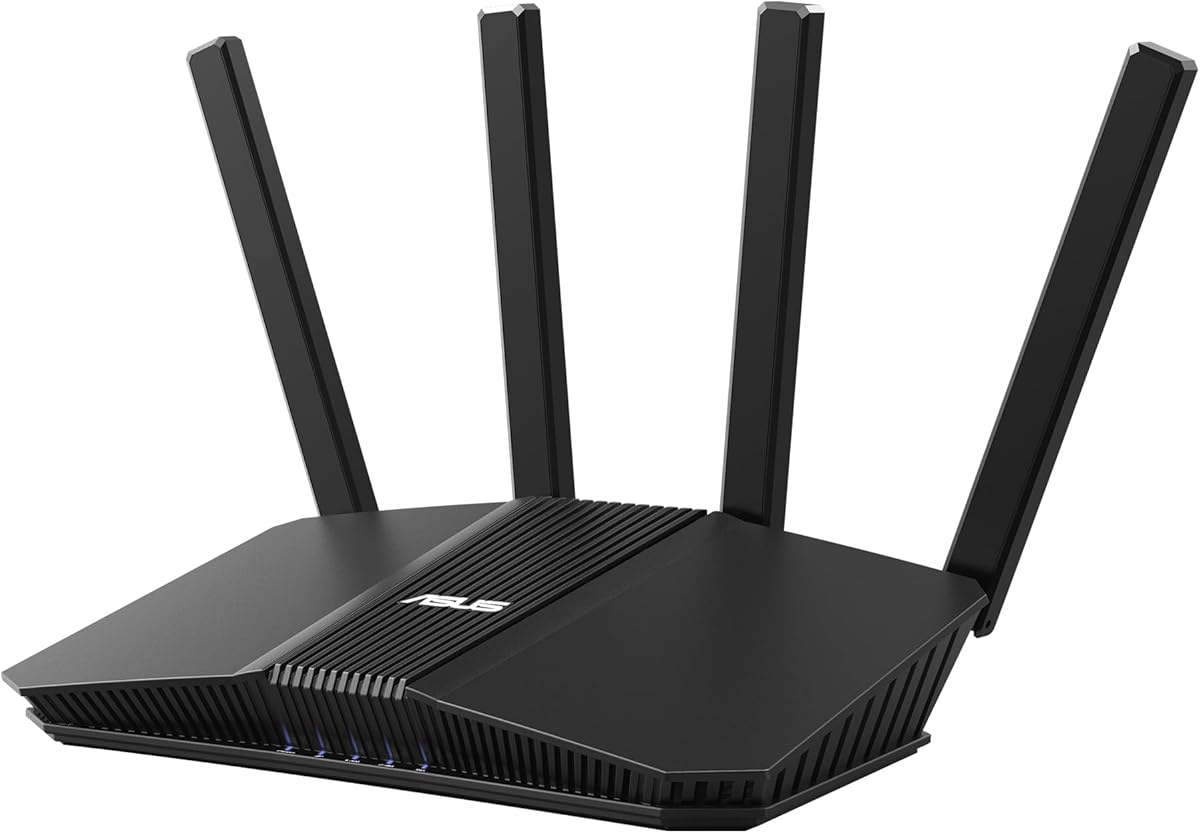
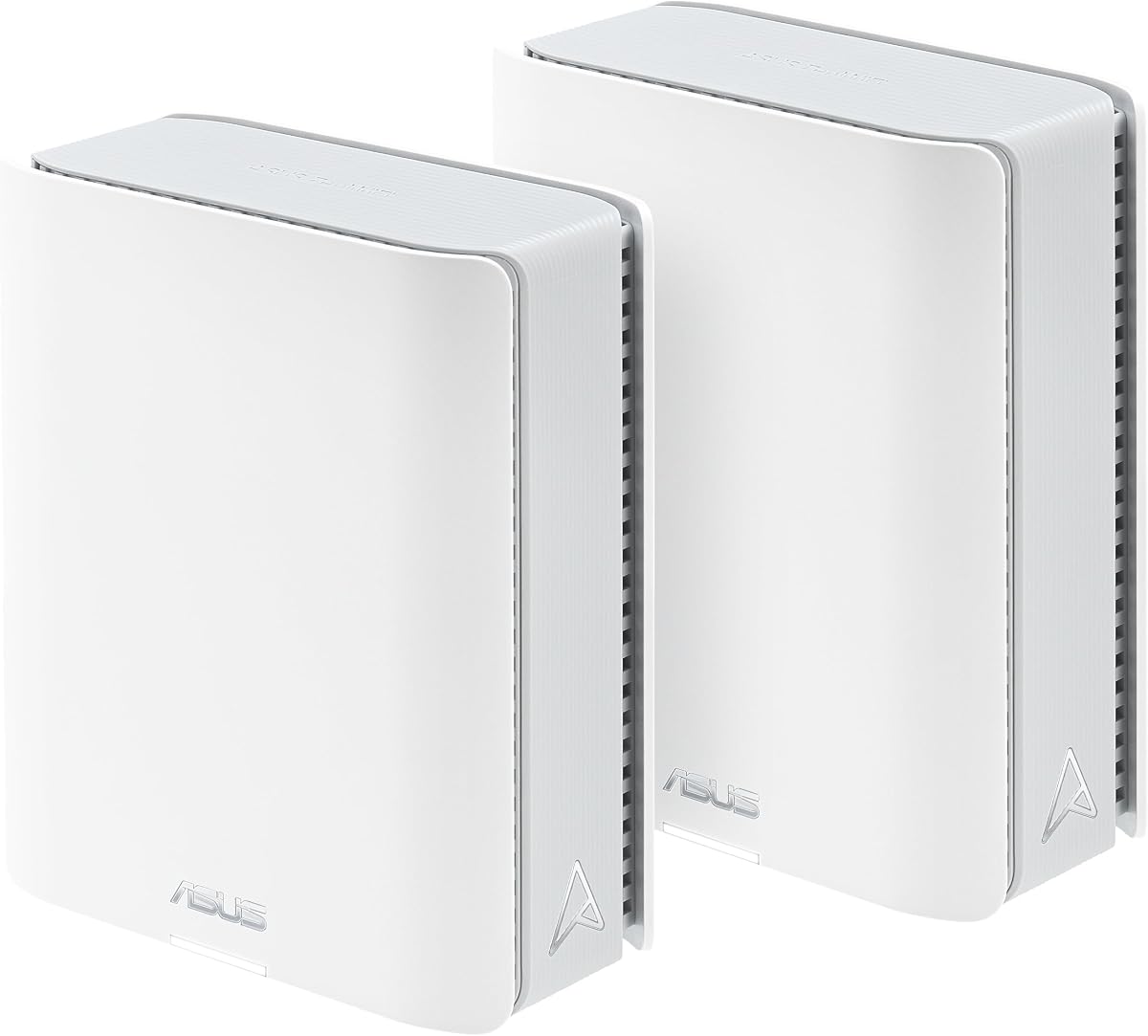



The ASUS RT-AX1800S combines WiFi 6 performance, a useful collection of network controls, and an approachable feature set, making it a strong general-purpose choice for many homes. Its 4.3 rating reflects a favorable balance of capabilities, while the most notable strengths are efficient multi-device handling, five Gigabit Ethernet connections, subscription-free network security, and expandable AiMesh support.
We may earn a commission when you buy through this link, at no additional cost to you.
Its dual-band WiFi 6 platform supports MU-MIMO, OFDMA, and 1024-QAM, technologies intended to improve efficiency, capacity, and wireless throughput when many devices are active. Four external antennas add physical adjustability, while one Gigabit WAN and four Gigabit LAN ports provide ample wired connectivity for a computer, game console, television, or network storage. ASUS also supports subscription-free AiProtection Classic, parental controls, a built-in VPN feature, and ASUS Instant Guard for accessing a home network while away.
The primary limitation is the age of its wireless platform relative to the newest WiFi 7 options in this list. It operates on 2.4 and 5 GHz bands and does not offer the 6 GHz spectrum or Multi-Link Operation found on newer models. Actual speed and coverage still depend on the internet connection, traffic volume, building materials, network overhead, and placement, so the headline 1800 Mbps figure should be treated as an aggregate theoretical class rather than a guaranteed result for every device.
This router is most appropriate for apartments, family homes, and users who want current WiFi 6 features without moving to a premium WiFi 7 platform. It also makes sense as the primary unit in a future mesh system, because the listed specifications explicitly confirm AiMesh compatibility. Overall, it is one of the most practical choices for shoppers who value useful features, wired flexibility, and security without paying for the newest radio standard.
MU-MIMO and OFDMA help the RT-AX1800S serve multiple devices more efficiently, while 1024-QAM supports faster wireless connections under favorable conditions. These features are especially relevant in homes where phones, televisions, computers, and smart-home products are active at the same time.
AiProtection Classic, parental controls, built-in VPN support, and Instant Guard add security value without relying on a recurring subscription. AiMesh compatibility also allows this router to serve as the foundation for a broader ASUS mesh network when additional coverage is needed.
We may earn a commission when you buy through this link, at no additional cost to you.
The ASUS RT-BE58U brings WiFi 7, Multi-Link Operation, flexible WAN options, and commercial-grade security into a dual-band design. Its 4.0 rating indicates a broadly capable router, particularly for users who want a modern upgrade path without moving directly to a tri-band or quad-band system.
We may earn a commission when you buy through this link, at no additional cost to you.
The stated maximum speed is 3600 Mbps, supported by 4096-QAM, while Multi-Link Operation allows a compatible client to link across multiple bands simultaneously. Versatile WAN options include AI WAN detection and a USB port ready for 4G LTE or 5G mobile tethering. Smart Home Master can create as many as three SSIDs for separating devices, and the product includes AiProtection Pro, a one-tap security scan, and Safe Browsing.
Its dual-band configuration is the main consideration. Unlike tri-band and quad-band WiFi 7 routers, it does not list a dedicated 6 GHz band, so buyers seeking that spectrum should look at the RT-BE92U, ZenWiFi BT8, ZenWiFi BT10, or ROG GT-BE98 Pro. It also supports mesh and VPN functions, but extending coverage still requires compatible ASUS hardware and appropriate placement.
The RT-BE58U fits small homes, apartments, and offices that want a straightforward WiFi 7 router with advanced networking options. It is especially attractive for users interested in multi-WAN setups, mobile hotspot failover, segmented SSIDs, or a later transition into ASUS mesh equipment. For those needs, it offers a focused and versatile path into WiFi 7.
WiFi 7, 4096-QAM, and Multi-Link Operation give the RT-BE58U capabilities beyond those of conventional WiFi 6 routers. Its dual-band design keeps the specification focused while still supporting current high-speed wireless clients and efficient multi-link connections.
Dual-WAN support, AI WAN detection, and USB tethering provide useful redundancy options for small offices or technically inclined households. Three separate SSIDs can also isolate ordinary devices, guests, and connected equipment more effectively.
We may earn a commission when you buy through this link, at no additional cost to you.
The ASUS ROG Rapture GT-BE98 Pro is the most aggressively equipped model in this guide, combining quad-band WiFi 7, a stated aggregate speed of up to 30 Gbps, extensive multi-gigabit Ethernet, and dedicated gaming optimization. Its 4.3 rating supports its status as a high-end option for demanding homes, gaming setups, and users who want room for future network growth.
We may earn a commission when you buy through this link, at no additional cost to you.
WiFi 7 operation uses 320 MHz channels in the 6 GHz band and 4096-QAM to increase network capacity and throughput. Multi-Link Operation links multiple bands to improve stability and data transfer. On the wired side, dual 10G ports and quad 2.5G ports provide an unusually broad set of high-speed connections. The external dual-feeding antennas are designed to enhance coverage and signal strength, while Triple-Level Game Acceleration covers the route from the PC gaming port to the game server.
None of those capabilities guarantees faster internet service than the underlying connection can deliver. The 30 Gbps figure represents the router's combined wireless capability, and real results will depend on client devices, network congestion, placement, and environmental conditions. The advanced port mix and quad-band design also make this a more complex proposition than a basic dual-band router, so buyers should consider whether their current devices can use these features.
The GT-BE98 Pro is ideal for high-end gaming households, content creators, and owners of multiple high-speed devices who want extensive wired flexibility. It also suits customers building a premium ASUS mesh system because mesh support is included. For everyone else, it may be more hardware than necessary, but among these 10 models it delivers the most expansive performance platform.
Triple-Level Game Acceleration is the defining feature, targeting gaming traffic from the PC connection through the route to the game server. Dedicated multi-gigabit ports also help ensure that demanding devices are not limited by a single slower Ethernet connection.
Two 10G ports and four 2.5G ports allow a substantial range of devices to operate on fast wired links. This is valuable for local storage, workstations, modern game consoles, and other equipment that can benefit from more than Gigabit Ethernet.
We may earn a commission when you buy through this link, at no additional cost to you.
The ASUS RT-BE92U stands out as a well-rounded WiFi 7 router because it combines tri-band operation, the 6 GHz spectrum, a stated speed of up to 9700 Mbps, dual-WAN flexibility, mesh support, and subscription-free security. Its 4.0 rating reflects a modern and capable platform suited to users who want more flexibility than a dual-band model.
We may earn a commission when you buy through this link, at no additional cost to you.
The router supports 320 MHz channels in the 6 GHz band and 4096-QAM, both intended to increase wireless capacity and throughput. Multi-Link Operation allows compatible devices to connect across multiple bands for stability and efficient transfers. AI WAN detection, a USB port for 4G LTE or 5G tethering, and dual-WAN configuration add network-management options, while Smart Home Master can establish up to three SSIDs.
As with the other WiFi 7 models, benefits depend on compatible clients and the available 6 GHz network. Older equipment will not gain access to every new feature, and the advertised aggregate speed does not translate into a guaranteed response for each application. The additional functionality also requires some configuration planning, particularly when separating IoT devices or establishing backup WAN connections.
This is a strong all-around recommendation for a modern home that wants 6 GHz WiFi without moving to the quad-band ROG platform. It is also well suited to small offices needing dual-WAN options and to users planning an AiMesh expansion. Among the list, it offers perhaps the clearest balance of speed, spectrum access, security, and network flexibility.
The dedicated 6 GHz band reduces pressure on the traditional 2.4 and 5 GHz spectrum and gives compatible WiFi 7 clients access to wider 320 MHz channels. Combined with Multi-Link Operation, it supports both high throughput and more resilient connections.
Dual-WAN, AI WAN detection, mobile tethering, three SSIDs, and mesh support make the RT-BE92U useful beyond a typical single-router home network. These tools make it easier to prepare for redundancy, device segmentation, and future coverage expansion.
We may earn a commission when you buy through this link, at no additional cost to you.
The ASUS ZenWiFi BT10 two-pack is built for buyers who prioritize whole-home wireless coverage over a single-router setup. It provides tri-band WiFi 7, a stated aggregate speed of up to 18 Gbps, coverage of up to 6000 square feet for the two-pack, and AI-powered AiMesh backhaul designed to support more reliable connectivity throughout the property.
We may earn a commission when you buy through this link, at no additional cost to you.
AiMesh allows the system to scale with compatible ASUS extendable routers, which makes it more flexible than a closed two-node-only approach. Smart Home Master supports up to three SSIDs for separating connected devices, and the mesh nodes include eight internal antennas and ten high-power front-end modules. Each unit also provides high-speed 10 Gigabit Ethernet, with the stated system including dual 10G WAN and LAN ports, Multi-WAN, and USB-based 4G LTE or 5G tethering.
Its 3.4 rating is lower than those of the other products in the guide, although the supplied specifications describe a technically advanced mesh system. Coverage estimates are highly dependent on property construction, node placement, interference, and client capabilities. A two-node configuration also adds a backhaul decision: wireless backhaul can be convenient, while a suitable Ethernet connection between nodes generally offers a more consistent pathway for local traffic.
The BT10 is a compelling choice for large homes, duplexes, and properties where dead zones are a recurring concern. It also appeals to users who want a cohesive ASUS ecosystem and the possibility of adding compatible extendable routers later. Buyers should carefully plan node placement and wired connectivity to get the most from the system's advertised coverage.
Two tri-band nodes offer a straightforward way to extend high-speed wireless access across a larger property. AI-powered AiMesh, internal antennas, and multiple front-end modules support the goal of eliminating dead zones while maintaining a single, manageable network.
Dual 10G ports, Multi-WAN, and USB tethering provide serious wired and failover options. The two-pack is particularly useful for owners who want fast Ethernet at multiple points in the home or plan to connect one node by cable.
We may earn a commission when you buy through this link, at no additional cost to you.
The ASUS RT-AX82U is a dual-band WiFi 6 gaming router with an AX5400 class, a dedicated gaming port, Mobile Game Mode, and Aura RGB lighting. Its 4.4 rating is among the strongest in the guide, making it a compelling option for gamers who want focused features without stepping into the top-tier ROG GT-BE98 Pro.
We may earn a commission when you buy through this link, at no additional cost to you.
WiFi 6 and 160 MHz channels support a stated aggregate speed of up to 5400 Mbps, while MU-MIMO helps the router communicate with several devices efficiently. A dedicated gaming port is available for a compatible gaming device, and Mobile Game Mode is designed to reduce lag and latency for mobile gaming through the ASUS Router app. AiMesh support gives owners an option to create a larger mesh network later.
This listing is for a renewed unit, so physical condition and packaging may not match a new product. Renewed status can also affect the balance of warranty coverage, so buyers should read the current listing and seller terms carefully. The router also lacks the 6 GHz spectrum and Multi-Link Operation available on newer WiFi 7 hardware, although WiFi 6 remains broadly practical for many current clients.
The RT-AX82U is best for gamers who value a dedicated connection, low-latency-oriented controls, and a recognizable ASUS gaming ecosystem. It is also suitable for ordinary households that want fast dual-band WiFi, mesh expansion, and RGB customization. It makes a particularly strong case for buyers who recognize the value of its gaming-specific design without needing quad-band wireless capacity.
A dedicated gaming LAN port and Mobile Game Mode deliver gaming-focused behavior in a dual-band WiFi 6 platform. That makes the RT-AX82U a practical middle ground for players who do not need the newest radio standard or the largest possible port count.
Lifetime ASUS AiProtection Pro, WPA3, and advanced parental controls add protection and management. AiMesh compatibility ensures that the router can participate in a broader ASUS mesh system if the home later needs additional nodes.
We may earn a commission when you buy through this link, at no additional cost to you.
The ASUS ZenWiFi BT8 is a one-pack WiFi 7 mesh system for users who want a modern tri-band platform with room to expand. It offers a stated speed of up to 14 Gbps, coverage of up to 3000 square feet, and seven internal antennas supported by eight high-power front-end modules.
We may earn a commission when you buy through this link, at no additional cost to you.
Its AI-powered Smart AiMesh is intended to improve coverage and create a seamless whole-home network with compatible ASUS routers. Tri-band operation, 6 GHz support, Multi-Link Operation, and 4K-QAM provide the foundation for current high-speed wireless use. The router also includes commercial-grade AiProtection Pro, advanced VPN features, and Smart Home Master functions for multiple SSIDs, IoT networks, parental controls, and VPN setup.
Because this configuration contains one unit, it may not automatically solve every larger-home coverage problem. Additional compatible nodes or extendable ASUS routers may be necessary, and their placement will influence the quality of the backhaul. A wired connection between mesh units can provide greater consistency, though buyers should confirm that their chosen layout and cabling support the intended design.
The BT8 is a sensible choice for a medium-sized home, apartment, or small office that wants WiFi 7 mesh capability without committing to a two-pack immediately. It is especially useful for buyers who value ASUS security tools, segmented SSIDs, and an open expansion path. For smaller spaces, it can function as a primary mesh unit, while larger properties may need additional nodes.
Tri-band WiFi 7, 6 GHz access, and Multi-Link Operation offer a modern wireless foundation. The one-pack format gives buyers a manageable starting point while Smart AiMesh preserves the option to expand later.
Smart Home Master makes it easier to separate IoT devices and other connected equipment using multiple SSIDs. AiProtection Pro, advanced VPN functions, and parental controls add useful controls for a mixed home or small-business network.
We may earn a commission when you buy through this link, at no additional cost to you.
The ASUS RT-AX3000 is a conventional dual-band WiFi 6 router that emphasizes useful everyday features rather than specialized gaming hardware or the newest wireless standard. Its 4.5 rating is the highest in the group, and the stated 3000 Mbps aggregate speed, Adaptive QoS, AiProtection, and AiMesh support make it a dependable general recommendation.
We may earn a commission when you buy through this link, at no additional cost to you.
The router supports 160 MHz bandwidth and 1024-QAM, with the supplied specifications dividing the 3000 Mbps total into 575 Mbps on 2.4 GHz and 2402 Mbps on 5 GHz. OFDMA and MU-MIMO improve efficiency across multiple connections. On the wired side, it includes one Gigabit WAN port, four Gigabit LAN ports, and a USB 3.0 port. Adaptive QoS is intended to prioritize network traffic, while AiProtection Pro and advanced parental controls support household management.
Its 3000-square-foot maximum range is a stated capability rather than a guarantee, because walls, layout, interference, and placement can materially affect performance. A single Gigabit WAN also provides less redundancy than models with dual-WAN support. The lack of a 6 GHz band means it cannot offer the newest WiFi 7 features, but current WiFi 6 clients can still benefit from the wider channels and efficient spectrum use.
The RT-AX3000 is well suited to apartments, family homes, and small offices that need a straightforward WiFi 6 router with plenty of LAN connectivity. It also makes sense as the first unit in an ASUS mesh network. For buyers prioritizing ease, security, and a strong rating over premium gaming features or WiFi 7 capability, it remains a particularly balanced option.
A 3000 Mbps aggregate rate, 160 MHz channels, OFDMA, and MU-MIMO provide ample capacity for ordinary home use. The hardware is designed to improve both peak speed and efficiency when several devices are active.
Adaptive QoS helps prioritize important traffic, while AiProtection Pro and parental controls add household oversight. Four Gigabit LAN ports support multiple wired devices, and AiMesh compatibility allows a later whole-home expansion.
We may earn a commission when you buy through this link, at no additional cost to you.
The ASUS RT-AC68U is an older dual-band 802.11ac router that remains notable for its 4.5 rating, five Gigabit LAN ports, 1 GHz dual-core processor, and broad connection-management options. It serves as a practical option for owners who mainly need reliable wired connectivity and a mature ASUS interface rather than the latest wireless generation.
We may earn a commission when you buy through this link, at no additional cost to you.
The stated aggregate speed is 1900 Mbps using dual-band 802.11ac 3×3 technology. A 1 GHz dual-core CPU separates wireless and USB processing, which can improve multitasking when the USB function is active. Five Gigabit LAN ports offer more wired connections than most of the newer budget routers in the list. Its network capabilities include dual WAN, 3G/4G LTE dongle support, Android tethering, port forwarding and triggering, DMZ, DDNS, NAT passthrough, and several VPN protocols.
The decisive drawback is WiFi 5. New WiFi 6 and WiFi 7 clients can connect, but they will not benefit from OFDMA, 6 GHz channels, Multi-Link Operation, or newer radio capabilities. A wired network may still be exceptionally useful, but buyers with several current-generation smartphones, laptops, and smart-home devices may eventually prefer a newer standard. The absence of 6 GHz also makes it less future-oriented than the RT-BE92U and other WiFi 7 models.
The RT-AC68U is best suited to a wired-focused home or small office, an existing ASUSWRT user, or someone who values legacy flexibility over leading-edge wireless performance. Its five LAN ports can support several fixed devices without an additional switch, while broad WAN and VPN options appeal to technically experienced users.
Dual WAN, mobile tethering, extensive port controls, and multiple VPN passthrough options make this router adaptable to different connection types. Its mature feature set can be particularly attractive in offices or advanced home-network configurations.
Five Gigabit LAN ports create a generous wired-device allowance. The 1 GHz dual-core processor divides wireless and USB workloads, helping the router handle multitasking more effectively when its USB features are used.
We may earn a commission when you buy through this link, at no additional cost to you.
The ASUS ExpertWiFi EBR63 is the clearest small-business option in this guide, with AX3000 WiFi 6 performance, up to five separate SSIDs, a customizable guest portal, ExpertWiFi remote management, VLAN support, VPN features, and free commercial-grade security.
We may earn a commission when you buy through this link, at no additional cost to you.
Its business-oriented features make it useful for offices, professional home offices, and shared spaces. Separate SSIDs allow different device groups or user categories to be isolated and prioritized, while the custom guest portal can be adjusted with the SSID, portal type, brand name, and templates. The ExpertWiFi app supports setup and remote network management, reducing the need for repeated on-site configuration when managing the network remotely.
The USB port can serve as a backup WAN by connecting a phone hotspot, adding a useful continuity option for small offices. AiProtection Pro and Safe Browsing are included with a free subscription according to the supplied information, while VLAN and VPN features support more structured network operations. As with every wireless router, the AX3000 rate and practical coverage depend on the internet connection, client devices, interference, walls, and placement.
The EBR63 is a strong recommendation for small organizations that need guest access and centralized management more than gaming acceleration or premium WiFi 7 throughput. It also suits advanced households willing to manage multiple SSIDs and remote settings. For straightforward family use, some of its business tools may be unnecessary, but for a small workplace they can form the core of a capable network.
The customizable portal can present a consistent identity, template, and connection flow for visitors. This is more useful for a business or shared space than the basic guest-network features found on many home routers.
The ExpertWiFi app simplifies setup and ongoing management from a remote location. Up to five SSIDs, VLAN support, VPN features, and backup WAN through a phone hotspot provide practical tools for maintaining a more resilient and segmented small-business network.
We may earn a commission when you buy through this link, at no additional cost to you.
Choosing among these ASUS routers requires matching the hardware to your wireless clients, property size, wired devices, security needs, and appetite for configuration. The most important factors are WiFi generation, band layout, coverage strategy, port speed, and management features.
WiFi 6 models such as the RT-AX1800S, RT-AX82U, RT-AX3000, and ExpertWiFi EBR63 remain practical for many homes and businesses because they support efficient features such as OFDMA and MU-MIMO. WiFi 7 models add newer capabilities including wider 320 MHz channels in the 6 GHz band, 4096-QAM or 4K-QAM, and Multi-Link Operation. A WiFi 7 router is most valuable when you already own compatible clients or expect to acquire them during the router's useful life. A current WiFi 6 router can still provide a mature, well-supported connection for compatible phones, laptops, televisions, and smart-home products.
A dual-band router combines 2.4 GHz and 5 GHz, while tri-band and quad-band designs add additional radio capacity or 6 GHz access. More bands can separate traffic types and support newer high-speed clients, but they do not automatically guarantee better results at every location. The RT-BE58U offers a compact dual-band WiFi 7 design, the RT-BE92U and ZenWiFi models use tri-band configurations, and the ROG GT-BE98 Pro takes a quad-band approach. Consider the devices in your home: older IoT products may remain limited to 2.4 GHz, while compatible recent devices can benefit from the added capacity of 5 GHz or 6 GHz.
Single routers are usually easiest to install and manage, but larger homes and buildings may contain walls or dead zones that a single unit cannot cover well. Every model in this guide has some form of ASUS mesh capability noted in its specifications, either through AiMesh or ExpertWiFi AIMesh. The ZenWiFi BT10 two-pack is designed for stated coverage of up to 6000 square feet, while the one-pack ZenWiFi BT8 is positioned for up to 3000 square feet. Coverage claims remain estimates because construction and placement matter. For a mesh system, think about where each node will be powered, whether an Ethernet backhaul is possible, and how many walls sit between the main router and the farthest devices.
The number and speed of Ethernet ports can matter as much as wireless capability when a home contains desktop computers, game consoles, network storage, televisions, or smart-home controllers. The RT-AX1800S, RT-AX3000, and RT-AC68U include multiple Gigabit LAN connections for ordinary wired networks. The RT-BE92U and RT-BE58U add flexible WAN options, while the ZenWiFi BT10 and ROG GT-BE98 Pro provide 10G or 2.5G connections for high-speed local and internet links. Count the devices you intend to connect, determine whether a switch is needed, and consider whether your internet plan can actually use a multi-gigabit WAN connection.
Gaming-focused ASUS routers offer features designed to reduce friction for latency-sensitive play. The ROG GT-BE98 Pro includes Triple-Level Game Acceleration from the PC gaming port toward the game server, and its mix of dual 10G and quad 2.5G ports supports advanced wired setups. The RT-AX82U provides a dedicated gaming port, Mobile Game Mode, and an AX5400 dual-band platform. Other models include Adaptive QoS or general traffic-management tools, which can prioritize applications without adding gaming-specific hardware. Consider the type of gaming you do, the wired or wireless connection of your console or PC, and whether the rest of your household needs the advanced port and wireless capacity offered by a premium gaming model.
All 10 products include ASUS network-security features, but the exact package varies. AiProtection Classic, AiProtection Pro, Safe Browsing, malicious-site blocking, parental controls, and VPN functions can help protect household or business traffic. Smart Home Master and multiple SSIDs allow connected devices to be separated by use, which is helpful for IoT equipment, guests, and work devices. The ExpertWiFi EBR63 is especially relevant for businesses that need a custom guest portal, VLAN support, and up to five separate SSIDs. Review which security tools are included without a subscription and which functions require particular configurations or compatible devices.
A home router should be easy to configure, while a business router should simplify administration across staff, guests, and multiple device groups. The ExpertWiFi EBR63 centers on the all-in-one ExpertWiFi app, remote management, a custom guest portal, segmentation, and backup WAN. Other ASUS routers also support app-based setup, VPN features, and network controls, but they are primarily designed for a home. If you operate a small office or manage a network remotely, examine administrative depth, guest onboarding, and failover options. If not, excessive business features can add complexity without delivering meaningful everyday value.
Consider not only the router you install today but the number and type of additional devices you may need. A wired-only household may be well served by a model with several Gigabit LAN ports, while a growing smart home may benefit from mesh nodes, multiple SSIDs, and USB connectivity. A WiFi 7 platform can provide a longer runway as clients adopt 6 GHz and Multi-Link Operation. Also account for physical placement, power access, and whether the ASUS app and required features are comfortable for your technical skill. The best choice is the one whose capabilities you will actually use and whose expansion path is realistic for your property.
Begin by positioning the main router in a central, open location rather than inside a cabinet, behind a television, or at the edge of the property. Connect the broadband modem to the designated WAN or Internet port, power the router, and use the ASUS setup interface or relevant ASUS Router, ZenWiFi, or ExpertWiFi app to complete the initial configuration. Update the firmware, set a strong administrative password, and confirm that the correct WAN connection type is selected before adding many devices.
Create separate SSIDs only when they serve a clear purpose. One network is often simplest for general use, while a guest network can keep visitors away from local storage, printers, and smart-home accessories. Smart Home Master can help separate IoT or other connected devices, and the ExpertWiFi EBR63 can support more extensive business segmentation. Review parental controls, guest access, VPN settings, and automatic security features after the network is stable, then record the configuration in case a factory reset becomes necessary.
For a mesh system, start with the node nearest the modem and add satellites where signal quality is weakest. Avoid placing every node in an arbitrary fixed distance apart; walls, appliances, and building layout make a physical survey more reliable. Connect nodes by Ethernet where practical for a more consistent backhaul. Periodically check for firmware updates, review connected devices, and restart a node that becomes unstable. Keep the router ventilated, away from direct heat, and on a stable surface, while avoiding overly restrictive cable management that traps heat.
The ZenWiFi BT10 is the most purpose-built large-home option in this list because it is a two-pack tri-band WiFi 7 mesh system with stated coverage of up to 6000 square feet. The one-pack ZenWiFi BT8 can also start a mesh network and extend to compatible ASUS routers, but additional nodes may be needed. Actual results depend on placement, building materials, interference, and whether a wired backhaul is available.
A WiFi 6 ASUS router can provide a strong connection for many homes because it includes features such as OFDMA, MU-MIMO, 160 MHz channels, and 1024-QAM on relevant models. WiFi 7 becomes more attractive when you own compatible devices or want access to 6 GHz bands, wider 320 MHz channels, and Multi-Link Operation. Your internet speed and the devices using the network also limit the visible benefit.
AiMesh is ASUS's broader mesh technology, while ZenWiFi products are purpose-built mesh systems designed to integrate closely with compatible ASUS extendable routers and AiMesh. A ZenWiFi unit can therefore operate as part of a larger ASUS mesh network. Exact compatibility and available features should be confirmed for the specific models you intend to combine.
The listed models include ASUS network-security tools such as AiProtection Classic or AiProtection Pro, along with features like Safe Browsing, malicious-site blocking, parental controls, and VPN support. The ExpertWiFi EBR63 is explicitly described as including a free subscription to AiProtection Pro and safe browsing features. Buyers should still use unique WiFi passwords, enable appropriate parental or guest controls, and keep router firmware updated.
A 10G port can remove local network bottlenecks and is useful for high-speed storage, workstations, and other capable devices. It only improves internet download or upload performance when the broadband service, modem, network equipment, and remote server all support the higher rate. The ROG GT-BE98 Pro and ZenWiFi BT10 provide especially extensive high-speed wired options.
Dual-WAN can be valuable for backup connectivity, multiple internet services, or advanced routing, but many homes do not need it. The RT-BE58U and RT-BE92U support versatile WAN configurations, while the ExpertWiFi EBR63 can use a phone hotspot through its USB port as backup WAN. The added flexibility is most useful when the cost of a connection interruption is meaningful.
A gaming router can still work well as a general home router, but specialized acceleration and RGB features may not improve ordinary browsing, streaming, or video calls. The RT-AX82U is a more moderate WiFi 6 gaming option, while the ROG GT-BE98 Pro is most compelling for users who also need quad-band WiFi 7 and extensive multi-gigabit ports.
Choose a single router when one centrally placed unit provides adequate signal throughout the property and you value a simple setup. Choose a mesh system when there are multiple floors, substantial masonry, long corridors, or consistently weak areas. A mesh network can still benefit from Ethernet backhaul, so do not assume wireless satellites will always outperform a properly cabled single router.
The ASUS RT-AX1800S is the most balanced budget selection, combining WiFi 6, five Gigabit Ethernet ports, useful security tools, and AiMesh expansion. The ASUS RT-BE92U takes the editor's choice for a versatile modern setup, with tri-band WiFi 7, 6 GHz support, dual-WAN configuration, and a strong overall feature set, while the ROG Rapture GT-BE98 Pro represents the premium gaming option with quad-band WiFi 7 and extensive high-speed ports.
Your priorities should determine the rest of the list. Choose the ZenWiFi BT10 for a two-node whole-home mesh, the RT-AX82U for focused gaming features on WiFi 6, the RT-AX3000 for straightforward balanced performance, the RT-AC68U for mature wired and legacy connectivity, and the ExpertWiFi EBR63 for small-business management. Match the wireless generation to your clients, plan node placement carefully, and make sure the Ethernet ports support the devices you intend to connect.
Before making a final decision, check the current product listing, firmware details, compatibility information, and current pricing. Specifications and prices can change, and features such as 6 GHz access, Multi-Link Operation, multi-gigabit WAN, and advanced mesh behavior depend on compatible hardware. The best ASUS WiFi router is the one that provides the coverage, security, management, and connection types your network will actually use.