
ASUS ROG Strix G16 RTX 5060
4.4Editor score
RTX 5060 Blackwell graphics
16-inch 165Hz FHD+ display
16GB DDR5 and 1TB SSD
Our ASUS ROG Strix Laptop guide compares 10 gaming laptops, evaluating GPUs, displays, processors, memory, cooling, connectivity, and upgradeability for every
An ASUS ROG Strix Laptop combines high-end gaming hardware, enthusiast cooling, a distinctive RGB design, and the flexibility needed for work, streaming, and creation. The strongest choices depend on balancing processor and graphics performance with display quality, memory, portability, and upgradeability rather than simply selecting the most powerful model.
We compared ten ROG Strix configurations using the supplied processor, GPU, display, memory, storage, networking, cooling, and feature information. The list covers 16-inch G16 models, larger G18 and Scar 18 systems, Intel and AMD platforms, several generations of NVIDIA graphics, and configurations ranging from practical entry setups to premium enthusiast hardware.
Each review explains the configuration's strongest benefits, practical trade-offs, and ideal owner. The top picks highlight a value-focused RTX 5060 laptop, a well-equipped RTX 5070 Ti model, and a premium RTX 5080 configuration. Product listings, specifications, availability, and prices can change, so verify the current details before purchasing.
4.4Editor score

4.3Editor score

5.0Editor score
The comparison below makes the major hardware differences easy to assess. Pay particular attention to the processor, GPU, display, memory, and storage because these choices have the greatest influence on gaming performance, creative workloads, and the laptop's long-term flexibility.




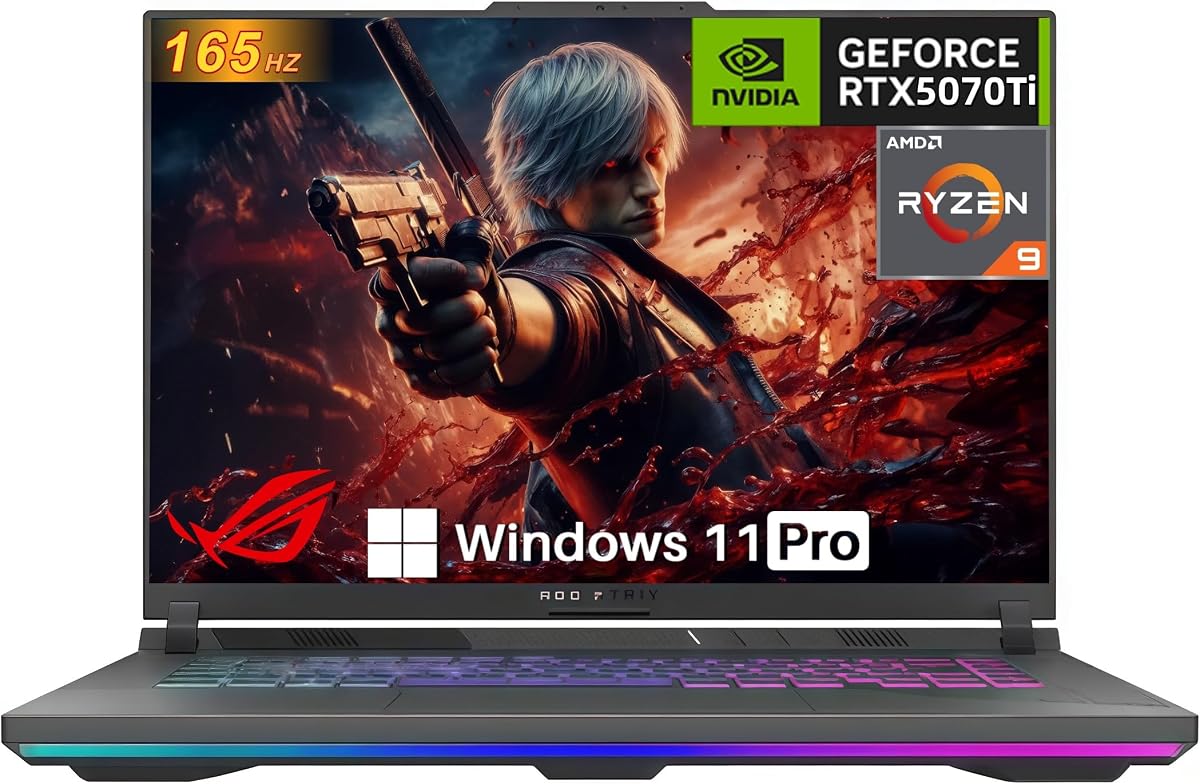
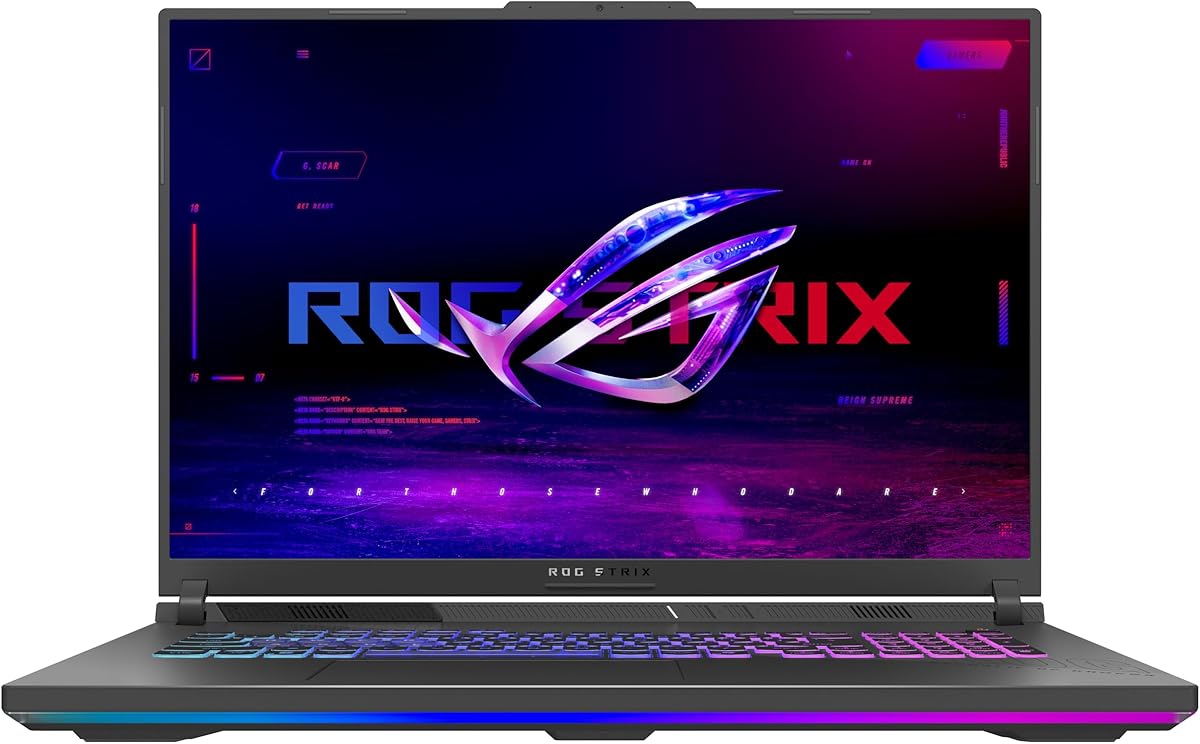
The ASUS ROG Strix G16 RTX 5060 is a value-oriented 16-inch gaming laptop that combines an Intel Core i7 14650HX processor, NVIDIA GeForce RTX 5060 Laptop GPU, 16GB of DDR5 memory, and a 1TB Gen 4 SSD. Its 4.4 rating reflects a generally favorable owner reception, and its balanced specification makes it a practical option for gamers who want modern graphics without moving to a premium-tier configuration.
We may earn a commission when you buy through this link, at no additional cost to you.
The RTX 5060 supports the Blackwell architecture, DLSS 4, and Max-Q technologies, giving the laptop useful tools for improving frame rates and managing demanding workloads. The 16-inch FHD+ 16:10 panel operates at 165Hz with a stated 3ms response time, which is well suited to fast competitive games. An ACR film is intended to improve contrast and reduce glare, while the 16:10 aspect ratio provides more vertical space than a conventional 16:9 display.
Thermal hardware is a major strength. The system uses an end-to-end vapor chamber, tri-fan technology, and Conductonaut Extreme liquid metal on the chipset, all intended to support stable performance and comfortable noise levels. The principal limitation is 16GB of RAM. That is workable for gaming, but heavy multitasking, large creative applications, and projects that keep many games or editing programs open can benefit from additional memory. The FHD+ panel is also less detailed than the 2.5K alternatives in this list.
This G16 is a strong choice for a buyer who prioritizes GPU performance, display speed, cooling, storage, and modern connectivity but does not need top-tier resolution or maximum memory. It is particularly well matched to competitive gaming, high-refresh multiplayer titles, and a mixed gaming-and-schooling setup. The combination of a 165Hz screen, Wi-Fi 7, and an RTX 5060 makes it a sensible all-around ROG Strix starting point.
The 165Hz FHD+ display gives fast-paced games a clear visual advantage over standard 60Hz panels, while the 3ms stated response time keeps motion responsive. The 16:10 format also creates a more open workspace for browser windows, communication apps, and game interfaces.
The Blackwell-based RTX 5060 brings DLSS 4 and Max-Q support, while ROG Intelligent Cooling combines a vapor chamber, tri-fan design, and liquid-metal thermal compound. Together, these features make the configuration well suited to sustained gaming sessions.
We may earn a commission when you buy through this link, at no additional cost to you.
The ASUS ROG Strix G16 RTX 5070 Ti is the most complete general-purpose recommendation in this roundup. It pairs an Intel Core Ultra 9 275HX processor with an NVIDIA GeForce RTX 5070 Ti Laptop GPU, 32GB of DDR5-5600 memory, and a 1TB PCIe Gen 4 SSD. Its 4.3 rating is strong, and the specification is designed for high-refresh gaming, demanding multitasking, and content creation.
We may earn a commission when you buy through this link, at no additional cost to you.
The 16-inch ROG Nebula display is one of the model's defining features. Its 2.5K resolution offers substantially more detail than FHD+, and the 240Hz refresh rate with 3ms response time is ideal for competitive play. The ACR film is designed to improve contrast and reduce glare. Graphics performance is handled by the Blackwell-based RTX 5070 Ti, which supports DLSS 4 and Max-Q technologies.
The 32GB memory allowance is a meaningful advantage over 16GB configurations because it provides more room for games, background applications, and creative software. Storage is less expansive at 1TB, although that remains a sensible capacity for a current game library and can potentially be expanded. An end-to-end vapor chamber, tri-fan technology, and Conductonaut Extreme liquid metal support the high-power hardware, while a customizable full-surround RGB light bar provides the signature ROG appearance.
This model is ideal for someone who wants a single laptop for serious gaming, streaming, software development, photo work, or video editing. The 240Hz panel will be especially attractive to competitive players, while the higher resolution benefits detailed games and general desktop use. It may be more than a buyer needs for casual gaming, but for a premium 16-inch experience, the combination is unusually well balanced.
The 2.5K panel preserves more fine detail than a standard FHD+ screen, while 240Hz and 3ms are well suited to rapid movement. Its combination of resolution and speed benefits both competitive games and visually detailed titles.
An RTX 5070 Ti, Core Ultra 9 processor, and 32GB of memory create a capable platform for gaming, streaming, and creative work. The extra memory is particularly helpful when games and productivity applications remain open simultaneously.
We may earn a commission when you buy through this link, at no additional cost to you.
The ASUS ROG Strix Scar 18 RTX 5070 Ti is built for buyers who want the most expansive, visually advanced gaming experience in the lineup. It combines a 16-core-class Intel Core Ultra 9 275HX processor, an RTX 5070 Ti Laptop GPU, 32GB of DDR5-5600 memory, and a 1TB PCIe Gen 4 SSD with a striking 18-inch ROG Nebula HDR display. The supplied 4.3 rating indicates solid owner reception despite the model's premium positioning.
We may earn a commission when you buy through this link, at no additional cost to you.
Its Mini LED screen includes more than 2,000 dimming zones, dual ACR layers, a 240Hz refresh rate, and 100% DCI-P3 color coverage. Those specifications are particularly valuable for HDR gaming, cinematic games, and color-sensitive creative work. The 16:10 2.5K panel provides generous visual space without adopting an extreme aspect ratio, and its 3ms response time is well aligned with fast competitive gaming.
Beyond the display, the Scar 18 distinguishes itself with AniMe Vision on the lid, a 360-degree full-surround RGB light bar, and a Stealth Mode that disables lighting for professional settings. Tool-free access lets owners customize RAM and storage through a bottom latch while a removable frame protects nearby hardware. The MUX Switch can route frames directly from the discrete GPU, while Advanced Optimus can switch between integrated and discrete graphics without restarting.
The tradeoff is size. An 18-inch gaming laptop is less convenient to carry than the G16 models, and the hardware specification is ambitious. Even so, the Scar 18 is the best choice here for a stationary gaming setup, content-creation workstation, or buyer who prioritizes a large, premium HDR panel. Windows 11 Pro and the included three-month PC Game Pass add further value for work and gaming.
More than 2,000 dimming zones improve local contrast, while 100% DCI-P3 coverage supports rich color reproduction. The 240Hz refresh rate and 2.5K resolution also make the large panel useful for both competitive games and high-end creative work.
Tool-free RAM and SSD access makes it easier to maintain or expand the system, while a removable frame safeguards other internal components. MUX Switch and Advanced Optimus provide additional control over graphics routing and power behavior.
We may earn a commission when you buy through this link, at no additional cost to you.
The ASUS ROG Strix G16 RTX 5060 240Hz combines a Core Ultra 9 275HX processor with an NVIDIA GeForce RTX 5060 Laptop GPU and a high-end 2.5K 240Hz ROG Nebula display. The result is an unusual combination: a value-oriented graphics chip paired with a very fast, detailed panel. Its 4.0 rating is still positive, although it trails several alternatives in owner feedback.
We may earn a commission when you buy through this link, at no additional cost to you.
The 16:10 2.5K screen has a stated 3ms response time and an ACR film that enhances contrast while reducing glare. Dolby Vision HDR is included to produce richer, brighter, and more vivid imagery in supported content. On the performance side, the Blackwell-based RTX 5060 supports DLSS 4 and Max-Q, while the Core Ultra 9 supplies ample multi-core capability for gaming, streaming, and heavier applications.
ROG Intelligent Cooling uses an end-to-end vapor chamber, tri-fan technology, and Conductonaut Extreme liquid metal on the chipset. The system also has a customizable 360-degree RGB light bar, keyboard synchronization, and Stealth Mode. Its principal weakness is the supplied 16GB of DDR5-5600 memory. Although sufficient for many games, that capacity can become restrictive when running a game alongside browsers, Discord, recording software, and creative applications.
This configuration makes the most sense for a buyer who values an exceptionally fast, sharp display more than maximum GPU tier. It is well suited to competitive gaming, high-refresh simulations, and a single screen that also functions as a detailed desktop or editing display. Those who can add memory after purchase should examine its upgradeability, while buyers who want a more balanced configuration can consider the RTX 5070 Ti G16.
The display brings 2.5K resolution, 240Hz refresh, HDR support, and a 16:10 aspect ratio to the table. The RTX 5060 is the more restrained component, so demanding 3D titles may require lower settings than on an RTX 5070 Ti or RTX 5080.
The Core Ultra 9 275HX is well suited to multitasking and creative workloads. With 16GB of memory, however, the operating system may have less room to cache multiple active applications, making an upgrade a useful consideration.
We may earn a commission when you buy through this link, at no additional cost to you.
The ASUS ROG Strix G16 RTX 5070 AMD is built around an AMD Ryzen 9 9955HX processor and NVIDIA GeForce RTX 5070 Laptop GPU, combining two high-performance platforms in a familiar 16-inch ROG Strix chassis. The supplied listing does not provide an owner rating, so this recommendation is based on the documented specifications rather than a quantified customer-review history.
We may earn a commission when you buy through this link, at no additional cost to you.
The RTX 5070 is based on the Blackwell architecture and supports DLSS 4 and Max-Q technologies, making it a capable choice for modern games and GPU-accelerated creative work. The Ryzen 9 9955HX provides strong processing performance, while 16GB of DDR5-5600 memory and a 1TB PCIe Gen 4 SSD form a conventional gaming configuration. For sustained demanding workloads, the 16GB capacity is the component most likely to need attention.
Its 16-inch FHD+ 16:10 display offers a smooth 165Hz refresh rate and 3ms response time, making it appropriate for competitive gaming. The resolution is lower than the 2.5K ROG Nebula options, but it can still deliver a crisp image and offers more vertical workspace than 16:9. ROG Intelligent Cooling includes tri-fan technology, a full-width heatsink, and full-surround vents to help maintain performance.
The MUX Switch is an important feature because it can route frames directly to the discrete GPU, while Advanced Optimus can switch between integrated and discrete graphics without requiring a restart. This makes the laptop appealing to gamers who alternate between performance-intensive games and less demanding work. It is a strong AMD-based alternative for owners who want RTX 5070-class graphics without moving to the larger 18-inch Scar.
The Ryzen 9 9955HX handles demanding CPU workloads, while the RTX 5070 supplies the graphics performance and DLSS 4 support. This pairing is attractive for gamers who value the flexibility of an AMD-centered system but still prefer NVIDIA's gaming features.
MUX Switch provides a direct route from the discrete GPU to the display when maximum gaming performance matters. Advanced Optimus handles automatic transitions between integrated and discrete graphics for routine productivity.
We may earn a commission when you buy through this link, at no additional cost to you.
The ASUS ROG Strix G16 RTX 5070 Ti 140W combines a 16-core, 32-thread AMD Ryzen 9 8940HX processor with an RTX 5070 Ti configured at 12GB of GDDR7 memory and 140W total graphics power. It also includes 32GB of DDR5 RAM, a 1TB SSD, a 16:10 WUXGA 165Hz display, and extensive connectivity. Its 5.0 rating is the highest among the products with a numerical score.
We may earn a commission when you buy through this link, at no additional cost to you.
The 140W GPU configuration is a major point for enthusiasts because it provides a substantial power envelope for demanding games and productive GPU workloads. Advanced Optimus switches between integrated and discrete graphics, while DLSS and Frame Generation can improve frame output. The Ryzen 9 processor reaches up to 5.3GHz and supplies 16 cores and 32 threads, which is useful for streaming, editing, rendering, and heavy multitasking.
The 16:10 display has a 165Hz refresh rate and 3ms response time. It covers 100% sRGB and uses an ACR film intended to improve contrast and reduce glare, but its FHD+-class resolution does not match the finer 2.5K ROG Nebula panels elsewhere in the list. The port selection is a strength: two USB-C 4 ports, two USB-A 3.2 ports, HDMI 2.1, 2.5G Ethernet, and an audio combination jack provide a broad range of connections.
Another major strength is upgradeability. The listing states support for up to 64GB of DDR5 RAM and 4TB of PCIe SSD storage, giving owners room to expand memory and storage. It is a strong all-rounder for a desktop-style setup, particularly for a creator who values ports, memory, processor threads, and GPU headroom more than a high-resolution screen.
A 140W RTX 5070 Ti and 12GB of GDDR7 memory make this a strong choice for demanding games and GPU-accelerated work. The power and memory combination also provides useful headroom for future titles and creative tasks.
USB-C 4, USB-A 3.2, HDMI 2.1, and 2.5G Ethernet make the laptop easier to connect to a full desk setup. Claimed support for 64GB of RAM and 4TB of SSD storage also improves its long-term flexibility.
We may earn a commission when you buy through this link, at no additional cost to you.
The ASUS ROG Strix G16 RTX 5070 Ti Ryzen is a performance-focused configuration built around the 16-core, 32-thread AMD Ryzen 9 8940HX processor. Its graphics description references an RTX 5070 Ti with 12GB of memory, although the short product title also includes an 8GB designation, so buyers should confirm the installed specification before ordering. The supplied rating is 4.9, indicating extremely positive owner feedback.
We may earn a commission when you buy through this link, at no additional cost to you.
The processor reaches up to 5.3GHz and offers substantial throughput for games, streaming, development, and editing. The system comes with 16GB of DDR5-5600 memory, but the key advantage is its upgradeability. Two tool-free SO-DIMM slots allow memory upgrades without a screwdriver, and the listing describes Gen 5-ready SSD positions alongside PCIe Gen 4 storage capable of substantial throughput.
Tool-free access extends to storage and fans. A Q-latch SSD system supports quick component changes, while a removable frame safeguards other internal hardware and provides additional access for advanced users. ROG Intelligent Cooling combines an end-to-end vapor chamber, tri-fan technology, and Conductonaut Extreme liquid metal to support sustained high-frame-rate gaming and reduce the risk of thermal throttling under load.
The configuration is most attractive to owners who want strong current performance and plan to expand the laptop rather than accept a fixed configuration. It works especially well for a buyer who can add RAM and storage immediately or over time. Display information is sparse in the supplied title, so those who prioritize high resolution, HDR, or a specific refresh rate should verify the exact panel before purchase.
Accessible SO-DIMM slots, a Q-latch SSD system, and tool-free fan access make it practical to expand or service the laptop. This is especially valuable when a buyer wants to increase the supplied 16GB of memory or add storage later.
The product description refers to 12GB of graphics memory, while the title also contains an 8GB reference. Confirming the installed VRAM configuration is important for buyers comparing this model with other RTX 5070 Ti laptops.
We may earn a commission when you buy through this link, at no additional cost to you.
The ASUS ROG Strix G16 RTX 5080 is the leading premium performance choice in this guide. Its title identifies a Core Ultra 9 290HX Plus processor, NVIDIA GeForce RTX 5080 Laptop GPU, 32GB of DDR5 memory, a 1TB PCIe Gen 4 SSD, and a 16-inch ROG Nebula HDR display. The supplied 5.0 rating is excellent and positions it as a strong choice for buyers seeking flagship graphics in a 16-inch ROG Strix.
We may earn a commission when you buy through this link, at no additional cost to you.
The Blackwell-based RTX 5080 is the centerpiece, providing the highest graphics tier among these recommendations and supporting DLSS 4 and Max-Q. The 2.5K 240Hz panel with 3ms response time delivers excellent speed and detail. AGLR film is described as reducing glare and improving contrast, while Dolby Vision HDR enhances supported content. The listing also discusses wide viewing angles, which is useful in a laptop where the screen is not always viewed perfectly head-on.
ROG Intelligent Cooling combines an end-to-end vapor chamber, tri-fan technology, and Conductonaut Extreme liquid metal on the chipset. Tool-free access allows owners to customize RAM, SSDs, and fans, while the removable frame protects other components. A MUX Switch routes frames directly from the discrete GPU, and Advanced Optimus changes graphics modes without requiring a restart. The full-surround RGB light bar adds a distinctive visual design, and Stealth Mode removes the lighting for professional settings.
This laptop is intended for enthusiasts who want maximum gaming performance, premium display quality, and strong creative capability in a more manageable size than the Scar 18. The 1TB drive is modest for a flagship configuration with such fast storage, so owners with extensive game or project libraries may want to plan an expansion. Otherwise, this is the most complete premium 16-inch option here.
The RTX 5080 provides the strongest gaming specification in the guide, while the 16-inch chassis remains smaller than the Scar 18. That combination serves buyers who want flagship performance and a premium display without choosing the largest model.
The 2.5K 240Hz ROG Nebula HDR panel balances fast motion, fine detail, and HDR support. Vapor-chamber and tri-fan cooling help the system sustain performance during demanding workloads.
We may earn a commission when you buy through this link, at no additional cost to you.
The ASUS ROG Strix G16 RTX 5070 2TB stands out for balancing performance, display quality, and storage. It combines an Intel Core Ultra 9 275HX processor, an NVIDIA GeForce RTX 5070 Laptop GPU, 32GB of DDR5 memory, and a 2TB Gen 4 SSD. Its 4.2 rating is favorable, while the extra storage makes it appealing to owners who keep multiple large games, creative assets, and applications installed.
We may earn a commission when you buy through this link, at no additional cost to you.
The 16-inch ROG Nebula display offers a 2.5K 16:10 resolution with a 240Hz refresh rate and 3ms response time. That is a strong specification for competitive gaming, high-refresh action, and detailed desktop work. The ACR film is designed to enhance contrast and reduce glare, while Dolby Vision HDR supports richer presentation in compatible games and media.
The RTX 5070 uses the Blackwell architecture and supports DLSS 4 and Max-Q, providing a capable graphics platform without moving to the RTX 5070 Ti or RTX 5080 tiers. The Core Ultra 9 processor adds strong CPU headroom, and 32GB of memory is a useful amount for multitasking. ROG Intelligent Cooling includes an end-to-end vapor chamber and tri-fan technology, while the full-surround RGB light bar and Stealth Mode provide familiar ROG customization.
This is a particularly good fit for a gamer who values storage and screen quality but does not need the absolute highest graphics tier. It is also a sensible option for students and professionals who combine games with school or office applications, especially given the inclusion of Windows 11 Pro. A buyer with very demanding 3D or rendering workloads may want the extra graphics headroom of an RTX 5070 Ti or RTX 5080.
A 2TB Gen 4 SSD provides room for a substantial game collection and reduces the need to uninstall titles regularly. It is one of the largest storage allocations among the G16 configurations in this comparison.
The 2.5K 240Hz display remains one of the strongest in the range, even though the RTX 5070 sits below the Ti and 5080 models. It offers an effective balance for high-refresh gaming and general productivity.
We may earn a commission when you buy through this link, at no additional cost to you.
The ASUS ROG Strix G18 RTX 5050 combines a large 18-inch form factor with an AMD Ryzen 9 8940HX processor and NVIDIA GeForce RTX 5050 Laptop GPU. It also includes 16GB of DDR5-5200 memory, a 1TB SSD, and Wi-Fi 6E. Its 4.4 rating is strong, and the model offers a distinct combination of processor capability, screen size, and a more modest graphics tier.
We may earn a commission when you buy through this link, at no additional cost to you.
The RTX 5050 is based on the Blackwell architecture and supports DLSS 4 and Max-Q, bringing modern upscaling and efficiency technologies to an entry-class GPU. It is best suited to mainstream and esports games, as well as lighter creative workloads. The Ryzen 9 8940HX provides considerable CPU performance, although the GPU is likely to be the more important limitation in graphically intensive applications.
Its 18-inch FHD+ 16:10 display runs at 144Hz with a stated 3ms response time. This is a smooth, spacious screen for gaming, and the 16:10 ratio can be useful for desktop work. The ACR film is intended to enhance contrast and reduce glare. Unlike the Scar 18, however, the G18 does not offer the same Mini LED HDR specification, so buyers seeking exceptional HDR contrast should choose the premium Scar model.
ROG Intelligent Cooling uses tri-fan technology, a full-width heatsink, and full-surround vents. The RGB light bar can synchronize with a keyboard and other ROG peripherals, and Stealth Mode provides a more subdued appearance. This is an interesting choice for someone who prefers a large display and a capable processor but does not need an RTX 5070 or higher.
The 18-inch FHD+ panel provides a generous gaming and desktop area at a lower specification tier than the Scar 18. Its 144Hz refresh rate keeps motion smooth for mainstream titles and competitive games.
The RTX 5050 provides Blackwell features such as DLSS 4 and Max-Q, making it suitable for modern mainstream games. The Ryzen 9 8940HX supplies enough CPU power for multitasking, though the graphics card will determine performance in demanding 3D titles.
We may earn a commission when you buy through this link, at no additional cost to you.
Choosing an ROG Strix requires balancing graphics power, display quality, processor capability, memory, storage, portability, and cooling. Because every configuration in this guide uses the same broad gaming-laptop platform, the most useful approach is to identify the workloads you expect and the compromises you can accept.
The GPU is usually the most important component in a gaming laptop because it drives most in-game rendering performance. The RTX 5050 and RTX 5060 models are more appropriate for mainstream titles, esports, and lighter workloads. An RTX 5070 offers a stronger middle-to-upper tier, while the RTX 5070 Ti and RTX 5080 configurations suit demanding games, high settings, ray tracing, and GPU-accelerated creative work. Do not compare graphics memory in isolation: a configuration's power limit, cooling, processor, and game workload all influence the result. Where the supplied data mentions TGP, use it to understand the intended power envelope, but do not assume every other model has an identical limit.
The Core i7 14650HX, Core Ultra 9 275HX, Core Ultra 9 290HX Plus, Ryzen 9 9955HX, and Ryzen 9 8940HX provide different combinations of gaming and productivity capability. High-core-count processors help with streaming, rendering, compilation, video editing, and multitasking, but a powerful CPU cannot compensate for insufficient GPU performance in a graphics-bound game. Consider platform-specific features and compatibility with the software you use. Both Intel and AMD platforms in this guide can pair effectively with NVIDIA graphics, and Advanced Optimus or MUX features can simplify switching between integrated and discrete GPUs.
FHD+ and 2.5K panels require different amounts of GPU power and serve different purposes. The FHD+ 165Hz and 144Hz screens can be effective for fast competitive games, while 2.5K 240Hz panels provide finer detail and are well suited to premium displays. HDR adds another dimension: the Scar 18's Mini LED screen offers more than 2,000 dimming zones, dual ACR layers, and 100% DCI-P3 coverage. Consider response time, glare treatment, aspect ratio, viewing angles, and how large the display is. An 18-inch screen is immersive but less portable, whereas a 16-inch model is generally more convenient for school, work, and travel.
The recommendations include both 16GB and 32GB of DDR5 memory. Sixteen gigabytes can be sufficient for focused gaming, but 32GB is preferable for heavy multitasking, streaming, editing, emulation, and large development projects. Many modern games also consume several gigabytes of system memory alongside their VRAM requirements. Storage ranges from 1TB to 2TB, with the 2TB G16 being particularly attractive for large game libraries. Fast PCIe Gen 4 drives reduce loading times, but they do not prevent storage from filling. Compare upgradeability, including RAM slots, tool-free access, and supported SSD capacities, before deciding whether to accept the supplied configuration.
ROG Intelligent Cooling is a defining feature across the range. The supplied specifications describe end-to-end vapor chambers, tri-fan designs, full-width heatsinks, full-surround vents, and Conductonaut Extreme liquid metal on the chipset in different models. These features are intended to move heat away from high-power processors and GPUs, helping the laptop maintain performance and remain comfortable during extended use. A strong thermal design also reduces the likelihood that performance will fall because of excessive heat. Real-world results still depend on the room temperature, workload, power mode, and software configuration, so treat cooling specifications as one important part of the purchase rather than a guarantee of a particular frame rate.
Most of the recommendations use a 16-inch chassis, making them a sensible compromise between usable screen area and everyday portability. The G18 and Scar 18 are physically larger and therefore better suited to a desk, gaming room, or creative studio than frequent travel. A 16-inch laptop is easier to carry between classes, offices, meetings, and gaming sessions, although it is still a substantial machine. The FHD+ 144Hz G18 may appeal to buyers who strongly prefer a large display, while the 16-inch G16 models are more versatile. Consider how often the laptop will move, what workspace is available, and whether a separate monitor will supplement it.
Windows 11 Home is appropriate for most consumers, while Windows 11 Pro may be preferable for work environments that require additional business, security, or management features. Connectivity includes Wi-Fi 7 on several newer configurations and Wi-Fi 6E on others. The most fully equipped listing includes two USB-C 4 ports, two USB-A 3.2 ports, HDMI 2.1, and 2.5G Ethernet, making it attractive for a multi-monitor desk setup. RGB lighting, AniMe Vision, and Stealth Mode improve personalization and presentation. The Scar 18 also includes a three-month PC Game Pass, but the value of a trial depends on which games you intend to play.
Start by updating Windows, your ASUS and ROG software, the chipset and graphics drivers, and the firmware. Choose an appropriate power mode in Armoury Crate or the available system controls, and use the MUX Switch when you want frames routed directly from the discrete GPU. Allow the system to complete essential setup tasks before launching demanding games, and confirm that storage has adequate free space for the applications you plan to install.
For long gaming sessions, use a hard, level surface with unobstructed vents. Avoid placing the laptop on bedding or soft furniture, and periodically check for dust or debris around the intake openings. Clean the display with a soft microfiber cloth and avoid aggressive cleaners. If the laptop is used for heavy workloads, let it cool naturally rather than repeatedly forcing a restart, and adjust fan or performance settings according to your environment and noise tolerance.
Before opening the chassis, consult the model's service and upgrade documentation, disconnect power, and confirm which components are user-upgradeable. The tool-free access described on several models can make RAM, SSD, and fan work more convenient, but the procedure still varies by configuration. Back up important data before changing storage, use compatible components, and preserve the supplied protective frame. Periodic cleaning, careful thermal management, and timely storage maintenance will help preserve performance and extend the practical life of the laptop.
The 2.5K 240Hz G16 and Scar 18 models are the strongest choices in this guide for competitive gaming because their panels support a 240Hz refresh rate and 3ms stated response time. The RTX 5070 Ti and RTX 5080 configurations add more graphics headroom, while the RTX 5060 options may be sufficient for esports titles. Match the GPU to the particular game rather than assuming a higher refresh rate is the only factor.
Sixteen gigabytes can be adequate for gaming and everyday use, particularly when the system is dedicated mainly to games. Thirty-two gigabytes is preferable for streaming, video editing, development, emulation, or keeping games, browsers, and communication tools open together. Several configurations provide tool-free RAM access, allowing owners to upgrade without treating the original memory amount as a permanent limitation.
The 16-inch G16 is the more versatile choice because it is easier to carry and remains suitable for school, work, and gaming. The 18-inch G18 offers a larger screen at a more modest graphics tier, while the Scar 18 delivers the most premium display experience with Mini LED HDR. If the laptop will stay mostly on a desk, the larger models make more sense; if portability matters, the G16 is the better fit.
The RTX 5070 Ti occupies a higher graphics tier and is better suited to demanding games, high graphics settings, ray tracing, and GPU-accelerated creative workloads. The RTX 5070 can still deliver strong mainstream gaming performance and supports the same broader Blackwell feature set, including DLSS 4 and Max-Q. Display quality, memory, and thermals also influence the experience, so compare complete configurations rather than graphics chip names alone.
The Mini LED panel provides a major upgrade for HDR gaming and content viewing because its more than 2,000 dimming zones improve local contrast. Combined with 2.5K resolution, 240Hz refresh, and 100% DCI-P3 color, it offers a more advanced visual presentation than the FHD+ or standard 2.5K alternatives. The tradeoff is the larger chassis and more demanding overall configuration.
Cooling is important because processors and GPUs can generate substantial heat during gaming, editing, and rendering. ROG Intelligent Cooling across these models uses combinations of vapor chambers, tri-fan systems, full-width heatsinks, full-surround vents, and liquid-metal thermal compound. Effective cooling supports sustained performance, though actual results also depend on the workload, power settings, ambient conditions, and software configuration.
Several models in this guide explicitly advertise tool-free access to RAM, SSDs, and fans, and one listing states support for up to 64GB of DDR5 memory and 4TB of PCIe storage. The supplied 16GB configurations are therefore not always permanent. Check the exact model listing and its service guide before ordering, since slot counts, supported capacities, and access procedures can differ between configurations.
Wi-Fi 7 can provide higher theoretical throughput and improved efficiency than Wi-Fi 6E, particularly on compatible networks and routers. The practical gaming benefit depends on network congestion, router quality, signal strength, and the user's internet connection. It is a useful modern feature, but it does not replace a stable wired connection or overcome ISP latency.
The ASUS ROG Strix G16 RTX 5060 is the most balanced value pick, offering modern Blackwell graphics, a smooth 165Hz display, Wi-Fi 7, and strong cooling without entering the premium tier. The RTX 5070 Ti G16 takes the top recommendation for buyers who want a more complete combination of GPU performance, 2.5K 240Hz display quality, 32GB memory, and practical creative capability.
For the premium end, the RTX 5080 G16 delivers the strongest graphics specification in a 16-inch form factor, while the Scar 18 RTX 5070 Ti offers the most immersive screen through its 18-inch Mini LED HDR panel. Prioritize the GPU for demanding games, display characteristics for competitive or visual quality, and memory and storage for mixed workloads. Consider portability and cooling alongside the specification sheet.
Before purchasing, confirm the exact model identifier, display, graphics-memory configuration, operating system, ports, and upgrade options. Amazon listings can change, and configuration details occasionally vary between titles and descriptions. Compare current product information and pricing carefully, especially when choosing between closely related RTX 5070, RTX 5070 Ti, and RTX 5080 systems.