
Cudy P5
4.3Editor score
Four detachable cellular antennas
AX3000 dual-band Wi-Fi
Triple cellular failover
Explore the best 5G Router with External Antenna Ports, comparing cellular routers, outdoor CPE units, MIMO antennas, coverage, failover, Wi-Fi, and setup
A 5G router with external antenna ports can deliver a more dependable cellular connection than a basic indoor hotspot, especially where signals are weak, obstructed, or needed across a workshop, vehicle, or remote property. The right combination depends on cellular bands, antenna connectors, carrier support, Wi-Fi capability, and the distance the equipment must cover.
This guide compares ten relevant routers, outdoor customer-premises equipment, and antenna options based on the supplied specifications. It examines 5G performance, detachable and connectorized antennas, SIM flexibility, failover, wired networking, Wi-Fi standards, VPN support, remote management, and outdoor suitability rather than treating every similarly named device as a direct substitute.
Each pick reveals what a particular model is best suited to, from a highly configurable travel router to industrial connectivity or a dedicated external MIMO antenna. Ratings and specifications can change as products are updated, while retailer listings and promotions also shift, so readers should confirm current carrier compatibility, connector details, and cost before purchasing.
4.3Editor score

4.2Editor score

4.8Editor score
The comparison below highlights the strongest differentiators across cellular routers, outdoor wireless equipment, and an external MIMO antenna, including antenna flexibility, wireless generation, failover options, and intended deployment environment.




The GL.iNet GL-X3000, also known as the Spitz AX, is a cellular gateway that combines 5G SA and NSA support with Wi-Fi 6, dual-SIM flexibility, and six detachable antennas. Its 4.2 rating reflects a capable overall package, particularly for homes, rural properties, and RVs. The standout feature is not just its cellular radio but the breadth of antenna and network options that can be adapted to a difficult coverage environment.
We may earn a commission when you buy through this link, at no additional cost to you.
The router supports cellular connectivity through two SIM slots and can connect a wired dome antenna for more stable reception in remote areas. Its six detachable antennas provide a practical foundation for external cellular and Wi-Fi antenna upgrades. Wi-Fi 6 performance is listed at up to 574 Mbps on 2.4 GHz and 2,402 Mbps on 5 GHz, while MU-MIMO allows multiple wireless clients to connect more efficiently. These are local network figures, so real results will depend on the cellular signal, carrier, placement, and number of devices.
Connectivity extends beyond the cellular modem through multi-WAN support for Ethernet, repeater, cellular, and tethering links. Users can distribute bandwidth, set failover priorities, and create VPN cascading for remote access. Preinstalled OpenVPN and WireGuard support, DNS over TLS, DNS over HTTPS, and an OpenWrt-based interface add flexibility for technically experienced buyers. The trade-offs are that some settings require learning, and the optional physical eSIM costs extra. Cellular operation is also restricted in Russia, Belarus, Cuba, Iran, North Korea, Syria, and the Crimean Peninsula because of modem limitations.
This is the strongest general recommendation for a buyer who explicitly wants external antenna ports without giving up travel-friendly features. It is particularly suitable for RV users, rural households, and remote workers who may use several WAN sources and value VPN control. Choose the GL-X3000 when antenna flexibility, OpenWrt customization, and failover matter more than having the newest modem generation or a built-in battery.
Six detachable antennas and compatibility with a wired dome antenna make the GL-X3000 especially flexible when cellular reception is inconsistent. Positioning external antennas near a window or exterior wall can improve signal quality without requiring a permanently roof-mounted installation.
Ethernet, cellular, repeater, and tethering connections can be combined with load balancing and failover. That makes the router practical for RVs, temporary offices, and users who want a cellular backup alongside their primary internet service.
We may earn a commission when you buy through this link, at no additional cost to you.
The RM520N is a Wi-Fi 6 cellular router built around the Qualcomm SDX62 5G modem, with listed download capability up to 3.4 Gbps on a compatible 5G SIM. Its rating of 3.8 is lower than several neighboring selections, but the hardware specification is compelling for buyers who prioritize external antennas and high client capacity over polished product history or extensive carrier-certification details.
We may earn a commission when you buy through this link, at no additional cost to you.
Nine detachable high-gain antennas are the defining feature. Four are cellular antennas rated at 5 dBi, while five Wi-Fi antennas are also rated at 5 dBi. The router additionally offers an SMA connection for an outdoor cellular antenna, making it possible to move the receiving antenna outdoors or toward a stronger signal source. Its AX3000 Wi-Fi supports up to 128 simultaneous users, with listed band speeds of 574 Mbps at 2.4 GHz and 2,402 Mbps at 5 GHz.
Multi-WAN functionality brings Ethernet, repeater, cellular, and tethering into one system. Users can establish failover priorities and distribute bandwidth among links. The built-in VPN options cover PPTP, L2TP, GRE, WireGuard, and ZeroTier, while compatibility with more than 20 DDNS providers is useful for remote camera management. On the other hand, the supplied information gives less detail about dual-SIM behavior, physical construction, remote management, and carrier certification than it does for the leading alternatives.
The RM520N makes sense for a home, small office, or temporary installation that needs plenty of antenna ports and a modern 5G modem. It may be less attractive for a buyer who places a higher priority on rugged industrial housing, documented multi-carrier support, or a straightforward setup experience. Confirm that the router's SMA interfaces, supported bands, and SIM requirements match the antennas and carrier plan you plan to use.
Nine detachable antennas provide ample room to optimize cellular reception and local Wi-Fi coverage independently. This makes the RM520N attractive when walls, metal cabinets, or distance from a tower would weaken integrated antennas.
Support for up to 128 simultaneous Wi-Fi users distinguishes this router from many portable and home-focused alternatives. It can serve shared offices, small accommodations, or family networks with a large collection of connected devices.
We may earn a commission when you buy through this link, at no additional cost to you.
The Teltonika RUTM50 is an industrial 5G router designed for high-performance, security-conscious, and potentially unattended deployments. Its 4.8 rating is the highest among the listed products, and the supplied specifications emphasize continuity, rugged construction, and remote oversight. Although the provided data does not itemize its external antenna connectors, it is a strong choice for buyers seeking a serious industrial gateway rather than a travel-oriented consumer router.
We may earn a commission when you buy through this link, at no additional cost to you.
Dual-SIM failover and load balancing help prevent a single carrier or SIM from becoming a point of failure. Gigabit Ethernet ports support flexible wired network arrangements, and the dual-band Wi-Fi 5 radio provides local wireless access without pretending to offer the newest Wi-Fi generation. Security features include OpenVPN, IPsec, WireGuard, and firewall protection, covering the common protocols needed for encrypted site-to-site or remote-access connections.
The RMS platform lets administrators monitor, update, and configure the device remotely, which is particularly valuable for distributed industrial sites, kiosks, and branch operations. Its rugged enclosure, wide operating-temperature range, and dependable design are meaningful advantages in harsh environments. The trade-off is that Wi-Fi 5 is less advanced than the AX3000 or Wi-Fi 7 alternatives in this list, and buyers should verify exact antenna ports and supported cellular bands against their installation requirements.
The RUTM50 is best suited to industrial applications, temporary infrastructure, surveillance sites, and business-critical cellular links that benefit from managed support. Its strengths justify selecting it when uptime, security, and centralized administration outweigh consumer Wi-Fi speed. For a home user who primarily wants faster Wi-Fi and explicit detachable antenna details, the GL.iNet or Cudy options may be easier to understand; for a professional network, the Teltonika feature set is more purposeful.
RMS provides a centralized way to monitor, configure, and update deployed routers. This reduces the need for on-site visits when a temporary office, kiosk, or industrial endpoint is managed by a central IT team.
Automatic SIM switching and load balancing can keep traffic moving when one cellular path is impaired. The feature is especially useful where a stopped connection would interrupt operations rather than merely inconvenience a household.
We may earn a commission when you buy through this link, at no additional cost to you.
The Cudy P5 combines Qualcomm X62 5G hardware, AX3000 Wi-Fi 6, two Nano SIM slots, and four detachable SMA cellular antennas. Its 4.3 rating reflects a balanced feature package, and the product is particularly well suited to users who want explicit external antenna expansion without moving into a highly industrial configuration. It supports both SA and NSA 5G and lists cellular download capability up to 3.4 Gbps.
We may earn a commission when you buy through this link, at no additional cost to you.
The cellular antennas are the key attraction for weak-signal or rural installations. Because they are detachable and use SMA connections, buyers have a clear path toward higher-gain external antennas. On the local network side, the router offers 2,402 Mbps on 5 GHz and 574 Mbps on 2.4 GHz. It can be placed on a desk or wall, which makes it more versatile than a travel router designed mainly to sit beside a screen or in a vehicle.
Triple failover can switch among WAN, Cellular1, and Cellular2, and the router supports WireGuard, OpenVPN, IPsec, ZeroTier, PPTP, and L2TP in server or client roles. One configurable WAN/LAN port and three LAN ports provide a useful mix of gigabit wired connections. Cudy's app, cloud management, parental controls, WPA3, band locking, and mesh satellite support add practical network tools. The main trade-offs are that the supplied data does not state the cellular antennas' gain, and reliance on cloud management may concern buyers who prefer fully local administration.
The Cudy P5 is a strong general-purpose recommendation for a home, small business, or remote site that needs cellular redundancy and external antennas. Choose it over the GL.iNet GL-X3000 when straightforward AX3000 performance, wall mounting, and triple failover are priorities. It is also a less complex-looking option than some of the more deeply configurable models, although buyers should still compare band support, antenna specifications, and regional carrier requirements.
Four detachable cellular antennas give buyers a direct way to improve reception in weak-coverage areas. High-gain externals can help when the router must remain indoors but the cellular signal is strongest near a window or exterior wall.
Triple failover among wired WAN and two cellular connections provides a useful degree of redundancy. The setup can keep an office or remote location online when the primary internet path is unavailable.
We may earn a commission when you buy through this link, at no additional cost to you.
The MikroTik Chateau LTE6-US is a home-oriented LTE router with dual-band Wi-Fi 5, five Gigabit Ethernet ports, and a quad-core ARM processor. Its 4.2 rating is competitive within this list, even though it does not offer the newest cellular generation. It is most relevant to buyers in the covered country who want a mature, carrier-certified home access point with strong wired connectivity.
We may earn a commission when you buy through this link, at no additional cost to you.
Its Category 6 LTE modem supports listed speeds up to 300 Mbps and can perform better than older LTE devices in congested or weak-signal areas. Carrier aggregation can improve rural performance when the service provider supports it, while the newer modem and quad-core CPU are intended to provide responsive browsing under crowded conditions. Five Gigabit Ethernet ports make it easier to connect desktops, a home switch, a NAS, or several wired access points.
The main limitation is that this is not a 5G router. Buyers should include it only if a reliable LTE connection meets their needs or if carrier availability and pricing make LTE a sensible alternative. The supplied information also does not describe the external antenna connectors in detail, so buyers needing clearly documented detachable ports should verify the relevant model and regional hardware revision. MikroTik's RouterOS environment may require more configuration expertise than a consumer mobile app.
The Chateau LTE6 is a compelling choice for a home that values Ethernet, local control, and mature LTE behavior over 5G speed. It can also serve as a backup router when a wired line and cellular LTE combination provide adequate resilience. For a buyer explicitly shopping for 5G with high-gain external antennas, however, a 5G-specific model will be more future-facing.
Five Gigabit Ethernet ports provide ample room for wired devices and network expansion. This makes the router attractive in homes where Wi-Fi coverage is secondary to stable connections for desktops, media systems, or network storage.
Carrier aggregation and a Category 6 modem can produce useful performance in rural settings. Where 5G coverage is limited, a well-supported LTE network may deliver a more consistent connection than an unsupported 5G device.
We may earn a commission when you buy through this link, at no additional cost to you.
The MikroTik NetBox 5 ax is a connectorized outdoor wireless unit rather than a conventional cellular 5G router. Its 4.6 rating is still relevant because it appears in a broader search for equipment with external antenna ports, and it may be useful when a buyer is comparing outdoor CPE options. The device supports AP, customer-premises equipment, and point-to-point roles, so it belongs on a wireless-link shopping list rather than a cellular-only list.
We may earn a commission when you buy through this link, at no additional cost to you.
The unit upgrades the NetBox 5 concept with Wi-Fi 6 on the 5 GHz band and a modern dual-core ARM processor. Gigabit Ethernet and PoE input make it practical for installations where a single cable can carry both power and data. Its durable outdoor enclosure is a major advantage over a consumer router placed in a weather-exposed location, and the connectorized design provides more freedom when choosing external antennas and directional mounting.
The principal caveat is that the supplied specifications do not identify an integrated 5G cellular modem. It should not be assumed to provide cellular backhaul, dual-SIM failover, or 5G carrier access. The 5 GHz-only radio also differs from dual-band consumer routers, although it can be entirely appropriate for a directional outdoor link where 5 GHz performance and propagation are the priorities. Configuration through RouterOS is likely to appeal to experienced network operators and be less approachable to a first-time router owner.
The NetBox 5 ax is best for extending a wireless network, bridging two buildings, or creating a point-to-point link with external antennas. It can complement a cellular 5G router, but it should not replace one unless the buyer's actual requirement is outdoor Wi-Fi rather than cellular internet. Confirm connector types, PoE requirements, regulatory domain, and local outdoor-installation guidance before buying.
The durable enclosure and PoE input are designed for a fixed outdoor installation. Compared with putting a consumer router behind a window, this approach can provide cleaner antenna placement and a more professional physical setup.
Support for AP, CPE, and point-to-point operation makes the NetBox adaptable across several network designs. With suitable external antennas and a clear line of sight, it can extend connectivity between nearby structures.
We may earn a commission when you buy through this link, at no additional cost to you.
The MikroTik LHG XL 5 ax is a specialized outdoor customer-premises equipment unit with a 5.0 rating, the highest listed score. It features an integrated 27 dBi antenna, Wi-Fi 6, and a claimed point-to-point range of up to 30 km. That makes it an excellent choice for long-range wireless links, although it should not be categorized as a cellular 5G router because the supplied data does not mention a cellular modem.
We may earn a commission when you buy through this link, at no additional cost to you.
The integrated high-gain grid antenna is optimized for long-distance stability and interference resistance. Listed throughput reaches up to 1,200 Mbps, which is more than adequate for a building-to-building link carrying internet traffic, file transfers, or network extension. The outdoor enclosure has an IP54 rating, and passive PoE operates from 12 to 28 volts while keeping power consumption around 5 watts. These characteristics support efficient deployment at a remote endpoint or building edge.
The primary trade-off is that the LHG XL is designed for a wireless line-of-sight link rather than cellular reception. Its 5 GHz radio, integrated directional antenna, and point-to-point orientation are quite different from an omnidirectional cellular router. A 30 km maximum is also a theoretical deployment figure that depends heavily on terrain, obstruction, antenna alignment, interference, and regulatory rules. Buyers should not treat that number as a guaranteed distance in every environment.
Choose the LHG XL when the real goal is a dedicated long-range Wi-Fi bridge and an integrated external antenna is desired. It offers an efficient, rugged way to connect two locations without running cable. It is not appropriate for users expecting automatic 5G carrier service, dual-SIM cellular backup, or a typical indoor multi-device access point.
The integrated 27 dBi grid antenna removes the need to select a separate directional antenna for a straightforward point-to-point installation. Its weather-resistant IP54 enclosure supports a fixed outdoor role.
Passive PoE and approximately 5W power use make the unit practical at remote sites where electrical convenience is limited. Actual range still depends on line of sight, terrain, local interference, and proper alignment.
We may earn a commission when you buy through this link, at no additional cost to you.
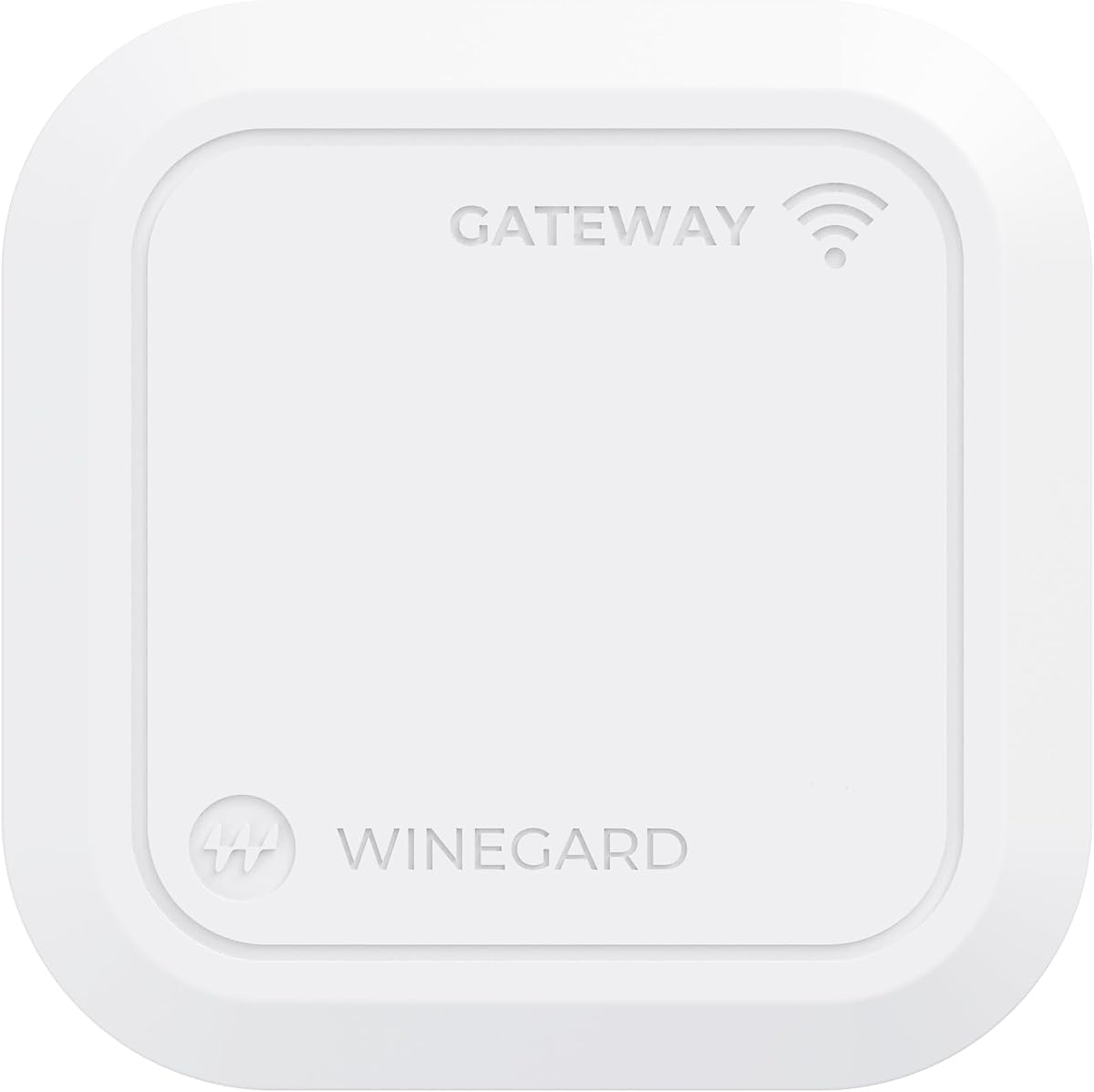
The Winegard Gateway 5G GW-5G01 is a ceiling-mounted cellular router designed for RVs and compatible with the Winegard Air 360+ 5G antenna system. Its 3.5 rating is the lowest in the list, but that figure should be considered alongside its narrow installation focus. It is aimed at RV owners who want mobile cellular service tied directly to a purpose-built roof or ceiling antenna system.
We may earn a commission when you buy through this link, at no additional cost to you.
The gateway uses a 5G modem compatible with Air 360+ 5G hardware, providing cellular backhaul while traveling or working from a remote location. It supports flexible data plans through Winegard FreedomGO, as well as T-Mobile, Verizon, and AT&T, and is listed as compatible with the newer T-Mobile 5G Unlimited plan. This carrier choice is valuable for travelers comparing coverage maps across a route rather than relying on a single network.
Dual-band 802.11ac Wi-Fi covers both 2.4 GHz and 5 GHz, allowing phones, laptops, tablets, televisions, and consoles to connect inside the RV. The router also supports Ethernet WAN, which can be used to add Starlink or another satellite network for hybrid connectivity. The trade-offs are the older Wi-Fi 5 standard and a 3.5 rating, along with tighter dependence on the Winegard ecosystem for its most compelling antenna integration.
The GW-5G01 is a strong recommendation for RV owners with an existing or planned Winegard Air 360+ 5G installation who value carrier flexibility and hybrid internet options. It is less suitable for a conventional home buyer seeking modern AX3000 or Wi-Fi 7, and it should not be assumed to include the external dome system. Verify the complete antenna-and-router package, carrier compatibility, and installation requirements.
Direct compatibility with Winegard's Air 360+ 5G system creates a cleaner mobile installation than adapting a general-purpose indoor router. The system is designed to place cellular reception equipment where an RV can make better use of it.
Ethernet WAN support makes it possible to combine the cellular gateway with Starlink or another satellite connection. This hybrid approach offers more connection options for travelers whose routes cross areas with different coverage.
We may earn a commission when you buy through this link, at no additional cost to you.
The GL.iNet GL-E5800 NA MUDI 7 is a premium travel router that combines a Qualcomm Dragonwing MBB Gen 3 X72 5G platform with tri-band Wi-Fi 7. Its 4.4 rating reflects a capable and current feature set, while the built-in 5,380 mAh battery distinguishes it from permanently powered home routers. It is especially relevant to international travelers who want cellular flexibility and a sophisticated local Wi-Fi network.
We may earn a commission when you buy through this link, at no additional cost to you.
Listed 5G download capability reaches up to 4.67 Gbps, and Wi-Fi 7 is specified at 688 Mbps on 2.4 GHz, 2,882 Mbps on 5 GHz, and 5,765 Mbps on 6 GHz. The router can support up to 64 connected devices. A built-in eSIM can be combined with two physical Nano SIM slots, though activating the eSIM uses one SIM position. QR-code top-up, imported profiles, and switching directly from the 2.8-inch color screen make carrier management more convenient.
Multi-WAN failover can use 2.5G Ethernet, Wi-Fi repeater, USB tethering, and 5G cellular. A 10 Gbps USB-C port supports tethering, OTG storage, and external NAS synchronization, while the 2.5G Ethernet port handles demanding wired backhaul. Preinstalled OpenVPN-DCO and WireGuard are listed up to 700 and 600 Mbps respectively. The main limitation is that the supplied data does not explicitly list external antenna ports, making physical verification essential for a buyer whose main requirement is an external cellular antenna connection.
The MUDI 7 is a leading travel option for cross-border trips, mobile work, and temporary offices that need many wireless clients. Its roughly 13.5-hour untethered runtime and 30W PD charging support make it easy to use away from mains power. Choose it for portability, eSIM convenience, and Wi-Fi 7, but confirm the specific regional hardware's antenna connectors before relying on it for a fixed weak-signal installation.
The built-in eSIM and two physical Nano SIM positions support several approaches to international connectivity. Travelers can select regional plans or import profiles without relying exclusively on finding a local physical SIM.
A 2.5G Ethernet port, 10 Gbps USB-C, and four-path multi-WAN support create a professional temporary network. These interfaces are useful for high-volume file transfers, external storage, and resilient connections at pop-up locations.
We may earn a commission when you buy through this link, at no additional cost to you.
The Waveform QuadMini is an external 4×4 MIMO antenna rather than a router, but it is directly relevant to the search for improved 5G reception. It is designed for routers with four antenna ports and offers up to 5.2 dBi gain in a thin, lightweight, omnidirectional enclosure. Its 4.1 rating reflects a focused accessory that can solve a specific weak-signal problem without requiring directional alignment.
We may earn a commission when you buy through this link, at no additional cost to you.
The antenna emphasizes MIMO isolation and polarization rather than treating raw signal strength as the only factor. A compatible 5G router can connect its four cellular channels to the QuadMini, potentially improving data rates, latency, and reliability under favorable signal conditions. The low-profile form allows it to sit near a window, which can be substantially better than leaving a router's internal or compact external antennas on the opposite side of a building.
The complete kit includes a Window Entry Cable, UltraFlex-Quad cables, and weatherproofing boots. Mounting options include suction cups for a window, a pole adapter, a desktop stand, and direct wall mounting. This gives users flexibility to find a stronger signal location and preserve a tidy installation. The trade-off is that the QuadMini depends entirely on a compatible four-port 5G router and cannot supply internet access by itself.
This is the ideal companion for a buyer who already owns, or plans to purchase, a suitable external-antenna 5G router. It is less useful for someone searching for an all-in-one cellular router, and its performance still depends on nearby cell coverage, cable quality, router band support, and correct MIMO mapping. In a complete setup, it can be one of the most practical ways to improve a cellular installation without a permanently mounted directional antenna.
The four-channel 4×4 MIMO configuration is designed for routers that expose four compatible cellular antenna ports. Proper channel assignment can improve isolation and stability when the router and antenna are connected correctly.
The window-entry cable and multiple mounting options make it easier to place the antenna near the best reception point. Omnidirectional coverage also removes the need to aim a narrow directional antenna at a specific tower.
We may earn a commission when you buy through this link, at no additional cost to you.
Choosing a cellular router with external antenna support requires matching radio bands, antenna interfaces, carrier behavior, and physical placement to the intended network. The following factors are more important than headline speed alone.
A router may advertise 5G SA, NSA, or both, but the usable experience still depends on the bands it supports and the networks available at the installation address. For travel, a device that works with multiple major carriers offers more flexibility than one limited to a single provider. Review the product's regional certification and current carrier compatibility before buying, especially when moving between countries or using a router designed for a specific market.
External antenna ports are not automatically interchangeable. Some routers use SMA, some use reverse-polarity SMA or another variant, and certain products include a mixture of cellular and Wi-Fi connectors. Check whether the connectors are detachable, how many are dedicated to cellular service, and whether a router with four ports requires matching four-channel MIMO antennas. A correct connector makes the difference between a simple installation and an unusable cable set.
Higher gain is useful but not automatically better in every location. A directional antenna can concentrate energy toward a distant tower, while an omnidirectional antenna is easier to place and better for a moving vehicle or uncertain tower direction. Consider where the signal enters the building, how far the router will sit from the antenna, and whether exterior mounting is practical. Cable quality and placement can be as important as the antenna's stated gain.
Dual-SIM support can provide carrier redundancy, automatic failover, and easier testing when one provider performs poorly. Single-standby designs use both slots in a specific way, so check whether the second SIM is available for backup or requires a manual switch. eSIM support is especially useful for international travel, although a physical eSIM card or regional activation requirements may apply to certain products. Verify how the router displays and manages carrier profiles.
The cellular connection sets the maximum internet speed, but the local Wi-Fi radio determines how efficiently phones, computers, and smart-home devices can use it. Wi-Fi 6 and Wi-Fi 7 offer newer capabilities, while Wi-Fi 5 can still be adequate for a modest home. Check the number of simultaneous clients, the bands supported, and whether the access point is intended for a family, crowded office, event booth, or industrial site with numerous devices.
A cellular router becomes much more resilient when it can combine cellular, wired Ethernet, a Wi-Fi repeater, or USB tethering. Look for automatic failover and configurable priorities, especially if a stopped connection would interrupt work. Some systems also support load balancing, which can distribute traffic among multiple paths. For business-critical installations, confirm the supported source connections and whether failover happens automatically after a link fails.
Public networks, remote sites, and business connections require strong protection. OpenVPN, WireGuard, IPsec, L2TP, PPTP, and ZeroTier cover different use cases, while firewall tools and encrypted DNS options can improve privacy. Remote management platforms are especially valuable for fleets of routers because they enable monitoring and configuration without a site visit. Consider who will administer the device and whether centralized control is worth the additional platform dependency.
A fixed home router, an RV gateway, and an industrial router face very different environmental demands. Look for wall-mounting, outdoor-rated enclosures, wide operating-temperature ranges, and weather-resistant antenna equipment when appropriate. Battery-powered travel routers provide mobility but need regular charging, while industrial units can be continuously powered and remotely monitored. Installation requirements should be evaluated before choosing a faster but less suitable device.
Begin by identifying the router's cellular bands, SIM requirements, and antenna-port layout. Install the SIM or activate the eSIM, connect the appropriate power supply, and place the router where it receives a strong enough initial signal. Update the firmware and install a strong administrator password before connecting important devices. For initial cellular testing, use a position recommended by the carrier or the antenna manufacturer's signal map rather than assuming a window location will always be optimal.
Attach only antennas approved for the router's cellular connectors and wireless bands. Mount an external antenna as high and as clear from metal and obstructions as practical, then secure the cables without creating sharp bends. Keep cellular antennas separate from poorly positioned Wi-Fi antennas when the design calls for it. After installation, compare signal readings, latency, and throughput at different times of day, and do not judge performance only by a single speed test conducted immediately after setup.
Maintain the system by checking firmware updates, SIM-plan status, storage, and VPN availability on a regular schedule. Keep ventilation openings clear, and avoid placing a sealed indoor router where heat can accumulate. For outdoor antennas, inspect seals, cable entry points, and mounting hardware after severe weather. When using the router as a travel device, carry the correct charging adapter, monitor remaining battery life, and avoid interrupting active updates or cellular registration while the device is being packed away.
No. Some include detachable cellular antennas, while others use fixed internal antennas or omit the cellular modem entirely. Check the specification for the number and type of antenna connectors, and confirm that the ports are for cellular bands rather than only local Wi-Fi. The products in this guide are grouped according to their stated antenna capabilities and deployment roles.
An external antenna can improve reception, signal stability, and effective throughput when it is correctly matched and positioned. It cannot create cellular coverage where no usable signal reaches the location, and a mismatched or poorly aimed antenna may perform poorly. A directional model can help a fixed site, whereas an omnidirectional antenna is generally easier to use in a vehicle or where the best tower direction is uncertain.
Dual-SIM is valuable when you want automatic failover, can activate two compatible carriers, or need to change networks regularly. Verify whether the second slot supports continuous standby and confirm that both providers support the router's bands. For international travel, an eSIM-capable model may be even more convenient because physical SIM availability and local plans can vary by country.
SA, or standalone 5G, uses 5G networks for both the data connection and control functions. NSA, or non-standalone, combines 5G radio capacity with a 4G LTE anchor. A router supporting both can be more versatile across carriers and locations, but actual service depends on the provider's network configuration and the bands enabled at the site.
It depends on whether the cellular router has an Ethernet WAN port that can accept the satellite system's network output. For example, the Winegard Gateway supports Ethernet WAN for hybrid internet setups. The cellular router would then manage local Wi-Fi and may offer failover between cellular and the satellite link, provided its administration interface supports the intended routing behavior.
A dedicated router generally offers more Ethernet ports, stronger external antenna options, larger device capacity, better VPN and multi-WAN controls, and a more capable Wi-Fi network. A phone hotspot is simpler and highly portable, which makes it useful for occasional connection sharing. A dedicated router is generally preferable for a home, RV installation, workshop, or fixed remote site that needs continuous use.
Check the router's manual, product page, or labeled ports for the connector specification, such as SMA or another defined interface. Count the dedicated cellular antenna connectors and compare them with the output channels of the antenna. Do not force a connector or assume that a Wi-Fi antenna can safely be used for a cellular band, as incorrect matching can lead to poor performance or damage.
Choose a directional antenna when the router stays in one location and the carrier tower has a known direction. It concentrates gain toward that target and can improve reach over a longer path. Choose an omnidirectional antenna for a moving vehicle, uncertain tower direction, or a location where you want coverage in every direction. The Waveform QuadMini is an example of a compact omnidirectional external antenna designed for four-channel MIMO use.
The GL.iNet GL-X3000 is the most balanced recommendation because it combines 5G, Wi-Fi 6, six detachable antennas, dual-SIM functionality, multi-WAN failover, and extensive OpenWrt-based customization. The Cudy P5 is a compelling alternative for buyers who want four external cellular antennas, triple failover, and AX3000 Wi-Fi in a wall-mountable design, while the Teltonika RUTM50 stands out for rugged industrial construction, strong security features, and remote fleet management.
Prioritize the requirements that determine real-world usefulness: supported carrier bands, the correct antenna connector, the number and type of cellular ports, and the location where the equipment will be installed. Wi-Fi generation, VPN support, SIM flexibility, and failover should be evaluated next. A fast modem cannot compensate for poor antenna placement, and a premium router may offer less than a simpler model if its remote management and environmental features are unnecessary.
Before purchasing, confirm the current hardware revision, regional band support, included cables, mounting hardware, power requirements, and compatibility with the intended carrier. Retailer listings, specifications, ratings, promotions, and prices can change, so check the latest product information before buying. The right combination of cellular router and external antenna can produce a far more stable connection than an indoor hotspot, particularly in rural, remote, or obstructed environments.