KTC 5K Monitor 27 Inch
4.4Editor score
5K at 60Hz
65-watt USB-C connectivity
99% DCI-P3 coverage
A 27 inch 5K monitor delivers 5120 x 2880 pixels in a familiar size, combining high pixel density with a desktop footprint that works for creative professionals, office users, and gamers. A good example should provide sharp text, accurate color, comfortable viewing, flexible connections, and enough refresh-rate performance for the way you work.
We compared ten displays based on their stated resolution, panel technology, color coverage, brightness, refresh-rate options, adaptive-sync support, USB-C or Thunderbolt connectivity, ergonomic features, and intended creative or gaming workflow. The list includes professional 5K screens, dual-mode gaming monitors, and more affordable alternatives with useful compromises.
Each pick represents a different type of buyer, from a color-focused creator to a competitive gamer or a Mac user seeking a single-cable workstation. Specifications and availability can change, and prices fluctuate frequently, so confirm the current listing details before purchasing.
4.4Editor score

3.6Editor score

3.7Editor score
As an Amazon Associate we earn from qualifying purchases.
The table below places each 27-inch 5K monitor side by side, emphasizing native resolution, refresh-rate options, color capabilities, and the connections that determine how easily it fits into a professional or gaming setup.




The ASUS ProArt PA27JCV is a 27-inch 5K professional monitor built around clarity, color accuracy, and streamlined connectivity. Its listed rating is 3.6, but the specification sheet makes it a strong fit for Mac users, photographers, illustrators, video editors, and other professionals who need more usable detail than a conventional 4K panel provides.
We may earn a commission when you buy through this link, at no additional cost to you.
The 5120 x 2880 LED-backlit HDR display uses a 178-degree-wide-view IPS panel, giving you plenty of room for timelines, layers, documents, and image previews. Color coverage is especially useful: the monitor includes 99% DCI-P3, 100% sRGB, and 95% Adobe RGB coverage, while factory calibration targets Delta E below 2. A hardware-based automatic KVM and 96-watt USB-C power delivery make it particularly convenient when moving between a laptop and a desktop.
The main limitation is that this is primarily a productivity and creative monitor rather than a high-refresh gaming display. It does not offer the aggressive dual-mode refresh rates found on the Samsung, ASUS ROG, and LG gaming models. Its 3.6 rating is also lower than several alternatives, so buyers who place more weight on user feedback or gaming performance should compare those details carefully.
Choose the PA27JCV when your priority is accurate color, sharp 5K detail, USB-C power delivery, and a tidy single-cable workflow. It is a particularly logical option for a Mac-based creative desk, while gamers should look toward a dual-mode model such as the Odyssey G8 or ROG XG27JCEG.
The combination of 99% DCI-P3, 100% sRGB, 95% Adobe RGB, and a factory-calibrated Delta E below 2 gives this display a strong foundation for color-sensitive work. The included ambient and backlight sensors also help maintain consistent brightness and color temperature as the room changes.
A single USB-C connection can carry display input, data, and up to 96 watts of charging. The automatic KVM feature simplifies switching between two computers while keeping one keyboard and mouse setup.
We may earn a commission when you buy through this link, at no additional cost to you.
The Samsung Odyssey G8 G80HF is the standout gaming option in this group, combining a true 5K panel with unusually high refresh rates. Its 4.4 rating is among the strongest available in the list, and the monitor can run at 5K and 180Hz for detailed immersive play or drop to QHD and 360Hz when maximum responsiveness matters more than native resolution.
We may earn a commission when you buy through this link, at no additional cost to you.
The Fast IPS panel provides a 178-degree viewing angle, while the stated 1ms response time and near-instant mode switching target fast-moving competitive games. HDR10+ support adds contrast and color depth, and compatibility with NVIDIA G-SYNC and AMD FreeSync Premium helps reduce tearing, stuttering, and screen lag when paired with a suitable graphics card.
This is a gaming monitor rather than a color-critical reference display. The specifications do not emphasize factory calibration, Adobe RGB coverage, or the sort of uniformity controls sought by some professional artists. Its 5K mode is excellent for high-end PCs, but older systems or consoles may not take full advantage of the available bandwidth.
The G8 G80HF is a strong recommendation for gamers who want both 5K detail and exceptional speed without choosing between them. For office work, creative applications, and Mac use, the ProArt, BenQ, and ViewSonic options may offer more workflow-oriented features.
The dual-mode design is unusually flexible. At 5K and 180Hz, the display favors fine detail and cinematic clarity; at QHD and 360Hz, it favors competitive response and motion smoothness.
DisplayPort 2.1, HDMI 2.1, and a USB hub cover common PC and console connections. The stand adjusts in height and pivots, tilts, and swivels to fit a more comfortable viewing arrangement.
We may earn a commission when you buy through this link, at no additional cost to you.
The ASUS ROG XG27JCEG is designed for competitive gamers who want a high-resolution display and the option to accelerate when playing fast action titles. It supports 5K at 80Hz for detailed scenes and QHD at 320Hz with overclocking for a much more responsive competitive mode.
We may earn a commission when you buy through this link, at no additional cost to you.
Its 218 PPI Fast IPS panel combines 95% DCI-P3 coverage with VESA DisplayHDR 600 support. The monitor lists a 0.3ms GTG response time, Extreme Low Motion Blur Sync, and G-Sync compatibility. ROG gaming features such as Dynamic Shadow Boost, Dynamic Crosshair, and AI Visual add tools that may be useful in particular competitive scenarios.
The lack of a numerical user rating means there is no customer-feedback score to weigh here, and 5K at 80Hz is less fluid than the 5K modes offered by the Samsung and LG. The USB-C port provides only 15W power delivery, so this is not the ideal single-cable solution for a power-hungry laptop.
The XG27JCEG makes sense for competitive players who value QHD speed, low response, and a broad port selection. Those who need a premium 5K desktop experience, stronger laptop charging, or more formal color credentials should favor the ProArt, BenQ, or ViewSonic alternatives.
The 320Hz QHD mode and 0.3ms GTG response are the headline specifications. They are especially relevant to players who value motion clarity over the additional detail of the 5K mode.
DisplayPort 1.4 with DSC, two HDMI 2.1 ports, and USB-C give the monitor broad compatibility with modern gaming systems and consoles. A tripod socket and Aura Sync lighting support add flexibility for a dedicated gaming setup.
We may earn a commission when you buy through this link, at no additional cost to you.
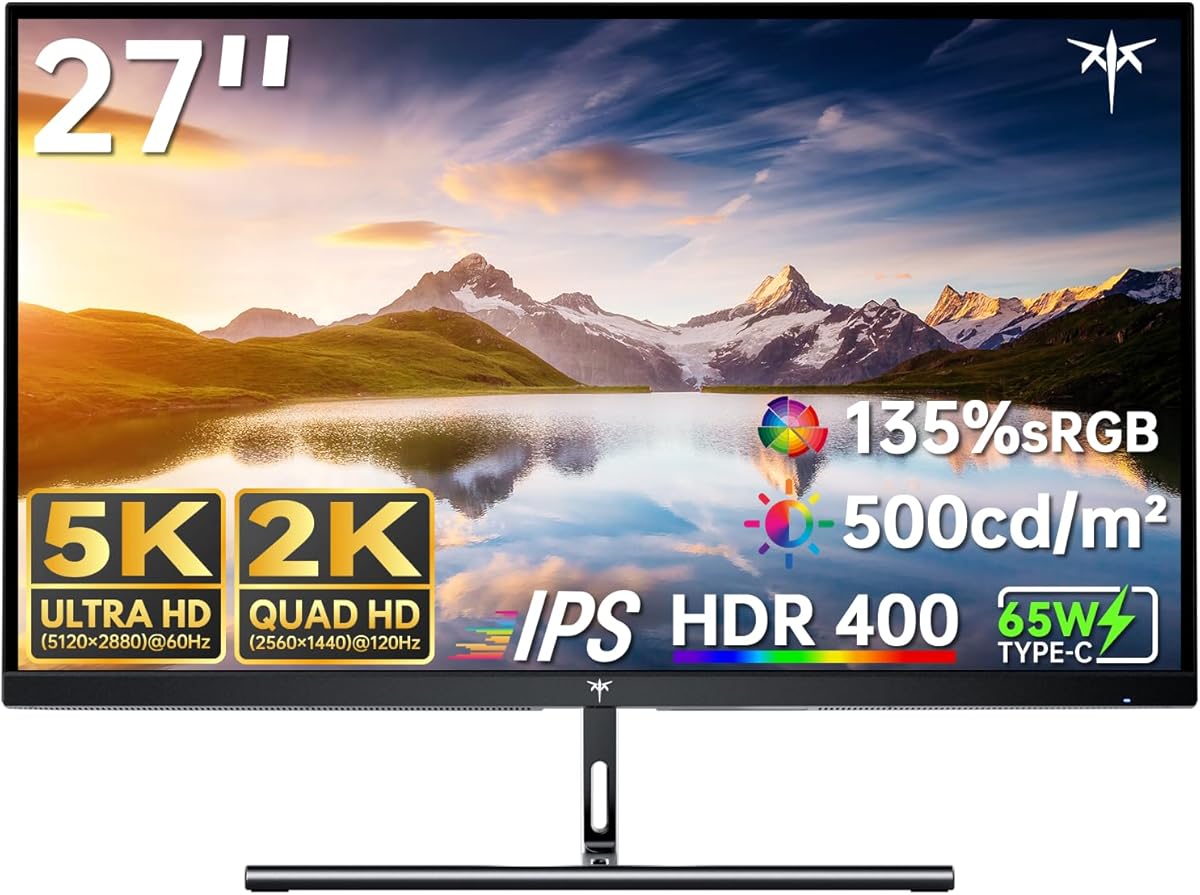
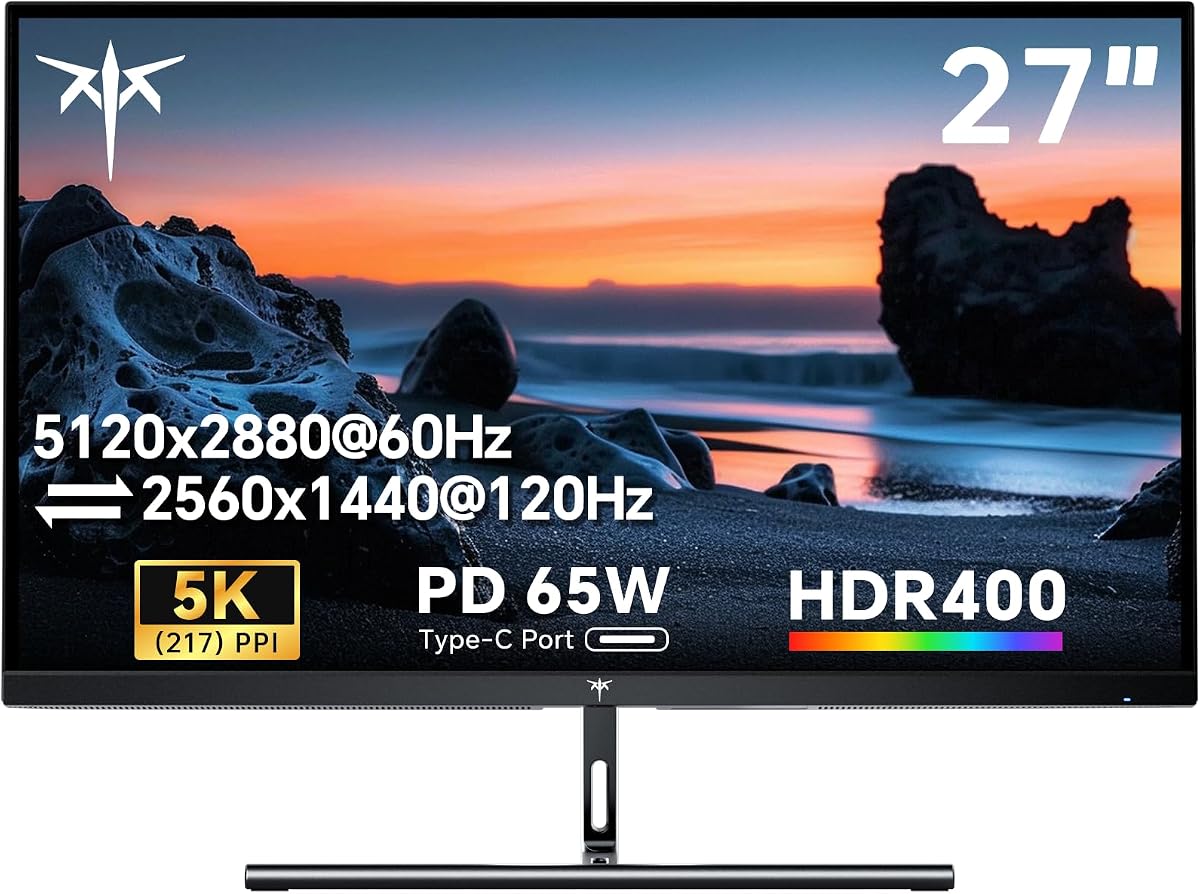
The KTC H27P3 is a practical 5K2K monitor aimed at users who want a sharp desktop without paying for a specialized reference display. Its 27-inch IPS panel operates at 5120 x 2880 and offers 217 PPI, making text and interface elements crisp while leaving enough desk space for a conventional workstation layout.
We may earn a commission when you buy through this link, at no additional cost to you.
The dual-mode design runs at 5K and 60Hz or QHD and 120Hz, and adaptive sync is included for smoother playback. The product listing also highlights 500 cd/m² brightness, HDR 400, a 2000:1 contrast ratio, and 135% sRGB gamut area with 100% sRGB coverage. USB-C with 65W charging, DisplayPort 1.4, and HDMI 2.0 make it suitable for office setups, laptops, and Mac mini arrangements.
Its stand only provides tilt adjustment, which may be a limitation for users who spend long periods working and need height, pivot, or swivel control. The lack of a numerical customer rating also means this recommendation rests on the published specifications rather than a visible score. It is not positioned as a high-end color reference or a high-refresh gaming monitor.
The H27P3 is most compelling for home-office users, students, and Mac mini owners who want a high-density screen with a practical USB-C connection. Buyers seeking extensive ergonomic adjustment or stronger gaming specifications should consider one of the more specialized models.
At 217 PPI, the H27P3 offers a noticeably more detailed canvas than a 1440p display. The 5K mode is well suited to document editing, web work, photo viewing, and multitasking without requiring a larger monitor.
The 65-watt Type-C port supports a streamlined connection to compatible laptops, while the stated Mac mini compatibility makes the monitor practical for an Apple-based desktop. DisplayPort and HDMI provide alternatives for other systems.
We may earn a commission when you buy through this link, at no additional cost to you.
The KTC 5K Monitor 27 Inch is a well-rounded budget-oriented choice for creative work and general productivity. Its 4.4 user rating is a positive signal, and the specification combines 5120 x 2880 output with 99% DCI-P3 and 100% sRGB coverage, a Delta E below 2 accuracy target, and 500 cd/m² brightness.
We may earn a commission when you buy through this link, at no additional cost to you.
This model can run at 5K and 60Hz for detailed work or 2K and 120Hz for faster interaction. The USB-C connection supports 65-watt charging and data transfer, while two USB-A 3.0 ports provide convenient places to attach peripherals. DisplayPort 1.4 handles 5K at 60Hz and higher QHD refresh rates, and HDMI 2.0 supports 4K at 60Hz.
The primary compromise is refresh rate in the native 5K mode, where 60Hz is adequate for most creative and office applications but less fluid for fast games. There is also no Thunderbolt capability, and the listed brightness and HDR support do not match the very high-end Mini-LED or professional reference models in this comparison.
For a buyer who wants 5K detail, respectable color specifications, and useful charging at a more modest level than the premium models, this KTC is a persuasive recommendation. It is particularly attractive for editing, design, and office productivity with a compatible USB-C laptop.
The 99% DCI-P3 coverage, 100% sRGB coverage, and stated Delta E below 2 calibration make this monitor more appealing for design work than its budget positioning might suggest. HDR400 adds useful contrast for supported content.
Flicker-free operation, hardware low-blue-light technology, and DC dimming are intended to reduce eye strain. These features are particularly helpful for users who spend many hours editing documents, reviewing images, or working in code.
We may earn a commission when you buy through this link, at no additional cost to you.
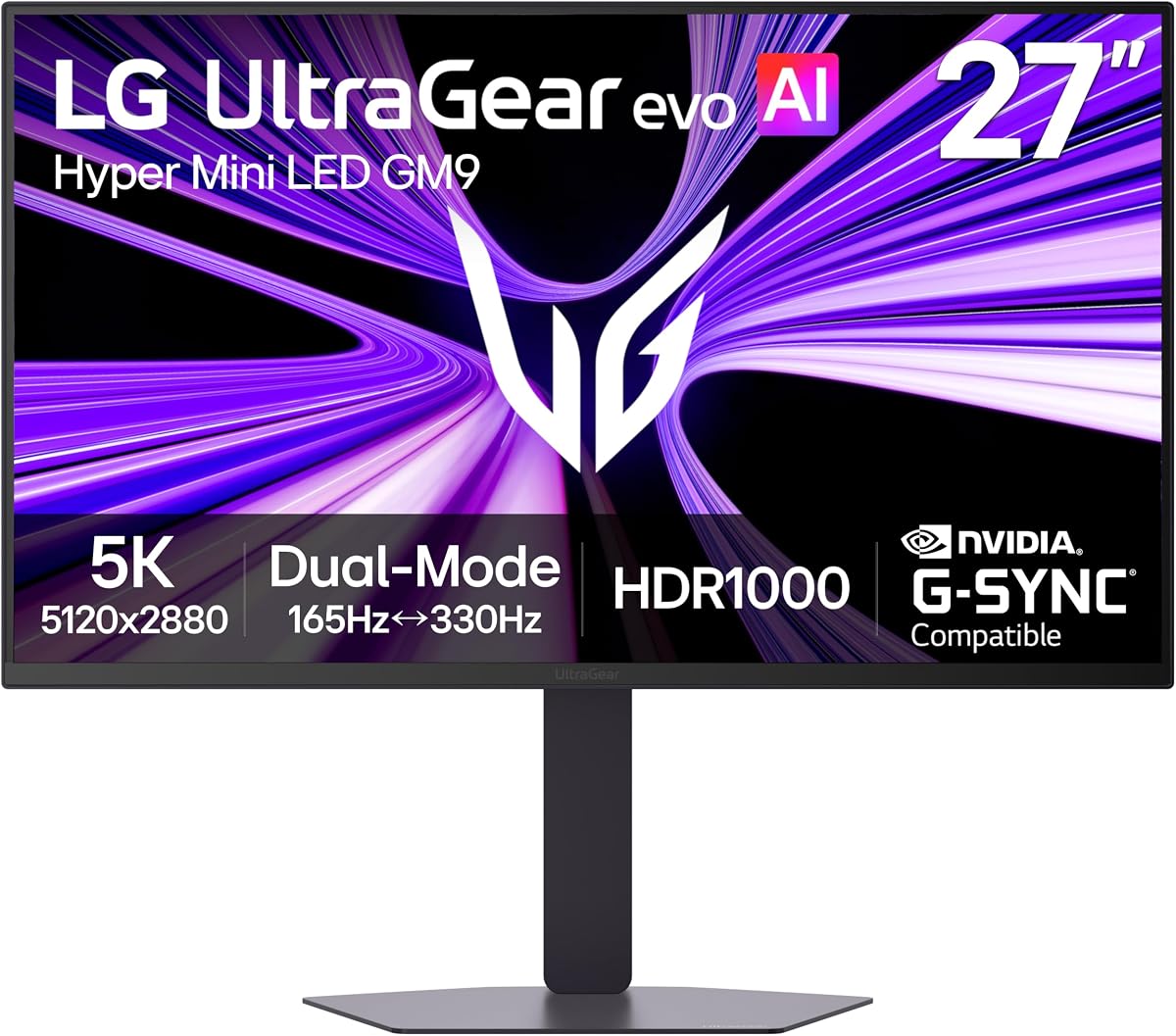
The LG UltraGear evo GM9 is the most ambitious HDR-oriented monitor here, using a Mini-LED backlight with 9,216 LEDs and local-dimming zones to produce up to 1,250 nits peak brightness. Its 5120 x 2880 IPS panel can run at 165Hz in 5K or 330Hz in QHD, and the display carries VESA DisplayHDR 1000 certification.
We may earn a commission when you buy through this link, at no additional cost to you.
It also includes 99% DCI-P3 color coverage, 218 PPI density, G-Sync compatibility, and AMD FreeSync Premium Pro. DisplayPort 2.1 with UHBR20 support, HDMI 2.1, and USB-C with 90-watt power delivery provide a modern connection set, while an AI upscaling feature is intended to improve lower-resolution sources.
The product's 3.1 rating is the lowest listed in the group, and Mini-LED local dimming can introduce blooming or require careful adjustment in dark scenes. It is also a substantial and expensive platform compared with ordinary IPS 5K monitors, so buyers should be comfortable with advanced display settings and potential firmware updates.
The GM9 is best for gamers who want high-end HDR impact, exceptional brightness, and smooth 5K performance. For standard office work, the extra Mini-LED hardware may be unnecessary; a professional IPS model may offer a more straightforward experience.
The Mini-LED backlight is the reason to consider the GM9 when HDR brightness and local contrast are priorities. Zero optical-distance engineering is designed to reduce light bleed, while the high LED count supports more precise dimming control.
The combination of DisplayPort 2.1, HDMI 2.1, and 90-watt USB-C simplifies a modern high-performance setup. The dual-mode design allows users to prioritize 165Hz 5K detail or 330Hz QHD speed.
We may earn a commission when you buy through this link, at no additional cost to you.
The Dell S2725QC is not a native 5K monitor, but it is included as a useful comparison for buyers who value smoothness, convenience, and affordability over maximum pixel density. Its 27-inch IPS display runs at 3840 x 2160, reaches 120Hz, and carries a 4.4 user rating.
We may earn a commission when you buy through this link, at no additional cost to you.
A single USB-C cable provides display connectivity and up to 65 watts of power delivery, making the monitor convenient with a laptop. AMD FreeSync Premium and a stated 0.03ms response time support smooth work and play, while ComfortView Plus reduces blue-light emissions to 35 percent or less. The IPS panel covers 99% sRGB and offers a 1500:1 contrast ratio.
This model does not deliver 5120 x 2880 resolution, so it falls short of the central promise of a 27-inch 5K buying guide. Its 4K output still gives a crisp desktop, but you will have fewer pixels for detailed timelines, large image canvases, and dense multiwindow arrangements.
The S2725QC makes sense for general office productivity, hybrid work, and users who want a smooth 120Hz display with uncomplicated USB-C power delivery. If your work genuinely depends on 5K sharpness, choose one of the native 5K alternatives instead.
The 120Hz refresh rate is a meaningful advantage for scrolling, cursor movement, and light gaming. FreeSync Premium helps maintain a steady presentation when the system and graphics card support it.
USB-C power delivery can reduce desk clutter by combining video, data, and charging. It is a straightforward option for compatible laptops and docking setups.
We may earn a commission when you buy through this link, at no additional cost to you.
The LG UltraFine 27UP850K is a polished 4K productivity monitor with a 4.5 rating, making it one of the most favorably reviewed products in the data set. Its 3840 x 2160 IPS panel supports up to 95% DCI-P3 color and VESA DisplayHDR 400, making it a capable option for media consumption, general creative tasks, and business applications.
We may earn a commission when you buy through this link, at no additional cost to you.
Connectivity is a major strength. USB-C delivers data and up to 90 watts of power, while DisplayPort, two HDMI connections, two USB 3.0 ports, and a headphone jack cover a wide range of equipment. Built-in stereo speakers with Waves MaxXAudio add convenience for casual media viewing, although they do not replace a dedicated audio system.
The Switch app is useful for splitting the display into as many as six sections, while ergonomic stand adjustment helps position the screen. As a 4K model, though, it does not match the 5K detail of the main recommendations, and its gaming features center on convenience rather than extreme refresh rates or low response times.
The 27UP850K is a good choice for office users and hybrid workers who want a feature-rich display, strong connectivity, and high color capability. Those who need maximum desktop density or professional 5K workflows should move up to the native 5K models.
The Switch app lets users divide the screen into multiple work areas and launch video calls with a shortcut. That makes the monitor useful for offices that regularly switch between communication and production tasks.
The extensive port selection is more useful than many competing office monitors. USB-C charging, multiple video inputs, and USB-A peripherals make it easy to build a single-screen workstation.
We may earn a commission when you buy through this link, at no additional cost to you.
The BenQ PD2730S is a premium 5K monitor designed for 3D artists, VFX animators, game designers, and other professionals who need both pixel density and a carefully managed desktop. Its 5120 x 2880 panel delivers 218 PPI and 77.8 percent more pixels than a 4K monitor, while 98% P3 coverage and a 2000:1 contrast ratio support detailed visual work.
We may earn a commission when you buy through this link, at no additional cost to you.
Thunderbolt 4 is the defining connectivity feature. It supports up to 90 watts of power, 40Gbps data transfer, and daisy chaining to two 5K displays or one 8K display when used with certified cables. The built-in KVM switch lets one keyboard and mouse control two systems, and the included wireless Hotkey Puck makes switching convenient.
The Nano Matte panel is designed for color-managed environments where reflections can interfere with judging an image. That makes the monitor more specialized than a standard glossy desktop display. Its 3.7 rating is respectable, though not as strong as the highest customer scores in the list, and the premium feature set may be excessive for basic office use.
The PD2730S is a compelling choice for Mac-centered professional studios and multi-computer creative setups. Its combination of 5K density, Thunderbolt 4, KVM switching, and a matte panel makes it one of the most thoughtfully specified options in the guide.
Thunderbolt 4 handles high-resolution displays, data, and power with one cable. Daisy chaining can simplify a two-monitor professional desk while preserving a high-resolution workspace.
The Nano Matte surface diffuses ambient light, which can improve comfort and visual consistency in color-managed workflows. It may also make the display less glossy than alternatives designed primarily for entertainment.
We may earn a commission when you buy through this link, at no additional cost to you.
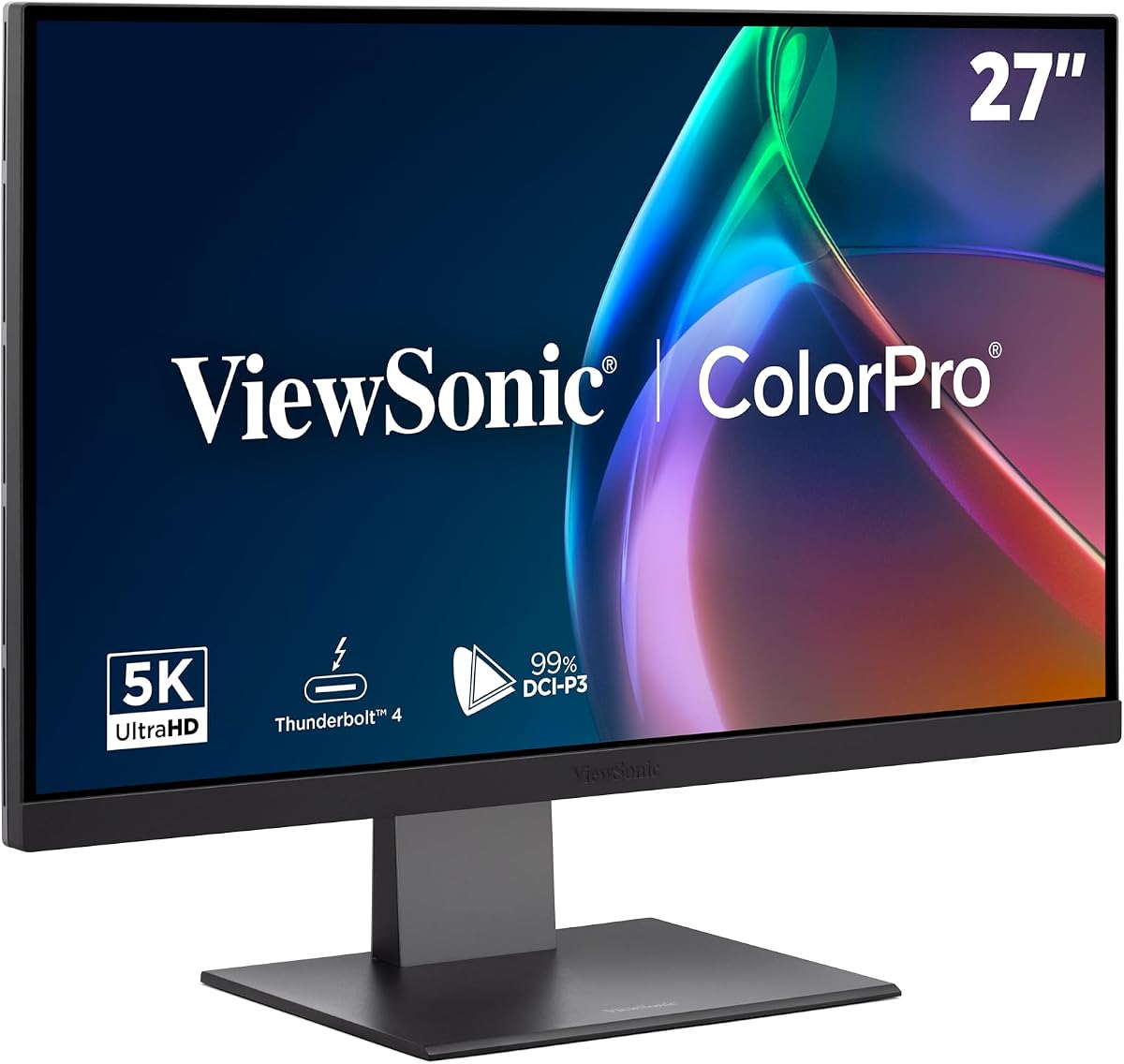
The ViewSonic VP2788-5K is a Mac-ready creative monitor with a clear emphasis on color, connectivity, and ergonomic flexibility. Its 27-inch IPS display operates at 5120 x 2880, and the listed color specifications include 100% sRGB, 99% DCI-P3, and Pantone Validated certification for professional color reproduction.
We may earn a commission when you buy through this link, at no additional cost to you.
Thunderbolt 4 provides 40Gbps data transfer, video support, and up to 100 watts of power delivery, making it a strong match for a MacBook-based creative workstation. The integrated Thunderbolt output can daisy-chain up to two 5K monitors, and additional USB-C, HDMI, and DisplayPort connections give users several ways to assemble a desk.
The fully adjustable stand supports tilt, swivel, rotation, and height adjustment, making the screen easier to position for long editing sessions. Like the BenQ, it is not designed around high-refresh gaming. Its 3.7 rating should also be considered alongside stronger customer feedback, especially if your decision depends heavily on user experience.
Choose the VP2788-5K for Mac creators who want a polished 5K workspace, strong color claims, high-power charging, and multi-monitor flexibility. It is especially attractive when the display is part of a larger Thunderbolt-based editing or design setup.
The 100% sRGB and 99% DCI-P3 specifications support a broad working color range. Pantone Validated status adds another layer of confidence for workflows that depend on consistent output across different media.
Up to 100 watts of power delivery can charge a demanding laptop over one cable. Thunderbolt daisy chaining provides a clean way to expand a professional desk to multiple 5K displays.
We may earn a commission when you buy through this link, at no additional cost to you.
The right 27-inch 5K monitor depends on whether your priority is color accuracy, smooth gaming, Mac connectivity, or a balanced professional setup. Review resolution, panel behavior, refresh-rate modes, color coverage, ports, ergonomics, and warranty support before choosing.
A true 5K monitor should provide 5120 x 2880 pixels at its native setting. That produces approximately 218 PPI on a 27-inch panel, giving small text, icon edges, and fine photographic detail a noticeably cleaner appearance. The extra pixels also provide more usable workspace for side-by-side applications than a standard 1440p display.
Confirm that the monitor supports 5K from the ports and computer you intend to use. The comparison list includes 4K alternatives for context, but they do not provide the same native pixel density.
For office work and many creative applications, 60Hz at 5K is sufficient. Competitive gamers, however, may want a dual-mode design that lowers resolution while increasing refresh rate. The Samsung offers 5K at 180Hz or QHD at 360Hz, while the ROG model reaches QHD at 320Hz and the LG reaches QHD at 330Hz.
Choose the higher-resolution mode when image detail matters and the faster mode when competitive responsiveness is more important.
Wide color gamut is essential for editing, photography, and design. Look for 99% DCI-P3 and 100% sRGB coverage, then consider factory calibration and a stated Delta E target. The ProArt and KTC 5K models both advertise Delta E below 2, while the BenQ and ViewSonic offer strong professional color specifications.
A wide gamut does not automatically guarantee accuracy, so review the calibration details and the type of content you intend to display.
HDR performance varies considerably across the group. The LG Mini-LED reaches up to 1,250 nits and targets DisplayHDR 1000, while the ASUS ROG supports DisplayHDR 600 and several other models offer HDR 400. The KTC H27P3 lists HDR 400 with 500 cd/m² brightness.
HDR can improve supported movies and games, but strong local dimming, accurate blacks, and high peak brightness are more meaningful than an HDR label alone.
USB-C with power delivery can reduce desk clutter by combining display, data, and charging. Premium Thunderbolt 4 models add higher bandwidth, daisy chaining, and stronger Mac workstation support. A KVM switch is useful when you alternate between two computers with one keyboard and mouse.
Match the connector to your device rather than assuming every USB-C port offers the same power delivery, data bandwidth, or display functionality.
IPS panels are the common choice here because they offer broad viewing angles and consistent color. A matte surface can reduce distracting reflections in bright rooms, while a glossy panel may produce deeper-looking contrast. Eye-care features such as flicker-free operation and low-blue-light modes can improve comfort during extended sessions.
Position the monitor at roughly arm's length, with the top of the screen near or below eye level, and adjust brightness to match the room.
A height-adjustable stand, tilt, swivel, and pivot are more important than they first appear, especially for long working sessions. The KTC H27P3 offers tilt only, while the BenQ, Samsung, and ViewSonic provide more extensive adjustment. Check the desk depth and monitor footprint before ordering.
A 27-inch panel balances detail and physical size, but a two-monitor arrangement still requires careful scaling and compatible system settings.
Longer coverage can be meaningful for a professional display. The ProArt includes a five-year warranty through its stated registration extension, while the KTC H27P3 includes a three-year warranty. Review the registration requirements and local support availability before purchase.
Keep the original packaging and proof of purchase, and confirm that the warranty covers the panel, USB-C power delivery, and included accessories.
Start by choosing the native 5120 x 2880 resolution in your operating system, then adjust the scaling setting so that text and applications remain comfortable without becoming too small. Confirm that the computer, cable, and display port support the intended 5K refresh rate, and avoid relying on adapters that may limit bandwidth.
For color work, allow the display to warm up, use a neutral reference environment, and adjust brightness to match the surrounding light. Avoid changing the color profile for every application, and keep the room lighting consistent when evaluating fine color differences or skin tones.
Clean the panel with a soft, lint-free microfiber cloth lightly dampened with water. Do not spray cleaner directly onto the screen, and avoid ammonia-based or abrasive products. Keep vents unobstructed, route cables safely, and periodically check the stand, power connection, and display settings.
A 27-inch 5K monitor provides substantially more pixels than a 4K model, producing finer text and more workspace. It is especially useful for creative software, photo review, coding, and multitasking. If you need a larger physical screen or prioritize high refresh rates over pixel density, a 4K display may still be more practical.
Yes, provided the Mac supports the display through a compatible USB-C or Thunderbolt connection. The ProArt, BenQ, ViewSonic, and KTC models explicitly emphasize Mac compatibility or USB-C power delivery. Check the required cable and confirm that the system supports the full 5K resolution and selected refresh rate.
A modern desktop or laptop is generally recommended, especially when you want high refresh rates or work with demanding creative applications. The operating system and graphics output must support 5120 x 2880. For standard office use, even an integrated graphics system may be adequate, but game performance depends on the GPU and selected mode.
Yes, because the higher resolution produces sharper textures, text, and game interfaces. However, demanding games may not sustain high frame rates at 5K. Dual-mode monitors solve this by allowing a lower QHD resolution with a much higher refresh rate, as seen in the Samsung, ASUS ROG, and LG models.
DCI-P3 is a wide color space used widely in film and digital media. A 99% coverage claim means the monitor can reproduce most of its reference colors. Coverage is only part of color accuracy, so factory calibration, stability, brightness, and the viewing environment also affect the final result.
A dual-mode monitor lets you choose between maximum detail and maximum speed. At 5K, text and images are exceptionally sharp; at QHD, the display can often run at a much higher refresh rate for competitive gaming. This makes one monitor useful for both detailed work and fast play.
It can simplify a laptop setup by sending video, data, and charging over one cable. The amount of charging varies by model, from the ASUS ROG's 15W USB-C connection to 90W or 100W on premium professional displays. Confirm the power requirement of your laptop and the capabilities of the included or required cable.
A matte panel is often easier to use in bright rooms and for color-managed work because it diffuses reflections. A glossy panel can look more vibrant to some viewers but may show room lighting. Your choice depends on the environment, workflow, and personal preference.
The ASUS ProArt PA27JCV is the strongest all-around recommendation for creative productivity, combining a native 5K IPS panel, broad color coverage, calibration, USB-C charging, and automatic KVM switching. The KTC 5K Monitor 27 Inch is a value-focused alternative for buyers who want strong color specifications and a practical 65-watt USB-C workflow, while the BenQ PD2730S stands out as the premium choice for Mac-oriented creative studios.
Prioritize native 5120 x 2880 resolution first, then choose the refresh rate, color coverage, ports, and ergonomics that match your work. Gaming-focused buyers should look for a high-refresh QHD mode, while creators should examine calibration, DCI-P3 or Adobe RGB coverage, brightness, and panel finish. Mac users should check Thunderbolt and USB-C charging support before finalizing a purchase.
Monitor specifications, firmware, software features, and prices can change, so review the current listing and compatibility details before buying. The most suitable model is the one that balances detail, responsiveness, color, and connectivity without adding features your daily workflow will not use.