
HHZ 65W Monitor Charger
4.8Editor score
65W maximum power output
5.5 by 2.5mm connector
Detailed model compatibility
Multiple protection circuits
Our ASUS Monitor Power Cord Replacement guide compares voltage, wattage, connectors, compatibility, safety, and cable options to help you choose confidently.
Replacing a damaged ASUS monitor power cord is simpler than it appears, but the right adapter depends on voltage, wattage, connector size, and the monitor model. A visually similar plug can still be electrically incompatible. This guide explains how to identify those requirements and evaluate replacement options for home, office, and gaming displays.
We compared all ten listed options by examining their electrical output, connector dimensions, supported ASUS families, included cables, protection features, and customer ratings. The list covers primarily 19-volt external power adapters, plus one general-purpose AC cord, and distinguishes broad compatibility claims from monitor-specific model support.
Each review explains who each option is best suited for, along with its most useful strengths and any limitations. Ratings and specifications reflect the supplied product information, while availability and prices change frequently. Always verify the original adapter label and monitor model before ordering a replacement.
4.8Editor score

4.8Editor score

4.4Editor score
The table below compares every replacement in this guide by output, connector, model coverage, and package details, making it easier to narrow the field before checking your monitor’s requirements.


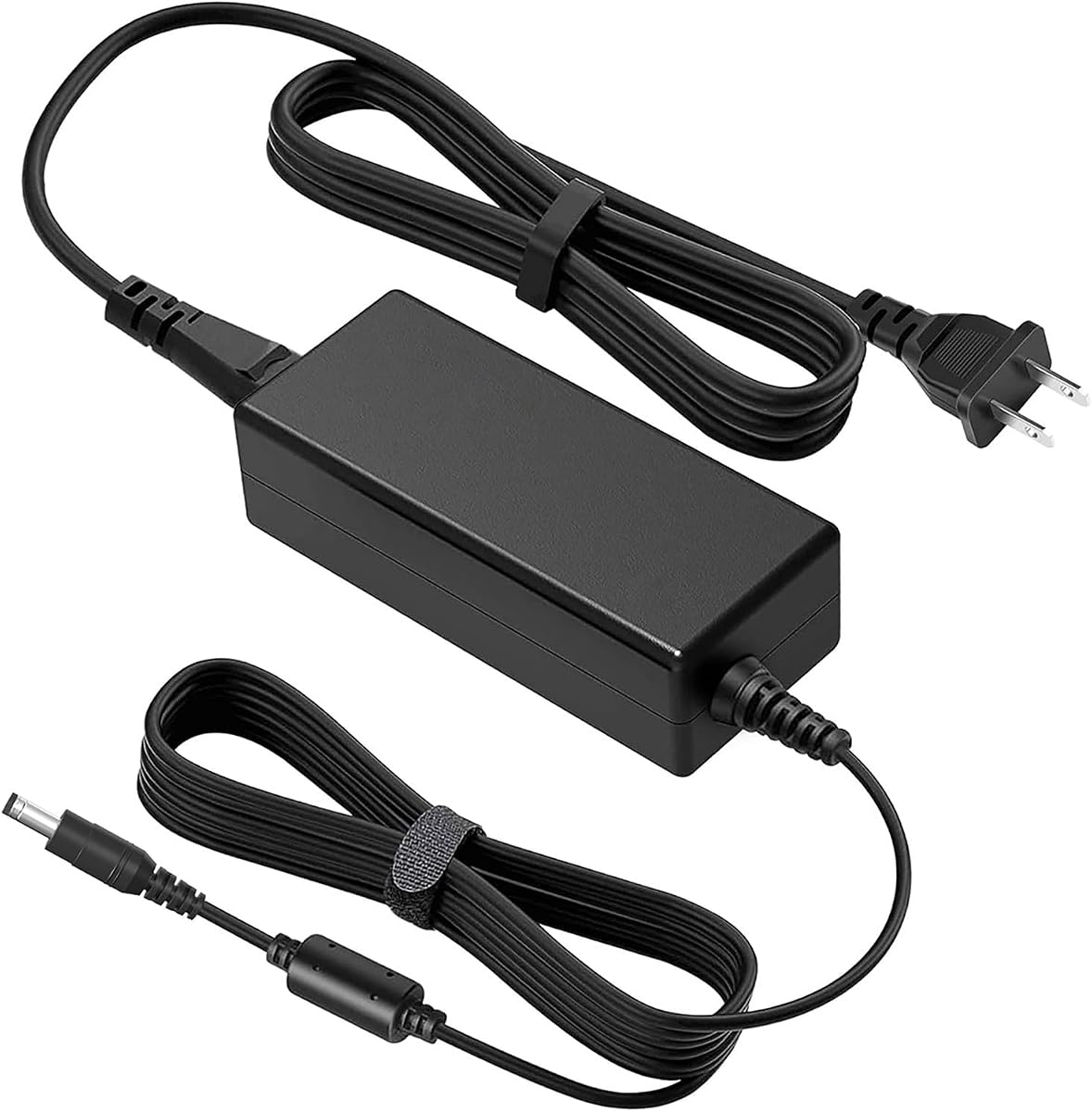


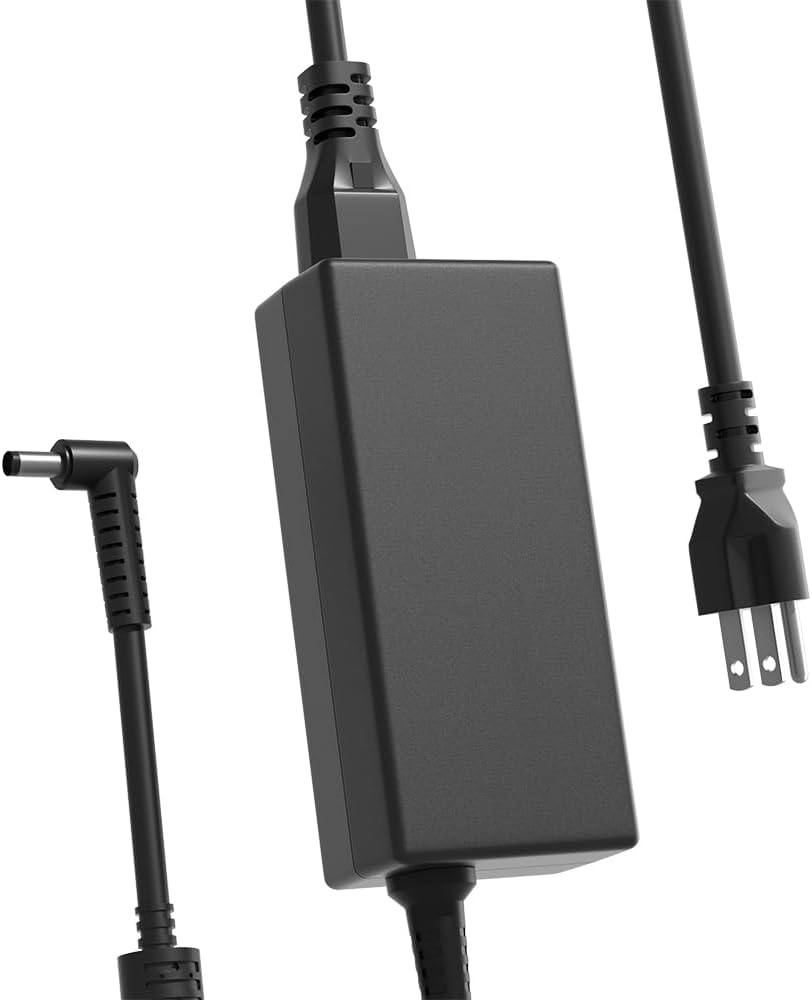

This 19V adapter earns the Editor's Choice position because it combines an excellent 4.8 rating with unusually broad support across ASUS monitor families. Its output reaches 19V at 4.74A, providing a stated maximum of 90W. That makes it a potentially versatile option for compatible displays, provided the monitor uses the smaller 5.0 by 2.5mm barrel connector rather than the more common 5.5 by 2.5mm plug.
We may earn a commission when you buy through this link, at no additional cost to you.
Compatibility information covers numerous 22-, 23-, 24-, 27-, and larger ASUS models. The listed range includes members of the VX, MS, ML, VG, VP, VC, MX, and PG lines, including gaming-oriented designations such as VG248QG, VG278Q, PG279Q, and several FreeSync or G-SYNC models. It also identifies several original adapter part numbers in some listings, although buyers should still confirm the physical label and connector before ordering.
The main caveat is that generous compatibility claims can create false confidence. This adapter is designed for 19-volt equipment and its 5.0 by 2.5mm tip will not fit a 5.5 by 2.5mm socket. It also cannot serve a monitor that expects 12 volts. Those limitations are predictable when the product is matched carefully, but they make the pre-purchase check essential.
This is a strong candidate for owners of the specific ASUS models named in its compatibility information, particularly when they need a higher-output replacement. It is also a useful candidate for a home setup containing several compatible 19V ASUS displays. Confirm the voltage and measure the connector first; if both match, this adapter offers the strongest combination of output range and model breadth in the list.
The extensive model list covers several generations of ASUS LCD and LED displays, including VX, MS, ML, VG, VP, VC, MX, and PG families. This makes the adapter worth checking first when your exact model appears in the description, though the listed screen size alone should never determine compatibility.
A stated 90W maximum is unusually generous compared with the predominantly 65W alternatives in this guide. The extra headroom can be useful for a compatible monitor, but it does not permit using the adapter with a different voltage or connector, so the original label remains the controlling specification.
We may earn a commission when you buy through this link, at no additional cost to you.
This five-foot, three-prong AC cord serves a different role from most of the adapter replacements in this guide. Its 4.7 rating and fully molded construction make it an appealing option when an ASUS monitor uses a detachable wall-side power cable and the existing cable is damaged. It is not intended to replace an external power brick or convert mains electricity into the monitor's required DC output.
We may earn a commission when you buy through this link, at no additional cost to you.
The cord is rated for 10 amperes at 125 volts and uses heavy-duty 18 AWG conductors. It is listed for electronics such as televisions, computers, printers, radios, monitors, and laptops, with ASUS among the supported brands. Its universal three-pin design can be useful for equipment that accepts a standard three-prong IEC-style equipment socket.
The important limitation is that the physical plug and socket must both match. This product does not provide a barrel connector, perform AC-to-DC conversion, or accommodate the proprietary cable and brick arrangement used by many ASUS displays. A monitor that uses a 5.5 by 2.5mm DC input will continue to require an appropriate adapter even if this cord can replace another part of its power chain.
Choose this option when your monitor has a standard detachable AC lead, your wall outlet requires a three-prong plug, and the failed component is the cord between the wall and the power brick. It is also useful as a general household replacement cable. It is not the right choice for a monitor whose entire external adapter is missing.
This cable is most valuable when the monitor's existing cord runs directly to a grounded three-pin inlet and the adapter brick remains intact. It avoids adding conversion hardware and keeps the setup straightforward, provided the socket shape matches.
The fully molded design and 18 AWG conductors are intended to withstand repeated handling better than a loose or poorly terminated lead. For desktop equipment positioned near desks and entertainment units, strain relief and robust construction are practical benefits.
We may earn a commission when you buy through this link, at no additional cost to you.
This replacement adapter offers a balanced package for common 19V ASUS displays, combining a 4.6 rating with a 65W output and the widely used 5.5 by 2.5mm round connector. It includes both the AC adapter and a US-standard power cord, making it a practical all-in-one option when the original brick or its wall lead has failed.
We may earn a commission when you buy through this link, at no additional cost to you.
The output specification is 19V at 3.42A, and the listing notes that it also suits lower 40W and 45W arrangements. Its 100-240V AC input allows use with a broad range of outlets when paired with an appropriate local cord. Compatible model examples include VS248H-P, VS247H-P, VS239H-P, VS228H-P, VG248QE, VG245H, VG278Q, VG258Q, PG278Q, PG279Q, MX279H, and several VX models.
The listing is unusually direct about exclusions: it does not fit ASUS monitors requiring 12 volts or the smaller 4.0mm connector found on some newer slim models. This transparency is important because broad phrases such as 'compatible with ASUS monitor' can otherwise imply universal support. The replacement also cannot exceed the power requirements or connector geometry of the target display.
This is a good choice for a user who wants a standard 65W replacement, needs both the adapter and wall cable, and has confirmed a 19V 5.5 by 2.5mm connection. Its broad 100-240V input and lower-wattage compatibility make it a versatile general option. Verify the label and port before ordering, especially on a newer slim display.
The package includes a 19V adapter and a US-standard power cord, reducing the need to source separate components. After confirming electrical compatibility, the monitor can generally be connected to the new brick and then to a suitable wall outlet.
The explicit 19V requirement and 5.5 by 2.5mm measurement make this easier to match than vague listings. The stated exclusion of 12V systems and 4.0mm tips is a useful reminder that even familiar ASUS model families may use different external power designs.
We may earn a commission when you buy through this link, at no additional cost to you.
The HHZ 65W charger is our Best Premium selection because it pairs an excellent 4.8 rating with particularly detailed compatibility information and named original part numbers. The adapter supplies 19V at up to 3.42A for a maximum of 65W, while accepting 100-240V AC input at 50-60Hz. Its round 5.5 by 2.5mm connector matches a large number of common ASUS power bricks.
We may earn a commission when you buy through this link, at no additional cost to you.
The description goes beyond a generic list of monitor sizes. It identifies VS, VG, ROG Swift, MX, VX, ML, MS, and L-series models, including VS248H-P, VG248QE, PG278Q, MX279H, VX238H, ML228H, MS226H, and LS248H. It also names replacement references such as ADP-65GD B, ADP-40KD BB, PA-1650-78, EXA1203YH, EXA1204YH, 0A001-00041500, and 0A001-00330200. Those references can make cross-checking substantially easier.
Built-in protection circuitry is listed for short circuits, overvoltage, overcurrent, and internal overheating. As with the other 65W options, the product can replace lower-rated 19V arrangements such as 40W and 33W adapters. It cannot, however, power a monitor that expects 12V, and the listing explicitly says it will not fit a smaller 4.0mm connector. Those exclusions are sensible rather than shortcomings.
This adapter is a strong choice for owners who can match either an exact model or one of the named original part numbers. It is particularly attractive for a multi-monitor ASUS setup containing compatible 19V displays because one replacement type can cover numerous series. Confirm both voltage and plug dimensions, then check the model list or original part number before purchasing.
Original adapter references such as ADP-65GD B and ADP-40KD BB give shoppers a more reliable method than relying on display size or family name. Finding the same reference on the old brick can quickly establish whether this replacement is appropriate.
Listed safeguards against short circuits, overvoltage, overcurrent, and overheating support dependable everyday operation. These protections are valuable in offices and gaming setups where the display may remain powered for long periods.
We may earn a commission when you buy through this link, at no additional cost to you.
This 19V adapter stands out for its exceptionally long compatibility list, which includes a large selection of 19.5-, 21.5-, 22-, 23-, 24-, 25-, 27-, and larger ASUS displays. Its 4.4 rating is lower than several alternatives, but the listed electrical details and extensive model references make it worth considering for a clearly identified compatible model.
We may earn a commission when you buy through this link, at no additional cost to you.
The adapter accepts 100-240V AC input at 50-60Hz and provides 19V DC output up to 65W. Its connector is listed as 5.5 by 2.5mm with compatibility also claimed for 5.5 by 2.1mm. The package includes a four-foot AC power cable and a five-foot DC power cord, offering useful flexibility in cable placement and an all-in-one replacement arrangement.
A smart-chip design is described as providing conversion, dynamic response, and stable output under demanding brightness or refresh-rate conditions. The stated protection layers cover overcurrent, overcharge, overtemperature, short circuit, overvoltage, and surge. These are useful selling points, although buyers should evaluate the product primarily through its published specifications and their monitor's original label rather than broad performance language.
This is a sensible option when your exact monitor appears in the extensive compatibility list and you want both AC and DC leads. The main reason to hesitate is the lower 4.4 rating, which suggests somewhat less uniformly positive customer feedback than the leading products. Confirm the barrel connector, output voltage, and wattage before ordering to reduce compatibility risk.
The compatibility description spans many ASUS families, including MX, VA, MZ, VE, VG, VX, VZ, ML, MS, PG, and XG models. That depth helps owners of less common or older displays find a candidate without relying on a generic category label.
Including separate four-foot AC and five-foot DC leads can make the replacement easier to route behind a desk or entertainment center. The arrangement also allows compatible positioning between the wall outlet, adapter, and monitor.
We may earn a commission when you buy through this link, at no additional cost to you.
This Zaidtek adapter offers a conventional and broadly useful 19V, 3.42A, 65W replacement with a 4.6 customer rating. It supports 100-240V input at 50-60Hz and uses the common 5.5 by 2.5mm connector. Its compatibility information covers standard ASUS monitors, TUF gaming models, ROG Swift displays, and several series that use part numbers rather than a simple model designation.
We may earn a commission when you buy through this link, at no additional cost to you.
The model list includes VX228H, VX238H, VX239H, VX248H, VX279Q, MS226, MS228, MS238, MS246, ML228, ML229, ML238, ML239, ML248, MX25AQ, MX27AQ, MX279H, MX299Q, VG245, VG275Q, VG278Q, VG258QM, VG27AQ, VP278QG, PG278Q, PG279Q, and VC279H variants. It also identifies original references including ADP-40KD BB, ADP-65GD B, EXA1203YH, EXA1204YH, and PA-1650-78.
The package contains one AC adapter and one AC power cable, so the core replacement system is included. Its stated current range accommodates 19V arrangements drawing 1.5A, 2.1A, 2.53A, 3A, or 3.42A. The product still requires exact physical and electrical matching; neither a shared ASUS prefix nor a similar monitor size guarantees that the connector and voltage will match.
This is a good choice for a compatible 19V ASUS monitor, especially one listed by its original part number. It may also be useful for keeping a spare adapter for a multi-display setup, provided every target monitor uses the same 19V and 5.5 by 2.5mm configuration. Check the original label and compare the model or part reference before purchase.
The adapter is associated with several original part families, including ADP-40KD BB and ADP-65GD B. Matching one of these references on the existing power brick is often a more dependable method than identifying the monitor by screen size alone.
The included AC lead removes the need to purchase a separate wall cable for a standard setup. Combined with 100-240V input, it also offers flexibility in offices and homes that use different outlet systems, subject to the appropriate local cord.
We may earn a commission when you buy through this link, at no additional cost to you.
This 19V power supply is a broadly compatible option for older and current ASUS LCD and LED monitor lines, including TUF and ROG gaming models. Its 4.5 rating is respectable, and the published output of 19V at up to 3.42A and 65W follows the most common replacement format in this category. The 5.5 by 2.5mm connector also matches many standard ASUS power supplies.
We may earn a commission when you buy through this link, at no additional cost to you.
The compatibility information covers a large range of VX, MS, ML, MX, VC, VG, VP, VA, and ROG Swift models. Examples include VX228H, VX238H, VX248H, VX279Q, MS226H, MS238H, MS246H, ML228H, ML239H, ML248H, MX25AQ, MX27AQ, MX279H, MX299Q, VG245, VG275Q, VG278Q, VG258QM, VG27AQ, VG278QR, VG32VQ, VP278QG, and PG278Q. Several original part numbers are also provided for cross-reference.
Its input rating of 100-240V at 50-60Hz is useful for international compatibility, and the stated current levels allow it to replace lower-wattage 19V adapters. The supplied description does not make the package contents equally clear as some competing listings, so buyers should verify whether a separate AC cord is included. The monitor's own label remains the essential source for voltage and connector dimensions.
This is a sensible selection for an owner of a compatible ASUS display whose original adapter has failed, particularly when the old brick's part number appears in the description. It is less compelling when a complete package with an explicitly included wall cord is important. Verify output, plug size, and included components before checkout.
The replacement covers numerous model families that span common office displays and gaming-oriented screens. This makes it a practical option for buyers who may own more than one compatible ASUS monitor or want one spare for several matching systems.
A 65W replacement can serve compatible monitors that originally used lower-rated 19V adapters, according to the stated current range. This offers some flexibility, but users should still follow the monitor label rather than assuming every lower-wattage arrangement is interchangeable.
We may earn a commission when you buy through this link, at no additional cost to you.
This HSXIRQA replacement combines a 4.6 rating with a standard 19V, 3.42A, 65W output and worldwide input support. It is marketed for a broad range of ASUS displays, including VX, VZ, MX, ML, MS, LS, VG, VC, and Designo models. The 5.5 by 2.5mm connector is the key mechanical detail to verify before selecting it.
We may earn a commission when you buy through this link, at no additional cost to you.
Input is rated from 100-240V at 50-60Hz, making the adapter suitable for varied outlet environments when used with an appropriate cord. It is also described as compatible with 45W devices. Its compatibility list includes MX27AQ, MX27UC, MX279H, MZ279H, VC279H, VL278H, VX279Q, VZ249H, VG278Q, VG278QR, MX259H, VG258Q, VX248H, VG248QG, ML248H, ML239H, VC239H, VX238T, and MX32VQ.
The listed safeguards cover overcurrent, short circuit, and overheating, while heat-resistant and flame-retardant materials are used in the construction. The package includes one power adapter and one power cord. One limitation is explicit in the specifications: it is not intended for a monitor requiring more than 65W. It also cannot overcome a mismatch between 19V and 12V equipment or between different barrel connector dimensions.
This adapter is a good candidate for a compatible ASUS monitor where the original system used 19V at a standard 5.5 by 2.5mm connection and did not exceed 65W. Its broad model list and included cord make setup convenient. Check the output label, connector, and wattage together before ordering, especially for newer or specialized displays.
The 100-240V input rating allows one adapter to work across many mains systems, although the included wall cord may still need to match the local outlet. This is convenient for international travel, relocations, and mixed home-office environments.
The box includes a power adapter and a power cord, providing the main components required to replace a failed brick-and-lead setup. Confirm the cable length and plug format for your location before ordering.
We may earn a commission when you buy through this link, at no additional cost to you.
This 19V 3.42A adapter is our Best Budget selection because it delivers the core necessities of a monitor power replacement in a straightforward package. It provides 65W output, accepts 100-240V input, and uses the common 5.5 by 2.5mm connector. The included package contains an AC adapter and a US two-pin plug cord.
We may earn a commission when you buy through this link, at no additional cost to you.
The model coverage is more focused than that of several competitors. It is listed for ASUS VX238H, VX238H-W, VX228, VX228H, VX248, VX248H, LS246H, and LS248H. It also supports selected HP IPS displays ranging from 20 to 27 inches, including 22cwa, 23xi, 23bw, 22bw, 23er, 23es, 24ea, 25er, 27xi, 27bw, 27er, 27es, and 27xw. That cross-brand coverage can be convenient in mixed offices.
The adapter includes overvoltage, overcurrent, and short-circuit protection. It is explicitly unsuitable for 6.5 by 4.4mm or USB-C monitor ports, and it should only be used where the original output is 19V. Its 4.4 customer rating is the lowest among the leading options, so buyers should not choose it without checking the more limited model list.
This is a practical pick for an owner of one of the listed ASUS or HP displays who wants a complete replacement without paying for an adapter with a much longer model list. It is also useful for a spare adapter in a compatible multi-monitor office. Confirm the original voltage, connector, and model number first to avoid a mismatch.
Support for selected HP monitors in addition to several ASUS models can simplify replacement planning in offices that mix brands. Compatibility still depends on the exact 19V and 5.5 by 2.5mm configuration, not merely the display size.
The adapter and two-pin US cord are both included, making this a convenient option for replacing a lost power brick. Its lightweight format is also practical for a workstation, travel bag, or monitored spare-parts drawer.
We may earn a commission when you buy through this link, at no additional cost to you.
This 65W TUF-oriented charger offers a useful combination of long cable placement and broad support for ASUS gaming displays. Its 4.6 rating is solid, and the electrical specification follows the common replacement format: 19V output at 3.42A, 100-240V input, and a 5.5 by 2.5mm connector. The stated cable length is eight feet.
We may earn a commission when you buy through this link, at no additional cost to you.
Compatibility information includes numerous VX, VG, VC, VP, MX, and ROG Swift models. Examples include VX228D, VX228N, VX228H, VX229H, VX238H, VX238T, VX239H, VX248H, VX279H, VG245Q, VG248QG, VG258Q, VG258QR, VG259Q, VG275Q, VG278Q, VG278QR, VG279Q, VG289Q, VG27AQ, VG32VQ, PG278Q, PG279Q, VC239H, and MX259H. It is therefore not limited to displays bearing the TUF name.
The listing cites CE, FCC, and RoHS safety certifications and identifies overvoltage, overcurrent, and short-circuit protection. Its ABS-and-PC flame-retardant enclosure and pure-copper wire core are also highlighted. These construction and certification details make it attractive for a gaming setup where the adapter remains connected for long sessions and benefits from flexible cable placement.
An eight-foot lead may be more than a compact desk needs, but it can be valuable when the outlet is behind furniture or farther from the display. Confirm that the monitor expects 19V and uses a 5.5 by 2.5mm barrel connector. If your exact model appears in the list, this is a well-specified option with useful reach and solid safety information.
The eight-foot cable provides ample distance between the wall outlet, adapter, and monitor. This is useful in setups where the outlet is behind a desk or gaming station, although users should route the lead to prevent tension on either connector.
Listed CE, FCC, and RoHS certifications, along with overvoltage, overcurrent, and short-circuit protection, provide useful documented safety features. The flame-retardant enclosure further suits a gaming environment where the adapter operates near other high-heat electronics.
We may earn a commission when you buy through this link, at no additional cost to you.
A compatible replacement must satisfy the monitor's voltage, current, connector, and power requirements. The most useful buying decision starts with the label on the original power brick rather than the monitor's screen size or series name.
The output voltage printed on the original adapter is non-negotiable. Most replacements in this guide provide 19V, while several explicitly exclude 12V systems. A connector that physically fits does not make a 19V adapter safe for equipment expecting 12V, and a higher-wattage adapter should still deliver the correct voltage. Compare the voltage, current, and wattage together rather than treating one number as the only criterion.
Most of the listed adapters use a 5.5 by 2.5mm round connector, but the leading product uses 5.0 by 2.5mm and some listings warn against smaller 4.0mm tips. The dimensions refer to the inner and outer diameters of the barrel. Measure the plug or socket rather than estimating from a photograph, and also check whether the monitor accepts a proprietary three-prong brick instead of a barrel connection.
Many ASUS monitors use 19V adapters rated around 1.75A, 2.1A, or 3.42A, corresponding to different power levels. Most 65W replacements are listed as suitable for lower-wattage versions of the same voltage. The monitor's power requirement should not exceed what the replacement is designed to supply, and models needing more than 65W should be excluded from this list.
Compatible ASUS families often contain models with different power requirements. A model-name search is useful, but an original part number such as ADP-40KD BB, ADP-65GD B, EXA1203YH, or EXA1204YH can be more precise. Compare those references with the old brick and confirm that the monitor model also appears in the replacement listing. Never rely on screen size alone.
Some monitor power systems have a wall-to-brick AC cord, a detachable AC lead, or a permanently attached power brick. Replacement listings vary in whether they include an AC power cord, a DC lead, or only the adapter block. The standard three-prong cord in this guide is not a substitute for a DC power brick, while several 19V products include both the adapter and a US wall cord.
The included AC cable must match the wall outlet in your region and the input socket on the adapter. Most bundled leads use US plugs, while the adapter's 100-240V input may permit use with a suitable cord elsewhere. DC lead length also matters for cable management: an eight-foot lead offers reach, while a shorter lead may be tidier behind a compact desk.
Protection against overcurrent, overvoltage, short circuits, overheating, and surge events is especially relevant for a device that may remain connected throughout the day. Several listings mention these safeguards and certifications, but such claims should be considered alongside credible product details, customer feedback, and exact electrical specifications. Protection features do not excuse using an adapter with the wrong voltage or connector.
Customer ratings can reveal recurring concerns, but the number of reviews and the specificity of the listing matter. A product with explicit warnings about 12V systems or 4.0mm connectors is often more useful than one claiming universal compatibility without limits. Read both the favorable and critical feedback for connector fit, noise, heat, packaging damage, and completeness of the supplied cables.
Before disconnecting anything, switch off the monitor, unplug the existing power cord, and allow the display to rest. Read the replacement's input and output markings, then compare them with the original adapter's voltage, current, wattage, and polarity information. Confirm that the connector dimensions and shape match the socket on the monitor or on the monitor's original power lead.
Connect the AC cord to the replacement adapter, then connect the adapter's DC output to the monitor. Keep the connection finger-tight rather than forcing it, and avoid sharply bending the barrel plug where it enters the adapter. Once the display powers on normally, confirm that the image is stable and that the adapter does not feel excessively warm. Unplug it immediately if there is unusual odor, visible damage, repeated shutdowns, or a connector that seats inconsistently.
For long-term care, route cables behind the desk rather than across walking areas, and avoid placing the adapter beneath furniture that can trap heat. Inspect the plug, cord, and connector periodically for cracks, discoloration, pinching, or corrosion. Keep liquids away from the power path, do not use extension arrangements beyond the adapter's rated input, and unplug the system during lightning storms or long periods of nonuse. Replace the adapter if physical damage appears rather than attempting to repair its wiring.
Usually, yes, provided the replacement matches the original voltage, connector, and required output type. A 65W 19V adapter is commonly listed as suitable for lower 19V wattages because it can supply the current demanded by the monitor without being forced above its own rating. The connector and voltage must still match exactly, and the monitor should not require more than the replacement's stated output.
The first number describes the inner diameter and the second describes the outer diameter of the barrel. A 5.0mm inner opening will not accept a 5.5mm inner-diameter plug, even though both products may be described as 2.5mm barrel connectors. Measure the socket or original plug before ordering rather than relying on the monitor's model name.
Only if the failed component is a detachable wall-side AC lead and both the plug and equipment socket match. A generic AC cord does not convert wall power into the 19V or other DC output required by a monitor. If the original setup uses a power brick, you need a compatible adapter with the correct voltage, wattage, polarity, and barrel connector.
First check that the monitor's power light is illuminated and confirm the replacement is delivering the correct output. Then verify the video cable, such as HDMI or DisplayPort, because replacing the power cord should not affect the image connection. If the power light remains off, disconnect the replacement and recheck the voltage, connector, and input requirements before trying another socket.
No. Even within the same ASUS series, some monitors use different voltage and connector combinations, and certain newer slim models use smaller tips. The adapter lists in this guide vary considerably in the models they support. Check the original power label, exact model number, and connector dimensions before considering any 19V adapter.
A compatible higher-capacity adapter does not normally force extra power into a monitor; the monitor draws only the current it needs. The key requirements are the same output voltage, correct polarity where applicable, matching connector, and an adapter rated to provide the monitor's maximum demand. A higher wattage rating mainly provides additional capacity and is not a substitute for matching voltage.
No. USB-C power uses a different connector and may rely on USB Power Delivery negotiation rather than a fixed 19V output. None of the listed barrel-style replacements should be connected to a USB-C-only port. Use a power supply specifically designed for the monitor's USB-C input and its listed voltage, current, and protocol requirements.
Disconnect it from the wall immediately and compare every specification with the original adapter. Check for connector damage, a loose wall plug, an incorrect voltage, or a mismatch between the adapter and monitor. If all labels match, try a known-good compatible power lead or outlet and test the monitor with its original supply. A replacement that repeatedly causes instability should not be used.
The leading choice for this guide is the 19V Asus Monitor Charger because it combines a 4.8 rating, broad ASUS model coverage, and a higher 90W stated maximum. The HHZ 65W Monitor Charger is the Best Premium option for its detailed part-number references, multi-series compatibility, and documented protection features. The ASUS and HP 65W Adapter serves as Best Budget for buyers seeking a straightforward, complete replacement for a specifically supported model.
Regardless of which option appears most suitable, the original power brick should determine the final choice. Start with output voltage, then check current or wattage, connector dimensions, polarity requirements, and the exact model or part number. Consider whether the package includes the AC and DC leads your installation needs, and choose cable length based on the position of the outlet and monitor.
Product ratings, availability, and prices can change, so review the current listing before ordering. Take photographs of the original label and connector, compare them with the replacement specifications, and avoid purchasing based only on a generic ASUS compatibility claim. A few minutes of verification can prevent an incompatible adapter, a damaged monitor, or an unnecessary return.