
PDAF 2K Webcam
4.4Editor score
1080p at 60fps
PDAF autofocus
Dual noise-canceling microphones
Our 2K Hd Webcam under 50 guide compares ten affordable webcams for video calls, streaming, autofocus, microphones, privacy, and easy setup across platforms.
A 2K webcam can noticeably improve the clarity of video calls, online classes, livestreams, and recorded content, but the most useful model is the one that balances image quality, audio, focus, and setup with your needs. The best options also offer practical privacy controls, flexible mounting, and compatibility with the platforms and computers you already use.
This guide compares ten 2K webcams that fall within the keyword’s budget range. The comparison considers resolution, frame rate, sensor output, autofocus behavior, microphone design, field of view, light correction, privacy features, mounting options, cable length, and platform support. It also distinguishes fixed-focus, autofocus, and manual-focus designs rather than treating them as interchangeable.
Each review explains where the webcam is strongest, where compromises appear, and who is most likely to benefit from it. The top picks cover an overall recommendation, a feature-rich premium option, and a budget model. Product availability, configurations, and prices can change, so confirm the current listing and its latest specifications before purchasing.
4.4Editor score

4.5Editor score

4.2Editor score
The table below places all ten webcams side by side using their stated resolution, frame-rate options, focus design, audio features, and principal advantages. It is a quick buying reference, while the individual reviews provide more detail about mounting, privacy, compatibility, and ideal use cases.
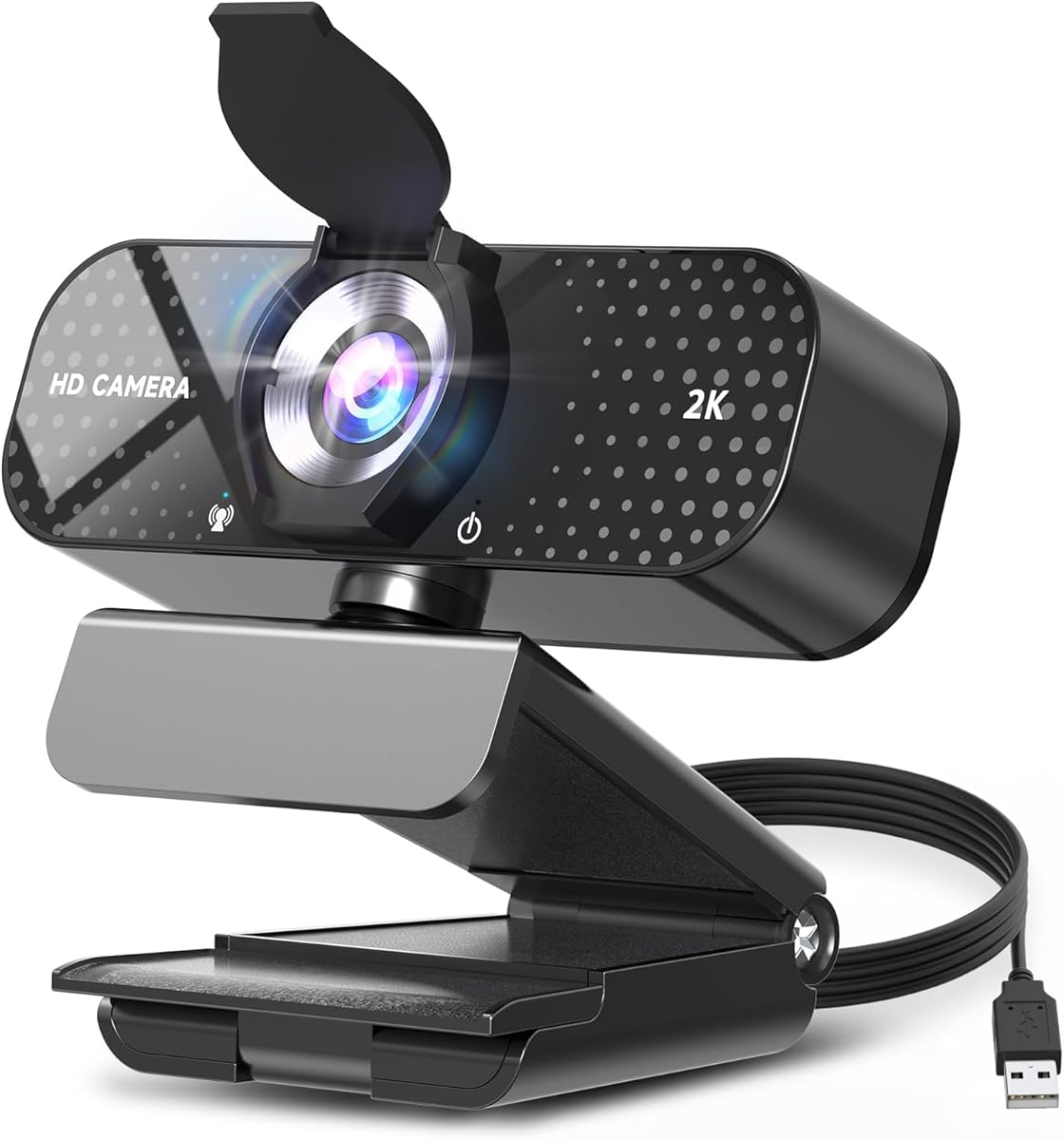

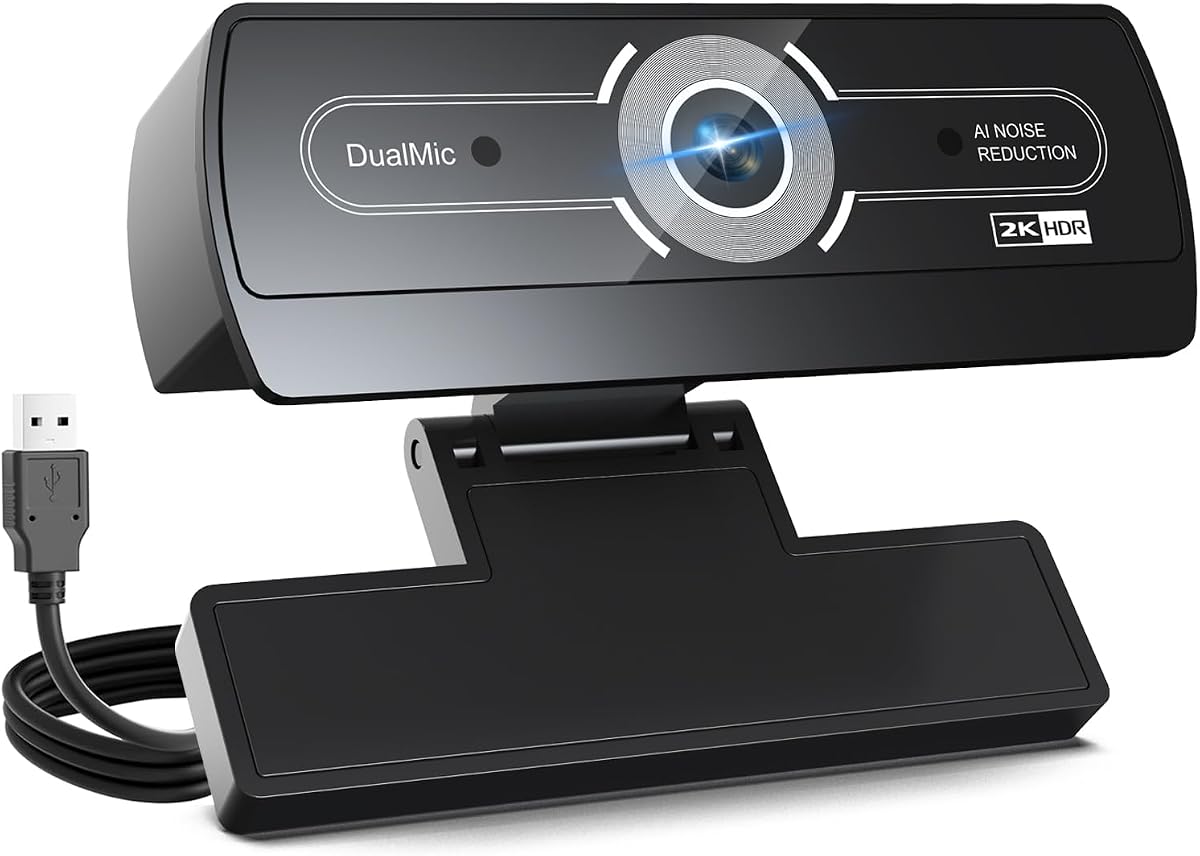
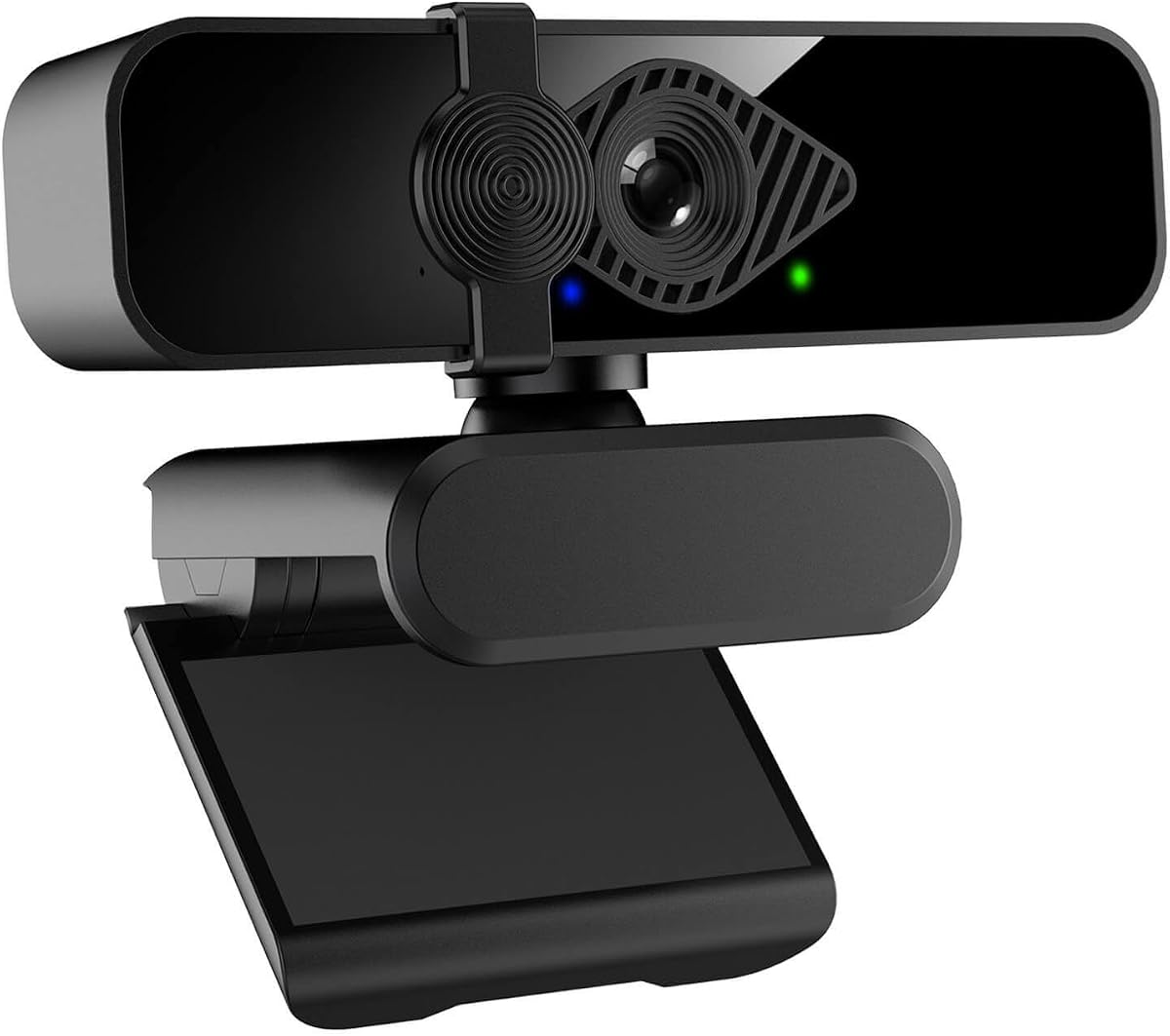


The UGREEN 2K Webcam earns the strongest overall recommendation because it combines a 2K 30fps image with a four-megapixel CMOS sensor, automatic color and low-light correction, dual integrated microphones, and a physical privacy cover. Its 4.5 rating reflects a balanced feature set, and the listed specifications make it suitable for everyday calls, classes, meetings, streaming, and recording without requiring a complicated installation process.
We may earn a commission when you buy through this link, at no additional cost to you.
Image quality is supported by the combination of 2K resolution and the four-megapixel sensor. The wide 95-degree field of view gives the camera more reach than a narrow office webcam, making it useful for small groups, physical demonstrations, and users who want some surrounding context in the frame. Automatic color-temperature and low-light adjustments are particularly helpful when room lighting changes during a call, while the integrated dual microphones are designed to keep voices distinct from background noise.
The main limitation is its fixed-focus design. There is no focus adjustment or digital zoom, so the camera is best used at the recommended distance of more than 50 centimeters. That limitation is reasonable for a person seated at a desk, but it is less attractive if you often lean close to the lens, hold small objects near the camera, or need to move around a room. Nevertheless, the privacy cover, 360-degree rotation, driver-free installation, and support for common Windows, macOS, Linux, and Android systems more than compensate for the simple focus system.
Choose the UGREEN webcam if you want one versatile model for meetings, online teaching, casual streaming, and video calls without fuss. Its wide field of view, microphones, automatic adjustments, and simple mounting make it an excellent general recommendation. People who need autofocus, a 60fps gaming-oriented mode, or adjustable focus should instead examine the premium PDAF option in fourth place.
The four-megapixel sensor and 2K 30fps output provide more detail than a standard 1080p webcam, while automatic exposure and color-temperature correction help the picture remain usable as lighting changes. The dual microphones support clearer communication without requiring a separate desk microphone for most calls.
A sliding privacy cover physically blocks the lens, while 360-degree rotation lets you aim the camera after clipping it to a monitor, laptop, television, or tripod. Driver-free installation keeps the setup approachable for first-time webcam users.
We may earn a commission when you buy through this link, at no additional cost to you.
The TRAUSI 2K Webcam is a practical choice for users who want a wide field of view, automatic image correction, and straightforward USB operation. It records 2K video at 30fps and includes a noise-canceling microphone, privacy shield, wide-angle lens, and a five-foot cable. Its 4.2 rating and broad compatibility positioning make it appealing for teaching, conferencing, streaming, and everyday communication.
We may earn a commission when you buy through this link, at no additional cost to you.
Automatic light correction is the most useful feature for varied home and office environments. The camera dynamically adjusts brightness and color to respond to dim rooms or overly bright settings, which can reduce the need for continuous manual adjustments during long sessions. Its wide-angle lens also helps when multiple people share a desk, when a presenter needs to show a physical item, or when the user prefers more environmental context than a tightly cropped portrait.
The built-in noise-canceling microphone is designed to make speech clearer in meetings, webinars, and livestreams, while the privacy shield provides a simple physical barrier over the lens. Plug-and-play operation across USB 2.0, 3.0, 3.1, and OTG interfaces reduces setup friction. One trade-off is that the supplied information does not identify a specific focus system, so buyers who frequently move toward and away from the camera should verify their expected working distance before purchasing. There is also no stated 60fps option.
This webcam makes sense for meeting rooms, online classes, and streamers who value coverage and automatic corrections more than advanced autofocus. If your workflow depends on locking focus onto a moving face, a PDAF model may be a better fit. Otherwise, TRAUSI offers a helpful mix of image, audio, privacy, and simple connection features.
Automatic brightness and color correction is especially valuable when a call spans changing lighting conditions. It can make the image more consistent without requiring users to open camera controls between calls.
The camera requires no additional drivers and includes a five-foot USB power cable. Its support for several USB standards and OTG makes it convenient for a range of computers and compatible devices.
We may earn a commission when you buy through this link, at no additional cost to you.
The EMEET C100 2K Webcam is built around stable construction, clean desk organization, and dependable 2K calling. It provides 2K 30fps video, fixed focus optimized for a stated 12-to-40-inch range, an integrated microphone, a metal clip, and a rotating physical privacy cover. Its 4.3 rating and feature-led design position it well for home offices, remote work, online learning, and travel.
We may earn a commission when you buy through this link, at no additional cost to you.
The metal base clip is a meaningful differentiator for users who want the camera to remain firmly attached to a laptop or monitor. It supports multi-angle positioning and includes a 1/4-inch thread for tripod use, although the tripod is not included. The integrated cable and built-in privacy mechanism help keep the setup tidy, while the camera’s damping and integrated construction avoid several of the loose parts that can complicate a compact setup.
EMEETLINK software provides control over brightness, exposure, and saturation, and the inclusion of 50Hz and 60Hz anti-flicker settings is useful under common indoor lighting. The fixed focus is a compromise for users who move frequently, but keeping the subject within the stated range supports stable results during normal calls. Plug-and-play USB-A connection and no required drivers further improve the out-of-box experience.
Choose the C100 when desk organization, a secure mount, and a clean integrated design matter to you. It is particularly appealing for professionals who sit at the same workstation and value stable image controls without complex installation. If you need advanced autofocus, 1080p 60fps streaming, or a long gooseneck, compare those specific requirements with the PDAF and manual-focus models elsewhere in the list.
The integrated cable and rotating privacy cover reduce the need for separate accessories. The sturdy metal clip helps maintain a consistent camera position on a monitor or laptop throughout a workday.
EMEETLINK gives users access to brightness, exposure, and saturation controls. Adjustable 50Hz and 60Hz anti-flicker behavior can also help maintain steadier video under frequently used artificial lights.
We may earn a commission when you buy through this link, at no additional cost to you.
The 2K Webcam for PC Laptop with PDAF Auto Focus is the feature-rich premium selection in this guide. It combines a four-megapixel CMOS sensor, true 2K output at 30fps, 1080p at 60fps, phase-detection autofocus, and a dual-microphone array with a dedicated noise-canceling chip. Its 4.4 rating reflects a strong combination of adaptability, image detail, audio reach, and flexible placement.
We may earn a commission when you buy through this link, at no additional cost to you.
PDAF autofocus is the central feature. It is designed to lock quickly onto a face and remain sharp as the user leans forward, gestures, or moves during a meeting, presentation, or stream. The 60fps 1080p mode adds an option for fluid motion, although it sacrifices the higher 2K pixel count. Automatic exposure and intelligent white balance are also useful for dim or mixed home-office lighting, helping the camera maintain a clear and natural-looking presentation.
The dual microphones can capture voice from up to 16.4 feet away while suppressing keyboard, fan, and background noise, a useful combination for larger workspaces. Mounting is flexible: a 360-degree adjustable clip works with laptops, monitors, and tripods, while the six-and-a-half-foot cable and included USB-A-to-USB-C adapter provide more positioning freedom. The integrated privacy cover is a small physical shutter, though the supplied description does not characterize it as a full sliding lens cover.
This is the best choice for streamers, remote professionals, teachers, and anyone who moves during a call and values a 60fps option. Its autofocus and long microphone reach distinguish it from more basic fixed-focus models. Buyers seeking the lowest possible cost can choose the Hprosper instead, while those who want a larger desk clamp and document-camera flexibility may prefer the gooseneck model.
PDAF is especially useful when a presenter leans toward the camera, displays a product, or moves around during a livestream. The system is designed to reduce focus hunting and maintain consistent sharpness.
A dedicated noise-canceling chip and microphones with a stated 16.4-foot capture range suit shared or active workspaces. The two-meter cable and included USB-C adapter make the camera easier to position away from the edge of a desk.
We may earn a commission when you buy through this link, at no additional cost to you.
The Hprosper 2K Webcam is the best budget-oriented choice because it provides 1440p at 30fps, automatic light correction, autofocus, a wide-angle lens, a noise-canceling microphone, and a physical privacy cover. Its 4.2 rating reflects a capable feature set at a notably approachable cost, making it useful for users upgrading from a basic built-in computer camera.
We may earn a commission when you buy through this link, at no additional cost to you.
The 1440p image provides more detail than standard 1080p, which can improve the appearance of faces, small text, and nearby objects during calls. Automatic light correction balances brightness and restores color in dim rooms or near bright windows, while the wide-angle view gives solo streamers, teachers, and small conference groups a broader frame. The built-in noise-canceling microphone filters background noise to make speech more distinct.
Installation is straightforward: the included five-foot USB cable connects to a PC, laptop, or Mac without drivers. The flexible clip fits monitors, laptops, and tripods, and 360-degree rotation makes framing adjustments easier. Compatibility includes Windows, macOS, Chrome OS, Linux, Android, and common applications such as Zoom, Teams, Skype, and OBS, with additional support stated for Nintendo Switch 2. The main limitations are the 30fps ceiling and shorter cable compared with models designed for more deliberate placement.
Choose the Hprosper when you want 2K-class clarity, basic autofocus, automatic corrections, and a privacy shutter without paying for the premium PDAF feature set. It is a sensible all-rounder for everyday work, study, calls, and casual streaming. If smooth high-frame-rate capture or advanced phase-detection focusing is central to your use, the fourth-ranked webcam is the stronger choice.
The 1440p 30fps mode adds useful detail for calls and recordings, while automatic light correction adjusts brightness and color to suit changing rooms. These features make the camera more adaptable than a basic manual-adjustment webcam.
Driver-free USB operation and support for major desktop and mobile operating systems simplify adoption. A physical cover protects the lens, and the rotating clip permits easy angle adjustment on a monitor or laptop.
We may earn a commission when you buy through this link, at no additional cost to you.
The XOCLON 2K Webcam provides a four-megapixel CMOS sensor and native 2560×1440 output, with the listing specifically distinguishing it from interpolated 2K alternatives. It also adds PDAF autofocus, automatic light correction, a 92-degree field of view, dual AI noise-canceling microphones, and plug-and-play USB-A connectivity. Its 3.9 rating is the lowest in this group, so the detailed specifications are particularly important when evaluating it.
We may earn a commission when you buy through this link, at no additional cost to you.
Native 2K resolution can benefit users who share detailed documents, demonstrate small objects, or want a sharper image than 1080p provides. PDAF autofocus should be advantageous when a user moves, gestures, or approaches the camera. The 92-degree field of view is wide enough for a desk-based presentation without being as expansive as the UGREEN model, while automatic lighting correction adapts to bright and low-light conditions.
The dual microphones use noise-canceling algorithms intended to reduce background distraction during lessons, meetings, and remote collaboration. A 1.5-meter cable provides reasonable placement freedom, and the compact body offers 92 degrees of vertical adjustment for framing. The camera works with macOS and Windows through USB-A without extra drivers. Its lower aggregate rating may reflect customer satisfaction, long-term reliability, or other factors not fully visible in the specifications, so it is worth reading recent customer feedback before deciding.
This webcam is most appropriate for a user who prioritizes true 2K output, autofocus, and a compact desktop design. It is also competitive for online teaching and collaboration. Buyers who place greater importance on established broad compatibility, longer placement flexibility, or stronger aggregate ratings should compare the UGREEN, EMEET, and premium PDAF alternatives before making a final selection.
The stated 2560×1440 output uses a four-megapixel imaging sensor, avoiding the need to create higher-resolution output through interpolation. That distinction is useful for close-ups and detailed on-screen content.
PDAF helps maintain focus when the subject changes position, while dual microphones with noise-canceling algorithms support clearer communication. Automatic light correction adjusts the image as room brightness changes.
We may earn a commission when you buy through this link, at no additional cost to you.
The 85-Degree 2K Webcam delivers 2560×1440 video at 30fps through a standard USB connection and is aimed at users who want flexible placement. Its 85-degree lens, 360-degree rotation, extendable base, built-in noise-reducing microphone, and movable privacy cover create a versatile option for offices, classrooms, gaming setups, and streaming.
We may earn a commission when you buy through this link, at no additional cost to you.
The 85-degree field of view is a practical middle ground. It can include the user and nearby materials without the extreme breadth of some wide-angle alternatives. The mounting base opens to 180 degrees and can be clipped to a screen, laptop, desktop, or monitor, placed on a desk, or configured for tripod use. Full 360-degree rotation makes it easier to reposition the camera without repeatedly loosening the mount.
The movable privacy cover provides a physical way to block the lens when the webcam is not in use, which is especially reassuring in shared rooms. Plug-and-play USB 2.0 operation and a 1.4-meter cable make the connection process straightforward. Compatibility spans Windows, Mac, Linux, and Android TV, along with major services including Zoom, FaceTime, Google Meet, Skype, Facebook, YouTube, and GoToMeeting. The absence of a specified autofocus system makes it better suited to users who maintain a stable position.
Choose this model for a 2K webcam with flexible mounting and a straightforward 30fps calling experience. It is particularly attractive if you switch between a monitor, laptop, and desktop arrangement. Those who move around on camera and need reliable focus should favor a PDAF model, while creators who require smoother motion can consider the premium option with 1080p 60fps output.
The extendable base and 360-degree rotation let the camera move between monitor, laptop, desktop, and tripod arrangements. This flexibility is useful for changing workspaces and shared meeting rooms.
No drivers are required, and the webcam supports major operating systems and conferencing platforms. The physical cover adds privacy without relying on software controls alone.
We may earn a commission when you buy through this link, at no additional cost to you.
The Detachable Cover 2K Webcam stands out with a 4.8 rating, the highest in this comparison, while offering adjustable 2K resolution, a compact housing, a built-in microphone, and a detachable privacy cover. The listing emphasizes clean video output, dual noise reduction, broad device support, and simple plug-and-play operation for meetings, classes, gaming chats, and streaming.
We may earn a commission when you buy through this link, at no additional cost to you.
Dual noise reduction combines hardware infrared filtering with AI-assisted software processing to reduce pixel noise and interference from ambient light. This approach is particularly relevant in dim rooms and backlit spaces, where faces can otherwise become grainy or unevenly exposed. The detachable cover physically shields the lens from unwanted viewing, dust, scratches, and smudges, while its removable design allows the camera to stay in use when a full shutter is not required.
The camera is designed for PCs, laptops, tablets, and smart televisions and requires no additional drivers. Users may need to select the USB webcam as the input device after connection, since the computer may otherwise continue using its internal camera. Although the rating is strong, the supplied specifications do not state a particular focus method or frame-rate tier, so buyers prioritizing motion performance or advanced autofocus should look for more explicit details.
Choose this webcam if a compact appearance, high customer rating, detachable privacy, and improved low-light processing are your priorities. It fits neatly into a home office or streaming setup and is suitable for mainstream video-call use. For a need more specific automatic focus or a higher frame rate, compare the XOCLON and premium PDAF models, whose focus and motion capabilities are more clearly documented.
Combining infrared filtering with software noise reduction targets the grain and visual interference that can appear in dim or strongly backlit rooms. This processing supports a cleaner-looking image without requiring a separate capture application.
The detachable cover can be fitted when the lens is not needed, providing a physical barrier while remaining simple to operate. Its compact format also suits smaller monitors and laptops.
We may earn a commission when you buy through this link, at no additional cost to you.
The Gooseneck 2K Webcam is a specialized alternative for desks that require precise positioning, document sharing, or a camera arm that can move easily. It offers 2K resolution, manual focus, a 40-centimeter gooseneck, a dedicated desktop clamp, a physical sliding privacy cover, and a 110-centimeter USB cable. Its 4.6 rating is among the strongest in the comparison.
We may earn a commission when you buy through this link, at no additional cost to you.
The flexible gooseneck is the defining advantage. It allows the camera to be raised, lowered, turned, or brought closer to a document, making the webcam useful for scanning papers, displaying hand-drawn illustrations, presenting teaching materials, or showing objects from different angles. Image flipping supports shooting from varying orientations, a helpful feature for document work and overhead-style demonstrations.
Manual focus gives users direct control when the camera is moved to a specific subject, although it will not automatically follow a person who changes distance. The noise-canceling microphone is intended to keep speech clear in moderately noisy surroundings, and the sliding cover physically protects the lens. Plug-and-play operation over USB 2.0 or 3.0 removes driver installation from the setup process.
This webcam is ideal for teachers, office workers, and anyone who often shows paperwork or physical material on camera. Its desktop clamp makes it less convenient for frequent laptop mobility, and people who move around during calls should choose an autofocus model. For a standard seated user, the UGREEN or Hprosper may offer a more conventional and compact arrangement.
The long gooseneck and image-flipping function make it possible to position the camera over printed pages, drawings, or small objects. This is a more specialized use case than ordinary face framing.
Manual focus can be useful when a subject stays at a consistent distance and the user adjusts the camera deliberately. The included desktop clamp provides a stable base for that positioning.
We may earn a commission when you buy through this link, at no additional cost to you.
The Privacy Slider 2K Webcam is a straightforward external camera for users who prioritize high pixel detail, reduced image noise, and a physical lens cover. It includes a built-in microphone, dual noise reduction, and plug-and-play USB operation. Its 4.3 rating places it comfortably among the higher-rated choices, although it lacks some of the explicitly stated autofocus and frame-rate features found in competing models.
We may earn a commission when you buy through this link, at no additional cost to you.
The 2K mode is described as having 1.78 times as many pixels as 1080p, which can produce finer facial detail, cleaner object edges, and more legible small text. Dual noise reduction combines hardware infrared filters with software processing across multiple frames, helping reduce pixel noise in dim home offices and backlit conference rooms. Those characteristics are valuable for video calls, online classes, livestreams, and recorded content.
A detachable privacy cover gives the camera a physical barrier when it is not in use, while also protecting the lens from dust and scratches. No drivers are required, although users may need to change the selected input to the USB webcam. The camera is listed for PCs, laptops, tablets, and smart TVs, and its design supports meetings, streaming, classes, gaming chats, and home-security uses.
Choose this model when physical privacy, detailed 2K imagery, and a compact external design are the main requirements. It is a sensible fit for everyday users who want better visual quality than a built-in camera without navigating complex controls. If automatic focus or high-frame-rate motion is important, select a model whose documentation explicitly covers those capabilities instead.
The higher 2K pixel count can reveal finer details than 1080p, making the webcam useful for close-ups, text sharing, and content creation where clarity matters.
Infrared filtering and multi-frame software processing help clean up challenging lighting, while the built-in microphone supports everyday voice communication. The detachable cover adds a physical privacy option.
We may earn a commission when you buy through this link, at no additional cost to you.
The best 2K webcam is not determined by resolution alone. Focus behavior, frame rate, field of view, microphones, mounting, privacy, lighting correction, and computer compatibility determine how useful a camera feels in daily use, so compare the entire feature set against your most common activities.
Prioritize true resolution and sensible frame rates, not marketing language alone.
Choose autofocus for movement and fixed focus for a stable seated position.
Check noise cancellation, pickup range, and your normal distance from the computer.
Choose a wider view for groups and demonstrations; use a tighter view for portraits.
Look for automatic exposure, color correction, and any manual image controls.
Prioritize a secure mount, a cover you can operate easily, and included accessories.
Verify the connector, operating system, apps, and whether an adapter is included.
Allow enough cable length to reach your preferred angle without strain or tension.
Start by choosing a stable location. Clip the camera to the top or side of the monitor, attach it to a laptop, use the included clamp, or place it on a tripod if the model supports that option. Keep the lens approximately at eye level for a natural call appearance, and position the microphone within reasonable speaking distance. Connect the supplied USB cable, wait for the operating system to recognize the device, and select the USB webcam as the camera and microphone in your communication application.
After connection, open the camera preview and adjust the framing. Check that your face is centered, the background is not excessively distracting, and nearby lights do not create severe backlighting. Use automatic light correction as a starting point, then adjust brightness, exposure, color temperature, or saturation if the software provides those controls. For autofocus models, allow the lens to lock onto your face before joining the call. For fixed-focus or manual-focus cameras, make a small lens adjustment while viewing the live image.
Maintain the camera by keeping the lens clean and dry, avoiding fingerprints on the cover, and gently wiping the surface with a soft microfiber cloth. Use the physical privacy cover whenever the camera is not in use. Route the cable so it is not pulled tightly, check the mount periodically, and keep the camera away from moisture, direct heat, and dusty areas. Update your calling or streaming software when needed, and confirm that the selected input remains the USB webcam after a computer restart or application update.
No, although 2K can reveal more detail than 1080p, particularly in close-ups and when sharing text. Focus stability, microphone quality, lighting, frame rate, and software support also shape the result. A well-positioned 1080p camera may look better than a poorly lit 2K model. Consider the complete feature set and your calling platform rather than judging by resolution alone.
Yes, especially when the user sits at a consistent distance from the computer. Fixed-focus designs can remain stable because they do not repeatedly hunt for a focus point. They are less convenient if you frequently lean close to the lens, move around, or need to focus on small objects. In those cases, an autofocus or manual-focus model may be more suitable.
A physical cover is not essential for every user, but it provides a straightforward way to guarantee that the lens is blocked. That is useful in shared rooms, home offices, and any environment where unwanted capture is a concern. Several options in this guide include sliding or detachable covers, so you can compare the mechanism with how and where you plan to use the camera.
Most compatible webcams work with major conferencing applications because these services use the camera and microphone selected by the operating system. The products in this guide list broad platform support, although you should confirm your specific operating system and application. If the built-in camera remains visible, change the active device to the USB webcam in the application’s audio and video settings.
It can be sufficient for short calls in a quiet room, especially because it keeps the setup simple. Noise cancellation and microphone arrays can improve clarity in noisier spaces, and some models state longer pickup ranges. For frequent presentations, large rooms, or important conversations, a dedicated external microphone may still produce more consistent results.
Autofocus can be valuable when you move during a stream or when your face changes distance from the lens. For fast gameplay, a 60fps mode may also matter, although only the premium PDAF model in this list explicitly offers 1080p at 60fps. The best choice depends on whether your priority is facial sharpness, motion smoothness, resolution, or a balanced combination.
Usually, yes, provided both systems support a compatible USB connection and the webcam’s operating-system requirements are met. Some models include USB-A-to-USB-C adapters, while others require you to supply an appropriate adapter. You may also need to install the webcam only once and then select it from the camera list whenever you switch computers.
Position the lens near eye level, avoid strong backlighting, and use a soft light in front of your face. Clean the lens, select the correct USB input, and use the available brightness, exposure, and color controls. Stable framing and a sensible microphone distance often produce a larger perceived improvement than adding resolution.
The UGREEN 2K Webcam is the best overall choice because it combines 2K 30fps output, a four-megapixel sensor, a generous 95-degree field of view, dual microphones, automatic corrections, and a physical privacy cover. The PDAF 2K Webcam is the strongest premium option for people who value rapid autofocus and 1080p 60fps, while the Hprosper delivers the most approachable package of 1440p capture, autofocus, automatic lighting, and privacy features.
Prioritize the feature that most affects your actual work. Choose autofocus if you move, wide coverage for groups or demonstrations, a long gooseneck for documents, stronger microphone pickup for active rooms, or a physical cover for shared spaces. The remaining specification differences, including frame rate, cable length, mounting style, operating-system support, and image controls, can then be matched to your computer and applications.
Before buying, verify the current listing, included accessories, connector, and platform requirements. Product configurations and prices can change, and no buying guide can replace checking the latest seller information. Use the reviews and comparison table to narrow the field, then confirm that the selected webcam meets your resolution, focus, audio, privacy, and mounting needs.