
Amazon Basics HDMI Cable
4.7Editor score
4K at 60Hz
18Gbps bandwidth
ARC and Ethernet
Six-foot cable
Our HDMI Leads for 4K TV guide compares 10 certified and high-speed cables for gaming, streaming, home theaters, durability, and device compatibility.
HDMI leads for 4K TV connect a television to game consoles, streaming devices, projectors, PCs, soundbars, and AV receivers. A capable cable must handle the required resolution, refresh rate, color format, HDR, and audio features while maintaining a stable connection. Length, construction, certification, and device support also influence the right choice.
This guide compares ten HDMI 2.0 and HDMI 2.1 leads using the supplied specifications, including bandwidth, supported resolutions, gaming features, audio support, durability, compatibility, and customer ratings. It covers cables intended for everyday 4K television viewing as well as premium options designed for 8K displays, 120Hz or higher gaming, and advanced home theater features.
Each review identifies the strongest reasons to consider a cable and any practical limitations visible in its specifications. The recommendations range from a straightforward 4K@60Hz lead to certified ultra-high-speed models and a forward-looking HDMI 2.2 cable. Product availability and pricing can change, so confirm current specifications and costs before purchasing.
4.7Editor score

4.8Editor score
4.8Editor score
The table below highlights the key differences in bandwidth, maximum resolution, refresh rate, construction, and practical feature sets, making it easier to match a lead to a 4K television and the devices connected to it.


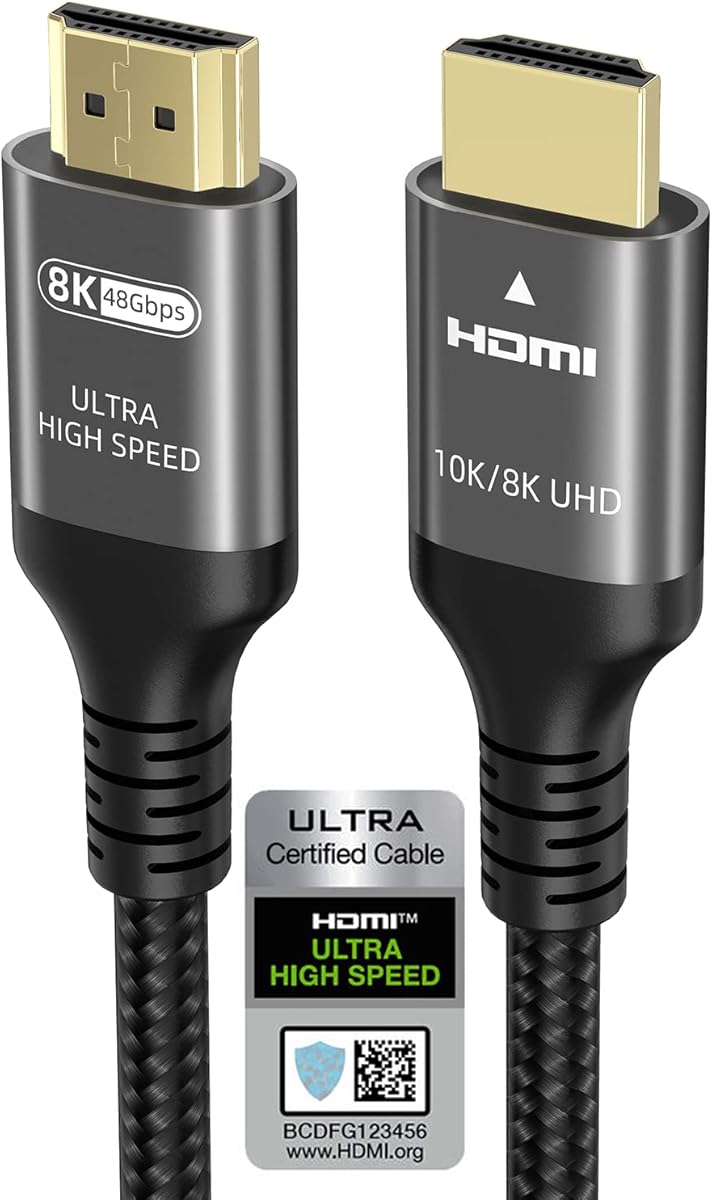



The Highwings 8K 10K 4K HDMI Cable is a certified ultra-high-speed HDMI 2.1 lead with 48Gbps of bandwidth and a 4.7 rating. Its most immediately relevant strengths for a 4K television are support for 4K at 120Hz and 240Hz, along with 8K at 60Hz. That makes it a practical choice for owners of current-generation consoles, high-refresh gaming monitors, 4K TVs, and 8K displays who want more headroom than a conventional 4K@60Hz cable provides.
We may earn a commission when you buy through this link, at no additional cost to you.
The cable's stated gaming features include variable refresh rate, allowing compatible source devices and displays to synchronize frame delivery and reduce visible tearing. Its backwards compatibility with HDMI 2.0b, 2.0a, 1.4, 1.3, 1.2, and 1.1 means it can also serve older systems without requiring buyers to maintain a separate collection of cable standards. The 2-meter length gives more freedom than many desk-oriented six-foot leads when connecting a television to a media cabinet positioned away from the wall.
Construction is another strength. Highwings describes an upgraded anti-bending design at the connector tail and a military-grade tensile nylon exterior intended to withstand regular handling. Its laboratory performance testing claim adds confidence that the assembled cable is designed to maintain a stable signal, although buyers should still avoid sharply bending the lead immediately beside either connector. The cable does not need every advanced feature of newer HDMI 2.2 equipment, but its 48Gbps specification is ample for nearly all current 4K TV arrangements.
This is a strong recommendation for a 4K TV used with a PS5, Xbox Series X, gaming PC, projector, or 4K television that supports a high refresh rate. It is less compelling for someone whose equipment is limited to 4K@60Hz, since the Amazon Basics option already covers that need at a simpler specification. Even so, the Highwings cable offers good flexibility, solid gaming support, and a generous length for a broad range of home entertainment setups.
Support for 4K at 120Hz and 240Hz gives compatible gaming hardware room to operate at faster frame rates. Variable refresh rate support is particularly relevant when a television or monitor can dynamically adjust its refresh timing.
The 6.6-foot length helps when a television sits farther from a console, media player, or soundbar. Reinforced nylon and an anti-bending connector design focus on the daily stress points that commonly damage HDMI leads.
We may earn a commission when you buy through this link, at no additional cost to you.
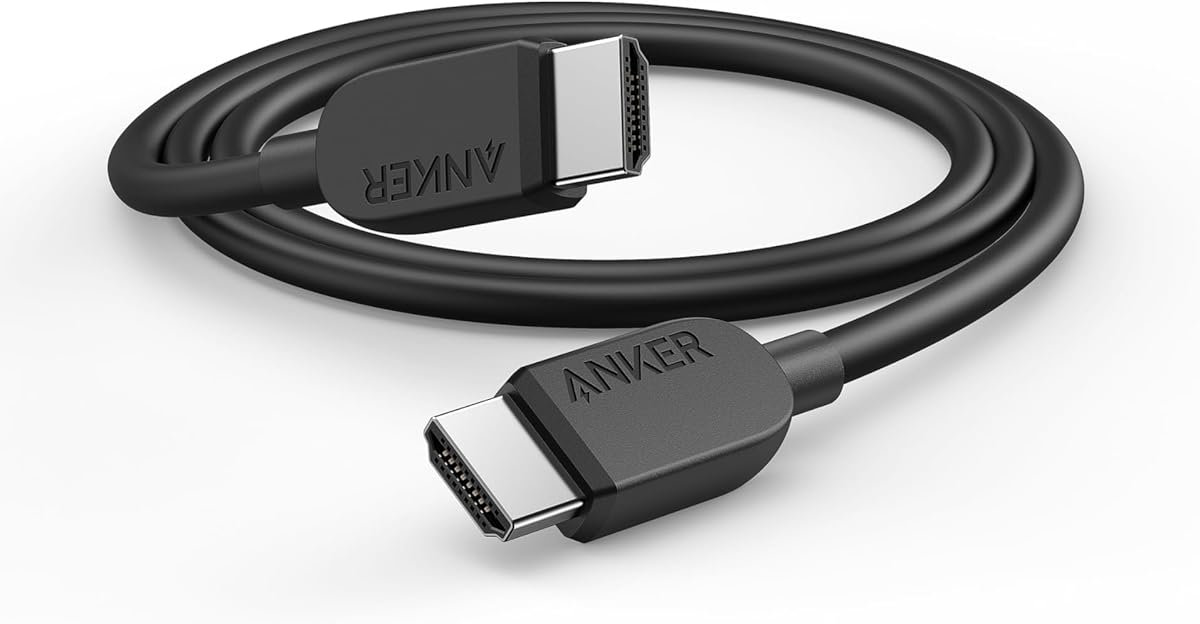
The Anker HDMI 2.1 Cable pairs a 4.7 rating with 48Gbps bandwidth and support for 8K@60Hz, 4K@120Hz, 4K@60Hz, and the advertised 4K@240Hz mode. It is a balanced high-speed lead for people who want a cable that can serve 4K television viewing today while remaining suitable for future high-refresh displays and 8K equipment.
We may earn a commission when you buy through this link, at no additional cost to you.
Anker emphasizes uninterrupted video transfer and consistent clarity at bandwidth levels up to 48Gbps. The lead can connect a tablet, laptop, desktop screen, projector, television, or another HDMI-enabled device, making it useful beyond a single gaming-console arrangement. Its six-foot length is long enough for many entertainment cabinets and short enough to avoid excess slack in a tidy installation. It also includes a welcome guide and an 18-month warranty, adding useful support to the purchase.
The stated bend endurance of up to 1,000 bends is a meaningful durability figure for a lead that will be moved between devices or repeatedly plugged into wall-mounted televisions. It is lower than the 10,000-plug claim made for the premium Anker model in this list, but it addresses normal use rather than promising maximum mechanical longevity. The specification summary does not highlight dynamic HDR, ALLM, or eARC, so buyers needing those features should verify the exact capabilities of the source and television separately.
This Anker cable is best for a 4K TV in a mixed household where family members may connect consoles, laptops, streaming boxes, and projectors over time. It provides the bandwidth and high-refresh support needed for modern displays without the complexity of the newest HDMI standard. Choose it when a straightforward, certified, six-foot HDMI 2.1 lead is the priority; choose the more premium Anker option when connector construction and an even stronger stated plug-cycle figure matter most.
The broad device compatibility makes this cable convenient for a shared TV cabinet containing different consoles, computers, and streaming hardware. A modern 48Gbps specification gives each connected system access to a high-performance connection when the source and display support it.
Six feet is a common compromise between useful reach and easy cable management. It works well for TVs near entertainment units while reducing the loose loops and clutter associated with unnecessarily long leads.
We may earn a commission when you buy through this link, at no additional cost to you.
The Silkland Certified HDMI 2.1 Cable combines a 4.7 rating with 48Gbps bandwidth, certified ultra-high-speed status, and one of the most comprehensive feature lists in this roundup. For a 4K television, its support for 4K@120Hz and 4K@144Hz is particularly relevant to PS5, Xbox, and high-end PC gaming, while 5K, 8K, and 10K modes provide additional flexibility.
We may earn a commission when you buy through this link, at no additional cost to you.
Dynamic HDR, 12-bit color support, HDCP 2.2 and 2.3, and compatibility with modern streaming platforms make the cable well suited to mixed entertainment and gaming use. Audio support includes DTS:X, Dolby Atmos, and enhanced or standard Audio Return Channel functions. These capabilities are particularly helpful when a television is handling the picture while sending high-quality sound to a compatible soundbar or receiver.
Silkland's double-layer fishnet winding and nylon braiding are designed to improve durability and reduce interference. Copper cores and ferrite magnetic beads are included to support stable signal transmission and reduce the likelihood of black screens or flickering. The six-foot length suits most entertainment units, although a room with a wall-mounted television and a distant console could require a longer lead. The listed backward compatibility from HDMI 2.1 through 1.1 broadens its usefulness with older hardware.
This is a compelling choice for buyers who want a cable that covers gaming, HDR, high-resolution audio, streaming protection, and multiple refresh rates in one product. It may be more than a standard 4K television requires, but that extra capability is useful when the same cable is expected to serve a console, gaming PC, projector, and television. For straightforward 4K@60Hz viewing, simpler cables can do the job, but this model is well positioned for a more advanced home setup.
The combination of 4K high-refresh support, Dynamic HDR, 12-bit color, and object-based audio formats makes the cable suitable for modern displays and sound systems. Every feature still requires compatible source hardware, television settings, and an appropriate receiver.
Copper conductors, ferrite beads, and double-layer braiding form a practical approach to stable transmission and resistance against everyday wear. The stated customer-care commitment also provides a point of contact for setup or compatibility questions.
We may earn a commission when you buy through this link, at no additional cost to you.
The Ubluker 10K 8K 4K HDMI Cable is an officially certified ultra-high-speed HDMI lead with a 4.7 rating, 48Gbps bandwidth, and extensive support for current 4K and 8K display modes. Its headline 4K@240Hz capability makes it suitable for high-refresh televisions and monitors, while 10K@60Hz support provides additional future-facing headroom.
We may earn a commission when you buy through this link, at no additional cost to you.
The cable covers a wide set of HDMI functions, including ALLM, VRR, QMS, QFT, Dynamic HDR, HDR10+, CEC, HDCP 2.2 and 2.3, and VESA DSC 1.2a. These features matter for compatible gaming PCs, FreeSync or G-SYNC systems, PS5 and Xbox Series consoles, and modern televisions. Its resolution list also includes 8K@60Hz, 5K at several high refresh rates, and 4K at 120Hz, 144Hz, and 240Hz.
Audio support is another area of strength. The lead supports eARC, ARC, DTS Master Audio, DTS:X, Dolby TrueHD, Dolby Vision, and Dolby Atmos. The listed compatibility with soundbars, AV receivers, projectors, monitors, gaming PCs, Apple TV, Roku TV, Fire TV, SHIELD TV, PS5, PS4, PS3, Xbox Series X, Xbox Series S, and other HDMI devices makes it a versatile center for a home entertainment system.
Ubluker is a strong recommendation when official certification and broad feature coverage are priorities. The 6.6-foot length is suitable for most television cabinets, though users should measure before ordering if the television is mounted high above a distant console. It offers more capability than necessary for ordinary 4K@60Hz viewing, but that makes it a good shared cable for households that combine gaming, streaming, and surround or object-based audio.
Official HDMI certification indicates that the cable has been assessed against the HDMI Forum's requirements. For buyers comparing unverified leads, that formal standard offers a clearer basis for judging advertised bandwidth and feature support.
Support for high-resolution audio, eARC, ARC, HDR formats, and common streaming standards makes the cable useful across a complete television setup. It can handle a modern console, media player, and sound system without changing cable types.
We may earn a commission when you buy through this link, at no additional cost to you.
The UGREEN 8K HDMI 2.1 Cable stands out with a 4.8 rating, certified HDMI 2.1 performance, 48Gbps bandwidth, and support for 10K, 8K@60Hz, and 4K@240Hz. It is the most balanced recommendation in this guide for a 4K television because it combines high-refresh gaming, advanced color and audio features, durable construction, and broad device compatibility without relying on the newer HDMI 2.2 specification.
We may earn a commission when you buy through this link, at no additional cost to you.
Its variable refresh rate, quick frame transport, auto low latency mode, and quick media switching features address common gaming and source-change issues on compatible hardware. Dynamic HDR and 12-bit color support improve the potential detail and tonal range of compatible 4K televisions, while eARC can send full-resolution audio such as Dolby Atmos and DTS:X from a television to a soundbar or AV receiver. HDCP 2.3 and 2.2, Ethernet, and 3D support add further usefulness across a broad range of systems.
The construction uses an aluminum alloy housing, nickel-plated connectors, and a durable nylon braided jacket. UGREEN says these materials have been subjected to frequent bending tests while preserving flexibility, which addresses the balance between longevity and easy routing behind a television. The 6.6-foot length is suitable for most entertainment centers and can reach a wall-mounted TV without requiring an especially long cable.
The compatibility list covers Apple TV, PS5, PS4 Pro, Roku devices, Xbox consoles, Nintendo systems, computers, laptops, media players, AV receivers, TVs, projectors, monitors, and soundbars. This makes UGREEN's cable a strong choice for a household that wants one dependable lead for several 4K devices. It is the Editor's Choice because its specification mix is exceptionally complete, while the 4.8 rating provides additional reassurance among customer feedback.
The cable combines 4K@240Hz, VRR, ALLM, quick frame transport, and quick media switching. Together, these features support high-refresh play and smoother source changes when both ends of the connection are compatible.
Braided nylon, aluminum alloy shells, and nickel-plated contacts target the most failure-prone areas of an HDMI lead. The design retains enough flexibility to route neatly behind televisions and within entertainment cabinets.
We may earn a commission when you buy through this link, at no additional cost to you.
The Amazon Basics HDMI Cable is a straightforward HDMI 2.0 lead for users whose television and source equipment operate at 4K@60Hz. It has a 4.7 rating, 18Gbps bandwidth, support for 2160p video and 48-bit color, plus Ethernet, 3D, and Audio Return Channel functionality. It is the most economical route to a dependable basic 4K connection.
We may earn a commission when you buy through this link, at no additional cost to you.
The cable can connect Blu-ray players, Fire TV, Apple TV, PS4, PS3, Xbox One, Xbox 360, computers, televisions, displays, and A/V receivers. Its backwards compatibility allows it to work with earlier HDMI devices as well. The Ethernet channel can share an internet connection among compatible devices, reducing the need for a separate network cable in setups where that function is supported.
Its central limitation is explicit: the lead supports up to 4K@60Hz and will not work properly if the source outputs a higher standard. It is therefore unsuitable for a 4K@120Hz television setting, high-refresh 4K gaming, or 8K output. Even at those unsupported settings, a TV may still display an image, but the cable should not be treated as a valid solution for the full capabilities of the source device.
This is a sensible recommendation for a standard 4K television used mainly for streaming, broadcast television, Blu-ray movies, and console gaming capped at 60Hz. It also serves as a reliable backup lead for bedrooms, offices, and guest rooms. Buyers who want 4K at 120Hz, VRR, eARC, Dynamic HDR, or 8K should move up to one of the certified 48Gbps HDMI 2.1 options in this roundup.
For a television, streaming box, Blu-ray player, or console configured for 4K@60Hz, an 18Gbps HDMI 2.0 lead can provide the required image bandwidth. Its broad device support makes it a useful general-purpose cable.
The stated limitation is important when shopping for a new television. Check the console or PC output format and the television's accepted refresh rates before buying, especially if the set supports 4K@120Hz.
We may earn a commission when you buy through this link, at no additional cost to you.
The Highwings 8K HDMI 2.1 Cable 2-Pack provides two certified 48Gbps HDMI 2.1 leads, each measuring 6.6 feet. With a 4.7 rating and support for 8K@60Hz, 4K@240Hz, 4K@120Hz, and 10K modes, it is a particularly useful option for households with more than one 4K television, console, gaming monitor, or streaming setup.
We may earn a commission when you buy through this link, at no additional cost to you.
Having a second cable can remove a common source of frustration: a damaged lead discovered only when another device needs to be connected. It also allows a main television and gaming monitor to be connected at the same time, gives users a spare for testing, and makes it easier to keep a matched cable in each entertainment location. The two-pack format is therefore more than a quantity discount; it improves setup flexibility.
The cable supports variable refresh rate and uses an aluminum alloy shell, upgraded anti-bending connector tail, and military-grade tensile nylon material. Highwings states that each cable's components underwent performance testing. The 48Gbps specification also offers ample bandwidth for high-end 4K television use, including 4K@120Hz when the source, television, and game support that mode.
This bundle is best for gamers, AV enthusiasts, or anyone who regularly moves equipment between rooms. It is less necessary for a single basic 4K TV, where one Amazon Basics cable would meet the basic requirement. For a new high-performance entertainment system, however, having two certified leads in matching 6.6-foot lengths is convenient, economical, and particularly useful for managing multiple HDMI-connected devices.
A spare matching lead provides a ready replacement if the primary cable is damaged or becomes difficult to reach. It also supports simultaneous connections to a television and gaming monitor without repurchasing an equivalent cable.
Both leads use the same 48Gbps ultra-high-speed specification and support 4K high-refresh modes. Matching cables can simplify a multi-room or multi-device setup and avoid mixing capabilities unnecessarily.
We may earn a commission when you buy through this link, at no additional cost to you.
The Acer HDMI 2.1 Cable offers 48Gbps bandwidth, 8K@60Hz, 4K@120Hz, 4K@144Hz, and 4K@240Hz support. Its 4.7 rating and broad device compatibility make it a strong 4K TV option, particularly for users connecting a PS5, Xbox Series X, gaming PC, projector, or modern television and wanting support for high refresh rates and variable refresh rate.
We may earn a commission when you buy through this link, at no additional cost to you.
The cable includes eARC and ARC support, plus Dolby Vision and Dolby Atmos on compatible equipment. This makes it a sensible choice for a living-room television that sends sound to a soundbar or receiver. Its backwards compatibility with HDMI 2.0, 1.4, 1.3, and 1.2 allows it to work with established home entertainment equipment as well as current consoles and computers.
A high-purity copper core, aluminum alloy connector shell, and braided jacket form the core of the construction. These components are intended to resist electromagnetic interference, bending, and daily wear. The 6.6-foot length is appropriate for a television positioned above or near an entertainment unit, and the stated availability in several lengths may be helpful for users who later need more reach.
The Acer lead is most suitable for a modern 4K television setup where gaming performance and audio return matter. Compared with the UGREEN and other certified models, however, official certification is not prominently stated in the supplied information, so buyers who prioritize formal HDMI Forum verification may prefer a clearly certified option. Otherwise, its feature set, braided construction, and compatibility list make it an attractive general-purpose HDMI 2.1 lead.
Support for 4K@120Hz, 4K@144Hz, and 4K@240Hz provides useful options for compatible consoles and PCs. Variable refresh rate can reduce visible tearing when the television, source, and selected game all support it.
A copper core, aluminum housing, and braided exterior address signal integrity and mechanical wear together. Careful handling near the plug remains sensible because no cable design completely eliminates connector fatigue.
We may earn a commission when you buy through this link, at no additional cost to you.
The Highwings HDMI 2.2 Cable is the forward-looking option in this guide, with a 4.6 rating and an advertised 96Gbps bandwidth. It is designed around potential 16K output while also supporting 12K@120Hz, 8K@240Hz, and 4K@480Hz. For a current 4K television, these headline modes provide far more capability than most present devices require, but they position the cable for unusually ambitious future upgrades.
We may earn a commission when you buy through this link, at no additional cost to you.
Gaming features include variable refresh rate and Auto Low Latency Mode, while Dynamic HDR and Dolby Vision support target compatible displays. The cable also provides eARC for high-quality, uncompressed audio transmission from a television to a soundbar or AV receiver. A built-in Ethernet channel can share an internet connection between compatible devices, potentially reducing the need for additional network wiring.
Construction emphasizes protection from interference and physical wear. A flexible double-braided nylon jacket is designed to resist tears and tangles, while 24K gold-plated connectors are specified for corrosion resistance and conductivity. Advanced aluminum foil shielding is intended to reject electromagnetic and radio-frequency interference. Together, these details make the cable appealing for owners of high-end gaming computers, home theater projectors, and future-facing displays.
This is a specialist choice rather than a necessity for ordinary 4K television use. A buyer should consider whether the source, television, game, and receiver actually support the extra bandwidth; a cable cannot create a higher resolution or refresh rate than the connected devices allow. For buyers planning a long-lived installation or seeking maximum specifications, it is a compelling premium option. For a present-day 4K@60Hz television, the 48Gbps models offer the same practical experience with less complexity.
The 96Gbps specification is the largest in the roundup and provides room for resolution and refresh-rate advances. Its value is greatest for installations intended to remain in service for many years and connected to unusually advanced equipment.
Double braiding, gold-plated contacts, and aluminum foil shielding target both mechanical durability and signal stability. The construction is especially relevant to users running long, high-bandwidth links in complex entertainment environments.
We may earn a commission when you buy through this link, at no additional cost to you.
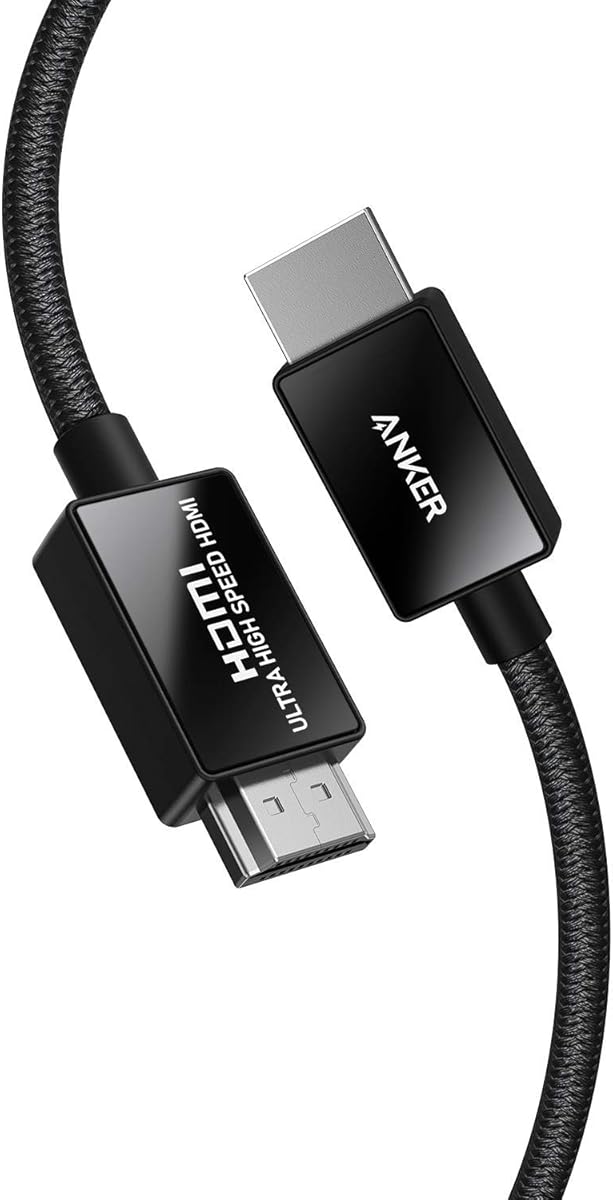
The Anker HDMI 2.1 Cable is a premium 6.6-foot lead with a 4.8 rating, official Ultra High Speed HDMI certification, 48Gbps bandwidth, 8K@60Hz support, and 4K@120Hz capability. It is a refined choice for buyers who want a recognizable, well-specified cable for a 4K television and value the manufacturer's stated connector and plug-cycle durability.
We may earn a commission when you buy through this link, at no additional cost to you.
The cable was among the first products Anker says were officially certified as an Ultra High Speed HDMI cable. Certification testing includes attention to electromagnetic interference, which can be useful in homes containing many wireless devices and networks. For modern entertainment hardware, compatibility with the PS5, Xbox Series X and S, 8K UHD televisions, Apple TV, and Roku Ultra makes the lead relevant to both gaming and streaming ecosystems.
Anker uses carbon steel connector bodies, gold connector pins, and a robust double-braided nylon exterior. The stated design is intended to tolerate 10,000 plug-and-unplug cycles, a notably high figure that makes sense for a television lead that users may move between wall panels, consoles, receivers, and media devices. The package also includes a welcome guide, an 18-month warranty, and access to customer service.
The premium recommendation is best suited to owners of a high-performance 4K TV who want 4K@120Hz gaming, 8K readiness, and strong physical construction in a single lead. It may be difficult to justify for basic streaming at 4K@60Hz, where the Amazon Basics lead is sufficient, but the added certification, materials, and endurance make this Anker cable a strong all-round option for a carefully equipped home theater or gaming room.
Official HDMI Forum certification provides a clear standard behind the cable's ultra-high-speed claims. Electromagnetic-interference testing is particularly relevant in entertainment areas crowded with consoles, displays, receivers, and connected wireless equipment.
Carbon steel connector bodies, gold pins, and double-braided nylon provide a premium feel and address common wear points. The included 18-month warranty adds practical reassurance alongside the stated plug-cycle endurance.
We may earn a commission when you buy through this link, at no additional cost to you.
The right HDMI lead depends on the highest resolution and refresh rate in your setup, the features you want to use, the distance between devices, and how often the cable will be moved. Comparing these factors first prevents overspending on unnecessary bandwidth or buying a lead that cannot carry the intended 4K mode.
Begin with the output setting supported by your source device, not merely the resolution printed on the television box. A standard 4K television generally displays 3840 by 2160 pixels, but it may accept 4K at 60Hz, 120Hz, or another maximum rate depending on its HDMI inputs, processing, and gaming features. A PS5 or Xbox Series console can output 4K at 120Hz with suitable games, while a PC may offer 4K at 144Hz or 240Hz. The cable must support the exact combination you intend to use. An HDMI 2.0 lead with 18Gbps bandwidth is sufficient for 4K@60Hz, but a 48Gbps HDMI 2.1 lead is the safer choice for 4K@120Hz, 4K@144Hz, 4K@240Hz, and 8K output.
In short, match the cable to the highest mode your devices actually use, not to a theoretical maximum.
HDMI 2.0 cables in this guide provide up to 18Gbps, while HDMI 2.1 ultra-high-speed cables provide up to 48Gbps. The newer HDMI 2.2 cable listed here advertises 96Gbps and is aimed at future 16K, 8K high-refresh, and 4K@480Hz applications. For most current 4K televisions, 18Gbps is enough only for 4K@60Hz; 48Gbps provides much more flexibility across consoles, gaming PCs, projectors, and 8K displays. Higher bandwidth does not improve a picture when every connected device is limited to a lower mode, so it is primarily about capability and future readiness.
Choose 18Gbps for basic 4K viewing, 48Gbps for modern high-performance setups, and 96Gbps only when current or planned hardware can meaningfully use the extra capacity.
For gaming, look beyond raw resolution and examine VRR, ALLM, and related capabilities. Variable Refresh Rate allows the display and source to coordinate their refresh timing, which can reduce tearing. Auto Low Latency Mode can help a compatible television automatically enable low-latency settings when it recognizes a gaming source. High refresh rates such as 120Hz, 144Hz, and 240Hz are also valuable, but they only matter when the game, console or PC, television, and cable all support the chosen mode. A newer television may include a dedicated Game menu, yet still need a suitably capable cable to receive 4K@120Hz from a console.
Prioritize the modes you expect to use, and confirm that variable refresh rate and low-latency features are enabled in both the source device and television.
High-end 4K television performance often depends on more than resolution. Dynamic HDR, HDR10+, Dolby Vision, 12-bit color, and HDCP 2.2 or 2.3 can improve compatibility with current content and devices. For sound, a cable that supports eARC can send full-resolution audio from a television to a compatible soundbar or receiver, including formats such as Dolby Atmos and DTS:X when those formats are available through the selected playback path. ARC remains useful for conventional television audio, but eARC provides greater bandwidth and a broader feature set. None of these cable features improves the source material if the television, player, game, or receiver cannot process it.
Check the television's supported HDR and audio-return formats, then choose a cable that carries those signals without restrictions.
Official HDMI certification gives buyers a clearer benchmark than an unsupported marketing claim. A certified cable has been assessed against defined requirements for its advertised category, which can be reassuring when transmitting high-bandwidth 4K, high-refresh, HDR, or audio signals. Construction details such as copper conductors, shielding, ferrite components, and braided jackets also contribute to signal stability, although a thicker or more elaborate cable is not automatically the best choice. The practical priorities are correct bandwidth, sound construction, and a connector that fits the available space behind the television.
For high-refresh or premium installations, favor a clearly certified model and verify that its certification corresponds to the bandwidth you need.
Measure the route from the television's HDMI port to the source before ordering. A six-foot lead fits many entertainment units, while a 6.6-foot cable provides slightly more flexibility for wall-mounted displays. A 10-foot option may be necessary when equipment sits across a room, but longer runs should be routed carefully to avoid tight bends and accidental pulls. Do not coil a high-performance cable tightly, and leave a small amount of slack at both connectors. If the television is mounted, check whether the plug housing can fit into the narrow space between the panel and wall.
Choose the shortest length that provides comfortable routing, then ensure the cable can bend gently and remain out of walkways.
A cable that will remain behind a television and never move has different requirements from one that travels between a console, laptop, and projector every week. Braided jackets and reinforced connector tails help resist bending and abrasion, while stated bend or plug-cycle figures provide a way to compare mechanical claims. The Highwings two-pack is convenient for users who value redundancy or need matching leads, whereas a single cable is enough for a basic installation. Lightweight construction can make travel easier, while thicker shielding and connector shells may be beneficial in permanent installations.
Choose a single lead for a simple setup, but favor a two-pack when a damaged or missing cable would cause inconvenience.
Before connecting a lead, identify the source device, television, and the intended display mode. Connect the cable while the equipment is powered off or safely configured, then select the matching input on the television. For a console, open the television's Game menu and enable the relevant high-refresh, VRR, ALLM, HDR, or low-latency options. For PC gaming, select the intended resolution and refresh rate in the display settings, then configure the appropriate HDR and variable-refresh settings in the game or graphics control panel. The television must support the selected mode, and the source content must be capable of delivering it.
Route the cable carefully behind the television or entertainment unit. Avoid sharply folding the lead at either connector, because stress concentrated near the plug is a common cause of internal conductor damage. Keep the cable away from pinched areas, moving furniture, sunlight, moisture, and power cords that may create interference. When disconnecting it, pull straight from the connector housing rather than tugging on the cable. A gentle loop behind the television can prevent tension on the HDMI socket, while a cable tie can keep longer runs organized without compressing the jacket.
Inspect the connector and jacket periodically for bent pins, cracked housings, sharp bends, or exposed conductor wire. If the picture flickers, drops to a lower resolution, disappears, or produces audio problems, test the setup with another known-compatible cable before changing television settings. Keep the ends free of dust and avoid liquids near the connection. For a permanent installation, label both ends of the cable and retain a matching spare. Doing so makes future troubleshooting and equipment changes much easier, particularly in setups with multiple 4K sources.
It depends on the highest mode you plan to use. A basic 4K television operating at 4K@60Hz can work with an HDMI 2.0 cable rated for 18Gbps. An HDMI 2.1 cable is preferable for 4K@120Hz, high-refresh PC gaming, VRR, newer HDR features, and 8K readiness. Always check the television's input specifications and the source device's output settings.
A better cable can improve reliability when the existing lead cannot support the intended resolution, refresh rate, HDR mode, or bandwidth. It cannot add detail, increase brightness, or remove motion blur beyond the capabilities of the television and source. If a suitable cable already delivers a stable 4K signal, upgrading may produce little visible change, although a better construction may improve longevity.
Not exactly. HDMI 2.1 is a standard that can describe features and performance, while 48Gbps is the maximum signaling bandwidth associated with Ultra High Speed HDMI cables. Some lower-bandwidth cables may carry the HDMI 2.1 label, so check certification and bandwidth rather than relying on the version wording alone. For high-refresh 4K and 8K devices, certified 48Gbps models are the clear choice.
Six feet or 6.6 feet is usually sufficient when the television is close to the console, soundbar, or media cabinet. Measure the complete route and add enough slack for gentle bends. A longer cable can help with wall-mounted televisions or distant equipment, but avoid tight coils and sharp bends. Also check whether the connector housing will fit in the space behind the television.
eARC is useful if you want to send high-quality television audio to a soundbar or receiver while the television handles the picture. It can carry formats such as Dolby Atmos and DTS:X when the devices and content support them. If you only use the television speakers or a basic ARC connection, an HDMI cable without eARC may still meet your needs.
Yes, as long as the cable supports the required mode and the television has an available input. It is usually best to keep the console connected directly rather than switching cables frequently. If you regularly move a console, laptop, or player, a two-cable pack provides a convenient spare and reduces wear on the primary connection.
The source, cable, television port, and selected picture mode may all affect the available refresh rate. A console game may not support 4K@120Hz, a PC may be configured for another mode, or the television may require Game mode and a compatible input setting. Confirm that every device supports the target combination and use a 48Gbps cable for 4K@120Hz or higher.
Test the source and television with another cable before changing any menu settings. Re-seat both connectors, check the television's input information, and confirm that the selected resolution and refresh rate are supported. If the problem follows the source device, investigate its output configuration. If it follows the cable, stop using a visibly damaged lead and consider a replacement with the required bandwidth.
The UGREEN 8K HDMI 2.1 Cable is the most balanced overall choice because it combines certified 48Gbps bandwidth, high-refresh 4K support, Dynamic HDR, eARC, VRR, and durable braided construction. The Anker Premium HDMI 2.1 Cable stands out for official certification, premium materials, and its stated 10,000-plug endurance, while the Amazon Basics HDMI Cable is the practical budget answer for televisions limited to 4K@60Hz.
Prioritize the resolution and refresh rate you actually intend to use, then confirm the cable's bandwidth, gaming features, audio functions, and certification. Choose 18Gbps for straightforward 4K viewing, 48Gbps for modern consoles, high-refresh gaming, and 8K readiness, or 96Gbps for a deliberately future-oriented installation. Length, connector fit, durability, and a useful spare should be considered alongside raw specifications.
Always verify the latest product details, supported television modes, and current pricing before ordering, since specifications and availability can change. The right HDMI lead is the one that reliably carries every mode required by your television and connected devices without unnecessary bulk or unnecessary expense.