
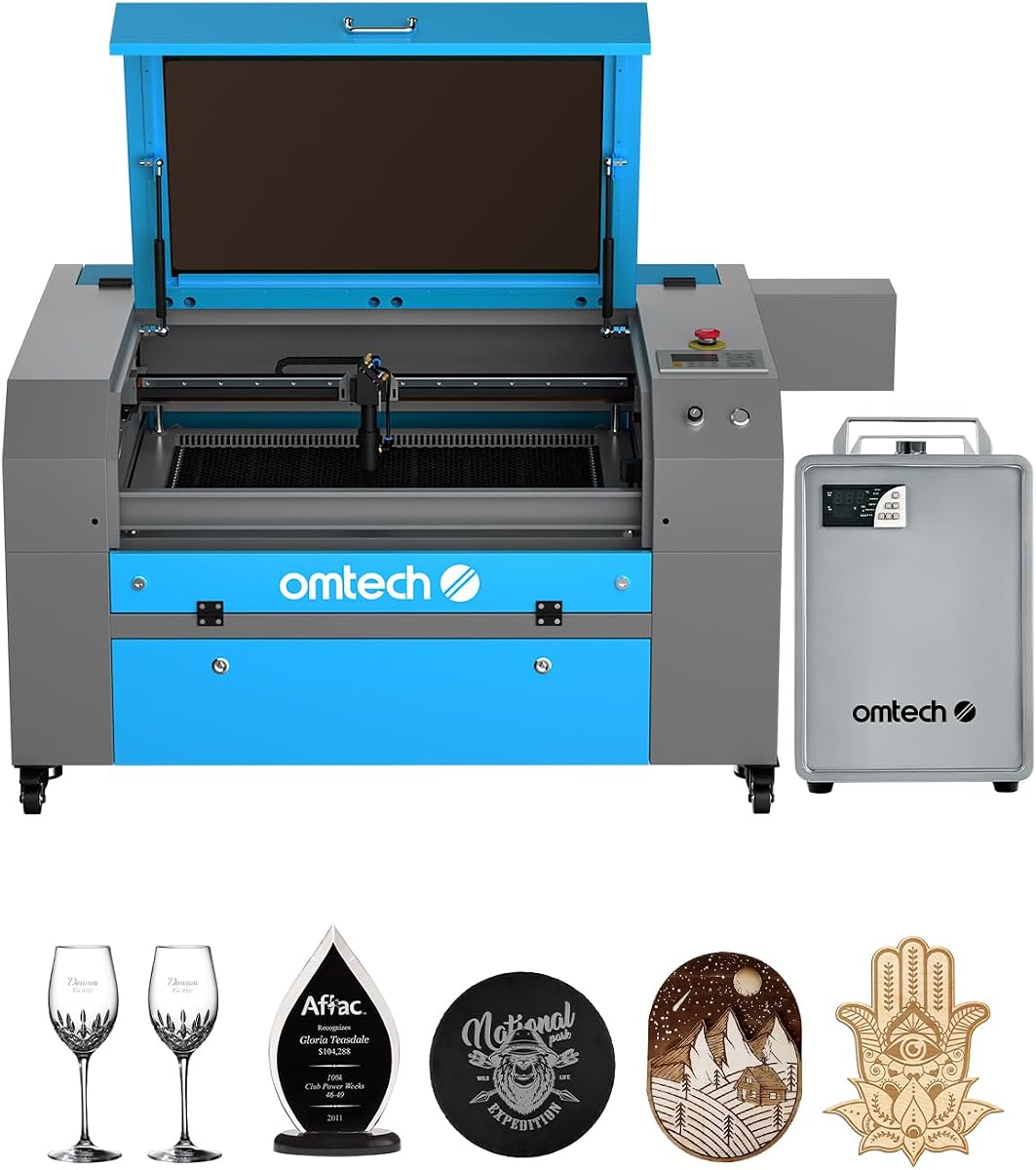
OMTech K40+ 45W
4.5Editor score
Compact 12 by 8 inch bed
Automatic 45-degree air assist
LightBurn and LaserGRBL support
Our CO2 Laser Cutters guide compares ten models for power, work area, software, safety, automation, and production versatility to help makers choose confidently
CO2 laser cutters combine concentrated laser energy with computer-controlled movement to engrave, score, and cut nonmetallic materials. A worthwhile machine should balance usable power, a practical work area, dependable safety systems, compatible software, and enough support to keep production running smoothly.
This guide compares ten CO2 laser cutters across essential considerations including optical power, material capacity, bed size, cutting speed, autofocus, air assist, safety protections, and workflow features. It covers compact desktop models, larger commercial systems, and advanced production equipment without suggesting that every machine suits the same maker.
Each numbered review explains the strongest benefits, practical limitations, and the projects best suited to the machine. The top selections represent a budget-oriented desktop option, a feature-rich professional choice, and a premium production platform. Product availability and prices can change, so verify current specifications before purchasing.
4.5Editor score

5.0Editor score

4.5Editor score
The table below summarizes the major differences in laser power, work area, speed, automation, and included workflow features across all ten machines.




The xTool P3 80W is a flagship CO2 laser platform designed to combine serious cutting capability with unusually extensive automation. Its 4.5 rating reflects a machine aimed at users who want professional-scale results without manually managing every setup detail. The enclosed Class 1 design is especially notable for a desktop-format production system.
We may earn a commission when you buy through this link, at no additional cost to you.
Its 80W laser can cut approximately 20mm wood and 25mm acrylic, while the advertised maximum speed of 1200mm/s supports efficient batch work. The 36 by 18 inch bed is among the larger desktop workspaces in this guide, and the dual-camera system provides a 16MP overview alongside a close-range detail camera. That combination supports visual positioning, alignment, and more accurate placement of small or intricate parts.
Automation is the P3's defining advantage. LiDAR-ranging autofocus, an adjustable AutoLift base, smart nesting, batch import, rotary attachment support, and optional conveyor feeding can reduce repetitive handling. A claimed 98.7% material utilization rate illustrates the intended production focus, although actual yield depends on geometry, spacing, material, and the operator's nesting strategy. The machine also uses active detection, suppression systems, lid interlocks, and scrap-buildup alerts to strengthen protection.
This is the strongest choice for a serious studio, education lab, or expanding custom-products business that values repeatable setup and high throughput. It may be excessive for occasional hobby use, and the separately sold conveyor, rotary unit, IR laser, and air purifier can make a fully equipped setup costly. Even without those accessories, however, the enclosed laser, large bed, cameras, and automation create a compelling premium production package.
LiDAR autofocus and camera-based positioning can eliminate much of the manual height adjustment and placement work involved in repeated jobs. Automatic batch handling and smart nesting also support workflows where consistency matters more than small-batch experimentation.
The fully enclosed Class 1 housing, lid interlocks, active detection, and suppression features provide multiple layers of protection. Operators should still follow local safety requirements, maintain ventilation, and use suitable materials.
We may earn a commission when you buy through this link, at no additional cost to you.
The OMTech K40+ 45W delivers a useful mix of cutting capability, compact construction, and accessible software support. Its 4.4 rating makes it a practical desktop option for makers who need more capability than a diode laser can provide, especially when working with clear acrylic or producing deeper cuts in wood.
We may earn a commission when you buy through this link, at no additional cost to you.
The 45W laser is listed as capable of slicing 10mm acrylic and 8mm wood. At 300mm/s, it is fast enough for detailed engraving and reasonably productive batch jobs. A honeycomb bed supports smaller flat materials, while the detachable base and optional rotary axis expand the available project formats. The built-in 45-degree air assist automatically adjusts with laser power, helping remove debris, protect optics, and reduce unwanted carbonization.
The main limitation is its 12 by 8 inch workspace. It suits signs, labels, jewelry components, educational models, packaging prototypes, and similarly sized pieces, but larger sheets require careful nesting or external cutting. The product data does not identify an autofocus system, so users should confirm focus at the start of each job and whenever material height changes.
This K40+ is well suited to a new maker building a first productive CO2 workflow, a classroom, or a small business handling short runs. It combines LightBurn and LaserGRBL compatibility with safety controls, an emergency stop, water protection, exhaust, and 24/7 support. For users who need a larger bed, however, one of the 20 by 28 inch or larger machines will be a better long-term production choice.
The 45W optical output provides a meaningful step up for thicker wood and acrylic. Because CO2 lasers interact effectively with clear acrylic, this machine can serve projects that a typical diode laser cannot handle without additional workarounds.
Its small bed keeps the machine manageable in home studios and classrooms. The optional rotary attachment broadens possibilities, although a dedicated cylinder attachment and suitable file preparation are still required.
We may earn a commission when you buy through this link, at no additional cost to you.
The VEVOR 100W combines high power with a generous 24 by 35 inch bed, making it a versatile choice for projects that are larger than a desktop footprint but smaller than a dedicated industrial installation. Its 5.0 rating indicates strong customer satisfaction, while the listed ability to cut up to 0.59 inches in one pass points to substantial material-processing capability.
We may earn a commission when you buy through this link, at no additional cost to you.
The 100W laser operates at speeds up to 19.7 inches per second and can engrave or cut wood, acrylic, cardboard, glass, leather, stone, and more than 1,000 listed nonmetallic materials. Its honeycomb bed, linear guide rail, intelligent laser head, red-dot pointer, and framing function help users position work and follow cut paths. Compatibility with LightBurn, CorelDRAW, and AutoCAD broadens the design workflow.
Pass-through doors on the front and back allow longer stock to extend into the machine, although the usable sheet size remains constrained by the 24 by 35 inch bed. The tinted viewing window supports monitoring, while opening it cuts power, and an emergency stop, air assist, and movable wheels add practical convenience. Because the listing does not detail autofocus, operators should plan for manual focal checks when material thickness changes.
This machine is a strong middle ground for small commercial shops, schools, signage makers, and serious hobbyists who regularly handle larger panels. Its 100W output should appeal to users who need faster or deeper cuts than a 45W desktop system, while its smaller frame and simpler feature set may be less complicated than premium automated equipment.
The 24 by 35 inch honeycomb bed offers useful sheet capacity, and pass-through doors help accommodate longer pieces. This is a meaningful improvement over small desktop cutters when signs, panels, and packaging require broader layouts.
Support for LightBurn, CorelDRAW, and AutoCAD lets teams work within established graphics and vector workflows. Compatibility with Windows, Linux, and macOS adds flexibility for mixed-computer environments.
We may earn a commission when you buy through this link, at no additional cost to you.
The OMTech Maker 90W is a commercial-oriented CO2 laser that pairs substantial optical power with a bundled water chiller. Although no customer rating is available in the supplied information, its stated capacity to engrave as deep as 0.4 inches into wood, glass, acrylic, leather, and other nonmetallic materials gives it a clear role in serious fabrication.
We may earn a commission when you buy through this link, at no additional cost to you.
The 90W Yongli H2 tube can reach speeds up to 23.6 inches per second and is listed for up to 8,000 hours of use, with longer life expected when operated at lower settings. Its 20 by 28 inch honeycomb and aluminum-blade bed accommodates common panels, while four-way pass-through doors help feed longer materials. Cooling support is important during sustained high-power jobs, making the included chiller a meaningful convenience.
Safety and cleanliness are addressed through a widened flame-retardant viewing window, a cover interlock that stops the beam when opened, and built-in air assist for smoke and dust. Unlike some competing models in this roundup, the product data does not mention autofocus or adjustable bed height. Users should therefore expect to set focus and material height themselves unless the manufacturer confirms additional capabilities.
The Maker 90W fits makers who regularly cut wood and acrylic, produce batches of medium-sized components, or need more throughput than a compact 45W system. It may be less attractive for a first laser if the extra power, chiller, and larger machine will not be used. For a dedicated small-business workshop, however, the combination is logical and capable.
The included water chiller helps control heat during demanding jobs. A stable operating temperature can support consistency, although users should still monitor the chiller and cooling connections during extended production.
Four-way pass-through doors make it easier to handle long pieces without repeatedly repositioning them. The combined honeycomb and aluminum-blade bed provides flexibility for flat stock and different workpiece arrangements.
We may earn a commission when you buy through this link, at no additional cost to you.
The OMTech Maker 60W is a well-rounded commercial laser that emphasizes convenient setup rather than extreme power. Its 4.7 rating supports its appeal to makers who want a productive machine without a demanding learning curve. The bundle includes both LightBurn and a water chiller, covering two important parts of the operating workflow.
We may earn a commission when you buy through this link, at no additional cost to you.
Powered bed adjustment and preinstalled autofocus allow the machine to locate the correct focal distance rather than relying entirely on manual setup. This is especially helpful when switching between wood, acrylic, leather, and other materials with different thicknesses. The 20 by 28 inch honeycomb and aluminum-blade bed gives users a useful production area, and four-way pass-through doors support longer workpieces.
The 60W tube occupies a practical middle ground: more capability than a typical compact 45W cutter but less cutting force than the 90W, 100W, and 130W alternatives. The listing does not state a maximum operating speed, so buyers should not compare it directly on speed without checking current manufacturer information. A flame-retardant widened window and built-in air assist support safer, cleaner operation.
This model is ideal for small commercial producers, educational facilities, and advanced hobbyists who value autofocus and included software. It is also a sensible choice for mixed signage, engraving, and short-run fabrication. Those needing maximum throughput from thick materials may prefer a higher-powered model, but the Maker 60W can be especially attractive when setup efficiency and workflow accessories matter.
Automatic focal adjustment reduces setup time and helps maintain consistent detail across different material thicknesses. The powered bed makes these adjustments faster than manually raising and lowering the work surface.
Including LightBurn helps new users begin with a capable design and control environment, while the water chiller supports temperature management. Together, they reduce the number of separate purchases needed for a basic production setup.
We may earn a commission when you buy through this link, at no additional cost to you.
This OMTech K40+ 45W is a compact, broadly compatible desktop laser that has earned a 4.5 rating. It is a particularly compelling option for makers who prioritize clear acrylic cutting, compact storage, familiar software, and useful safety features without needing a large commercial enclosure.
We may earn a commission when you buy through this link, at no additional cost to you.
The 45W laser can slice 10mm acrylic and 8mm wood according to the supplied specifications, giving it genuine cutting ability for signs, labels, craft components, and personalized goods. Engraving speeds reach 300mm/s, and the integrated 45-degree air assist automatically changes airflow with laser power. That automatic adjustment can simplify material setup while improving debris clearance and protecting the optics.
The 12 by 8 inch bed is compact enough for a home office, classroom, or small studio. A honeycomb base handles flat work, while a detachable base and optional rotary axis accommodate cylindrical or elevated objects. The machine supports LightBurn and LaserGRBL, offers door and water protection, includes an emergency stop and exhaust fan, and uses a flame-retardant panel. As with the other K40+ listing, autofocus is not mentioned.
This is our Editor's Choice because it delivers a balanced combination of useful power, software choice, safety provisions, and manageable size. It may not be the right machine for oversized signs or heavy production, but it is more versatile than a diode engraver and simpler than a premium automated platform. For the typical first CO2 laser purchase, it covers the essential needs exceptionally well.
The machine provides enough power for meaningful wood and acrylic cuts while remaining small enough for a home workshop. Its software support and automatic air assist also reduce common early barriers to entry.
The detachable base and optional rotary axis make it possible to move beyond flat engraving. Users must obtain the compatible attachment and prepare cylinder-specific files for the best results.
We may earn a commission when you buy through this link, at no additional cost to you.
The OMTech Pronto 100W is built for operators who want speed, a generous work area, and fewer manual setup steps. No customer rating is provided in the source information, but its 100W tube and advertised 1000mm/s maximum speed place it firmly among the higher-output options in this guide.
We may earn a commission when you buy through this link, at no additional cost to you.
The 40 by 24 inch honeycomb and aluminum-blade bed gives users substantially more room than the K40+ desktop model, and two-way pass-through doors accommodate longer stock. Autofocus improves consistency when switching materials, while the 100W tube is listed for up to 12,000 hours and is expected to last longer when operated at lower settings. The machine is designed for wood, acrylic, leather, and other nonmetallic products.
Airflow receives considerable attention, with a 4.4 cfm air pump and 318 cfm fan intended to support cleaner cuts and reduce material burn. Safety features include water protection, air assist, temperature alarms, cover protection, and an emergency stop. The source does not list a specific maximum cutting depth, so buyers should verify material-thickness limits against current manufacturer documentation.
The Pronto 100W suits production studios that repeatedly process large panels, especially when cycle time matters. Its large bed and fast travel can outperform a compact machine on both throughput and material access, although the 40-inch-wide layout demands more space. It is a better fit for committed commercial or advanced hobbyist use than for occasional small projects.
A maximum operating speed of 1000mm/s can shorten non-cutting travel time and improve batch throughput. Actual finished-part speed still depends on material, thickness, pass count, and the power-speed settings used.
The dedicated air pump and high-volume fan help clear smoke and debris during cutting. Strong airflow can also reduce edge burn, so it is a useful system for users who prioritize clean part quality.
We may earn a commission when you buy through this link, at no additional cost to you.
The OMTech Pronto 130W is among the most capable machines in this roundup, combining 130W output with a huge 51 by 35 inch bed. Its 5.0 rating and production-oriented specifications make it a strong recommendation for users who consistently process oversized stock or want the flexibility to avoid splitting jobs across separate machines.
We may earn a commission when you buy through this link, at no additional cost to you.
The machine can engrave as deep as 0.4 inches in various nonmetallic materials and reaches 1000mm/s, or approximately 39.8 inches per second. Its honeycomb and aluminum-blade workbed supports large panels, and two-way pass-through doors help feed lengthy materials through the working area. Automatic focus and powered bed adjustment reduce the setup required when material thickness changes.
The laser tube is listed for up to 12,000 hours and is designed to last longer when used below maximum output. Safety provisions include water protection, air assist, temperature alarms, cover protection, and an emergency stop. The model information in the listing references Pronto60 despite the product name identifying the 130W model, so buyers should confirm the exact configuration and specifications with the seller before ordering.
This Pronto is ideal for industrial-style signage, packaging prototypes, display production, and businesses that regularly cut wood or acrylic in substantial batches. It requires adequate floor space, ventilation, and electrical planning. For a new user who will only make small objects, the capacity would go largely unused, but for a high-volume operation the large bed and high power can eliminate several workflow constraints.
The 51 by 35 inch bed is the largest listed workspace in this guide and can reduce the need to tile large jobs. It also gives operators freedom to optimize nesting around full sheets of common material.
With a 130W tube and deeper engraving capability than most alternatives, this system is designed for demanding wood and acrylic work. Operators should still choose sensible settings and use proper focus rather than assuming maximum power is always the best option.
We may earn a commission when you buy through this link, at no additional cost to you.
The OMTech K40+ 45W provides a straightforward entry into CO2 laser cutting, and the 45W output is more useful for fabrication than the lower-power machines often marketed for simple engraving. No customer rating is available in the supplied listing, so this version should be evaluated primarily through its confirmed technical specification and the current package contents.
We may earn a commission when you buy through this link, at no additional cost to you.
The machine's principal attraction is the combination of CO2 material compatibility and a desktop form factor. Wood and acrylic are among the most common project materials for this type of cutter, while the 45W tube offers more cutting headroom than a low-output engraver. That makes the platform relevant for makers producing layered parts, signs, labels, and personalized objects.
The listing provides very little detail beyond the Class 2 designation and 0.827mW output figure, which appears to describe the accessible laser emission rather than the nominal cutting power. Because the full bed dimensions, air-assist arrangement, focus mechanism, and software support are not provided for this specific listing, buyers should compare the package carefully with the more detailed K40+ listings in this guide.
This option makes the most sense for a budget-conscious maker who wants CO2 cutting in a compact package. It may be especially attractive if the seller confirms a suitable work area, compatible control software, adequate ventilation, and the safety accessories needed for real use. Those checks are essential because the abbreviated listing does not support a more detailed comparison.
A 45W CO2 source can tackle meaningful cuts while preserving a manageable footprint. That balance makes it useful for makers who need more capability than engraving-only systems without moving directly to a large production machine.
The product listing provides limited detail, so confirming the bed, included accessories, software, cooling arrangements, and safety provisions is especially important. The closely related OMTech listings can serve as a reference for expected capabilities.
We may earn a commission when you buy through this link, at no additional cost to you.
The OMTech Pro 130W is a large, feature-rich system built around high power, rapid travel, and integrated thermal management. Its specifications suggest a production-oriented environment: a 35 by 55 inch workspace, 130W laser, built-in CW-5200 chiller, and a maximum speed of 1200mm/s. No customer rating is supplied for this listing.
We may earn a commission when you buy through this link, at no additional cost to you.
The built-in chiller is a major convenience for a machine in this class. Its stated temperature control range of 0.5 degrees Fahrenheit and cooling capacity of 5186 BTU per hour help manage heat during extended work, while reducing the need to arrange a separate chiller. Ball-bearing guide rails and X- and Y-axis servo motors support the advertised speed and precision.
Control is provided through a Ruida 6445G touchscreen, with Wi-Fi connectivity for convenient operation and four-way pass-through doors for handling long stock. A widened tempered-glass window improves visibility, and tri-color status lights provide at-a-glance machine-state information. The machine is intended for wood, glass, acrylic, and other nonmetallic materials in professional or industrial applications.
This Pro model is a strong candidate for a large fabrication shop, institutional production lab, or business with steady demand for oversized components. Its scale, power, and integrated systems may be unnecessary for a hobbyist, and facility planning is important. For an organization that regularly fills large sheets, however, the 35 by 55 inch bed and 1200mm/s travel potential can support a more efficient production flow.
A built-in CW-5200 chiller simplifies the setup required for sustained high-power work. Keeping the cooling system close to the laser can make operation more consistent while reducing floor-space and connection demands.
The touchscreen provides direct machine control, while Wi-Fi can simplify file transfer and remote workflow integration. Four-way doors complement the very large bed by allowing oversized stock to pass through the enclosure.
We may earn a commission when you buy through this link, at no additional cost to you.
The right CO2 laser cutter depends on the materials you process, the size of your workpieces, the volume of your orders, and the level of automation your team can use effectively.
Laser power influences how quickly and deeply a machine can cut wood, acrylic, leather, cardboard, and other compatible nonmetallic materials. The compact 45W models listed here are advertised as reaching 10mm acrylic and 8mm wood, while higher-output 60W, 90W, 100W, and 130W systems provide additional cutting headroom. Higher power does not automatically mean a better finished part, because material composition, focus, pass count, and settings also affect the result. Compare usable specifications rather than treating the wattage figure as the only deciding feature.
The usable bed determines which sheets and finished parts fit without repositioning. A 12 by 8 inch bed is appropriate for small jewelry, labels, and craft components, while 20 by 28 inch and 24 by 35 inch beds accommodate broader signage and packaging work. The largest 35 by 55, 40 by 24, and 51 by 35 inch beds are better suited to production sheets and oversized panels. Pass-through doors add value when long stock must extend through the machine, but they do not increase the machine's stated bed width.
Maximum travel speed indicates how quickly the machine can move between operations, but finished-part time also depends on actual cut speed, acceleration, focus time, and the number of passes required. The 45W K40+ reaches 300mm/s, the VEVOR is listed at 19.7 inches per second, the 90W Maker reaches 23.6 inches per second, and several OMTech systems advertise 1000 or 1200mm/s. For high-volume work, consider bed utilization, automation, and material handling as well as the headline speed figure.
Automatic focus and powered bed adjustment can save considerable setup time when operators change materials frequently. The xTool P3 adds LiDAR ranging, dual cameras, smart nesting, and batch workflows, while the 60W Maker and Pronto models include autofocus. The K40+ and other machines without a listed autofocus function require more careful manual focus checks. Automation is most valuable when it addresses a real bottleneck, such as repeated setup or batch positioning, rather than simply adding complexity.
A CO2 laser should be used in a properly controlled environment with suitable extraction, material knowledge, and operator training. Enclosures, interlock switches, emergency stops, flame-retardant panels, water protection, and power interruption when a lid opens all add protection. Air assist helps direct smoke and debris away from the work area, but it does not replace adequate room ventilation. The xTool P3's fully enclosed Class 1 design is notable, while Class 2 models still require responsible operation and safety procedures.
A water chiller helps control laser-tube temperature during long or repeated high-power jobs. The OMTech Maker 90W, Maker 60W, and Pro 130W include cooling arrangements, with the Pro using a built-in CW-5200 system. Cooler operation can support consistent performance, but ventilation, water quality, hose integrity, and ambient temperature also influence results. Hobby users with short jobs may not need a large chiller, whereas production studios should view cooling as part of the core machine rather than an optional accessory.
The K40+ supports LightBurn and LaserGRBL, the VEVOR works with LightBurn, CorelDRAW, and AutoCAD, and the OMTech Pro uses a Ruida 6445G touchscreen. Compatibility matters because vector files must be prepared correctly for outlines, fills, power, speed, and passes. A familiar software environment reduces training time, while network and file-transfer options improve workflow flexibility. Confirm operating-system support, controller behavior, and whether advanced software is included in the package before purchasing.
Long-term ownership involves replacement parts, software questions, maintenance, and access to technical support. OMTech describes 24/7 global support and local demonstrations for its K40+ line, while the xTool P3 supports optional rotary, conveyor, IR-laser, and purification accessories. Consider the availability of compatible attachments, local service, replacement lenses, mirrors, and process knowledge. A machine is more valuable when its ecosystem and support options match the type of work you expect to perform.
Begin by setting up the machine in a suitable workspace with proper electrical service, ventilation, fire precautions, and a stable surface. Install the appropriate exhaust and air-assist arrangements, inspect the bed and lens, confirm cooling connections where applicable, and read the current manufacturer instructions before energizing the laser. Use only approved nonmetallic materials, since some plastics, painted surfaces, vinyl, and unknown composites can release hazardous fumes or damage the machine.
Prepare the artwork in compatible vector software, confirm dimensions, assign power and speed by material, and test the focus using the machine's recommended method. Place the material securely, keep the focus correct, and never leave the laser unattended during a job. Monitor air assist, exhaust, cooling, and the area around the bed. If material shifts, smoke becomes excessive, unusual sound occurs, or a safety alert activates, pause the job and resolve the issue before continuing.
For care, clean the protective lens and optics according to the manufacturer's instructions, remove debris from the bed and exhaust path, and inspect filters and cooling lines. Protect the bed from heat damage and avoid leaving scorch residue on surfaces that can affect focus. Keep spare consumables and compatible accessories available, but do not disassemble safety-critical or optical components without proper guidance. Periodic maintenance and careful material selection will help preserve quality and extend machine life.
A CO2 laser cutter engraves, scores, and cuts compatible nonmetallic materials such as wood, acrylic, leather, cardboard, paper, and some plastics. It is especially useful for signs, labels, packaging, personalized products, decorative panels, and educational projects. Metal cutting is generally outside the scope of these machines, and material safety must be confirmed before processing.
A 45W laser is sufficient for many hobby, classroom, and small-business engraving and cutting tasks. The listed OMTech K40+ is advertised to cut 10mm acrylic and 8mm wood. Actual results depend on material composition, focus, pass count, settings, and machine condition, so buyers should test representative stock before committing to production.
Choose a bed that fits your most common material sheets with enough space for positioning and nesting. A 12 by 8 inch bed suits small components, while 20 by 28 inch and larger systems support signs, panels, and production work. Very large beds require adequate floor space and may also require pass-through doors for long stock.
Yes, proper smoke and fume extraction is essential because laser processing can release smoke, particles, and potentially hazardous gases from unsuitable materials. Air assist directs debris away from the lens, while a dedicated exhaust system removes fumes from the room. An air purifier may improve particulate control but should not be treated as a substitute for source extraction.
Autofocus is not strictly necessary, but it saves time and reduces mistakes when switching between material thicknesses. Several OMTech models and the xTool P3 include automatic focusing or related positioning systems. Manual-focus machines can still produce excellent results when the operator checks focus consistently and uses a reliable focusing method.
Yes. CO2 lasers are well suited to engraving clear acrylic because the laser interacts effectively with the material, often producing a frosted or contrasting mark. This is one major advantage over many diode lasers. Cutting and engraving settings should be tested on the exact acrylic type because additives, colorants, and coatings can affect results.
Commonly used environments include LightBurn, LaserGRBL, Ruida controllers, and vector-design applications such as CorelDRAW and AutoCAD. Compatibility depends on the exact machine and controller. Buyers should confirm the supported software, operating systems, file-transfer methods, and whether the software is included or must be purchased separately.
Yes, all ten machines in this guide are described as engravers and cutters, with power levels that differ in cutting depth and speed. The same design can be engraved for marking and sent through a cutting operation with different settings. For clean results, operators should use the correct focus, air pressure, power, speed, and number of passes for each material.
The OMTech K40+ 45W stands out as the best budget option for its compact format, clear-acrylic capability, automatic air assist, and support for both LightBurn and LaserGRBL. The OMTech Pronto 130W earns the Editor's Choice designation because it combines exceptional power, a very large bed, autofocus, and rapid travel, making it especially compelling for serious production work.
For buyers seeking the most automated premium workflow, the xTool P3 80W offers LiDAR autofocus, dual cameras, smart nesting, enclosed safety, and expandable production accessories. Other users may find better value in the VEVOR 100W or the OMTech Maker series, particularly when a 20 by 28 inch or 24 by 35 inch work area is sufficient. Prioritize materials, bed size, safety, and workflow before focusing on wattage alone.
Finally, check the current product listing, package contents, warranty terms, and specifications before ordering, because configurations and prices can change. Confirm software, cooling, ventilation, accessories, and service requirements for your intended workspace. A machine matched to realistic production volume will deliver more value than one that is simply more powerful than your work demands.