
Akko Astrolink Magnetic Switch
4.3Editor score
36gf lightweight initial force
Enhanced LED light diffusion
Broad N-pole-down compatibility
Compare the 10 best magnetic keyboard switches for Hall Effect gaming boards, comparing sound, feel, actuation, compatibility, and durability.
Magnetic keyboard switches replace physical contact with magnetic sensing, allowing compatible keyboards to adjust actuation depth and support rapid-trigger functions. Choosing well means balancing a smooth linear stroke, controlled sound, reliable magnetic alignment, and exact compatibility with your board rather than judging switches by force alone.
This guide compares ten magnetic switch options using their stated construction, force figures, travel, lighting features, endurance ratings, and platform requirements. The list covers standard HE-compatible designs, quieter alternatives, tactile feedback, dual-sensing models, and limited-fitment switches for particular keyboard families.
Each review explains who the switch is best suited for, where compatibility needs special attention, and which technical characteristics matter most. Product availability, board designs, and prices can change, so confirm your keyboard model, sensing standard, and current listing details before ordering.
4.3Editor score

4.7Editor score

4.6Editor score
The table below compares switch feel, sensing format, pack size, and notable compatibility details. Because magnetic platforms are not interchangeable, the board-standard and pole-orientation notes are as important as force and travel figures.


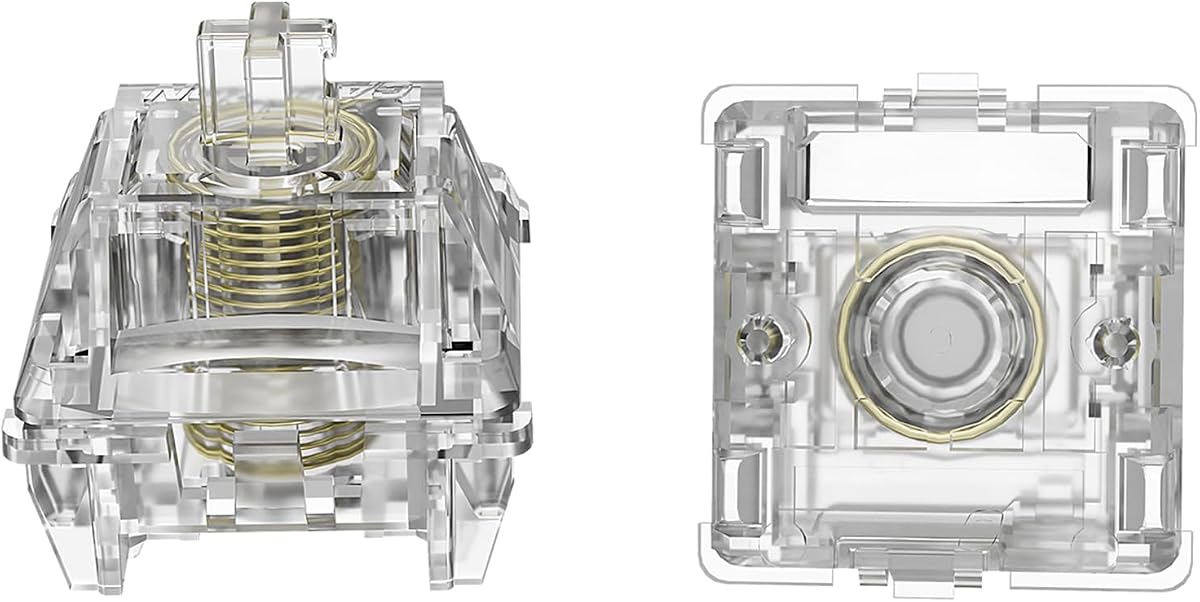


The GATERON Magnetic Jade Pro is a linear Hall Effect switch built for magnetic keyboards, and its 4.7 rating reflects a strong combination of smooth operation and mainstream appeal. Its contactless magnetic design, 20mm spring, and pre-lubed construction target users who want clean movement without the resistance pattern of a traditional mechanical switch.
We may earn a commission when you buy through this link, at no additional cost to you.
The stated 36±7gf initial force sits in a moderate range, while the 3.5±0.2mm total-travel figure suits users seeking a relatively short stroke. Gateron describes the press as frictionless, with no bump, rubbing, or scratch, and the 20mm spring is intended to produce faster rebound and a more consistent feel. The pack contains 70 switches, enough for a typical tenkeyless board with replacements left over.
The principal compromise is compatibility. These switches are not intended for conventional mechanical boards, and the pre-travel is set through compatible hardware rather than a fixed mechanical stop. Buyers should also verify the required magnetic pole orientation and the socket or plate arrangement of their specific board. The product also relies on rare-earth magnet materials, so the switch should be installed and handled without introducing metal debris near the sensing area.
This is an excellent choice for a gamer or enthusiast building a compatible Hall Effect keyboard who prioritizes fluid linear travel, adjustable behavior, and dependable construction. It is less suitable for someone expecting a conventional snap, strong tactile event, or plug-and-play fit in a standard mechanical keyboard. For the right platform, the Jade Pro delivers one of the most balanced specifications in this guide.
The switch's contactless construction avoids the metal leaf found in conventional designs, which the manufacturer presents as a way to reduce sensitivity to wear and particles. That does not mean maintenance is unnecessary, but it does make the switch conceptually cleaner for a user who values a direct, uninterrupted stroke.
Its factory lubrication and 20mm spring are the most useful details for builders. Together, they address two common complaints in switches: a dry feeling on the first use and an overly slow return. The result is designed to feel responsive while preserving a smooth bottom-out.
The Jade Pro centers on a continuous linear curve without a tactile bump. Its stated 36±7gf starting force should appeal to users who want controlled movement without an extremely heavy initial press.
Hall Effect sensing allows compatible firmware to manage pre-travel and actuation behavior. Confirm that the target board uses the correct sensing arrangement before planning a full build.
We may earn a commission when you buy through this link, at no additional cost to you.
The Akko Astrolink Magnetic Switch is purpose-built for Hall Effect gaming keyboards and carries a 4.3 rating. Its main attraction is a 36gf initial force combined with a 20mm spring, a configuration designed to support quick actuation and controlled rebound during fast play.
We may earn a commission when you buy through this link, at no additional cost to you.
Akko emphasizes stable, wobble-free key presses and a clean sound profile, while the enhanced LED diffuser is intended to produce more even RGB illumination through shine-through PBT and polycarbonate keycaps. The 45-switch pack is supplied in a plastic tray, which is useful for storage and makes individual switches easier to handle during installation.
Compatibility needs careful attention. The listing specifically names Wooting, MonsGeek FUN60, and M1 V5 TMR magnetic keyboard examples, and says the switch is theoretically compatible with boards that accept N-pole-down magnetic switches. It is explicitly not compatible with ordinary mechanical keyboards or S-pole magnetic PCBs such as the listed MOD007B HE versions.
This switch makes sense for a gamer assembling a compatible N-pole-down board, particularly one that values a light press and a pronounced LED diffuser. It is a less flexible choice than a broadly compatible option, and the smaller 45-switch pack may require a second purchase for some layouts. The stated 100-million-keystroke laboratory lifespan also adds confidence for regular gaming use.
The light initial force is the feature most likely to influence day-to-day comfort. A lower starting load can make repeated inputs feel less taxing, though the bottom-out is still designed to feel stable rather than collapsing into the keyboard.
Its light diffuser is more than decoration for a gaming build. Even RGB depends on how the switch housing guides light through the keycap, and Akko has clearly treated that detail as part of the switch design.
The 36gf initial force and 20mm spring support a quick, controlled gaming stroke. Compatible board software remains responsible for the final rapid-trigger and actuation settings.
This is a strong fit for listed N-pole-down platforms, but it is not a universal magnetic switch. Verify the PCB design and pole direction before ordering for a full build.
We may earn a commission when you buy through this link, at no additional cost to you.
The EPOMAKER Creamy Jade has the highest rating in this comparison at 4.8 and is positioned as a refined linear option for mainstream Hall Effect gaming keyboards. Its defining combination is a 30gf minimum initial force, a 55gf maximum end force, and a deliberately deep sound profile.
We may earn a commission when you buy through this link, at no additional cost to you.
The switch is factory pre-lubed and uses a self-lubricating POM stem, while a PC upper housing promotes even RGB diffusion and a PA66 lower housing supports structural stability. EPOMAKER says tight manufacturing tolerances help reduce stem wobble, and the 20mm long spring is designed to create a quick, crisp rebound. The result is positioned for gaming, long typing sessions, and users who want a low-friction press.
Magnetic behavior is described through initial and bottom-out flux figures, with a 95+15GS initial value and 580+50GS bottom-out value. The stated gradient is intended to provide consistent triggering and a distinct bottom-out experience. The switch also carries a 100-million-keystroke durability rating, making its specification sheet competitive with the larger options in the guide.
This is a compelling recommendation for someone who likes a very light linear press but still wants a substantial bottom-out and a deeper sound. It may be less appealing to users who prefer a firmer start, and it only suits magnetic or Hall Effect keyboards rather than conventional mechanical boards. The 70-switch quantity is also useful for a complete tenkeyless build.
The term Creamy Jade is especially relevant because the manufacturer highlights both tactile smoothness and acoustic character. Rather than simply calling the switch silent, EPOMAKER describes a satisfying thock that comes from the pre-lubing, stem material, and tuned magnetic gradient.
Its material combination is another reason to consider it beyond raw force. A POM stem can remain smooth without demanding immediate user-applied lubricant, while the PC upper housing is well suited to producing a clean and vibrant lighting effect.
The switch begins at a 30gf minimum and reaches as much as 55gf at the end. That curve gives it a light initial response while preserving a more substantial bottom-out.
Factory lubrication, a POM stem, and tight tolerances reduce the need for early maintenance. It is a convenient choice for builders who want a consistent starting point.
We may earn a commission when you buy through this link, at no additional cost to you.
The GK GAMAKAY Silent Phoenix V3 is a linear Hall Effect switch aimed at gamers and creators who want a quieter alternative to conventional magnetic switches. Its 4.1 rating places it below the higher-rated models, but the product addresses a distinct need: reducing mechanical noise without abandoning a linear stroke.
We may earn a commission when you buy through this link, at no additional cost to you.
Its silent linear structure is joined by a reinforced-pin design intended to improve magnetic flux stability and reduce random trigger fluctuations. GAMAKAY also states a 0.005mm actuation accuracy figure, which is particularly relevant to users who rely on precise rapid-trigger behavior. An integrated RGB diffuser provides even lighting across the board.
The switch is factory pre-lubed and comes in a 45-piece set. That quantity suits many compact builds and replacement jobs, but buyers should count the switches in their intended layout before purchasing. GAMAKAY describes compatibility with its own keyboards and other Hall Effect boards that accept magnetic switches, giving it broader stated fitment than several model-specific alternatives.
This is the option to consider for a shared room, late-night session, or workspace where a standard linear magnetic switch would be too audible. It is not a universal answer for every keyboard, because actual compatibility still depends on the board's sensing design and magnetic orientation. The 0.005mm claim should also be understood as a manufacturer specification rather than an independently controlled test result.
Quiet operation is the defining benefit, and the design does not attempt to imitate a heavy tactile bump or conventional click. It is intended to travel smoothly and consistently, making it most relevant to users who have consciously traded audible feedback for quiet operation.
The reinforced pins and stated signal stability show that the design is not only about damping sound. A quiet switch still needs consistent magnetic readings to avoid unreliable triggering, and that is the role these structural improvements are intended to support.
The Phoenix V3 uses a silent linear structure, so it avoids both click and clack noise while retaining a continuous downward press. It suits users who prefer consistency without pronounced feedback.
Reinforced pins support magnetic flux stability, while the built-in diffuser is designed to spread RGB light evenly. Both details are useful for a clean gaming setup.
We may earn a commission when you buy through this link, at no additional cost to you.
The GATERON Magnetic Jade Series is a 70-switch option with a 4.5 rating and a compatibility list that includes major magnetic and mechanical keyboard brands. The product entry is concise, so the strongest distinguishing information is its place in the broader Jade line rather than a long set of force specifications.
We may earn a commission when you buy through this link, at no additional cost to you.
The listed compatible brands include SteelSeries, Wooting, Corsair, Rakka, HM, NuPhy, Varmilo, Fnatic, Teamwolf, Magnet, Sikakeyb, Matrix Lab, and KBDfans. That breadth makes the series worth investigating for a builder comparing switches, but the list should be treated as a starting point rather than proof that every model from every listed brand accepts the same switch.
The main disadvantage is limited specificity in the supplied information. Force, travel, pole orientation, and material details are not detailed as extensively as they are for the Jade Pro, Jade Max, and Green Dragon options in this guide. A buyer who needs precise specifications should verify the exact switch variant and current product page before committing.
For a user who already knows their board accepts the Jade platform, the 70-switch quantity is practical and the established Gateron name may provide useful familiarity. The switch may be especially attractive to builders comparing it with the newer Pro and Max variants while staying within the same product family.
Within this roundup, the Jade Series works best as a compatibility-led option. Its value depends more on finding the right board match than on a standout tactile or acoustic feature described in the listing.
Because the pack contains 70 switches, it can cover a common compact layout with additional units available for future repairs. That makes it a sensible format for builders who prefer to keep matching spares on hand.
The stated brand list is broad, covering several well-known keyboard ecosystems. Confirm the exact model and sensing arrangement, since a brand-level match does not guarantee every variant is compatible.
With 70 switches, the pack fits many standard layouts and leaves spares for failed units or a future rebuild. It is more practical than smaller packs for complete keyboard projects.
We may earn a commission when you buy through this link, at no additional cost to you.
The GATERON Magnetic Jade Max is a pre-lubed linear magnetic switch with a 4.0 rating. Its 36±7gf initial force and 3.5±0.1mm total travel closely resemble the Jade Pro, while the listed PC stem, PC top housing, and PA12 bottom housing provide a more detailed material profile.
We may earn a commission when you buy through this link, at no additional cost to you.
Gateron says the switch uses rare-earth permanent magnet materials and special precious-metal casting to create strong magnetic remanence. Like its contactless relatives, the Jade Max has no metal leaf, pins, or optical sensing hardware that could suffer from the same wear and particle concerns. That construction is intended to support a frictionless press and a rated lifespan of 100 million keystrokes.
The trade-off is that the listing offers fewer explicit compatibility details than the Pro version. It still requires a magnetic keyboard, and a user should verify pole orientation, plate support, and whether the board accepts a Jade Max footprint. The 4.0 rating is also the lowest in the guide, making the switch less compelling when strong user ratings differentiate otherwise similar products.
The Jade Max is most appropriate for a builder already targeting the Gateron magnetic platform who values a straightforward linear stroke and a detailed construction specification. It may be less attractive than the Jade Pro for shoppers prioritizing a stronger user rating or explicit long-spring description.
Its contactless design is important for the target audience. A magnetic switch avoids the electrical contact surfaces found in standard mechanical designs, which the manufacturer presents as a way to resist degradation from wear, tear, and debris.
The combination of a 70-switch pack, factory lubrication, and a conventional linear force range makes it easy to consider for a full build. The main work for the buyer is confirming compatibility rather than interpreting complicated force curves.
A PC stem and top housing pair with a PA12 lower case. These material choices form the basis of the switch's linear travel and support its integrated lighting path.
The contactless Hall Effect design avoids the metal leaf used by conventional switches. It remains a magnetic-keyboard product and should not be fitted to a standard mechanical board.
We may earn a commission when you buy through this link, at no additional cost to you.
The Keychron Magnetic Switches Aurora is the most specialized premium entry in this guide, combining a double-rail Hall Effect structure with 0.1mm sensitivity and a 150-million-keystroke rating. Its 4.6 rating reflects a strong feature set, but the exceptional 110-switch quantity and model-specific fitment deserve attention before purchase.
We may earn a commission when you buy through this link, at no additional cost to you.
The double-rail design is intended to improve stability, while a self-lubricating POM stem supports a smooth press. At 50gf start force and 70gf end force, the switch has a more substantial linear profile than the lighter Akko and EPOMAKER choices. Its 0.1mm magnetic sensitivity allows compatible firmware to set custom actuation points and dual actions for individual keys.
Compatibility is the decisive issue. The listed boards are Keychron K HE models K2 HE, K6 HE, K4 HE, and K10 HE; Q HE models Q1 HE, Q3 HE, Q5 HE, and Q6 HE; and Lemokey HE models P1 HE and L1 HE. The product is strictly incompatible with Keychron 8K HE models and other magnetic switch brands, so a model number check is essential.
For a builder with one of the supported standard HE boards, the Aurora offers several premium details: stable double rails, factory lubrication, fine actuation control, and the highest stated endurance figure in this comparison. It is a poor choice for a general-purpose switch assortment, though, because the fitment restrictions are unusually strict and the heavier force may not suit users who prefer a feather-light gaming press.
The 110-switch count is particularly useful for full-size builds or for keeping a substantial collection of matching spares. It also means the pack can cover multiple compatible keyboards, provided the selected hardware uses the same supported standard HE platform.
Its strengths align closely with the needs of a dedicated magnetic-keyboard enthusiast: stable mechanics, refined sensing, and software-controlled response. Its limitations are equally clear, making model verification more important than generic feature shopping.
The dual-rail structure is intended to limit movement and improve the consistency of each press. That focus makes the switch appealing to users who dislike lateral wobble in a gaming board.
The stated 0.1mm sensitivity provides a detailed basis for adjusting actuation points and dual actions. The feature works only on the specifically supported Keychron and Lemokey HE models.
We may earn a commission when you buy through this link, at no additional cost to you.
The GATERON Magnetic Green Dragon uses a wall-stem design that prioritizes stability, earning a 4.4 rating among users. Its 33±5gf initial force and 47±10gf bottom-out force create a relatively light linear curve, while the wall-stem structure is intended to keep the press stable during fast movement.
We may earn a commission when you buy through this link, at no additional cost to you.
Its magnetic figures are clearly specified: initial magnetic flux of 120±8Gs and bottom-out flux of 700±30Gs, both measured with a stated 1.2mm PCB. The total travel is 3.5±0.1mm, and pre-travel is freely adjustable on compatible hardware. This makes the switch attractive to users who want a clear progression through the stroke rather than an immediate actuation point.
The N-pole faces down toward the PCB, and any keyboard with downward-facing N-pole magnetic switches is listed as compatible. It should not be considered for a conventional mechanical keyboard, and users should check the exact PCB arrangement before buying a large quantity.
The Green Dragon is a good fit for a gamer who values stable mechanics and a light start but also wants a clear bottom-out. It may be less suitable for builders attracted only to the most refined sound profile, since the product information focuses more on stability, magnetic behavior, and lighting than on acoustic tuning.
Its upgraded lighting treatment uses an arc-shaped light guide to increase the transmission area and soften diffusion. That is useful for transparent keycaps and can create a more uniform glow across a board.
The switch also follows Gateron's contactless magnetic approach, avoiding a metal leaf and reducing sensitivity to contact wear and particles. As with any magnetic switch, correct pole orientation is essential to reliable sensing.
The wall-stem construction is the Green Dragon's defining feature. It is intended to deliver a stable press and make it a practical option for rapid, repetitive gaming input.
The specified initial and bottom-out flux values make the switch's sensing behavior easier to understand. Those values depend on the stated 1.2mm PCB arrangement.
We may earn a commission when you buy through this link, at no additional cost to you.
The Mathew Silent Magnetic Switch is a two-pin linear option for magnetic gaming keyboards, with a 4.5 rating. Its primary feature is noise reduction, which the manufacturer claims can reduce typing noise by more than 90 percent through floating magnetic actuation and high-polymer damping rings.
We may earn a commission when you buy through this link, at no additional cost to you.
The switch uses a 45±5gf initial force and optimized travel, with 3.85mm total travel and freely adjustable pre-travel. Its contactless magnetic actuation eliminates the physical metal contact associated with conventional switch designs, which the company links to fewer oxidation and double-click concerns. A lifespan of more than 100 million keystrokes is also stated.
One important practical disadvantage is that the switches are not supplied pre-lubed. Users who want the advertised smooth movement can open and lubricate them themselves, but that adds preparation compared with factory-lubed alternatives. The pack also contains only 35 switches, so a full keyboard build may require more than one unit.
This switch is best suited to a gamer working in a shared environment, late at night, or near people who are sensitive to mechanical noise. It is not the most convenient choice for a first-time builder because the need to inspect and lubricate the switch makes installation more involved.
The claimed dust-resistant and spill-proof construction is worth considering for a frequently used gaming board. As with other performance claims, careful handling and regular cleaning remain necessary because no switch is immune to debris or liquid.
The two-pin format can simplify some hot-swap arrangements, but it should not be assumed to match every magnetic board. Confirm socket pin layout, magnetic pole direction, and the board's supported switch standard before ordering.
Floating actuation and polymer damping are intended to suppress the sound created during travel and bottom-out. The product targets users who need quiet operation more than traditional click feedback.
These switches arrive unlubed, so a small amount of user-applied lubricant can improve smoothness. Owners should follow the manufacturer's guidance and avoid over-lubricating the stem rails.
We may earn a commission when you buy through this link, at no additional cost to you.
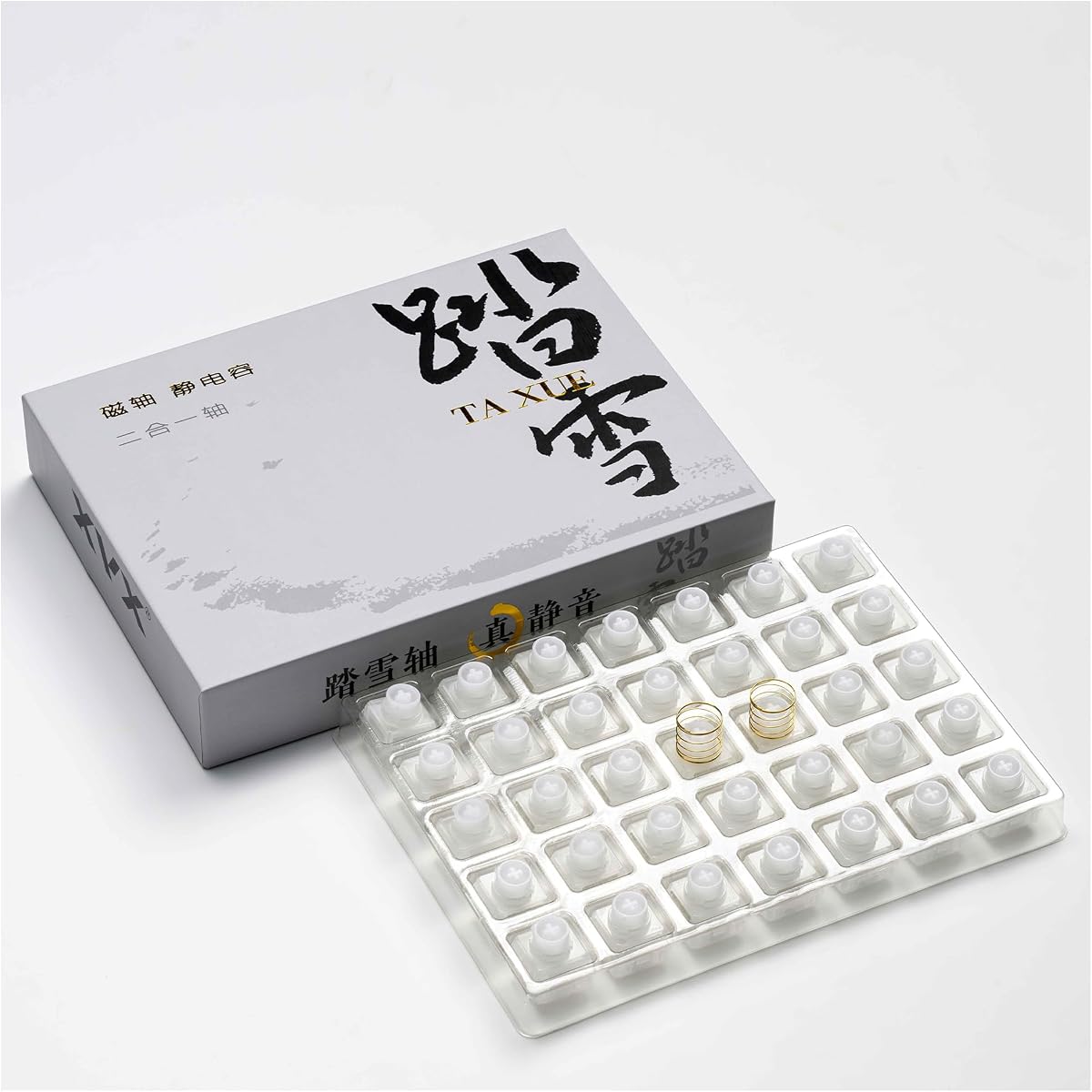
The XVX Whisper HE/EC stands apart with a 5.0 rating and a 2-in-1 design that supports both Hall Effect and EC printed circuit boards. Unlike the purely linear options elsewhere in this guide, it adds a light tactile bump through a tuned 45g rubber dome while reducing noise with a dampened housing.
We may earn a commission when you buy through this link, at no additional cost to you.
The switch has a 35gf initial force and 55gf peak force, with a 3.5mm total travel and adjustable pre-travel. That combination places it between a light gaming switch and a more conventional tactile model. Users who rely entirely on press detection without wanting a bump may find the feedback unnecessary, while typists who enjoy a gentle event may appreciate it.
The HE and EC compatibility is the major practical advantage for a DIY builder working across different sensing platforms. It also fits MX stabilizers, standard MX accessories, and hot-swap sockets on compatible HE or EC boards. The product information does not imply that it can replace every magnetic switch, so the board's supported sensing type remains essential.
This is a strong choice for a shared office, dorm, or library where silence matters but total absence of feedback would be undesirable. It is less suitable for a builder seeking a pure rapid-trigger linear feel, and the pack of 35 may not cover a larger board without another purchase.
The 35-piece pack includes two spare spacebar springs, which is a helpful inclusion for stabilizer installation. A keyboard and keycap puller are not included, and buyers should therefore have the necessary tools for fitting switches and keycaps.
A nylon housing and POM stem combine wear resistance with smooth movement. Factory lubrication on the housing and stem allows the switch to arrive ready for installation and reduces the need for immediate user modification.
Supporting both HE and EC PCBs makes this pack unusually flexible. It can serve builds using either standard when the board's switch and hot-socket requirements are otherwise satisfied.
The 45g rubber dome creates a soft bump without the harshness of a pronounced mechanical tactile event. It gives quiet users a small amount of physical confirmation.
We may earn a commission when you buy through this link, at no additional cost to you.
The right magnetic switch depends on your board's sensing architecture first and your preferred feel second. Force, sound, actuation control, and maintenance requirements all matter, but none can compensate for an incompatible switch or pole orientation.
Magnetic switches are not automatically interchangeable across Hall Effect and EC boards, nor are all Hall Effect platforms identical. Some products support N-pole-down layouts, some use another pole arrangement, and model-specific switches may rely on special keycaps, sockets, plates, or firmware. Identify the exact keyboard model and inspect the manufacturer's supported-switch list before buying. A brand name alone is not enough because the same company may release several HE, HE 8K, and standard variants with different sensing systems.
The magnet must face the correct direction for the PCB's sensor to interpret travel reliably. The Akko and Gateron Green Dragon listings specifically call out N-pole-down designs, while the other products may have different restrictions. Incorrect orientation can prevent actuation or produce unreliable readings. A quick visual check against the board documentation is inexpensive, but following the manufacturer's diagram is more dependable than assuming that every downward-facing magnet will work.
Most gaming-oriented magnetic switches in this guide are linear, providing a continuous press without a sharp bump. The XVX Whisper HE/EC is the notable tactile option, using a gentle 45g rubber dome to provide softer confirmation. Linear models feel faster and cleaner during repeated play, while a light tactile event can make intentional keystrokes easier to distinguish. Choose based on whether you value uninterrupted movement or subtle feedback more than strict speed.
Initial force describes the resistance at the beginning of travel, while bottom-out force describes resistance near the end. The guide includes options from a 30gf minimum start to a 50gf start, with the Keychron Aurora reaching a 70gf end force. A lower start can feel responsive and reduce fatigue, while a firmer bottom-out can satisfy users who prefer a pronounced stop. A balanced curve, rather than one isolated number, usually produces the more comfortable result.
Most switches here have a stated total travel near 3.5mm, while the Mathew Silent Magnetic Switch lists 3.85mm. Total travel describes the physical range, whereas actuation can occur earlier when compatible firmware allows pre-travel to be adjusted. Fine magnetic sensitivity can make rapid triggering and key-specific actions more precise. Ensure the keyboard's software and firmware support the sensing resolution and adjustment features you expect to use.
Sound varies with the housing, stem, spring, lubrication, keycap material, and board construction. The EPOMAKER Creamy Jade is described as having a deeper thock, while the GAMAKAY Phoenix V3 and XVX Whisper emphasize reduced noise. Silent is not the same as silent for every installation because case resonance and keycaps also shape the final sound. Read the acoustic description, then consider whether a deep, clean, or deliberately quiet profile matches your setup.
Factory-lubed switches are ready for installation and may provide the most consistent initial experience. The Mathew Silent Magnetic Switch is an exception because it arrives unlubed, giving experienced users the option to tune it personally. Additional lubrication is not automatically necessary; excessive lubricant can attract dust or make movement inconsistent. New magnetic switches should be inspected, and any manufacturer guidance for cleaning or lubrication should take priority over generic advice.
Packs in this guide contain 35, 45, 70, or 110 switches. A 70-switch pack covers many common tenkeyless layouts with spares, while 110 switches suit full-size builds or multiple keyboards. Smaller packs can be useful for a single replacement, but they may not cover a complete custom project. The XVX pack also includes two spare spacebar springs, a practical detail for stabilizer work.
Begin by identifying the keyboard's exact model, supported sensing standard, and required magnetic pole orientation. Read the switch listing's compatibility notice before removing any existing components. If the board uses hot-swap sockets, confirm that the replacement switch has the correct number and arrangement of pins; two-pin and three-pin switches may require different sockets or modification. For soldered boards, follow the board manufacturer's removal and installation procedure.
Power the keyboard down and disconnect its cable before changing switches. Keep the PCB, magnets, and sensor area free from metal filings, dust, and liquid. Install each switch with even pressure, making sure the stem is upright and the switch body sits securely in the plate or socket. If the switch is factory lubricated, avoid opening it unless necessary. If it arrives unlubed and the manufacturer permits user lubrication, apply only a small, controlled amount to the appropriate contact points.
After installation, test each key before reassembling the keycaps. Compatible firmware should show a consistent actuation value, and rapid-trigger behavior should register reliably across the affected keys. Recalibrate if the board provides that option, and check for missed or repeated activations. Keep the keyboard away from liquids, periodically remove loose debris with compressed air or a soft brush, and investigate any unusual noise, stiffness, or signal change rather than continuing to use a suspect switch.
Usually, no. Magnetic switches rely on Hall Effect or EC sensing and generally require a compatible magnetic PCB, plate arrangement, socket layout, and firmware. Even if the switch physically fits, it may not register correctly. Always confirm the exact keyboard model and the manufacturer's supported-switch list before replacing conventional switches.
HE and EC refer to different sensing approaches used by magnetic keyboards. The XVX Whisper HE/EC is unusual because it supports both standards, while most other products are presented for Hall Effect platforms or a narrower set of compatible models. A board designed for only one sensing method may not work with the other.
It means the magnet in the switch must face downward toward the PCB so the board's sensor can measure movement correctly. Several products in this guide specify N-pole-down fitment. Installing a switch with the wrong orientation can lead to missed actuation or unstable readings, so inspect the board documentation before ordering.
They can be because compatible firmware can adjust actuation points, support rapid triggering, and assign different actions to individual keys. The benefit depends on the keyboard's software and sensor performance, not on the switch alone. Sound, force, and durability preferences still vary, so a quiet tactile magnetic switch may suit one gamer better than a lightweight linear model.
They can feel similar in overall motion, but their sensing mechanism is different. A contactless magnetic switch can provide a smooth linear stroke like a conventional linear switch while adding adjustable actuation on compatible hardware. Spring length, force curve, lubrication, housing materials, and the surrounding keyboard all influence the final feel.
The number depends on the layout. Common compact and tenkeyless layouts usually need fewer than 100 switches, while a full-size board can require more. Packs of 35 or 45 may suit individual replacements or compact projects, whereas 70- and 110-switch packs are more practical for complete builds and spare inventory.
Not automatically. Factory lubrication is usually intended to provide a good starting point, and additional lubricant can create residue, collect dust, or make movement inconsistent. Inspect the switch first and follow its specific maintenance instructions. A switch that arrives unlubed, such as the Mathew Silent Magnetic Switch, presents a different choice because lubrication is an optional user step.
Check the full keyboard model number, the sensing type, magnet orientation, socket pin arrangement, and the board maker's supported-switch documentation. Compatibility lists can refer to specific variants rather than every product carrying a brand name. If the information is unclear, avoid purchasing a large pack until the manufacturer confirms the fit.
The GATERON Magnetic Jade Pro is the most balanced overall recommendation, combining smooth linear travel, a 36±7gf start, factory lubrication, and a 70-switch pack. The Akko Astrolink is a practical budget-oriented option for compatible N-pole-down gaming boards, while the Keychron Aurora stands out for its double-rail structure, fine sensitivity, and exceptional endurance, provided the exact board model is supported.
Prioritize compatibility before any feel preference. Verify the sensing standard, magnetic pole, socket design, firmware features, and exact keyboard model. After that, choose a light linear switch for fast gaming, a firmer double-rail model for stability, a quiet model for shared spaces, or a gentle tactile model when you want subtle feedback without traditional click noise.
Also consider pack size, lubrication status, lighting, and the type of sound you prefer. Prices and product details can change, so review the current listing before buying. Buying a smaller pack first can be prudent when compatibility is uncertain, while a full project deserves enough matching switches and a few spares.