
CMS 8GB DDR4 2400MHz
4.6Editor score
8GB single DDR4 module
2400MHz non-ECC performance
260-pin SODIMM design
Explore the best RAM for Lenovo Ideapad with an expert guide comparing DDR3, DDR4, capacity, speed, voltage, pin count, and system compatibility.
RAM for Lenovo Ideapad systems must match the laptop’s memory generation, physical form factor, voltage, and supported capacity. The right module can improve multitasking, responsiveness, and the ability to run demanding applications, while an incompatible choice may not install or work reliably.
This guide compares ten laptop memory options based on the supplied specifications, including DDR generation, module capacity, speed, timings, pin count, voltage, supported devices, and manufacturer compatibility claims. It covers single-module and matched two-module kits for several IdeaPad families and other compatible laptops.
Each review explains who the module suits, its strongest characteristics, and any limitations to consider before purchasing. The top selections represent budget, overall, and premium choices, while prices and availability can change, so readers should verify current listings and their exact IdeaPad model before ordering.
4.6Editor score
4.8Editor score

4.7Editor score
The comparison below highlights the major differences among these ten laptop memory modules, including generation, capacity, operating speed, voltage, and installation requirements. These specifications make it easier to identify an option for a specific IdeaPad model.


This CMS 8GB DDR4 module is a practical budget-oriented choice for compatible IdeaPad S145 laptops, including the specified 14-inch and 15-inch Intel and AMD variants. It has a 4.6 rating and uses standard non-ECC, 260-pin SODIMM construction at DDR4-19200, or 2400MHz.
We may earn a commission when you buy through this link, at no additional cost to you.
Its main strength is straightforward compatibility with the named IdeaPad S145 models. The single 8GB module can be installed on its own or paired with a compatible existing module when the laptop and memory configuration support dual-channel operation. This makes it useful for extending an older or entry-level system without selecting a large multi-module kit.
The trade-off is capacity. Eight gigabytes can improve a system constrained by a smaller original allocation, but it may feel modest for intensive multitasking, large browser workloads, content creation, and other memory-heavy applications. This is also DDR4 rather than DDR3, so it cannot be used in a laptop that requires the older 204-pin memory standard.
The best buyer is an IdeaPad S145 owner seeking a straightforward 8GB upgrade at a restrained budget. Confirm the exact model designation, check the existing module type, and make sure the laptop has a free memory slot before ordering.
Moving from a constrained memory configuration to an 8GB DDR4 module can provide more room for background applications and general multitasking. The benefit depends on the original capacity and the operating system, but the module is a straightforward way to add usable memory in a compatible S145.
The listing names several IdeaPad S145 variants, reducing the guesswork involved in finding a module for those systems. Exact model verification remains important because appearance alone does not establish memory compatibility.
We may earn a commission when you buy through this link, at no additional cost to you.
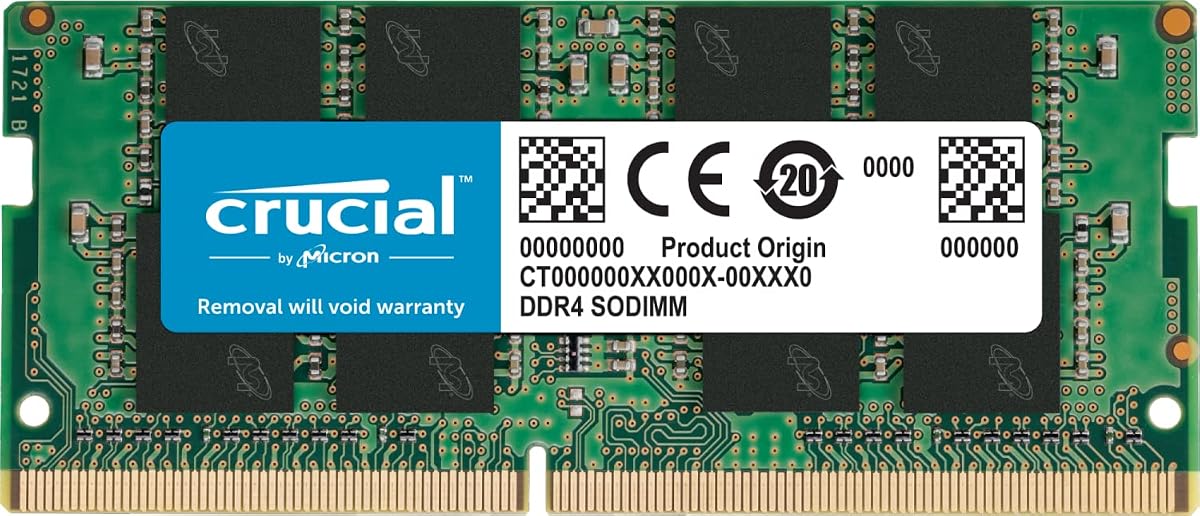
The Crucial CT16G4SFRA32A combines 16GB capacity with up to 3200MHz speed, making it the strongest all-around option in this guide. Its 4.8 rating reflects broad appeal, and the module is designed for modern laptops that accept 260-pin, non-ECC DDR4 SODIMMs.
We may earn a commission when you buy through this link, at no additional cost to you.
Capacity is the module’s most important advantage. Sixteen gigabytes gives compatible IdeaPad systems more room for browser tabs, office applications, communication tools, and background services than a smaller 8GB module. The stated 3200MHz speed and CL22 timing profile also make it well suited to systems whose processors and memory controller can run at that rate.
The listing also identifies 2933MHz and 2666MHz alternatives, which matters because laptop memory rarely operates at one fixed rate. The processor, motherboard, and firmware determine the actual supported speed. A buyer should not treat 3200MHz as a guarantee, and mixing modules with different timings or capacities can also affect the final configuration.
This is an excellent choice for an owner with a DDR4 IdeaPad that needs more memory without moving to a two-module kit. Use Crucial’s compatibility resources, verify the exact laptop model, and consider matching it with an equivalent module if dual-channel operation is important.
A 16GB module gives the operating system and applications a larger working pool, reducing pressure when several applications remain open. It is a particularly balanced option for users who want more capacity than 8GB without purchasing multiple modules.
The module can operate at 3200MHz when the host system supports it and has lower-speed fallbacks listed in the product information. This makes the specification broader than a module advertised for only one fixed operating frequency.
We may earn a commission when you buy through this link, at no additional cost to you.
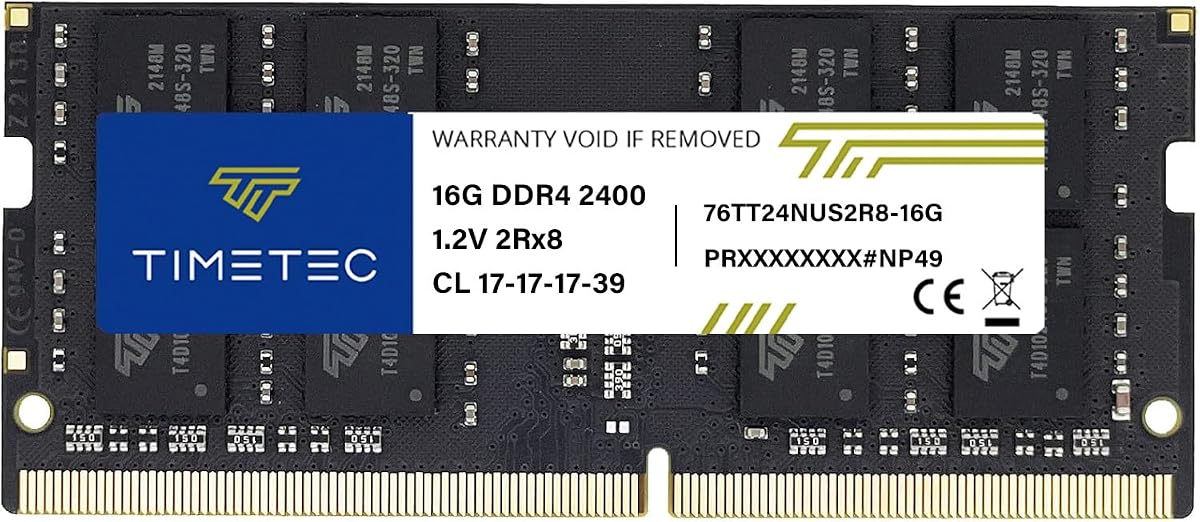
Timetec’s 16GB DDR4 2400MHz module combines useful capacity with a clearly stated CL17 timing. The 4.8 rating places it among the strongest-rated products here, while the 260-pin, 1.2V, non-ECC design fits many DDR4 laptop systems.
We may earn a commission when you buy through this link, at no additional cost to you.
The 16GB capacity is well suited to users who want additional working memory without assembling a two-module kit. Its 2400MHz class is widely suitable for ordinary DDR4 laptop hardware, and the listed CL17 profile offers a defined timing rather than leaving performance characteristics vague.
Two qualifications deserve attention. First, the module is not designed for desktop DIMM slots, so physical fit is limited to compatible laptop, notebook, mini-PC, and all-in-one systems. Second, Timetec notes that PCB color and rank can vary between production batches, although it states that performance and quality remain consistent.
This is a well-rounded choice for a compatible DDR4 IdeaPad that needs more than 8GB and does not require 3200MHz. Verify maximum supported capacity, memory generation, and available slots before purchase, especially when combining it with an existing module.
Installing one 16GB module leaves a second slot open on systems with two memory slots. That leaves room for a future capacity increase if the laptop’s specifications permit another compatible module.
The stated CL17 timing and 2400MHz speed provide a clear compatibility target for many DDR4 laptop configurations. The system will still determine the final operating behavior, particularly when modules are mixed.
We may earn a commission when you buy through this link, at no additional cost to you.
This Timetec 8GB DDR3L module is aimed at older laptops that use the 204-pin DDR3 standard rather than DDR4. It carries a 4.7 rating and supports DDR3L-1600 operation with CL11 timings, non-ECC unbuffered construction, and a dual-rank configuration.
We may earn a commission when you buy through this link, at no additional cost to you.
Its dual-voltage support is a notable feature because the module can operate at either 1.35V or 1.5V. That flexibility can make it useful across different DDR3 laptop generations, provided the system accepts 204-pin SODIMMs and supports an 8GB module of this type.
The limitation is obvious: this memory cannot be installed in a DDR4 slot because the notch, pin count, and electrical standard differ. It also provides only 8GB, which may be useful for extending an older machine but places a ceiling on modern multitasking. Checking the service manual is important because some older systems have maximum module or total-memory restrictions.
The ideal buyer owns an older IdeaPad or compatible notebook that explicitly requires DDR3L 1600MHz memory. Confirm that the existing memory is 204-pin DDR3, verify supported capacity, and power down and unplug the laptop before installation.
Adding a compatible 8GB module can make an older laptop more useful for browsing, communication, and light productivity tasks. The improvement depends on how much memory the system had originally and which applications are used.
Dual-voltage operation broadens the range of compatible DDR3 laptop designs. The correct behavior still depends on the host system, so the product specification should be checked against the manufacturer’s memory requirements.
We may earn a commission when you buy through this link, at no additional cost to you.
The CMS 16GB two-module kit is specifically presented for the Lenovo IdeaPad P500 series and carries the highest listed rating in the group at 5.0. It consists of two 8GB DDR3-12800 modules running at 1600MHz, using 204-pin non-ECC SODIMM construction.
We may earn a commission when you buy through this link, at no additional cost to you.
A matched two-module kit is a logical choice for a compatible P500 with two available memory slots. Installing two equivalent modules can support dual-channel operation, which can improve memory bandwidth compared with a single-module arrangement. The 16GB total capacity is also more substantial than the 8GB single-module alternatives in this guide.
The trade-off is that both slots are occupied, and the system must support the listed memory type and total capacity. This product cannot be used in DDR4 laptops, and compatibility should still be confirmed using the complete model designation. Matched modules reduce some mixing concerns, but the laptop’s memory controller and firmware remain the deciding factors.
This is the strongest option in the guide for an IdeaPad P500 owner seeking 16GB in a matched DDR3 configuration. It is especially compelling for a system that originally shipped with less memory or a single module, provided both slots are accessible and the manufacturer supports the upgrade.
Two matched 8GB modules provide a balanced 16GB configuration and can take advantage of dual-channel memory when the laptop supports it. This can be more responsive than relying on one module in systems whose integrated graphics also benefit from available memory bandwidth.
The listing explicitly names the IdeaPad P500 series, giving buyers a clearer target than a generic module. The full model number and original memory specification should still be checked before opening the laptop.
We may earn a commission when you buy through this link, at no additional cost to you.
A-Tech’s 16GB DDR4 3200MHz module offers a high-capacity, fast specification for compatible modern laptops. It has a 4.7 rating and follows the common 260-pin, non-ECC, unbuffered SODIMM format at a JEDEC-standard 1.2V.
We may earn a commission when you buy through this link, at no additional cost to you.
The combination of 16GB capacity and 3200MHz class makes it suitable for users who want a single module with additional memory headroom. It is designed for selected laptops, notebooks, mini PCs, and all-in-one systems, and the manufacturer emphasizes plug-and-play installation and testing for reliability.
As with every faster memory module, 3200MHz is not an unconditional guarantee. A system may operate the module at a lower supported speed, particularly when it lacks the processor and firmware support required for that data rate. It also cannot satisfy a requirement for ECC, RDIMM, or LRDIMM memory, and it will not fit a desktop DIMM slot.
This module suits an IdeaPad that accepts standard DDR4 SODIMMs and supports 16GB modules. Buyers should verify form factor, memory generation, maximum capacity, and ECC requirements. It is a strong choice when a single-module upgrade is preferred and the host can use the higher speed.
The 16GB capacity gives modern applications a larger memory pool, while the 3200MHz specification provides a favorable speed ceiling on compatible hardware. Actual performance is determined by the laptop’s supported memory configuration.
The manufacturer explicitly excludes desktop DIMMs, non-DDR4 memory, and several ECC families. Checking these boundaries before purchasing can prevent an otherwise straightforward upgrade from becoming a return.
We may earn a commission when you buy through this link, at no additional cost to you.
This CMS module is designed for the Lenovo IdeaPad 110-15ISK and supplies 8GB of DDR4 memory in a 260-pin, non-ECC SODIMM. It operates at DDR4-19200, or 2400MHz, and uses the same C106 product designation as the related S145-compatible module.
We may earn a commission when you buy through this link, at no additional cost to you.
For an owner of the named 110-15ISK configuration, model-specific compatibility is the main advantage. The single-module format allows it to be added without requiring a matched pair. It may also leave another slot available for a later capacity increase, provided the laptop supports a compatible second module.
The limitation is that 8GB is a modest total capacity for a new or demanding workload, and no numerical customer rating is supplied in the product information. It is not a universal IdeaPad memory solution because the listing names one specific model rather than a broad range. It also remains DDR4-only and cannot fit a 204-pin DDR3 laptop.
This is a sensible targeted purchase for someone who has confirmed the IdeaPad 110-15ISK designation and needs a compatible 8GB DDR4 module. Check the original memory configuration, maximum capacity, and slot availability before ordering.
The product description explicitly targets the IdeaPad 110-15ISK, which is useful when a buyer has the exact model in hand. Verifying the complete suffix remains important because similarly named models can use different memory.
A single 8GB module may be installed in one of two available slots on compatible configurations. This leaves the second slot open, but any future module should match the required generation, voltage, and capacity rules.
We may earn a commission when you buy through this link, at no additional cost to you.
The Samsung M471A2G43AB2-CWE is a 16GB DDR4 laptop module specified at PC4-3200AA with a 1Rx8 configuration. Its 4.7 rating and recognizable part number make it an appealing option for buyers who prefer a clearly identified memory model from a major component manufacturer.
We may earn a commission when you buy through this link, at no additional cost to you.
Sixteen gigabytes provides a useful capacity increase for general productivity, communication, web use, and multitasking. The 3200MHz specification makes it appropriate for systems capable of running that data rate, while the stated 1Rx8 organization gives buyers a clear reference for matching with another module.
The product information is less detailed than that of some alternatives. It states compatibility with systems supporting DDR4 SODIMM and names Dell, HP, and Lenovo in the title, but it does not provide the same extensive guidance about voltage, timings, or non-supported memory types. Buyers should therefore consult the IdeaPad service information before purchase.
This Samsung module is best for a compatible DDR4 IdeaPad owner who wants 16GB and values a specific branded part number. Confirm that the laptop supports 3200MHz and accepts a single 16GB SODIMM, and check whether its existing memory has a matching organization when dual-channel operation is desired.
A 16GB module gives compatible applications and the operating system more room than an 8GB alternative. It can be especially helpful for users who keep many browser tabs or several productivity applications open throughout the day.
The M471A2G43AB2-CWE identifier gives buyers a concrete model to compare against system requirements and existing memory. That specificity can make troubleshooting and future matching easier.
We may earn a commission when you buy through this link, at no additional cost to you.
Corsair’s Vengeance CMSX16GX4M1A3200C22 is the premium-oriented selection in this guide. It combines 16GB capacity with an up-to-3200MHz data rate, a detailed CL22-22-22-53 timing profile, and a 1.2V laptop SODIMM design. It carries a 4.7 rating.
We may earn a commission when you buy through this link, at no additional cost to you.
Its standout feature is the clearly stated performance profile alongside a slim laptop-oriented design. The manufacturer notes that automatic overclocking works with compatible laptops without BIOS configuration, while the maximum rated speed still depends on the processor, motherboard, and other system components.
That distinction matters: “up to” 3200MHz does not mean every laptop will run the module at 3200MHz. Some systems will use a lower supported speed, and mixing it with a module that has different timings or rank organization can influence performance. The product’s stated Intel and AMD laptop compatibility still requires checking against the exact IdeaPad model.
This module suits a compatible DDR4 IdeaPad that supports 16GB modules and where the owner values a premium, well-specified product with defined timings. It is an especially good candidate for a system capable of using the higher speed, while remaining a usable 16GB upgrade in a more conservative configuration.
The full four-number timing specification provides more detail than a listing that states only speed and capacity. It gives buyers a clearer basis for comparing the module with an existing stick or a potential matching upgrade.
Compatible laptops may recognize the module’s higher performance profile without manual BIOS changes. This convenience does not override the system’s limits, so the expected operating speed should always be confirmed after installation.
We may earn a commission when you buy through this link, at no additional cost to you.
The Crucial CT8G4SFS824A is a conventional 8GB DDR4 SODIMM rated at 2400MHz, or PC4-19200. It has a 4.8 rating, uses 1.2V non-ECC construction, and provides detailed compatibility and installation support through Crucial’s system-scanning resources.
We may earn a commission when you buy through this link, at no additional cost to you.
Its biggest appeal is clarity. The form factor, speed, voltage, pin count, and 1Rx8 configuration are all stated, making it easier to compare with an existing laptop module. The 8GB capacity can provide a worthwhile improvement over a very small original allocation, while 1.2V operation is standard for DDR4 laptops.
The limitation is that 8GB is increasingly modest for heavy multitasking, and 2400MHz is a mainstream speed rather than the fastest option in this list. A buyer whose IdeaPad supports 16GB modules may receive a more useful long-term result by choosing one of the 16GB products. If two modules are installed, compatibility and dual-channel behavior still depend on the system.
This is a strong standard-capacity choice for a compatible DDR4 IdeaPad owner who wants a well-documented upgrade from an established memory brand. Use the Crucial System Scanner or upgrade selector, verify the exact laptop model, and check the maximum supported capacity before buying.
Crucial provides tools intended to recommend a compatible module and step-by-step installation guidance. This is especially useful for buyers who cannot confidently interpret pin count, voltage, and memory-generation labels.
A single 8GB module can be installed quickly in a compatible laptop and may leave another slot open. For users who need to run many demanding applications, a 16GB alternative may be more appropriate.
We may earn a commission when you buy through this link, at no additional cost to you.
Choosing RAM for a Lenovo IdeaPad begins with identifying the exact model and its supported memory configuration. Capacity, generation, form factor, voltage, speed, and module arrangement all influence whether an upgrade fits and performs as intended.
IdeaPad families can contain systems with different processors and memory configurations even when their names appear similar. Check the complete model number printed on the underside of the laptop, the original memory label, or a reliable hardware information utility. The processor alone is not always enough to identify the correct module, because the motherboard and firmware also determine supported memory type and capacity.
DDR3 and DDR4 laptop memory are not interchangeable. DDR3 typically uses a 204-pin SODIMM, while DDR4 commonly uses a 260-pin SODIMM with a different notch position and electrical requirements. The listings here include both generations: the DDR3 and DDR3L choices target older systems, while the DDR4 products suit newer IdeaPad models. Installing the wrong generation usually prevents the module from fitting, but forcing a module can damage hardware.
Capacity determines how much data the system can keep available without moving it to storage. An 8GB module is a common economical upgrade for older or lightly used laptops, while 16GB provides more breathing room for many browser tabs, office suites, communication apps, and creative software. Check both the maximum capacity of a single slot and the maximum total memory supported by the IdeaPad. A module with more capacity than the laptop supports may not be recognized or may not behave as expected.
A single 16GB module is different from a matched kit containing two 8GB modules. A single module leaves a slot open and offers a simpler upgrade, while a matched pair may support dual-channel operation if the laptop’s memory controller does so. Dual-channel can improve bandwidth, particularly in integrated-graphics systems, but it does not double application performance. Mixing capacities or unrelated modules can reduce the benefit or make the memory run at a common, slower setting.
The listed speed is the module’s rated capability, not a guarantee of the speed at which every laptop will run it. A processor and memory controller may support only a lower data rate, and the final result can also depend on the existing module. CL ratings describe timing behavior, with lower numbers generally representing tighter timings at a given speed. For most general-purpose upgrades, matching the system’s supported JEDEC speed is more important than chasing the fastest advertised figure.
Most consumer laptop memory in this guide is non-ECC and operates at the standard voltage for its DDR generation. The DDR3L module supports both 1.35V and 1.5V operation, while the listed DDR4 modules use 1.2V. ECC, RDIMM, LRDIMM, and server-oriented memory should not be substituted for ordinary non-ECC laptop modules. Voltage and error-correction requirements need to match what the IdeaPad motherboard expects.
Some IdeaPad models expose both memory slots, while others have one accessible slot and soldered memory. A single-module purchase is the safer choice when the number of user-accessible slots is uncertain. Before buying a two-module kit, confirm that both slots can be reached and that the system supports the combined capacity. The laptop’s service manual can also clarify access procedures and approved memory configurations.
A compatibility scanner, upgrade selector, or manufacturer support page can narrow the field after the exact laptop model is known. These tools are especially useful for modules that support several platforms or for systems whose processor and board share the same IdeaPad name. Automated tools are helpful but should be paired with the service manual, especially for old models or configurations with unusual factory memory.
Before installing a module, shut down the IdeaPad completely and disconnect its charger. Confirm the new memory’s generation, form factor, capacity, voltage, and speed against the laptop’s requirements. Review the service guide for the access panel, screw type, and any advice about removing the battery or disconnecting internal power.
Open the memory compartment carefully and keep screws organized. If an existing module must be removed, release the retaining clips evenly rather than pulling on one side. Seat the new SODIMM at an angle, press it fully into the connector, and lower it until the clips snap into place. Do not force resistance, and never touch the exposed memory contacts with bare fingers.
Reassemble the laptop, reconnect power, and start it normally. Check the BIOS or system information utility to confirm that the expected capacity is recognized. If the total memory appears lower than expected, verify that the laptop’s slot configuration and maximum capacity support the installed module. Windows Task Manager or an equivalent system-information screen can provide a quick view of recognized memory after the operating system loads.
The memory type depends on the exact IdeaPad model. Many newer systems use 260-pin DDR4 SODIMMs, while older models commonly use 204-pin DDR3 or DDR3L modules. Check the complete model number, the label on the installed memory, and the laptop service manual before ordering. DDR3 and DDR4 are physically and electrically incompatible.
No. The laptop must support 16GB per module, 16GB in total, or a different capacity arrangement depending on its slots and integrated memory. A 16GB single module is not suitable if the computer only accepts 8GB modules. The processor, motherboard, BIOS, and maximum-memory specification all need to support the planned configuration.
Sixteen gigabytes is generally better for heavier multitasking and more demanding applications, while 8GB may be sufficient for basic browsing, office work, and communication. The best choice also depends on the laptop’s processor and existing memory. A system with 8GB soldered plus an 8GB module may use 16GB in total but might not gain full dual-channel benefits.
No. The operating speed is limited by the laptop’s supported memory speed, processor, memory controller, firmware, and other installed modules. A faster module can work at a lower supported rate, but mixing mismatched modules may also affect performance. The safest approach is to use memory matching the system’s specifications.
The laptop may recognize different brands, but matching the generation, voltage, capacity, speed, and timing characteristics is more important than using the same brand. A matched pair can be easier to manage and may support dual-channel operation more predictably. Check the manufacturer’s guidance before combining modules.
Usually, no. Compatible memory is detected at startup, and the operating system will use the additional capacity automatically. A restart may be required after installation. If the new capacity is not shown, confirm that the slot is seated correctly and consult the system information utility or manufacturer support.
A single module occupies one slot and may make a later expansion easier, while a two-module kit occupies two slots and provides 16GB when each stick is 8GB. Two matching modules may enable dual-channel operation if the laptop supports it, which can improve memory bandwidth. The best option depends on slot access and total-memory support.
Look for a model label on the bottom of the laptop, check the original packaging or purchase documentation, or open Windows system information and search for the system model. Record the complete suffix rather than relying only on the IdeaPad family name. That suffix helps identify the correct memory generation, maximum capacity, and supported configuration.
The CMS 8GB DDR4 module stands out as the budget-focused choice for specifically compatible IdeaPad S145 systems. The Crucial 16GB DDR4 3200MHz module is the most balanced overall option because it combines substantial capacity, a high rating, and flexible speed positioning, while the Corsair Vengeance 16GB DDR4 module offers the most premium-oriented specification with detailed timings.
For older IdeaPads, memory generation matters more than headline capacity. The CMS and Timetec DDR3 choices serve systems that specifically require 204-pin DDR3 or DDR3L, with the CMS two-module kit offering a matched 16GB arrangement for compatible IdeaPad P500 systems. Always confirm the exact model, supported maximum capacity, available slots, and existing memory configuration before purchasing.
Prices, availability, and seller details can change, so check the current listing at the time of purchase. Read the final specifications carefully, compare them with the laptop service information, and favor a module that meets the required generation, form factor, voltage, and capacity. A precisely compatible choice is more valuable than a faster-looking module that the system cannot fully support.