
WD_Black 6TB P10 Game Drive
4.7Editor score
Up to six terabytes capacity
Speeds up to 130MB/s
Portable 2.5-inch design
PlayStation 5 game archiving
Compare the best external PS5 storage options, including NVMe SSDs, portable SSDs, and high-capacity hard drives for games, backups, and everyday use.
Expanding a PlayStation 5 starts with understanding how the console handles external drives. Some options install directly into the M.2 slot and deliver the strongest performance, while others connect over USB for larger game libraries, archiving, or general file storage. The right choice depends on how much space you need and how quickly you want games accessed.
This guide compares ten external PS5 storage options across capacity, interface, portability, stated performance, console support, and practical use cases. It includes an officially licensed NVMe SSD for the M.2 expansion slot, portable SSDs, console-specific hard drives, and general-purpose external storage. Ratings and specifications are based on the supplied product information, while current prices can change.
Each pick highlights a different way to solve the console’s limited internal storage. The WD_BLACK NVMe SSD leads the premium options, the Seagate Game Drive offers large-capacity console storage, and the compact Ezekers drive represents the budget-oriented choice. The remaining products show how portable SSDs, multi-platform hard drives, and high-capacity archives compare for PS5 owners.
4.7Editor score

4.8Editor score

4.3Editor score
The comparison below highlights the major differences among the ten picks, including connection method, capacity, speed claims, portability, and the type of PlayStation 5 storage role each product is designed to support.



The Seagate Portable 4TB External Hard Drive is a general-purpose USB 3.0 hard drive with a 4.6 rating. Its key strength is straightforward, high-capacity storage for files, folders, and backup archives rather than a specifically licensed console feature set. It connects to compatible computers, is recognized automatically, and includes an 18-inch USB 3.0 cable.
We may earn a commission when you buy through this link, at no additional cost to you.
This model emphasizes simplicity. Once connected to a Windows or Mac system, users can drag and drop content for backups without installing software. That approachable design makes it useful for maintaining a general media library, preserving computer files, or creating a separate archive that can be moved between compatible devices.
The important limitation is that the supplied specifications do not identify this drive as officially licensed for PS4 or PS5 use, nor do they state that PS5 games can be played directly from it. A PS5 owner should therefore treat it as general external storage unless current console compatibility guidance confirms otherwise. The absence of a stated PlayStation feature set also makes it less focused than several console-specific alternatives.
Despite that caveat, it is a practical option for PS5 owners who need inexpensive, roomy secondary storage or desktop backups and already understand how external drives are formatted. It is better suited to document and media archives than to expanding a directly playable PS5 game library. For native console expansion, the WD_BLACK SN850P is the more purpose-built selection.
The 4TB capacity provides room for substantial collections of personal files and media, making the drive a practical place to keep content that does not need to remain connected to the console. Its portable enclosure also allows the archive to move between compatible Windows and Mac computers.
Automatic recognition and drag-and-drop file management remove much of the setup complexity. The included cable provides a direct USB 3.0 connection, while the one-year Rescue service adds a separate form of support for eligible data recovery needs.
We may earn a commission when you buy through this link, at no additional cost to you.
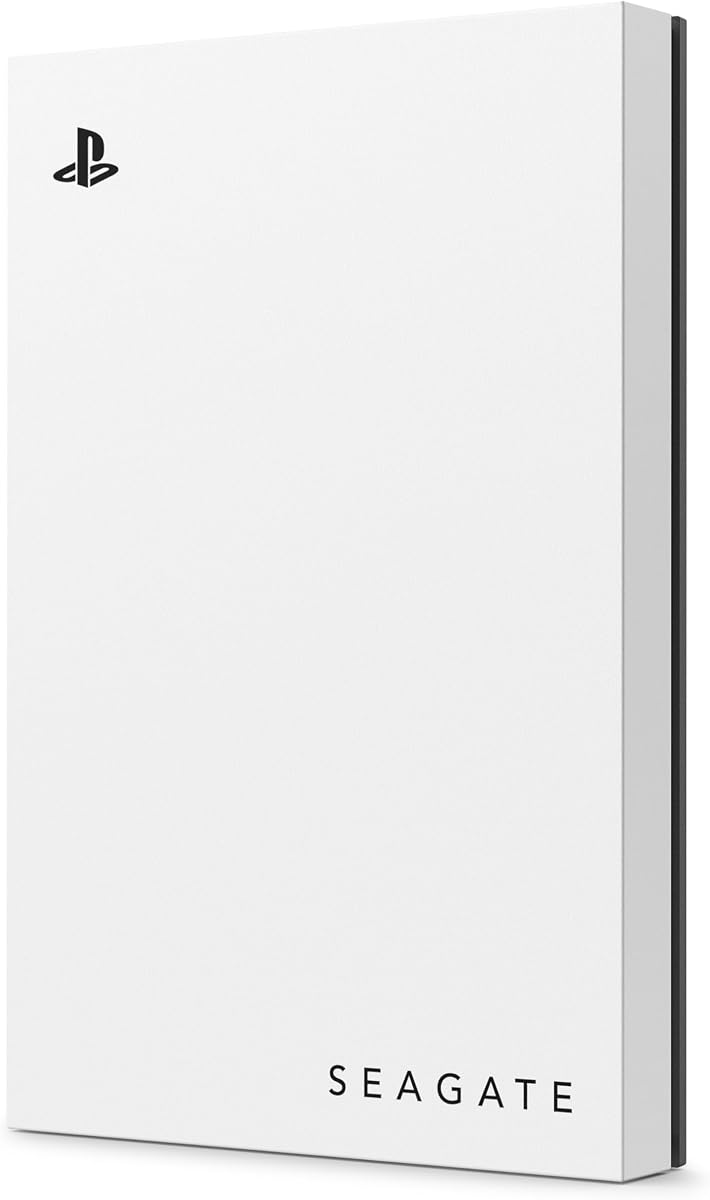
The Seagate 5TB Game Drive combines one of the larger capacities in this guide with official PS4 and PS5 licensing. Its matching firmware is designed to work seamlessly with console models, while blue LED lighting gives the otherwise functional enclosure a recognizable gaming aesthetic. The 4.5 rating reflects a generally favorable view among buyers.
We may earn a commission when you buy through this link, at no additional cost to you.
Five terabytes is the main attraction. The product information specifically positions the drive as a way to avoid continually deleting or redownloading games. Its lightweight, portable design also makes it reasonable to carry between locations, particularly for users who want a substantial library available through a single USB connection.
As an external hard drive using USB 3.0, it should be viewed as a capacity solution rather than a high-speed expansion option. Load times and file transfers are constrained by the mechanical storage and USB interface, unlike an NVMe SSD installed in the PS5 expansion slot. It also differs from the M.2 solution because it remains an external device connected by cable.
This is a strong all-around choice for a PS5 owner who prioritizes room over rapid asset loading. Its official licensing, broad console compatibility, and generous capacity make setup and long-term game storage simpler than a general-purpose drive. It is especially compelling for owners with many PS4 titles or a mixed PS4 and PS5 collection that they want ready for convenient storage.
Official licensing and matching firmware are especially useful for buyers who want confidence that the drive is designed for PlayStation use. The product is stated to work with all PS5 and PS4 models, reducing ambiguity when selecting storage for an existing console.
The 5TB capacity gives a large installed collection room to remain on the drive instead of being repeatedly removed. That makes the device useful as a game vault, although game access remains subject to the slower characteristics of a USB 3.0 hard drive.
We may earn a commission when you buy through this link, at no additional cost to you.
The WD_BLACK 1TB SN850P is the strongest performance-focused option in the guide, earning a 4.8 rating and earning the Best Premium designation. It is an officially licensed NVMe M.2 SSD designed for the PS5 expansion slot, with a special heatsink created for the console and read speeds stated as high as 7,300MB/s.
We may earn a commission when you buy through this link, at no additional cost to you.
Unlike a USB external drive, this SSD installs inside the console and becomes part of its storage setup. The product information states that users can play directly from it, eliminating the need to transfer or delete games from the console’s internal storage. That makes it the most appropriate pick for players who prioritize fast loading and responsive access to modern PS5 titles.
The listed 1TB capacity is more modest than the multi-terabyte hard drives in this roundup, and higher-capacity versions of the product line are mentioned in its specifications. Performance can also vary with the host device, capacity, operating conditions, and usage. Buyers should also follow the official WD_BLACK compatibility guidance before updating PS5 system software.
Choose the SN850P when the goal is the best possible PS5 expansion experience rather than the largest possible archive. Its official license, dedicated heatsink, high stated read speed, and direct-play support separate it clearly from every USB-connected pick. It is the premium recommendation for gamers who want their installed library to feel as responsive as possible.
Installing the SSD inside the PS5’s M.2 slot avoids the limitations of a cable and external enclosure. The stated performance ceiling of 7,300MB/s is the highest among these products and makes the drive best suited to games that benefit from quick loading.
The included heatsink is optimized for the PS5 rather than being a generic desktop accessory. A purpose-built thermal solution is especially relevant for compact, enclosed gaming hardware where consistent heat dissipation supports sustained performance.
We may earn a commission when you buy through this link, at no additional cost to you.
The Ezekers 500GB External Hard Drive is the Best Budget pick, offering a compact way to supplement console storage without moving to a larger premium device. Its 4.3 rating is the lowest among the ten products, but the specification set addresses a clear need: portable, inexpensive external storage for several device categories.
We may earn a commission when you buy through this link, at no additional cost to you.
The drive supports USB 3.0 and USB-C connections, and the product information lists compatibility with PCs, Macs, PS5 storage use, PS4, compatible Android and iPhone models, and Xbox devices. A 2.5-inch housing, LED activity indicator, and bus-powered operation make it convenient to carry and use without finding a separate outlet.
The crucial PS5 limitation is stated directly in the title: storage only. It should not be interpreted as a drive designed for direct play of PS5 games. Its 500GB capacity is also the smallest in the guide, so the available space may be consumed quickly by modern game installations, archives, or ordinary media files.
This is a sensible choice for users who want a small, flexible drive for partially filled folders, transferable files, and compatible console storage tasks. Those who intend to play PS5 games from an external drive will receive a better fit from a console-specific hard drive or a native M.2 SSD. Within its storage-only role, however, the Ezekers remains a convenient multi-platform option.
The 2.5-inch enclosure is easy to carry, while operation from the connected device eliminates the need for a separate power supply. That makes the drive more practical for moving between home, work, and compatible mobile devices.
USB 3.0 and USB-C support broaden the range of compatible systems. For iPhones or other devices requiring an adapter, the product information notes that USB-C connections can be made through an appropriate adapter.
We may earn a commission when you buy through this link, at no additional cost to you.
This Seagate 5TB Game Drive provides another large-capacity console option, with a 4.4 rating and specifications that closely match the other Seagate game-drive listing. It is officially licensed through adapted firmware for PS5 and PS4 models, uses USB 3.0, and comes in a portable 2.5-inch white enclosure with blue lighting.
We may earn a commission when you buy through this link, at no additional cost to you.
The drive can hold a substantial collection of PS4 titles and store PS5 titles for later transfer to the console. Its plug-and-play positioning reduces setup effort, while the stated ability to start PS4 games directly from the external hard drive makes it useful for users with a substantial older library.
This option does not provide the same access characteristics as a native M.2 NVMe SSD. Because it uses a mechanical hard drive over USB 3.0, it is better understood as spacious game storage and an archive than as a high-speed loading solution. The 5TB capacity is its defining advantage, not response time.
Consider this drive if you want one generously sized, officially supported game vault for both PS4 and PS5. It may also appeal to buyers who like a lighter, more compact enclosure than larger desktop-style storage. Players seeking the fastest PS5 performance should instead prioritize an M.2 SSD, while this model remains well suited to capacity and portability.
Adapted firmware and stated support for both console generations simplify mixed-library ownership. PS4 games can be started directly, while PS5 titles can be stored on the drive and transferred to the console for play.
The lightweight 2.5-inch format makes the large capacity easier to transport than a desktop drive. Blue LED lighting provides a visible indicator of the gaming aesthetic without altering the core storage function.
We may earn a commission when you buy through this link, at no additional cost to you.
The WD_Black 6TB P10 is a high-capacity portable game drive that combines a 4.7 rating with a useful console feature set. It is described as the world’s first 6TB 2.5-inch portable hard drive, uses a sleek metal top, and delivers speeds up to 130MB/s.
We may earn a commission when you buy through this link, at no additional cost to you.
Its PlayStation 5 capability requires careful interpretation. The supplied details state that it can play and store PS4 games and archive PS5 games on the PS5. In practical terms, this makes it well suited to moving PS5 titles out of internal storage to free console space, even though it is not described as a direct-play location for PS5 games.
The same drive also supports Xbox Series X|S functions and works with PC, giving it broader appeal for households that own multiple gaming platforms. Up to 6TB can hold around 150 games based on the product’s average-size estimate, though the actual number changes with file size, formatting, and other factors.
The P10 is ideal for a player who wants maximum room in a portable 2.5-inch package and accepts the workflow of transferring current PS5 games to and from internal SSD storage. It is less appropriate for those requiring immediate PS5 game play from USB. Its combination of capacity, speed, portability, and cross-platform flexibility nevertheless makes it one of the strongest archival choices.
The drive is specifically listed for playing and storing PS4 games while archiving PS5 games on the PlayStation 5. This dual role makes it a useful companion to the console’s faster internal storage.
The 6TB capacity sits in a portable 2.5-inch enclosure, avoiding the size of a conventional desktop drive. A stated speed of up to 130MB/s also positions it as a more responsive external hard drive than many basic storage alternatives.
We may earn a commission when you buy through this link, at no additional cost to you.
The SanDisk 1TB Extreme Portable SSD combines console approval with a rugged portable form. It carries a 4.5 rating, and the title identifies read speeds of up to 1,050MB/s, while the supplied details describe enhanced transfer speeds of up to 1,000MB/s for moving games between an external SSD archive and PS5 internal storage.
We may earn a commission when you buy through this link, at no additional cost to you.
The drive was designed, tested, and approved for PlayStation consoles. Its primary role is to expand available space and move games to the console’s internal storage efficiently. This makes it especially relevant to owners who want a fast external archive but do not need to install an M.2 module inside the console.
Ruggedness is another major selling point. The enclosure carries an IP65 rating for resistance to dust and water, while the product information states protection against drops of up to three meters. A five-year limited warranty adds long-term reassurance, and the included Discord Nitro trial is an accessory benefit rather than a storage feature.
Choose the Extreme when portability, durability, and faster transfers are priorities. It is a better fit than a conventional external HDD for users who move between locations or maintain a separate fast game archive. Direct PS5 gameplay may still depend on console support for the connected drive, so current compatibility should be confirmed, and the native WD_BLACK M.2 option remains preferable for the fastest direct access.
Solid-state transfer performance can make the process of moving games between the PS5 and an external archive feel considerably quicker than a mechanical drive. The result is a more practical staging area for titles that are not currently being played.
The IP65 rating, stated three-meter drop protection, and portable format suit users who carry game storage between locations. These physical protections add confidence beyond the normal durability expected from a desktop-attached drive.
We may earn a commission when you buy through this link, at no additional cost to you.
The BUFFALO SSD-SAO1.0U3B is a compact, officially licensed external SSD for PS4 and PS5 consoles. It has a 4.4 rating, offers 1TB of capacity, and uses a USB 3.2 Gen2 Type-A connection. Its unusual stick format and lack of a permanently attached cable help it stand out from conventional rectangular drive enclosures.
We may earn a commission when you buy through this link, at no additional cost to you.
Official licensing is central to the product’s positioning. BUFFALO states that specially selected materials and an exclusive quality inspection process are used so the drive can work with PS4 and PS5 systems. The supplied information also says users can store PS4 and PS5 game data on it, helping free internal console space.
One particularly useful claim concerns PS4 loading times. BUFFALO states that the SSD can reduce PS4 loading times, which is a meaningful advantage over a mechanical external hard drive because SSDs avoid the seek delays associated with spinning media. The cable-free Type-A design is visually compact but may be less convenient on systems that rely exclusively on other connector shapes.
This drive is a good fit for a PlayStation user who values a compact licensed accessory and wants SSD responsiveness without opening the console. It offers less capacity than the high-capacity game hard drives and cannot match the raw speed of a native PCIe Gen4 M.2 installation. Its strengths are convenience, official compatibility, and a cleaner external footprint.
The stick-style enclosure plugs directly into the console’s USB-A port and avoids occupying desk space with a separate box. Its small footprint also makes it easier to carry without adding another loose cable to a gaming setup.
The official license and claimed compatibility with both PS5 and PS4 systems provide a clearer buying signal than a generic external drive. The stated ability to store game data on the device makes it useful for relieving internal storage pressure.
We may earn a commission when you buy through this link, at no additional cost to you.
The Toshiba Canzio Gaming 2TB is a portable external hard drive built around a gaming-focused firmware feature called Always-On mode. It carries a strong 4.7 rating, uses USB 3.0, and supports PlayStation 5, Xbox Series X|S, PC, and Mac use according to the supplied product information.
We may earn a commission when you buy through this link, at no additional cost to you.
For PS5 use, the stated compatibility is playing and storing PS4 games, along with storing PS5 games. That makes it a useful middle ground for users who want official console support and a broad platform list without moving to one of the multi-terabyte drives in this guide. The product also includes a two-year manufacturer’s limited warranty.
Always-On mode is intended to create a responsive gaming experience, though a mechanical hard drive cannot approach the loading characteristics of an SSD or the internal PS5 drive. Capacity is another trade-off: 2TB may suit a focused collection, but it places less pressure on owners of large game libraries than the 5TB, 6TB, and 8TB choices.
The Canzio is a balanced recommendation for a buyer who wants a portable, console-oriented drive with an especially strong rating and multi-platform support. It is particularly attractive for keeping PS4 games accessible and PS5 titles stored away from the internal SSD. Buyers prioritizing the largest library or fastest loading should consider the other categories in this comparison.
The customized firmware mode is designed to keep the drive responsive for gaming use. While it cannot change the fundamental speed of mechanical storage, it shows that the product was developed with console workflows in mind.
Support across PlayStation, Xbox, PC, and Mac makes the drive relevant to mixed-device households. The product information advises checking compatibility because hardware configurations and operating systems can affect operation.
We may earn a commission when you buy through this link, at no additional cost to you.
The Avolusion PRO-5X Series is the largest-capacity option in this guide, providing 8TB in a white external gaming hard drive. It uses a USB 3.0 interface and a 7200RPM enterprise HDD, receives a 4.4 rating, and includes a two-year warranty.
We may earn a commission when you buy through this link, at no additional cost to you.
Its most attractive feature for a PS5 owner is the ability to play PS4 games directly from USB extended storage. PS5 games can be copied from the drive back to the console’s internal SSD, where they must be played. The product information notes that copying is typically faster than downloading a game again, although the quoted transfer estimate should be treated as a general expectation rather than a guaranteed result.
The 8TB capacity makes this drive an extensive archive, but it does not transform the console’s rules. PS5 titles cannot be downloaded directly to the USB hard drive, and they cannot be played there according to the supplied details. They must first download to internal SSD storage and then be moved or copied to the external drive when not in use.
Choose the PRO-5X when maximum archival capacity matters more than direct PS5 access. It is especially relevant for owners with many installed titles who are comfortable managing the copy-and-store workflow. The enterprise-style 7200RPM mechanism adds a performance-oriented distinction, although the enclosure is less portable than the smaller 2.5-inch drives.
Eight terabytes gives the largest game collection room to remain on a single external device. This capacity can reduce the need to delete and redownload titles, particularly when most of the library consists of games that are stored rather than actively played.
This drive excels as an archive but not as a direct-play PS5 location. Current PS5 games need to be moved back to internal SSD storage for play, while PS4 games can be started directly from the USB extended-storage connection.
We may earn a commission when you buy through this link, at no additional cost to you.
The right PS5 storage choice depends on whether you want native expansion, direct access to compatible games, a large archive, or a portable drive for files and backups. Capacity, connection method, game compatibility, and transfer speed should be considered together.
An M.2 NVMe SSD installed inside the PS5 provides native storage expansion and the highest performance among the options here. The WD_BLACK SN850P is officially licensed for this purpose and is designed to be played from directly. Unlike a USB drive, it occupies the console’s dedicated expansion slot and requires the console to be opened for installation. It is the best option when fast loading and direct access to modern PS5 games matter most.
In short: choose an officially licensed M.2 SSD for the fastest and most integrated expansion.
External storage support differs by console generation and product. Some drives can play and store PS4 games while storing PS5 games for later transfer. Others are explicitly storage-only, and the Avolusion PRO-5X requires PS5 games to be copied to internal SSD storage for play. Check the stated PS5 functions before buying rather than assuming every drive behaves like the console’s internal storage.
In short: verify direct-play, storage, and archive functions for your specific console.
Hard drives provide the greatest room for a game archive, but their mechanical operation cannot provide the responsiveness of an SSD. The 4TB, 5TB, 6TB, and 8TB choices make sense for owners who want to keep installed titles accessible without frequently redownloading them. Native or external SSDs are better when quick loading and efficient transfers are priorities. Capacity alone does not determine how quickly a game will open.
In short: use hard drives for large libraries and SSDs for speed.
The products in this guide use a range of interfaces. Native M.2 storage connects through the PS5 expansion slot, while external drives use USB 3.0, USB 3.2 Gen2 Type-A, or USB-C. A Type-A stick can be especially convenient for console placement, whereas USB-C can simplify connections to modern computers and phones when an appropriate adapter is available. Choose the connector that matches your most frequently used equipment.
In short: select a connection standard that suits both your console and other devices.
A compact 2.5-inch enclosure is easy to move and can serve as a portable game vault. A 2.5-inch external SSD adds speed while remaining relatively compact, and a rugged enclosure may be worthwhile for travel. The 8TB Avolusion option uses a larger desktop-style case, which makes it better suited to a stationary setup. Metal-top designs, LEDs, and white or black finishes are secondary considerations after capacity and compatibility.
In short: prioritize a portable enclosure only if you expect to move the drive regularly.
Officially licensed products have been designed or licensed with specific console requirements in mind. The Seagate, WD_Black, SanDisk, and BUFFALO gaming options in this guide carry explicit PlayStation compatibility claims, while the WD_BLACK SN850P is licensed for the M.2 slot. Licensing provides a clearer support path than a generic drive, although buyers should still check the latest console and system software guidance.
In short: an official console license is a stronger compatibility signal than generic USB support.
Game libraries grow over time, and the amount of free internal space a system needs depends on its installed titles. A high-capacity drive can preserve older games, but a second fast SSD may be more useful for frequently played titles. Consider whether the drive is for active use, long-term archiving, or both. The stated game-count estimates also depend on file size, formatting, and other factors, so they should be treated as broad guides.
In short: choose capacity for the archive and speed for active games.
For an external USB drive, connect it to an appropriate PlayStation port and follow the console’s on-screen storage prompts. The system may ask you to format or confirm the drive, so back up any important files before beginning. Use a product explicitly listed for the console roles you need, particularly if you intend to store PS5 games or play them directly from the drive.
For a native M.2 SSD, power off and disconnect the PS5 according to the console and SSD installation instructions. Open the expansion bay, insert the licensed drive with the appropriate heatsink, and secure it before reassembling the console. Keep the included WD_BLACK heatsink in place, and consult the official compatibility guidance before updating PS5 system software.
To protect a game library, eject the drive through the PS5 interface before unplugging it. Store drives in a dry, stable environment, protect them from impact, and avoid using them as the only copy of irreplaceable data. Keep original game files on a separate backup, and do not move a game to another system unless the source drive was intentionally prepared for that platform.
Yes, but the drive’s exact role depends on the console generation and the product’s compatibility. Many officially licensed external hard drives can play and store PS4 games while also storing PS5 games for later transfer. A general-purpose drive may be useful for files, but it should not be assumed to support console game storage without confirming its specifications.
The supplied information does not generally describe the external SSDs in this guide as direct-play locations for native PS5 games. They can provide fast external storage, and some products state that games can be transferred efficiently to the console’s internal SSD. The WD_BLACK M.2 SN850P is the option in this guide specifically designed for installation in the PS5 expansion slot and direct play.
An external SSD is generally better when transfer speed, durability, and compactness are priorities. An external hard drive remains useful for large archives because it offers more capacity for a game collection. The right choice depends on whether you need to move active games frequently or simply preserve a large library of titles that are not currently in use.
There is no single required size because storage needs depend on the number and size of installed games. A 1TB drive is appropriate for a focused collection, while 2TB offers more breathing room. The 5TB, 6TB, and 8TB options are better suited to extensive archives. Actual game counts vary significantly based on file size, formatting, and other installed data.
Most of the portable 2.5-inch products in this guide are designed to draw power from the connected device, and the Ezekers drive explicitly states that no external power is required. The 8TB Avolusion model uses a desktop-style enterprise drive and should be evaluated separately for its power, enclosure, and intended stationary use.
Several officially licensed products in this guide are stated to support both PS4 and PS5 models. Their storage workflows differ, however: PS4 games may be played directly, while PS5 games may need to be transferred to internal SSD storage. Always check the individual product’s PS5 functions and current console compatibility guidance.
No. The M.2 slot is an internal expansion slot designed for a compatible NVMe SSD and a console-specific heatsink. A USB drive remains external and connects through a cable or a console USB port. Internal M.2 storage can offer much higher performance, while USB storage usually provides greater physical portability and often greater capacity for archives.
Use the PlayStation interface to move or copy eligible games rather than transferring folders manually through a computer. For PS5 titles stored on a USB hard drive, copy them back to the console’s internal SSD before playing. Eject the drive through the console before disconnecting it, and maintain a separate backup if the game files are important.
The WD_BLACK 1TB SN850P stands out as the strongest choice for native PS5 expansion because it is officially licensed, installs in the M.2 slot, includes a purpose-built heatsink, and offers the highest stated read speed. It is the leading recommendation for owners who want modern PS5 games accessed quickly from an integrated expansion drive.
Capacity-focused buyers should look first to the WD_Black 6TB P10, the 5TB Seagate Game Drives, or the 8TB Avolusion PRO-5X. Their important distinction lies in workflow: some can play PS4 games directly, while PS5 games generally need to be stored externally and moved back to internal SSD storage for play. Portable SSD and BUFFALO options serve users who value speed, compactness, or licensed external storage over maximum capacity.
Before purchasing, confirm the storage functions, connector, capacity, and current compatibility of the selected model. Then review the latest price and product availability, because pricing and promotional conditions can change. The right external PS5 storage option is ultimately the one that matches your library size, active games, and preferred workflow.