
SSK Portable SSD 1TB
4.5Editor score
One terabyte portable capacity
Up to 1050MB/s read speeds
USB-C and USB-A cables
Discover the best extra storage for tablet options, comparing capacity, speed, connectors, compatibility, portability, and features for Android, iPad, and Fire
Extra storage for a tablet can turn a compact device into a more capable media and work companion. The right expansion option depends on your tablet’s storage limits, connector type, operating system, and whether you need removable media, direct app support, or a faster external drive.
This guide compares ten memory cards, flash drives, and portable SSDs using the specifications and ratings supplied for each product. It examines capacity, transfer speeds, USB connector support, mobile compatibility, physical design, and special features without relying on personal testing claims.
Each review explains where a product stands out, where its trade-offs appear, and which users may benefit most. The three leading selections are highlighted first, while the complete comparison covers every option. Prices and availability can change, so confirm current listings before purchasing.
4.5Editor score
4.7Editor score

4.4Editor score
This side-by-side overview compares all ten products by storage type, capacity, connection method, speed, and portability, making it easier to identify the most suitable expansion method for a particular tablet.



The Made for Amazon SanDisk 128GB microSD memory card is a focused storage upgrade for owners of Fire Tablets and Fire TV devices. Its 4.6 rating reflects a generally favorable customer reception, while its most important advantage is clear: it is described as tested and certified for use with those devices. That focused compatibility makes it easier to recommend than a general-purpose card when the tablet in question is an Amazon Fire model.
We may earn a commission when you buy through this link, at no additional cost to you.
The card is designed to add space for additional photos, music, and movies. It also supports downloading apps and games directly to the SD card, which is particularly helpful when internal storage is limited. Class 10 performance is listed for Full HD 1080p recording and playback, and the product is designed to support multiple simultaneous activities without lag or delay.
Its main limitation is scope. The Made for Amazon designation is an advantage for Fire users but reduces the reason to choose it over a standard microSD card for a different tablet. Users should also confirm that their specific Fire model has a microSD slot. The product is a storage expansion tool rather than a universal solution for tablets that lack removable media support.
Buy this card if you use a compatible Fire Tablet, want to move apps and games away from built-in storage, or need more room for personal media. It is the strongest dedicated recommendation in the guide for its intended device family, combining direct app use with a 128GB capacity and Full HD performance.
Because the card is made and certified for Amazon Fire devices, it removes much of the guesswork involved in choosing removable storage for those tablets. It is especially useful for users who regularly download games, stream media, or save photos on a Fire model with limited built-in capacity.
Direct app downloads turn the card into more than passive media storage. Moving suitable apps, games, music, movies, and photos onto the card can give Fire users more breathing room while retaining the convenience of removable capacity.
We may earn a commission when you buy through this link, at no additional cost to you.
The SanDisk 256GB Ultra Dual Drive is a versatile removable storage option for tablets that support USB-C connections and On-The-Go functionality. It carries a 4.5 rating and combines a generous 256GB capacity with both USB-C and USB-A connectors, making it convenient to move files between a tablet, smartphone, and traditional computer.
We may earn a commission when you buy through this link, at no additional cost to you.
Its retractable design protects the two plugs while keeping the drive compact. The stated USB 3.1 performance reaches up to 150MB/s read speeds when the host device supports USB 3.1 Gen 1 or USB 3.0. Importantly, the product description notes that actual performance may be lower depending on the host, so the speed figure is best treated as a maximum rather than a guarantee.
The 256GB capacity is a meaningful advantage over many small flash drives, and it makes the device useful for a mixed collection of documents, music, video, and photos. The trade-off is that access through a tablet requires compatible USB-C hardware and OTG support. It is not a native internal-storage upgrade and may not work directly with every tablet.
This is a strong choice for Android tablets and other USB-C devices that need flexible portable storage. Choose it when removable cross-device use, broad connector support, and useful capacity matter more than having the very highest transfer speed. It balances everyday affordability with features that extend beyond a single tablet.
The USB-C and USB-A arrangement reduces the need to carry separate media for modern mobile devices and traditional computers. That makes the drive convenient for mixed-device households, travel, and workdays that involve moving files rather than keeping everything on one tablet.
At 256GB, the drive has ample room for a broader set of files than smaller models. It is particularly useful for tablets used to carry downloaded entertainment, reference documents, photographs, and transferred video between locations.
We may earn a commission when you buy through this link, at no additional cost to you.
The SSK Portable SSD 1TB is the guide’s high-capacity, high-performance choice. It has a 4.5 rating and is built for users who need substantially more storage than a memory card or thumb drive can offer. Its headline read speed reaches up to 1050MB/s, with writes up to 1000MB/s under the stated conditions.
We may earn a commission when you buy through this link, at no additional cost to you.
The supplied specifications give this SSD several premium features. SLC caching allocates 25% of available capacity as high-speed cache, while S.M.A.R.T. diagnostics and adaptive TRIM support consistent write performance and drive longevity. Its 10Gbps interface, activity LED, and included USB-C and USB-A cables make it adaptable to computers, tablets, and other compatible devices.
Physical design is another strength. The aluminum alloy case is only 2mm thick, measures 2.6 by 1.5 by 0.5 inches, and weighs 36.6 grams, so the drive is highly portable. The product also supports high-resolution iPhone workflows and direct 4K60Hz ProRes HDR capture when the connected device permits it. Capacity displays may appear lower in Windows because of binary calculation differences, which is normal.
This SSD is ideal for creative professionals, frequent video movers, and anyone who wants one high-capacity drive for multiple roles. It is more specialized than a simple flash drive, and its cost reflects the SSD construction, speed, and storage volume. If your tablet supports the required connection and you routinely handle large files, it delivers the most ambitious specifications in this list.
The stated 1050MB/s read speed and 1000MB/s write speed make this drive suitable for large media libraries, backups, and direct recording workflows. The caching system helps sustain fast transfers within its allocated high-speed cache.
A full terabyte in a compact 36.6-gram enclosure balances storage volume with portability. It avoids the need to rotate several smaller cards or drives when organizing a large project or traveling with a substantial media collection.
We may earn a commission when you buy through this link, at no additional cost to you.
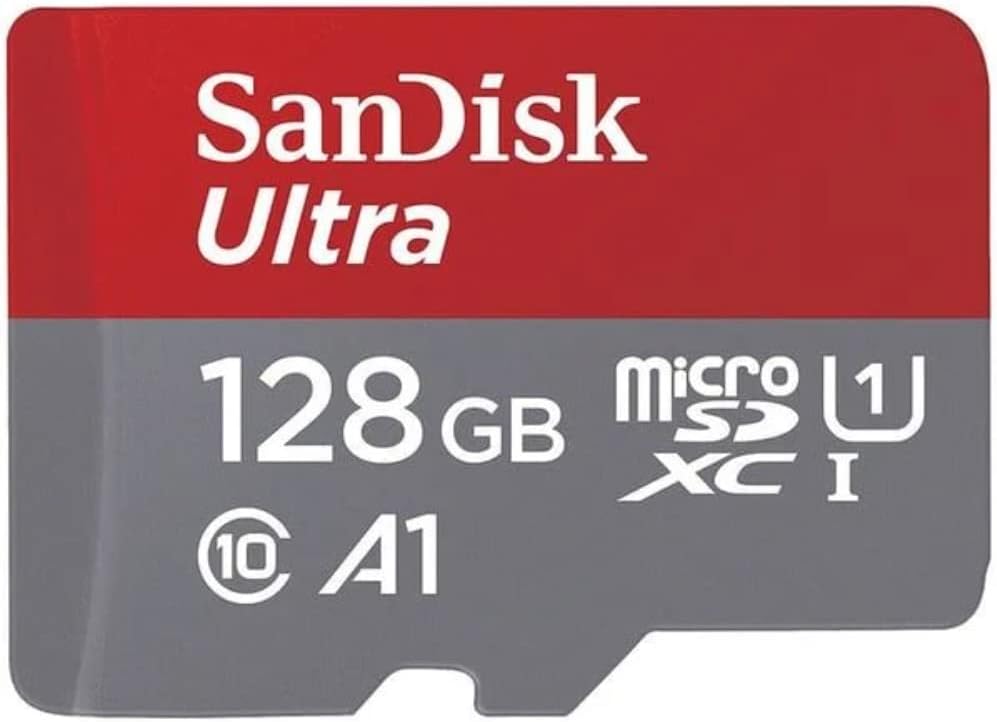
The SanDisk 128GB Ultra microSDXC card holds the highest rating in this roundup at 4.7, making it a particularly well-regarded general-purpose tablet upgrade. It supports Android smartphones and tablets, Chromebooks, and Windows laptops, giving it wider device relevance than the Fire-specific memory card.
We may earn a commission when you buy through this link, at no additional cost to you.
Its stated transfer speed reaches up to 140MB/s, with the product description noting the ability to move up to 1000 photos per minute. A1-rated performance is intended to support faster app loading, while U1 and Class 10 ratings align it with Full HD use. The SanDisk Memory Zone app provides a central place to view, access, and back up files from a phone.
As a microSD card, it is small, removable, and easy to move among compatible devices. The tradeoff is that 128GB will not suit someone with an extensive high-resolution video archive. It also cannot bypass a tablet’s physical limitations: a device without a microSD slot, or one that does not support the desired functions, cannot take full advantage of it.
This is an excellent general recommendation for Android tablets and other compatible portable computers, particularly when app performance and broad device support matter. The rating, speed, A1 class, and ten-year limited warranty form a persuasive package, making it a balanced choice for everyday tablet expansion.
A1-rated performance gives the card a useful advantage for tablets that run applications or games from removable storage. Faster app loading is more relevant to everyday responsiveness than a raw transfer figure alone, making the rating an important part of this recommendation.
The microSDXC format is familiar across Android tablets, Chromebooks, and many Windows laptops. Its small size also means it is easy to carry, label, and swap when moving media between compatible devices.
We may earn a commission when you buy through this link, at no additional cost to you.
The JOIOT 128GB dual flash drive combines a USB-C plug with a USB-A plug, offering flexible use across many modern devices. Its 4.4 rating is slightly lower than the leading products in the list, but the feature set is well suited to users who want straightforward removable storage without installing companion software.
We may earn a commission when you buy through this link, at no additional cost to you.
The drive is listed at up to 130MB/s read speed and up to 35MB/s write speed under USB 3.0 conditions. It supports Windows, Android, Linux, and Mac OS, as well as USB 2.0 ports. The stated compatibility includes tablets, iPad Pro, Mac computers, game consoles, car audio systems, and specified newer iPhone models with compatible USB-C connections.
Its mini enclosure measures 63.5 by 17.8 by 8.4mm and includes caps that protect the connectors from dust and damage. The main limitations are the noticeably lower write speed compared with an external SSD and the absence of a Lightning connector for older iPhones and iPads. Users should also distinguish USB-C device support from universal compatibility with every USB-C product.
Choose this drive for quick document transfer, music, photos, and general file carrying between compatible devices. It is especially helpful for anyone who values a pocket-sized design, dual connectors, and immediate plug-and-play behavior more than intensive large-file editing.
The two-ended design allows the same drive to connect to USB-C tablets and computers as well as USB-A systems. This reduces setup friction when files need to travel between home, work, school, or travel devices.
At less than three inches long, the enclosure is easy to carry in a pocket or small bag. Individual caps help keep the exposed connectors cleaner and less vulnerable to everyday knocks.
We may earn a commission when you buy through this link, at no additional cost to you.
The SanDisk Ultra Dual Drive Go is designed around fast mobile transfers, with a 4.5 rating and a stated read speed of up to 400MB/s. It combines a reversible USB-C connector with a traditional USB-A connector, allowing it to work between modern mobile devices and many computers.
We may earn a commission when you buy through this link, at no additional cost to you.
A standout feature is automatic photo backup through the SanDisk Memory Zone app, which must be downloaded and installed. The drive can also help free space on a USB-C smartphone and move content between USB-C tablets, Macs, and USB-A computers. Compatibility depends on USB-C and OTG support, so users should consult the listed device compatibility information.
The specifications also clarify that write speed is lower and varies by capacity. The 400MB/s figure is a maximum read speed based on internal testing and requires a compatible USB 3.1 Gen 1 or USB 3.0 host, with real results varying by device, interface, and conditions. As a result, this is a fast option when the tablet supports the required standard, not a universal speed guarantee.
This drive is well suited to photographers, students, and frequent travelers who want to move or back up photos from a compatible USB-C mobile device. It combines useful capacity with faster reads than many standard flash drives and adds automatic backup functionality for a more streamlined workflow.
The high stated read speed can shorten the wait when moving large batches of images or other files from a compatible tablet or smartphone. It is most valuable when the connected device also supports the required USB generation.
Automatic photo backup through the Memory Zone app reduces the need to select and transfer files manually each time. This makes the drive more useful as a routine backup destination than as only a temporary file carrier.
We may earn a commission when you buy through this link, at no additional cost to you.
The Samsung Type-C USB Flash Drive combines 256GB capacity, a 4.5 rating, and a stated read speed of up to 400MB/s in a compact enclosure. It uses a reversible USB-C plug and is positioned for tablets, phones, laptops, and cameras that support the connector.
We may earn a commission when you buy through this link, at no additional cost to you.
USB 3.2 Gen 1 performance is backward compatible with USB 3.0 and USB 2.0, which broadens its practical usefulness. The product description states that 4GB files can transfer in 11 seconds under the relevant conditions. Although the capacity is 256GB, the description illustrates its media potential with space for 63,730 photos or up to 12 hours of 4K video.
Its physical construction is a major differentiator. The body is described as waterproof, shock-proof, magnet-proof, temperature-proof, and X-ray-proof, and it includes a five-year limited warranty. The trade-off is that the drive itself offers USB-C only; users who want a traditional USB-A connection may need an appropriate adapter, and no write-speed figure is supplied.
This drive is a strong option for people who want more capacity than a typical small thumb drive and value durability. It works particularly well for moving large media, backups, or documents among compatible USB-C devices. Its rugged body makes it a sensible travel companion, provided the tablet supports direct USB-C storage access.
The compact, reversible USB-C design avoids the awkwardness of guessing connector orientation. Its rugged body is useful for users who regularly carry storage in bags, on trips, or into environments where a less protected drive might be vulnerable.
The 256GB capacity provides a useful balance for large documents, photo collections, and hours of video. It remains simpler and more pocketable than many external SSDs while offering a higher stated read speed than conventional flash drives.
We may earn a commission when you buy through this link, at no additional cost to you.
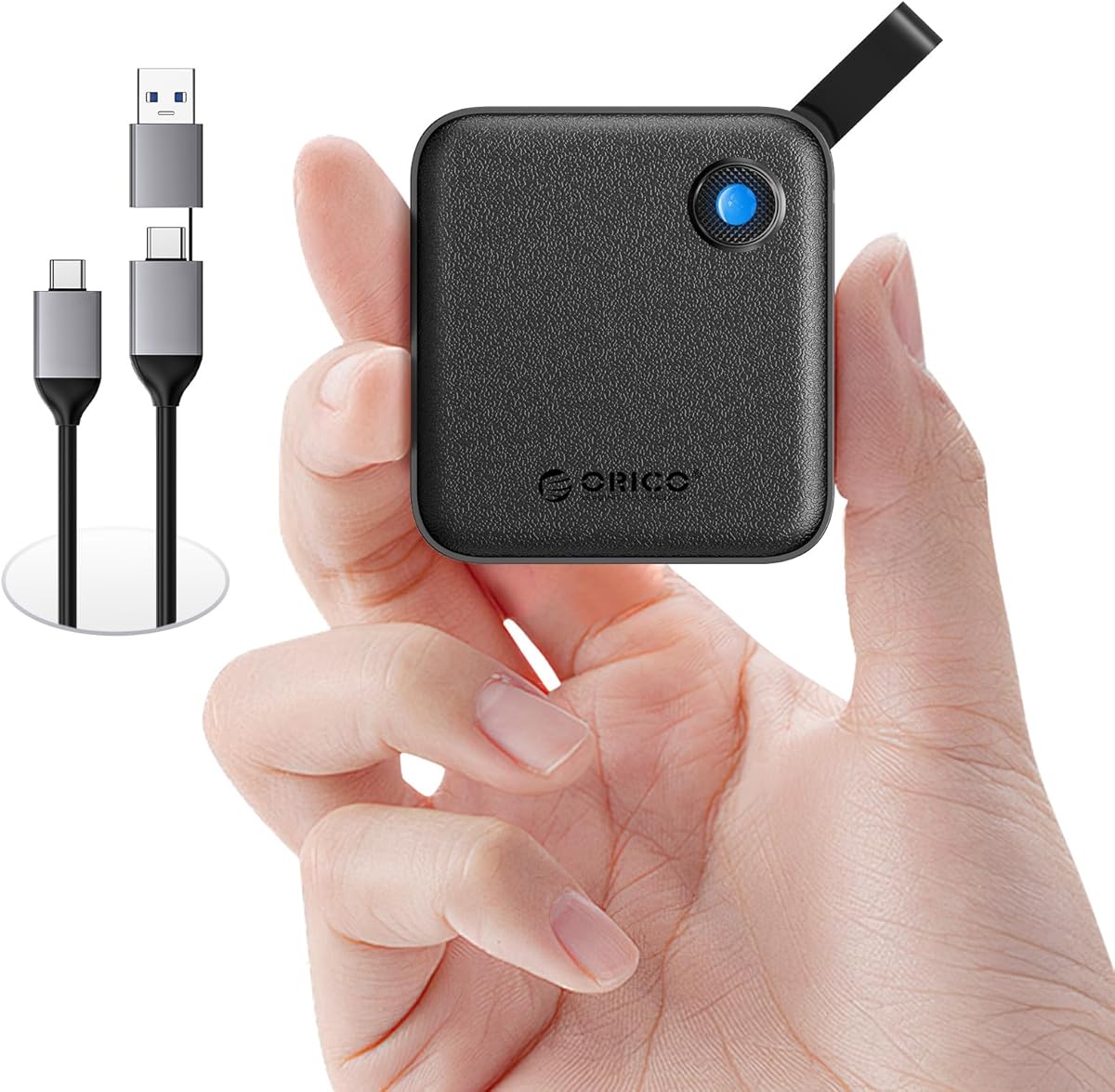
The ORICO 256GB Portable SSD offers a strong mix of capacity, speed, and portability. It has a 4.5 rating and a stated transfer speed of up to 460MB/s, placing it well above removable flash drives for moving large files. Its 2-in-1 USB-C and USB-A cable is intended to make connection to a broad range of devices straightforward.
We may earn a commission when you buy through this link, at no additional cost to you.
The enclosure measures 2.44 by 2.72 by 0.5 inches and weighs 0.9 pounds, making it portable enough for daily carry while remaining a dedicated external storage device. Multiple vibrant enclosure colors are available, allowing the storage accessory to reflect personal style while keeping data securely contained.
The main consideration is that a physical cable and enclosure can occupy more space than a bare flash drive or microSD card. The product information also does not provide detailed operating-system or app-function compatibility, so buyers should confirm that their tablet supports external storage through the available USB connection. Maximum read speed also depends on the host device and cable path.
Choose the ORICO SSD when transfer speed matters and you want more polish and capacity than a basic thumb drive offers. It is a good fit for moving large photo and video collections, working files, or tablet media between compatible devices, provided its slightly bulkier cable-equipped form suits your storage habits.
A stated 460MB/s read rate is valuable when moving extensive photo albums, high-resolution video, or work files. It is a meaningful improvement over conventional flash drives when the tablet and connection support those speeds.
The compact body and color choices make the SSD easy to distinguish from work or personal accessories. The integrated two-connector cable reduces the need to carry separate leads for modern and legacy USB devices.
We may earn a commission when you buy through this link, at no additional cost to you.
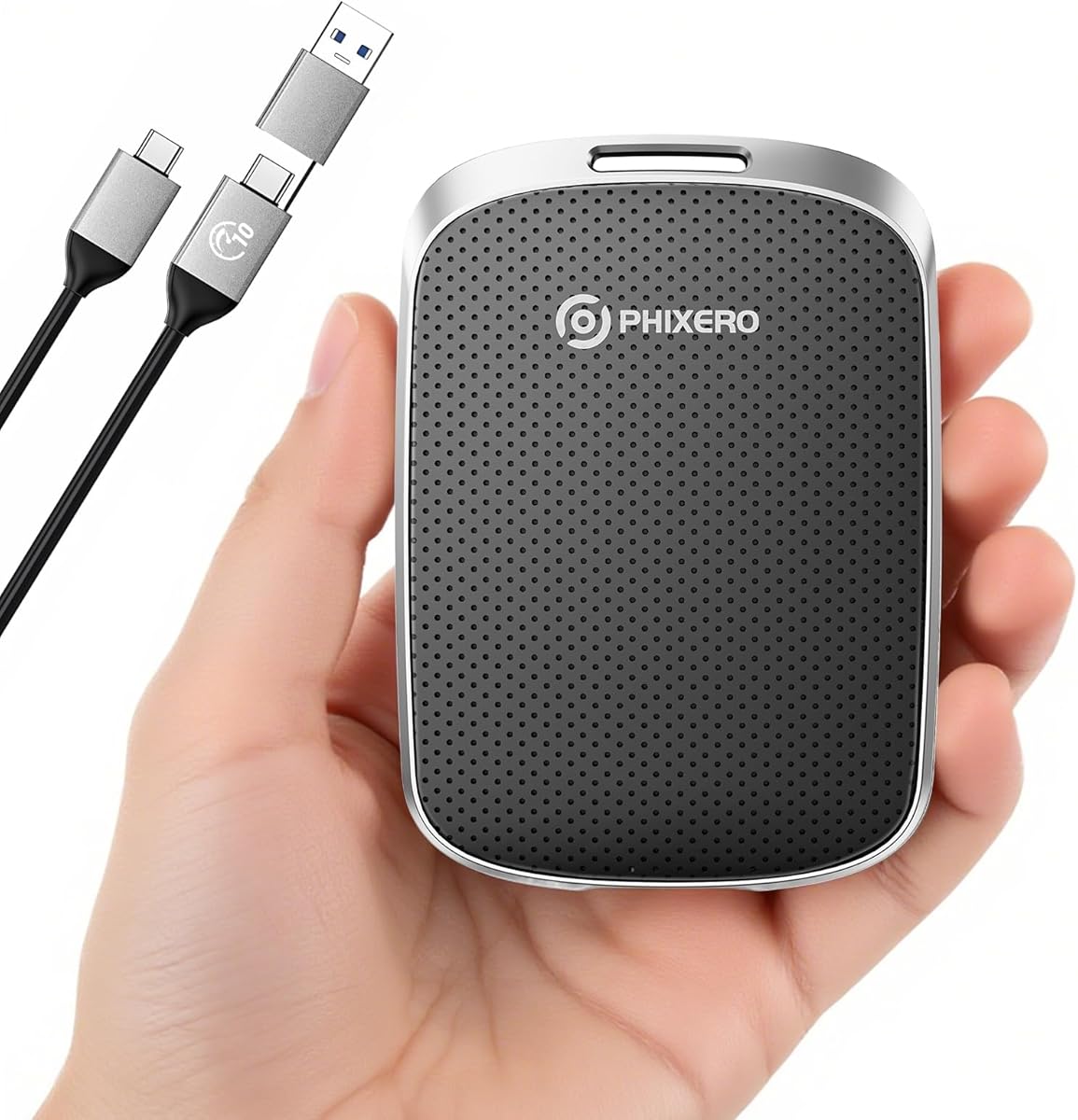
The PHIXERO P5PLUS Portable SSD is aimed at users who move substantial files or record video directly from compatible devices. Its 4.6 rating is among the strongest in the guide, while the specifications list continuous read speeds up to 550MB/s and write speeds up to 500MB/s.
We may earn a commission when you buy through this link, at no additional cost to you.
The one-piece aluminum alloy frame is described as resistant to drops, vibration, and dust. A hanging loop can attach the drive to a belt loop or backpack, and the SSD is intended to remain nearly silent during operation. Its USB-C to USB-C and USB-A cable supports transfers among smartphones, tablets, PCs, laptops, cameras, televisions, and game consoles.
Compatibility covers Windows, Mac OS, Linux, and Android, although using it as storage on a mobile tablet still depends on OTG or equivalent device support. The strongest specialized feature is direct 4K60 video recording, which can be valuable for creators who want footage written to the SSD rather than limited internal storage. A three-year warranty adds support, but direct recording behavior should be confirmed with the specific camera or phone.
This SSD is a compelling choice for video creators and power users who value both strong read and write performance. It is less necessary for basic document storage, but for high-resolution capture, large project files, and rapid cross-device transfer, the P5PLUS provides a compact and rugged solution.
Direct 4K60 recording support is the standout capability for creators. It can offload demanding footage to external storage when a compatible mobile device or camera supports the workflow, reducing pressure on limited internal capacity.
The stated 550MB/s reads and 500MB/s writes support both moving existing projects and writing new files. That balance makes the drive more versatile than choices optimized mainly for quick reads.
We may earn a commission when you buy through this link, at no additional cost to you.
The Vansuny 128GB dual flash drive is a budget-oriented option for moving files between compatible C-port mobile devices, tablets, and computers. Its 4.3 rating is the lowest among the ten products, so it is best viewed as a straightforward general-purpose drive rather than a performance leader.
We may earn a commission when you buy through this link, at no additional cost to you.
One of its most useful details is the default exFAT formatting, which the manufacturer says is recognized by smartphones and tablets. The drive also supports USB 3.0, is backward compatible with USB 2.0 and USB 1.1, and can transfer a 4GB movie to a smartphone in about 40 seconds under the stated conditions. A USB-C plug and USB-A connector are built into the device.
The supported format list is broad, covering common video and audio types, while operating-system compatibility includes Windows versions, Linux, and Mac OS. However, the drive only works with C-port-enabled mobile phones and computers. Formatting can affect compatibility, and OTG support remains necessary for the mobile use highlighted in the product information.
This drive makes sense for light-duty users who need inexpensive, pocketable storage and already have a compatible USB-C tablet. It is less attractive for heavy app use, large media workflows, or devices limited to Lightning connectors. Check the tablet’s port and OTG capabilities before purchasing.
The default exFAT format is intended to improve recognition by compatible smartphones and tablets. Users can still need to reformat for a particular workflow, so checking the device requirements before use is important.
The integrated USB-C and USB-A connectors make it possible to carry one drive for modern and traditional systems. Its keychain-style format also supports easy attachment to a bag or personal accessories.
We may earn a commission when you buy through this link, at no additional cost to you.
The right tablet expansion method depends on compatibility first, followed by capacity, speed, portability, and the kinds of files you intend to store. These factors help distinguish native removable media from general-purpose USB storage and external SSDs.
Start by identifying the tablet’s physical storage options. Some models include a microSD slot, some accept USB-C accessories, and others rely exclusively on internal storage or a proprietary connection. A microSD card only works when the device has a compatible slot and supports the functions you need. USB-C and USB-A flash drives also require the correct port, and mobile use may depend on OTG support. Even a device with USB-C does not necessarily expose its internal storage as freely expandable space.
Confirm the connector and operating-system requirements before buying. A drive can be physically compatible while still being unable to hold applications, display every media format, or appear in the tablet’s file manager.
MicroSD cards are compact and often the most natural fit for removable tablet storage. Flash drives are easy to carry between a tablet, phone, and computer, but they usually provide less capacity than external SSDs and offer slower writes. Portable SSDs are better for large media libraries, backups, direct recording, and fast transfers. Choose the format that matches the job rather than assuming the largest-capacity option is automatically the most convenient.
Use a card for lightweight, swappable files and a flash drive for quick transfers. Choose an SSD when speed, sustained writes, or high-resolution recording matter.
Capacity should reflect the size of your active library and the amount of temporary working space you need. A 128GB card can be convenient for documents, selected apps, and a moderate media collection, while 256GB gives more room for photos and video. The 1TB portable SSD in this guide is intended for users with substantial libraries or active project files. Note that operating systems may report capacities differently because they use binary rather than decimal calculations.
Choose enough room for your present collection plus room to grow. Avoid relying on a single low-capacity card for large, irreplaceable files that you have not backed up elsewhere.
Maximum read speeds describe how quickly a device can retrieve existing files, while write speed affects recording, copying, and saving new content. A 400MB/s read figure can make large transfers feel quick, but the result depends on the tablet, port standard, interface, and workload. Direct video recording and repeated writes place greater importance on sustained write performance and thermal behavior than a headline read rate alone.
Compare real performance expectations rather than accepting one maximum number as a guarantee. For routine documents, a standard flash drive may be sufficient; for large media, favor an SSD with strong stated reads and writes.
Extra storage is useful only if the tablet can access it in the way you require. The Fire-specific card in this guide supports direct app and game downloads, and the general SanDisk card carries A1 performance for app responsiveness. By contrast, many USB drives serve primarily as file repositories, media sources, or transfer destinations. Check whether a device can install applications, edit files in place, stream large video, or write camera footage directly to the drive.
Prioritize native app support when running games or productivity applications. For photo, music, and video libraries, broad file visibility and media format support are usually the priority.
The smallest option is often the easiest to carry, but portability also involves cable management and connector protection. A microSD card disappears into a device until removal. A dual flash drive can cover several systems without a separate adapter, while a portable SSD offers more speed and capacity but usually adds a larger body and cable. Ruggedized flash drives or aluminum SSD enclosures may be worthwhile for frequent travel.
Choose a form factor that you will actually use. A tiny card can be lost easily, while a large SSD may be inconvenient for a compact tablet kit.
External SSDs draw power from the connected device and generate heat during sustained transfers, making enclosure design and steady performance important. Some products include health diagnostics, adaptive TRIM, or cache management to support consistent writes. Flash drives generally require less power, which can be helpful when connected to a tablet that provides limited output. Warranty periods and rugged construction offer additional reassurance, but no storage device should be treated as the only copy of irreplaceable files.
For repeated large transfers, look for a drive with documented thermal management and sustained-speed features. Maintain a separate backup for important media and documents.
Value is more than a comparison of storage capacities. A low-cost card with native app support may be the most useful upgrade for a Fire tablet, while a higher-capacity SSD can eliminate repeated file management for a creative professional. Consider the type and quantity of files, transfer frequency, device compatibility, and the need for software or adapters. The least expensive drive is not automatically the least expensive way to obtain useful storage over time.
Prioritize compatibility and the storage function you actually need. Pay more for speed, higher capacity, or rugged construction only when your workflow benefits from those features.
Before inserting a memory card or connecting a drive, confirm that the tablet supports its format, connector, capacity, and intended function. For USB accessories, use a compatible USB-C or USB-A port and verify whether the tablet supports OTG. Open the tablet’s storage or file-management interface, allow the system to recognize the device, and use its approved backup or file-transfer application when one is required.
Transfer files in manageable batches and avoid moving or removing the media while an operation is underway. For an external SSD, keep the case unobstructed and use the specified cable path to preserve the advertised speed. For a microSD card, handle it by the edges, insert it in the orientation prescribed by the device, and eject it through the tablet’s settings before physical removal.
Treat all removable storage as supplemental rather than the sole location for important data. Maintain a separate backup, use safe eject procedures, and periodically check the device for errors. Keep connectors dry and clean, protect flash drives from impacts and extreme heat, and avoid using a storage device that has become unusually hot or is no longer recognized reliably.
No. A USB-C port provides a possible connection method, but the tablet must also support external storage and usually OTG functionality. Some devices can read a flash drive or SSD, while others only use USB-C for charging, cameras, or accessories. Check the manufacturer’s specifications and confirm that the operating system exposes the connected device in its file manager.
A microSD card is often better when the tablet has a dedicated slot and supports installing apps or saving media to it. A flash drive is usually more convenient for transferring files between a tablet, phone, and computer. Your choice should therefore follow the tablet’s supported functions rather than assuming one medium is universally better.
A portable SSD is generally the most appropriate option for frequent large-file transfers because it offers higher read and write performance and more capacity. A flash drive may be sufficient for occasional transfers, while a memory card can work well for supported media workflows. For direct recording, confirm that the tablet or camera supports writing to the chosen drive.
No. Read speed helps when opening or copying existing files, but write speed matters when saving new content. Device ports, thermal conditions, file sizes, and the number of simultaneous tasks also affect results. A lower-speed drive may still be perfectly adequate for documents, while an SSD is more useful for sustained media work.
This is normal and results from a difference between decimal and binary capacity calculations. Manufacturers describe storage in decimal units, while operating systems may display the equivalent in binary units, producing a lower-looking number. The drive’s actual physical capacity is not reduced or defective because of this display convention.
Some tablets and operating systems allow certain apps to be installed on removable media, but support varies by device and application. The Fire-specific card in this guide explicitly supports downloading apps and games to the SD card. For a generic flash drive or SSD, confirm that your tablet supports app installation from that location before relying on it.
Keep a separate backup of irreplaceable photos, documents, and recordings rather than relying on a single card or drive. Transfer files safely, use the tablet’s eject function before removal, and periodically check the device for errors. Removable storage is most useful as a flexible working space and transfer tool, not as the only copy of important data.
It can be enough for selected apps, documents, photos, and a moderate media collection, especially if you regularly move files to a computer or cloud service. Larger video libraries, professional projects, and offline entertainment can quickly exceed that capacity. Consider 256GB for more active use or a 1TB SSD for substantial collections and direct recording.
The leading options cover three different priorities. The SanDisk 128GB Ultra microSDXC is the balanced general recommendation, with a 4.7 rating, A1 app performance, and broad device support. The SSK Portable SSD 1TB is the premium choice for maximum capacity and very high performance, while the JOIOT 128GB Dual Drive offers a compact, budget-friendly way to transfer files across compatible USB devices.
Compatibility should always come first. Check the tablet’s storage slot, port, OTG support, operating system, and desired functions before choosing a format. Users with Fire Tablets should strongly consider the Made for Amazon SanDisk card for direct app downloads, while creators handling large or high-resolution files may gain more from an external SSD with fast sustained writes.
Finally, review the current listing before purchasing because prices, availability, device compatibility information, and product details can change. Match the drive’s capacity and connector to your current library, use it within the manufacturer’s stated limits, and maintain a separate backup for files that cannot be replaced.