
MNN 15.6-inch FHD Portable Monitor
4.3Editor score
Full HD IPS display
Dual USB-C connectivity
Protective folding cover
A portable monitor can turn a laptop into a more capable workstation without requiring a permanent desk setup. The category spans lightweight Full HD travel screens, color-focused QHD panels, high-refresh gaming displays, and premium 16:10 models suited to creative work and modern MacBook workflows.
This guide compares ten portable monitors based on the specifications and features listed in their product information. We examine screen size, resolution, refresh rate, color coverage, brightness, ports, stands, mounting options, portability, eye-care features, and intended uses without claiming to have tested them personally.
Each review explains who the monitor suits, what makes it stand out, and where its compromises may matter. The first three picks cover the strongest all-around options in different categories, while the remaining products offer distinct advantages for travel, gaming, consoles, creative tasks, or value-conscious buyers. Prices and availability can change.
4.3Editor score
4.8Editor score

4.8Editor score
As an Amazon Associate we earn from qualifying purchases.
The table below places all ten monitors side by side, highlighting the differences that matter most: display size, resolution, refresh rate, color coverage, and portability.


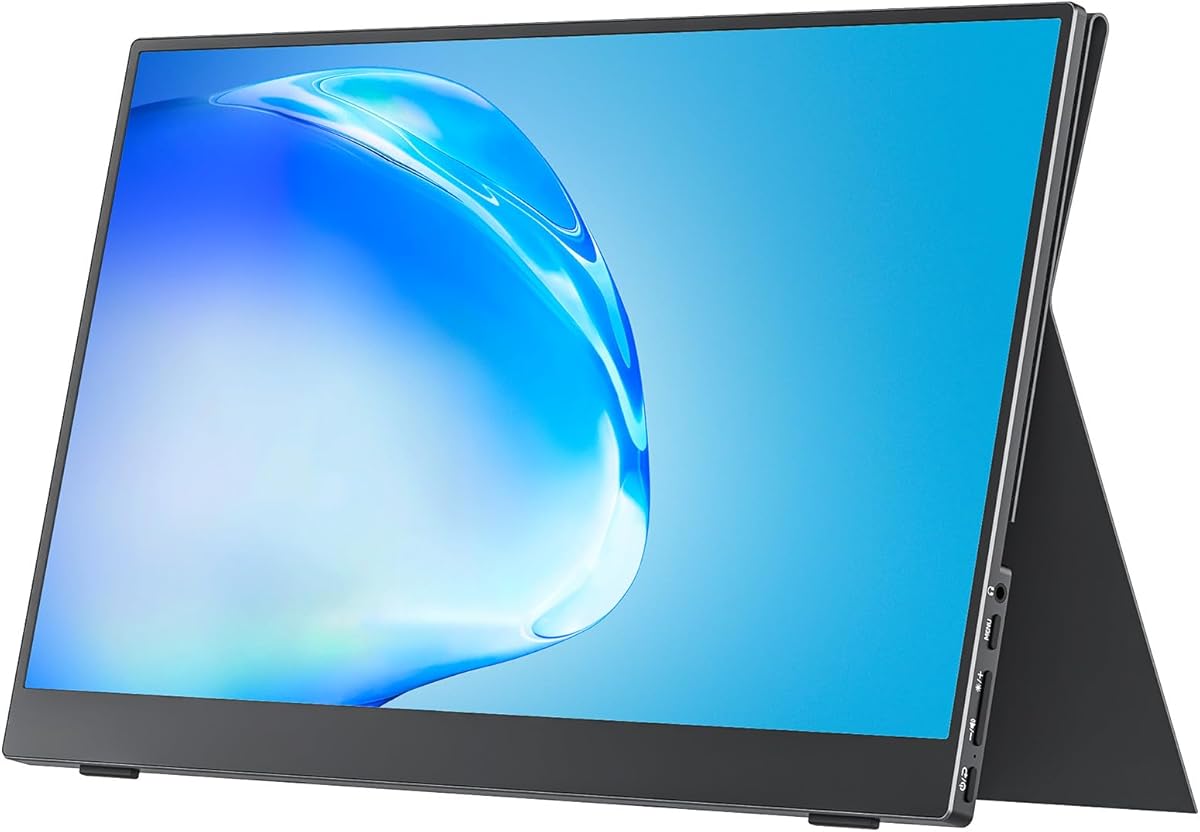
The MNN 15.6-inch FHD portable monitor combines a familiar 1920 x 1080 IPS display with a travel-friendly design, dual full-function USB-C ports, HDMI connectivity, and a protective folding cover. Its 4.3 rating reflects a broadly capable package, and the supplied specifications position it as an affordable option for people who want a straightforward second screen for a laptop, tablet, phone, or supported console.
We may earn a commission when you buy through this link, at no additional cost to you.
The principal attraction is the combination of portability and flexible connectivity. The display offers a 178-degree viewing angle, HDR support, and several operating modes, including copy, extend, second-screen, and portrait configurations. A single compatible USB-C cable can carry both display signal and power, while the device can also be connected through HDMI. The smart PU-leather cover protects the panel during transport and folds into a stand for landscape or portrait use.
The trade-offs are straightforward. A 60Hz panel will not provide the motion fluidity associated with 100Hz, 144Hz, or 180Hz gaming monitors, and the product information does not mention built-in speakers. Its glossy IPS treatment may also be less suitable than an anti-glare model in brightly lit rooms, although that distinction is not explicitly stated for this particular screen.
This is a compelling recommendation for students, travelers, office workers, and casual gamers who value straightforward setup and low carrying complexity over high-refresh performance. Verify that your computer supports Thunderbolt 3, USB 3.1 Type-C DisplayPort Alt Mode, or the equivalent video-output function before purchase. For routine productivity and portable entertainment, it delivers the core features most buyers need.
Two full-feature USB-C ports make it easier to route power and video through one cable when the source device supports the required DisplayPort Alt Mode. This keeps the desk cleaner and makes the monitor particularly convenient for meetings, presentations, and mobile workstations.
The scratch-resistant smart cover provides storage protection and converts into a stand. Its support for portrait orientation is especially useful for documents, messaging, and vertically arranged applications.
We may earn a commission when you buy through this link, at no additional cost to you.
The cocopar 15.6-inch FHD portable monitor earns one of the strongest overall profiles in this guide, combining a slim 4mm-at-thinnest construction with a 4.8 rating. Its 1920 x 1080 IPS panel, 178-degree viewing angle, HDR support, and low-blue-light features make it a well-rounded travel display for productivity, meetings, presentations, and casual gaming.
We may earn a commission when you buy through this link, at no additional cost to you.
Connectivity is a major strength. The monitor includes two full-featured USB-C ports and an HDMI port, with one compatible USB-C cable able to provide both power and video. Power pass-through reverse charging can keep a connected laptop or phone supplied while the display is active. Built-in speakers add useful audio without requiring separate peripherals, while two VESA holes allow use with a stand in landscape or vertical orientation.
Its main limitation is that it remains a 60Hz Full HD monitor, so competitive gamers and motion-focused users may prefer a faster panel. The listed 85% sRGB coverage is also more modest than the color specifications of several 16:10, QHD, and 144Hz alternatives. Those limitations keep it from serving as a professional color-reference display.
The cocopar is easiest to recommend to remote workers, business travelers, students, and casual console or PC players who want a refined portable package. It weighs 1.5 pounds without the magnetic cover, making it practical for mobile use, while the included smart stand case protects the screen and supplies a stable support. Its feature balance makes it an excellent general-purpose choice.
The combination of full-featured USB-C, HDMI, and power pass-through reduces dependence on adapters. Compatible laptops can use a single cable for video and charging, making the monitor easy to deploy in conference rooms and temporary offices.
Built-in speakers and VESA compatibility add flexibility beyond a bare travel panel. Users can position the monitor more securely on a compatible stand and gain simple audio for demonstrations, calls, or entertainment.
We may earn a commission when you buy through this link, at no additional cost to you.
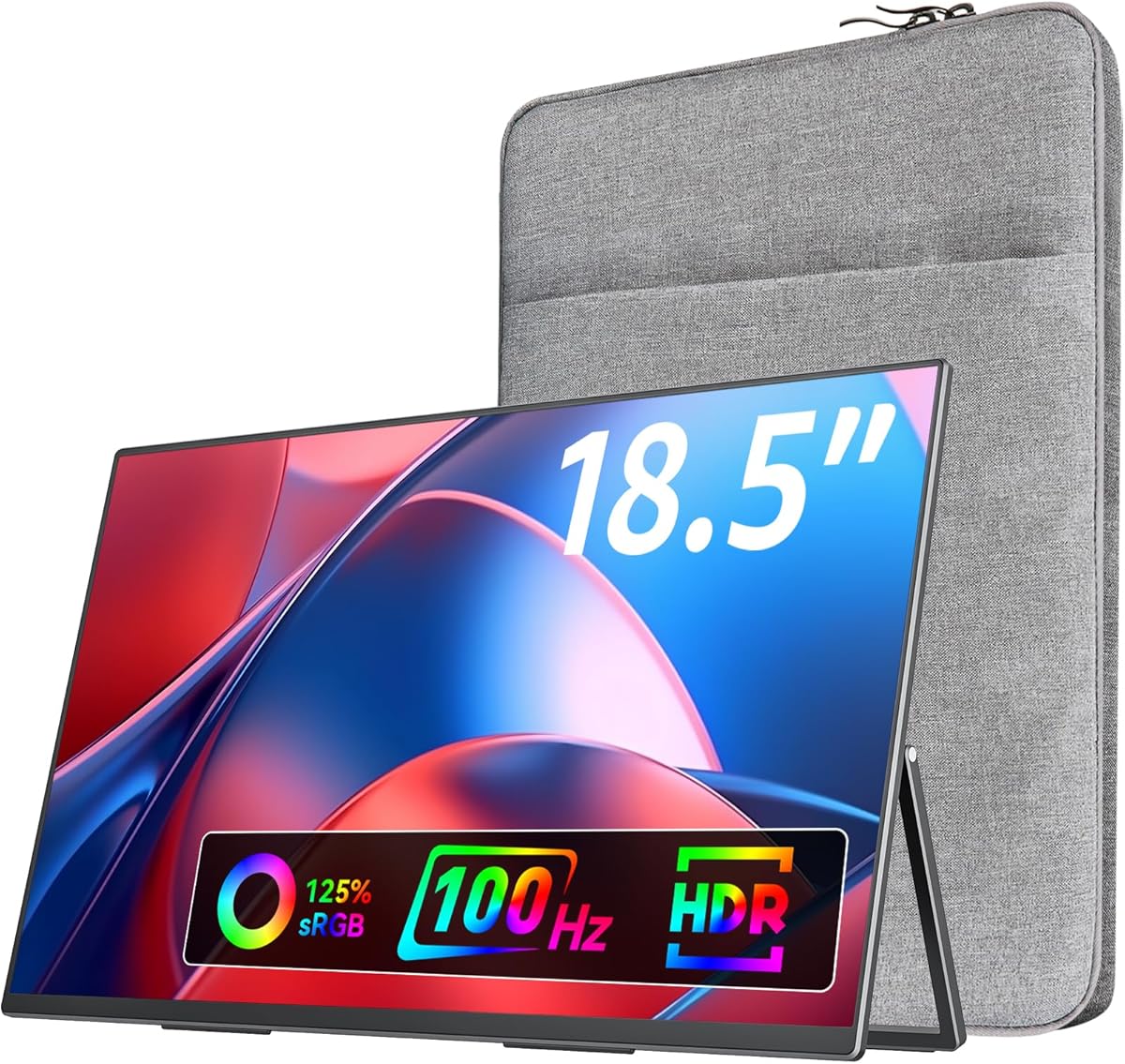
The VisionOwl 18.5-inch FHD portable monitor is designed for buyers who want more usable screen area than a conventional 15.6-inch travel panel. It combines a large 1920 x 1080 IPS display, a 100Hz refresh rate, 125% sRGB coverage, 8-bit color, and 16.7 million colors. Its 4.8 rating reinforces its position as one of the most balanced large-screen choices.
We may earn a commission when you buy through this link, at no additional cost to you.
The monitor weighs 2.7 pounds and measures 0.24 inch at its minimum and 0.55 inch at its maximum, balancing portability with a more substantial construction. A metal back panel and integrated metal stand improve durability, while standard 75 x 75mm VESA holes permit alternative mounting arrangements. Two USB-C ports and an HDMI connection provide broad device support.
The unresolved advantage of this larger model is pixel density. At Full HD across 18.5 inches, text and controls appear less compact than they would on a smaller 1080p screen, and a QHD option would provide substantially more desktop resolution. The 100Hz refresh rate is a welcome improvement over 60Hz, although it does not match the 144Hz and 180Hz models featured here.
This VisionOwl is ideal for travelers who prioritize physical screen size, a sturdy enclosure, integrated speakers, and smoother motion. It suits presentations, console gaming, and relaxed productivity where Full HD is sufficient. Buyers who edit detailed documents or need multiple windows simultaneously should consider the smaller 16-inch 2.5K VisionOwl instead, but this remains an appealing premium large-screen option.
The 18.5-inch panel offers a generous canvas for slide decks, spreadsheets, consoles, and shared content. It can reduce the need to crowd information onto a laptop display while remaining light enough for occasional relocation.
A robust metal back and integrated stand give the display a more permanent feel. Standard 75 x 75mm VESA holes add further positioning options for desk arms, wall mounts, and portable monitor stands.
We may earn a commission when you buy through this link, at no additional cost to you.
The ASUS ZenScreen MB169CK is a 15.6-inch Full HD IPS portable monitor aimed at productivity in cafes, coworking spaces, offices, and other shared environments. Its 4.2 rating, anti-glare display, 360-degree kickstand, and automatic orientation software distinguish it from simpler travel panels that rely only on a folding cover.
We may earn a commission when you buy through this link, at no additional cost to you.
The anti-glare treatment is particularly relevant when working near windows or under bright indoor lighting. The 11.8mm profile and 0.78kg weight keep the monitor easy to pack, while a single USB-C connection delivers both power and video to compatible laptops. DisplayWidget software automatically rotates the image between portrait and landscape orientations according to the physical position of the screen.
A tripod socket adds another layer of positioning flexibility, allowing the display to be attached to a compatible stand rather than relying solely on the kickstand. TV-certified flicker-free and low-blue-light technology is designed for long reading and work sessions. The product information also lists a three-year warranty with advanced replacement and repair service.
This model is most appropriate for office workers, writers, students, and digital nomads who value glare resistance and flexible orientation more than high-refresh gaming. Its stated specifications do not identify the refresh rate, and the single USB-C approach offers less port redundancy than several dual-USB-C alternatives. Even so, the anti-glare display and automatic rotation create a compelling productivity-focused feature set.
The anti-glare finish helps maintain visibility in cafes, airports, and bright offices. That practical surface treatment can matter more day to day than a headline specification that does not improve the viewing environment.
DisplayWidget software can shift the output as the monitor moves between horizontal and vertical positions. This simplifies reading long documents, browsing, and using narrow applications without manually changing the source system.
We may earn a commission when you buy through this link, at no additional cost to you.
The VisionOwl 16-inch 2.5K QHD monitor is the most technically advanced product in this guide, combining a 2560 x 1600 resolution, 144Hz refresh rate, 16:10 aspect ratio, 470-nit brightness, and a 110% sRGB gamut. Its 4.8 rating reflects a premium feature set aimed at users who want more than a basic travel panel.
We may earn a commission when you buy through this link, at no additional cost to you.
The 16:10 format is particularly compelling for MacBook users because it can fill more of the available display area without the black bars often associated with 16:9 panels. An 8-bit panel using 2FRC is specified to produce up to 1.07 billion colors, supporting smoother gradients and more detailed creative work. The high brightness also helps maintain clarity in bright environments.
Connectivity is well considered for a travel display. It includes a full-size standard HDMI port, dual USB-C connections, speakers, a built-in kickstand, and VESA holes. The package contains a sleeve, power adapter, HDMI cable, and two USB-C display cables, minimizing the need to source accessories separately. The monitor weighs 1.48 pounds.
The principal constraint is power. The enclosure is larger and heavier than compact 15.6-inch models, and single-cable video and power requires Thunderbolt 3, Thunderbolt 4, or DisplayPort Alt Mode support. Even with those caveats, this VisionOwl offers an exceptional combination of detail, refresh rate, brightness, and aspect ratio. It is an outstanding choice for MacBook professionals, creative users, mobile multitaskers, and serious gamers.
The 2560 x 1600 panel provides substantially more room for documents, editing timelines, spreadsheets, and communication windows than Full HD. The 16:10 ratio also feels more natural for many laptop-based tasks than a conventional widescreen display.
A 470-nit panel, 110% sRGB coverage, and 8-bit color with 2FRC give the monitor useful credentials for photo viewing, design, and video editing. These specifications do not replace a calibrated professional monitor, but they are well suited to mobile creative workflows.
We may earn a commission when you buy through this link, at no additional cost to you.
The InnoView 15.6-inch FHD portable monitor is built around a simple promise: add a second display without installing applications or complicated software. It has a 4.4 rating, a 1920 x 1080 A+ IPS panel, HDR support, low-blue-light and flicker-free features, and compatibility with laptops, phones, tablets, desktops, and several game consoles.
We may earn a commission when you buy through this link, at no additional cost to you.
Two full-function USB-C ports and one HDMI port make connection flexible. With a compatible source, one USB-C cable carries power and video, while reverse charging support can keep the attached device powered. The product also has an integrated speaker and a scratch-resistant PU-leather cover that converts into a stand with grooves for adjusting the angle.
The screen supports 178-degree viewing and can be used in either landscape or portrait orientation. Its 60Hz standard is the main limitation for fast-paced gaming, and the product information notes that an HDMI power cable is not included. Users relying on HDMI should therefore verify whether their computer can also provide power or whether they need another solution.
This InnoView is a strong fit for travelers, students, engineers, remote employees, and casual gamers seeking dependable simplicity. Its protected design reduces the chance of screen damage during transit, while the no-driver approach makes it useful for spontaneous setup at offices, hotels, or shared workspaces. It does not demand advanced display specifications to deliver the core benefit.
The monitor is designed to work without an app or driver, reducing friction when switching between locations. Compatible devices can connect through USB-C, while HDMI provides an alternative input for systems with different port arrangements.
The PU-leather smart cover protects the display during travel and provides two grooves for angle adjustment. Landscape and portrait use make it easy to adapt the screen to meetings, reading, or extended workflows.
We may earn a commission when you buy through this link, at no additional cost to you.
The ARZOPA Z1FC 16.1-inch portable gaming monitor combines a 144Hz refresh rate with a 1080p IPS panel and a 4.4 rating. It targets gamers who want a larger, smoother portable screen for laptops, consoles, the Steam Deck, Mac systems, and other compatible devices without paying for a higher-resolution flagship model.
We may earn a commission when you buy through this link, at no additional cost to you.
Its 106% sRGB coverage supports clear and vibrant imagery, and the 16.1-inch size provides more visual area than most traditional 15.6-inch travel monitors. The built-in kickstand permits tilt adjustment, making it easier to find a comfortable angle on a desk, bed, or temporary workspace. Two fully functional USB-C connections and a Mini HDMI port support multiple input methods.
The product information explicitly states that the monitor does not include adaptive sync or FreeSync. That distinction matters for gamers who want variable refresh-rate support, although the high fixed refresh rate still makes this model more suitable for motion than 60Hz alternatives. The Full HD resolution also provides fewer pixels than the 2.5K models in this guide.
The Z1FC is a good fit for gamers who prioritize refresh rate and screen size while keeping the display relatively approachable. It also works as a general second screen for work or streaming. Console users should consult the manual for the correct connection procedure, and owners should not expect adaptive synchronization from this particular model.
The 144Hz refresh rate displays more frames per second than a standard 60Hz screen and can reduce visible motion blur during fast action. It does not include adaptive synchronization, so the benefit comes from the fixed high refresh rate.
At 16.1 inches, the Z1FC offers more room than a compact travel display without moving into the bulk of an 18.5-inch model. The adjustable kickstand keeps positioning straightforward across different play locations.
We may earn a commission when you buy through this link, at no additional cost to you.
The ARZOPA Z3FC 16.1-inch portable monitor pushes both resolution and refresh rate, offering a 2560 x 1440 QHD panel at 180Hz. Its 4.2 rating does not lead the category, but the specification profile is among the most ambitious here, making it particularly interesting for fast PC gaming and users who value detailed image output.
We may earn a commission when you buy through this link, at no additional cost to you.
The QHD panel provides considerably more detail than 1080p, while the listed 400-nit brightness and 1000:1 contrast ratio support punchy image quality. Color coverage is specified at 107% sRGB. Two full-function USB-C ports and a Mini HDMI connection allow use with laptops, Mac computers, Xbox systems, PS5 consoles, Steam Deck devices, and other compatible sources.
A built-in kickstand offers tilt adjustment and keeps the 16.1-inch display practical for travel. No setup or driver downloads are required according to the supplied information, although the full potential of 180Hz depends on the source device, cable, and game being able to output at the required rate.
The Z3FC makes the most sense for enthusiasts who want a high-refresh portable gaming display and can run their computer or console at QHD. It can also serve as a detailed productivity and entertainment screen. Users who do not need 180Hz may find that the 144Hz VisionOwl 16-inch offers a more advanced overall feature package, including higher listed brightness and a wider bundled accessory kit.
The combination of 2560 x 1440 resolution and 180Hz refresh rate supports sharp visuals and fluid motion. It is well suited to fast games where both detail and rapid frame delivery are important.
A listed 1000:1 contrast ratio and 400-nit brightness make the monitor suitable for movies, streaming, and general multimedia. The 107% sRGB specification also provides a broader color presentation than many entry-level panels.
We may earn a commission when you buy through this link, at no additional cost to you.
The Anyuse 15.6-inch FHD portable monitor focuses on an unusually slim and light design. At 1.37 pounds and a stated thickness of 0.04 inch, it is one of the most travel-oriented displays in this guide. Its 4.2 rating accompanies a 1920 x 1080 A-grade IPS panel, 178-degree viewing angle, HDR support, and low-blue-light features.
We may earn a commission when you buy through this link, at no additional cost to you.
Connectivity includes two full-featured USB-C ports and one Mini HDMI port. A single compatible USB-C cable can carry display and power, while the product supports copy, extension, and second-screen modes. Two built-in speakers are useful for presentations, calls, and entertainment without requiring separate desktop speakers.
The principal compromises are the 60Hz refresh rate and use of Mini HDMI rather than a full-size connector. Mini HDMI can still serve many portable applications, but adapters may be necessary depending on the source device and available cable. The specifications do not indicate whether the extremely thin frame is fully metal, nor do they include a detailed brightness figure for direct comparison.
This Anyuse is a strong recommendation for frequent travelers who prioritize low weight, thin construction, and uncomplicated operation. It also works for students, hybrid workers, and light gamers who need a second Full HD screen. Users who want the smoothest motion or the widest port selection should consider one of the high-refresh alternatives instead.
The 1.37-pound weight and very thin profile make the monitor easier to fit into backpacks and slim briefcases. It is a sensible option for travelers who carry their computer between multiple working locations.
Copy, extension, and second-screen modes support presentations and multitasking, while integrated stereo speakers add basic audio. The broad viewing angle makes the display practical for sharing information with nearby viewers.
We may earn a commission when you buy through this link, at no additional cost to you.
The ASUS ZenScreen MB16AHV is a 15.6-inch Full HD IPS portable monitor with a 4.4 rating and a focus on travel, shared workspaces, and flexible orientation. Its 10mm profile and 0.9kg weight keep it easy to carry, while the anti-glare panel reduces distracting reflections in cafes, airports, and coworking environments.
We may earn a commission when you buy through this link, at no additional cost to you.
Its distinguishing feature is an embedded ionic silver treatment described as inhibiting 99.9% of bacteria. That makes the screen relevant to people who regularly use shared desks or move between communal work areas. TV-certified eye-care technology adds flicker-free operation and low-blue-light features, supporting longer reading and work sessions.
The monitor offers dual USB-C connections, Mini HDMI, and 15W power delivery. DisplayWidget software automatically rotates the output for portrait or landscape use. A fold-out kickstand and tripod socket provide several positioning options, and ASUS lists a three-year warranty with advanced replacement and repair coverage.
This ZenScreen is a strong fit for remote workers, students, and frequent travelers who prioritize surface treatment, hygiene-oriented design, and a refined physical design. It is less compelling for competitive gaming because no refresh rate is stated, and 15W power delivery is modest for demanding devices. Within productivity-oriented portable monitors, however, it has a distinctive and useful feature set.
The anti-glare surface and embedded bacteria-inhibiting treatment are especially relevant in communal settings. Together, they address common concerns about reflections, visual comfort, and frequently touched surfaces.
Dual USB-C ports, Mini HDMI, and 15W power delivery provide practical input options, while DisplayWidget supports automatic orientation changes. The fold-out kickstand and tripod socket make it easy to adjust the display for different work styles.
We may earn a commission when you buy through this link, at no additional cost to you.
The right portable monitor depends on the source device, the tasks performed, transport constraints, and the importance placed on resolution, motion, color, and convenience. These factors help narrow the category before comparing specific models.
Resolution determines how much information can fit on screen and how finely text and controls appear. A 15.6-inch 1920 x 1080 panel is a familiar standard that balances sharpness, power requirements, and portability. Larger 16-inch and 18.5-inch screens can feel more spacious for presentations or gaming, although Full HD across a larger panel generally provides less pixel density. A 2560 x 1600 or 2560 x 1440 display offers materially more room for documents, timelines, spreadsheets, and multiple windows.
Choose resolution based on screen size and workload. Full HD is sufficient for standard office applications, video calls, and travel use. QHD or 2.5K is preferable for creative software, detailed documents, coding, and users who dislike small interface elements. A 16:10 panel may also provide a more natural fit for modern laptops.
Refresh rate controls how frequently the display updates each second. A 60Hz portable monitor handles office work and casual gaming, but 100Hz, 144Hz, and 180Hz models provide noticeably smoother motion in fast games and scrolling interfaces. The source computer must also be capable of supplying enough frames, and the connection method can affect the maximum output.
Prioritize higher refresh rates for competitive gaming or frequent motion. For general productivity, 60Hz remains perfectly serviceable. Check whether a model offers adaptive synchronization if variable refresh is important, since some high-refresh portable screens support a high fixed rate without adaptive synchronization.
USB-C is the most convenient option for compatible laptops because a single cable can carry both video and power. This reduces cable clutter and allows the portable monitor to act as a self-contained travel setup. HDMI remains useful for desktop computers and consoles, while Mini HDMI saves space but may require an adapter or dedicated cable.
Verify that the source device supports USB-C DisplayPort Alt Mode, Thunderbolt 3, Thunderbolt 4, or an equivalent video-output standard. A USB-C charging port alone does not guarantee display support. Pay attention to whether the monitor includes a full-size HDMI port, whether the supplied USB-C cables support data and video, and whether power pass-through is available.
Color gamut and brightness affect how the display handles photos, video, interfaces, and HDR content. The products here range from 85% sRGB coverage to values above 100% sRGB, with brightness figures reaching 400 and 470 nits on the most advanced models. A broad gamut offers more vivid results, though it does not automatically make a screen suitable for color-critical professional work.
Creative users should examine color specifications, bit depth, and gradient handling carefully. General office and travel users can prioritize a readable IPS panel and reasonable viewing angles instead. Brightness becomes especially important in direct sunlight, airplanes, and outdoor offices, where a dim panel can undermine an otherwise sharp image.
Portability is not determined by weight alone. Thickness, cover design, stand stability, cable requirements, and the size of the packed unit all influence how convenient a monitor is to carry. Models in this guide range from approximately 0.9 to 2.7 pounds, with some weighing less without their magnetic or folding covers.
Look for a protective case that also functions as a stand, since that can reduce the need for separate accessories. A built-in kickstand or fold-out stand offers quick deployment, while VESA compatibility provides more stable positioning when a compatible arm or mount is available. Balance screen size against the space available in your bag.
A monitor may include a basic folding cover, an integrated kickstand, or standard VESA holes. These options serve different needs: covers are convenient for travel, kickstands are quick to deploy, and VESA mounting provides the greatest positioning flexibility. Built-in speakers are convenient for presentations and entertainment, although they do not replace a dedicated audio system.
Decide whether portability or a fixed desk arrangement is more important. Frequent travelers may prefer a self-contained cover-and-stand solution, while hybrid workers may appreciate VESA compatibility for use with an arm. For sound, consider whether the included speakers meet your needs or whether portable headphones provide a better experience.
Long workdays make flicker-free operation, low-blue-light features, and glare control worth considering. Anti-glare surfaces are especially useful under overhead lighting or near windows. Some models include automatic orientation software that switches the image as the screen turns, reducing friction when reading vertical content.
Eye-care features can improve comfort, but they do not replace sensible viewing habits. Position the screen at a comfortable distance, keep brightness aligned with ambient lighting, and take regular breaks. If you work in shared spaces, surface treatment and hygiene-oriented coatings may be more practically valuable than extra connectivity options.
Portable monitors marketed to gamers vary widely in refresh rate, resolution, and synchronization support. Console compatibility also depends on the connector and whether the game system permits a portable display signal. The included products list support for combinations of PS4, PS5, Xbox, Switch, PC, Mac, laptop, tablet, phone, and Steam Deck devices.
Check the source device and console connection instructions before buying. A 144Hz screen is more compelling for PC gaming than for a console with a different output ceiling. If traveling between gaming and work, a model such as the VisionOwl 16-inch 2.5K offers enough high-refresh performance and resolution for both activities.
Before connecting the monitor, confirm the video-output capabilities of your computer and inspect the included cables. For USB-C operation, the source must support Thunderbolt 3, Thunderbolt 4, USB 3.1 Type-C DisplayPort Alt Mode, or the equivalent function. Connect the appropriate cable, select the matching input, and adjust the extension, mirror, or portrait mode in your operating system.
Position the monitor at approximately eye level and use its cover, kickstand, or compatible VESA mount to keep it stable. Avoid pressing on the panel or placing heavy objects against it during transport. When switching between landscape and portrait, allow software or the operating system to rotate the image if automatic rotation is not available.
Clean the screen with a soft, lint-free microfiber cloth and avoid abrasive or solvent-based cleaners. Keep the ports free of dust, route cables so they are not pulled sharply, and store the display in its protective cover. If the image flickers or restarts, the manufacturer guidance for the specific model may recommend powering the monitor separately, particularly when the connected device cannot provide sufficient output.
No. The laptop's USB-C port must support video output, normally through DisplayPort Alt Mode, Thunderbolt 3, Thunderbolt 4, or a compatible alternative. A USB-C port used only for charging or data may not display an image. Check the computer specifications or manufacturer documentation before relying on a single-cable setup.
Most portable monitors in this guide are designed to work without additional drivers or applications. The operating system should recognize the screen after the correct cable is connected. Some ASUS models additionally offer DisplayWidget software for automatic orientation, but that utility is not required for the fundamental display function.
Full HD is sufficient for email, web browsing, documents, spreadsheets, video calls, and presentations at a 15.6-inch size. It becomes less ideal when working with many narrow windows, detailed timelines, complex spreadsheets, or professional creative applications. In those cases, a QHD or 2.5K panel offers more usable workspace and finer detail.
A 60Hz screen is suitable for casual games, but 100Hz, 144Hz, and 180Hz options provide smoother motion in fast titles. The most important requirement is that the connected computer or console can output at the desired rate. Competitive gamers should also check whether adaptive synchronization is supported rather than considering refresh rate alone.
Only if the model includes compatible VESA mounting holes. The cocopar 15.6-inch and VisionOwl models in this guide explicitly support VESA mounting, with the VisionOwl options identifying standard 75 x 75mm holes. Confirm the hole pattern and included hardware before attaching an arm or stand.
It can, particularly when the laptop must power both its internal display and the external screen. Some models support power pass-through, allowing a compatible device to receive reverse charging through USB-C while the monitor is operating. Using a separate power source for the monitor may reduce strain on the computer, but the necessary cable or adapter varies by model.
They can be useful for viewing and reviewing work, especially models with broad sRGB coverage, high brightness, and 8-bit color with frame-rate conversion. However, general portable monitors should not be treated as calibrated reference displays without appropriate testing and calibration. The highest-resolution and brightest models offer the most suitable starting point for mobile creative workflows.
Place the display in its fitted cover or sleeve, keep it flat or upright as directed, and avoid pressure against the screen. Do not place keys, cables, or other hard objects inside the same compartment. Before packing, retract any kickstand and disconnect cables gently to avoid damaging the ports.
The MNN 15.6-inch FHD stands out as the strongest value-focused option, offering a familiar Full HD IPS panel, dual USB-C connectivity, HDR support, and a protective cover that doubles as a stand. The cocopar 15.6-inch FHD is the most balanced travel pick because it adds speakers, VESA compatibility, reverse charging, and an exceptionally slim design.
The VisionOwl 16-inch 2.5K is the most complete premium model, bringing a detailed 2560 x 1600 panel, 144Hz refresh rate, 470-nit brightness, and a 16:10 format suited to modern laptops. If refresh rate is the priority, the ARZOPA Z1FC and Z3FC provide 144Hz and 180Hz alternatives, while the VisionOwl 18.5-inch favors maximum screen area.
Before buying, verify the connector support of your computer, decide whether resolution or refresh rate matters more, and account for the stand and cables you will carry. Current prices, availability, warranty terms, and promotional offers can change, so review the latest listing and product details before making a final purchase.